Community listing page, reviews here may not be monitored by the author.
Cobblemon Incubator


No reviews yet
A Cobblemon and Cobbreeding addon that adds a Egg Incubator with faster hatching, advanced filters, PC delivery, and Pasture automation.
Community voices
Reviews
No reviews yet. Be the first to review this project!
Get it on
Available Platforms
Compatibility
Supported Environments
Must be installed on both the client and the server.
About
Project Details
For authors
Embed Badge
If you're the author of this project, you can embed a live badge anywhere that supports HTML or Markdown. It updates automatically whenever ratings change.
Use HTML for any page that supports it, or Markdown for README files and Markdown-based descriptions.
Identifiers
Platform IDs
About
Description

Turn Pokemon breeding into a polished, visual, and automatable workflow.
Cobblemon Incubator is an addon for Cobblemon and Cobbreeding that adds a dedicated Egg Incubator machine. Insert an egg to incubate it faster, inspect its breeding information, configure advanced filters, or connect the machine to a Pasture and storage system for full automation.
A Complete Egg Incubation Machine
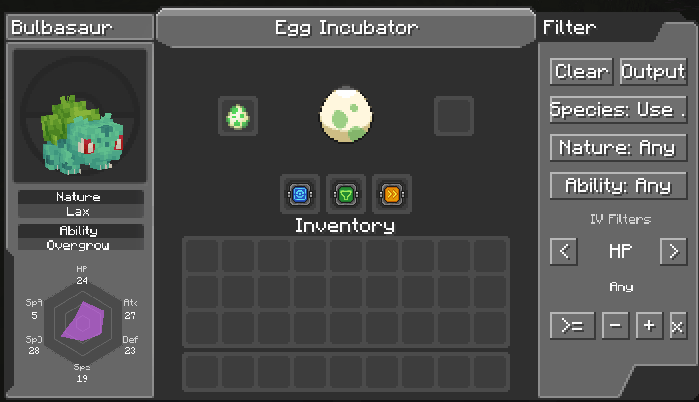
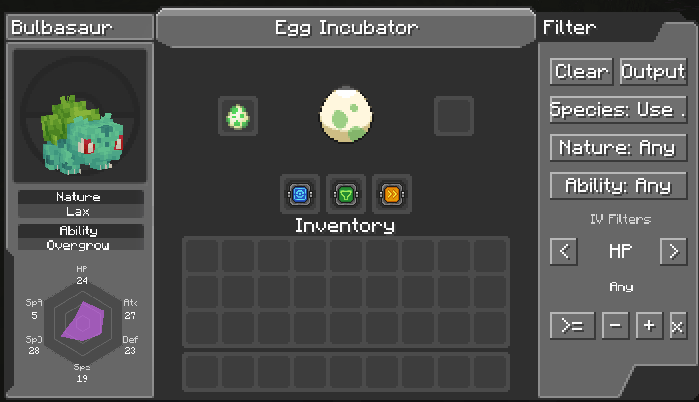
The Egg Incubator provides a custom interface inspired by Cobblemon's PC screens. While an egg is inside, the interface displays:
- The Pokemon's 3D model
- Species
- Nature
- Ability
- All six IVs in a visual radar chart
- An animated egg showing incubation progress
The block also changes visually when it contains an egg and lights up while its interface is open.
Faster Incubation
Eggs incubate at 5x speed by default. Add a Speed Upgrade to reach 10x speed with the default configuration.
Server owners can customize both the base speed and the Speed Upgrade multiplier in:
config/cobblemon_incubator.jsonThree Powerful Upgrades
Speed Upgrade
Multiplies the machine's incubation speed, allowing eggs to finish much faster.
PC Upgrade
Right-click while holding the upgrade to bind it to your player. Once installed, hatched Pokemon are sent directly to your PC.
The link uses your UUID, so changing your Minecraft name will not break it. When a Pokemon is delivered, you receive a chat notification. Hover over the Pokemon's name to view its Nature, Ability, and IVs.
If you are offline or your PC is full, the egg safely falls back to the machine's output slot.
Filter Upgrade
Build precise breeding rules without requiring every field:
- Search and select a species
- Search and select a Nature
- Select an Ability
- Filter every IV using
>=,<=, or= - Choose any IV value from 0 to 31
After selecting a species, the Ability selector only shows abilities that species can actually have, including hidden abilities.
Rejected eggs can either be moved to the output slot or deleted, depending on your chosen action.
Pasture and Storage Automation
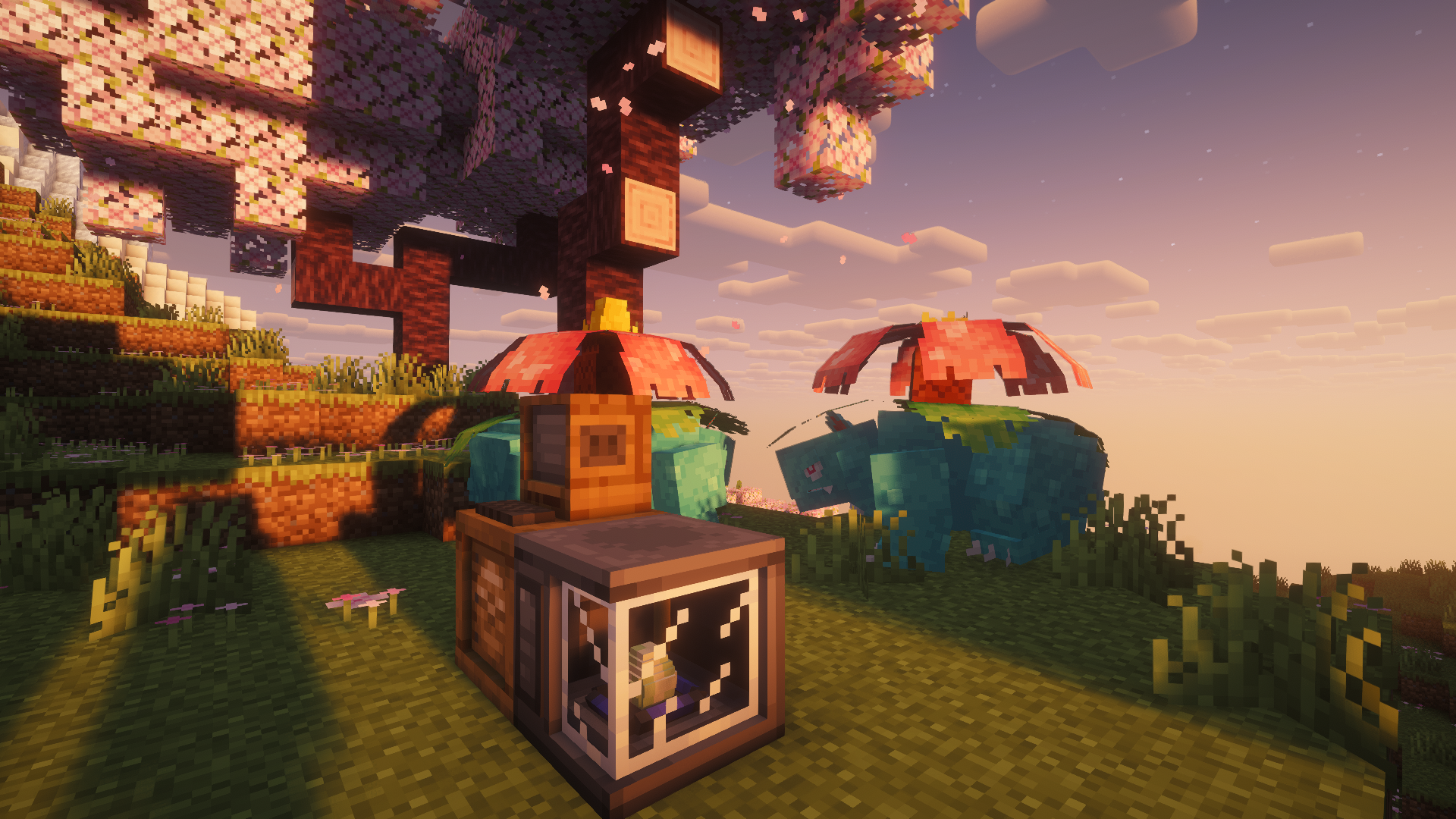
Place the Incubator directly against a compatible Pasture and it will automatically collect available eggs whenever its input is empty.
Place a chest or another compatible inventory against the machine and completed output eggs will be inserted automatically. Input and output automation works on all six faces and respects sided inventory rules.
This enables complete production lines:
Pasture -> Egg Incubator -> ChestAdditional Features
- Three upgrade slots
- Dedicated creative-mode tab
- Searchable filter selectors
- Empty and occupied block models
- Active machine texture while in use
- Transparent glass rendering
- Directional placement
- Custom upgrade textures and tooltips
- English and Brazilian Portuguese translations
- Fabric and NeoForge support
Requirements
- Cobblemon
- Cobbreeding
- Architectury API
Fabric installations also require:
- Fabric API
- Fabric Language Kotlin
NeoForge installations also require:
- Kotlin for Forge
Compatibility
Supported loaders:
- Fabric
- NeoForge
Cobblemon Incubator must be installed on both the server and client.
Configurable Server Settings
Cobblemon Incubator includes a server-side JSON config that lets modpack makers customize how much control and information the Egg Incubator provides.
Configurable options include:
- Which egg data is shown in the incubator UI: Pokemon model, species, Nature, Ability, and IVs.
- Which upgrades are enabled: Speed Upgrade, PC Upgrade, and Filter Upgrade.
- Which filter types are available: species, Nature, Ability, IVs, reject action, and egg deletion.
- Whether the incubator can automatically pull eggs from adjacent Pastures.
- Whether the incubator can automatically push finished eggs into adjacent inventories.
- Base incubation speed and Speed Upgrade multiplier.
Gameplay rules are enforced server-side, and the incubator UI syncs with the server config so players only see the options available on that server.
{
  "baseSpeed": 5,
  "speedUpgradeMultiplier": 2.0,
  "display": {
    "pokemonModel": true,
    "species": true,
    "nature": true,
    "ability": true,
    "ivs": true
  },
  "upgrades": {
    "speed": true,
    "pc": true,
    "filter": true
  },
  "filters": {
    "species": true,
    "nature": true,
    "ability": true,
    "ivs": true,
    "rejectAction": true,
    "deleteRejectedEggs": true
  },
  "automation": {
    "autoInputFromPastures": true,
    "autoOutputToInventories": true
  }
}
Restart the game or server after editing the configuration.
Turn Pokemon breeding into a polished, visual, and automatable workflow.
Cobblemon Incubator is an addon for Cobblemon and Cobbreeding that adds a dedicated Egg Incubator machine. Insert an egg to incubate it faster, inspect its breeding information, configure advanced filters, or connect the machine to a Pasture and storage system for full automation.
A Complete Egg Incubation Machine
The Egg Incubator provides a custom interface inspired by Cobblemon's PC screens. While an egg is inside, the interface displays:
- The Pokemon's 3D model
- Species
- Nature
- Ability
- All six IVs in a visual radar chart
- An animated egg showing incubation progress
The block also changes visually when it contains an egg and lights up while its interface is open.
Faster Incubation
Eggs incubate at 5x speed by default. Add a Speed Upgrade to reach 10x speed with the default configuration.
Server owners can customize both the base speed and the Speed Upgrade multiplier in:
config/cobblemon_incubator.json
Three Powerful Upgrades
Speed Upgrade
Multiplies the machine's incubation speed, allowing eggs to finish much faster.
PC Upgrade
Right-click while holding the upgrade to bind it to your player. Once installed, hatched Pokemon are sent directly to your PC.
The link uses your UUID, so changing your Minecraft name will not break it. When a Pokemon is delivered, you receive a chat notification. Hover over the Pokemon's name to view its Nature, Ability, and IVs.
If you are offline or your PC is full, the egg safely falls back to the machine's output slot.
Filter Upgrade
Build precise breeding rules without requiring every field:
- Search and select a species
- Search and select a Nature
- Select an Ability
- Filter every IV using
>=,<=, or= - Choose any IV value from 0 to 31
After selecting a species, the Ability selector only shows abilities that species can actually have, including hidden abilities.
Rejected eggs can either be moved to the output slot or deleted, depending on your chosen action.
Pasture and Storage Automation
Place the Incubator directly against a compatible Pasture and it will automatically collect available eggs whenever its input is empty.
Place a chest or another compatible inventory against the machine and completed output eggs will be inserted automatically. Input and output automation works on all six faces and respects sided inventory rules.
This enables complete production lines:
Pasture -> Egg Incubator -> Chest
Additional Features
- Three upgrade slots
- Dedicated creative-mode tab
- Searchable filter selectors
- Empty and occupied block models
- Active machine texture while in use
- Transparent glass rendering
- Directional placement
- Custom upgrade textures and tooltips
- English and Brazilian Portuguese translations
- Fabric and NeoForge support
Requirements
- Cobblemon
- Cobbreeding
- Architectury API
Fabric installations also require:
- Fabric API
- Fabric Language Kotlin
NeoForge installations also require:
- Kotlin for Forge
Compatibility
Supported loaders:
- Fabric
- NeoForge
Cobblemon Incubator must be installed on both the server and client.
Configurable Server Settings
Cobblemon Incubator includes a server-side JSON config that lets modpack makers customize how much control and information the Egg Incubator provides.
Configurable options include:
- Which egg data is shown in the incubator UI: Pokemon model, species, Nature, Ability, and IVs.
- Which upgrades are enabled: Speed Upgrade, PC Upgrade, and Filter Upgrade.
- Which filter types are available: species, Nature, Ability, IVs, reject action, and egg deletion.
- Whether the incubator can automatically pull eggs from adjacent Pastures.
- Whether the incubator can automatically push finished eggs into adjacent inventories.
- Base incubation speed and Speed Upgrade multiplier.
Gameplay rules are enforced server-side, and the incubator UI syncs with the server config so players only see the options available on that server.
{
  "baseSpeed": 5,
  "speedUpgradeMultiplier": 2.0,
  "display": {
    "pokemonModel": true,
    "species": true,
    "nature": true,
    "ability": true,
    "ivs": true
  },
  "upgrades": {
    "speed": true,
    "pc": true,
    "filter": true
  },
  "filters": {
    "species": true,
    "nature": true,
    "ability": true,
    "ivs": true,
    "rejectAction": true,
    "deleteRejectedEggs": true
  },
  "automation": {
    "autoInputFromPastures": true,
    "autoOutputToInventories": true
  }
}
Restart the game or server after editing the configuration.
Screenshots
Gallery
-
 letter.png letter.png
 -
 2026-06-23_21.04.21.png 2026-06-23_21.04.21.png
 -
 Egg Incubator Egg Incubator
 -
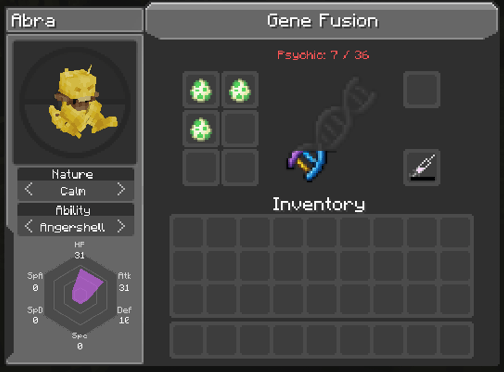 Gene Fusion Gene Fusion
-
 Cobblemon Incubator
 -
-
-
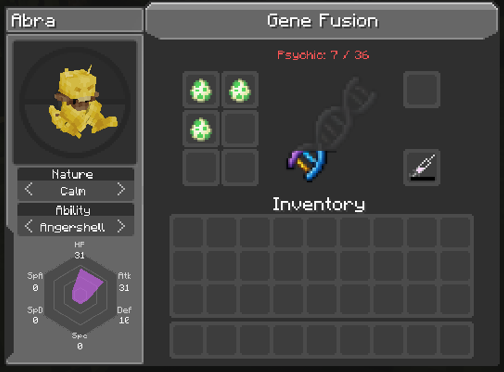 Gene Fusion
Versions
Files
Relations
Project Relations
More like this
Similar Mods
Suggestions use data such as tags, dependencies, dependents, descriptions, titles, and more to rank how much they overlap with this mod.
On ModDex
Community snapshot
By the numbers
Statistics
Want to reach Minecraft players?
We're looking for a server hosting partner to feature here and other parts of the site. Interested? Send us a message!
Get in touchGet it on
Available Platforms
On ModDex
Community snapshot
By the numbers