Community listing page, reviews here may not be monitored by the author.
Cobblemon Occupied Pokeballs


No reviews yet
Eject any party Pokémon as its physical Poké Ball item, hand it to a friend, stash it in a chest, place it on a shelf, or send it straight out into the world.
Community voices
Reviews
No reviews yet. Be the first to review this project!
Get it on
Available Platforms
Compatibility
Supported Environments
Must be installed on both the client and the server.
About
Project Details
For authors
Embed Badge
If you're the author of this project, you can embed a live badge anywhere that supports HTML or Markdown. It updates automatically whenever ratings change.
Use HTML for any page that supports it, or Markdown for README files and Markdown-based descriptions.
Identifiers
Platform IDs
About
Description
Cobblemon Occupied Pokéballs
A Cobblemon mod for Minecraft 1.21.1 (Fabric).
Eject any party Pokémon as its physical Poké Ball item, hand it to a friend, stash it in a chest, place it on a shelf, or send it straight out into the world.
Features
- Eject — press T to eject your currently selected party Pokémon as its caught ball
- Reclaim — hold the ball and press T to add it back to your party (or PC if full)
- Send out from hand — hold the ball and press Shift+T to add it to your party and immediately send it out with the full throw animation (only works if your party has space)
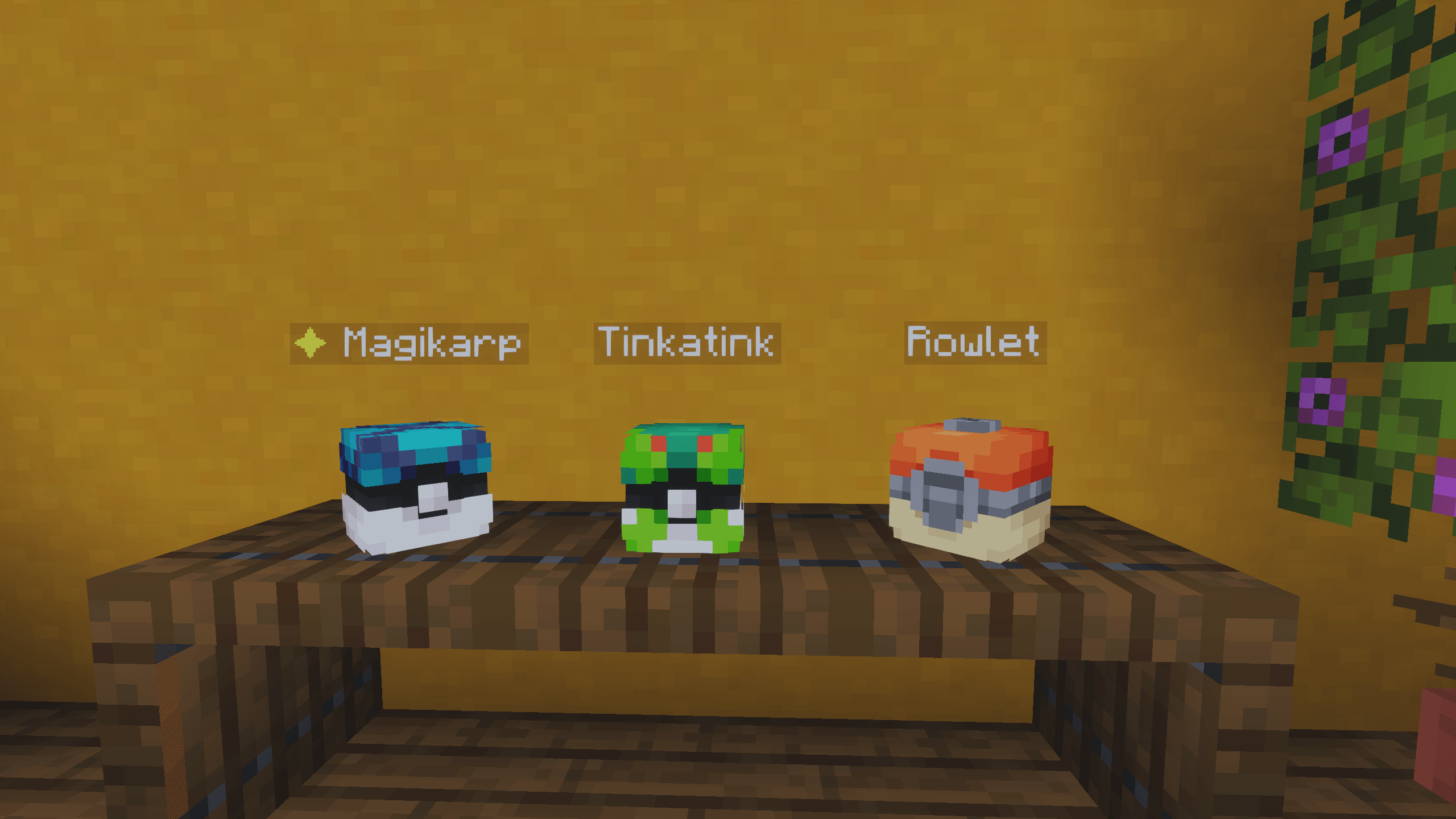
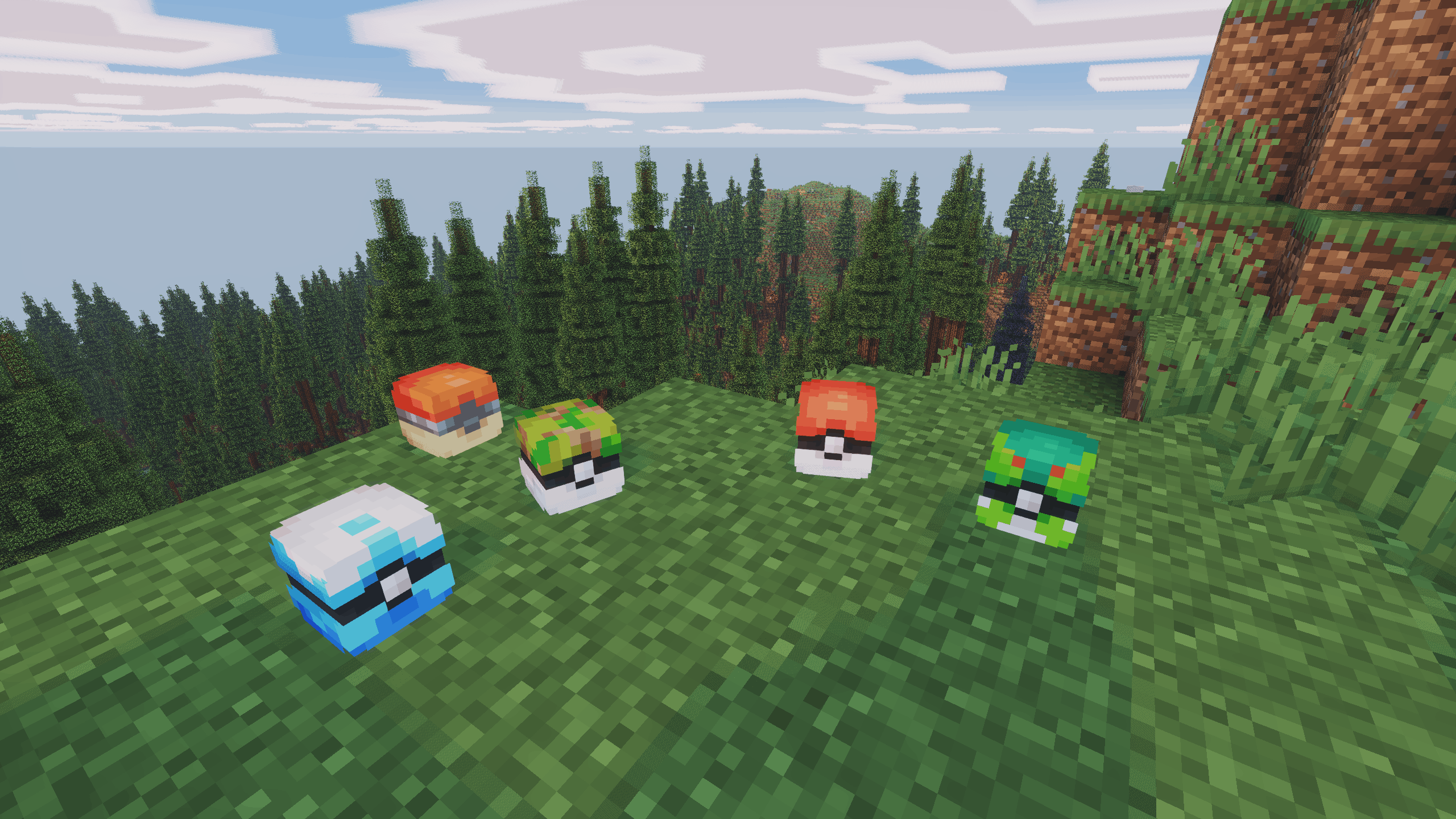
- Pokéball Display — right-click the top face of any solid block while holding an occupied ball to place it as a 3D display; reclaim by breaking it
- Floating name label — placed displays show the Pokémon's name (and ✦ if shiny) as a floating label; toggleable in config
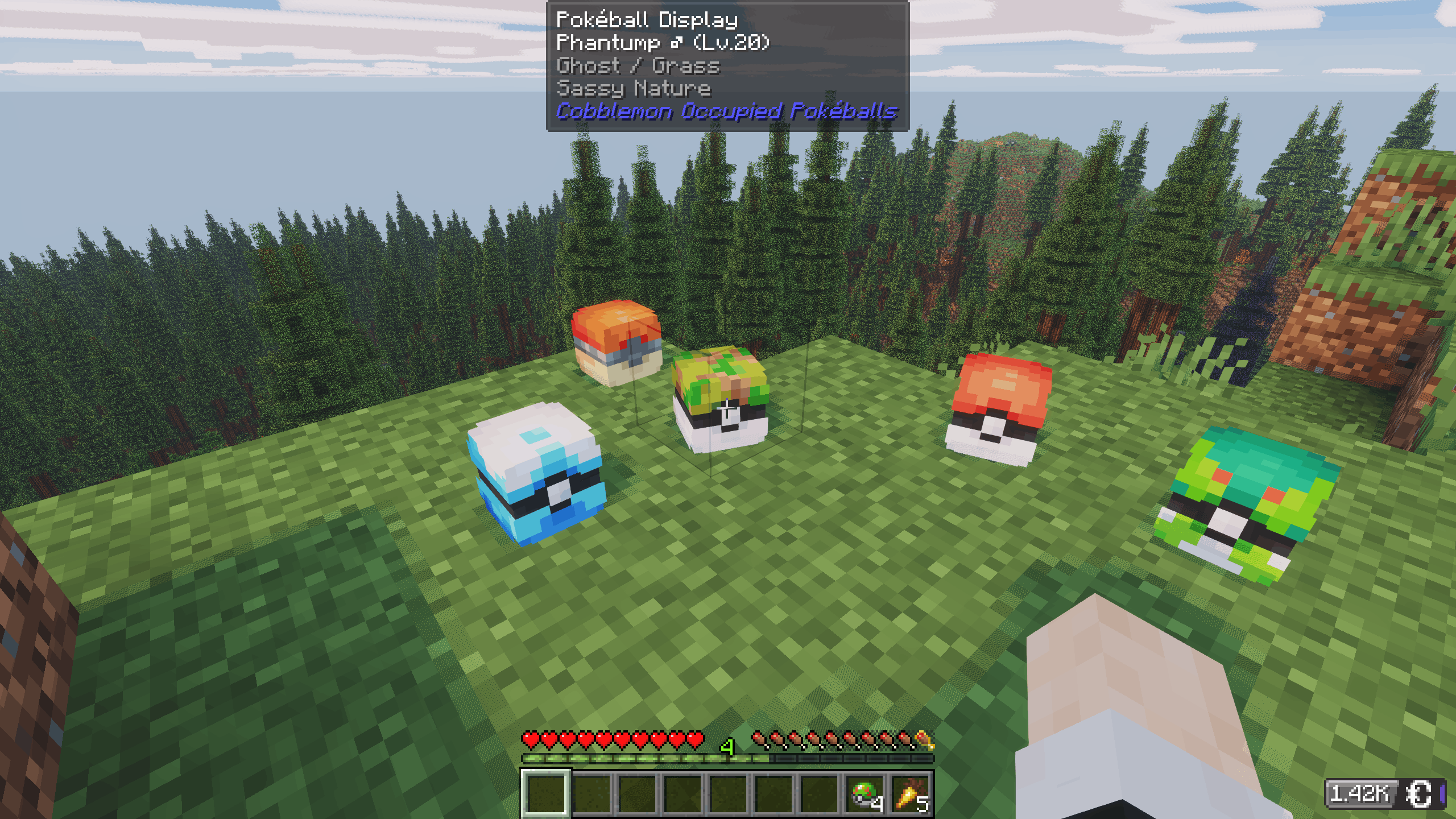
- Jade tooltip — when looking at a placed ball, Jade shows the Pokémon's name, level, type(s), nature, and shiny status
- Ball throwing blocked — occupied balls cannot be thrown; they work only as carriers
- Item tooltip — the ball shows the Pokémon's name, level, gender, type(s), nature, and a ✦ Shiny marker when applicable
- Original ball preserved — a Pokémon caught in a Master Ball drops as a Master Ball, etc.
- Full data preserved — IVs, EVs, moves, ability, nature, held item, nickname, marks — everything round-trips perfectly
- Drop on death (optional, off by default) — configure via ModMenu to drop party balls as items on death; respects the
keepInventorygamerule
All keybinds are rebindable under Options → Controls → Cobblemon Occupied Pokéballs.
Requirements
| Dependency | Version |
|---|---|
| Minecraft | 1.21.1 |
| Fabric Loader | ≥ 0.16.5 |
| Fabric API | ≥ 0.102.0+1.21.1 |
| Fabric Language Kotlin | ≥ 1.13.10+kotlin.2.3.20 |
| Cobblemon (Fabric) | ≥ 1.7.3+1.21.1 |
Optional:
- ModMenu + Cloth Config — in-game config GUI
- Jade — tooltip when looking at a placed Pokéball Display
Without ModMenu/Cloth Config the mod works fully — edit config/cobblemon_occupied_pokeballs.json by hand instead.
Installation
- Install Fabric Loader for 1.21.1
- Drop these into your
mods/folder:cobblemon-occupied-pokeballs-<version>.jar- Fabric API
- Fabric Language Kotlin
- Cobblemon
- Launch with the Fabric profile
For servers: the mod must be installed on both the server and every client.
Configuration
The config file is created automatically at config/cobblemon_occupied_pokeballs.json on first launch:
{
  "showFloatingName": true,
  "dropPartyOnDeath": false
}| Option | Default | Description |
|---|---|---|
showFloatingName |
true |
Show the Pokémon's name (and ✦ if shiny) as a floating label above placed Pokéball Displays. |
dropPartyOnDeath |
false |
Drop all party Pokémon as ball items on death. Skipped if keepInventory is on. |
If ModMenu and Cloth Config are installed, a Config button appears on the mod's entry in the Mods screen.
Cobblemon Occupied Pokéballs
A Cobblemon mod for Minecraft 1.21.1 (Fabric).
Eject any party Pokémon as its physical Poké Ball item, hand it to a friend, stash it in a chest, place it on a shelf, or send it straight out into the world.
Features
- Eject — press T to eject your currently selected party Pokémon as its caught ball
- Reclaim — hold the ball and press T to add it back to your party (or PC if full)
- Send out from hand — hold the ball and press Shift+T to add it to your party and immediately send it out with the full throw animation (only works if your party has space)
- Pokéball Display — right-click the top face of any solid block while holding an occupied ball to place it as a 3D display; reclaim by breaking it
- Floating name label — placed displays show the Pokémon's name (and ✦ if shiny) as a floating label; toggleable in config
- Jade tooltip — when looking at a placed ball, Jade shows the Pokémon's name, level, type(s), nature, and shiny status
- Ball throwing blocked — occupied balls cannot be thrown; they work only as carriers
- Item tooltip — the ball shows the Pokémon's name, level, gender, type(s), nature, and a ✦ Shiny marker when applicable
- Original ball preserved — a Pokémon caught in a Master Ball drops as a Master Ball, etc.
- Full data preserved — IVs, EVs, moves, ability, nature, held item, nickname, marks — everything round-trips perfectly
- Drop on death (optional, off by default) — configure via ModMenu to drop party balls as items on death; respects the
keepInventorygamerule
All keybinds are rebindable under Options → Controls → Cobblemon Occupied Pokéballs.
Requirements
| Dependency | Version |
|---|---|
| Minecraft | 1.21.1 |
| Fabric Loader | ≥ 0.16.5 |
| Fabric API | ≥ 0.102.0+1.21.1 |
| Fabric Language Kotlin | ≥ 1.13.10+kotlin.2.3.20 |
| Cobblemon (Fabric) | ≥ 1.7.3+1.21.1 |
Optional:
- ModMenu + Cloth Config — in-game config GUI
- Jade — tooltip when looking at a placed Pokéball Display
Without ModMenu/Cloth Config the mod works fully — edit config/cobblemon_occupied_pokeballs.json by hand instead.
Installation
- Install Fabric Loader for 1.21.1
- Drop these into your
mods/folder:cobblemon-occupied-pokeballs-<version>.jar- Fabric API
- Fabric Language Kotlin
- Cobblemon
- Launch with the Fabric profile
For servers: the mod must be installed on both the server and every client.
Configuration
The config file is created automatically at config/cobblemon_occupied_pokeballs.json on first launch:
{
  "showFloatingName": true,
  "dropPartyOnDeath": false
}
| Option | Default | Description |
|---|---|---|
showFloatingName |
true |
Show the Pokémon's name (and ✦ if shiny) as a floating label above placed Pokéball Displays. |
dropPartyOnDeath |
false |
Drop all party Pokémon as ball items on death. Skipped if keepInventory is on. |
If ModMenu and Cloth Config are installed, a Config button appears on the mod's entry in the Mods screen.
Screenshots
Gallery
-
 2026-04-09_17.27.39.png 2026-04-09_17.27.39.png
 -
 2026-04-09_00.20.34.png 2026-04-09_00.20.34.png
 -
 2026-04-09_00.21.13.png 2026-04-09_00.21.13.png
-
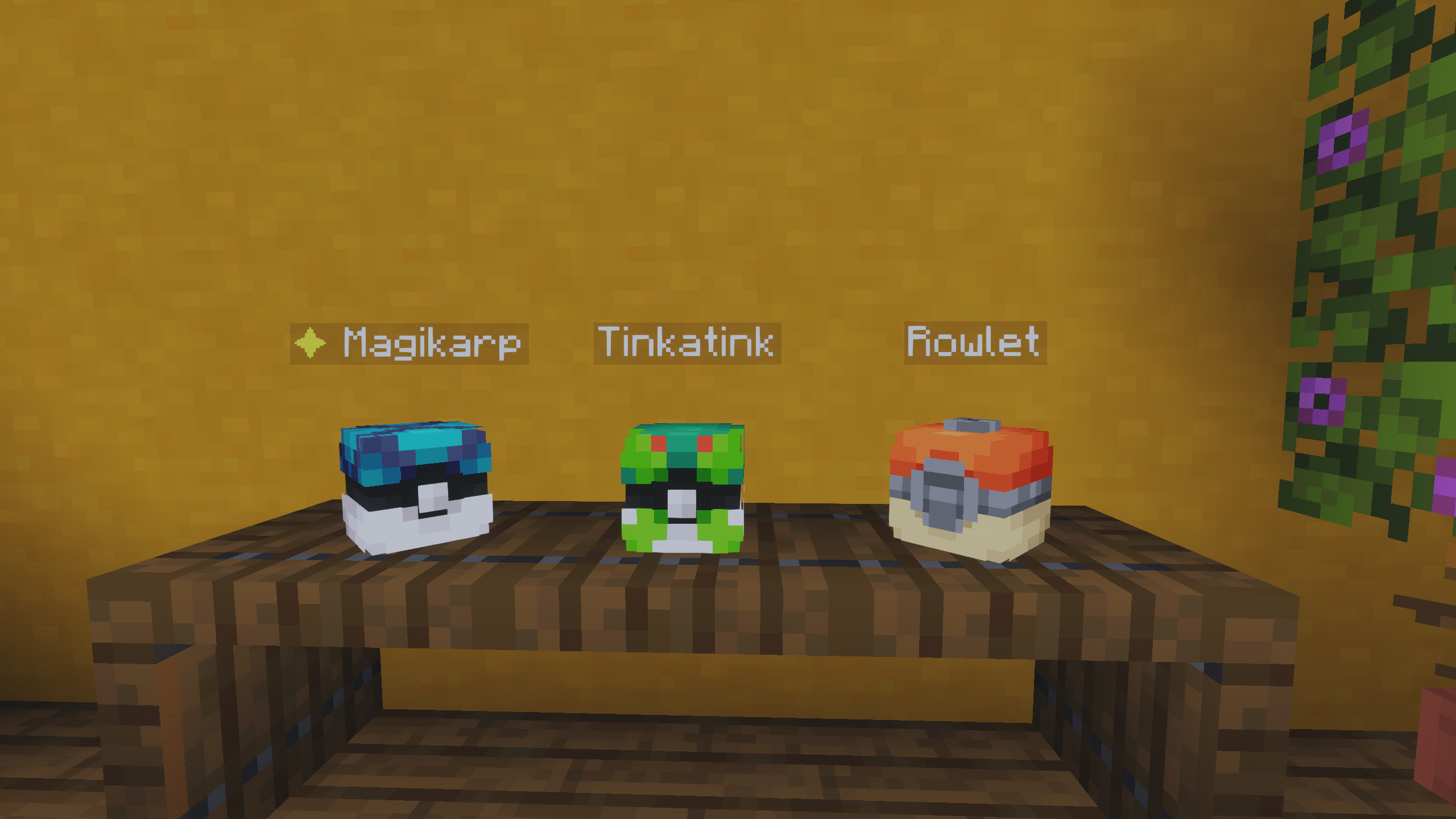 Display
 -
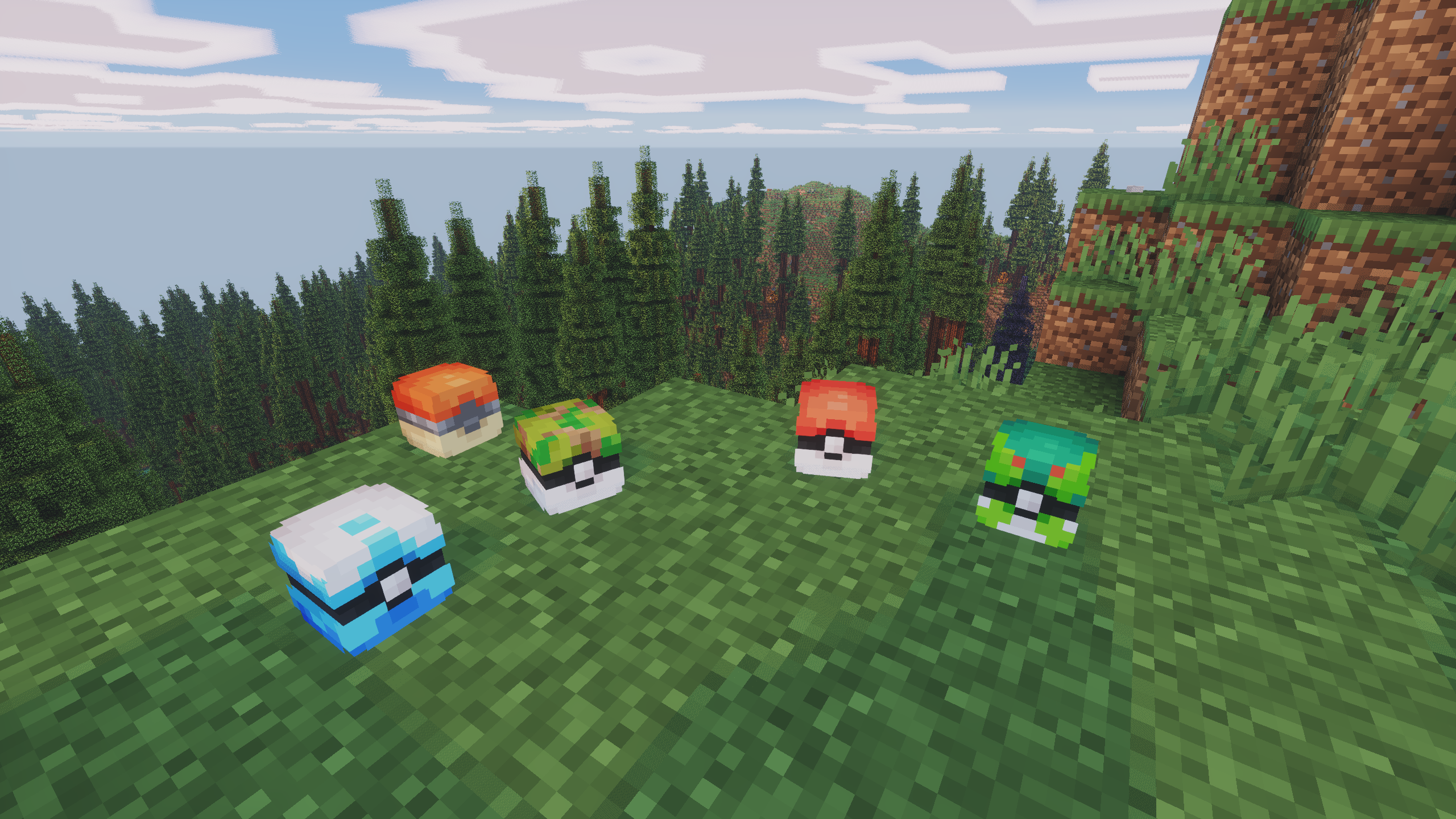 Example
 -
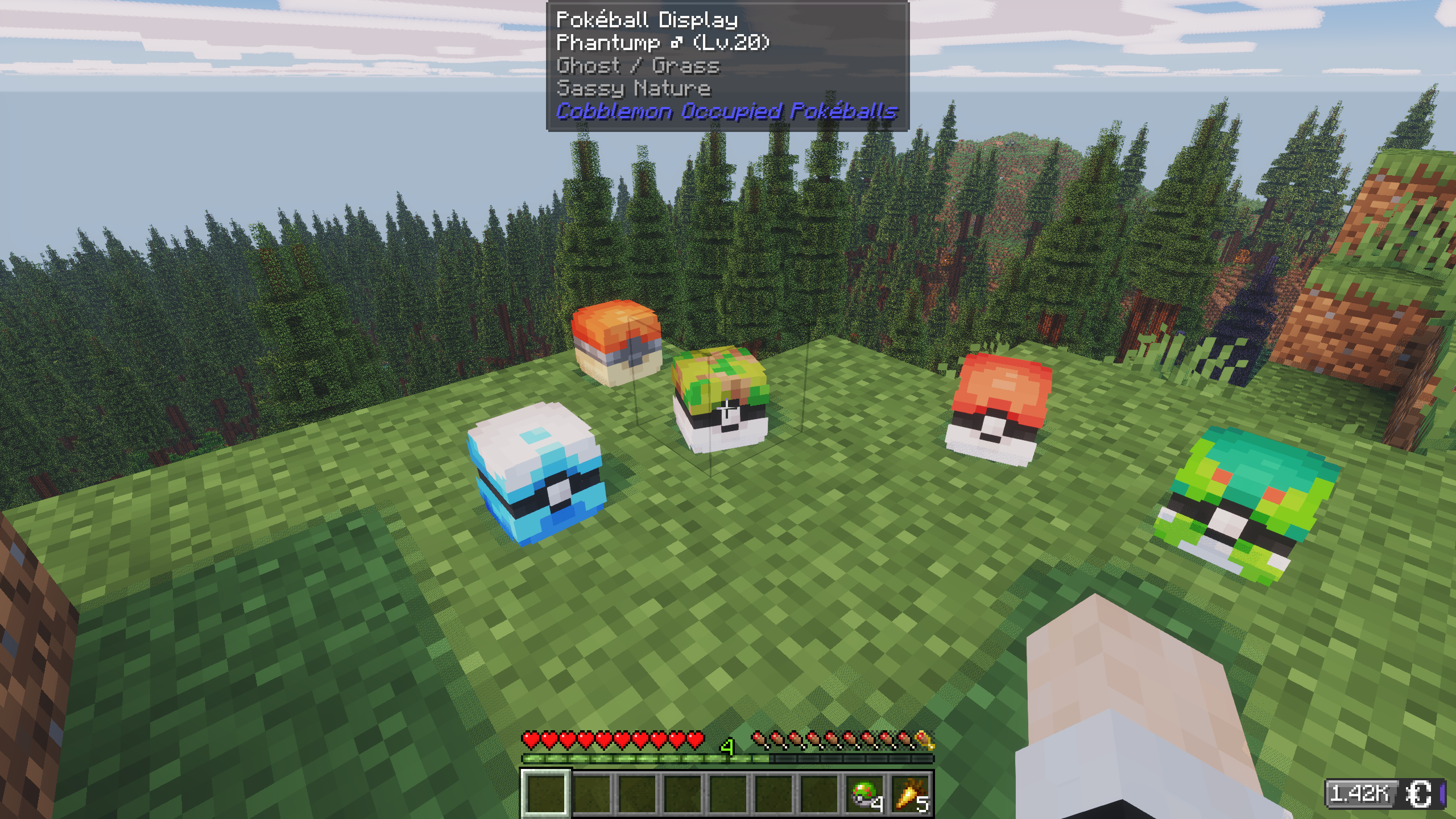 Jade Info
Versions
Files
Relations
Project Relations
More like this
Similar Mods
Suggestions use data such as tags, dependencies, dependents, descriptions, titles, and more to rank how much they overlap with this mod.
On ModDex
Community snapshot
By the numbers
Statistics
Want to reach Minecraft players?
We're looking for a server hosting partner to feature here and other parts of the site. Interested? Send us a message!
Get in touchGet it on
Available Platforms
On ModDex
Community snapshot
By the numbers