![PokeLoot [Cobblemon]](https://cdn.modrinth.com/data/KP2IZrd5/24f16287c709f8647f761ff96ee7d50d9ed8ea76.png)
Community listing page, reviews here may not be monitored by the author.
PokeLoot [Cobblemon]

No reviews yet
Want to have pokeloot in cobblemon? Don't wait any longer! Just a simple datapack that makes all the loot you ever wanted into reality.
Community voices
Reviews
No reviews yet. Be the first to review this project!
Get it on
Available Platforms
About
Project Details
For authors
Embed Badge
If you're the author of this project, you can embed a live badge anywhere that supports HTML or Markdown. It updates automatically whenever ratings change.
Use HTML for any page that supports it, or Markdown for README files and Markdown-based descriptions.
Identifiers
Platform IDs
Resources
External Links
About
Description


🔴 PokeLoot ⚪
PokeLoot in the popular mod Cobblemon. This datapack adds small pokeloots that can be claimed for a small or big reward. It's pretty simple, just place the datapack inside your world and you're good to go!Warning (⚠️) If you place the datapack in an existing world ONLY newly generated chunks will contain the pokeloots. To have a whole world with the pokeloot you'll need to place the datapack in the datapack option when creating a world.
Here's a small showcase of the datapack in game:
The datapack is configurable meaning you can change some settings:
🥚 Spawning/Killing PokeLoot commands 💥
- You can use /function pokeloot:spawn_pokeballs to spawn 20 pokeball loots around you;
- You can use /function pokeloot:spawn_greatballs to spawn 20 greatball loots around you (this command is a bit resource intensive but should run after a couple of seconds);
- You can use /function pokeloot:spawn_ultraballs to spawn 20 ultraball loots around you (this command is a bit resource intensive and might lag your world for some time);
- You can use /function pokeloot:spawn_masterballs to spawn 20 masterball loots around you (⚠️ this command will lag your world);
- You can also use /function pokeloot:give_pokeball_spawner to give yourself an armorstand. Place this armorstand anywhere in your world to spawn a pokeball loot.
- You can also use /function pokeloot:give_greatball_spawner to give yourself an armorstand. Place this armorstand anywhere in your world to spawn a greatball loot.
- You can also use /function pokeloot:give_ultraball_spawner to give yourself an armorstand. Place this armorstand anywhere in your world to spawn a ultraball loot.
- You can also use /function pokeloot:give_masterball_spawner to give yourself an armorstand. Place this armorstand anywhere in your world to spawn a masterball loot.
- You can also use /function pokeloot:kill_pokeloots to kill all pokeloots.
🎲 Other commands 🎲
- You can use /trigger PLOptions to change some options in the datapack (right click the text):
- You have the option to toggle the visibility of particles when you're in proximity to an empty pokeloot;
- You have the choice to display a timer when you're near a pokeloot that currently holds no loot;
- You can customize whether you prefer a 3D or text interface for adjusting the timer;
- You can choose if the PokéLoots will be a one time use or not.
- You can use /function pokeloot:pokeloot_change_timer to change the amount of time until the pokeloot will respawn (this can be via text or via a 3D interface). To change the time simply left click on the + or - to add or remove time to the timer. The default time is 72001 ticks or 1 hour in real time (the 1 extra tick that is added is so when you want the loots to have no cooldown, the timer can detect if a loot is taken or not).
- You can use /function pokeloot:reset_timer to reset the timer to its original value (72001). Keep in mind that if you are experiencing lag, resetting the timer might help fix the issue, since it will also reset all the pokeloot timers.
- You can use /function pokeloot:uninstall to unintall the datapack, removing all the scoreboards and killing all the pokeloots.
📋 PokeLoot List 📋
- Pokeball:
 Poke Ball;
  Dive Ball;
  Dusk Ball;
  Fast Ball;
  Friend Ball;
  Great Ball;
  Heal Ball;
  Heavy Ball;
  Level Ball;
  Love Ball;
  Lure Ball;
  Luxury Ball;
  Moon Ball;
  Nest Ball;
  Net Ball;
  Premier Ball;
  Quick Ball;
  Repeat Ball;
  Safari Ball;
  Sport Ball;
  Timer Ball;
  Ultra Ball;
  Antidote;
  Awakening;
  Burn Heal;
  Dire hit;
  Elixir;
  Energy Root;
  Ether;
  Full Heal;
  Full Restore;
  Guard Spec;
  Heal Powder;
  Hyper Potion;
  Ice heal;
  Max Elixir;
  Max Ether;
  Max potion;
  Max Revive;
  Paralyze Heal;
  Potion;
  Revival Herb;
  Revive;
  Super Potion;
  X Accuracy;
  X Attack;
  X Defence;
  X Special Attack;
  X Special Defence;
  X Speed;
  Medicinal Leek;
  Metal powder;
  Quick powder;
  Rare Candy;
  Calcium;
  Carbos;
  HP Up;
  Iron;
Iron;  Protein;
  Zinc;
Zinc;  Big Root;
  Sachet;
  Whipped Dream;
  Absorb Bulb;
  Binding Band;
  Bug Gem;
  Cell Battery;
  Dark Gem;
  Dragon Gem;
  Electric Gem;
  Everstone;
  Fairy Gem;
  Fighting Gem;
  Fire Gem;
  Float Stone;
  Flying Gem;
  Ghost Gem;
  Grass Gem;
  Ground Gem;
  Ice Gem;
  Normal Gem;
  Poison Gem;
  Psychic Gem;
  Ring Target;
  Rock Gem;
  Snowball;
  Steel Gem;
  Water Gem;
  Shed Shell;
  Sticky Barb;
- Ultraball:
 Cherish Ball;
  Black Augurite;
  Dawn Stone;
  Deep Sea Scale;
  Deep Sea Tooth;
  Dragon Scale;
  Dubious Disc;
  Dusk Stone;
  Electirizer;
  Fire Stone;
  Ice Stone;
  Leaf Stone;
  Magmarizer;
  Moon Stone;
  Oval Stone;
  Peat Block;
  Reaper Cloth;
  Shiny Stone;
  Sun Stone;
  Thunder Stone;
  Upgrade;
  Water Stone;
  Exp Share;
  Black Belt;
  Black Glasses;
  Black Sludge;
  Bright Powder;
  Charcoal Stick;
  Dragon Fang;
  Focus Band;
  Hard Stone;
  Heavy Duty Boots;
  Kings Rock;
  Light Clay;
  Magnet;
  Mental Herb;
  Metal Coat;
  Miracle Seed;
  Mystic Water;
  Never Melt Ice;
  Poison Barb;
  Power Herb;
  Prism Scale;
  Protector;
  Quick Claw;
  Razor Claw;
  Razor Fang;
  Safety Goggles;
  Sharp Beak;
  Silk Scarf;
  Silver Powder;
  Soft Sand;
  Spell Tag;
  Twisted Spoon;
  White Herb;
  PP Max;
  Leftovers;
  Lucky Egg;
  Power Anklet;
  Power Band;
  Power Belt;
  Power Bracer;
  Power Lens;
  Power Weight;
  Exp Candy XS;
  Exp Candy S;
  Exp Candy M;
  Galarica Cuff;
  Galarica Wreath;
  Sweet Apple;
  Tart Apple;
  PP Up;
  Link Cable;
  Air Balloon;
  Damp Rock;
  Eject Button;
  Flame Orb;
  Heat Rock;
  Icy Rock;
  Iron Ball;
  Light Ball;
  Red Card;
  Smoke Ball;
  Smooth Rock;
  Toxic Orb;
  Room Service;
  Shell Bell;
  Terrain Extender;
  Throat Spray;
  Wide Lens;
  Zoom Lens;
- Greatball: Cherish Ball; Black Augurite; Dawn Stone; Deep Sea Scale; Deep Sea Tooth; Dragon Scale; Dubious Disc; Dusk Stone; Electirizer; Fire Stone; Ice Stone; Leaf Stone; Magmarizer; Moon Stone; Oval Stone; Peat Block; Reaper Cloth; Shiny Stone; Sun Stone; Thunder Stone; Upgrade; Water Stone; Exp Share; Black Belt; Black Glasses; Black Sludge; Bright Powder; Charcoal Stick; Dragon Fang; Focus Band; Hard Stone; Heavy Duty Boots; Kings Rock; Light Clay; Magnet; Mental Herb; Metal Coat; Miracle Seed; Mystic Water; Never Melt Ice; Poison Barb; Power Herb; Prism Scale; Protector; Quick Claw; Razor Claw; Razor Fang; Safety Goggles; Sharp Beak; Silk Scarf; Silver Powder; Soft Sand; Spell Tag; Twisted Spoon; White Herb; PP Max; Leftovers; Lucky Egg; Power Anklet; Power Band; Power Belt; Power Bracer; Power Lens; Power Weight; Exp Candy XS; Exp Candy S; Exp Candy M; Galarica Cuff; Galarica Wreath; Sweet Apple; Tart Apple; PP Up; Link Cable; Air Balloon; Damp Rock; Eject Button; Flame Orb; Heat Rock; Icy Rock; Iron Ball; Light Ball; Red Card; Smoke Ball; Smooth Rock; Toxic Orb; Room Service; Shell Bell; Terrain Extender; Throat Spray; Wide Lens; Zoom Lens;
- Masterball:
 Master Ball; PP Max;
  Assault Vest;
  Choice Band;
  Choice Scarf;
  Choice Specs;
  Destiny Knot; Heavy Duty Boots; Leftovers; Lucky Egg;
  Muscle Band; Power Anklet; Power Band; Power Belt; Power Bracer; Power Lens; Power Weight;
  Rocky Helmet;
  Wise Glasses; Exp Share; Exp Candy XS; Exp Candy S; Exp Candy M;
  Exp Candy L;
  Exp Candy XL; Rare Candy; Dubious Disc; Galarica Cuff; Galarica Wreath; Link Cable;
  Blunder Policy;
  Eviolite;
  Expert Belt;
  Focus Sash;
  Life Orb;
  Weakness Policy;
  Ability Capsule;
  Ability Patch;
  Beast Ball; Safety Goggles; Room Service; Terrain Extender; Throat Spray;
📝 Change PokeLoot List 📝
Important Note: Modifying datapacks can be challenging for beginners. Proceed with caution! ⚠️To customize the items found in each pokeloot, you'll need to have the datapack folder unzipped and placed in your datapacks directory. Once unzipped, navigate to the following location:
PokeLootDatapack\data\pokeloot\loot_tables\blocks.In this folder, you'll find JSON files for each type of loot, such as pokeballs, ultraballs, greatballs, and masterballs. These files contain the items they correspond to.
To change an item, open the .json file of the pokeloot you'd like to change and locate an item which will look like this: "name": "cobblemon:poke_ball". For example, if you want to replace the pokeball drop with a rare candy, change "name": "cobblemon:poke_ball" to "name": "cobblemon:rare_candy".
You can find the namespaces for cobblemon items by pressing F3+H in-game and hovering your mouse over an item.
To remove items, simply delete the corresponding section:
{
    "type": "item",
    "weight": 1,
    "name": "cobblemon:poke_ball"
}
To add more items, simply add a new section:
{
    "type": "item",
    "weight": 1,
    "name": "cobblemon:poke_ball"
}
Remember to add a comma "," after each item (except the last one). Essentially, it's a JSON list separated by commas. If you've modified any of these .json files and the pokeloots stop working, you might have misspelled an item in the namespace or used an item that doesn't exist in Minecraft's namespace. Additionally, double-check that your .json file is properly formatted by using an online JSON formatter.
Have some issues? You can join the Official Cobblemon discord server, search for 'PokeLoot' and ask your questions there, or alternatively, you can DM me on discord.


Screenshots
Gallery
-
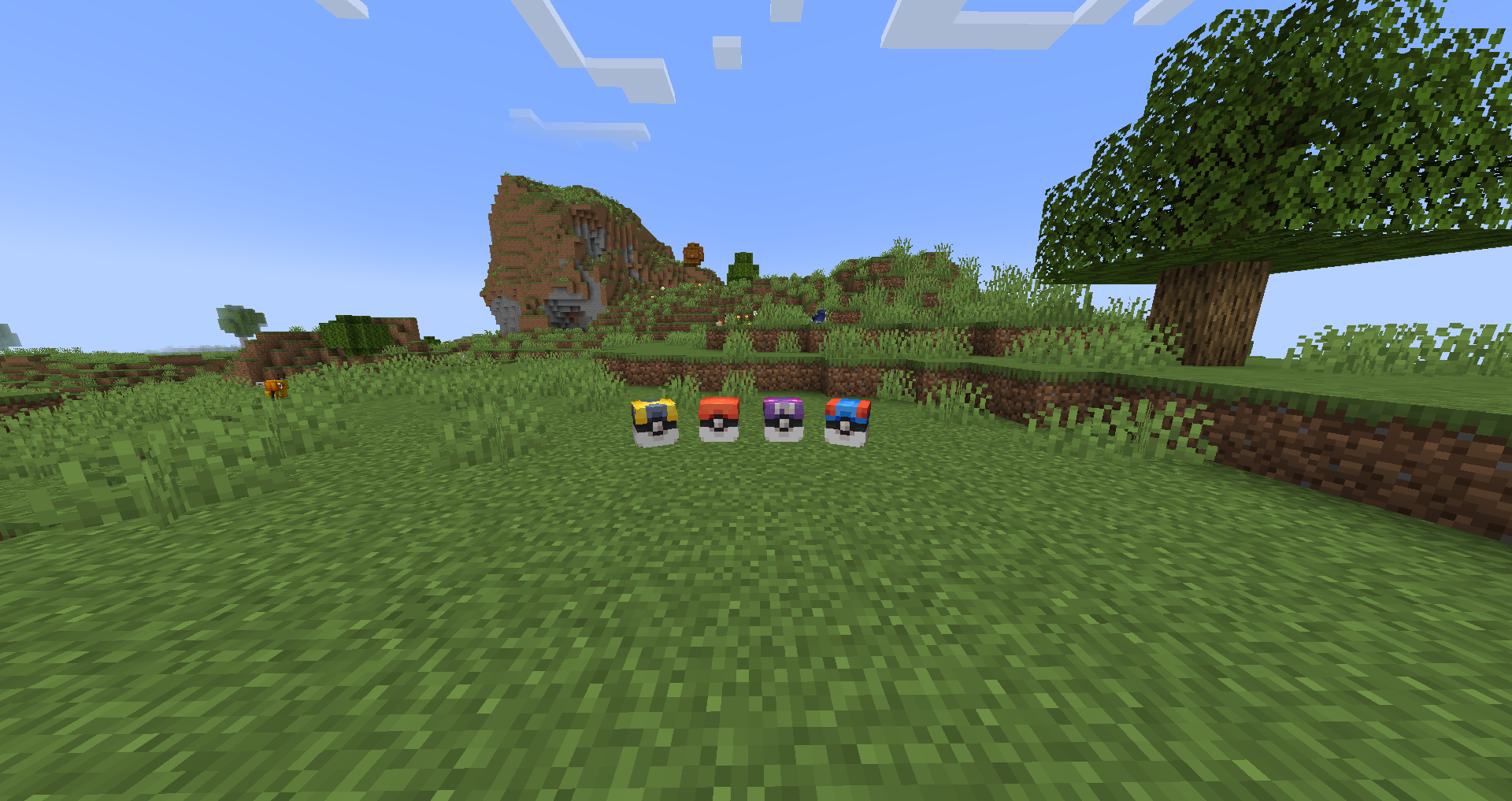 1.4 Update PokeLoots All the PokeLoots in the 1.4 Update.
 -
 3D Timer 3D Timer interface.
 -
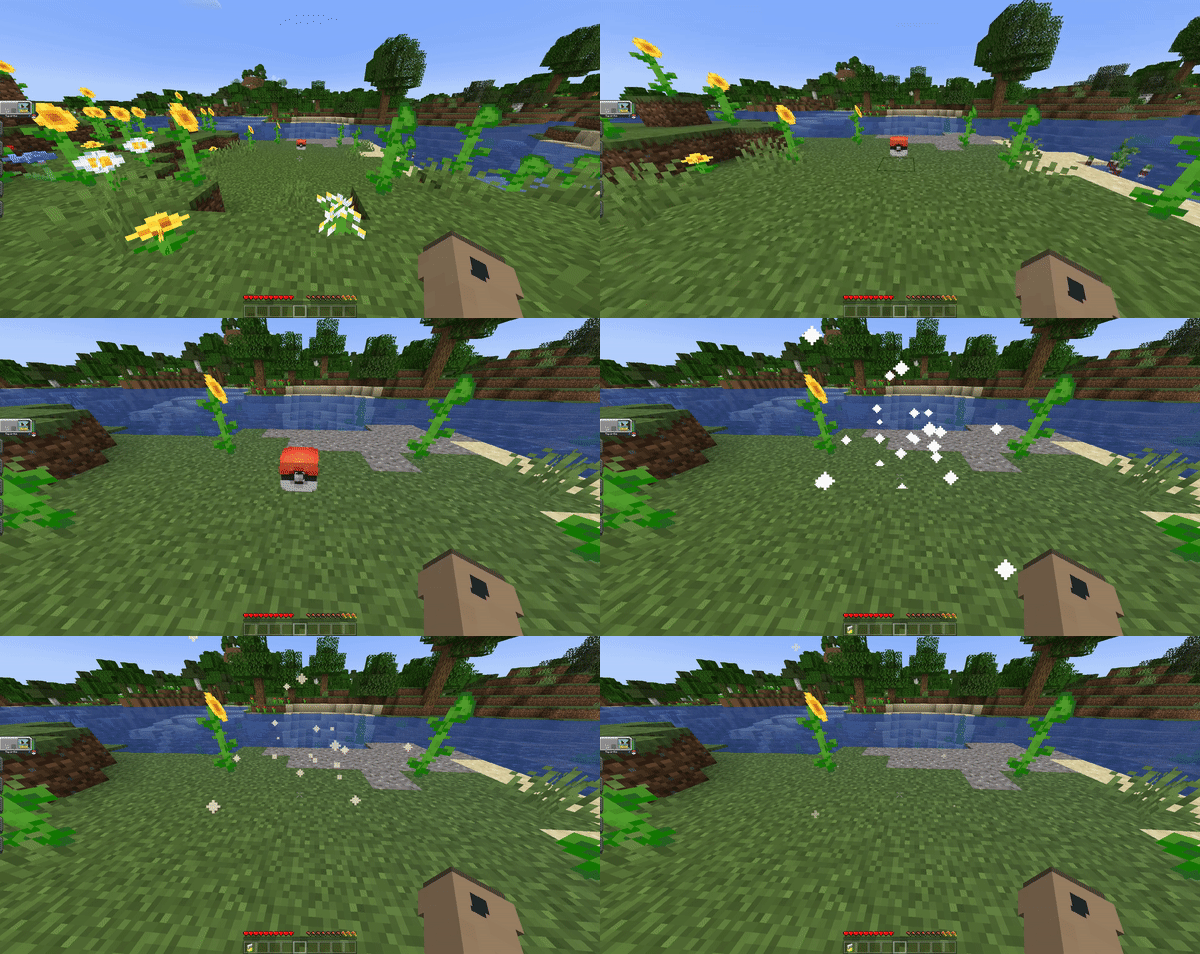 PokeLoot Drop Example of how the pokeloots work.
 -
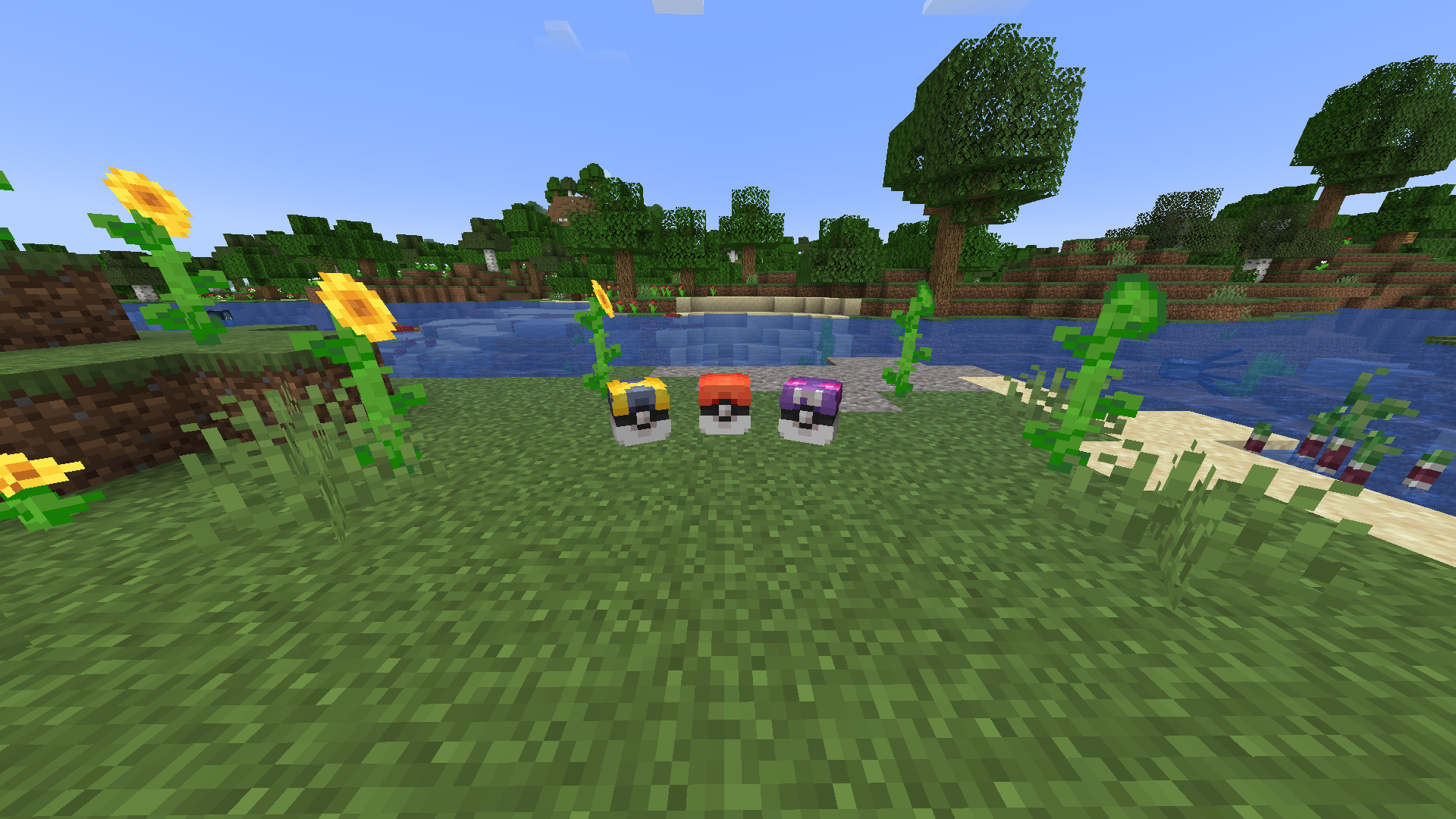 PokeLoots The 3 types of pokeloots that can spawn around the world.
 -
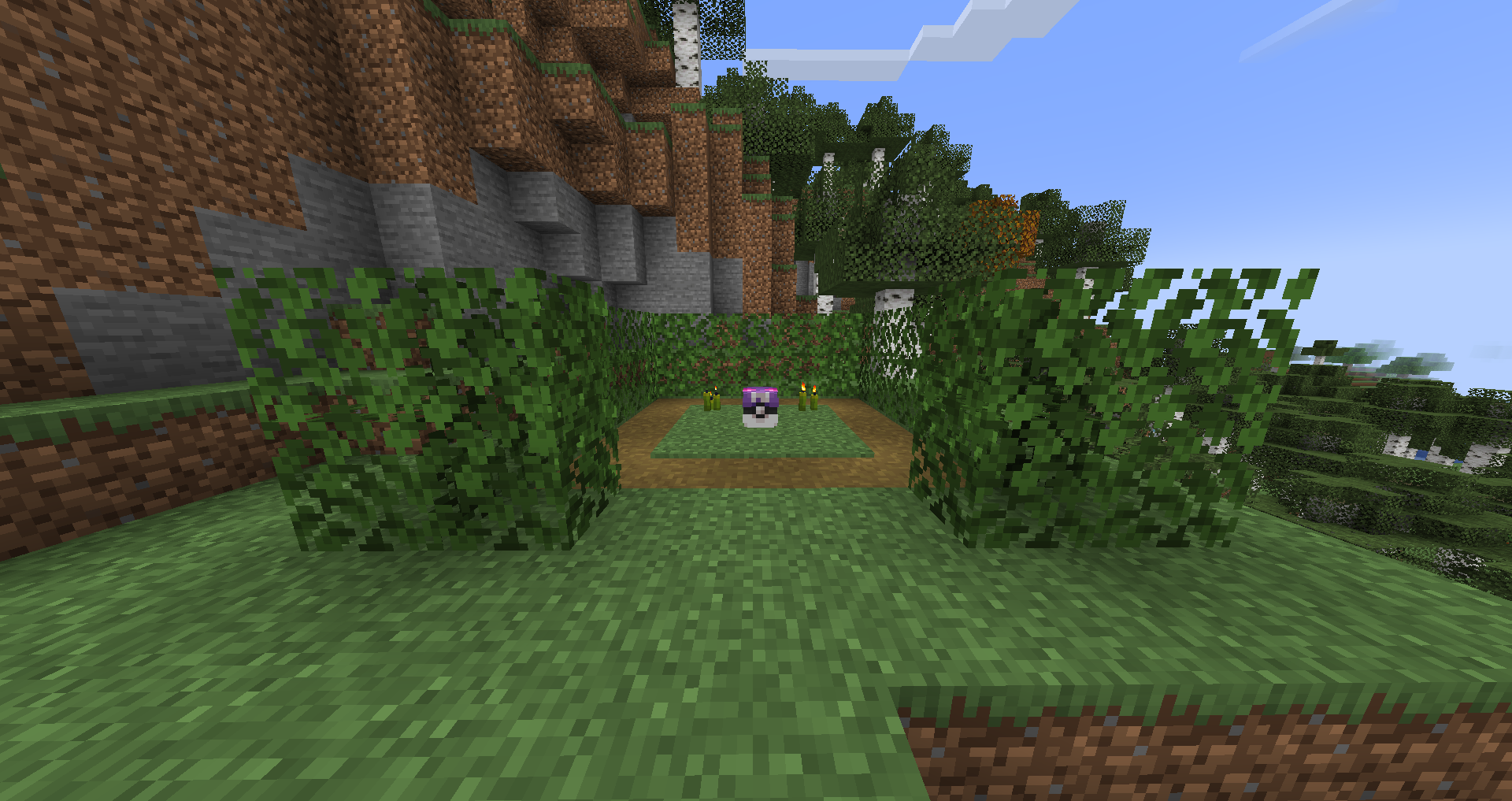 HiddenGrotto Small patch of leaves with a great reward in the middle!
Versions
Files
Relations
Project Relations
More like this
Similar Mods
Suggestions use data such as tags, dependencies, dependents, descriptions, titles, and more to rank how much they overlap with this mod.
On ModDex
Community snapshot
By the numbers
Statistics

Want to reach Minecraft players?
We're looking for a server hosting partner to feature here and other parts of the site. Interested? Send us a message!
Get in touchGet it on
Available Platforms
On ModDex
Community snapshot
By the numbers
Statistics
Resources