Community listing page, reviews here may not be monitored by the author.
Cobblemon - Show Held Items


No reviews yet
Shows your Pokémon's held items in the world.
Community voices
Reviews
No reviews yet. Be the first to review this project!
Get it on
Available Platforms
Compatibility
Supported Environments
Works on the client or the server alone, but does more when on both.
About
Project Details
For authors
Embed Badge
If you're the author of this project, you can embed a live badge anywhere that supports HTML or Markdown. It updates automatically whenever ratings change.
Use HTML for any page that supports it, or Markdown for README files and Markdown-based descriptions.
Identifiers
Platform IDs
Resources
External Links
About
Description
⚠️ As of Cobblemon 1.7 this mod is no longer supported! ⚠️
The feature the this mod provides has been ported into Cobblemon as of version 1.7! 🎉
Cobblemon - Show Held Items
This is a side mod for Cobblemon so it will not do anything without Cobblemon installed.
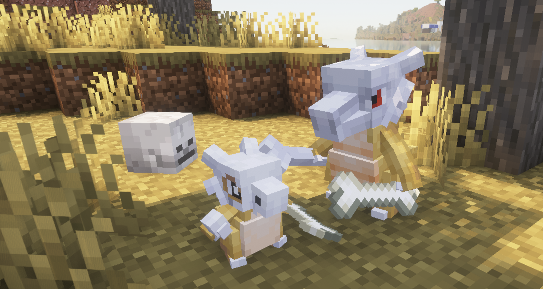
This mod allows Pokémon's Held Items render in the world. When joining a server that does not have this mod installed, only your own Pokémon's items will be rendered.

Technical Information
Server Configuration
The items that are hidden or shown as hats/glasses can be controlled by the server by adding a data pack to the server that replaces the "hidden_items.json", "wearable_eye_items.json" or "wearable_hat_items.json" item tag file. Hidden items will still be visible to the Pokémon's owner.
The path for hidden items is:
datapacks\[YOUR_SERVER'S_DATAPACK]\data\show-held-items\tags\item\hidden_items.json
These are the default settings of the file:
{
 "replace": true,
 "values": [
  "#cobblemon:held/is_held_item",
  "#cobblemon:berries"
 ]
}
Any modded or vanilla items can be added here.
The paths for eye items and hats are: datapacks\[YOUR_SERVER'S_DATAPACK]\data\show-held-items\tags\item\wearable_eye_items.json datapacks\[YOUR_SERVER'S_DATAPACK]\data\show-held-items\tags\item\wearable_hat_items.json
Here is an example using Villager Hats and Simple Hats: 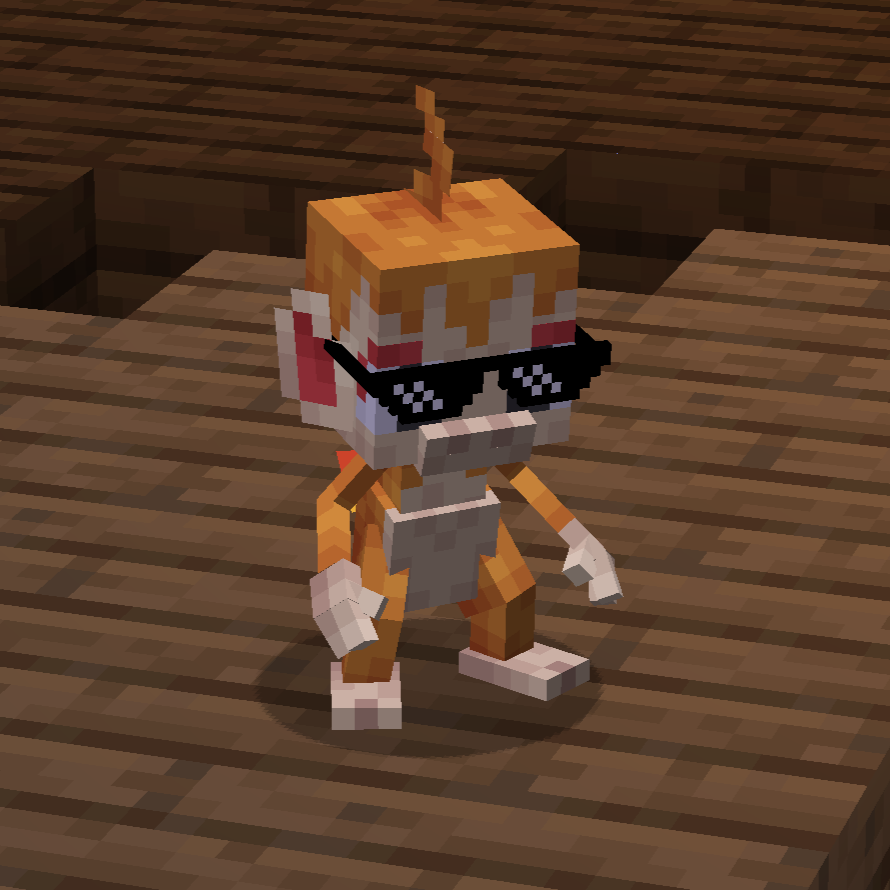
wearable_eye_items.json:
{
 "replace": false,
 "values": [
  "simplehats:clockface",
  "simplehats:sunglasses"
 ]
}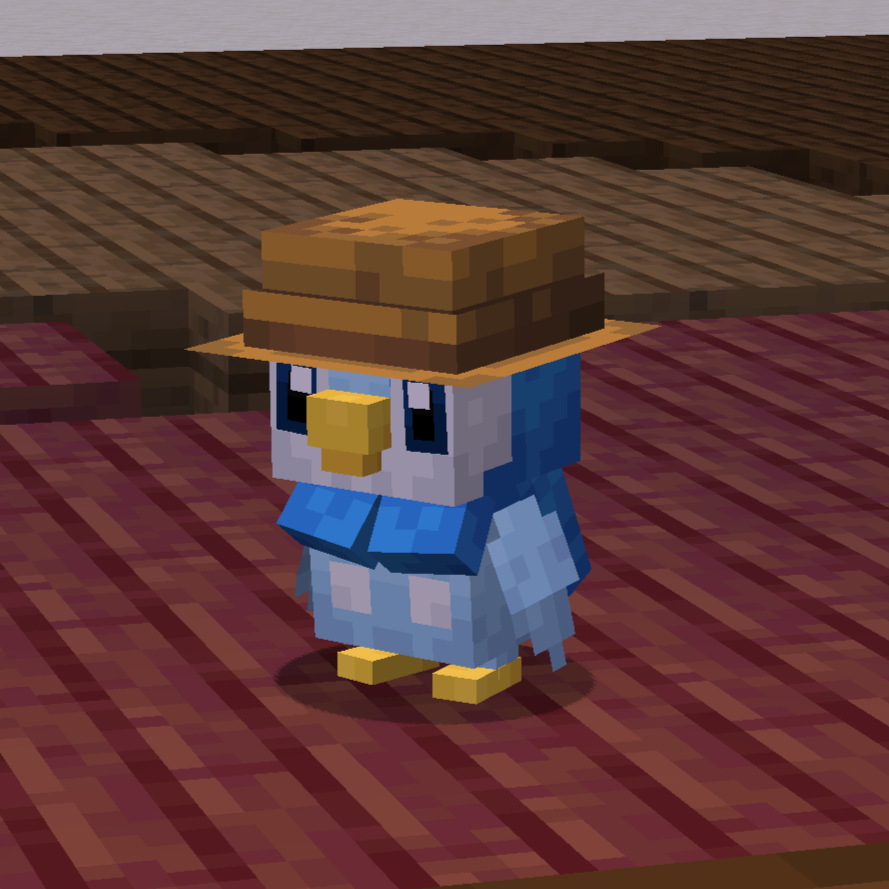
wearable_hat_items.json:
{
 "replace": false,
 "values": [
  "#villagerhats:hats"
 ]
}
Compatibility With Other Models
If there are Pokemon that do not render their held item or if you would like to have custom Fakemon show their held items, you can add a locator in the model named "held_item" or "held_item_fixed".
The "held_item" locator will render held items the same way that players render items. This is most effective for items like the spyglass, trident and other tools. 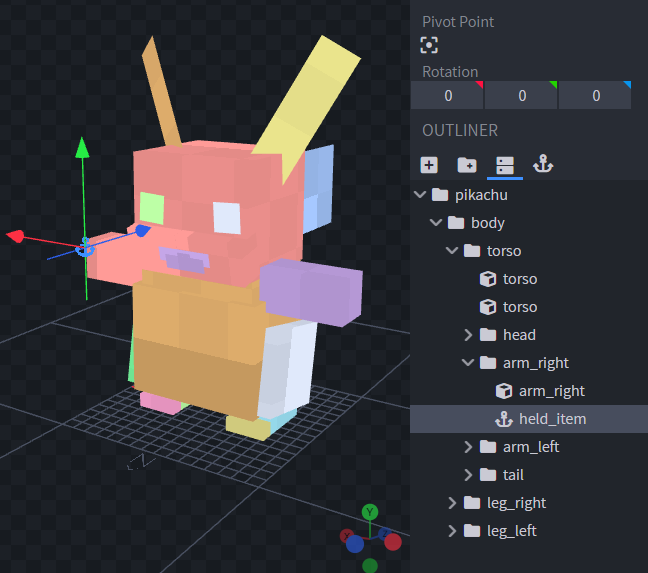
Sometimes it doesnt look quite right to have an item held the same way as the player. So for bird or dog-like pokemon, it may be best to use "held_item_fixed". This will render the flat default item model. 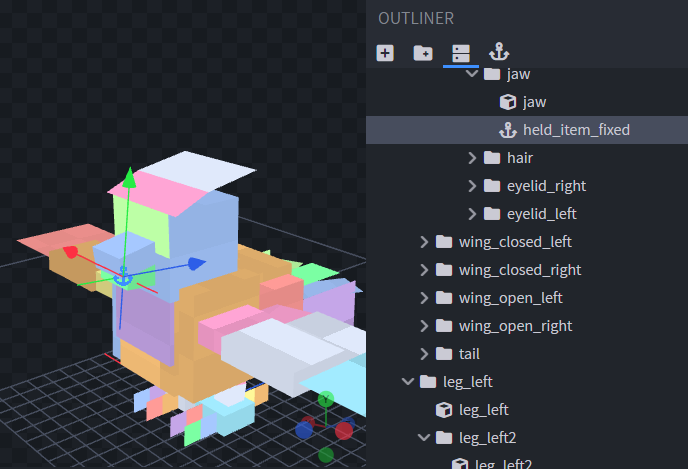
To change the rotation of the item, simply change the rotation of the locator.
To support wearable hat or eye items add locators "held_item_head" and "held_item_eyes" onto the model either near the eyes or on top of the head. 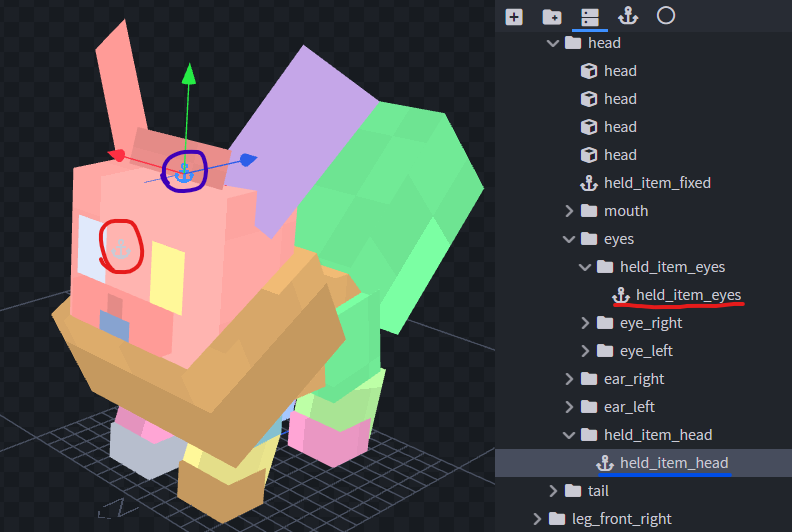
If the held item isn't quite the right size you can add modifiers to the locators using Null Objects. Give the Null Object the name of the locator you wish to modify followed by square brackets and a scale value, e.g., "held_item_head[scale=2.25]". 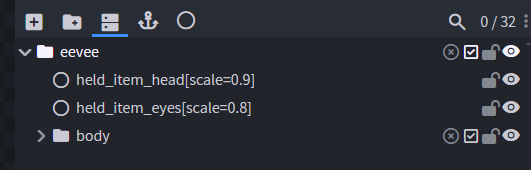
If you have any other concerns or questions, you can inquire here. Thank you!
⚠️ As of Cobblemon 1.7 this mod is no longer supported! ⚠️
The feature the this mod provides has been ported into Cobblemon as of version 1.7! 🎉
Cobblemon - Show Held Items
This is a side mod for Cobblemon so it will not do anything without Cobblemon installed.
This mod allows Pokémon's Held Items render in the world. When joining a server that does not have this mod installed, only your own Pokémon's items will be rendered.

Technical Information
Server Configuration
The items that are hidden or shown as hats/glasses can be controlled by the server by adding a data pack to the server that replaces the "hidden_items.json", "wearable_eye_items.json" or "wearable_hat_items.json" item tag file. Hidden items will still be visible to the Pokémon's owner.
The path for hidden items is:
datapacks\[YOUR_SERVER'S_DATAPACK]\data\show-held-items\tags\item\hidden_items.json
These are the default settings of the file:
{
  "replace": true,
  "values": [
    "#cobblemon:held/is_held_item",
    "#cobblemon:berries"
  ]
}
Any modded or vanilla items can be added here.
The paths for eye items and hats are:
datapacks\[YOUR_SERVER'S_DATAPACK]\data\show-held-items\tags\item\wearable_eye_items.json
datapacks\[YOUR_SERVER'S_DATAPACK]\data\show-held-items\tags\item\wearable_hat_items.json
Here is an example using Villager Hats and Simple Hats:
wearable_eye_items.json:
{
  "replace": false,
  "values": [
    "simplehats:clockface",
    "simplehats:sunglasses",
  ]
}
wearable_hat_items.json:
{
  "replace": false,
  "values": [
    "#villagerhats:hats"
  ]
}
Compatibility With Other Models
If there are Pokemon that do not render their held item or if you would like to have custom Fakemon show their held items, you can add a locator in the model named "held_item" or "held_item_fixed".
The "held_item" locator will render held items the same way that players render items. This is most effective for items like the spyglass, trident and other tools.
Sometimes it doesnt look quite right to have an item held the same way as the player. So for bird or dog-like pokemon, it may be best to use "held_item_fixed". This will render the flat default item model.
To change the rotation of the item, simply change the rotation of the locator.
To support wearable hat or eye items add locators "held_item_head" and "held_item_eyes" onto the model either near the eyes or on top of the head.
If the held item isn't quite the right size you can add modifiers to the locators using Null Objects. Give the Null Object the name of the locator you wish to modify followed by square brackets and a scale value, e.g., "held_item_head[scale=2.25]".
If you have any other concerns or questions, you can inquire here. Thank you!
Screenshots
Gallery
-
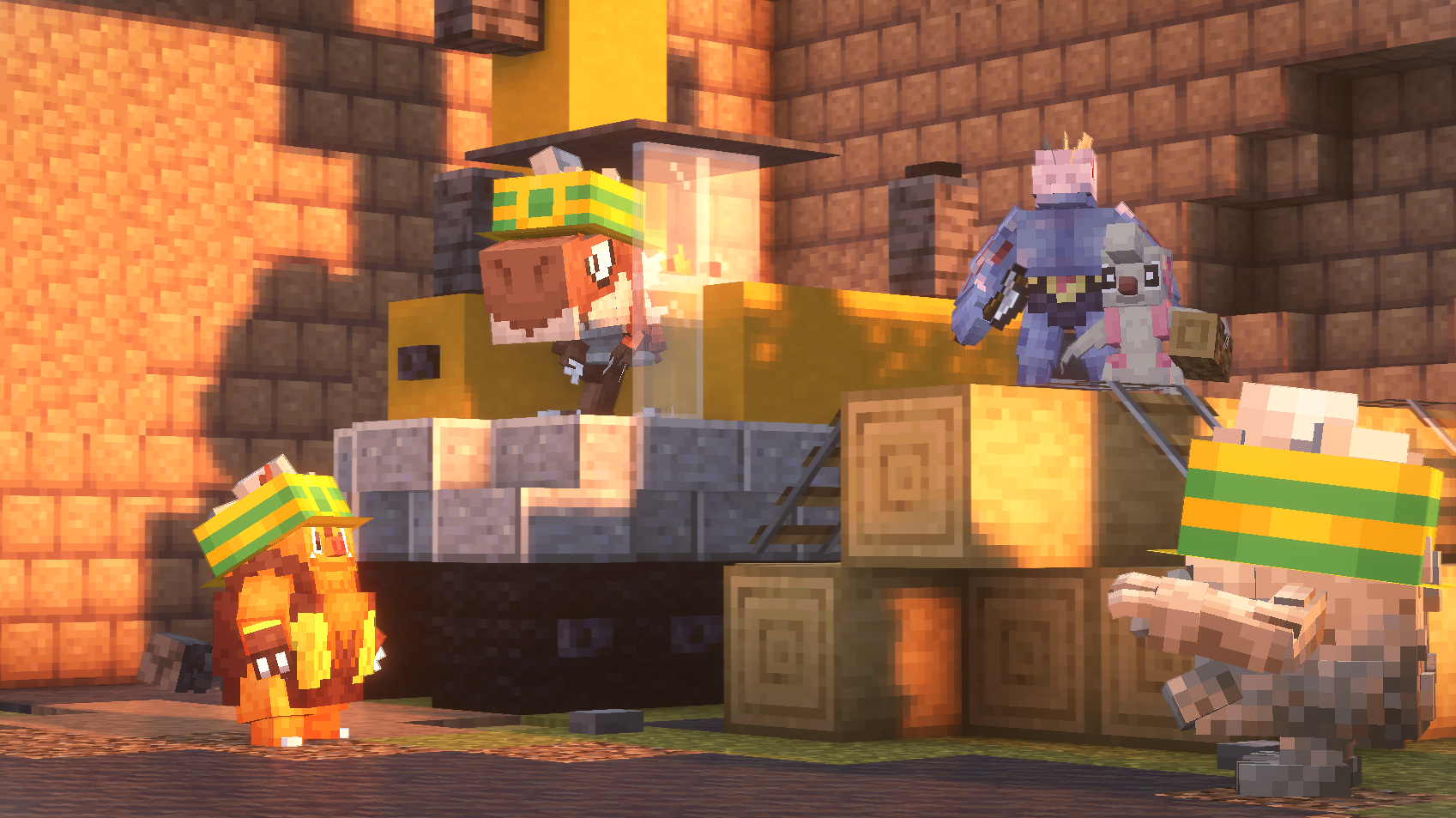 Time For Work
 -
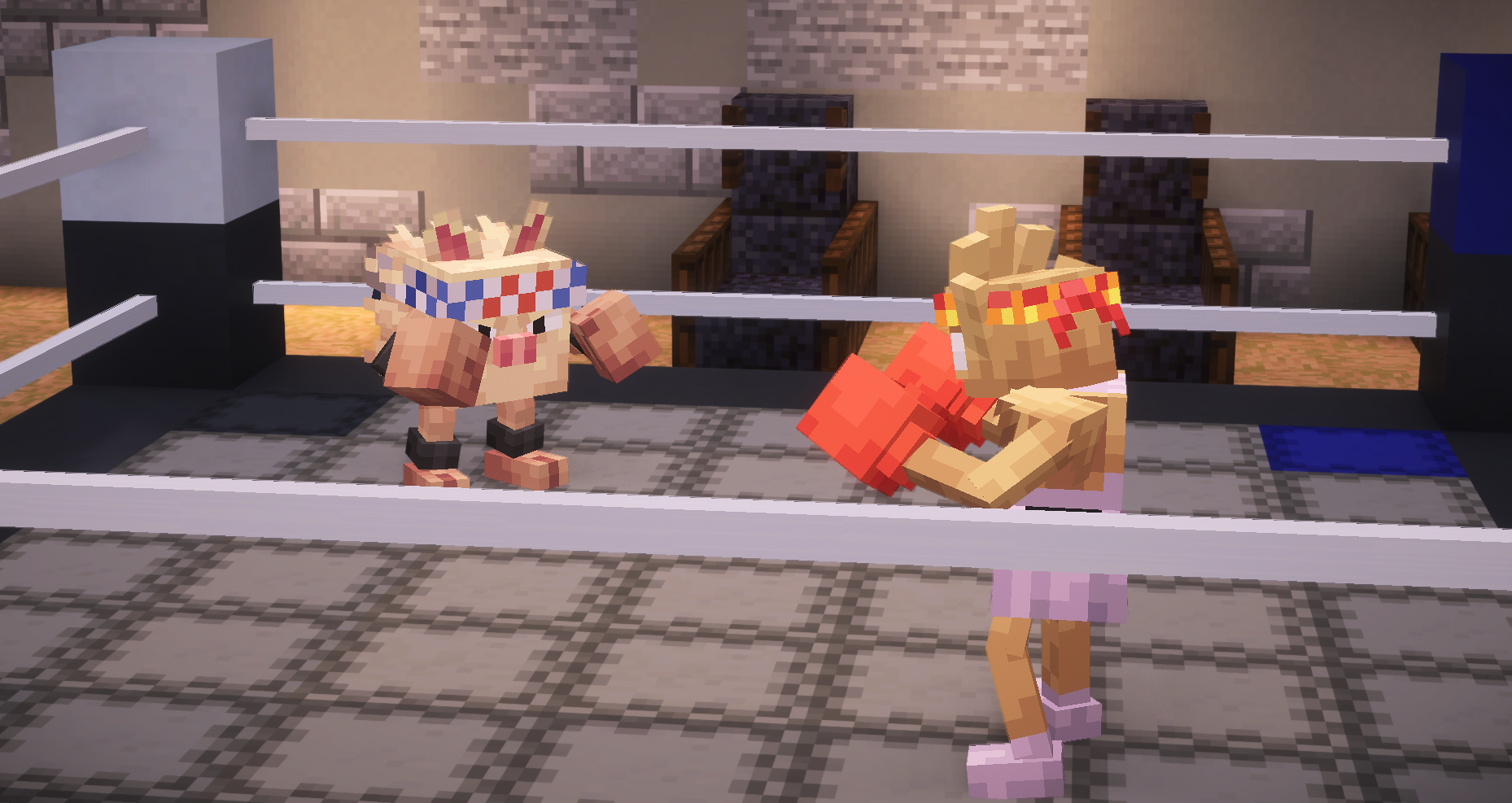 Fights On
 -
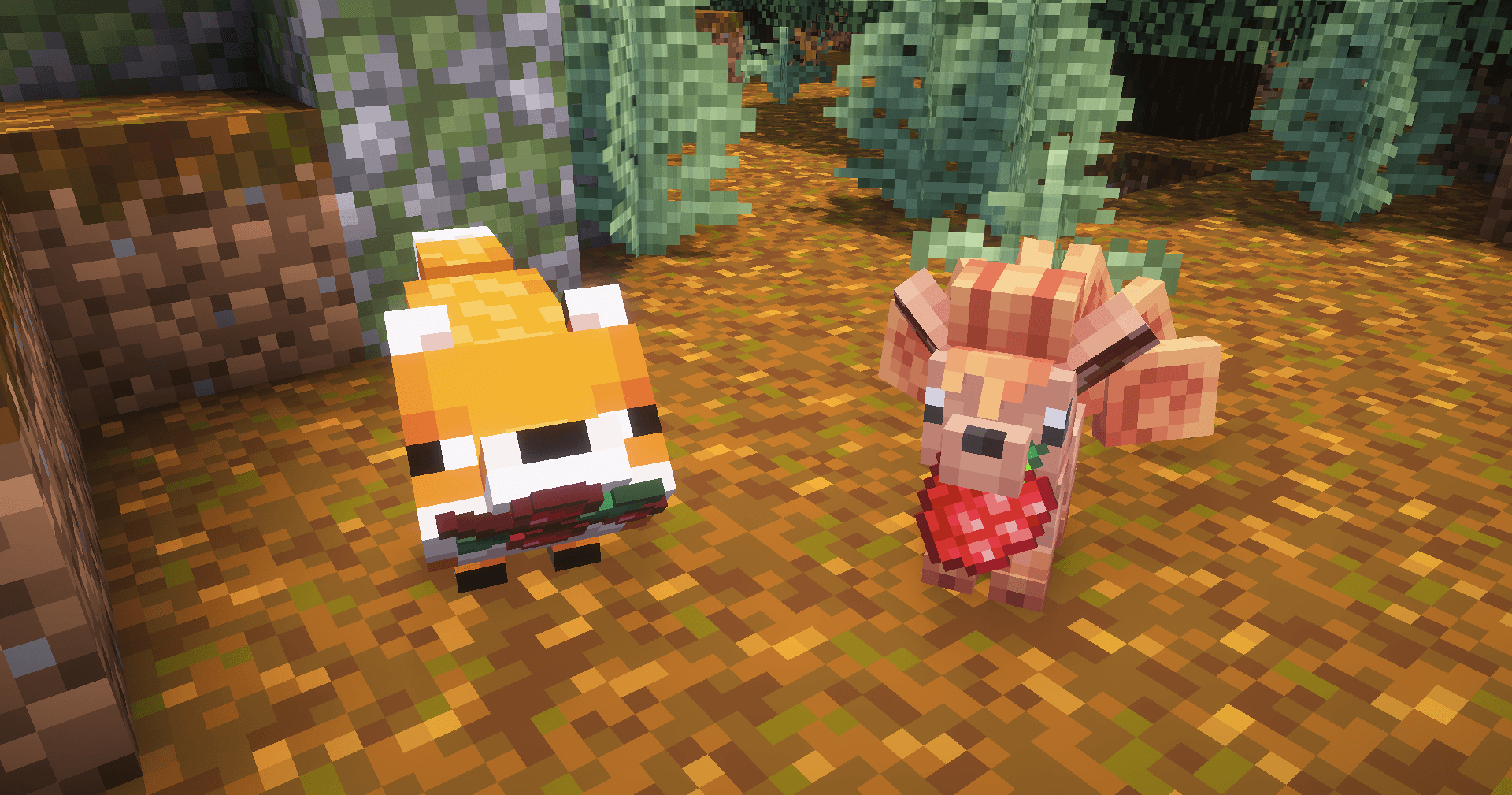 Fox Friends
 -
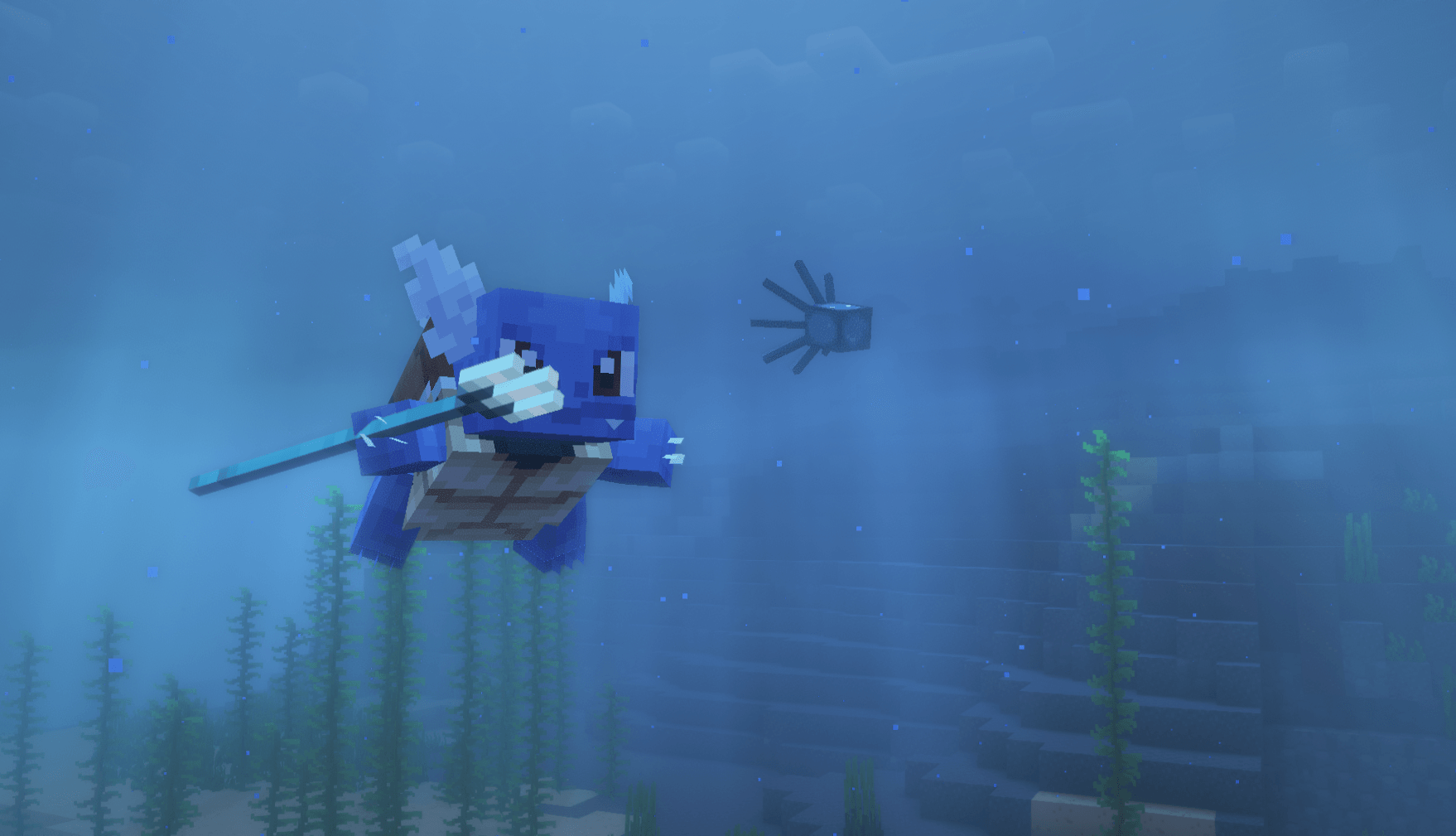 Warrior Of The Sea
 -
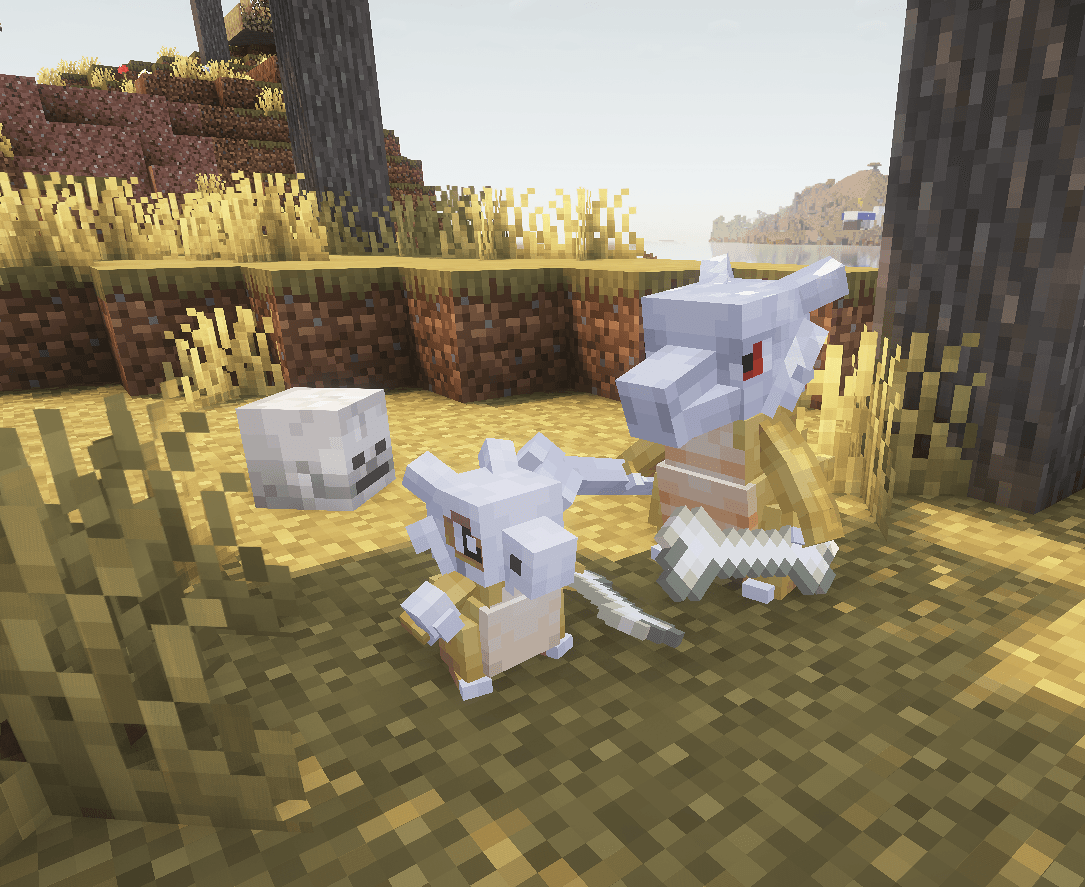 Too Many Bones To Handle
 -
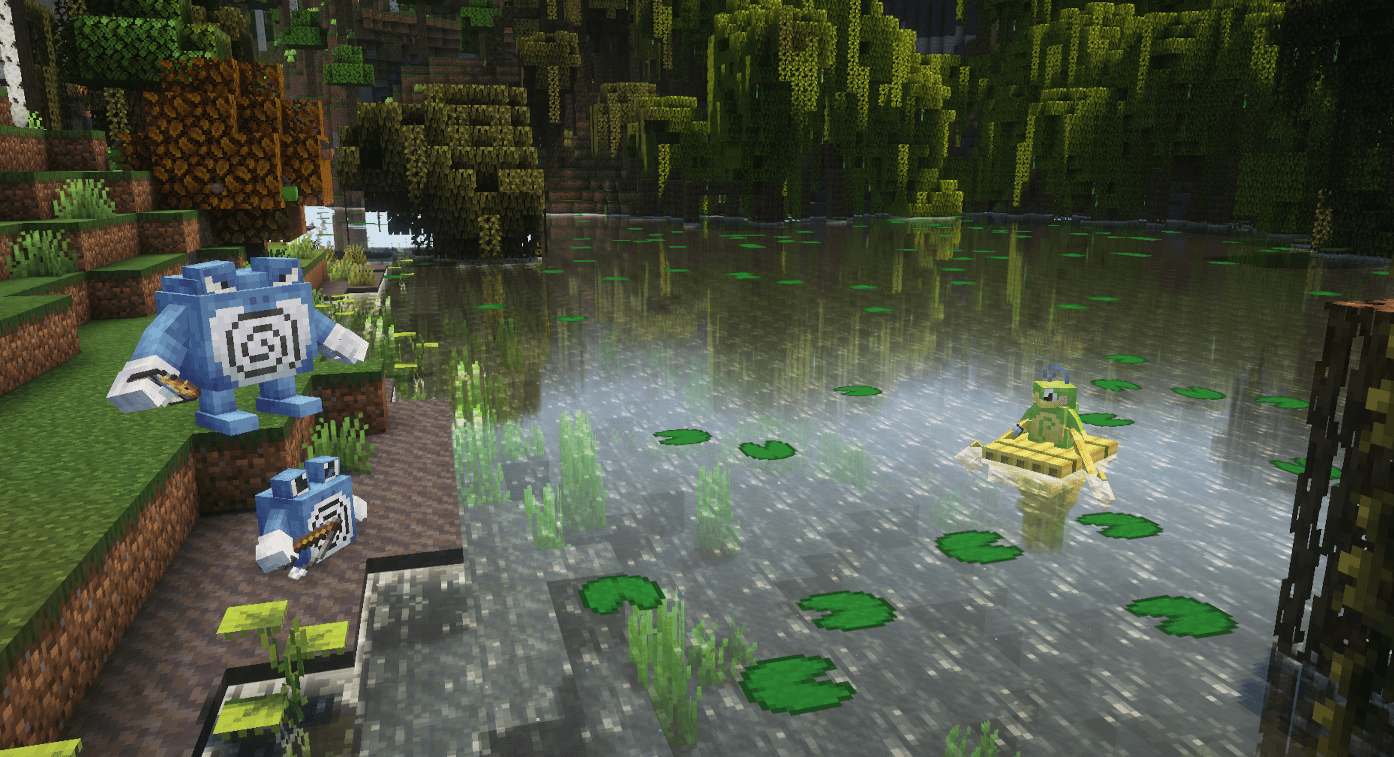 Poli By The Swamp Small
 -
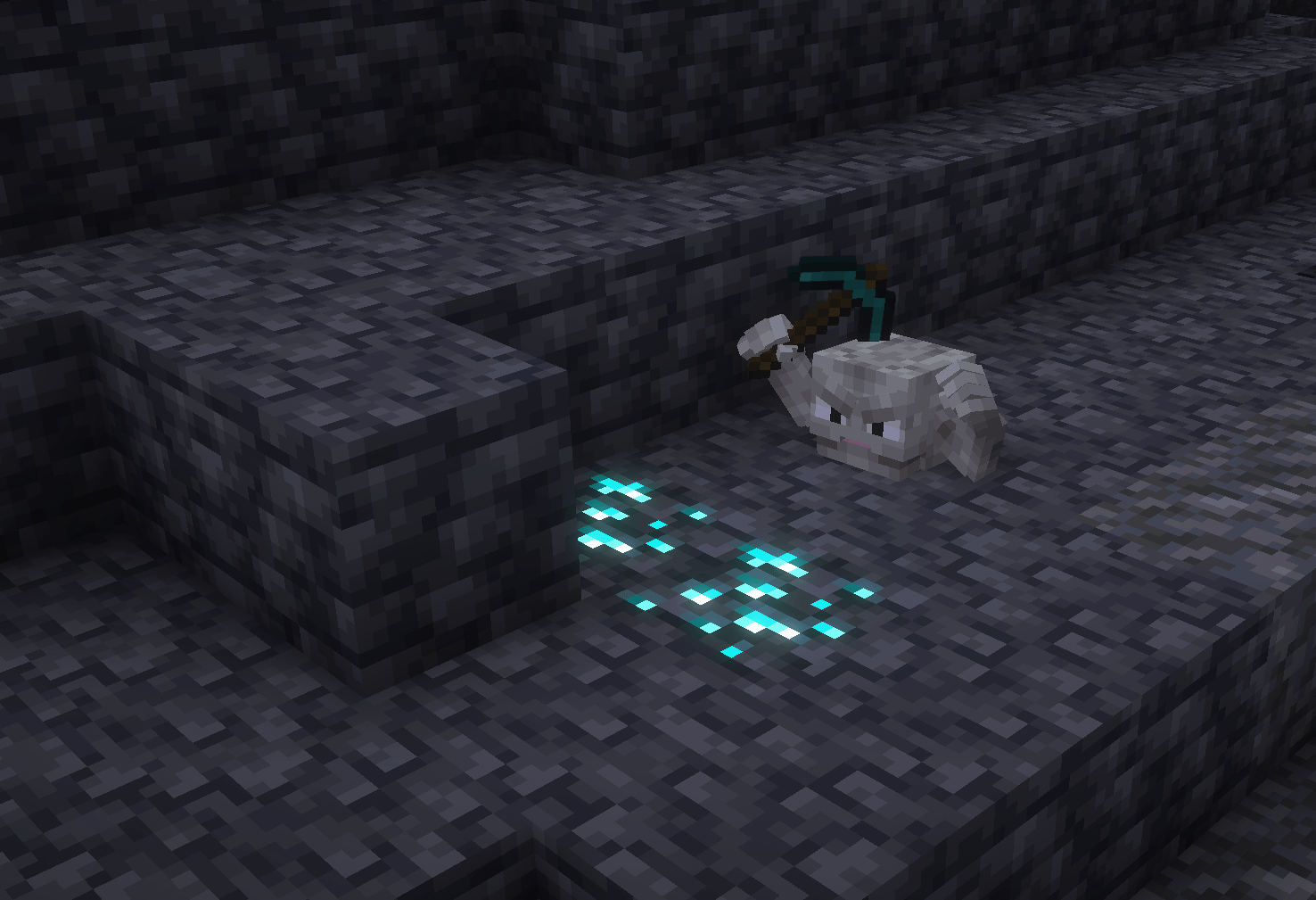 Geodude Lucky Day
 -
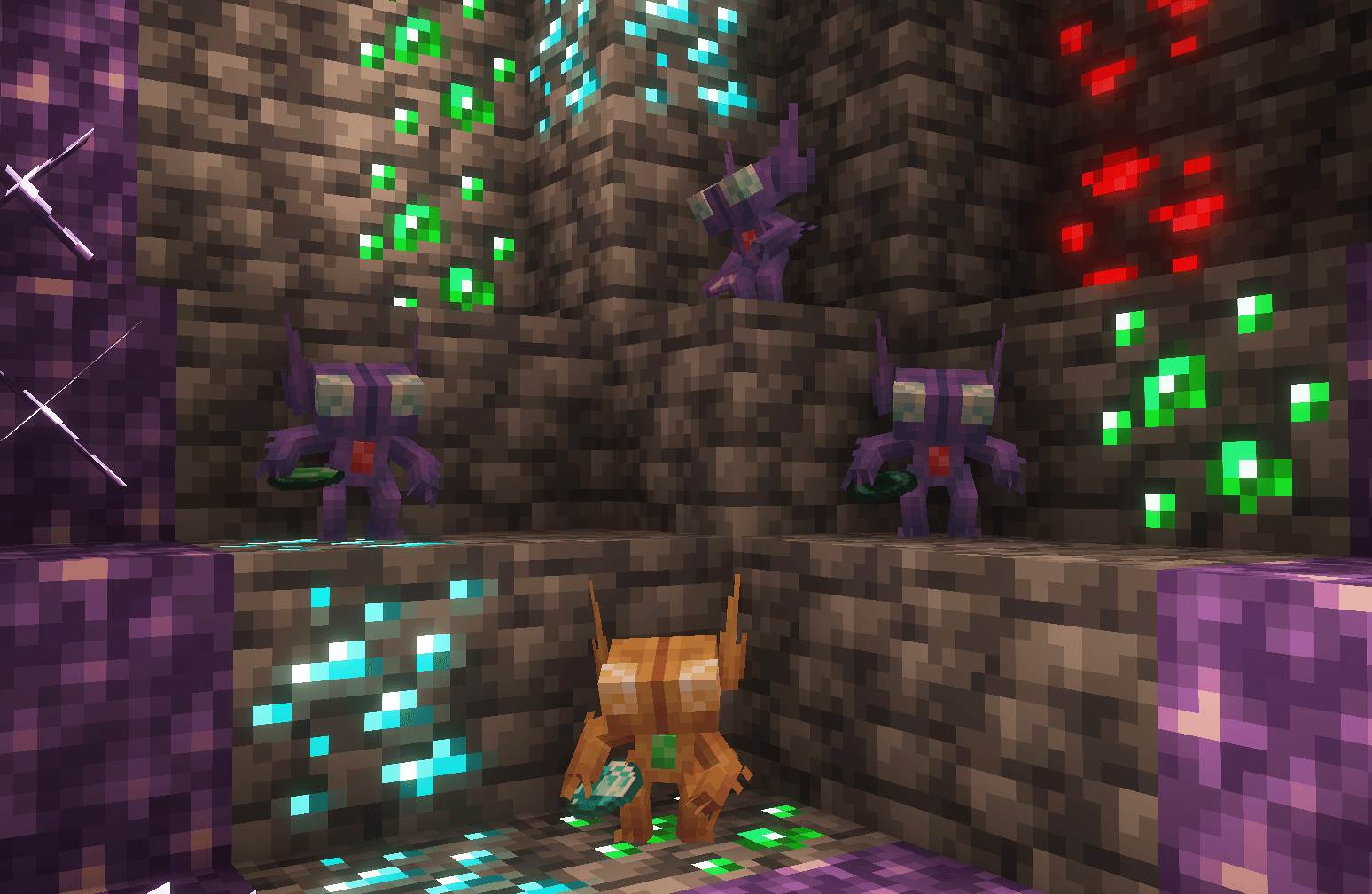 Gem Fiend Cave
 -
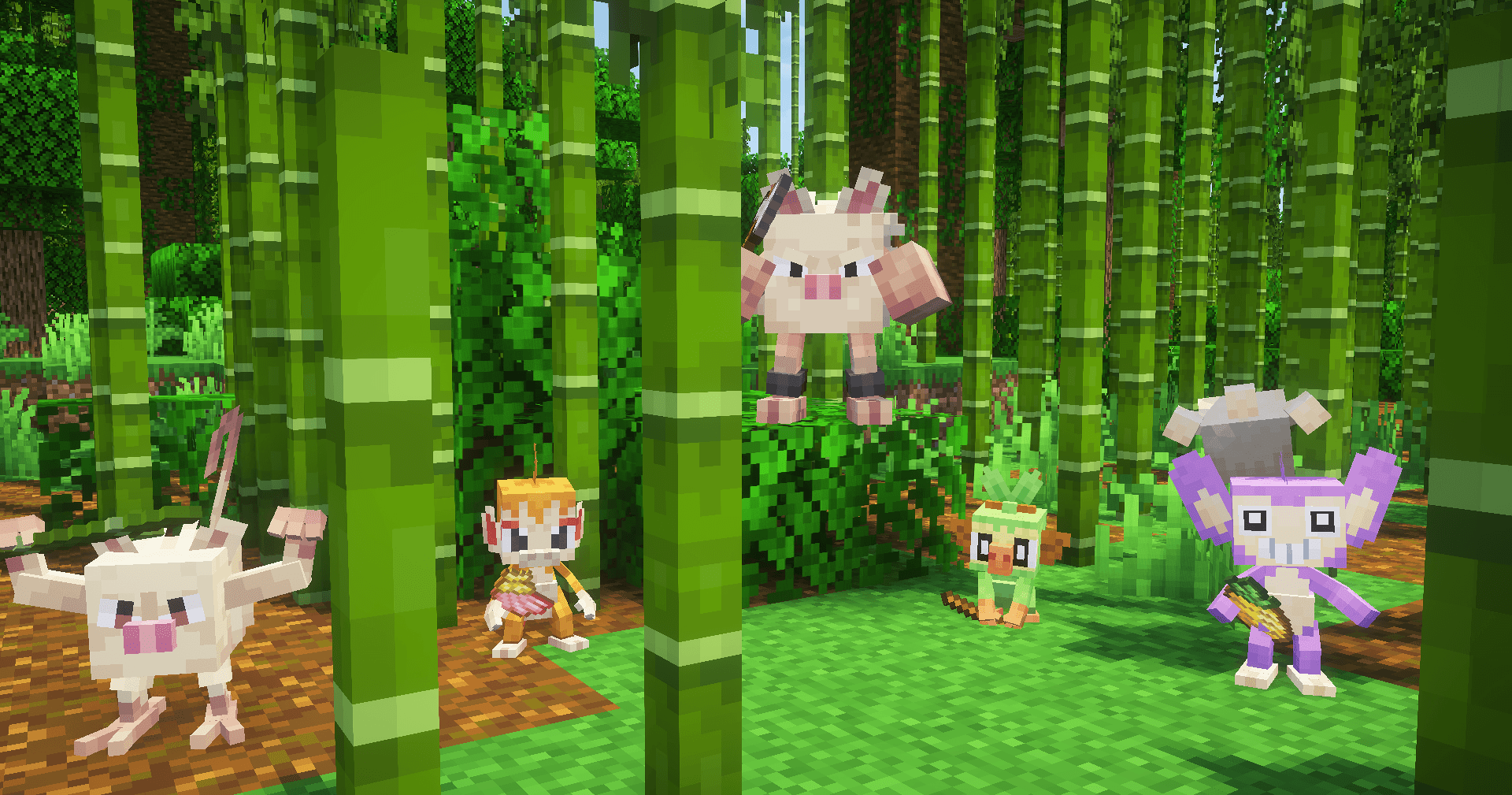 Monkey Party
-
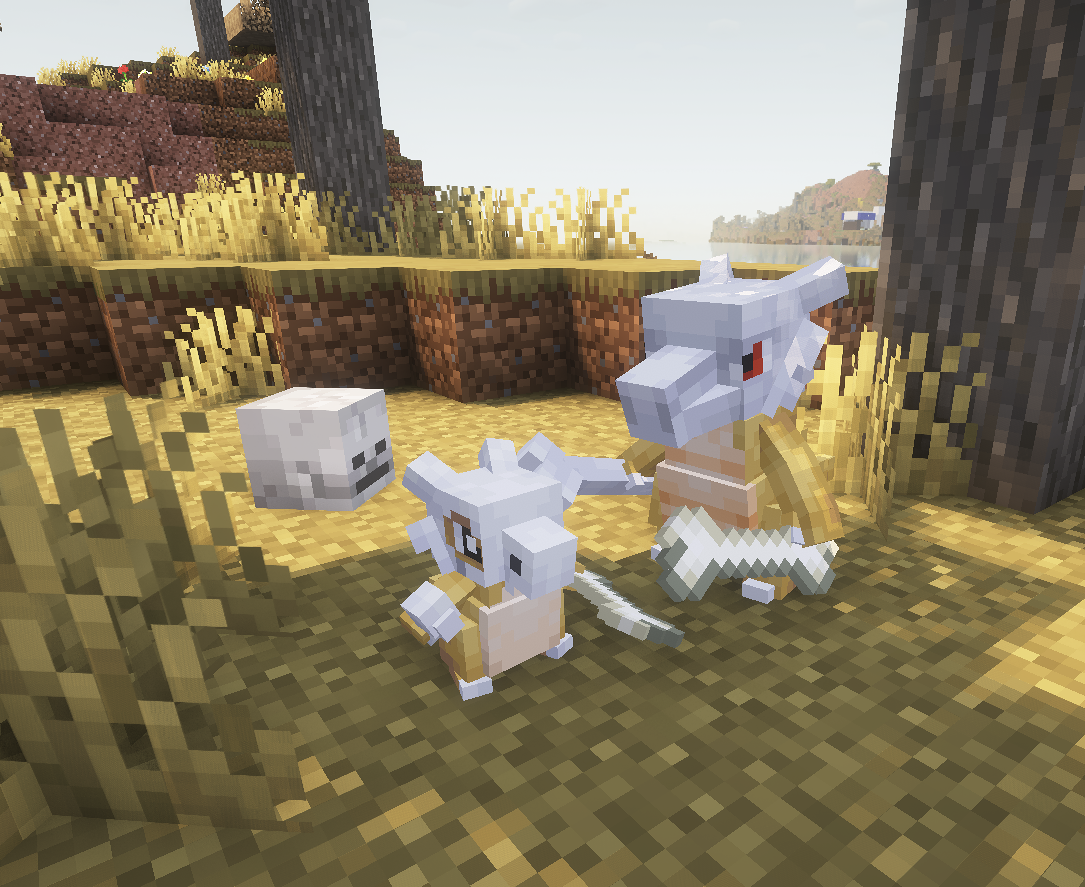 Too Many Bones Got their hands full of 'em.
 -
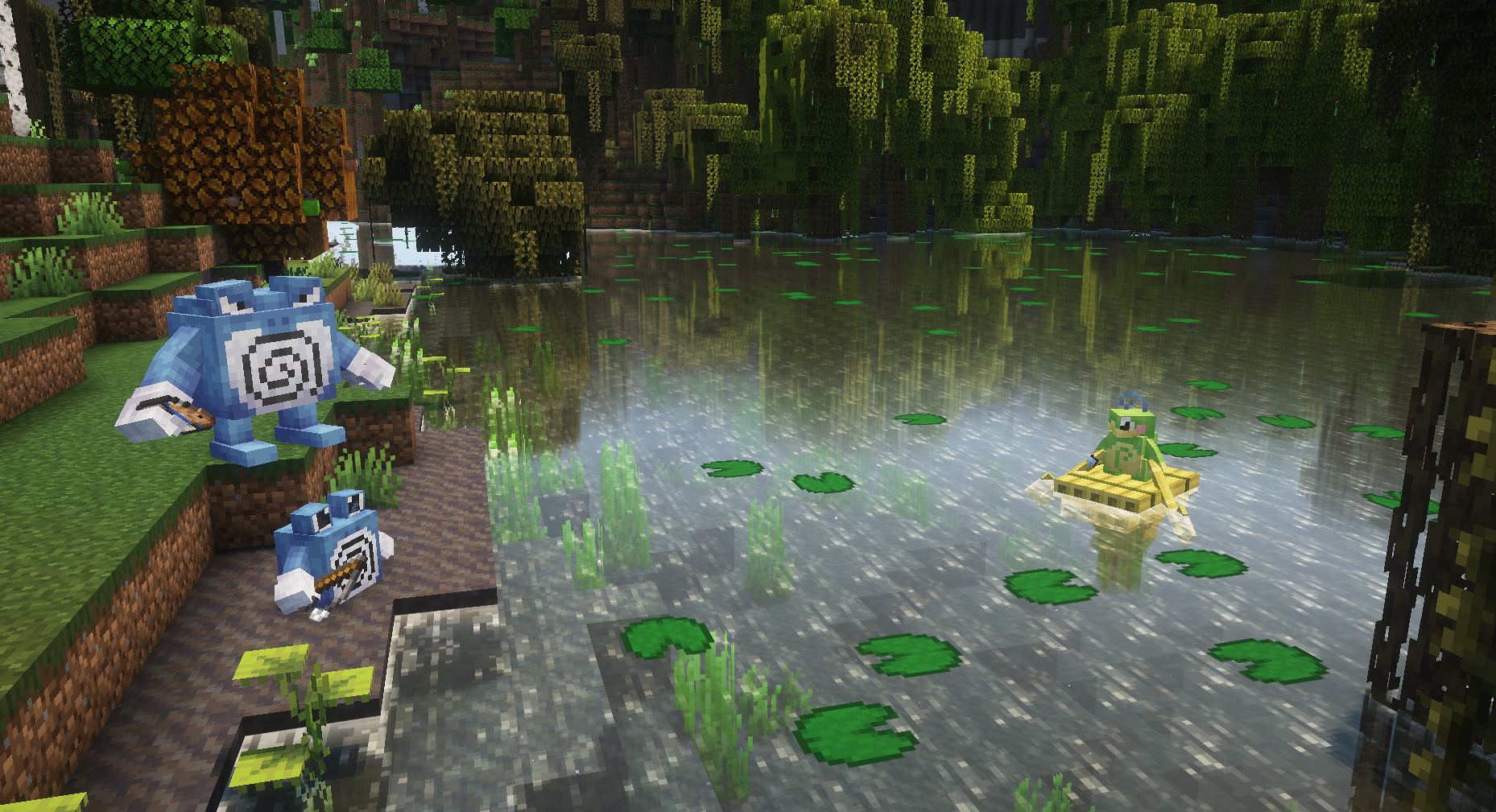 Poli's by the Swamp Fishing for tadpoles.
 -
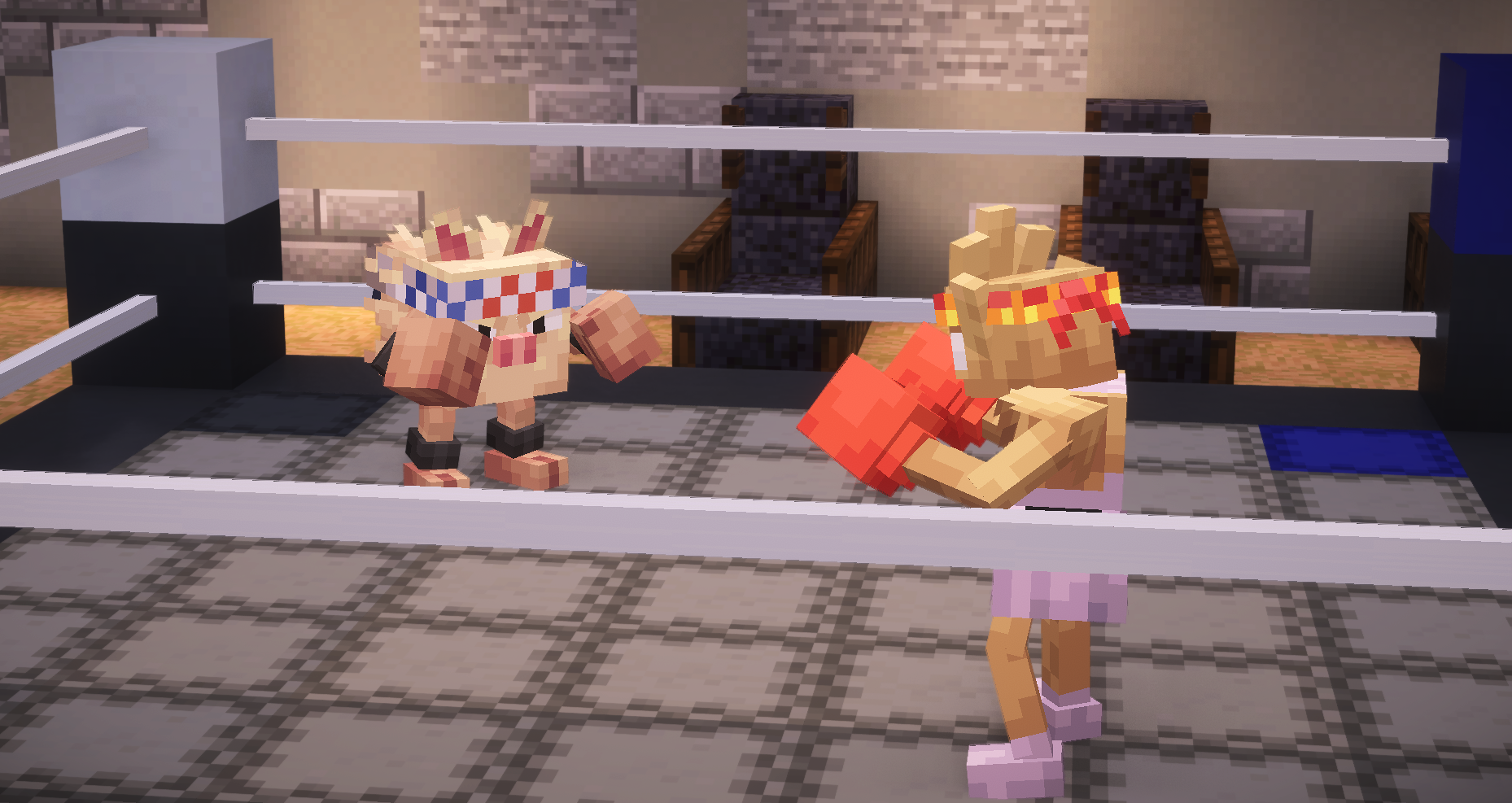 Fight's On! Put 'em up!
 -
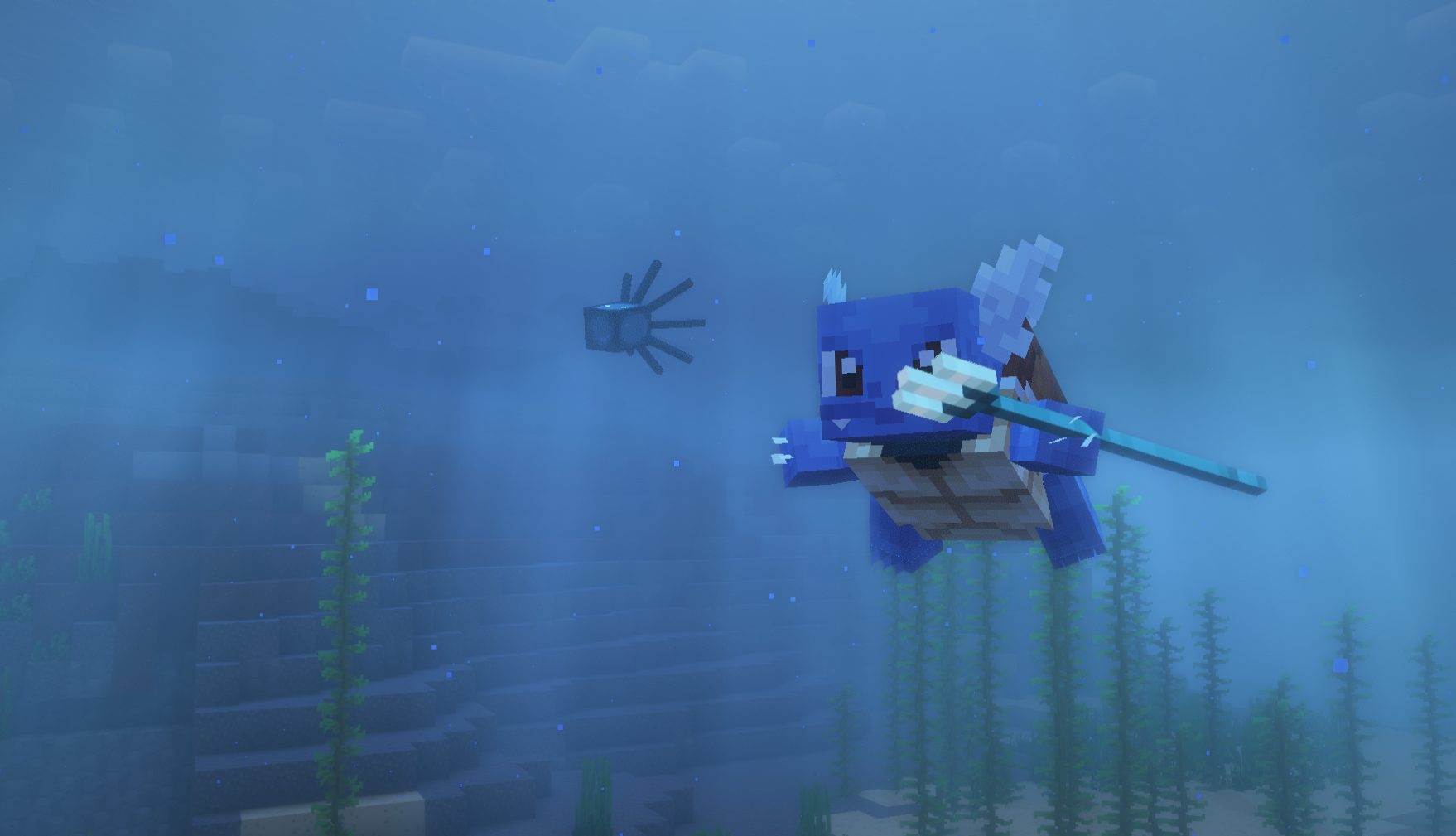 Warrior of the Sea Majestic.
 -
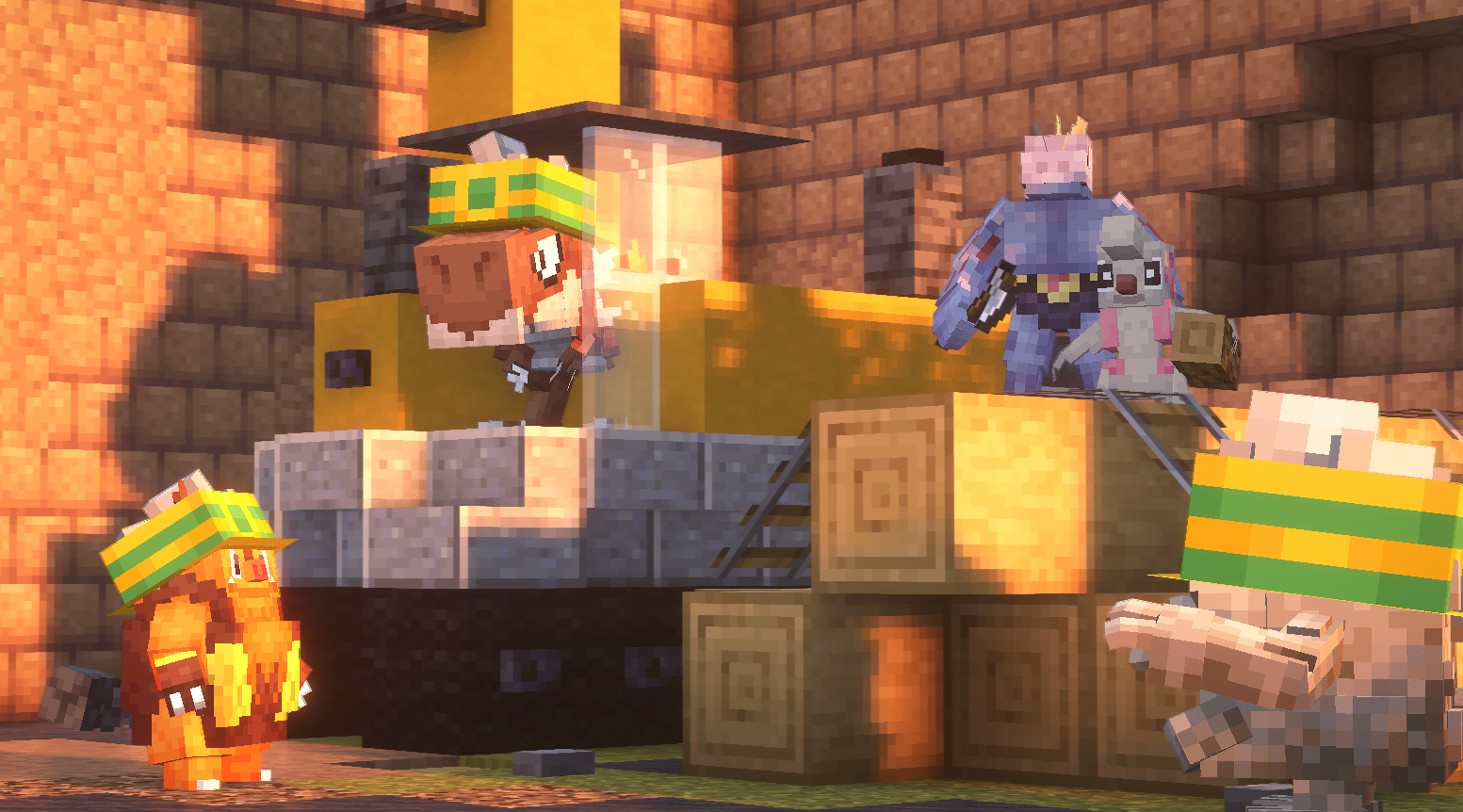 Time For Work Gonna be a long day...
 -
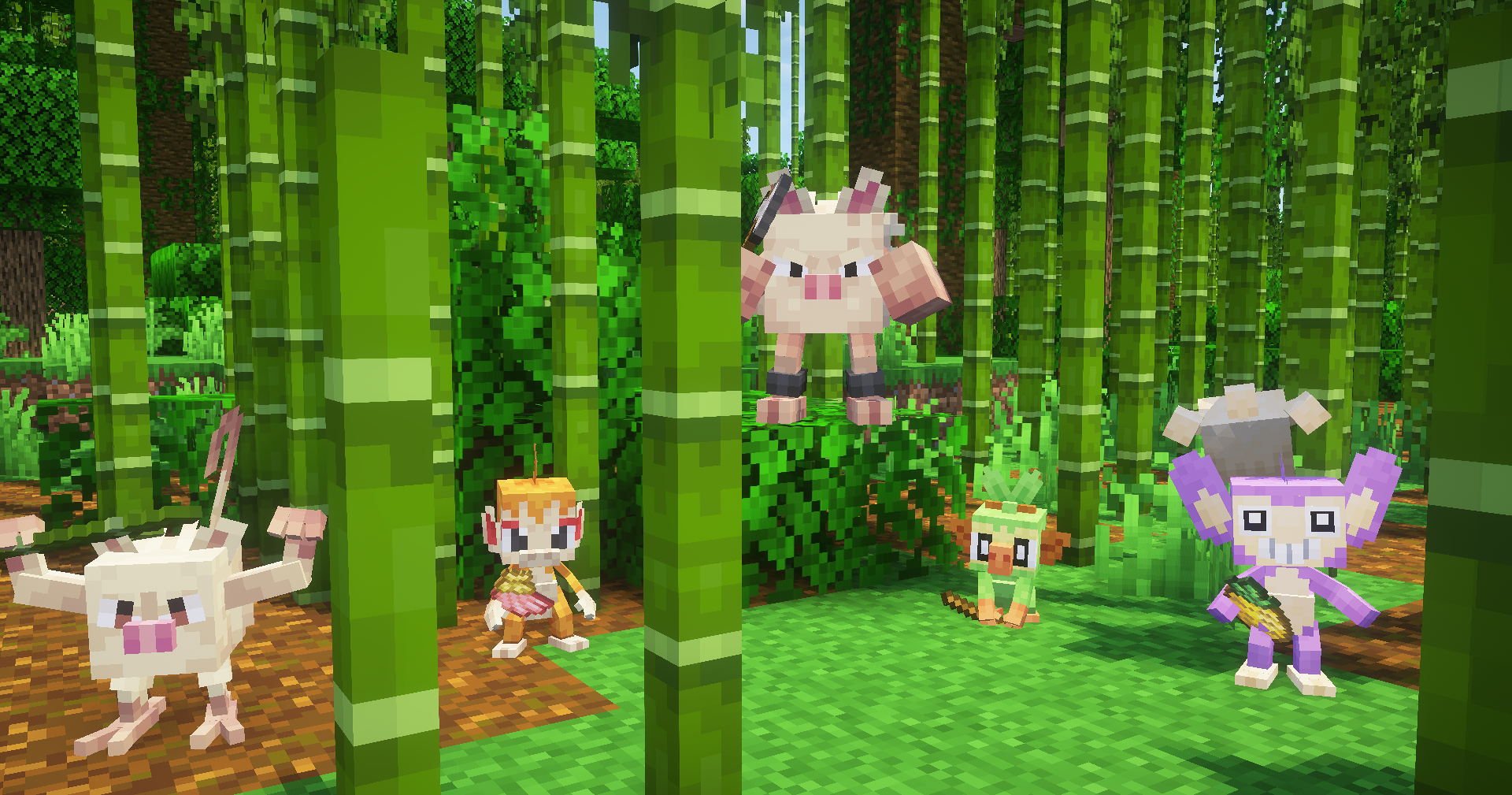 Monkey Party You are not invited.
 -
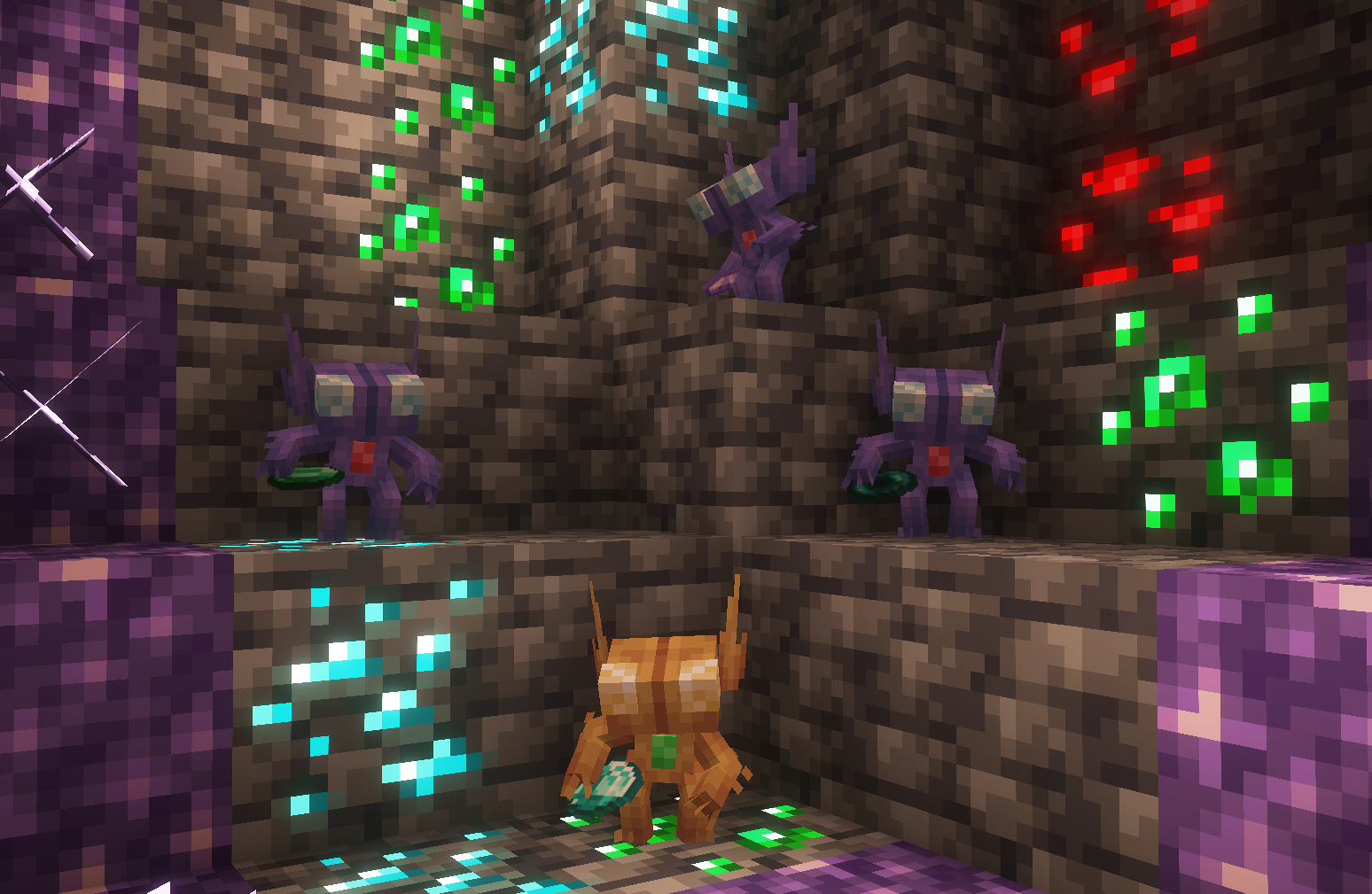 Gem Fiends' Cave Seems like they're hoarding treasures.
 -
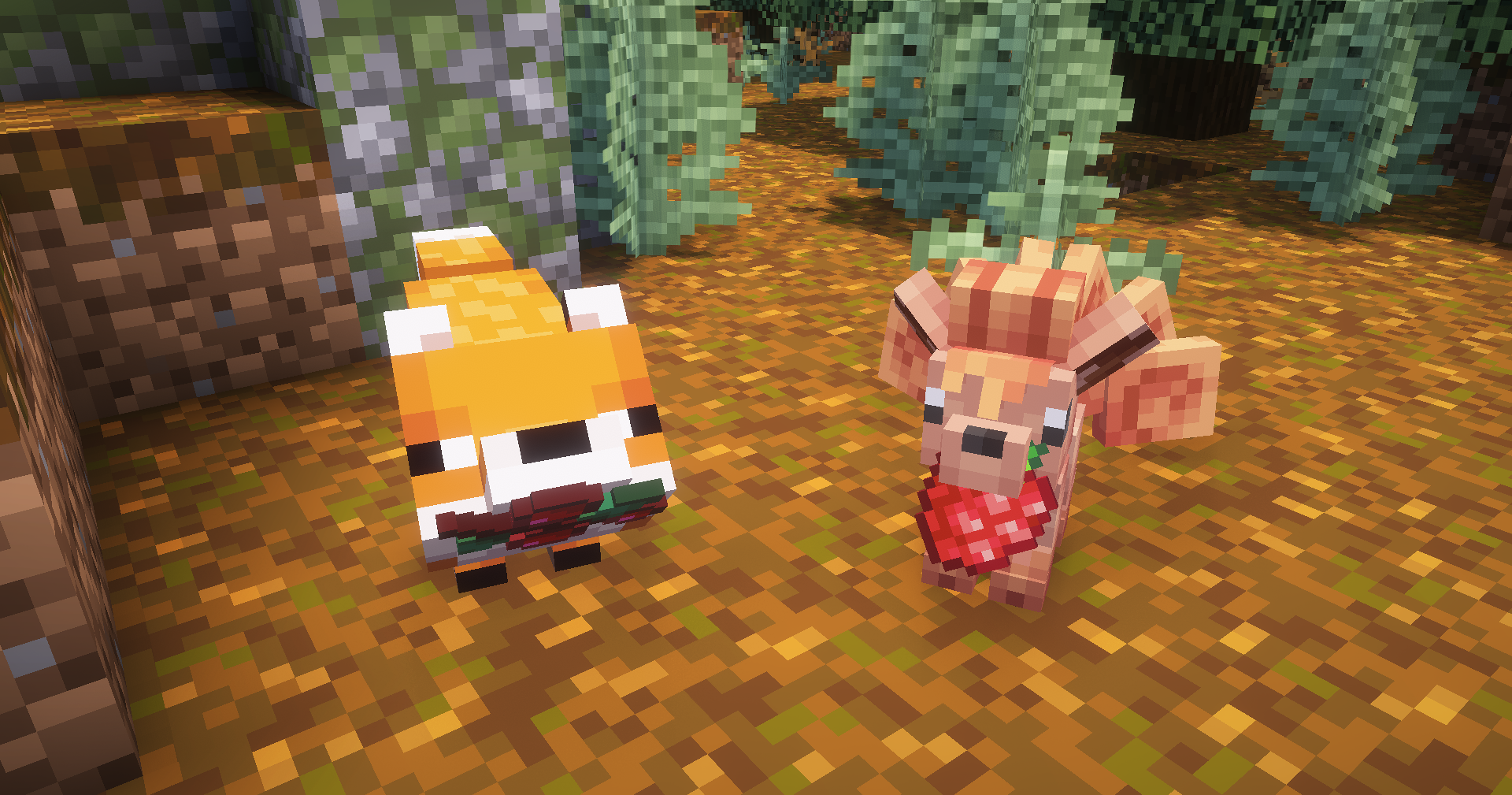 Fox Friends Sharing a snack with a friend.
 -
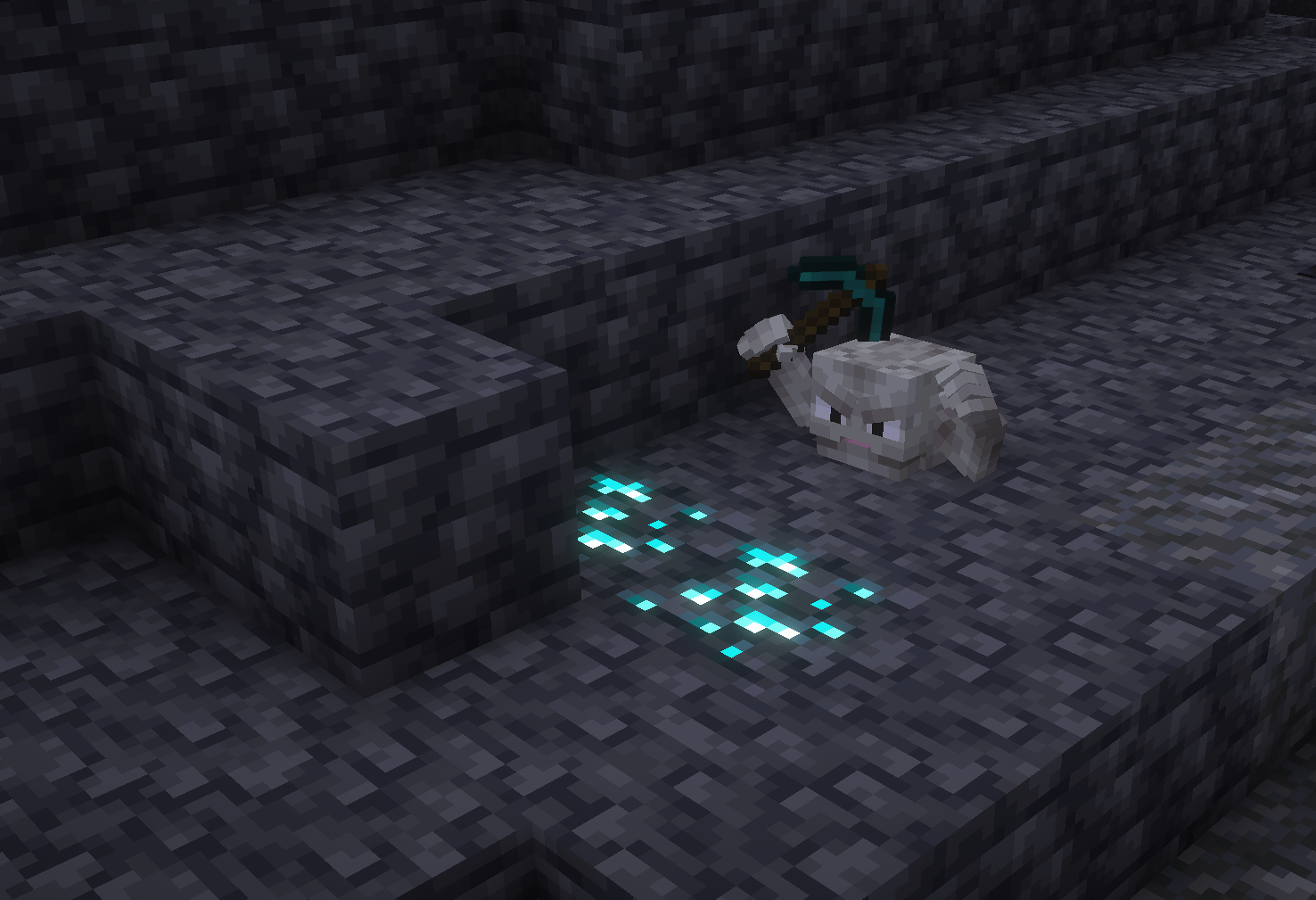 Geodude's Lucky Day He has been mining for hours to find these..
Versions
Files
Relations
Project Relations
More like this
Similar Mods
Suggestions use data such as tags, dependencies, dependents, descriptions, titles, and more to rank how much they overlap with this mod.
On ModDex
Community snapshot
By the numbers
Statistics
Want to reach Minecraft players?
We're looking for a server hosting partner to feature here and other parts of the site. Interested? Send us a message!
Get in touchGet it on
Available Platforms
On ModDex
Community snapshot
By the numbers
Statistics
Resources