Community listing page, reviews here may not be monitored by the author.
Cobblemon Ultra-Beasts

No reviews yet
Ever dreamed of catching every Ultra Beast? Step through a wormhole into Ultra Space, a dimension built for the hunt and bring them home one by one.
Community voices
Reviews
No reviews yet. Be the first to review this project!
Get it on
Available Platforms
About
Project Details
For authors
Embed Badge
If you're the author of this project, you can embed a live badge anywhere that supports HTML or Markdown. It updates automatically whenever ratings change.
Use HTML for any page that supports it, or Markdown for README files and Markdown-based descriptions.
Identifiers
Platform IDs
Resources
External Links
About
Description
Cobblemon Ultra-Beasts
Rare wormholes tear open in the overworld. Step through one and you land in Ultra-Space, a void dimension where a single Ultra Beast waits inside a structure built for it. Catch it, or leave empty-handed — either way the wormhole is gone when you get back.
Runs on Fabric and NeoForge, Minecraft 1.21.1, Cobblemon 1.8.0.





How it works
A wormhole can appear near any player in the overworld, on a timer and a dice roll you control. It announces itself with a warden's sonic boom, drops out of the sky pulling debris into a collapsing swirl, and settles as a portal you can walk into. It lasts one minute, then closes.
Walk in and you're taken to Ultra-Space. One of ten structures is built around you, its Ultra Beast is placed inside, and an exit portal opens at a fixed point of the layout. Your overworld position is saved before you leave.
To come back, take the exit portal or fall into the void. Both routes return you exactly where you were standing, and the structure is torn down behind you.
The rules of the dimension
One player at a time. Ultra-Space is claimed for as long as you're in it, and no new wormhole will spawn anywhere on the server while it is. The claim survives a disconnect for five minutes, so a crash doesn't cost you your run — but if you don't come back in time, the slot is released and you'll be sent home on your next login.
Nobody dies in there. All damage is cancelled inside the dimension. No fall damage, no suffocation, no starving on a long hunt.
Nothing can be built or broken. The structure stays exactly as it was generated.
The Ultra Beast doesn't move, can't be hit, and never despawns. It's there to be caught, not fought with a sword — Cobblemon battles work normally.
The ten structures
Each Ultra Beast gets its own arena, with its own spawn point, player arrival point and exit portal placement:
Nihilego · Kartana · Blacephalon · Pheromosa · Buzzwole · Guzzlord · Celesteela · Xurkitree · Poipole · Stakataka
Which one you get is random on every trip.
Advancements
| How to earn it | |
|---|---|
| Into the Unknown | Enter Ultra-Space for the first time |
| Ultra-Space Master | Catch every Ultra Beast |
The second one tracks each species separately, so it fills in as you go.
Commands
| Command | Permission | What it does |
|---|---|---|
/ultrabeasts info |
all | Current spawn chance, as a ratio and a percentage |
/ultrabeasts reload |
OP level 2 | Reload the config without restarting |
/ultrabeasts wormhole spawn |
OP level 2 | Force a wormhole on yourself |
/ultrabeasts wormhole clear |
OP level 2 | Clean up everything and free the dimension |
wormhole spawn refuses if someone already holds Ultra-Space — the one-player rule applies to operators too.
wormhole clear is the panic button: it removes every wormhole and portal, sends anyone inside Ultra-Space back to their entry point, tears down the structure and releases the claim.
Configuration
A file is created at config/ultrabeasts.json on first launch:
{
  "WORMHOLE_SPAWN_CHANCE": 2500,
  "TRY_SPAWN_INTERVAL": 400
}
TRY_SPAWN_INTERVAL is how often the server rolls for a wormhole, in ticks. 400 is twenty seconds.
WORMHOLE_SPAWN_CHANCE is the denominator of that roll: 2500 means a 1-in-2500 chance each time. Together the defaults work out to roughly one wormhole per 14 hours of a single player being online — rare by design.
Want to test? Set the chance to 1 and reload; you'll get a wormhole on the next interval. Out-of-range values are clamped rather than crashing, and the corrected value is written back to the file.
Run /ultrabeasts reload to apply changes without a restart.
Installation
- Install Cobblemon 1.8.0 for Minecraft 1.21.1.
- Install the Kotlin bridge for your loader — Fabric Language Kotlin on Fabric, Kotlin for Forge on NeoForge. Cobblemon needs it.
- Drop the Ultra-Beasts jar matching your loader into
mods/. - Launch.
Dependencies
| Fabric | NeoForge | |
|---|---|---|
| Minecraft | 1.21.1 | 1.21.1 |
| Cobblemon | 1.8.0 | 1.8.0 |
| Also required | Fabric API, Fabric Language Kotlin | Kotlin for Forge |
A note on the world warning
Because the mod adds a custom dimension, Minecraft flags single-player worlds as using "experimental settings" and shows a confirmation screen on load. This is normal for any dimension mod and safe to click through. It does mean such worlds can't be uploaded to Realms.
Server notes
Ultra-Space state lives in the world save, so a restart doesn't strand anyone: the structure, the exit portal and the current claim all survive it. If the exit portal ever goes missing while someone is inside — a chunk unload, a stray /kill — it's restored automatically within a second. The same goes for the Ultra Beast.
The wormhole check is throttled and exits early whenever anyone holds Ultra-Space, so its cost on the tick loop is negligible.
Building
./gradlew buildJars land in fabric/build/libs/ and neoforge/build/libs/. The -dev and -sources jars are build artefacts; ship the plain versioned one.
Standard Architectury multiloader layout: shared code in common/, loader-specific wiring in fabric/ and neoforge/. The project uses an access widener for a handful of vanilla display-entity methods, mirrored as an access transformer on the NeoForge side — both files need to stay in sync if you extend the spawn animation.
Issues
Bug reports and suggestions go to the issue tracker. Please include your loader, your config/ultrabeasts.json, and the server log rather than just the client one — most of this mod runs server-side.
Screenshots
Gallery
-
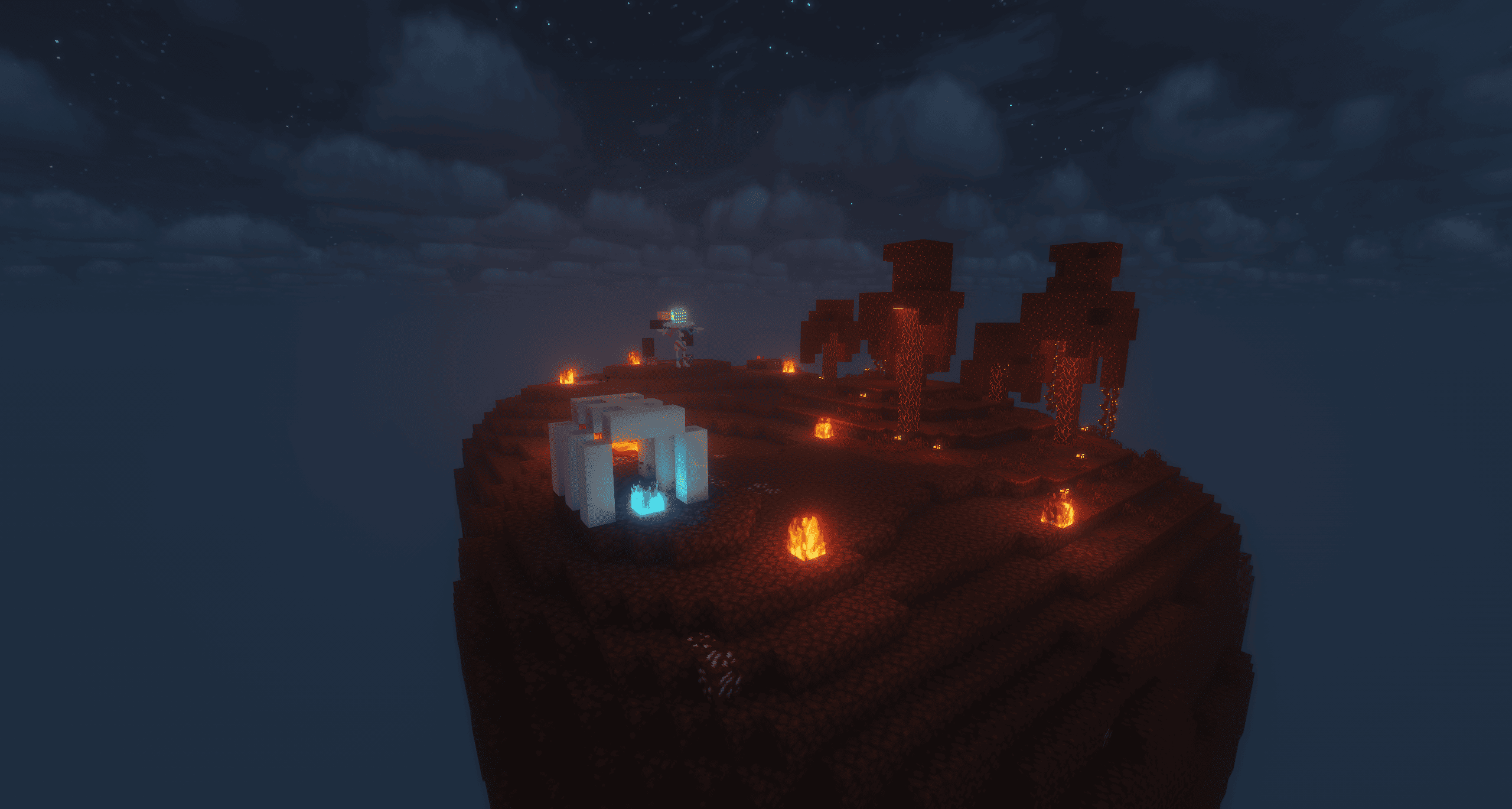 Blacephalon's structure Blacephalon's structure
 -
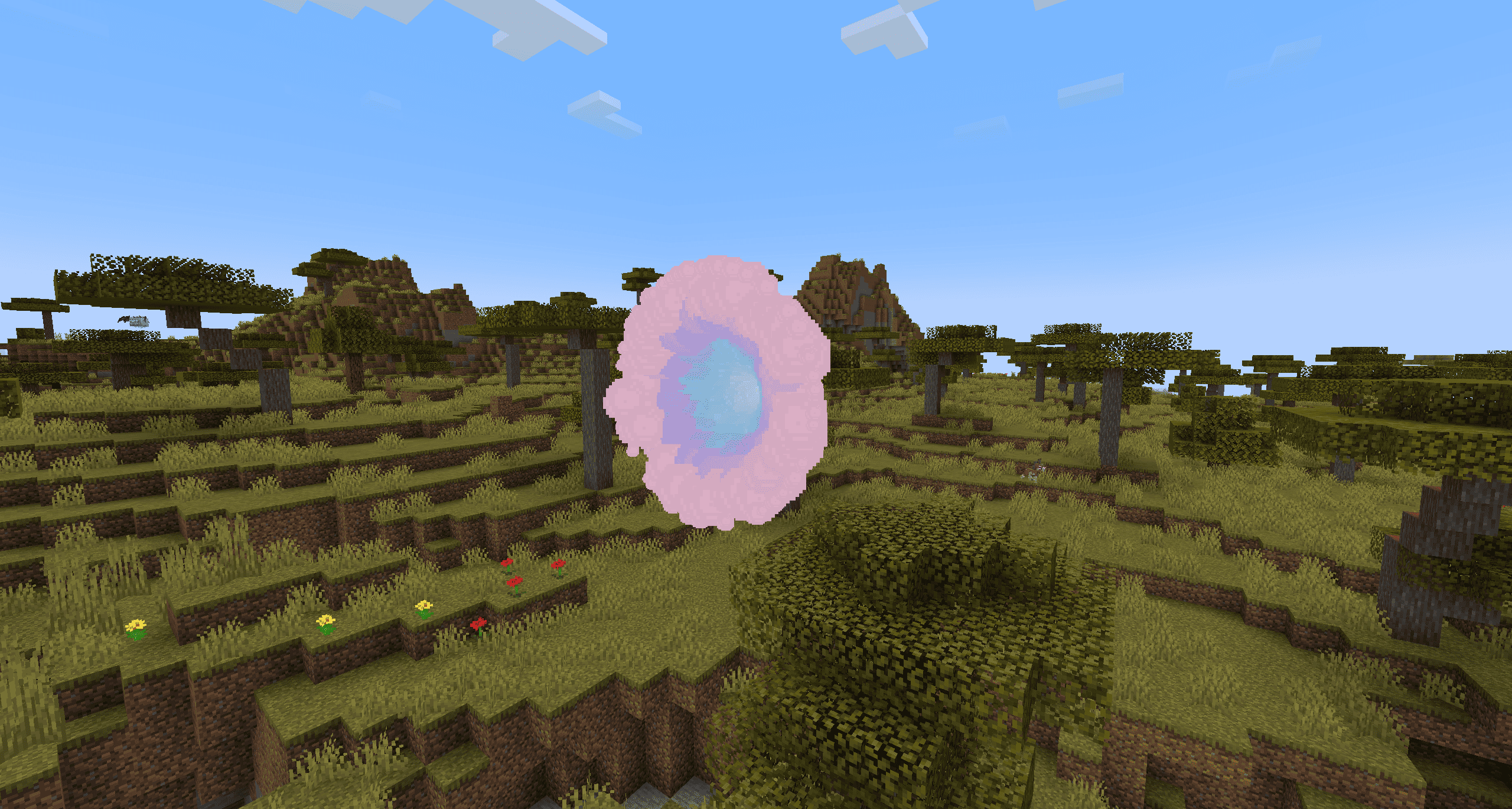 wormhole.png Wormhole
 -
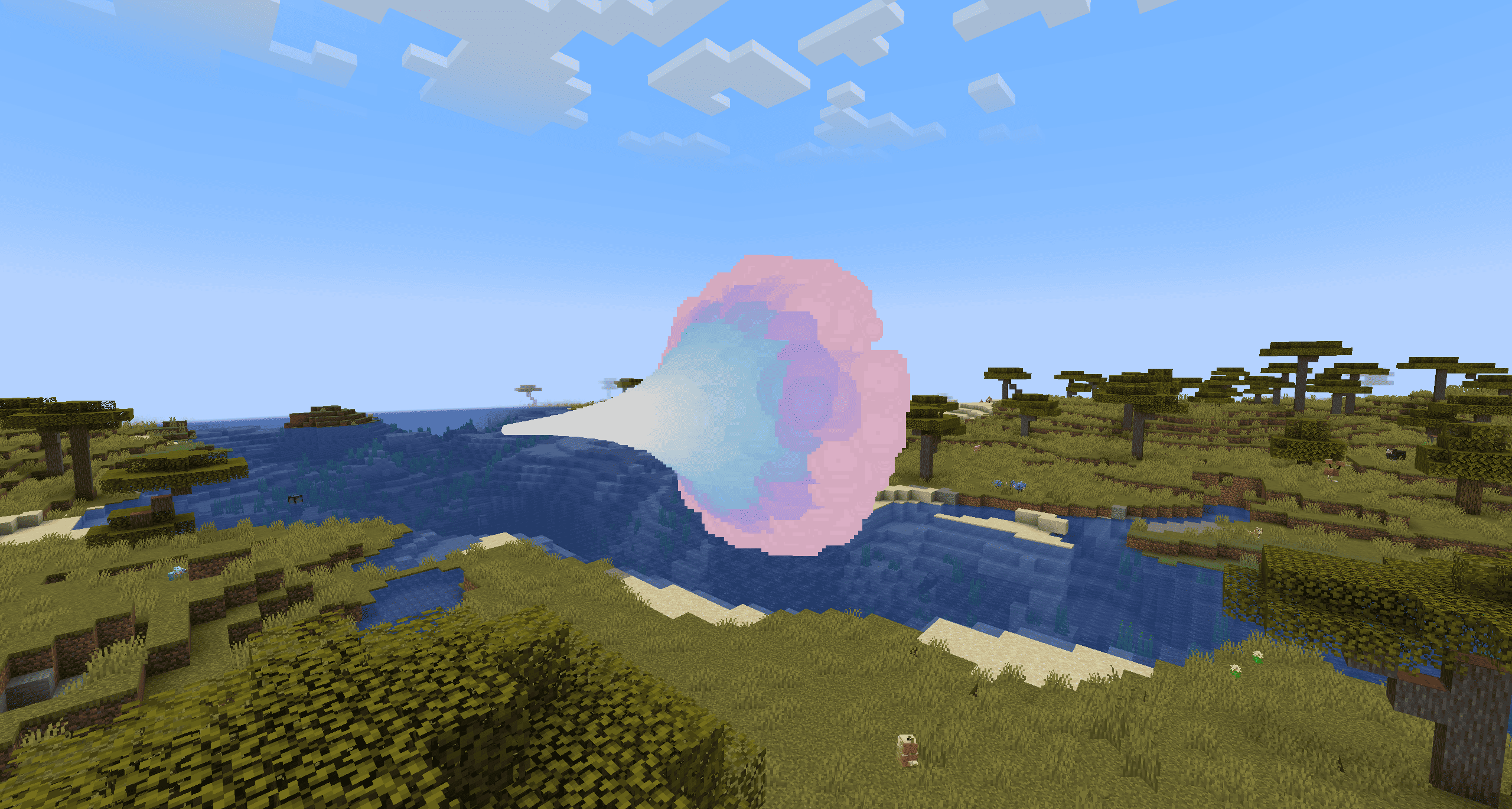 wormhole.png Wormhole
 -
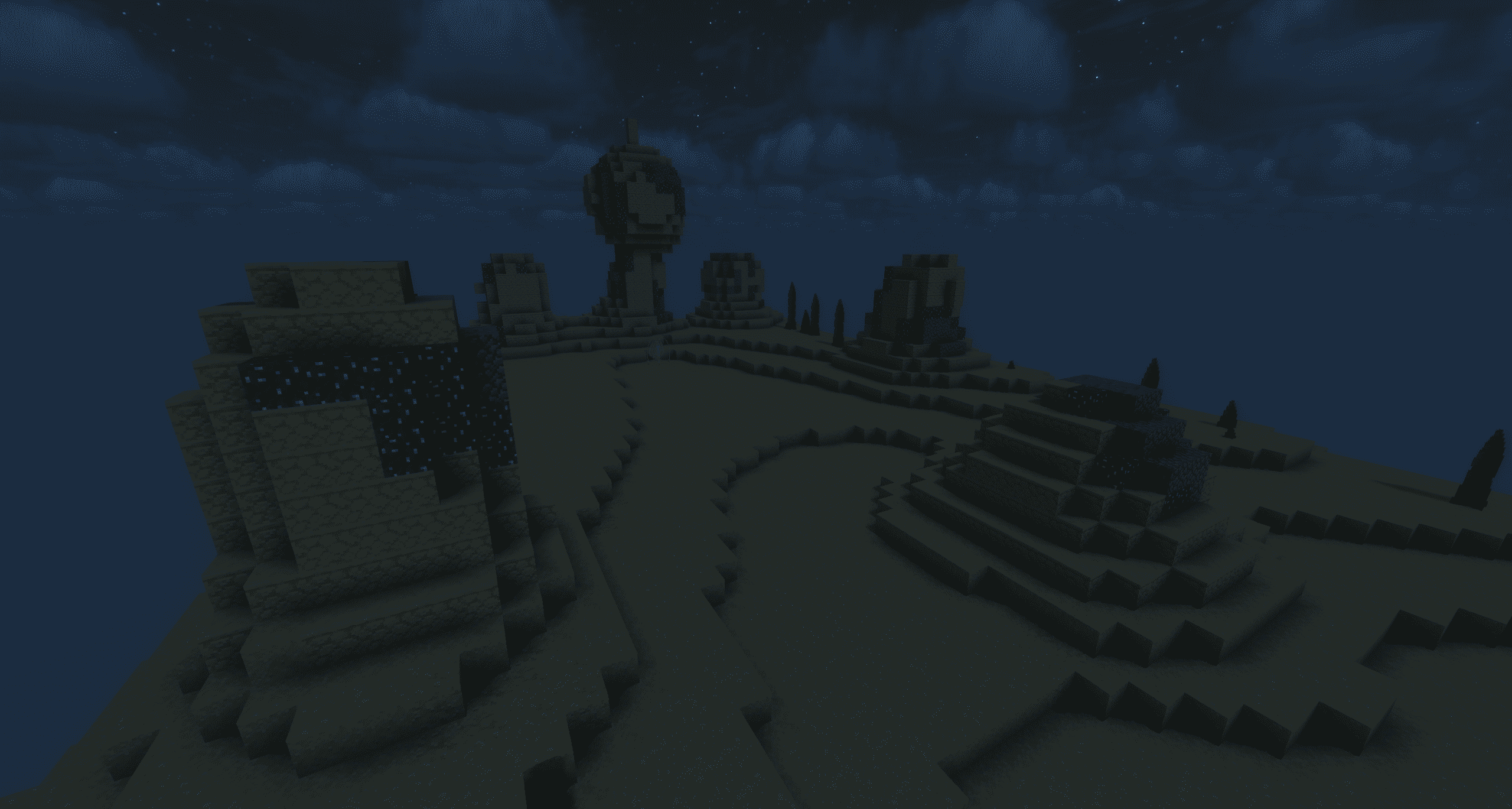 Pheromosa.png Pheromosa's structure
Versions
Files
Relations
Project Relations
More like this
Similar Mods
Suggestions use data such as tags, dependencies, dependents, descriptions, titles, and more to rank how much they overlap with this mod.
On ModDex
Community snapshot
By the numbers
Statistics
Want to reach Minecraft players?
We're looking for a server hosting partner to feature here and other parts of the site. Interested? Send us a message!
Get in touchGet it on
Available Platforms
On ModDex
Community snapshot
By the numbers
Statistics
Resources