
Community listing page, reviews here may not be monitored by the author.
code-mc (pymc, pythonmc, xos, xpy)


No reviews yet
Write python inside of minecraft to control the world as a developer.

Community voices
Reviews
No reviews yet. Be the first to review this project!
Get it on
Available Platforms
Compatibility
Supported Environments
Works in singleplayer only; does not function in multiplayer.
About
Project Details
For authors
Embed Badge
If you're the author of this project, you can embed a live badge anywhere that supports HTML or Markdown. It updates automatically whenever ratings change.
Use HTML for any page that supports it, or Markdown for README files and Markdown-based descriptions.
Identifiers
Platform IDs
Resources
External Links
About
Description
code-mc
Video Demonstration
Usage
Open in-game chat and click the top left button that says "xos viewport". Next, click "files" in the bottom left of the screen, and select a script you want to read/run. Now, click the green button in the bottom left to execute the script.Technical Details
Built for Forge 47.4.3 on Minecraft 1.20.1 and Java 17 (will update as development continues).
code-mc
Write and run XPY programs inside Minecraft using an embedded XOS runtime.
code-mc adds an XOS framebuffer directly to Minecraft, allowing programs to render graphics, receive output, and interact with the Minecraft world from an in-game development environment.
Inspired by ComputerCraft.
Experimental preview: code-mc is an early demonstration of XOS embedding and may contain bugs, incomplete features, or breaking changes.
Usage
- Open the in-game chat.
- Select XOS Viewport in the top-left corner.
- Open Files from the bottom navigation.
- Select the script you want to view or run.
- Press the green Run button to execute it.
The interface contains three primary views:
- Files — browse and select XPY programs.
- Viewport — view framebuffer and graphical output.
- Terminal — inspect textual output and runtime messages.
Showcase Dev Vlog
Technical details
- Minecraft 1.20.1
- Forge 47.4.3
- Java 17
- Embedded XOS runtime with JNI compatibility
- XPY program execution
- Integrated XOS framebuffer
Compatibility and features will continue to evolve as XOS develops.
For updates, examples, and discussion, join the xlate Discord.
Screenshots
Gallery
-
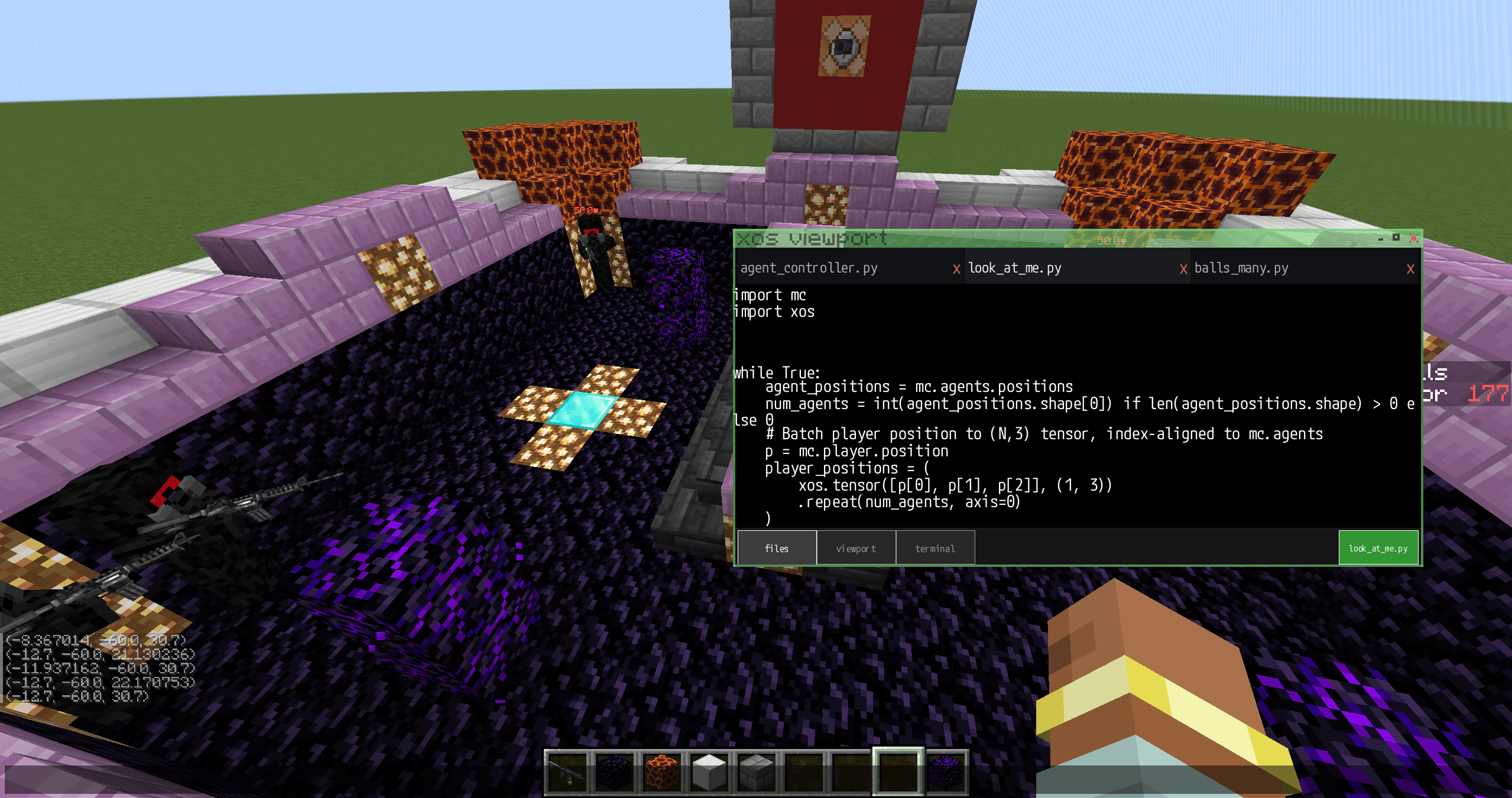 Screenshot 2026-05-27 091312.png Screenshot 2026-05-27 091312.png
-
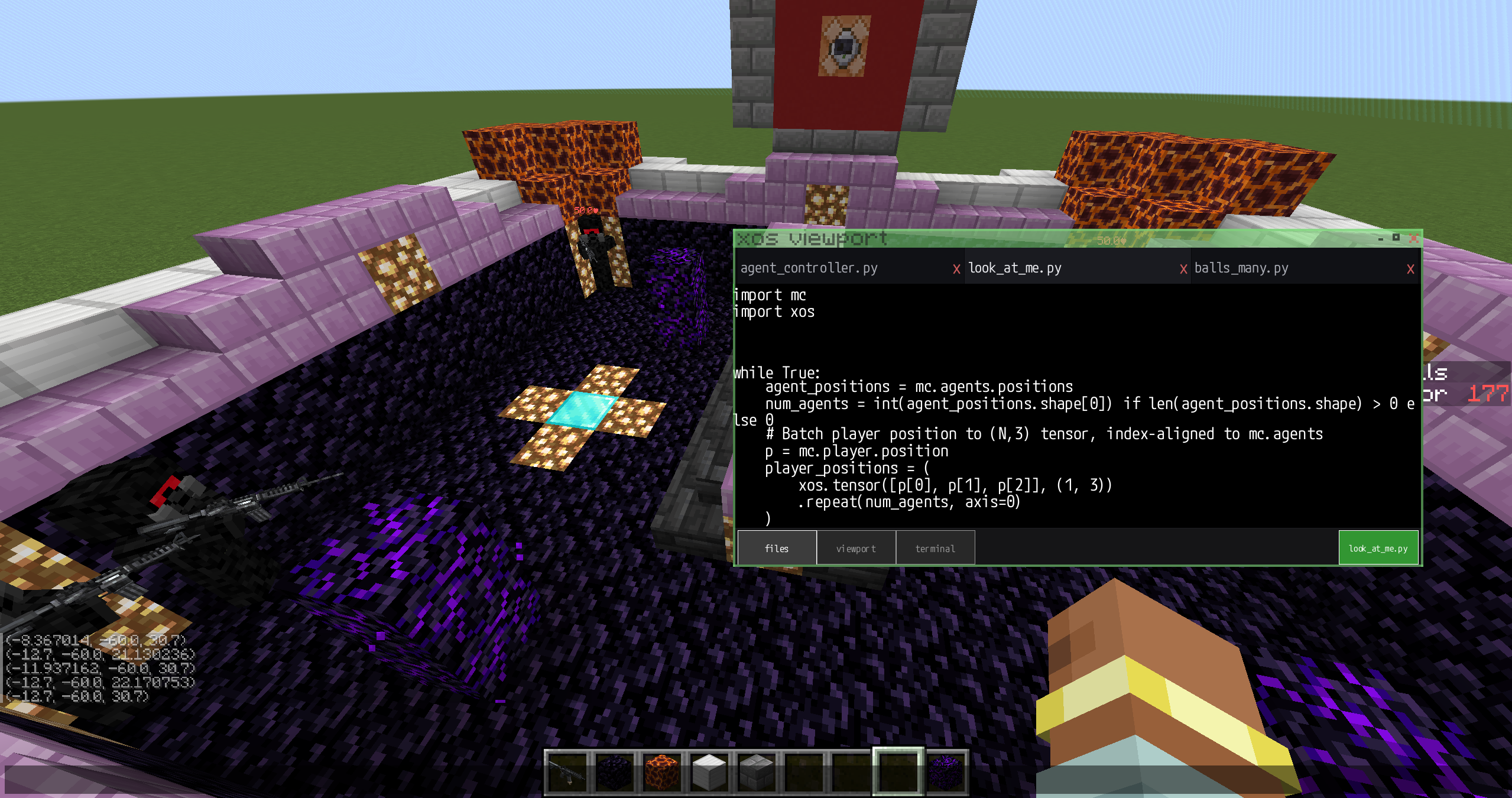 Coding Live In-Game Writing a custom script that controls the RLOperator entities.
Versions
Files
Relations
Project Relations
More like this
Similar Mods
Suggestions use data such as tags, dependencies, dependents, descriptions, titles, and more to rank how much they overlap with this mod.
On ModDex
Community snapshot
By the numbers
Statistics
 (opens in a new tab)
Get it on
Available Platforms
On ModDex
Community snapshot
By the numbers
Statistics
Resources