
Community listing page, reviews here may not be monitored by the author.
Codex: Discoveries

No reviews yet
The elegant visual record of every corner you discover in your world.
Community voices
Reviews
No reviews yet. Be the first to review this project!
Get it on
Available Platforms
About
Project Details
For authors
Embed Badge
If you're the author of this project, you can embed a live badge anywhere that supports HTML or Markdown. It updates automatically whenever ratings change.
Use HTML for any page that supports it, or Markdown for README files and Markdown-based descriptions.
Identifiers
Platform IDs
Resources
External Links
About
Description
CODEX — Exploration Journal & Waypoints
Codex is an exploration journal mod for Minecraft. Instead of filling your screen with minimaps and radar bars, Codex runs quietly in the background. As you travel, it logs structures and biomes you discover, allows you to take notes, and provides clean, non-intrusive waypoints.
Features
- 🧭 Screen-Clean Exploration: No permanent HUD clutter or invasive radars.
- 🔎 Automatic Discovery Log: Automatically detects structures and rare biomes as you explore.
- 📌 Smart Waypoints:
- Vertical Beam: A subtle beam of light visible from a distance that smoothly fades out as you approach, keeping your field of view clear.
- Ground Ring: A circular marker projected onto the ground.
- Clear Isometric Icons: A static icon representing the biome or structure, making it easy to quickly locate your destination.
- 📓 5 Integrated Panels (Press
M):- Overview: Exploration stats and world day counter.
- Discoveries: Filterable catalog with dimension tabs, rarity tags, and personal notes.
- Locations: Bookmark bases, mines, or portals with custom colors and waypoints.
- Timeline: Chronological event log of milestones, discoveries, and death coordinates.
- Settings: Sound toggles, and language options (
en_us/es_es).
- ⚡ 100% Vanilla-Clean: Adds zero blocks or items. Worlds remain safe even if removed.
🛠️ Details & Requirements
| Detail | Requirement |
|---|---|
| Minecraft | 1.21.1 |
| Loader | Fabric Loader (>=0.16.0) |
| Java | Java 21 |
| Dependencies | Fabric API |
| Side | Client & Server |
📥 Installation
- Install Fabric Loader for Minecraft 1.21.1.
- Put Fabric API into your
.minecraft/modsfolder. - Put
codex-1.0.0.jarinto your.minecraft/modsfolder. - Launch the game and press
Min-world.
⌨️ Controls & Commands
M— Open / Close Codex journal (rebindable in Controls).ESC— Close current window.
Commands:
Admin access is restricted to operators or players with the codex.admin permission.
/codex— Open the Codex journal hub./codex discoveries— Jump directly to discoveries./codex locations— Jump to saved locations./codex timeline— Jump to the world timeline./codex admin <reload|discover>— Admin commands to reload config or test discoveries.
Please leave your bug reports and feedback in the CurseForge comments!
Screenshots
Gallery
-
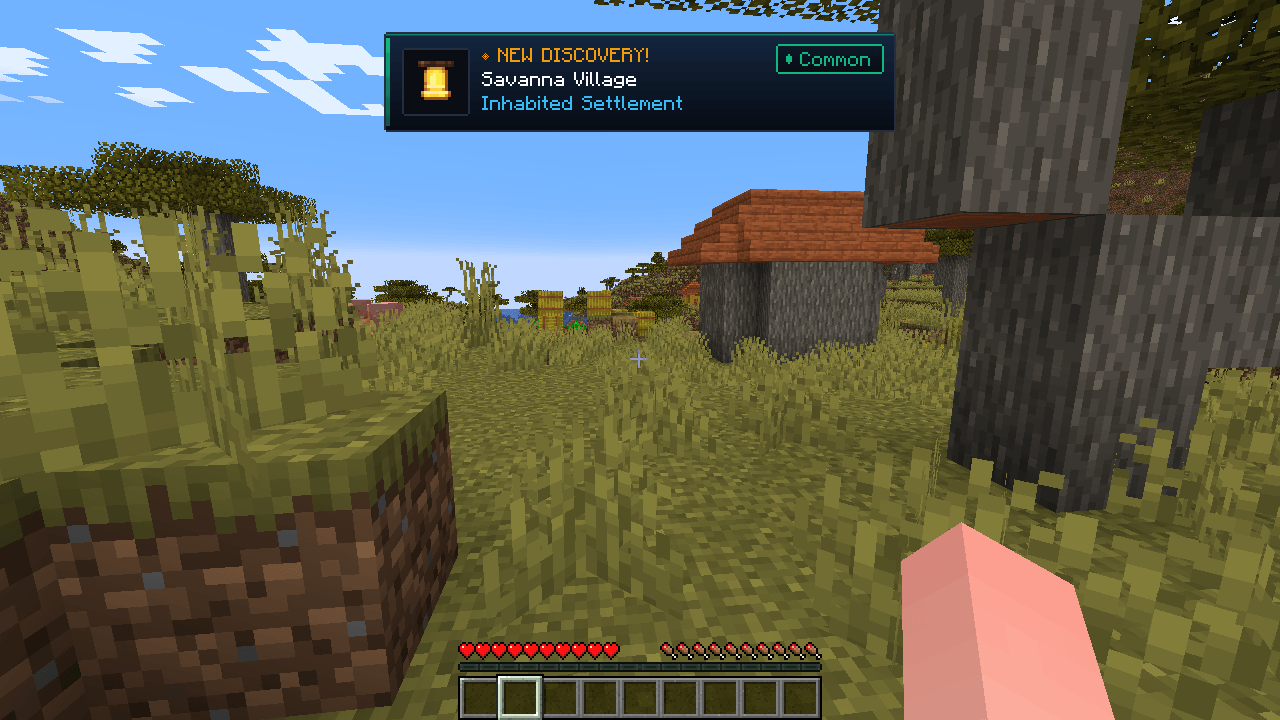 2026-09-22_06.40.36.png 2026-09-22_06.40.36.png
 -
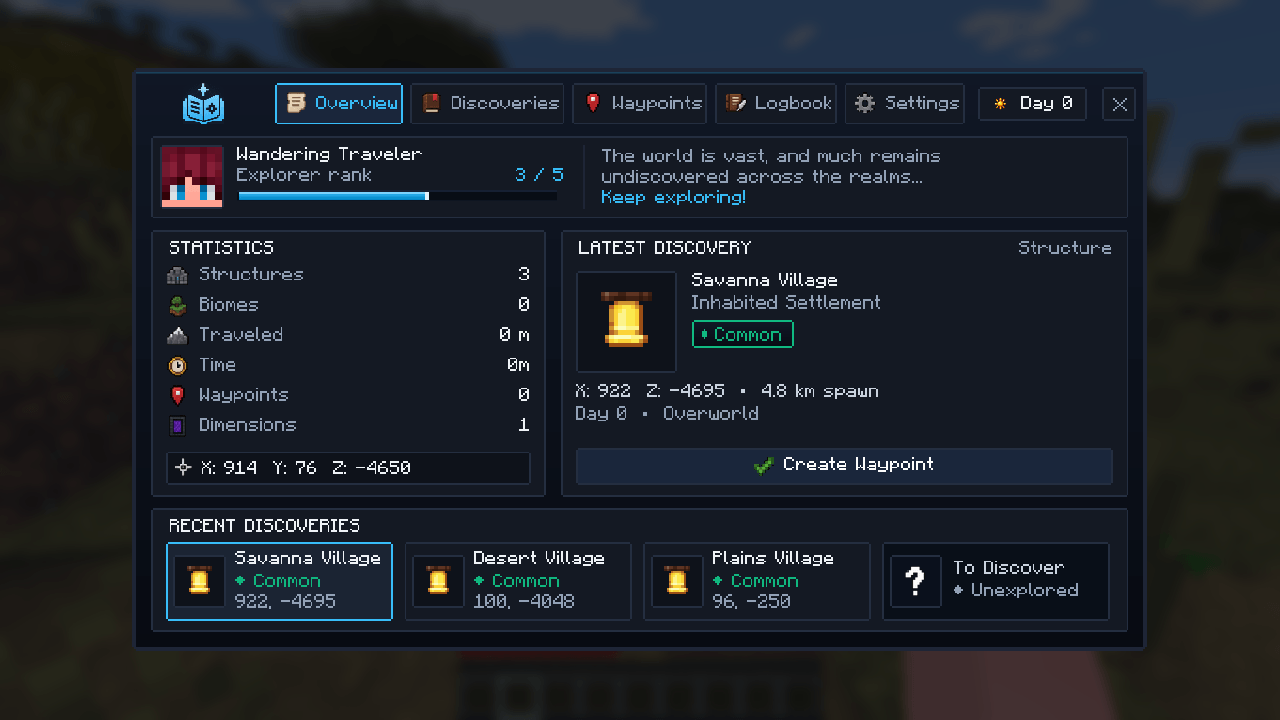 2026-09-22_06.41.03.png 2026-09-22_06.41.03.png
 -
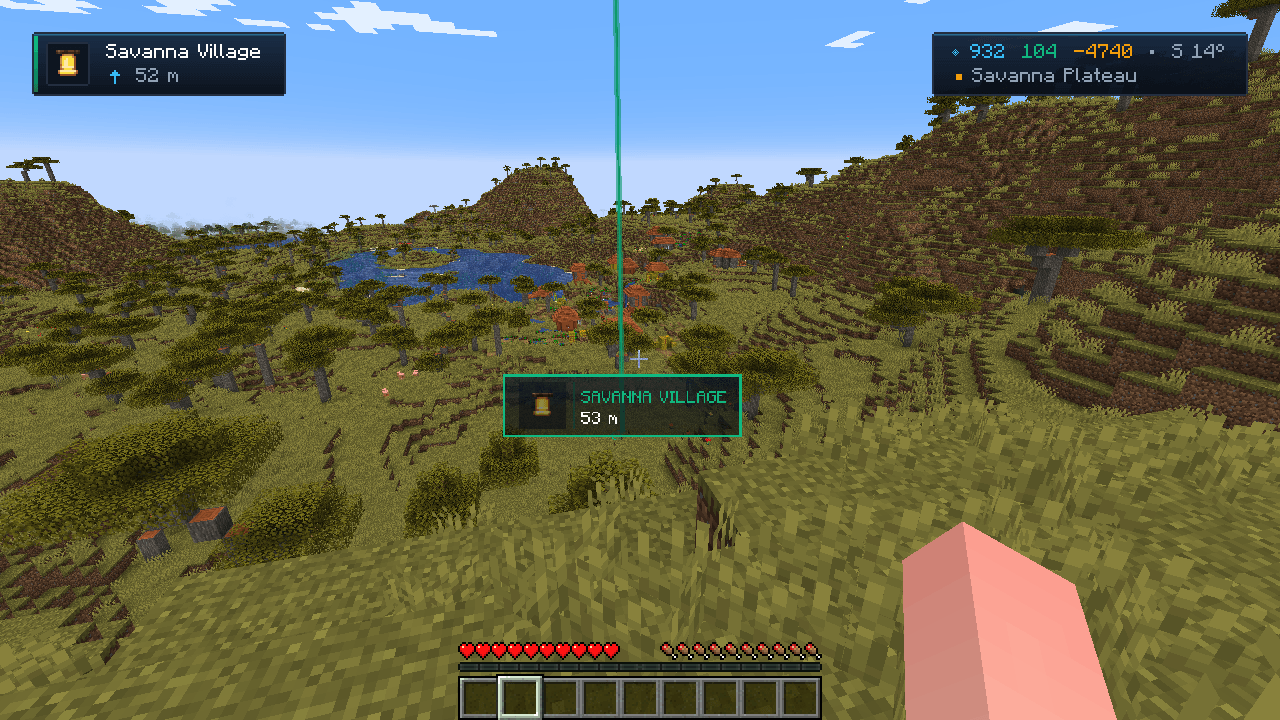 2026-09-22_06.42.20.png 2026-09-22_06.42.20.png
Versions
Files
Relations
Project Relations
More like this
Similar Mods
Suggestions use data such as tags, dependencies, dependents, descriptions, titles, and more to rank how much they overlap with this mod.
On ModDex
Community snapshot
By the numbers
Statistics
Want to reach Minecraft players?
We're looking for a server hosting partner to feature here and other parts of the site. Interested? Send us a message!
Get in touchGet it on
Available Platforms
On ModDex
Community snapshot
By the numbers
Statistics
Resources