
Community listing page, reviews here may not be monitored by the author.
COI Client


No reviews yet
Client mod adding support for the Circle Of Imagination plugin, plugin implementing complete power system from Lord of The Mysteries web novel in Minecraft
Community voices
Reviews
No reviews yet. Be the first to review this project!
Get it on
Available Platforms
Compatibility
Supported Environments
Runs entirely on the client. Works on vanilla servers.
About
Project Details
For authors
Embed Badge
If you're the author of this project, you can embed a live badge anywhere that supports HTML or Markdown. It updates automatically whenever ratings change.
Use HTML for any page that supports it, or Markdown for README files and Markdown-based descriptions.
Identifiers
Platform IDs
About
Description
Circle of Imagination (COI) Client
A client-side Fabric mod that adds an interactive, server-driven ability HUD, custom casting inputs, dynamic visual effects, and sanity indicators to Minecraft. Designed as the client-side companion for the COI server plugin.
🌟 Why Use It?
Vanilla Minecraft doesn't natively support active ability bars, client-side cooldown sweeps, or immersive sanity feedback. COI Client offloads inputs and effects to the client for a lag-free, clean RPG experience:
- No Chat/Menu Spam: Replaces slash commands with dedicated hotkeys, radial wheels, and drawn gestures.
- Sensory Immersion: Sanity drops, curses, and environmental states trigger screen-space visual shaders instead of chat box alerts.
- High Performance: 3D player transforms and real-time cooldown tracking are handled locally, saving server resources.
⚡ Core Features
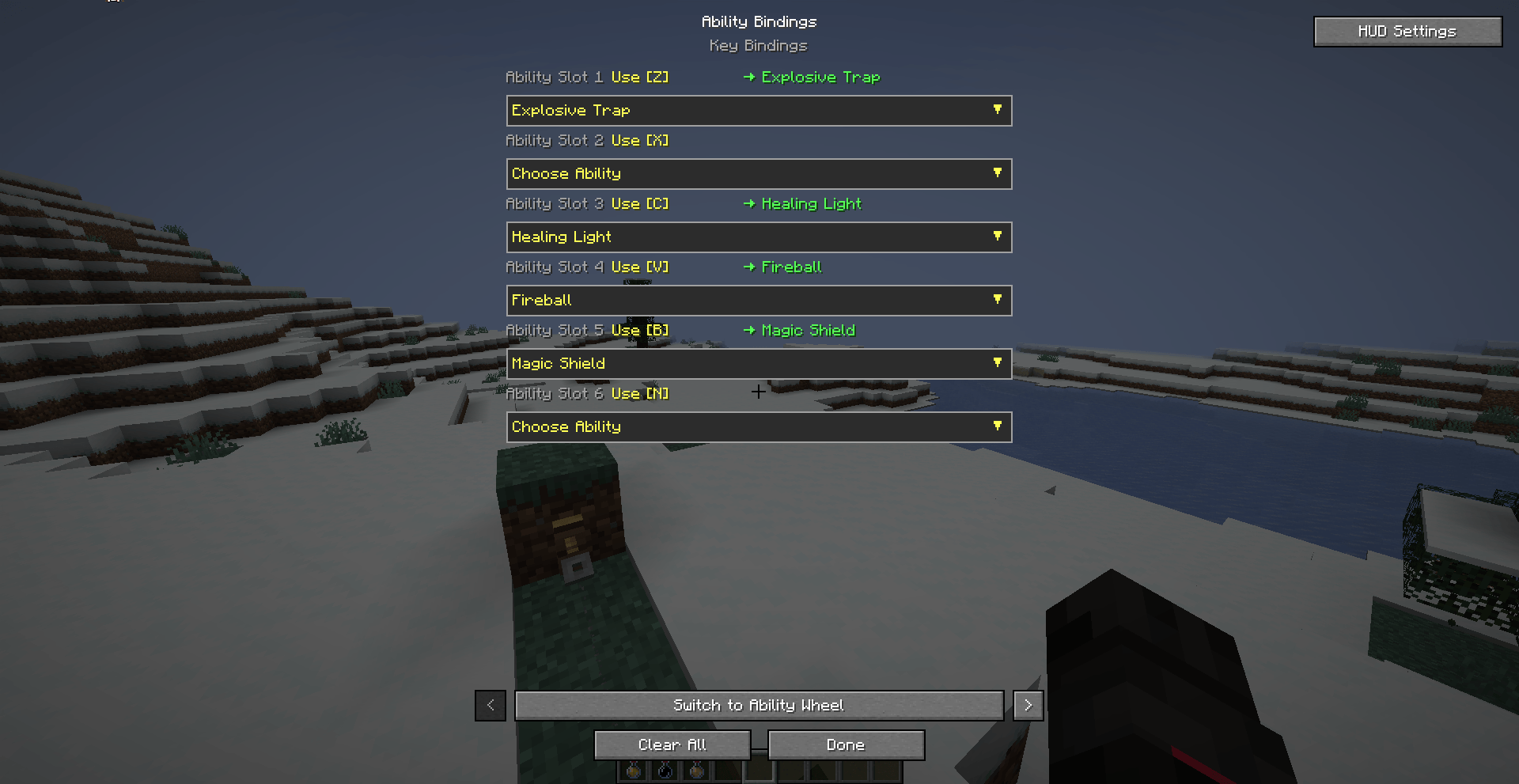
- Custom Ability HUD: Map up to 6 abilities to dedicated hotkeys (
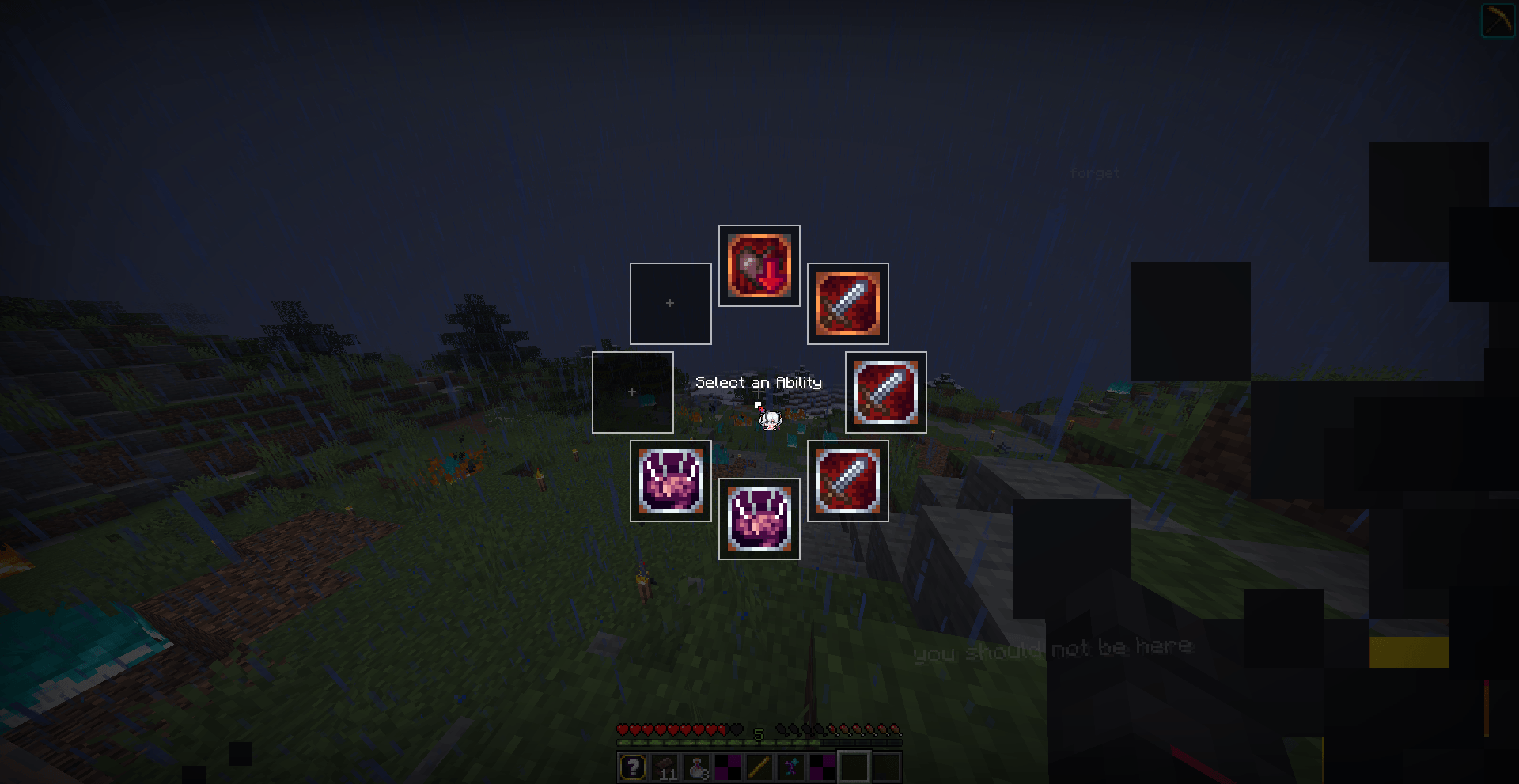
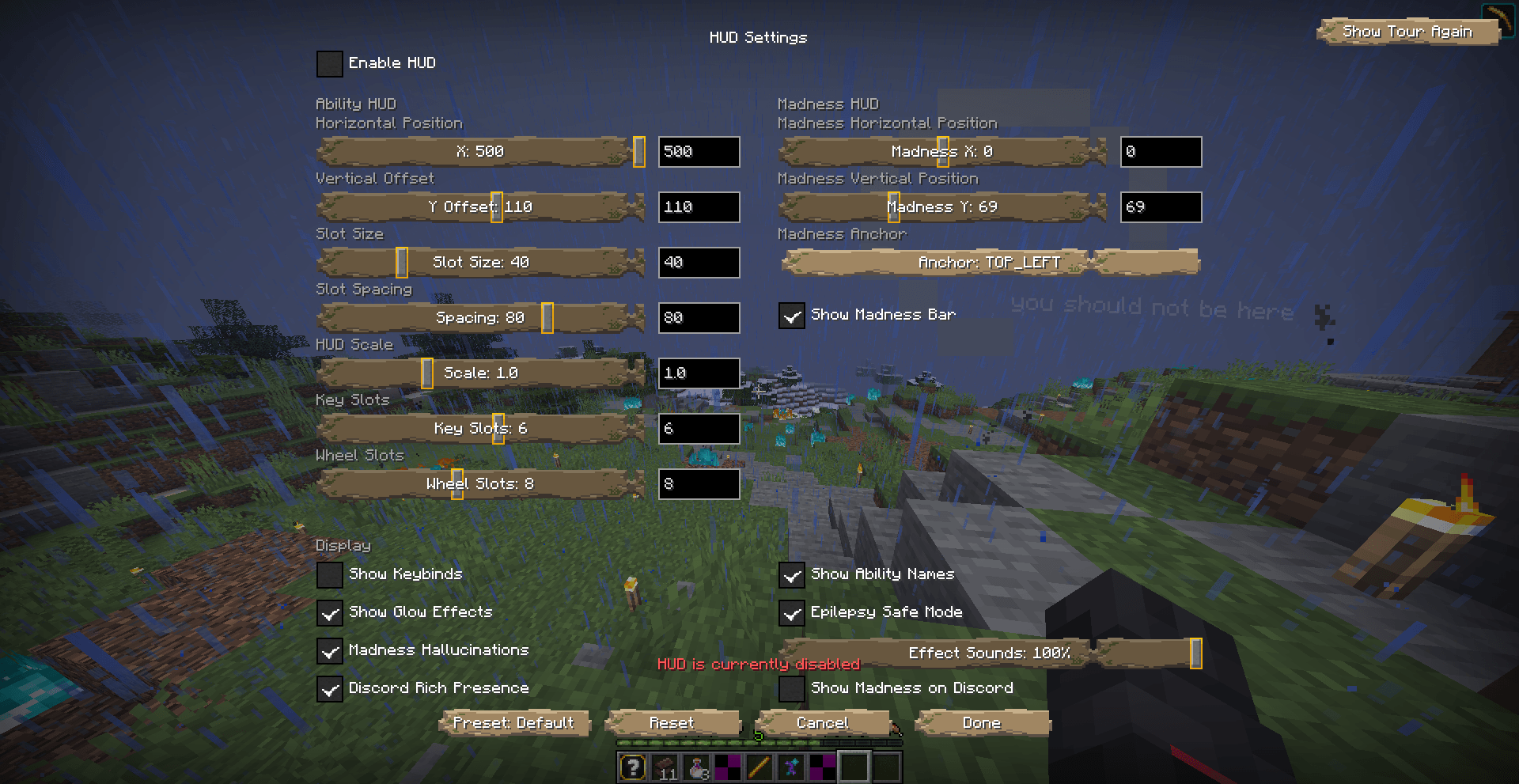
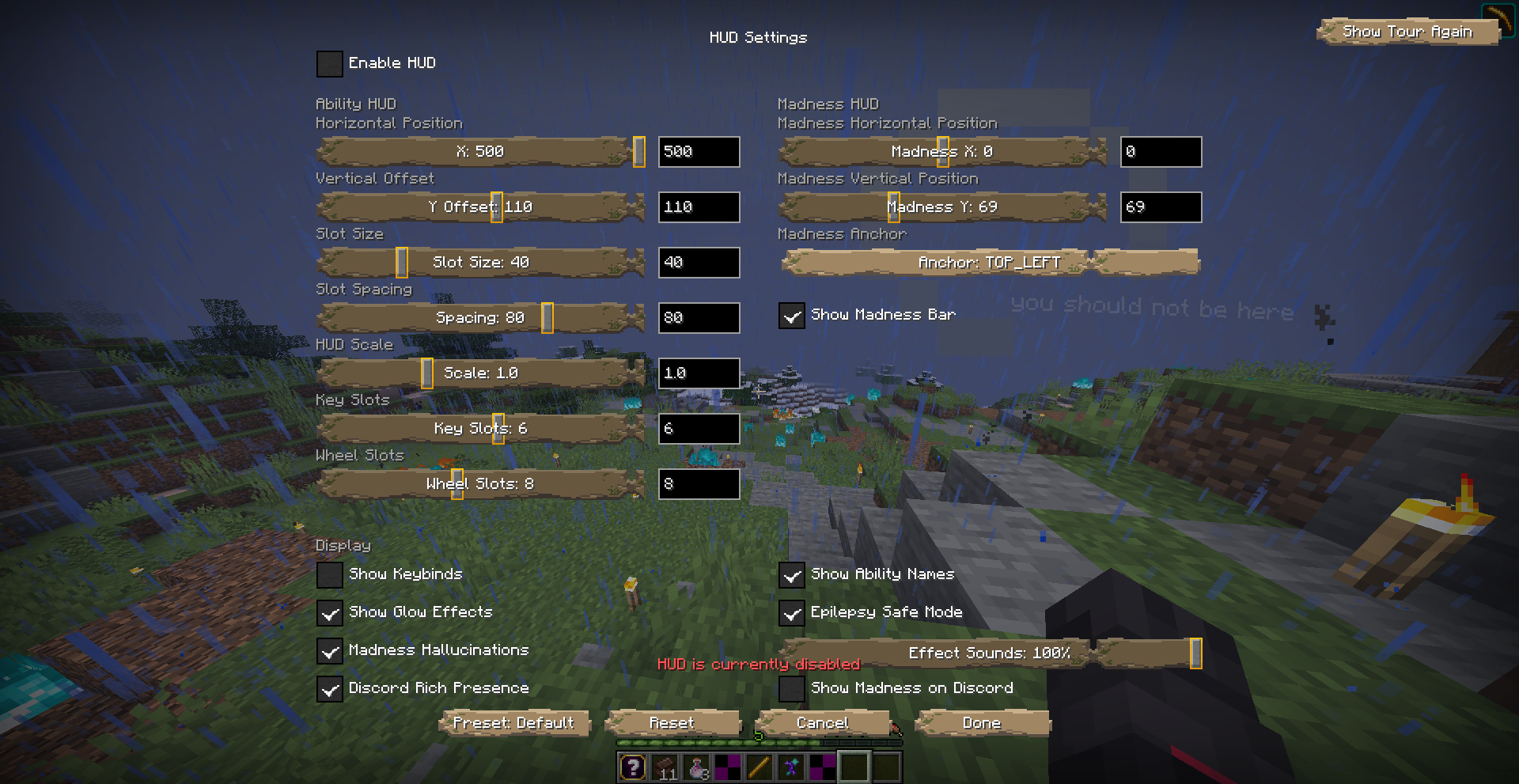
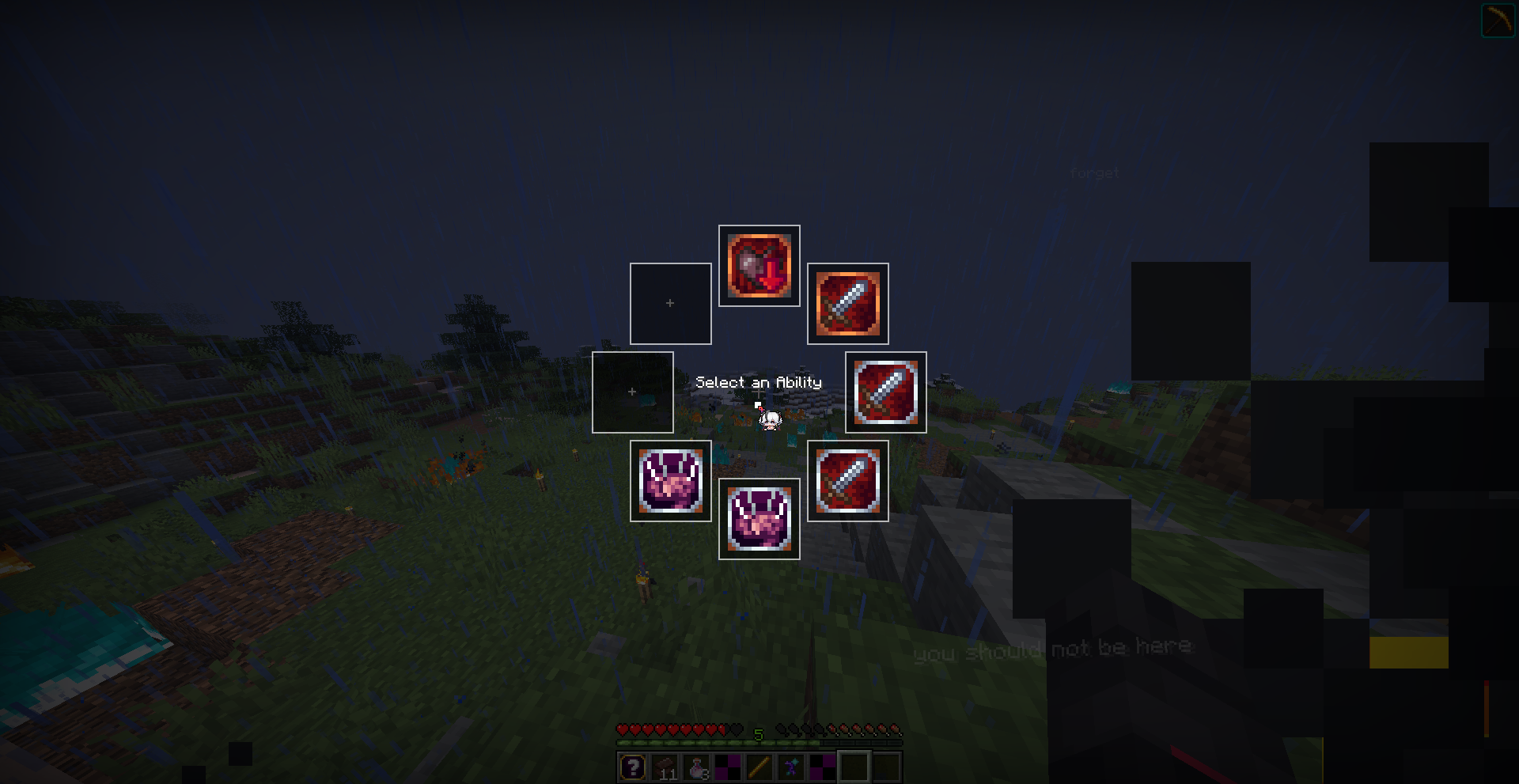
Z–N). Customize position, scale, spacing, and presets via K. - Ability Wheel: Hold G to open a radial selector for quick activation.
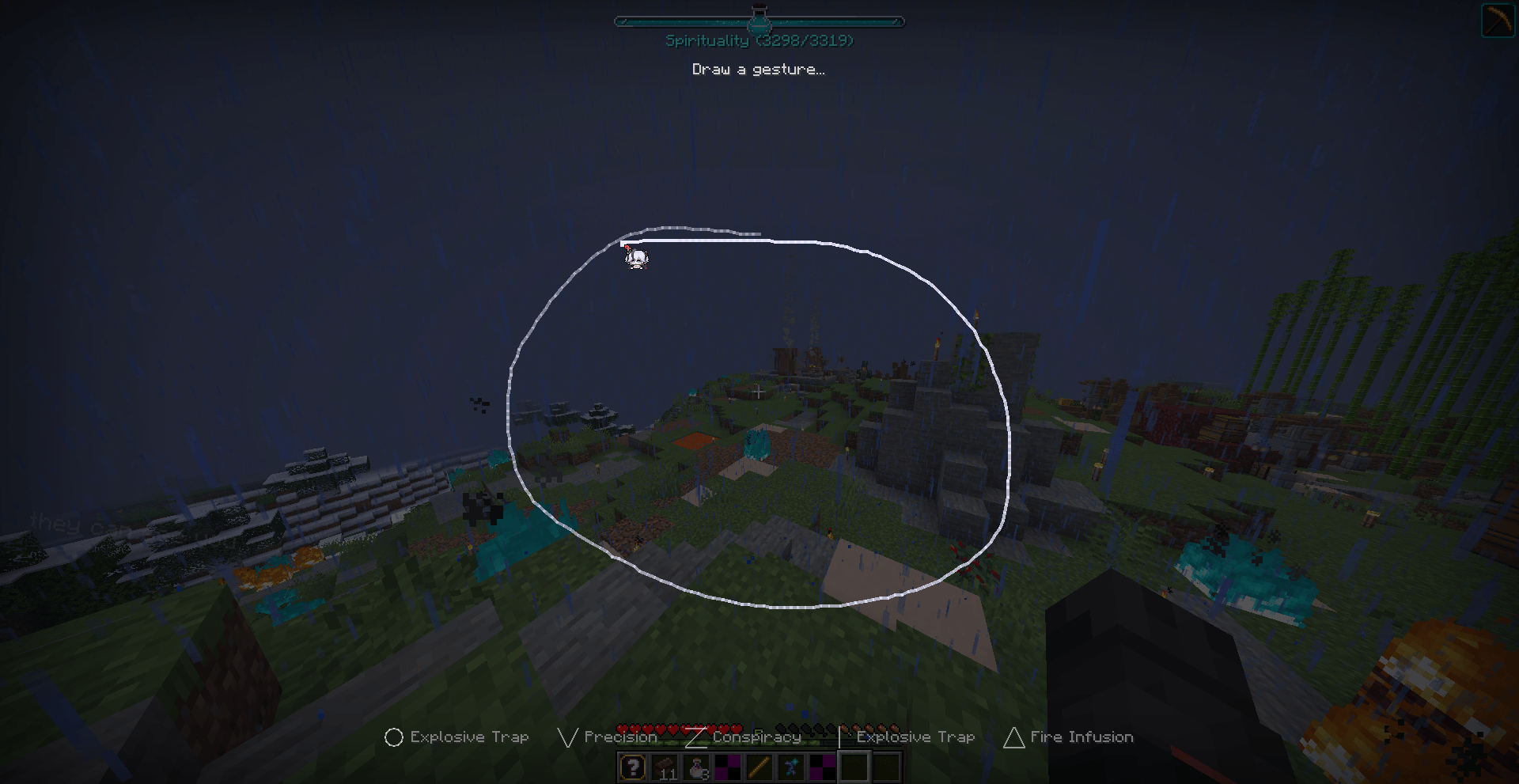
- Gesture Casting: Hold Left Alt and draw shapes (Circle, V, Z, Line, Triangle) with your mouse to cast ritual magic.
- Madness Overlay: Smoothly tracking sanity bar. High madness triggers screen-tearing VHS glitches and static effects.
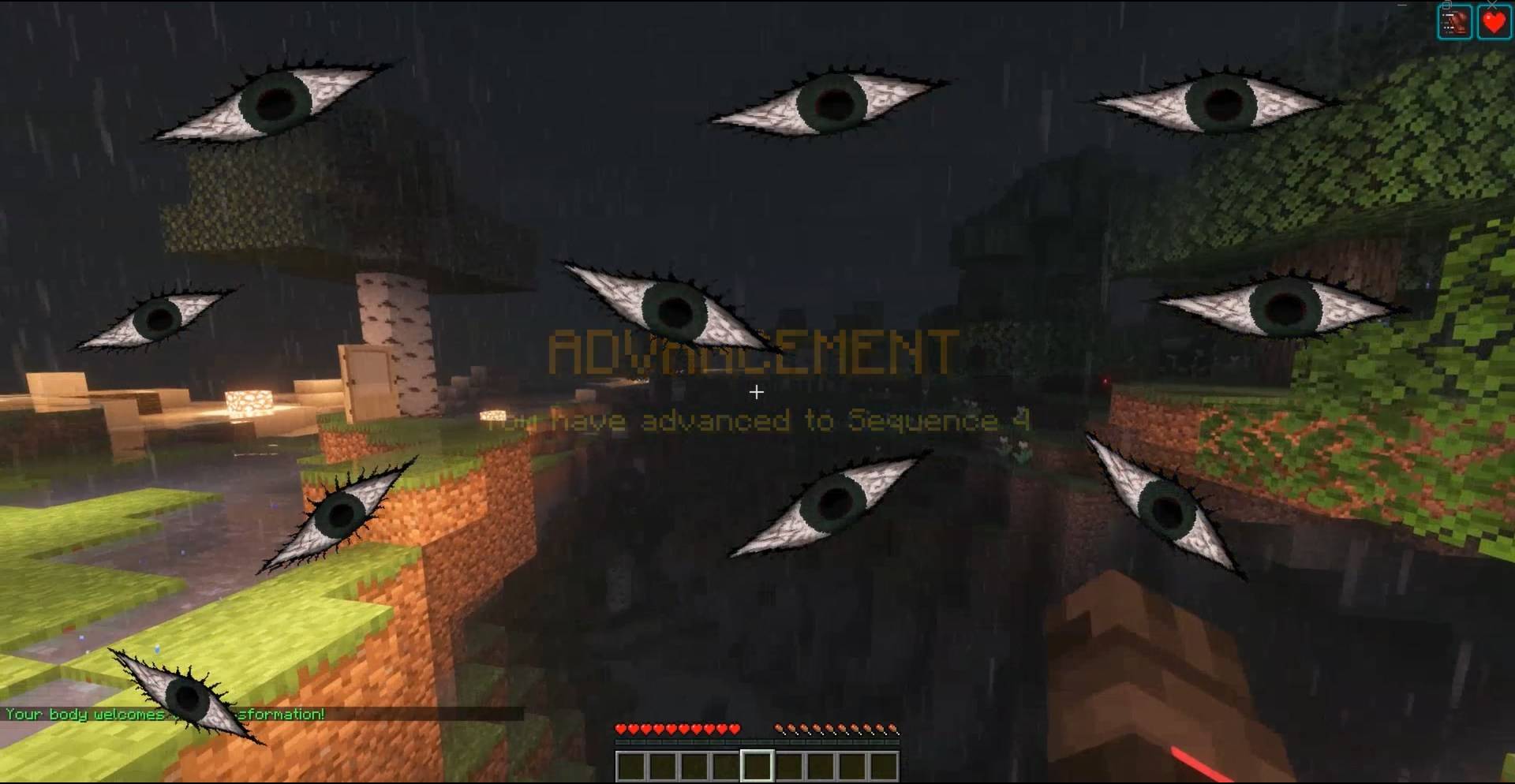
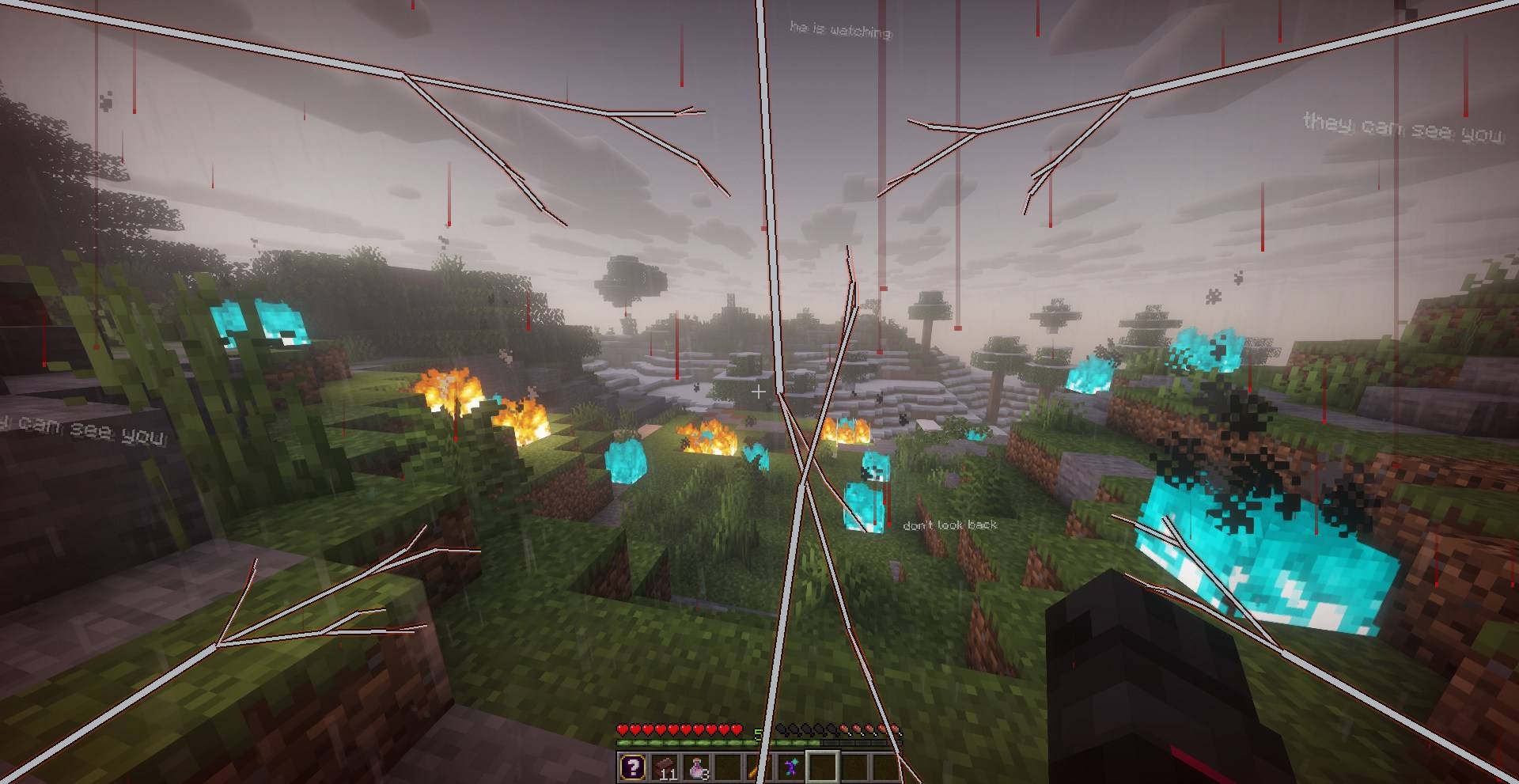
- Visual Effects: Server-triggered shaders, including blood rain, creeping frost, heartbeat pulses (on low health), shattering corner cracks, tunnel vision, floating whispers, and staring eyes.
- 3D transformations: Client-side deferred rendering replacing vanilla skins with custom animated pathway shapes (Fool, Sun, Tyrant, etc.).
- Discord RPC: Displays your server, pathway icon, session time, and madness status (Sane, Uneasy, Slipping, Fraying, Rampaging) on Discord.
🛠️ Setup & Controls
Installation
- Install Fabric + Fabric API for Minecraft 26.1.2.
- Drop the COI Client JAR into your
mods/directory.
Keybinds (Rebindable)
- Z / X / C / V / B / N — Cast ability slots 1–6
- G — Ability selection wheel
- K — Bind menu & HUD settings
- Left Alt — Hold to draw gestures
Circle of Imagination (COI) Client
A client-side Fabric mod that adds an interactive, server-driven ability HUD, custom casting inputs, dynamic visual effects, and sanity indicators to Minecraft. Designed as the client-side companion for the COI server plugin.
🌟 Why Use It?
Vanilla Minecraft doesn't natively support active ability bars, client-side cooldown sweeps, or immersive sanity feedback. COI Client offloads inputs and effects to the client for a lag-free, clean RPG experience:
- No Chat/Menu Spam: Replaces slash commands with dedicated hotkeys, radial wheels, and drawn gestures.
- Sensory Immersion: Sanity drops, curses, and environmental states trigger screen-space visual shaders instead of chat box alerts.
- High Performance: 3D player transforms and real-time cooldown tracking are handled locally, saving server resources.
⚡ Core Features
- Custom Ability HUD: Map up to 6 abilities to dedicated hotkeys (
Z–N). Customize position, scale, spacing, and presets via K. - Ability Wheel: Hold G to open a radial selector for quick activation.
- Gesture Casting: Hold Left Alt and draw shapes (Circle, V, Z, Line, Triangle) with your mouse to cast ritual magic.
- Madness Overlay: Smoothly tracking sanity bar. High madness triggers screen-tearing VHS glitches and static effects.
- Visual Effects: Server-triggered shaders, including blood rain, creeping frost, heartbeat pulses (on low health), shattering corner cracks, tunnel vision, floating whispers, and staring eyes.
- 3D transformations: Client-side deferred rendering replacing vanilla skins with custom animated pathway shapes (Fool, Sun, Tyrant, etc.).
- Discord RPC: Displays your server, pathway icon, session time, and madness status (Sane, Uneasy, Slipping, Fraying, Rampaging) on Discord.
🛠️ Setup & Controls
Installation
- Install Fabric + Fabric API for Minecraft 26.1.2.
- Drop the COI Client JAR into your
mods/directory.
Keybinds (Rebindable)
- Z / X / C / V / B / N — Cast ability slots 1–6
- G — Ability selection wheel
- K — Bind menu & HUD settings
- Left Alt — Hold to draw gestures
Screenshots
Gallery
-
 e044e9cf7a44ea807c04823472cd92b76e656e55.jpeg e044e9cf7a44ea807c04823472cd92b76e656e55.jpeg
 -
 c1eb2dcdcfeca23f2adb6148aa9e952109c4b39a.jpeg c1eb2dcdcfeca23f2adb6148aa9e952109c4b39a.jpeg
 -
 b101cd8f2ebfb2af71f32bd825b58a0271264508.png b101cd8f2ebfb2af71f32bd825b58a0271264508.png
 -
 512e2c993eda4388e7ca81cca18779ed6778a959.png 512e2c993eda4388e7ca81cca18779ed6778a959.png
 -
 32b666758f91098cf3d096643c123ddbf3e6ff8a.png 32b666758f91098cf3d096643c123ddbf3e6ff8a.png
 -
 11123d3e55370d830ec7076e777066a9e7a655a0.png 11123d3e55370d830ec7076e777066a9e7a655a0.png
-
 Customizable HUD
 -
 Ability Wheel
 -
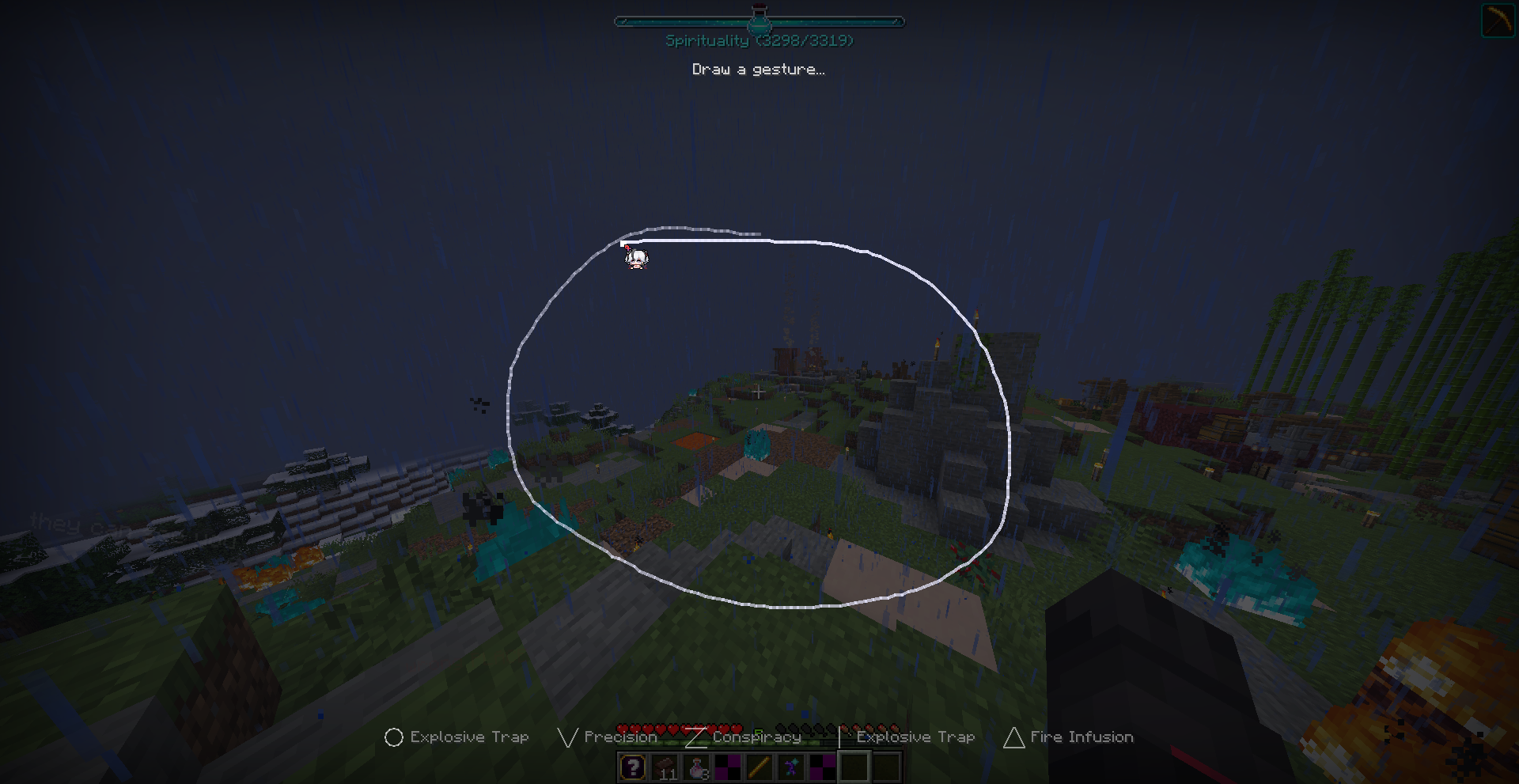 Gesture Casting
 -
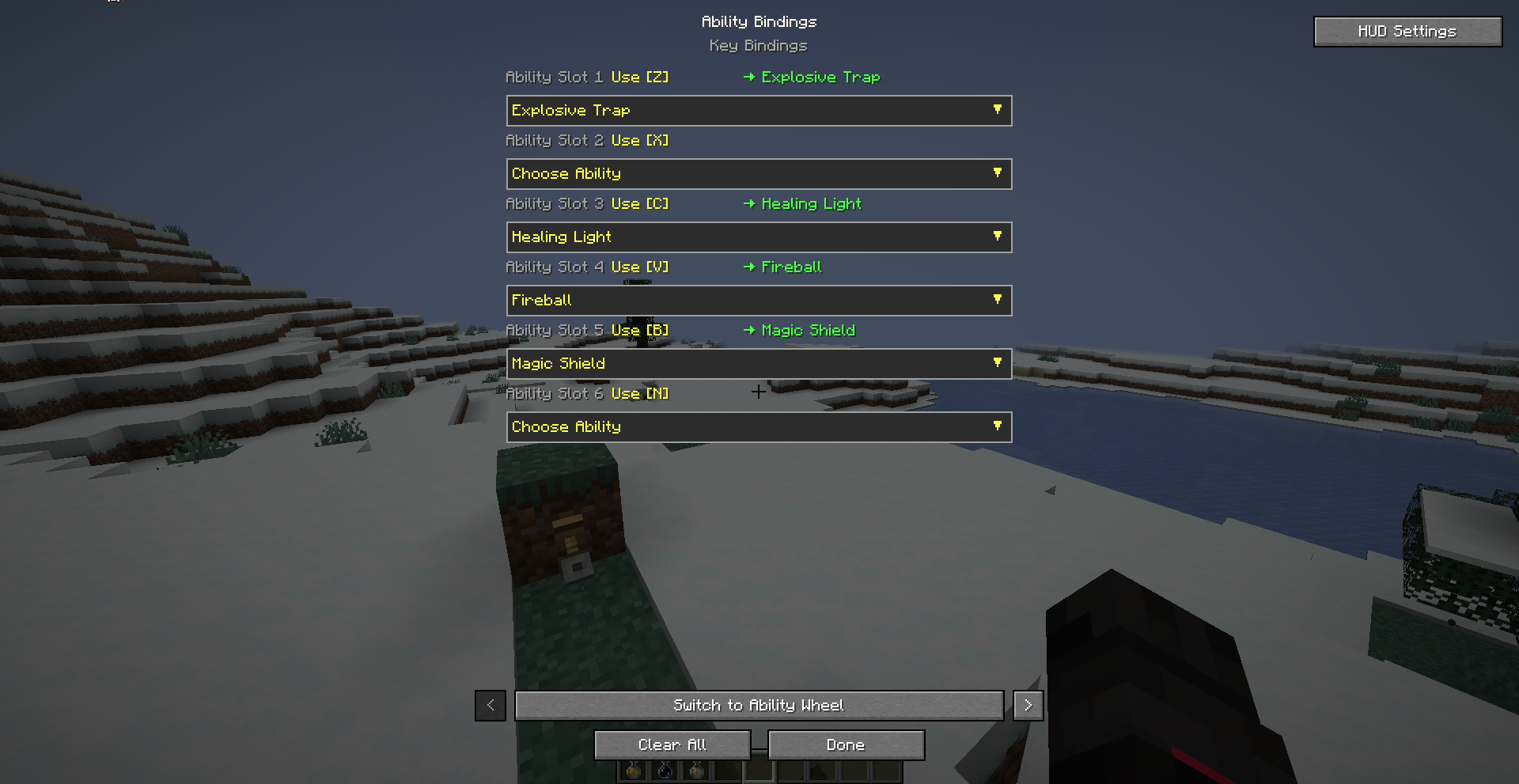 Quick Casts
 -
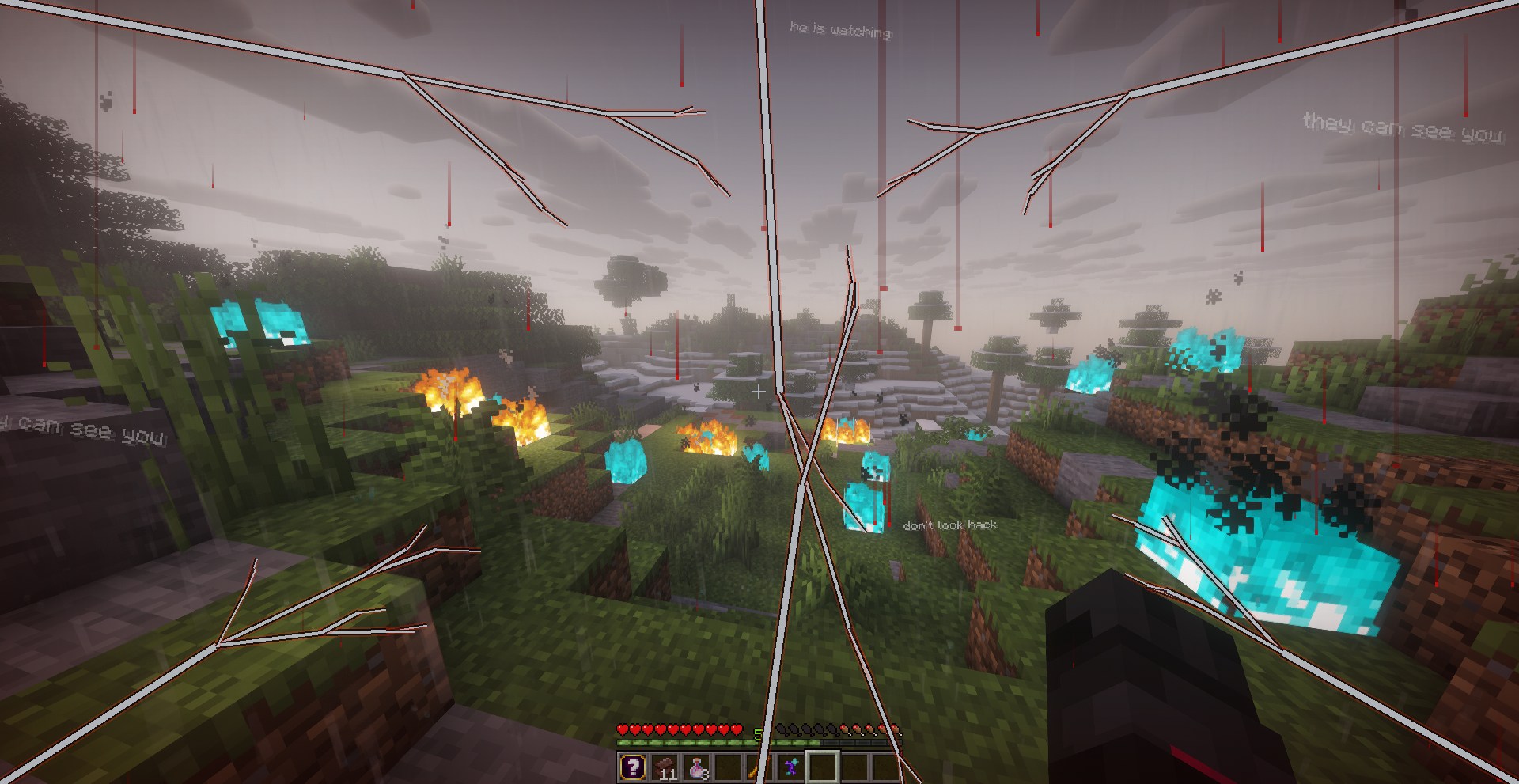 And Even More Visual Effects
 -
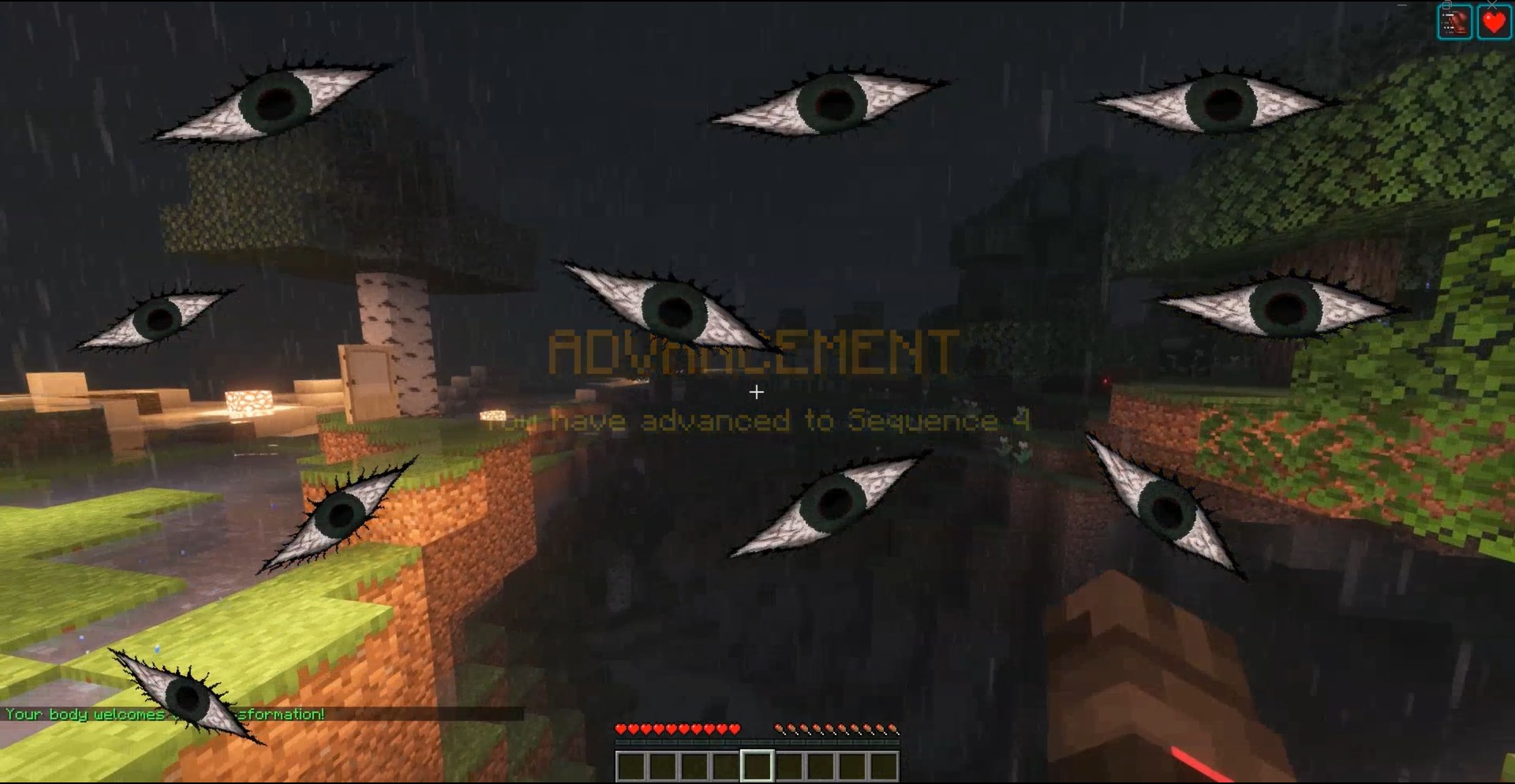 Visual Effects
Versions
Files
Relations
Project Relations
More like this
Similar Mods
Suggestions use data such as tags, dependencies, dependents, descriptions, titles, and more to rank how much they overlap with this mod.
On ModDex
Community snapshot
By the numbers
Statistics
Want to reach Minecraft players?
We're looking for a server hosting partner to feature here and other parts of the site. Interested? Send us a message!
Get in touchGet it on
Available Platforms
On ModDex
Community snapshot
By the numbers