
Community listing page, reviews here may not be monitored by the author.
Collect Everything

No reviews yet
Adds a GUI that lists everything you've collected in the game. Allows the player to 100% complete Minecraft
Community voices
Reviews
No reviews yet. Be the first to review this project!
Get it on
Available Platforms
Compatibility
Supported Environments
Must be installed on both the client and the server.
About
Project Details
For authors
Embed Badge
If you're the author of this project, you can embed a live badge anywhere that supports HTML or Markdown. It updates automatically whenever ratings change.
Use HTML for any page that supports it, or Markdown for README files and Markdown-based descriptions.
Identifiers
Platform IDs
Resources
External Links
About
Description

Track every block, item, entity, biome, structure, effect, and enchantment you've collected — all in one animated gallery.
Press \ to open. See what you've found, see what you haven't, and watch your progress fill in.
What it tracks
- Blocks — every placeable block, ordered by the creative menu.
- Items — everything droppable.
- Entities — every mob, with live 3D previews. Variants count separately: every sheep color, every climate cow, every villager biome × profession, every panda gene, every nautilus variant.
- Biomes — vanilla and modded, organized by dimension and temperature.
- Structures — every generated structure, from villages to ancient cities.
- Effects — every status effect.
- Enchantments — every enchantment, vanilla and datapack.
- Advancements — All advancments from vanilla and other sources.
Two modes, one panel
- Solo — your collection is yours alone.
- Together — the entire server shares one progress list. Tooltips show who first collected each entry, and an opt-in leaderboard ranks contributors. Switching between modes preserves both records, so you can flip back and forth without losing anything.
What makes the UI nice
- Smooth open/close animation. The panel unfolds when summoned and folds back on close.
- 16 dye-themed menu colors plus the default — borders, buttons, and accents all retint together.
- Uncollected icons. Uncollected entries render at ~20% alpha
- Live entity previews with hand-tuned poses: guardians spread their spikes, shulkers crack open, bats fly, the wither faces the camera with all three heads aligned, the ender dragon shows its full silhouette, hostile mobs hold the right weapons (skeletons → bows, pillagers → crossbows, piglins → golden swords, brutes → golden axes, vex → iron sword, wither skeleton → stone sword), tropical fish render in a vibrant Queen Angelfish variant.
- Curated gallery order — entities are grouped narratively (farm animals → pets → mounts → bears → flying passive → sea creatures → sniffer → golems → villagers → traders → basic hostiles → silverfish → drowned/guardians → illagers → undead mounts → phantom → slime → creaking/breeze → warden → nether → end). Biomes are sorted overworld (temperate/warm/cold) then nether, then end.
Cross-tab features
- Search — fuzzy search across every category at once, with chip filters for category and collected/not-collected status.
- Recent activity — a running log of what was just collected and when.
- Notifications — toast popups when something new lands in your collection.
Commands (op-only unless noted)
/collect_everything add | remove <category> <id>— register or unregister an entry./collect_everything mark | unmark <category> <id>— flip an entry's collected state./collect_everything reset— wipe your own progress (not op-gated; only ever clears the caller)./collect_everything mode <solo|together>— switch tracking modes server-wide./collect_everything leaderboard <on|off>— show or hide the team leaderboard./collect_everything resync— push fresh state to every connected client./collect_everything reload— reread the registry config from disk./collect_everything collect_everything— instantly mark everything as collected and trigger an over-the-top celebration: layered titles, chat narration, dragon growls, dozens of randomized firework rockets, totem flares, the works.
Settings
A panel for menu color, grid width, advanced tooltips, notification sounds, activity log toggle, plus op-only mode and leaderboard switches. Every setting has a reset button that ghosts out when already at default.
Browse without loading
Don't want to wait for chunks to generate just to check what you've collected? Click the search icon on any world in the singleplayer list to open a read-only view of that world's progress — straight from the title screen, no world load required.
Works on a fresh install too: the first time you use it, the mod runs a one-shot setup pass to populate the entity preview gallery, then tears it down. Subsequent openings are instant.
FAQ
Can I record or stream myself playing this mod?
Yes! Absolutely! I'd only ask that you add a link to the mod in the description so others can find it and try it out too!
Does this work with other mods?
In theory, yes. However, compatability with every mod is not guarunteed! You're welcome to try installing it, seeing what it does, and then using the /collect_everything add | remove command to fix the entries you want or don't want.
Does this mod work on servers?
Only if the server has the mod installed. Because of the Together Mode functionality, it is required on both the client and the server for everything to work.
Compatibility
- Minecraft 26.1 (internally 1.21.11)
- Fabric Loader 0.19.2+ with Fabric API
- Server + client. Multiplayer-aware with full state sync. Singleplayer works exactly the same way.
Screenshots
Gallery
-
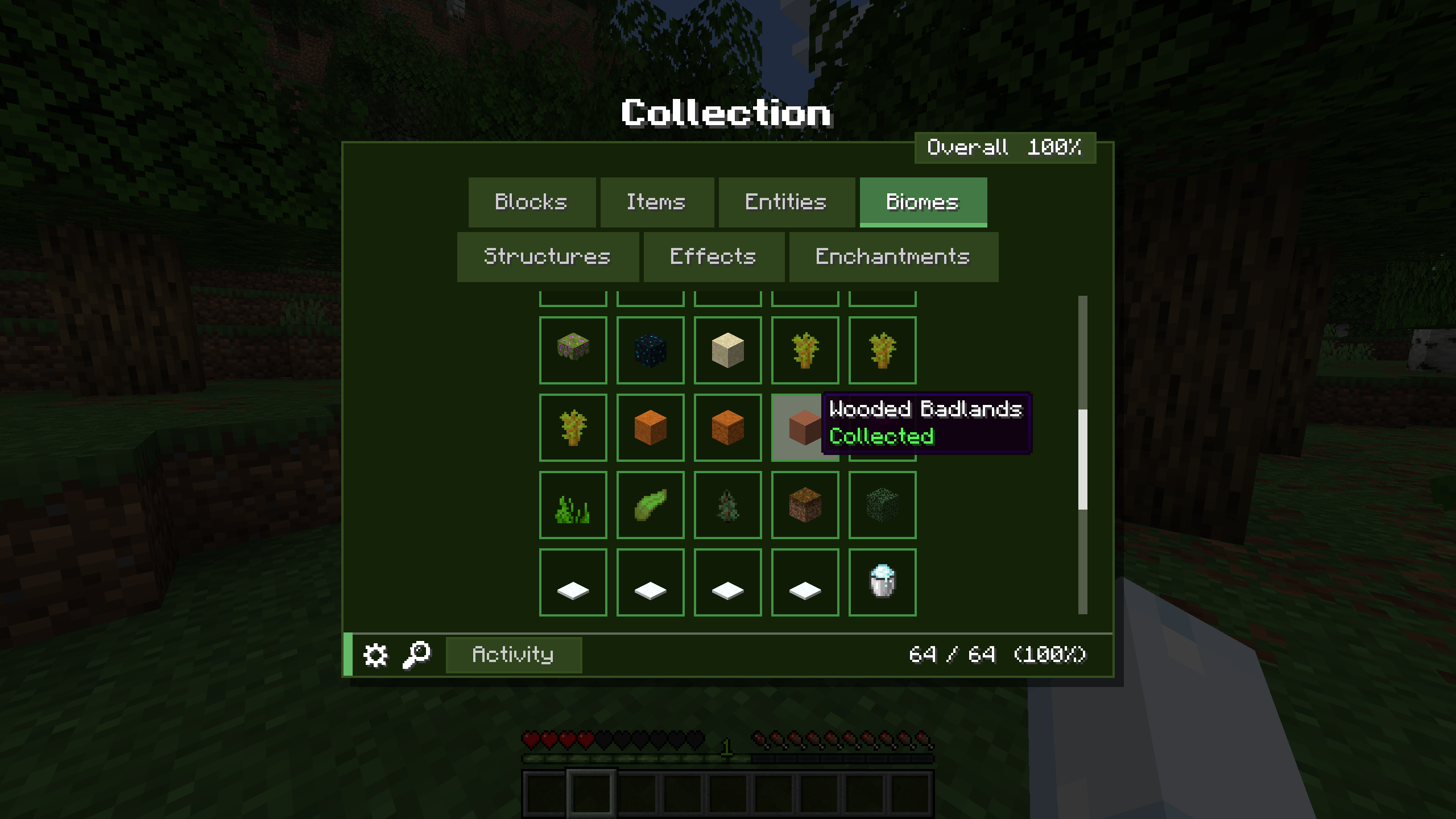 Biomes tab to collect biomes
 -
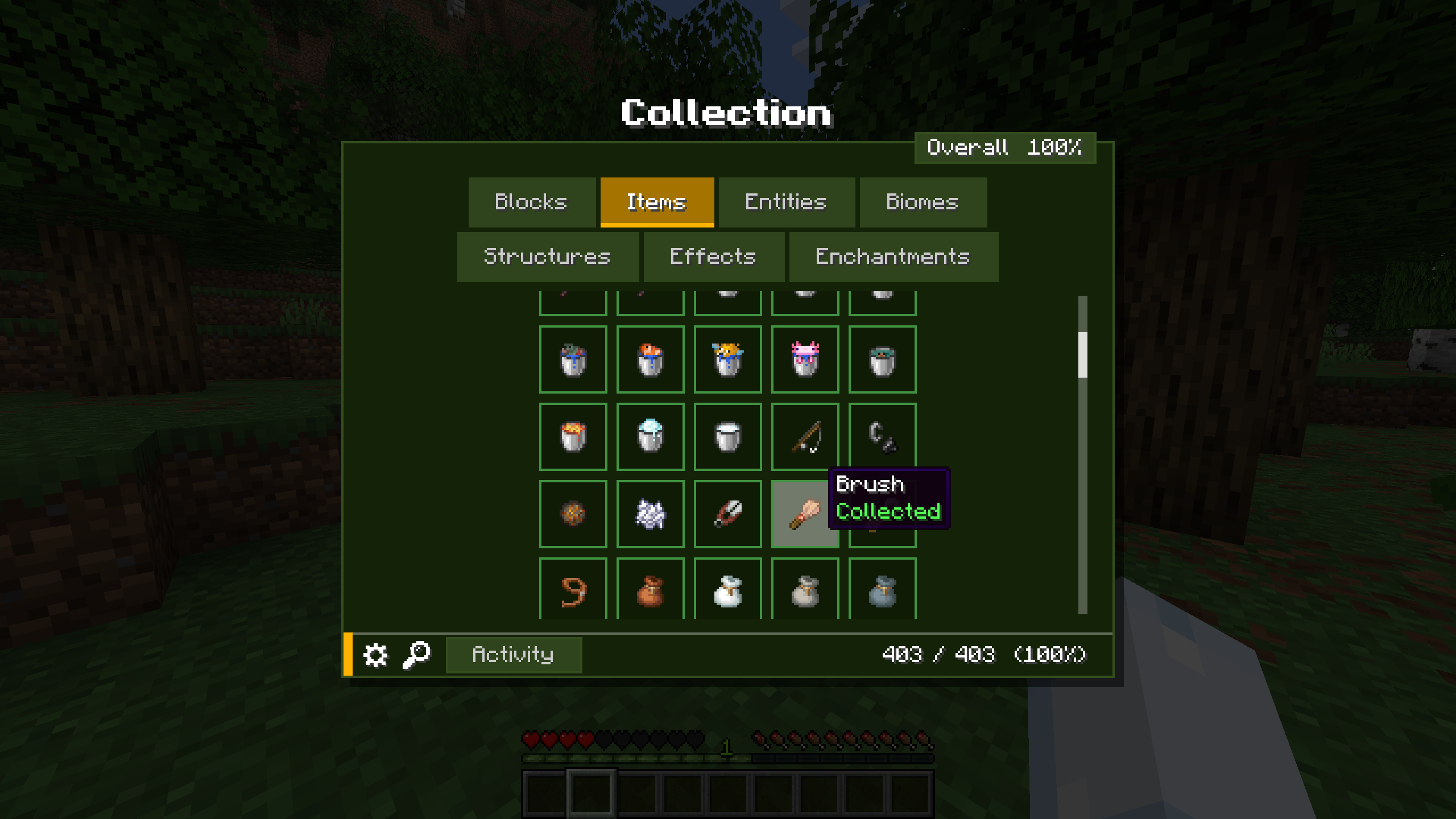 Items Tab for collecting items
 -
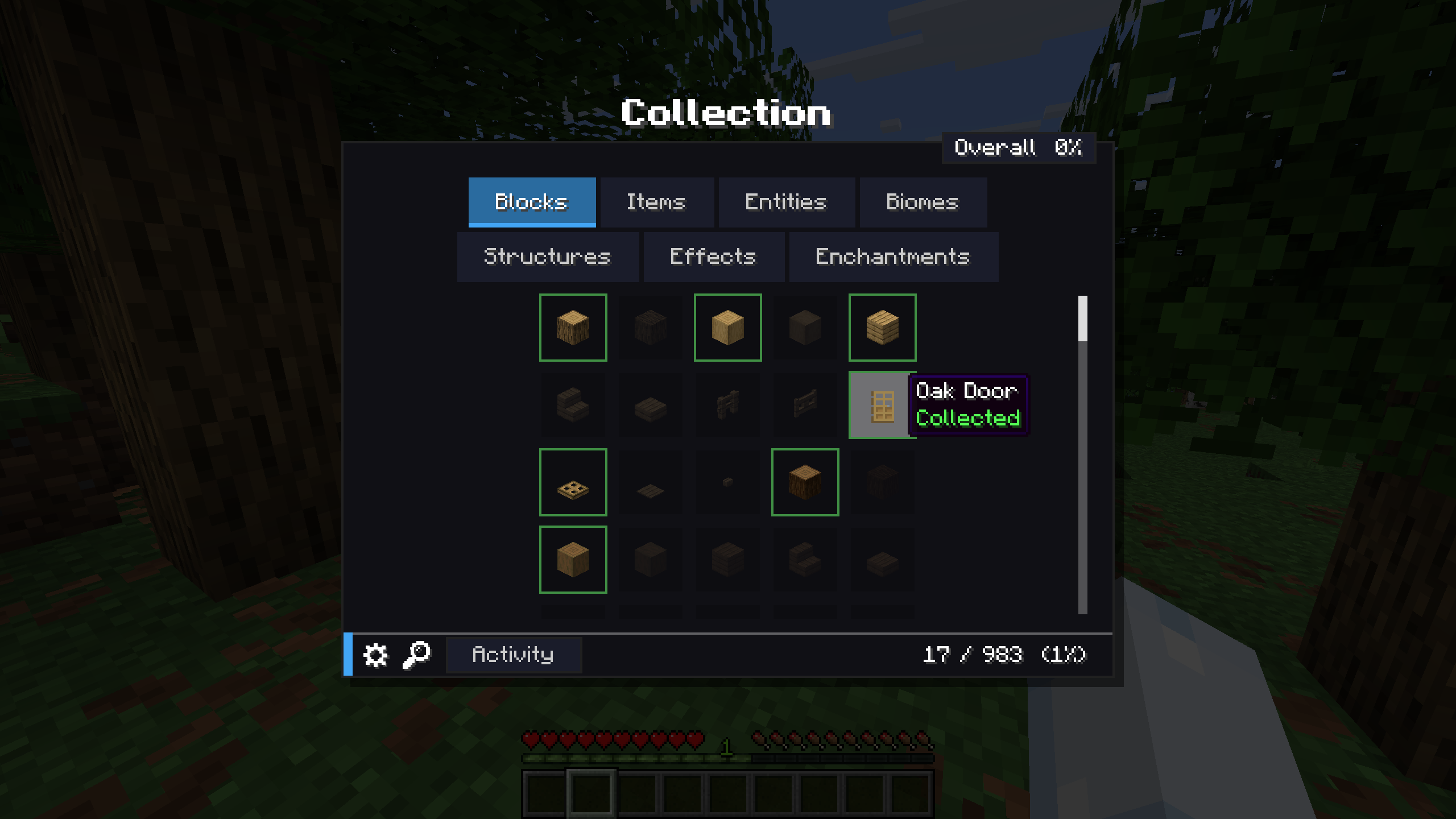 Item descriptions when collected
 -
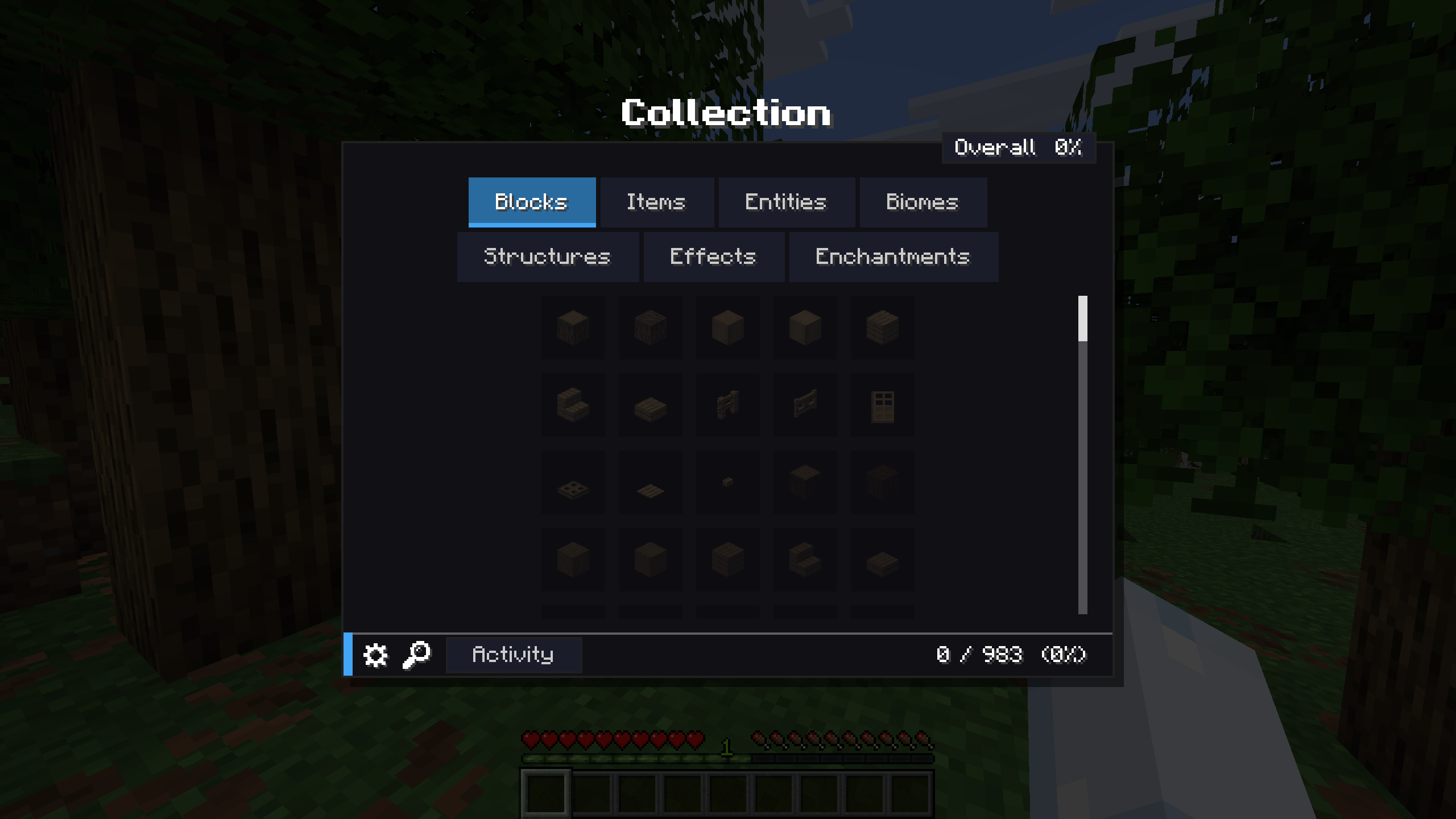 Main Collection Window Open with the \ key
 -
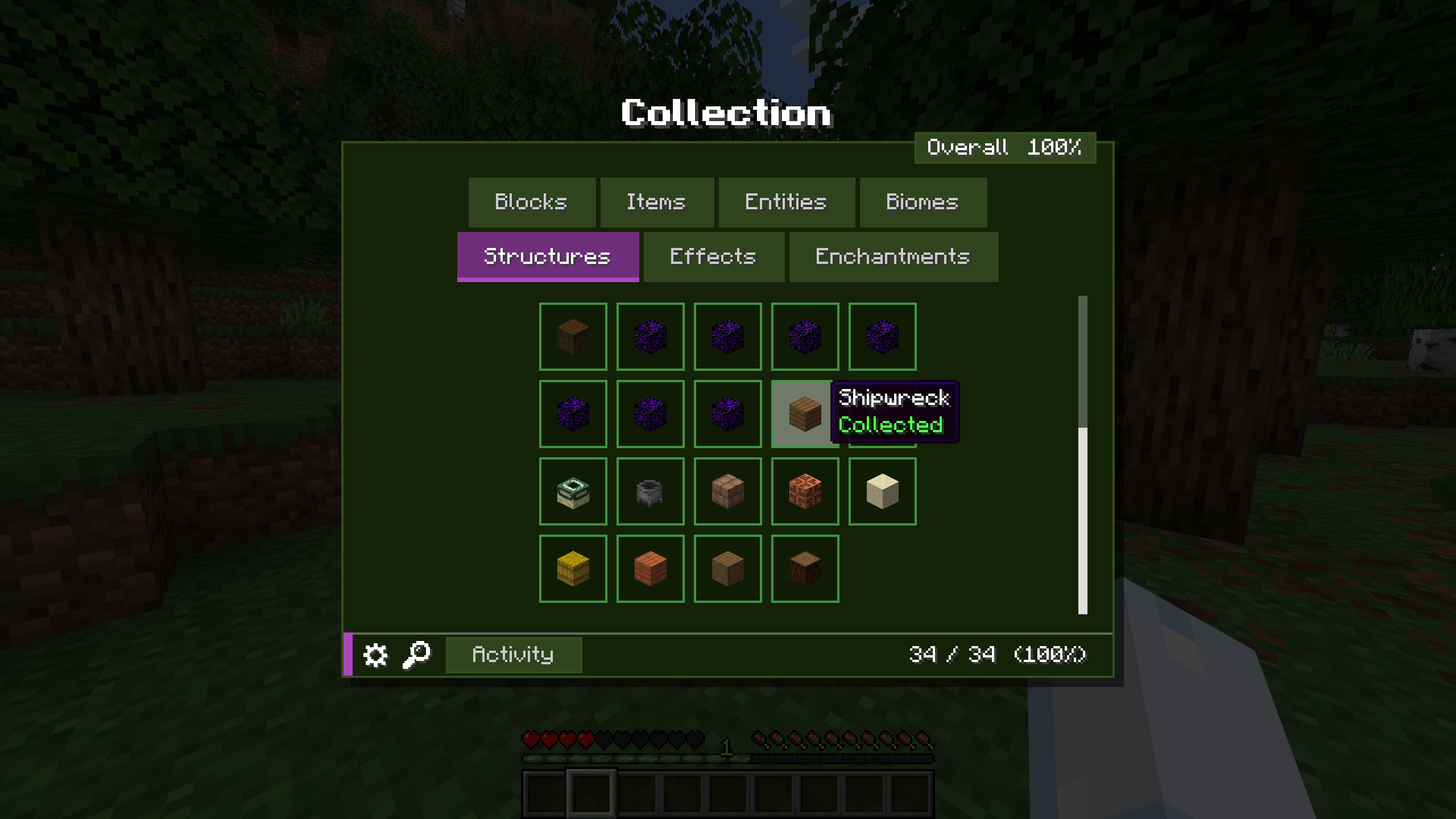 Structures tab to collect structures
 -
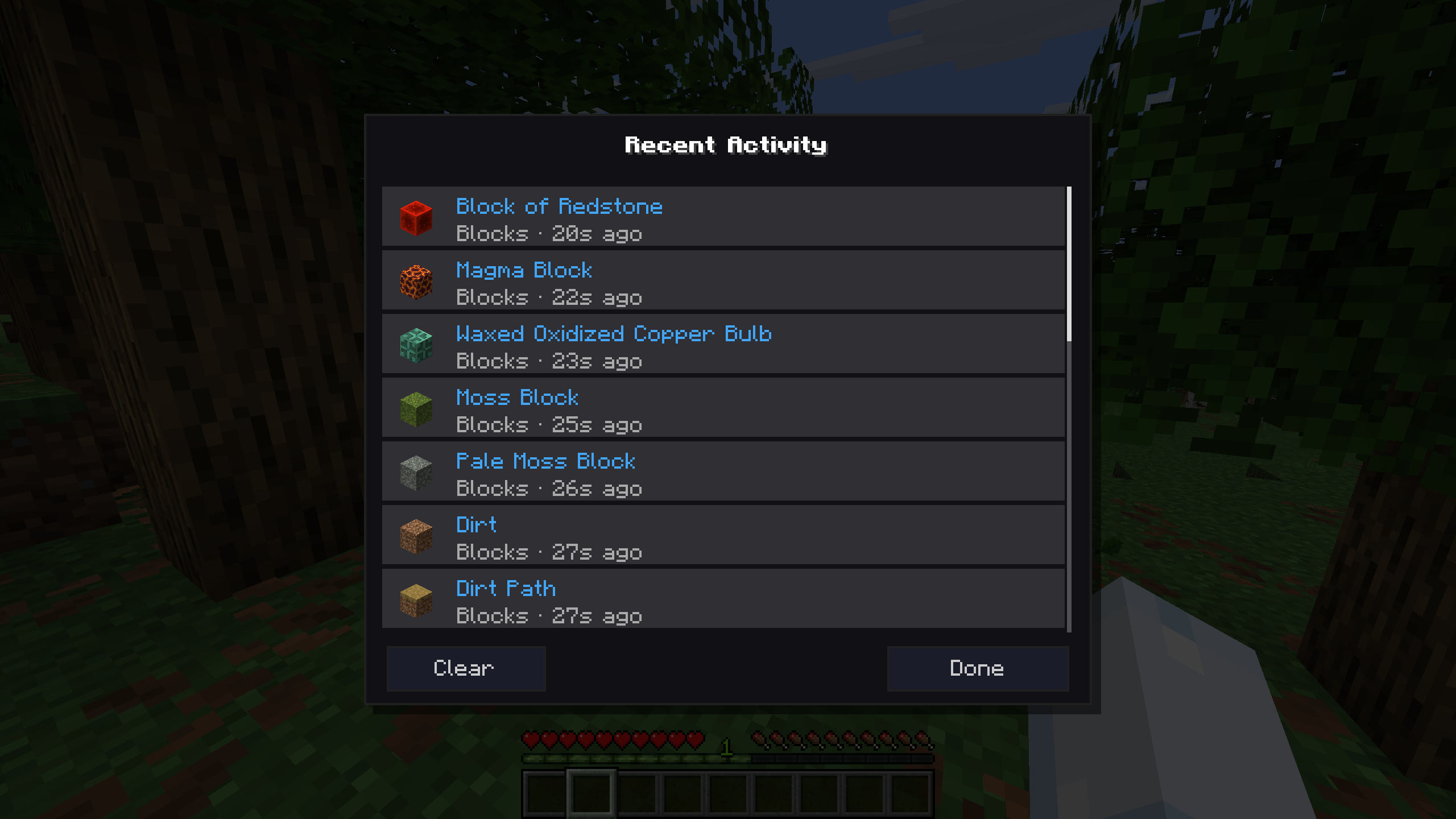 Recent Activity Feed
 -
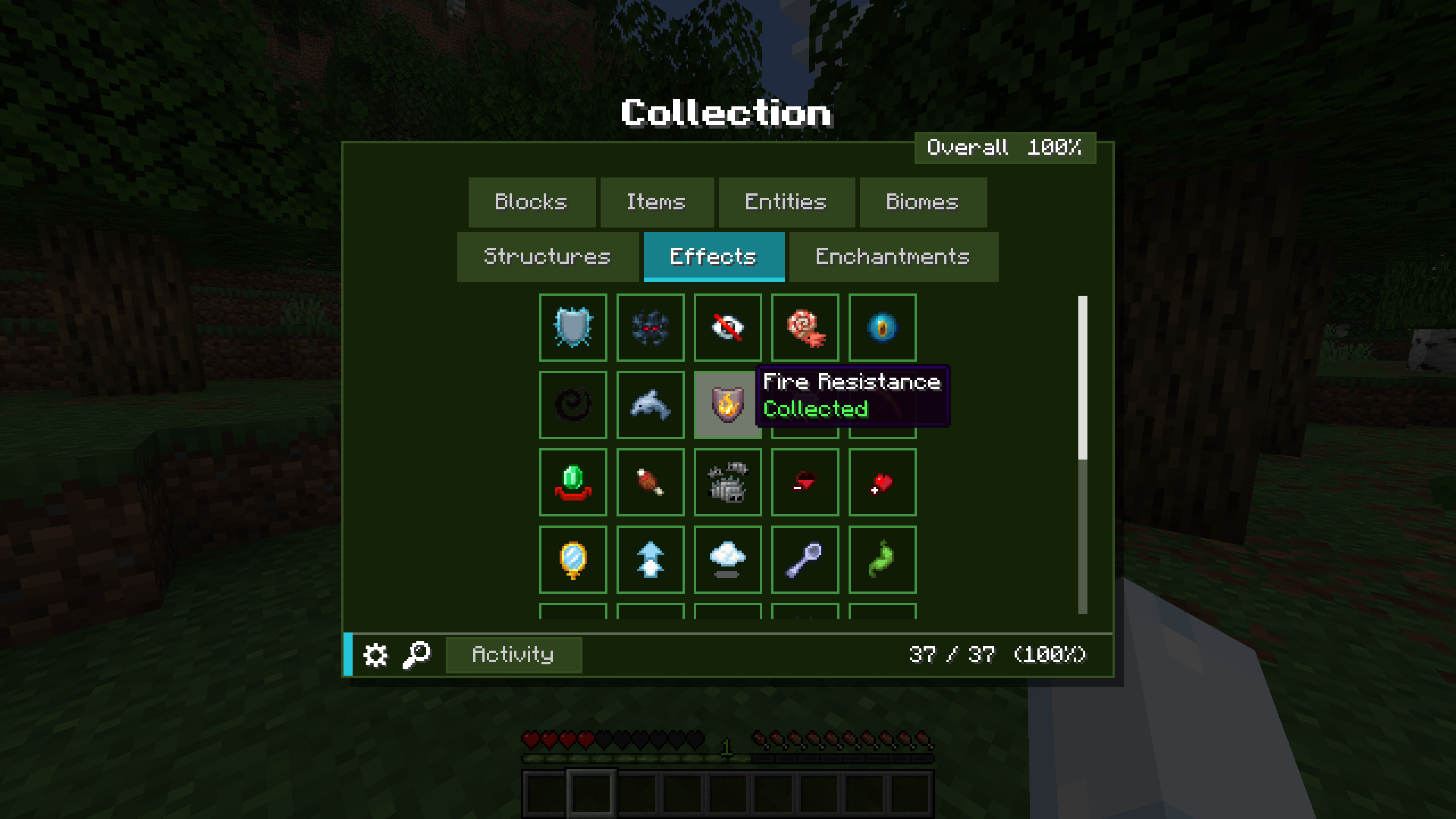 Effects tab to collect potion effects
 -
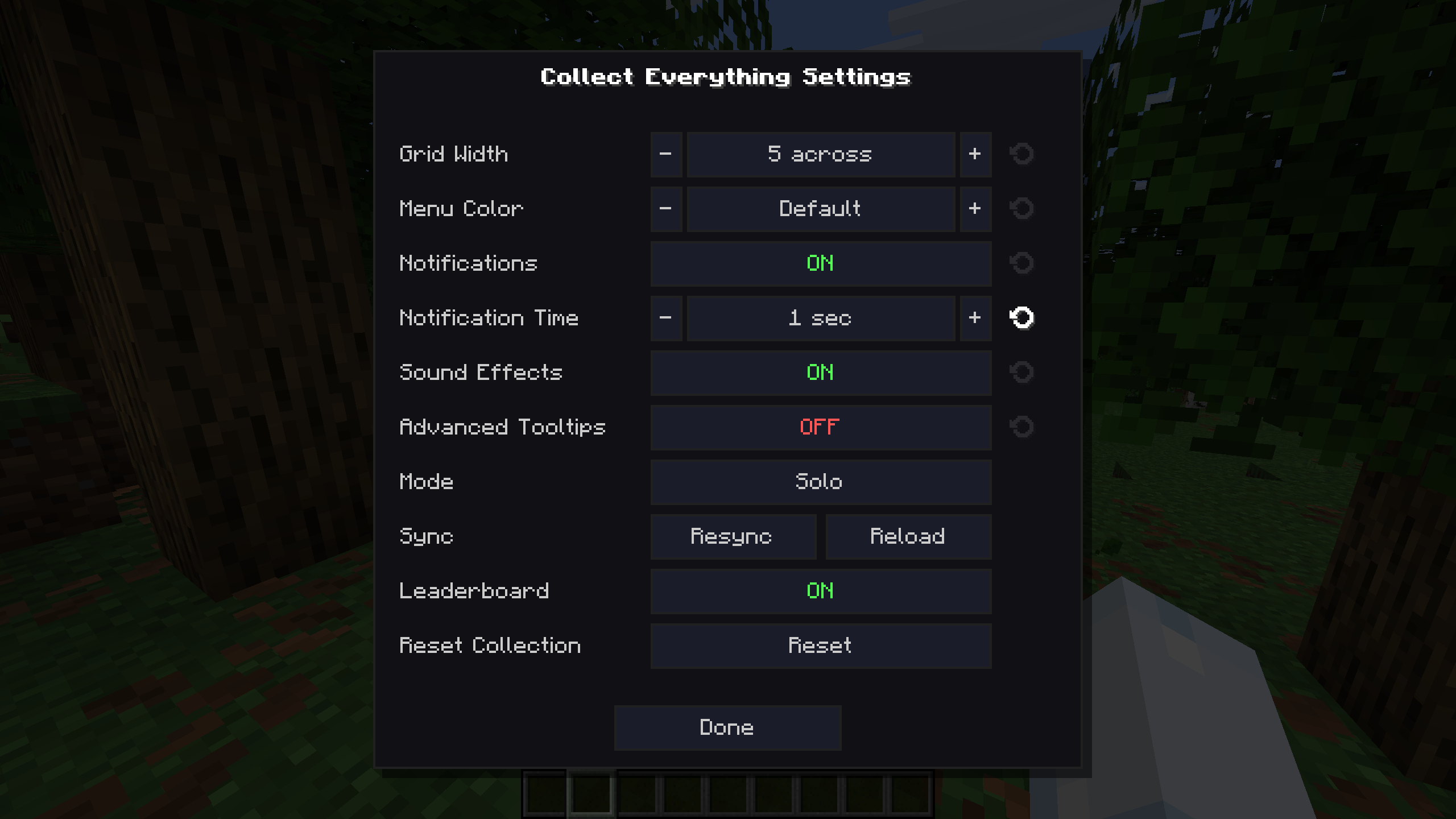 Settings page with configuration options
 -
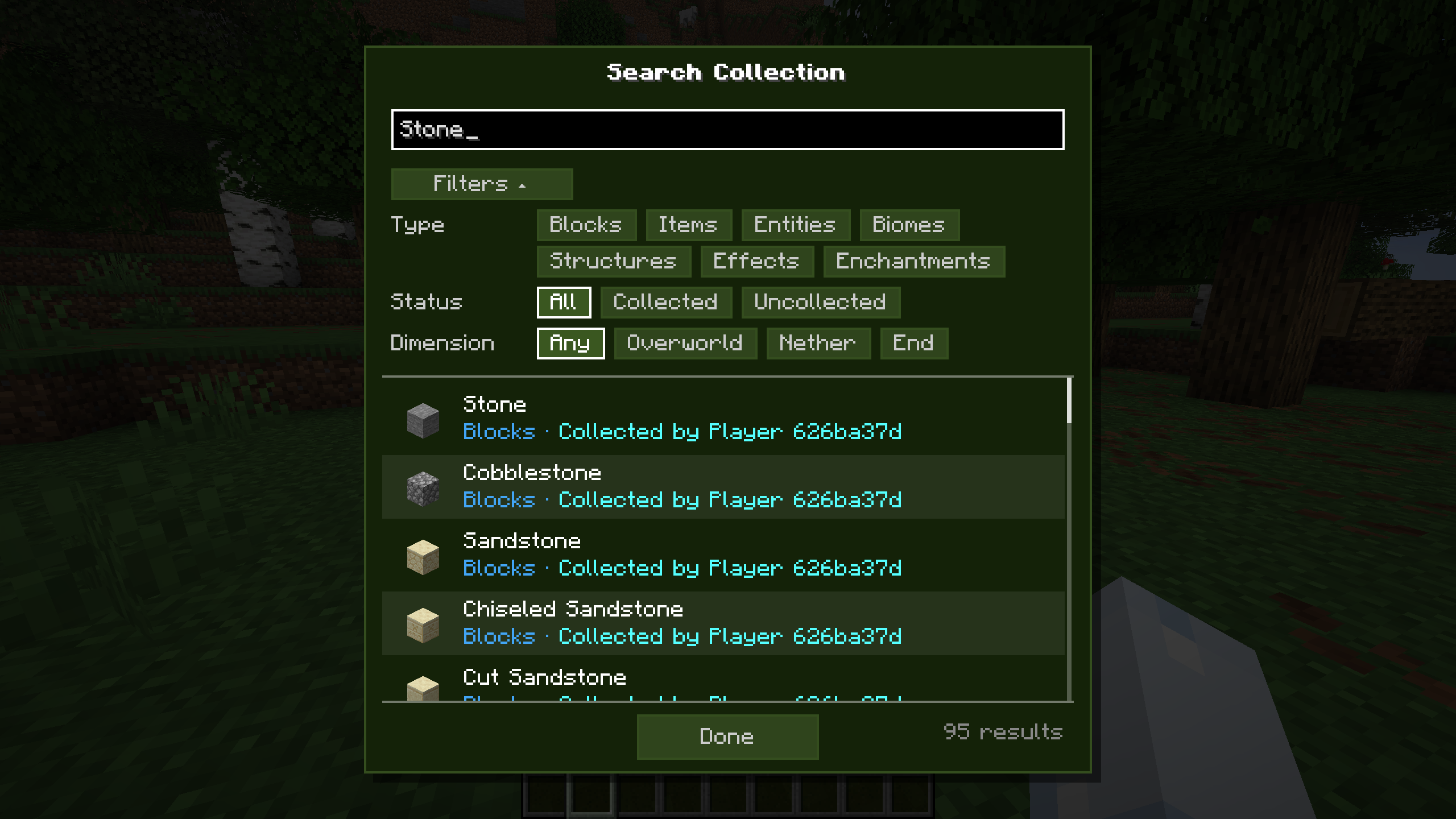 Search Menu with Filters
Versions
Files
Relations
Project Relations
More like this
Similar Mods
Suggestions use data such as tags, dependencies, dependents, descriptions, titles, and more to rank how much they overlap with this mod.
On ModDex
Community snapshot
By the numbers
Statistics

Want to reach Minecraft players?
We're looking for a server hosting partner to feature here and other parts of the site. Interested? Send us a message!
Get in touchGet it on
Available Platforms
On ModDex
Community snapshot
By the numbers
Statistics
Resources