
Community listing page, reviews here may not be monitored by the author.

Community voices
Reviews
No reviews yet. Be the first to review this project!
Get it on
Available Platforms
Compatibility
Supported Environments
Runs entirely on the client. Works on vanilla servers.
About
Project Details
For authors
Embed Badge
If you're the author of this project, you can embed a live badge anywhere that supports HTML or Markdown. It updates automatically whenever ratings change.
Use HTML for any page that supports it, or Markdown for README files and Markdown-based descriptions.
Identifiers
Platform IDs
Resources
External Links
About
Description
ColorCorrection
Lightweight client-side color correction for Minecraft 26.2 on Fabric.
ColorCorrection adds an in-game tuning screen for display color adjustments without changing world data, textures, resource packs, or server behavior. It is meant for players who want quick visual calibration for brightness, contrast, temperature, hue, and RGB channels while keeping the mod small and simple.
Features
- Real post-process color correction for the rendered image
- Brightness, contrast, temperature, hue, and RGB channel controls
- Strength slider for subtle or stronger correction
- Compact live preview panel for tuning while looking at the world
- Transparent settings screen background so the scene stays visible
- Client-side only: no server install required
- No Fabric API requirement
- Small jar and no performance decrease
Controls
Press F8 in game to open the ColorCorrection menu.
Use the preview button in the bottom-right of the menu to move the controls to the right side of the screen and tune the image while looking around.
Compatibility
ColorCorrection is designed for Minecraft 26.2 with Fabric Loader 0.19.3 or newer.
The effect is applied as a Minecraft post-process pass instead of a full-screen GUI overlay. It should work with normal OpenGL rendering and is built to avoid hard crashes when renderer internals are changed by other mods.
Installation
- Install Fabric Loader for Minecraft
26.2. - Put the ColorCorrection jar into your
modsfolder. - Launch the game and press
F8.
Notes
This mod only changes how the game is displayed on your client. It does not edit screenshots after capture, does not modify textures, and does not affect other players.
Author: Teiwazik
Screenshots
Gallery
-
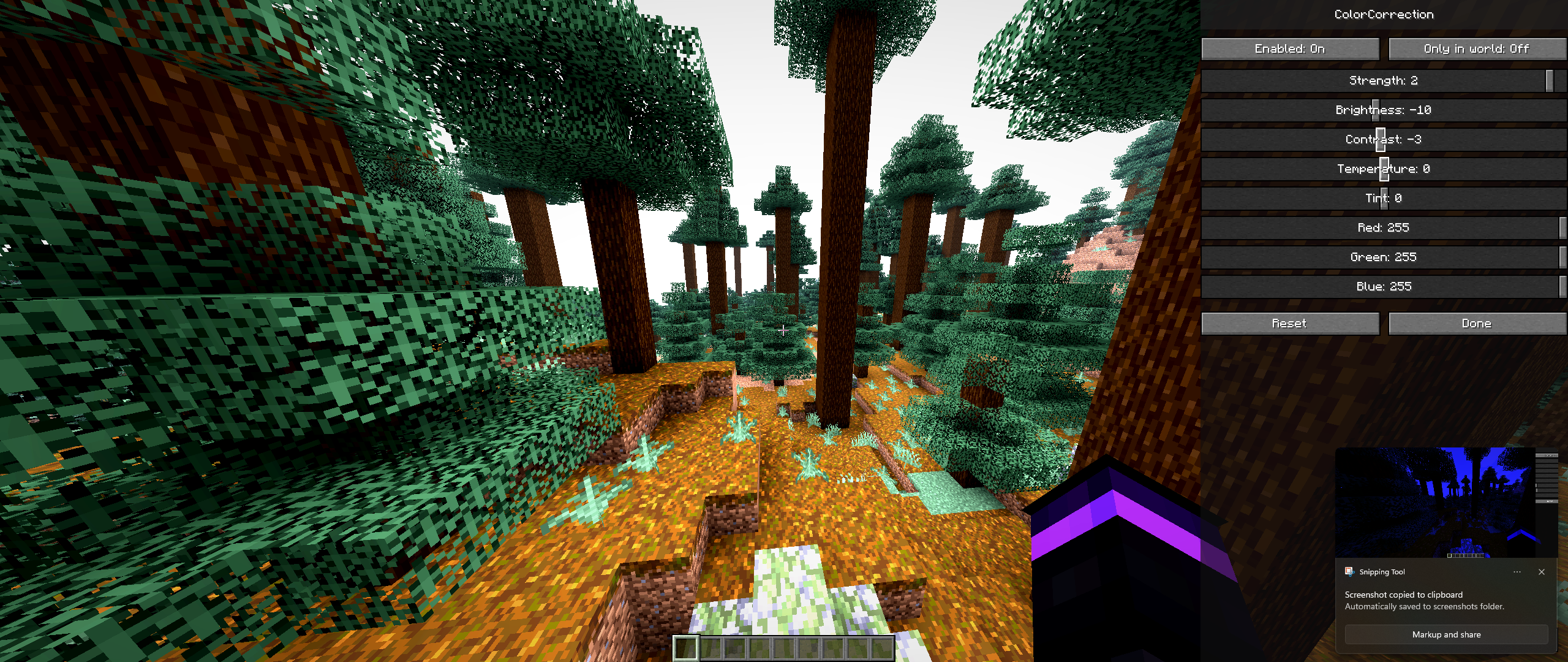 Custom Tuned Colors
 -
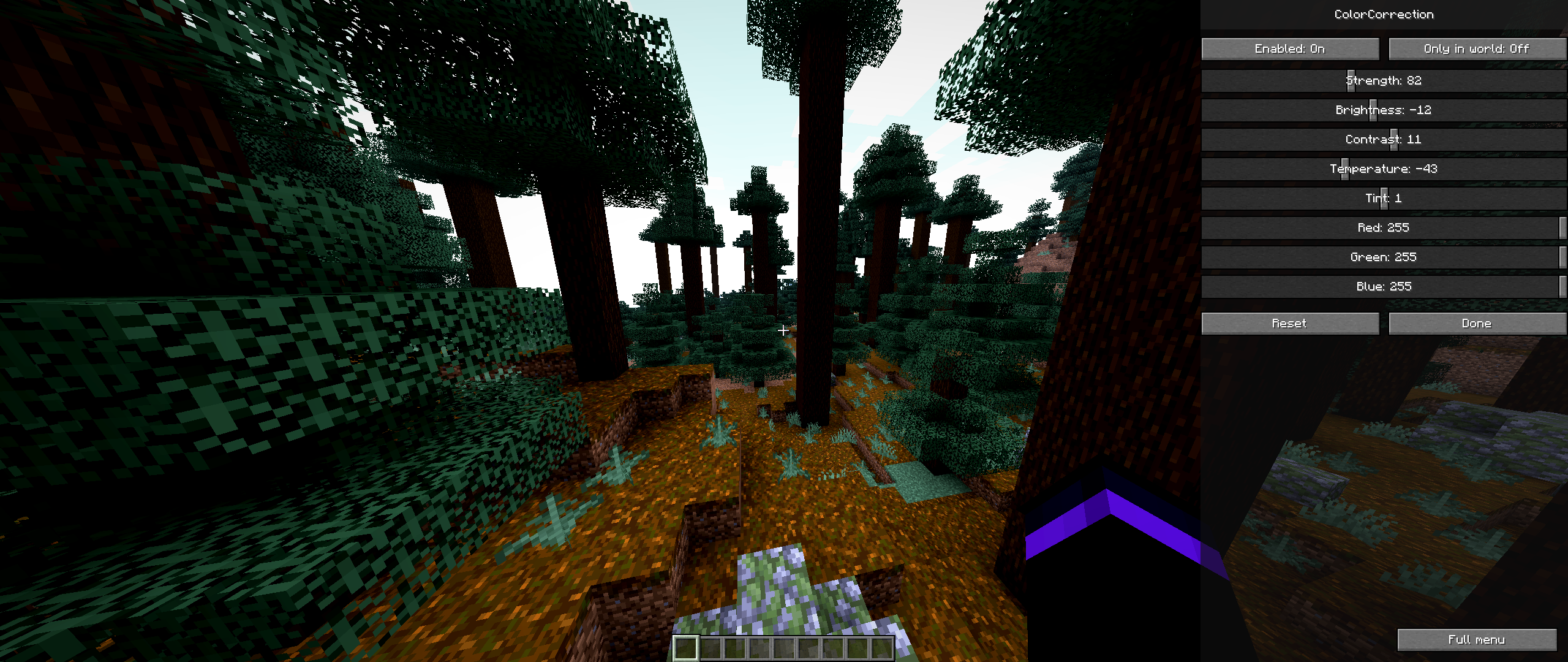 Menu Screen - Preview Mode
 -
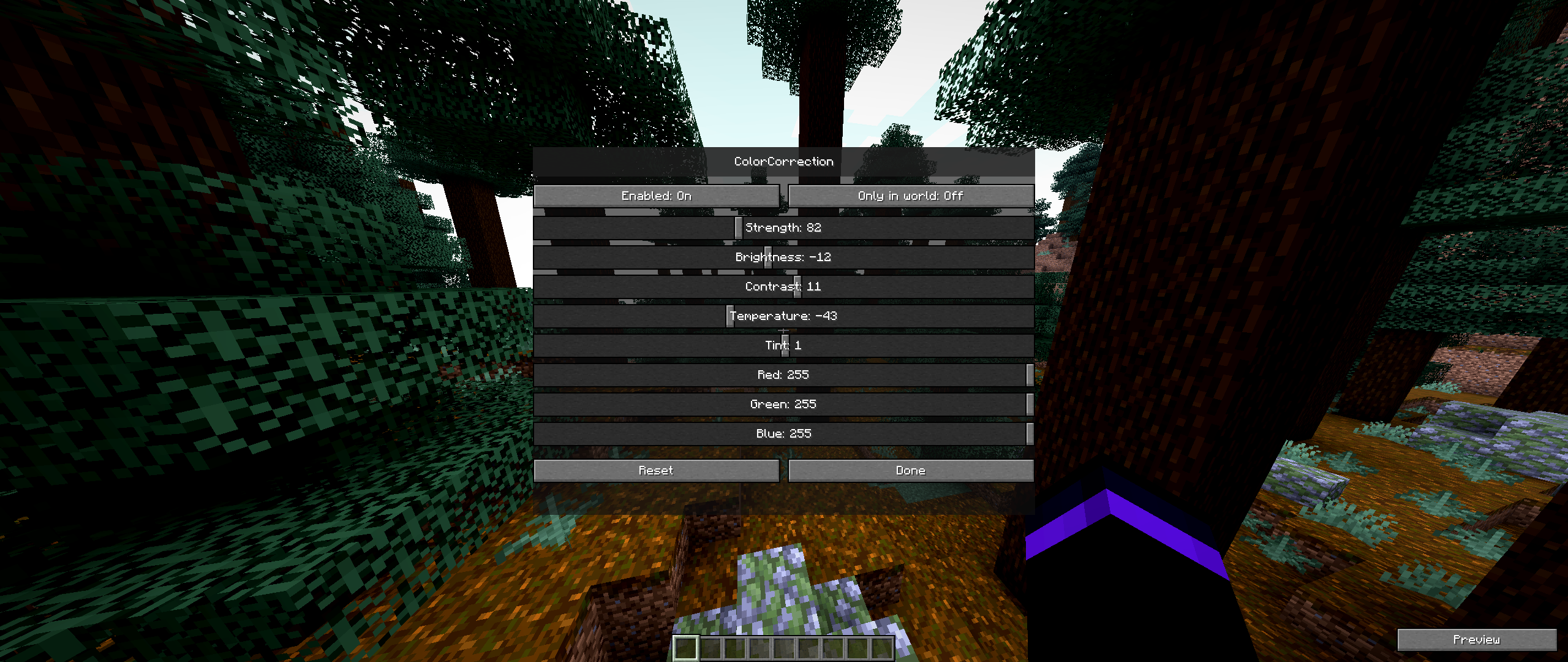 Menu Screen
 -
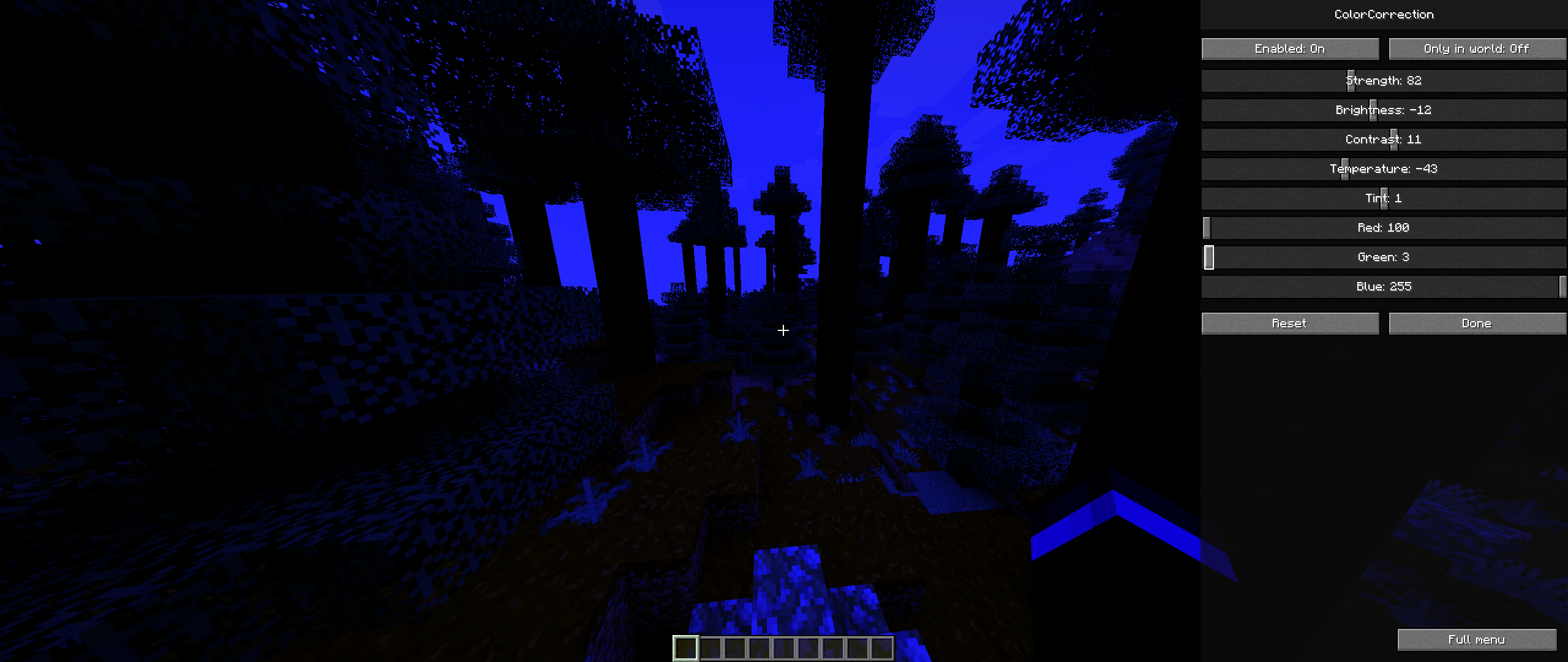 Color Channels Demonstration
Versions
Files
Relations
Project Relations
More like this
Similar Mods
Suggestions use data such as tags, dependencies, dependents, descriptions, titles, and more to rank how much they overlap with this mod.
On ModDex
Community snapshot
By the numbers
Statistics

Want to reach Minecraft players?
We're looking for a server hosting partner to feature here and other parts of the site. Interested? Send us a message!
Get in touchGet it on
Available Platforms
On ModDex
Community snapshot
By the numbers
Statistics
Resources