Community listing page, reviews may not be monitored by the author.
Color Filters


No reviews yet
NVIDIA-style color filters inside Minecraft, with presets. Control vibrance, saturation, contrast, sharpness and more, works with all shaderpacks and resource packs!

Community voices
Reviews
No reviews yet. Be the first to review this project!
Get it on
Available Platforms
Compatibility
Supported Environments
Runs entirely on the client. Works on vanilla servers.
About
Project Details
For authors
Embed Badge
If you're the author of this project, you can embed a live badge anywhere that supports HTML or Markdown. It updates automatically whenever ratings change.
Use HTML for any page that supports it, or Markdown for README files and Markdown-based descriptions.
Identifiers
Platform IDs
Resources
External Links
About
Description
Color Filters
Bring NVIDIA-style color filters directly into Minecraft.
Adjust vibrance, saturation, contrast, brightness, sharpening, and more, all from an in-game menu. No external software or shader packs required.
Works with resource packs and is designed to be compatible with shader packs whenever possible.
Presets
Choose from several built-in presets with a single click:
- Vibrant: Stronger, more vivid colors for the classic streamer look.
- PvP: Punchy colors and improved visibility for competitive gameplay.
- Crisp: Sharper textures and cleaner edges.
- Warm / Cool: Adjusts the overall color temperature.
- Cinematic: Darker, moodier visuals.
- Vanilla: Instantly restores Minecraft's original appearance.
Every preset adjusts the sliders automatically, allowing you to fine-tune your settings afterward.
Filters
Customize Minecraft's appearance with a full range of color adjustments:
- Vibrance: Boosts dull colors without oversaturating already-vivid ones.
- Saturation: Adjusts overall color intensity.
- Brightness: Makes the image brighter or darker.
- Contrast: Adjusts the difference between light and dark areas.
- Temperature: Shifts colors toward warmer or cooler tones.
- Highlights: Adjusts the brightest areas of the image.
- Shadows: Adjusts darker areas for improved visibility.
- Gamma: Fine-tunes midtone brightness.
- Sharpness: Applies adaptive sharpening for clearer textures.
Every slider displays its current value, includes a tooltip, and can be reset individually.
Instant Toggle
Enable or disable all color filters instantly using a customizable keybind.
Navigate to Options → Controls and assign a key to Toggle Color Filters.
Your settings remain saved when filters are disabled, making it easy to compare your customized visuals against vanilla Minecraft.
Settings
Access the configuration menu through Mod Menu, or assign a keybind to Open Color Filter Settings.
Choose between two rendering modes:
- World Only (Default): Applies filters to the game world while keeping your HUD unchanged.
- Whole Screen: Applies filters to the entire screen for an experience closer to NVIDIA's color filters.
All effects are processed on the GPU in a single rendering pass, keeping the performance impact minimal.
Requirements
- Fabric Loader
- Fabric API
- Cloth Config
Kairo's Color Filters
Bring NVIDIA-style color filters directly into Minecraft.
Adjust vibrance, saturation, contrast, brightness, sharpening, and more, all from an in-game menu. No external software or shader pack required.
Works with resource packs and is designed to be compatible with shader packs whenever possible.
Presets
One click and you're done:
- Vibrant — strong colors everywhere, the classic streamer look.
- PvP — punchy colors with clear visibility, made for fights.
- Crisp — sharper textures and cleaner edges.
- Warm / Cool — shifts the whole game warmer or cooler.
- Cinematic — slightly darker, moodier tone.
- Vanilla — one click back to Minecraft's normal look.
Every preset just sets the sliders, so you can fine tune anything afterward.
Filters
Full color-grading control:
- Vibrance — the main effect. Boosts dull colors more than already-vivid ones, so everything pops without looking radioactive.
- Saturation
- Brightness
- Contrast
- Temperature (warm/cool)
- Highlights
- Shadows
- Gamma
- Sharpness — adaptive sharpening for crisper textures.
Every slider shows its value, has a tooltip, and can be reset individually.
Instant Toggle
Bind the Toggle Color Filters key in Options → Controls and flip the entire effect on and off instantly, perfect for comparing against vanilla mid game. Your settings are kept either way.
Settings
Open the configuration through Mod Menu, or bind the Open Color Filter Settings key in Options → Controls.
Choose between two modes: World Only (default — your HUD stays vanilla) or Whole Screen (filters everything, closest to NVIDIA filters).
The effect is applied on the GPU in a single pass, so the performance cost is basically zero.
Requirements
- Fabric Loader
- Fabric API
- Cloth Config
Screenshots
Gallery
-
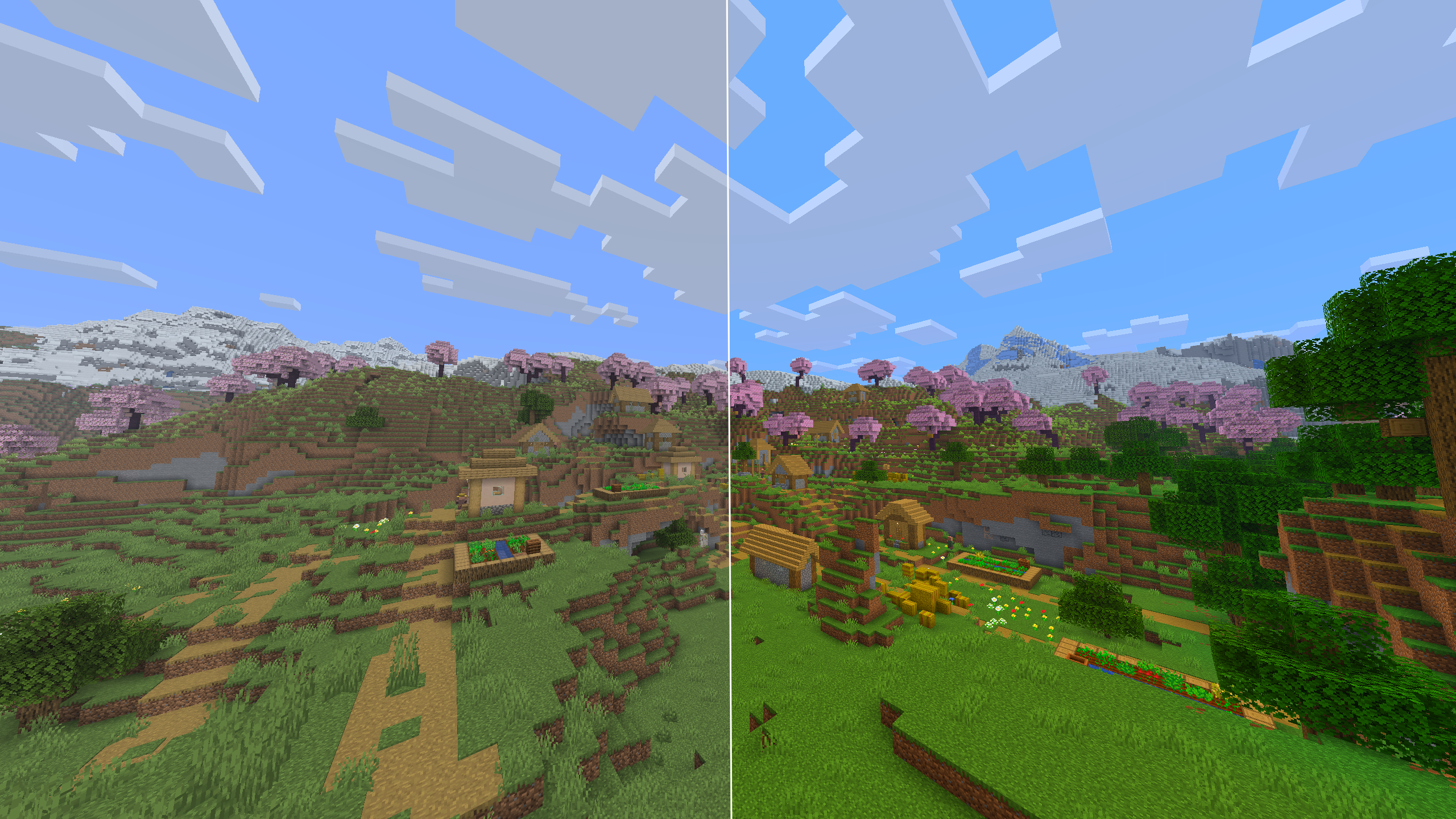 Vibrant Preset Vanilla on the left, vibrant preset on the right - daytime.
-
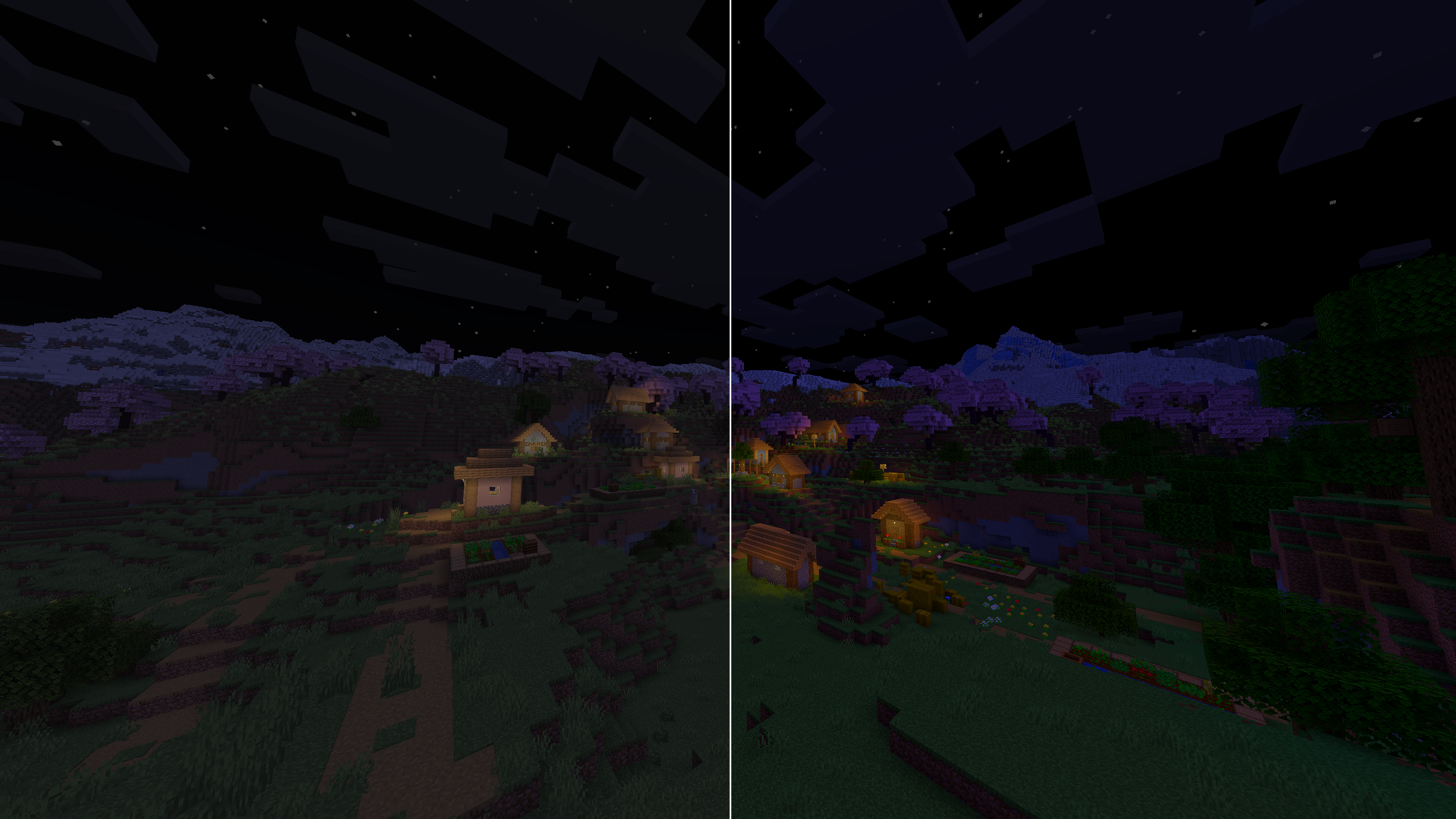 Vibrant Preset Vanilla on the left, vibrant preset on the right - night.
-
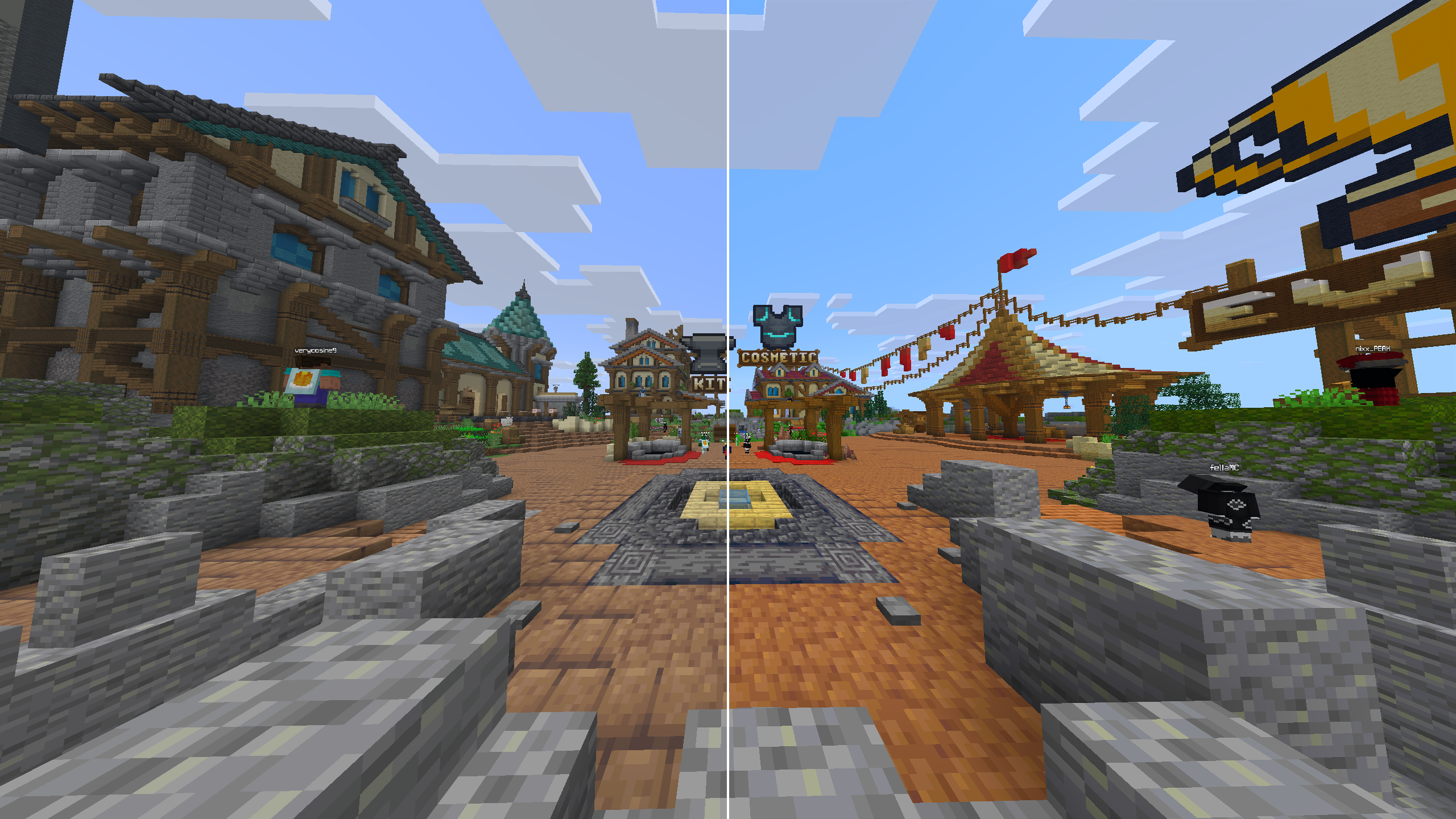 PVP Preset Vanilla on the left, PVP preset on the right - server spawn.
-
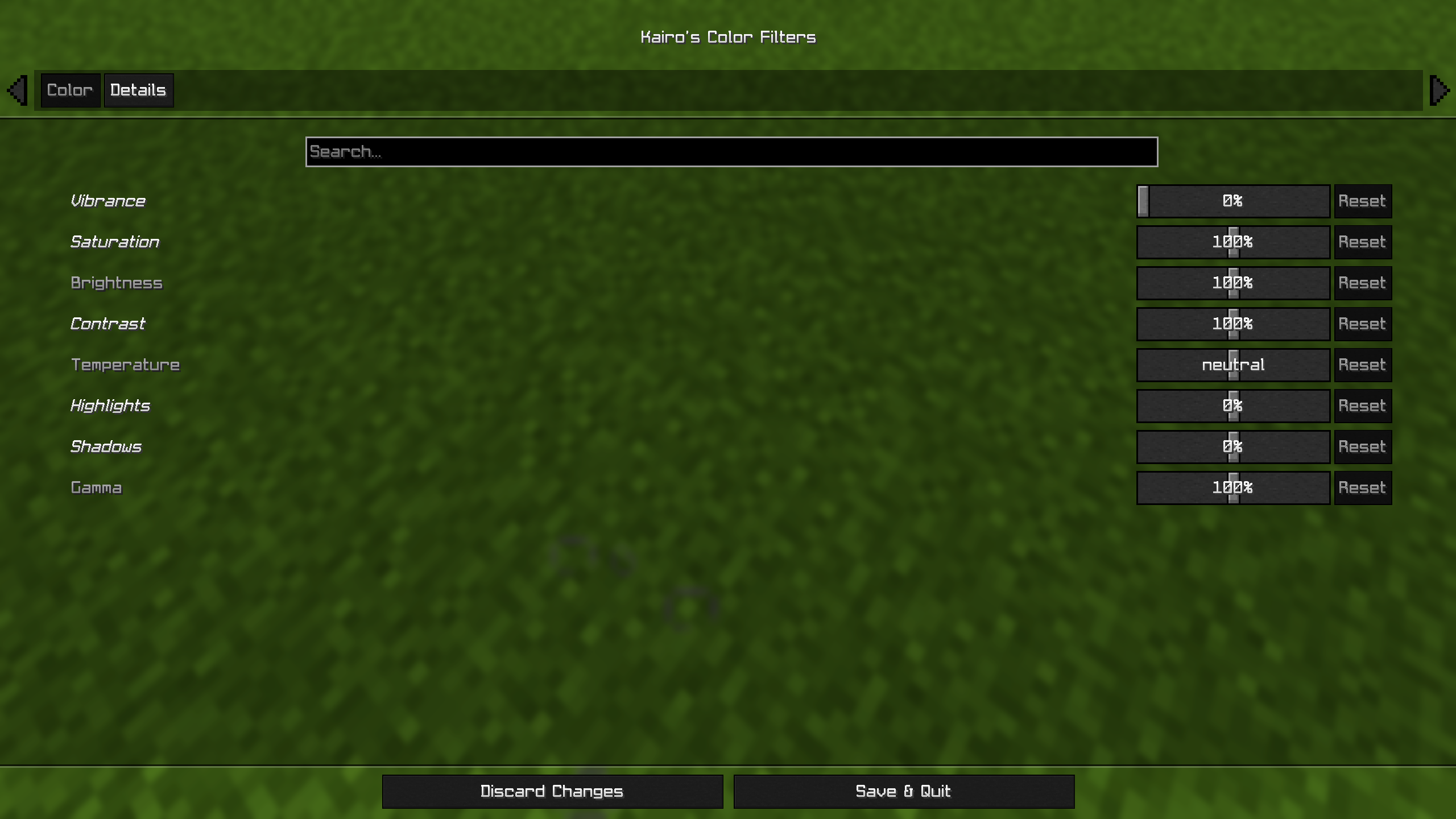 Color Settings First settings page where you customize the colors and most of the filters.
-
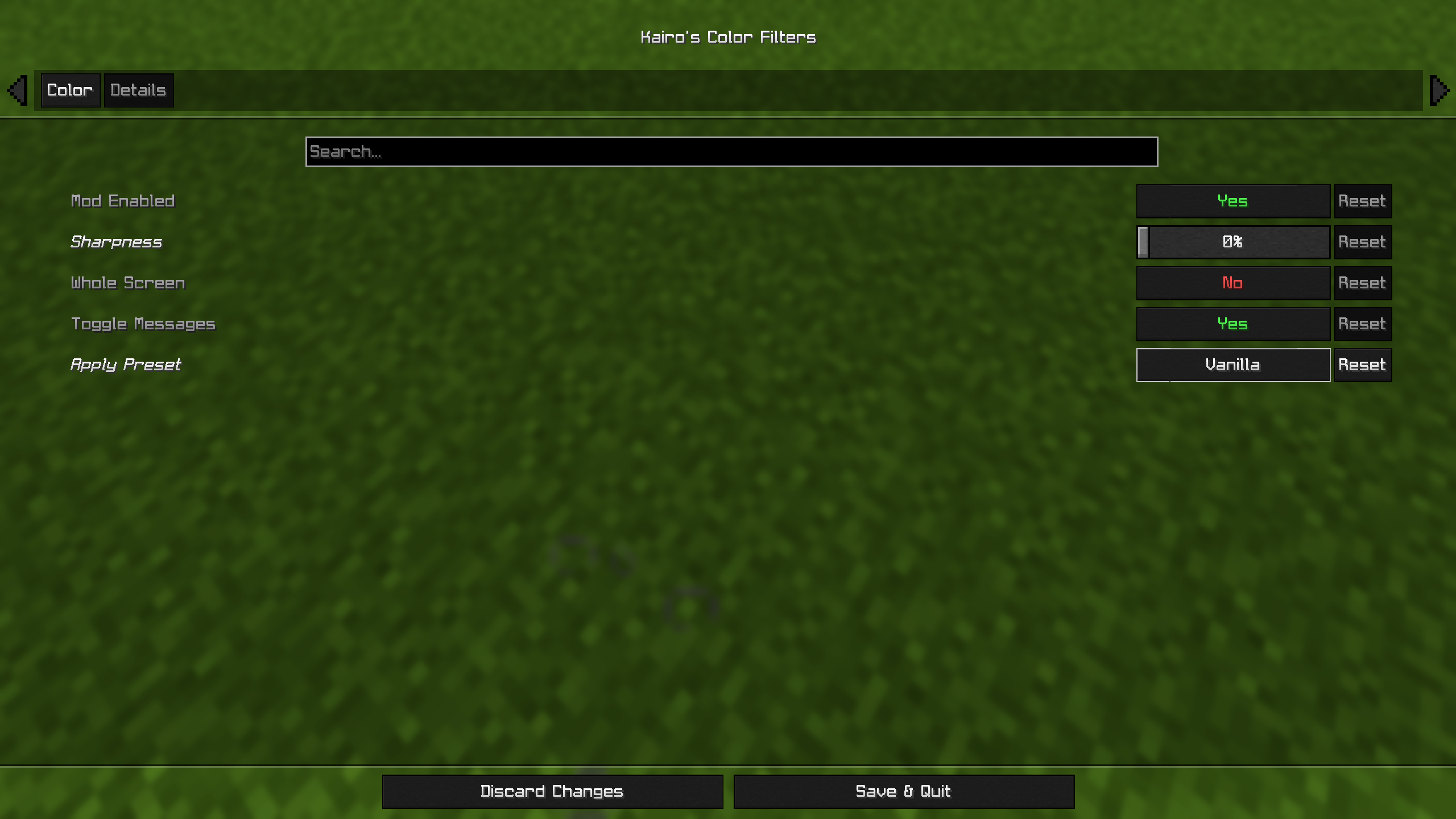 Detail Settings Second settings page where you customize the details of the mod.
Versions
Files
Relations
Project Relations
More like this
Similar Mods
Suggestions use data such as tags, dependencies, dependents, descriptions, titles, and more to rank how much they overlap with this mod.
On ModDex
Community snapshot
By the numbers
Statistics

Get it on
Available Platforms
On ModDex
Community snapshot
By the numbers
Statistics
Resources