Community listing page, reviews here may not be monitored by the author.
Colored Nicknames


No reviews yet
A client-side Fabric mod that allows custom player nickname styling (solid colors, gradients, rainbow) and group sorting
Community voices
Reviews
No reviews yet. Be the first to review this project!
Get it on
Available Platforms
Compatibility
Supported Environments
Runs entirely on the client. Works on vanilla servers.
About
Project Details
For authors
Embed Badge
If you're the author of this project, you can embed a live badge anywhere that supports HTML or Markdown. It updates automatically whenever ratings change.
Use HTML for any page that supports it, or Markdown for README files and Markdown-based descriptions.
Identifiers
Platform IDs
Resources
External Links
About
Description
A client-side Fabric mod for Minecraft that lets you customize player nicknames with solid colors, gradients, or rainbow animations. All configurations are managed via an in-game interface.
Features
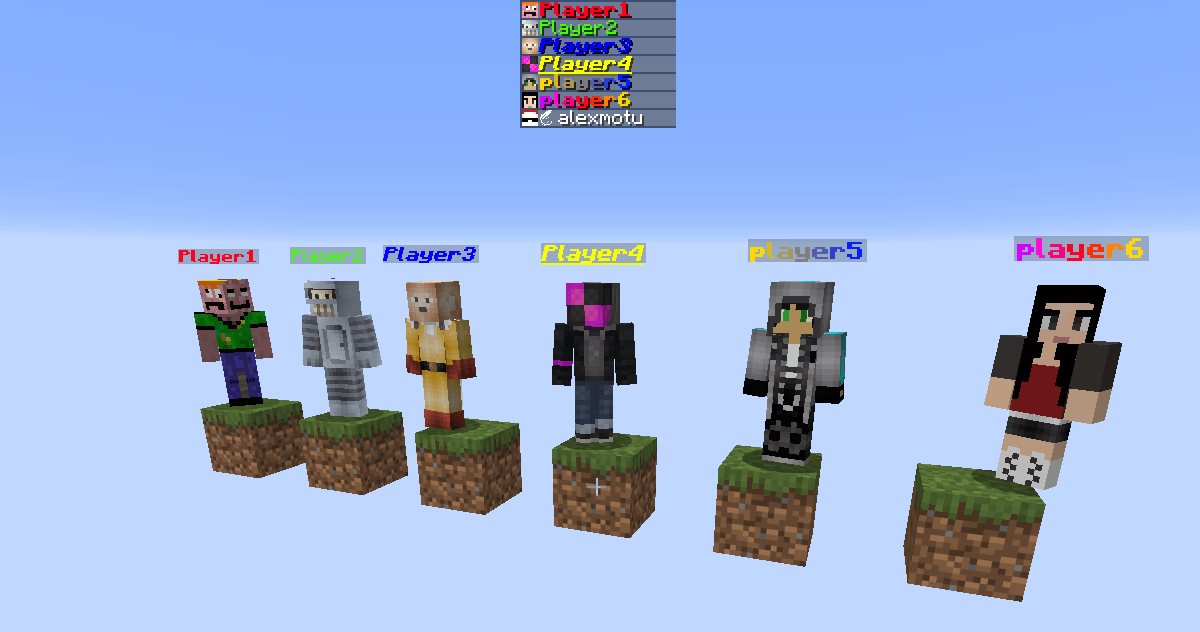
- Nickname Customization: Apply solid colors, linear gradients, or rainbow effects to player nicknames.
- Text Formatting: Supports bold, italic, and underline styles.
- Preserve Team Prefixes: Keeps server-side team prefixes and suffixes intact while applying custom colors only to the player name.
- Overhead Name Tag Hiding: Option to hide overhead name tags for players who are not assigned to any of your custom groups.
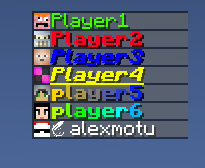
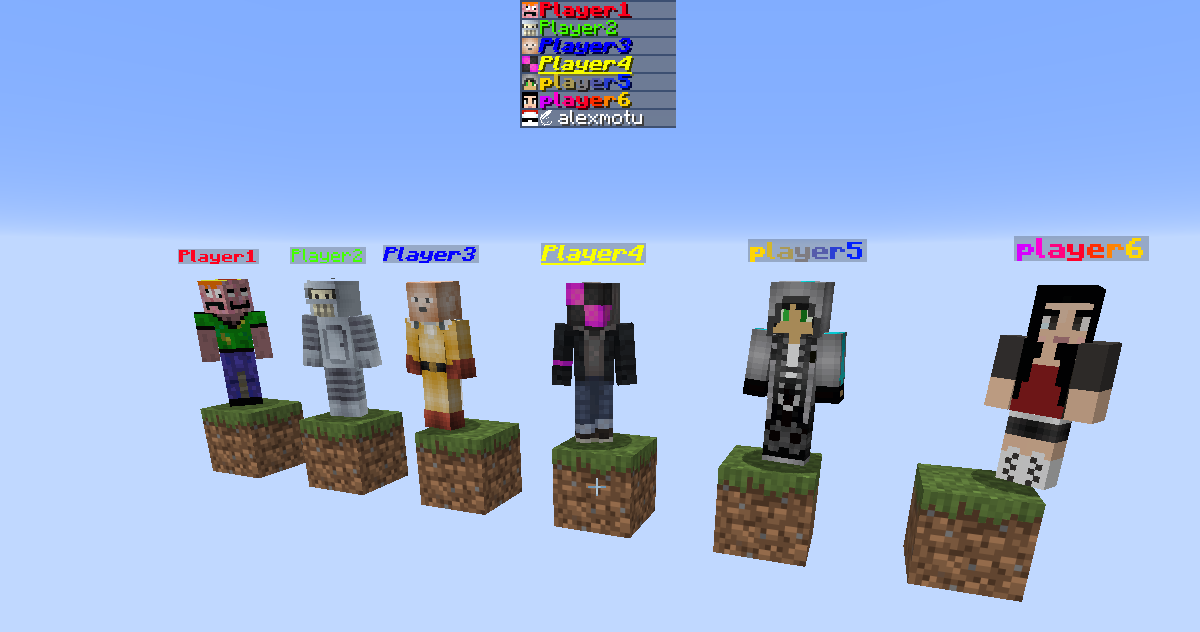
- Tab List Sorting: Automatically groups and prioritizes configured players at the top of the tab list.
- Groups in Locator: Hides players who are not in any of your custom groups from the Locator Bar HUD.
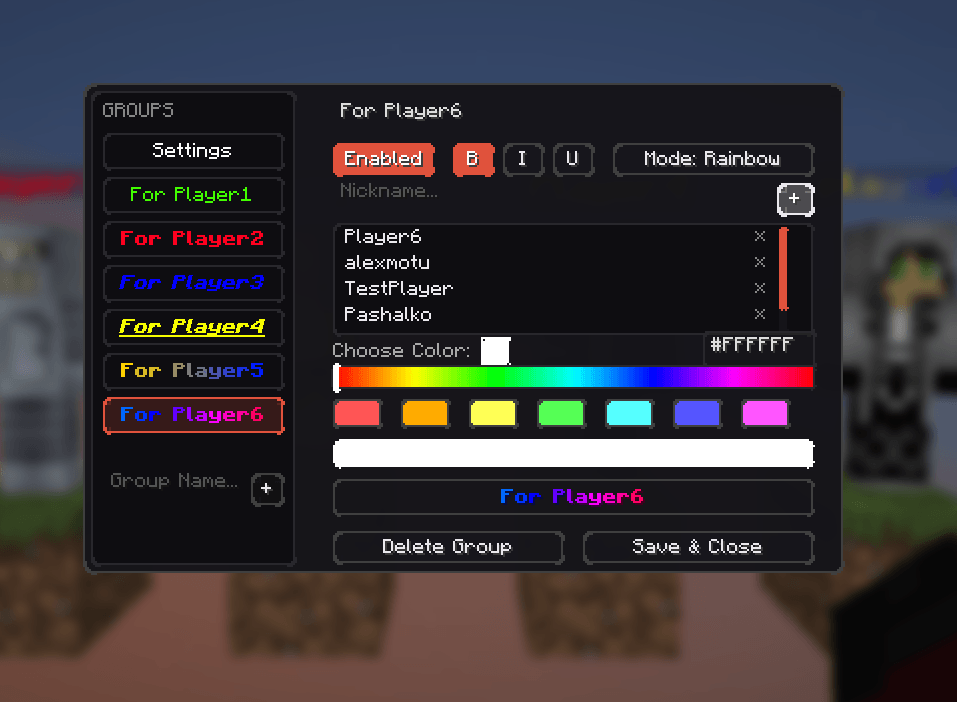
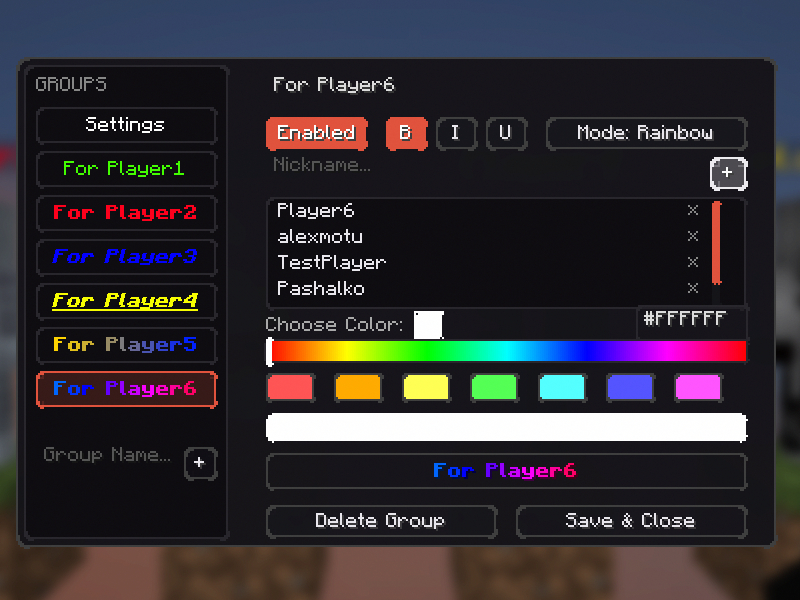
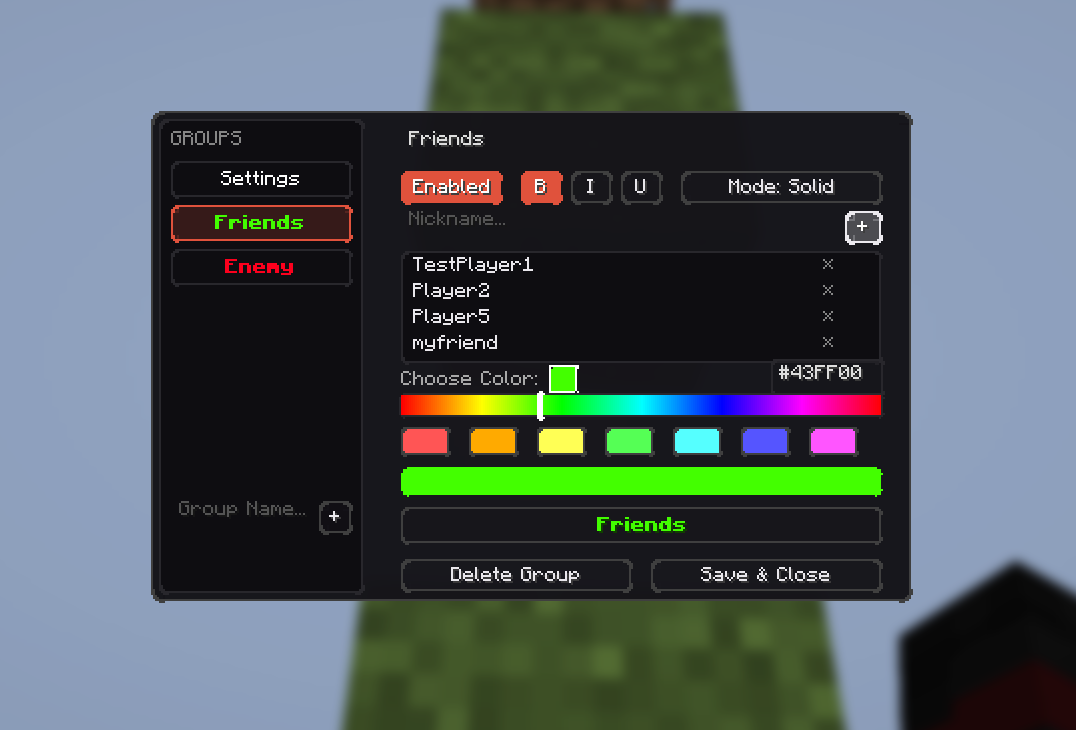
- In-Game Editor: A simple and clean GUI to manage all groups, players, and formatting settings. The default keybind to open the editor is
N.
How to Install
- Install Fabric Loader (https://fabricmc.net/wiki/install)
- Download Colored Nicknames
- Put the downloaded Colored Nicknames JAR and Fabric API into your mods folder (
.minecraft/mods) - Run the game
Configuration
All data is saved locally on your client. No server-side setup is required.
- Configuration file path:
.minecraft/config/colored_nicknames.json




A client-side Fabric mod for Minecraft that lets you customize player nicknames with solid colors, gradients, or rainbow animations. All configurations are managed via an in-game interface.
Features
- Nickname Customization: Apply solid colors, linear gradients, or rainbow effects to player nicknames.
- Text Formatting: Supports bold, italic, and underline styles.
- Preserve Team Prefixes: Keeps server-side team prefixes and suffixes intact while applying custom colors only to the player name.
- Overhead Name Tag Hiding: Option to hide overhead name tags for players who are not assigned to any of your custom groups.
- Tab List Sorting: Automatically groups and prioritizes configured players at the top of the tab list.
- Groups in Locator: Hides players who are not in any of your custom groups from the Locator Bar HUD.
- In-Game Editor: A simple and clean GUI to manage all groups, players, and formatting settings. The default keybind to open the editor is
N.
How to Install
- Install Fabric Loader (https://fabricmc.net/wiki/install)
- Download Colored Nicknames from Modrinth
- Put the downloaded Colored Nicknames JAR and Fabric API into your mods folder (
.minecraft/mods) - Run the game
Configuration
All data is saved locally on your client. No server-side setup is required.
- Configuration file path:
.minecraft/config/colored_nicknames.json
Screenshots
Gallery
-
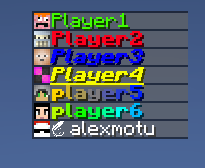 Sorted Tab.png
 -
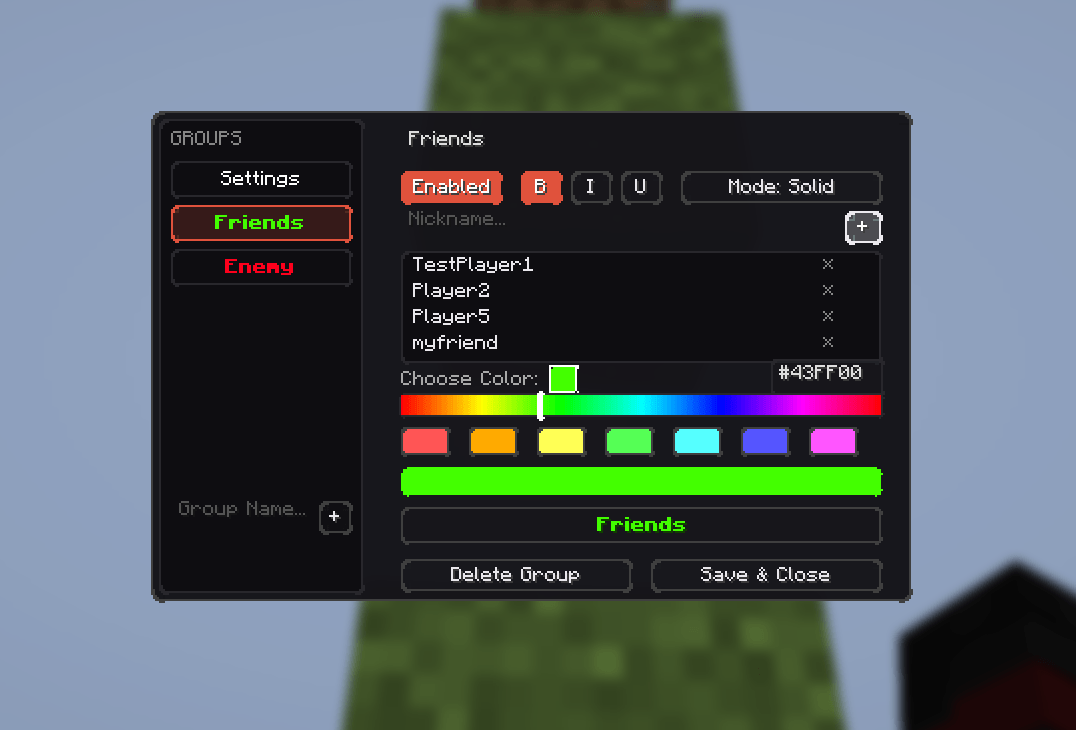 .png .png
 -
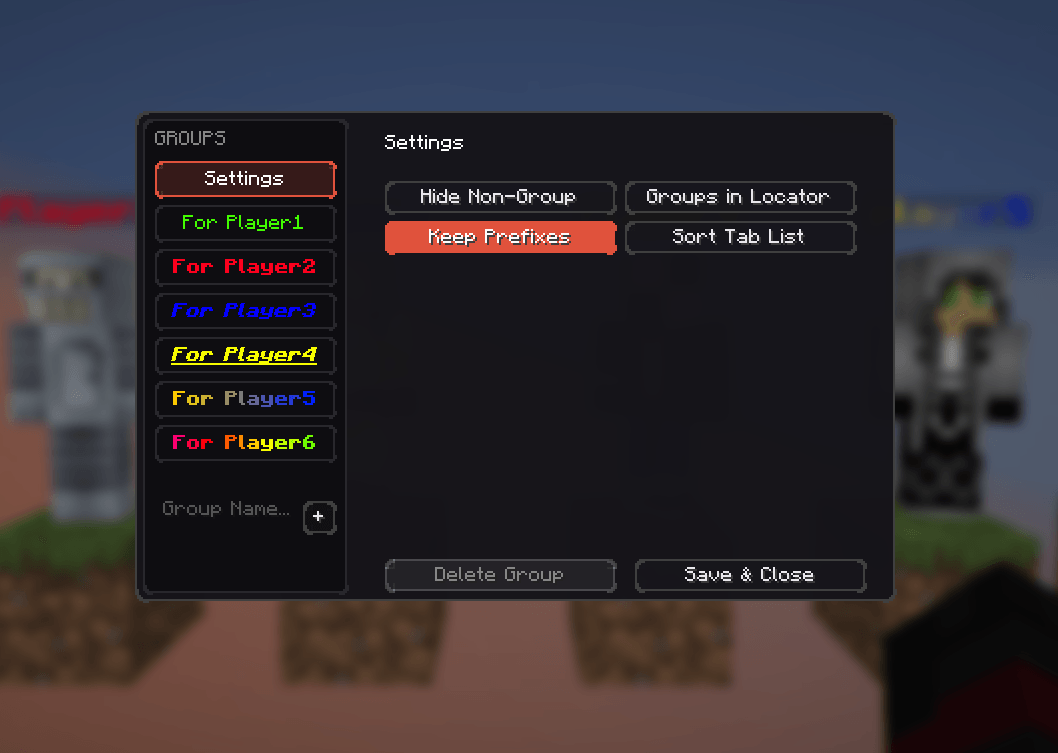 Settings menu.png Settings menu.png
 -
 .png .png
 -
 Group Editor.png
-
 Sorted Tab
 -
 Group Editor
 -
-
-
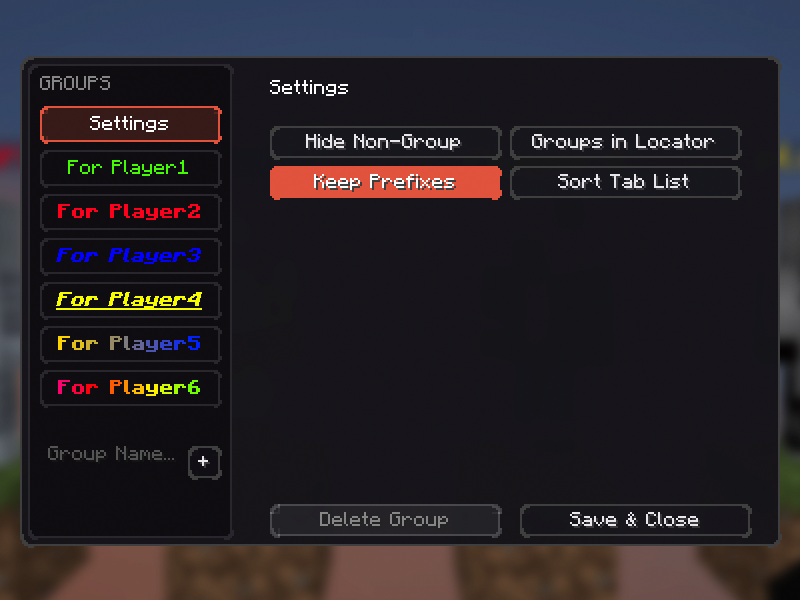 Settings menu
Versions
Files
Relations
Project Relations
More like this
Similar Mods
Suggestions use data such as tags, dependencies, dependents, descriptions, titles, and more to rank how much they overlap with this mod.
On ModDex
Community snapshot
By the numbers
Statistics
Want to reach Minecraft players?
We're looking for a server hosting partner to feature here and other parts of the site. Interested? Send us a message!
Get in touchGet it on
Available Platforms
On ModDex
Community snapshot
By the numbers
Statistics
Resources