
Community listing page, reviews here may not be monitored by the author.
Colorful Geysers


No reviews yet
A client-side Minecraft Fabric mod that gives you full control over the colors of Potent Sulfur geysers.
Community voices
Reviews
No reviews yet. Be the first to review this project!
Get it on
Available Platforms
Compatibility
Supported Environments
Required on the client. Installing it on the server adds functionality.
About
Project Details
For authors
Embed Badge
If you're the author of this project, you can embed a live badge anywhere that supports HTML or Markdown. It updates automatically whenever ratings change.
Use HTML for any page that supports it, or Markdown for README files and Markdown-based descriptions.
Identifiers
Platform IDs
Resources
External Links
About
Description
By default, geysers have one color (like in nature). With this mod you can change the color of geyser by placing a supported block underneath the magma block/lava.
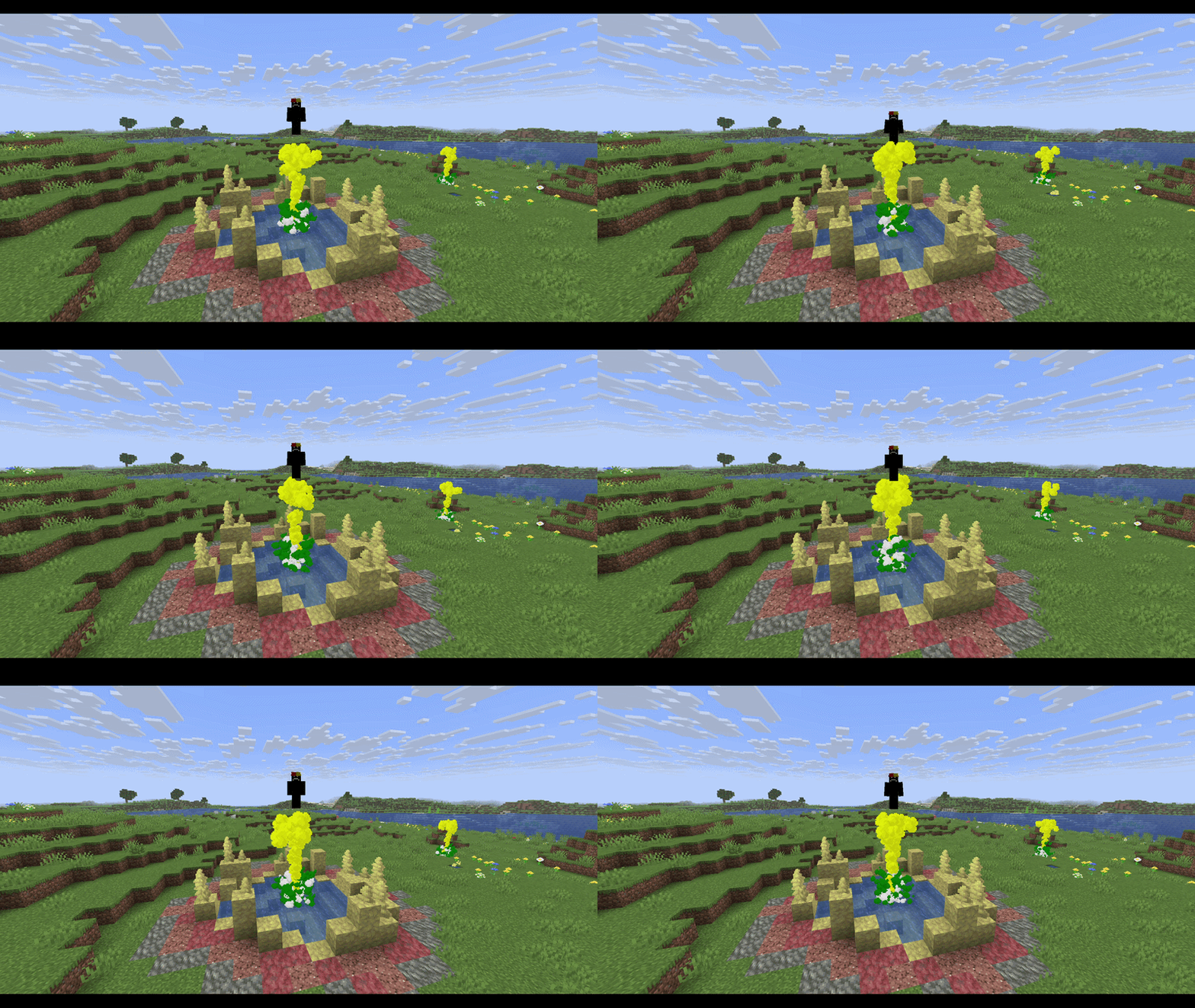
There is couple of blocks set as default and you can change them later:
- Netherrack ➔ Red
- Soul Sand ➔ Cyan/Teal
- Soul Soil ➔ Dark Blue
- Moss Block ➔ Green
- Glowstone ➔ Yellow
- End Stone ➔ Pale Yellow
- Blackstone ➔ Dark Gray
- Prismarine ➔ Cyan/Teal
- Amethyst Block ➔ Purple
- Packed Mud ➔ Brown
- Cherry Leaves ➔ Pink
- Basalt ➔ Dim Gray
- Obsidian ➔ Black
- Blue Ice ➔ Light Blue
Features
- Block-Based Colors: Geysers automatically adopt the map color of the block underneath them.
- Custom Block Colors: Link any specific block to any color of your choice.
- Global Color Override: Set a single global color that overrides everything, turning all geysers in your world into that color.
- Hex Code Support: Choose from a predefined list of colors (e.g. blue, red, purple) or use an exact HEX code (e.g. #FF0000, #00FFFF).
Commands
- /geysercolor set <part> <color>
- /geysercolor reset
- /geyserblock add <block_id> <part> <color>
- /geyserblock remove <block_id>
Note: All your command changes are automatically saved to config/colored_geysers.json in your .minecraft folder.
By default, geysers have one color (like in nature). With this mod you can change the color of geyser by placing a supported block underneath the magma block/lava.
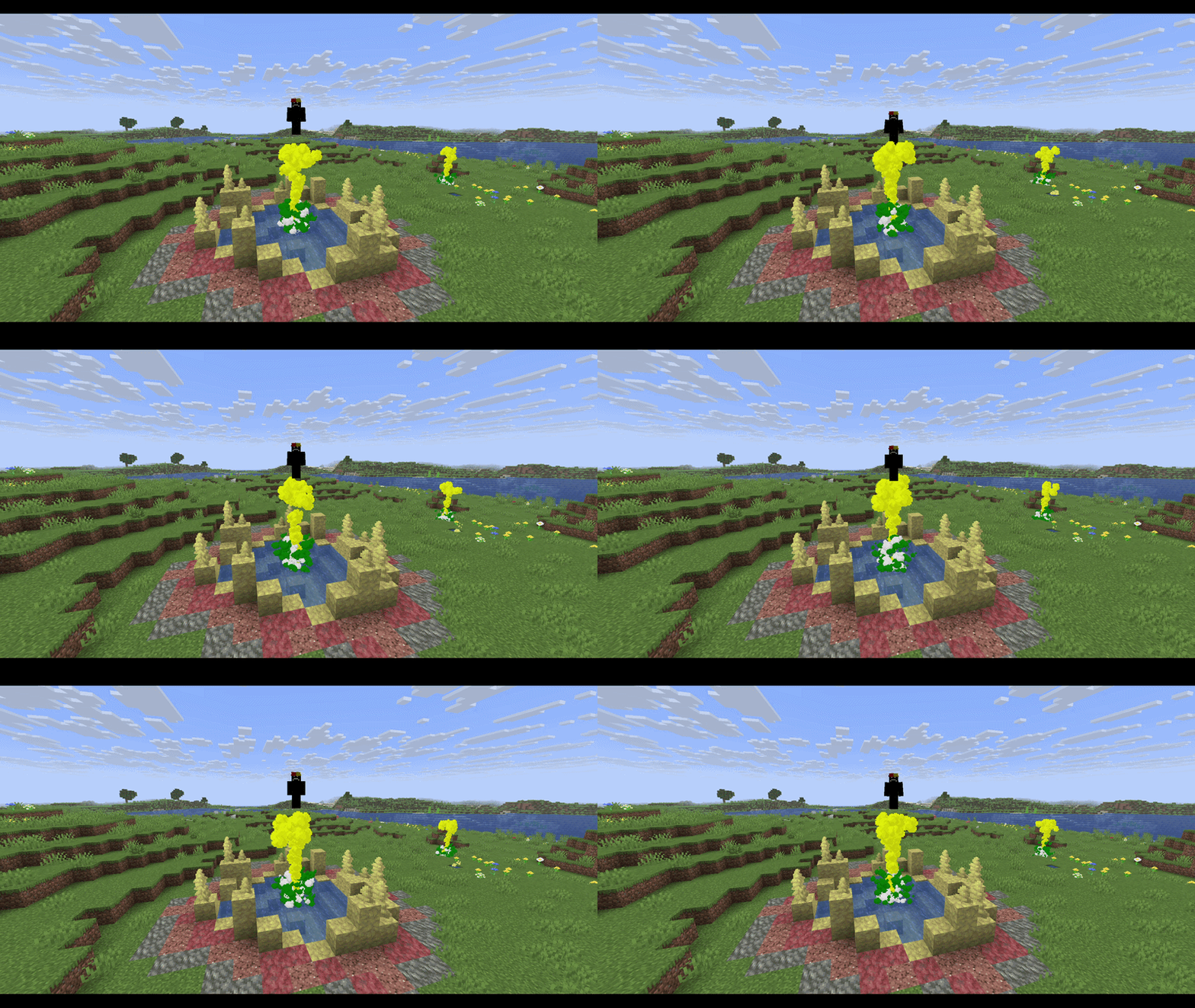
There is couple of blocks set as default and you can change them later:
- Netherrack ➔ Red
- Soul Sand ➔ Cyan/Teal
- Soul Soil ➔ Dark Blue
- Moss Block ➔ Green
- Glowstone ➔ Yellow
- End Stone ➔ Pale Yellow
- Blackstone ➔ Dark Gray
- Prismarine ➔ Cyan/Teal
- Amethyst Block ➔ Purple
- Packed Mud ➔ Brown
- Cherry Leaves ➔ Pink
- Basalt ➔ Dim Gray
- Obsidian ➔ Black
- Blue Ice ➔ Light Blue
Features
- Block-Based Colors: Geysers automatically adopt the map color of the block underneath them.
- Custom Block Colors: Link any specific block to any color of your choice.
- Global Color Override: Set a single global color that overrides everything, turning all geysers in your world into that color.
- Hex Code Support: Choose from a predefined list of colors (e.g. blue, red, purple) or use an exact HEX code (e.g. #FF0000, #00FFFF).
Commands
- /geysercolor set
- /geysercolor reset
- /geyserblock add <block_id>
- /geyserblock remove <block_id>
Note: All your command changes are automatically saved to config/colored_geysers.json in your .minecraft folder.
Screenshots
Gallery
Versions
Files
Relations
Project Relations
More like this
Similar Mods
Suggestions use data such as tags, dependencies, dependents, descriptions, titles, and more to rank how much they overlap with this mod.
On ModDex
Community snapshot
By the numbers
Statistics
Want to reach Minecraft players?
We're looking for a server hosting partner to feature here and other parts of the site. Interested? Send us a message!
Get in touchGet it on
Available Platforms
On ModDex
Community snapshot
By the numbers
Statistics
Resources