Community listing page, reviews may not be monitored by the author.
Colossal Furnaces

No reviews yet
Giant furnaces with built-in automation

Community voices
Reviews
No reviews yet. Be the first to review this project!
Get it on
Available Platforms
About
Project Details
For authors
Embed Badge
If you're the author of this project, you can embed a live badge anywhere that supports HTML or Markdown. It updates automatically whenever ratings change.
Use HTML for any page that supports it, or Markdown for README files and Markdown-based descriptions.
Identifiers
Platform IDs
Resources
External Links
About
Description
Colossal Furnaces
Need stacks of glass, plenty of iron, or enough food to feed a village? Our machines got you covered.
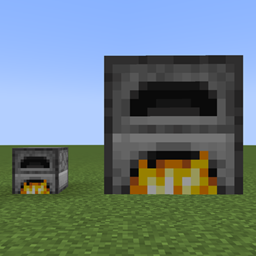
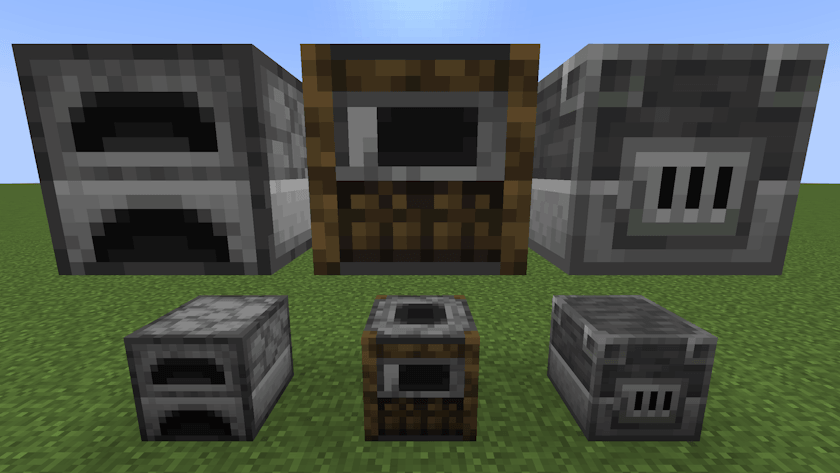
Colossal Furnaces adds multiblock versions of the Furnace, Smoker, and Blast Furnace. They keep the familiar vanilla look, but bring faster processing, more inventory space, and configurable automation to your builds.
How to build
Craft a Wall with four cobblestone around one smooth stone. Combine a Wall shapelessly with a furnace, smoker, or blast furnace for its Core, or with a hopper for an Interface.
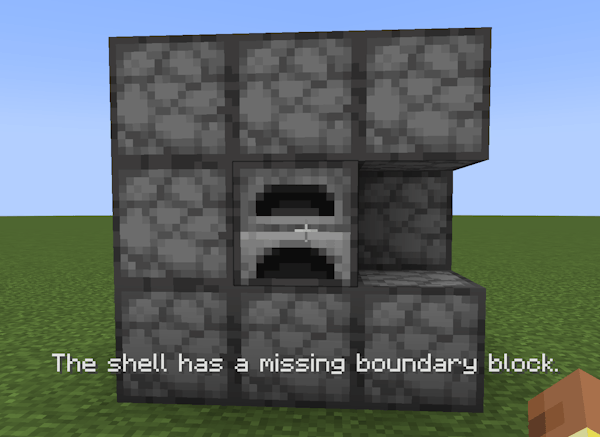
Build a hollow cube from Walls and one Core, optionally you can replace walls with Interfaces for automatic input/output. The Core determines whether your structure becomes a furnace, smoker, or blast furnace; Walls and Interfaces are shared between all three.
If it will not form, right-click the Core to find out what is wrong.
- Sizes from 2x2x2 to 5x5x5 by default.
- Forms automatically when the structure is complete.
- Right-click any assembled block to open the inventory.
Familiar Inventory, More Room
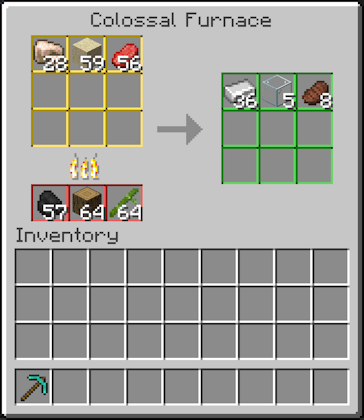
Every machine has vanilla-like GUI with 9 input slots, 3 fuel slots, and 9 output slots.
Colored slot borders match the automation markers.
Built-In Automation
Place Interfaces in the shell and connect adjacent inventories. Choose how each connection works:
| Mode | Marker | Behavior |
|---|---|---|
| Input | Yellow | Automatically pulls items the machine can cook. |
| Fuel | Red | Automatically pulls valid fuel. |
| Output | Green | Automatically pushes finished items. |
| Universal | Neutral | Passive access for hoppers and compatible item pipes; no automatic pulling or pushing. |
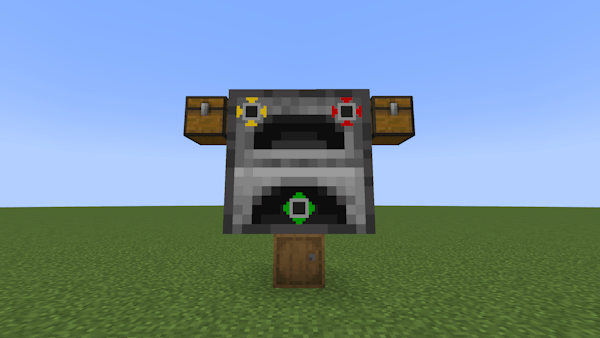
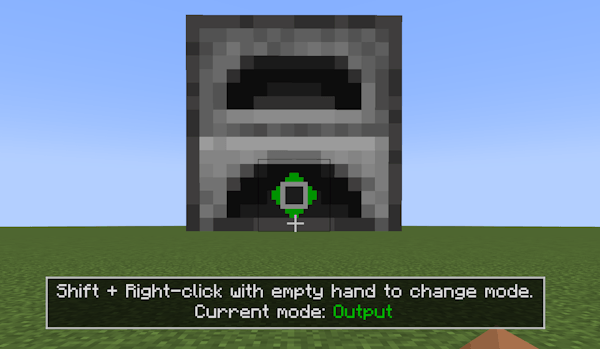
Shift + right-click an assembled Interface with an empty hand to cycle its mode. Looking at an Interface shows a small hint with its current mode.
Configuration lets you lower the maximum structure size, toggle automatic structure validation, and toggle construction error messages.
Links
- Report bugs/suggest features: GitHub Issues Page
- Source code: GitHub Page
Inspired by Colossal Chests, built for cooking and smelting.

Screenshots
Gallery
Versions
Files
Relations
Project Relations
More like this
Similar Mods
Suggestions use data such as tags, dependencies, dependents, descriptions, titles, and more to rank how much they overlap with this mod.
On ModDex
Community snapshot
By the numbers
Statistics

Get it on
Available Platforms
On ModDex
Community snapshot
By the numbers
Statistics
Resources