
Community listing page, reviews here may not be monitored by the author.
Command GUI Buttons

No reviews yet
A fabric mod can create custom command buttons on players' clients.
Community voices
Reviews
No reviews yet. Be the first to review this project!
Get it on
Available Platforms
Compatibility
Supported Environments
Runs entirely on the client. Works on vanilla servers.
About
Project Details
For authors
Embed Badge
If you're the author of this project, you can embed a live badge anywhere that supports HTML or Markdown. It updates automatically whenever ratings change.
Use HTML for any page that supports it, or Markdown for README files and Markdown-based descriptions.
Identifiers
Platform IDs
About
Description
Command GUI Buttons
Remade from https://github.com/joseph-garcia/command-gui-buttons


Description
Command GUI Buttons is a fabric mod for Minecraft that allows users to create buttons on their clients
for preset chat messages, commands such as /warp home, or anything in the chat box.
Users can bring up this menu in-game with the key G, type in the button's Name and Command they want to
create, and press the button + to create. Then, the button will appear on users' screen for use whenever they want.
Dependencies
Dependencies
| Dependency | Type | Link |
|---|---|---|
| Fabric API | Required | CurseForge | Modrinth |
| LibGui | Required | GitHub | Maven(Not recommend) |
For your convenience, download links are listed below:
| Minecraft Version | Fabric API | LibGui (Please use the given version) |
|---|---|---|
| 1.16.5 | CurseForge | Modrinth | 3.4.0 GitHub |
| 1.17.1 | CurseForge | Modrinth | 4.2.3 GitHub |
| 1.18.2 | CurseForge | Modrinth | 5.4.2 GitHub |
| 1.19.2 | CurseForge | Modrinth | 6.4.0 GitHub |
| 1.19.3 | CurseForge | Modrinth | 6.5.3 GitHub |
| 1.19.4 | CurseForge | Modrinth | 7.1.1 GitHub |
| 1.20.6 | CurseForge | Modrinth | 10.0.0 GitHub |
| 1.21.1 | CurseForge | Modrinth | 11.1.0+1.21 GitHub |
| 1.21.5 | CurseForge | Modrinth | 13.1.0+1.21.5 GitHub |
| 1.21.8 | CurseForge | Modrinth | 14.0.0+1.21.6 GitHub |
| 1.21.10 | CurseForge | Modrinth | 15.0.0 GitHub |
| 1.21.11 | CurseForge | Modrinth | 15.0.0 GitHub |
Features
- Unlimited number of buttons
- Multiple commands or chat messages in one button
- Custom order execute commands or send messages
- Search for buttons (Case sensitive)


How to Use
- Bring up the menu in-game with the G key
- Type in the Name and Command you want to save into a button
- Press the
+button
How It Works
The list of commands are serialized into a JSON format and stored locally on the users’ systems. The mod writes any new commands into the JSON as new buttons are created, and loads the JSON at the next start of the game.
Development
Support
Current main development for Minecraft version: 1.21.11
And use preprocess to be compatible with the following versions.
Note: We only accept the following versions of issues.
Please note that this information is time-sensitive and any version of the issue not listed here will be closed.
- Minecraft
1.16.5 - Minecraft
1.17.1 - Minecraft
1.18.2 - Minecraft
1.19.2 - Minecraft
1.19.3 - Minecraft
1.19.4 - Minecraft
1.20.6 - Minecraft
1.21.1 - Minecraft
1.21.5 - Minecraft
1.21.8 - Minecraft
1.21.10 - Minecraft
1.21.11
Mappings
We are using the Mojang official mappings to de-obfuscate Minecraft and insert patches.
Screenshots
Gallery
-
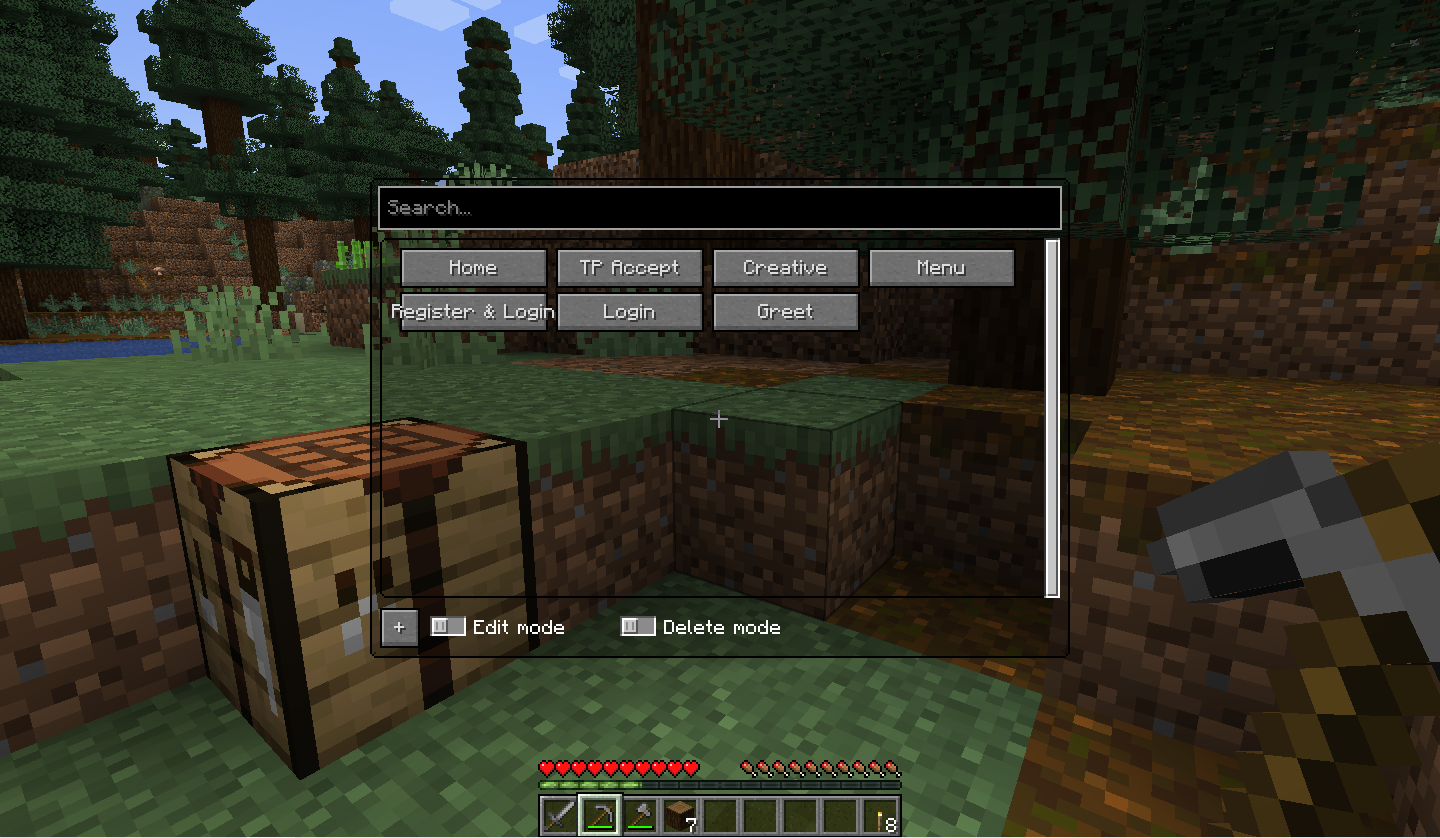 Main Page
 -
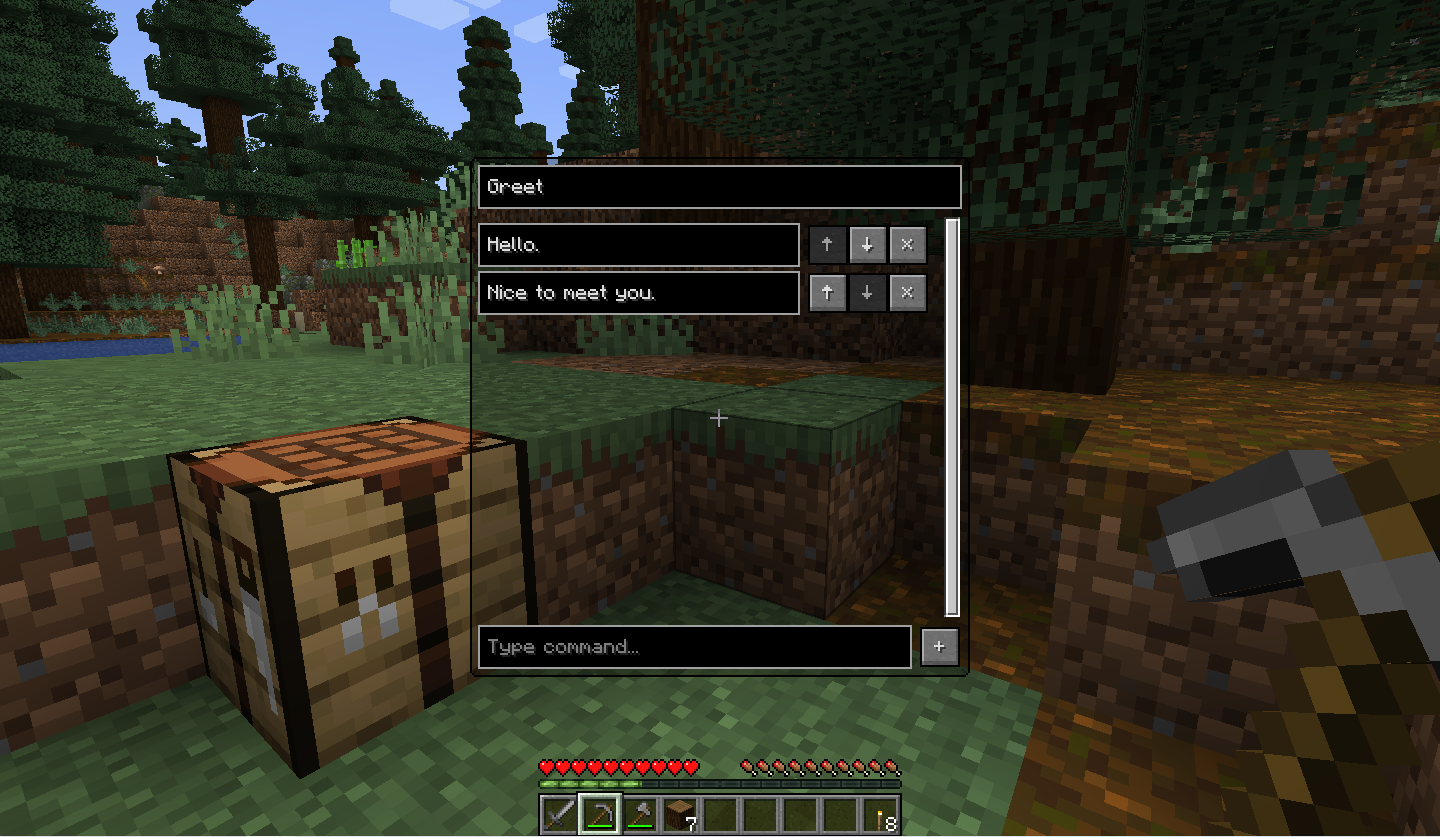 Send message(s)
 -
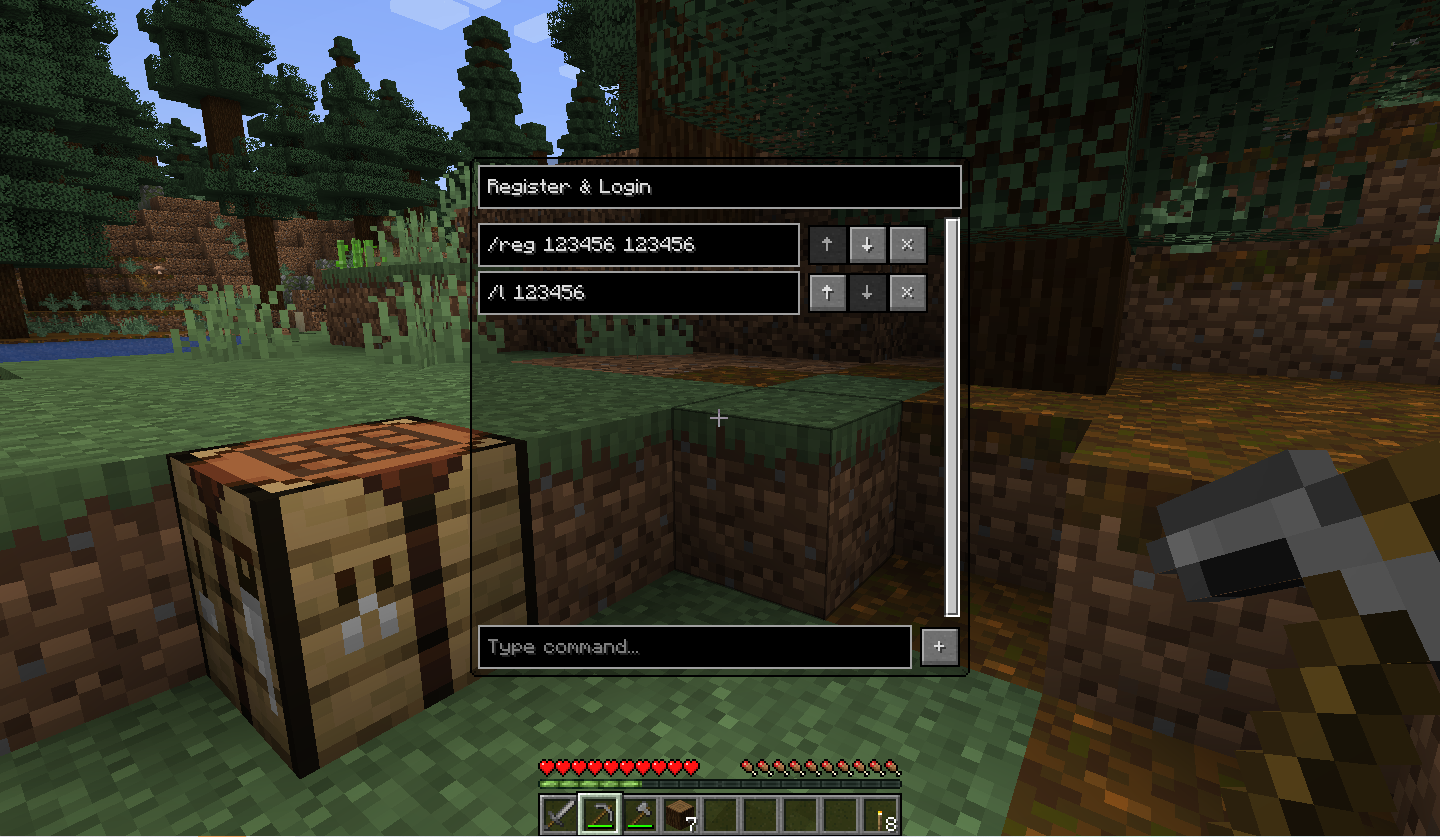 Command Edit
Versions
Files
Relations
Project Relations
More like this
Similar Mods
Suggestions use data such as tags, dependencies, dependents, descriptions, titles, and more to rank how much they overlap with this mod.
On ModDex
Community snapshot
By the numbers
Statistics

Want to reach Minecraft players?
We're looking for a server hosting partner to feature here and other parts of the site. Interested? Send us a message!
Get in touchGet it on
Available Platforms
On ModDex
Community snapshot
By the numbers