
Community listing page, reviews may not be monitored by the author.
Command Macros Wheel

No reviews yet
Customizable radial macro wheel. Quick command execution, multi-layered wheel HUD, and built-in macro manager.

Community voices
Reviews
No reviews yet. Be the first to review this project!
Get it on
Available Platforms
About
Project Details
For authors
Embed Badge
If you're the author of this project, you can embed a live badge anywhere that supports HTML or Markdown. It updates automatically whenever ratings change.
Use HTML for any page that supports it, or Markdown for README files and Markdown-based descriptions.
Identifiers
Platform IDs
Resources
External Links
About
Description
CommandMacrosWheel
Customizable radial macro wheel for Minecraft Fabric.
Quick command execution, multi-layered wheel HUD, and built-in macro manager.


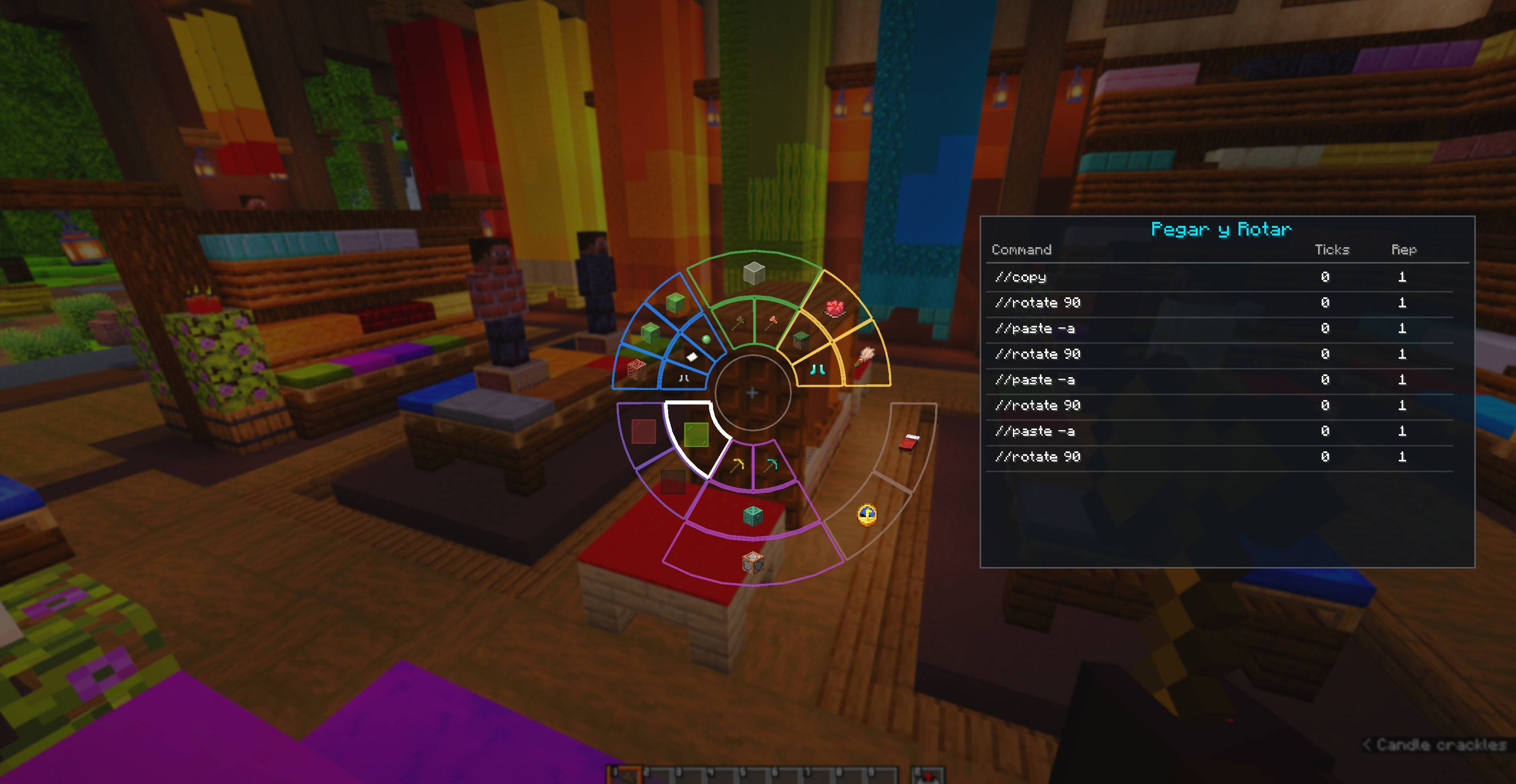
Overview
CommandMacrosWheel is a client-side Fabric mod that adds an interactive radial wheel interface to organize and trigger Minecraft commands, chat messages, and macro sequences with ease.
Works in both Creative and Survival modes, as well as on multiplayer servers.
Features
- Radial HUD: Hold a key to open a responsive radial wheel overlay with smooth animations, custom colors, and instant macro triggers.
- 3 Macro Layers: Up to 24 macros per profile, divided into 3 distinct layers (L1, L2, L3) with 8 sectors each.
- Multiple Profiles: Create, rename, delete, and switch macro profiles instantly for different servers or gamemodes.
- Customizable UI: Adjust wheel scale, background transparency, native blur level, stroke colors, and preview card position in the settings panel.
Execution Modes
- Send: Executes all commands in sequence with configurable delays (ticks) and repetition counts.
- Repeat: Loops the macro sequence continuously until toggled off or stopped.
- Cycle: Fires the next command in the list on each activation, cycling through all steps sequentially.
- Navigate: Hold
Shiftand scroll the mouse wheel over the macro sector to select a specific command step, executing only that command. - Cycle & Navigate: Advances commands automatically upon execution while also allowing manual step selection via
Shift + Scroll. - Step Persistence: Current command positions for Cycle and Navigate modes remain saved across game restarts.
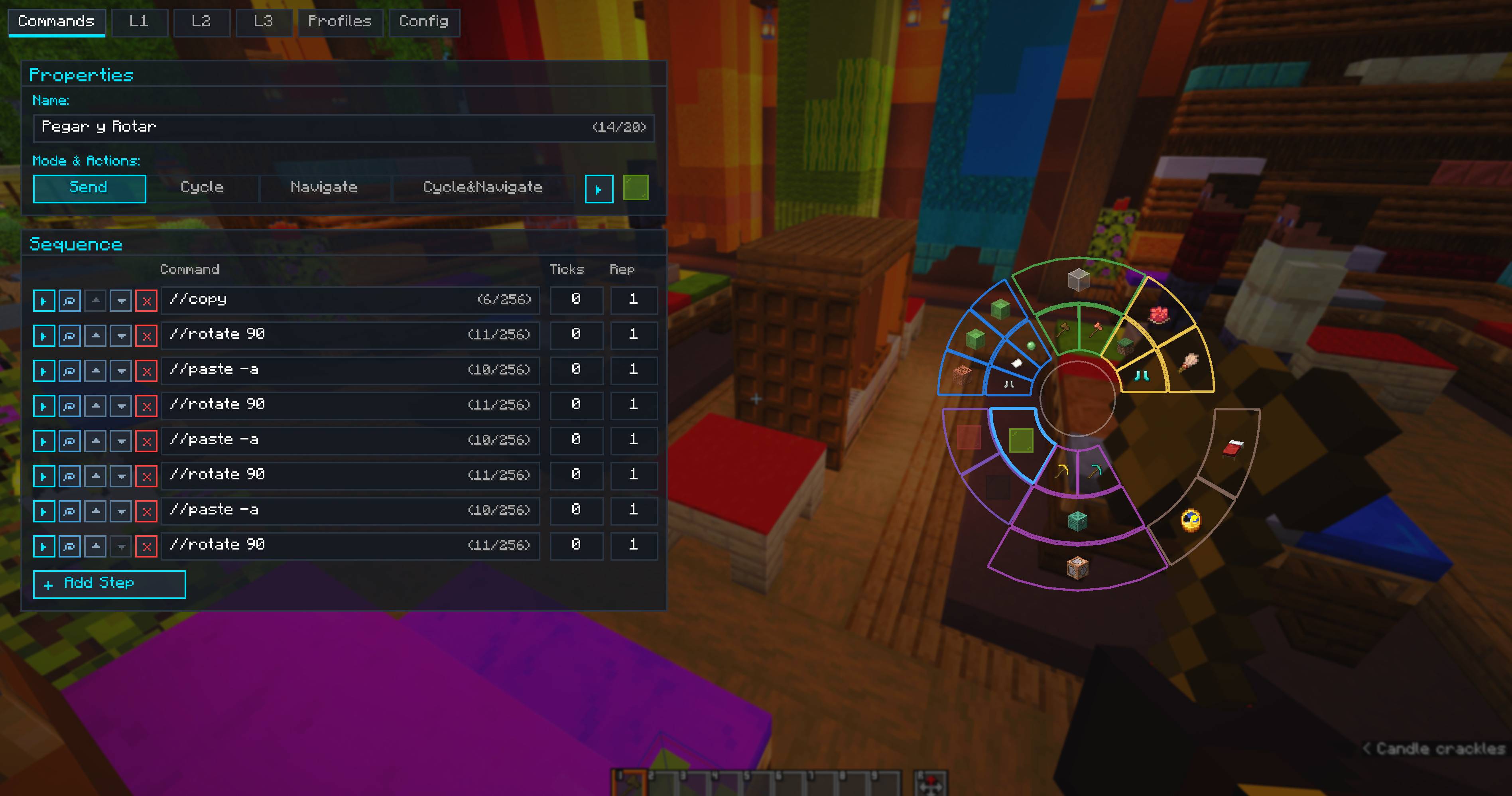
In-Game Editor & Safety
- Command Editor: Reorder commands with arrow buttons, duplicate rows, set tick delays, and edit commands comfortably with multi-line wrapping and text selection.
- Undo & Redo: Built-in
Ctrl + ZandCtrl + Ysupport for adding, editing, reordering, and deleting macros and commands. - Item Icon Picker: Assign custom in-game item icons to any macro using the integrated catalog search.
- Spam Safety Queue: Built-in adjustable delay prevents command floods and server kicks.
Essential Controls
| Shortcut / Action | Action |
|---|---|
Left Alt (Hold) |
Open Radial Wheel HUD (configurable) |
K |
Open Main Editor & Settings (configurable) |
Left Click |
Execute hovered macro on the wheel |
Right Click |
Open hovered macro directly in Editor |
X |
Quick-execute hovered macro |
Shift + Scroll |
Select command step in Navigate / Cycle & Navigate mode |
Ctrl + Z |
Undo last action in Editor |
Ctrl + Y / Ctrl + Shift + Z |
Redo action in Editor |
Esc |
Close HUD or Editor |
📥 Installation
- Install Fabric Loader.
- Put Fabric API in your
.minecraft/modsfolder. - Drop the CommandMacrosWheel
.jarinto.minecraft/mods. - Press
Left Altin-game to open the radial wheel, orKto open the macro editor.
Client-side only — works on multiplayer servers without server installation.
Screenshots
Gallery
-
Macro Example 1 Interface And List Commands Mode Send all commands in the list
-
Configurations of Macro Example 1
-
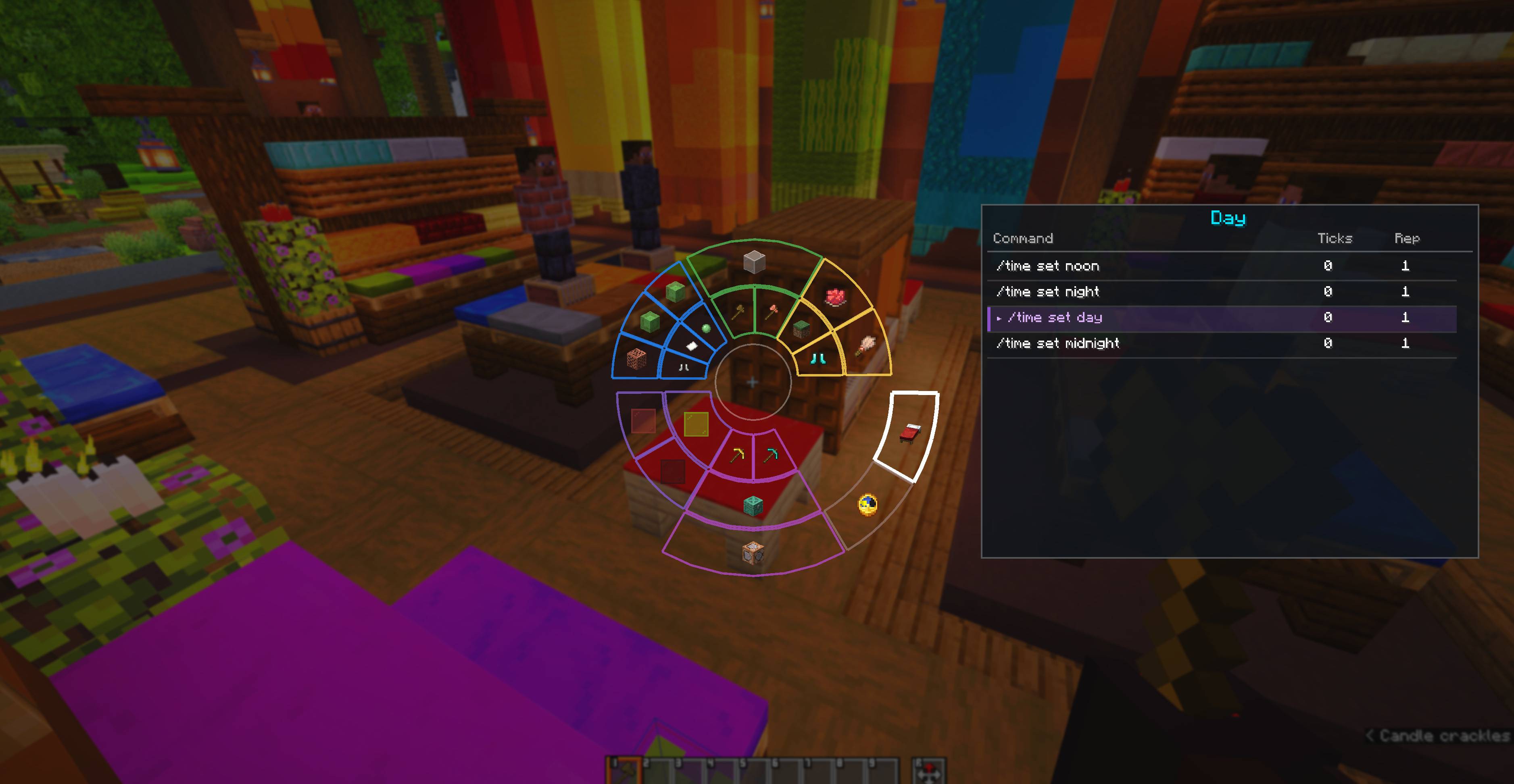 Macro Example 2 Interface And List Commands
 -
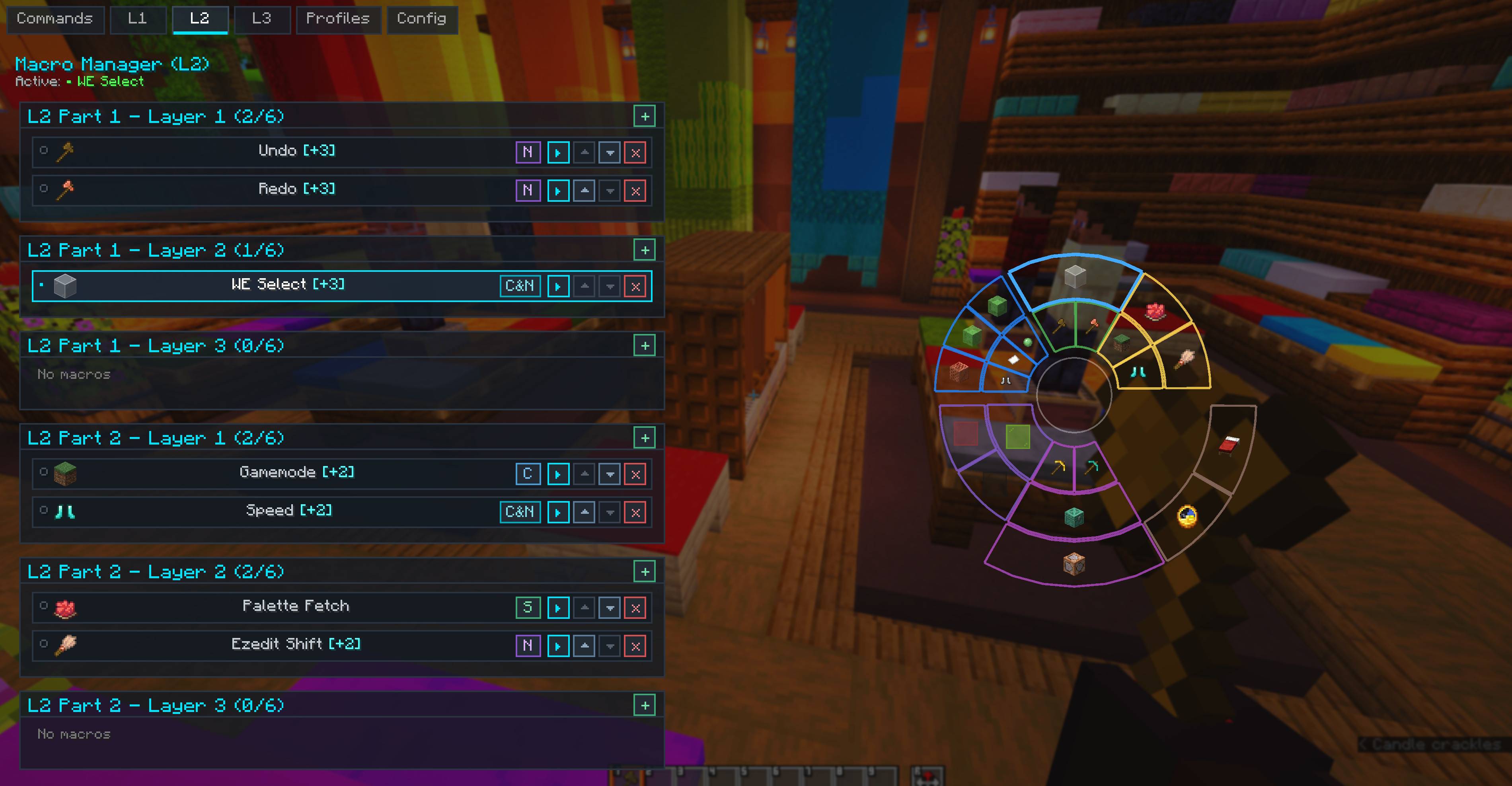 L2 macros manager
 -
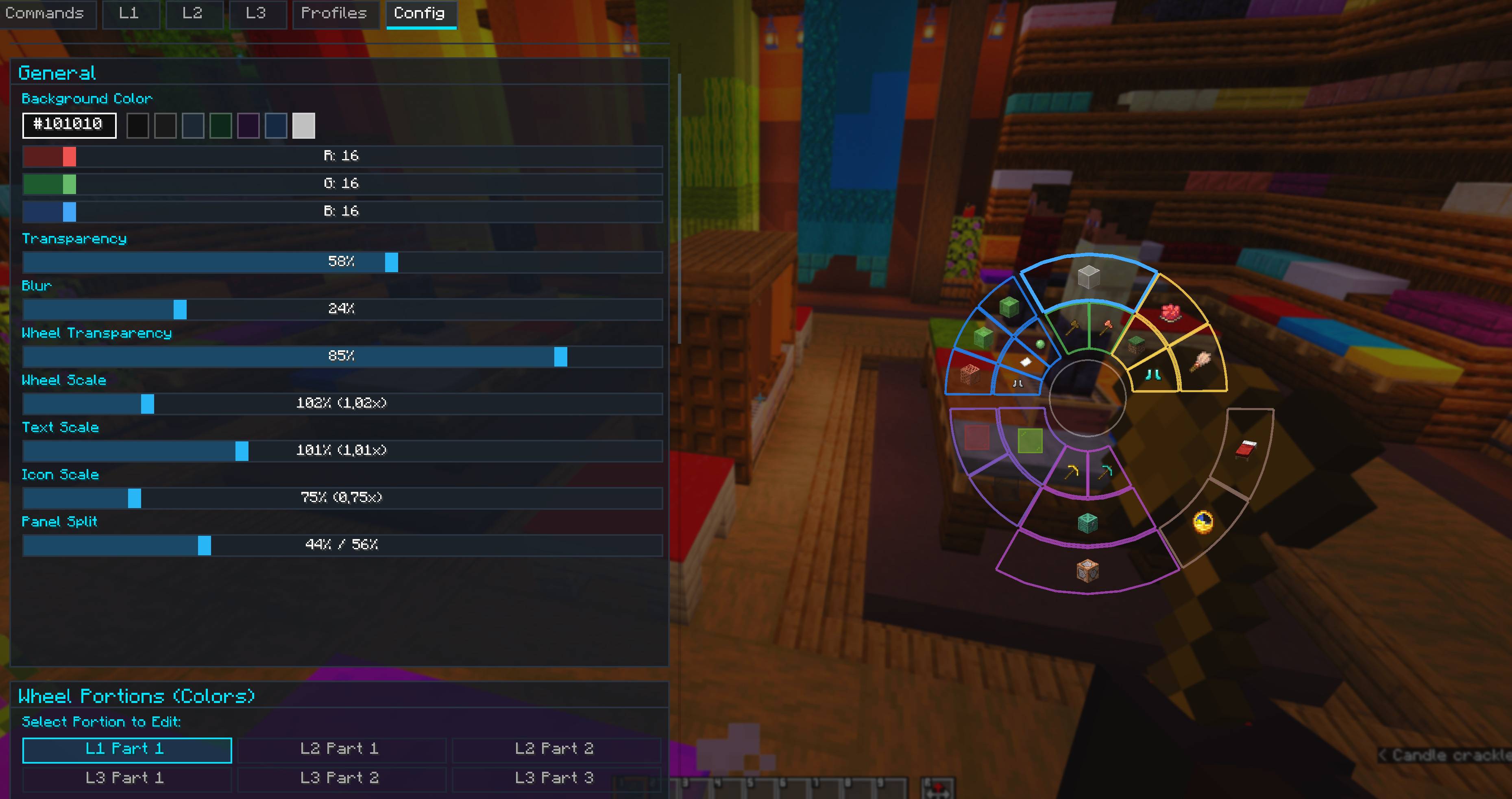 Config. Panel Full customizations
Versions
Files
Relations
Project Relations
More like this
Similar Mods
Suggestions use data such as tags, dependencies, dependents, descriptions, titles, and more to rank how much they overlap with this mod.
On ModDex
Community snapshot
By the numbers
Statistics

Get it on
Available Platforms
On ModDex
Community snapshot
By the numbers
Statistics
Resources