Community listing page, reviews may not be monitored by the author.
Command Sticks


No reviews yet
A simple mod which adds command block functionality to items that can be ran with a right click.

Community voices
Reviews
No reviews yet. Be the first to review this project!
Get it on
Available Platforms
Compatibility
Supported Environments
Must be installed on both the client and the server.
About
Project Details
For authors
Embed Badge
If you're the author of this project, you can embed a live badge anywhere that supports HTML or Markdown. It updates automatically whenever ratings change.
Use HTML for any page that supports it, or Markdown for README files and Markdown-based descriptions.
Identifiers
Platform IDs
About
Description
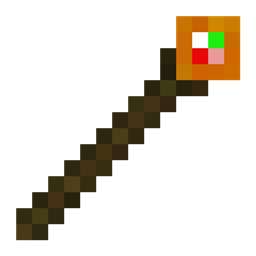
Welcome to Command Sticks! This is a very simple Creative Utility mod. The main focus is the Command Stick. A command stick just executes the command that you enter into the GUI.
Steps:
- Run "/give @s command_sticks:command_stick" in chat, or "/give @p command_sticks:command_stick" from a command block. The command stick is also availible in the Operator Items tab of the creative inventory.
- Hold Sneak + Right Click on the Command Stick to open up the Command Stick GUI.
- Enter whatever command you want to run into the text box, then click "OK".
- Now, just right-click your Command Stick to execute the command!
I hope this mod helps make your Minecrafting a little more fun and less tedious. Have fun!
FYI: Holding down a Command Stick does not run the command multiple times. you will need to click each time to run the command. I plan on adding Repeating Command Sticks in the future.
FYI 2: As of version 1.0.0, all command sticks share a universal command to run. I plan on adding individual commands for each item in the future.
Please keep in mind that this mod is a work in progress. Current version support:
- 1.21.1 NeoForge
Create a Minecraft server with Bisect Hosting with my Command Stick Mod! From using this link, you'll get 25% off your first purchase, and support future development!
https://url-shortener.curseforge.com/vDufm
Note: This is not an ad-shortener.
Thanks for downloading Command Sticks!
Welcome to Command Sticks! This is a very simple Creative Utility mod. The main focus is the Command Stick. A command stick just executes the command that you enter into the GUI.
Steps:
Run "/give @s command_sticks:command_stick" in chat, or "/give @p command_sticks:command_stick" from a command block. The command stick is also availible in the Operator Items tab of the creative inventory.
Hold Sneak + Right Click on the Command Stick to open up the Command Stick GUI.
Enter whatever command you want to run into the text box, then click "OK".
Now, just right-click your Command Stick to execute the command!
I hope this mod helps make your Minecrafting a little more fun and less tedious. Have fun!
FYI: Holding down a Command Stick does not run the command multiple times. you will need to click each time to run the command. I plan on adding Repeating Command Sticks in the future.
FYI 2: As of version 1.0.0, all command sticks share a universal command to run. I plan on adding individual commands for each item in the future.
Please keep in mind that this mod is a work in progress. Current version support:
- 1.21.1 NeoForge
Create a Minecraft server with Bisect Hosting with my Command Stick Mod! From using this link, you'll get 25% off your first purchase, and support future development! Please keep in mind that this affiliation link downloads the Curseforge version.
https://url-shortener.curseforge.com/vDufm
Note: This is not an ad-shortener.
If you'd like to download this mod on Curseforge instead, you can do so here: https://www.curseforge.com/minecraft/mc-mods/command-sticks I recommend you download from Modrinth, but it's your choice which website you like better.
Thanks for downloading Command Sticks!
Screenshots
Gallery
Versions
Files
Relations
Project Relations
More like this
Similar Mods
Suggestions use data such as tags, dependencies, dependents, descriptions, titles, and more to rank how much they overlap with this mod.
On ModDex
Community snapshot
By the numbers
Statistics

Get it on
Available Platforms
On ModDex
Community snapshot
By the numbers