
Community listing page, reviews here may not be monitored by the author.

Community voices
Reviews
No reviews yet. Be the first to review this project!
Get it on
Available Platforms
Compatibility
Supported Environments
Runs entirely on the client. Works on vanilla servers.
About
Project Details
For authors
Embed Badge
If you're the author of this project, you can embed a live badge anywhere that supports HTML or Markdown. It updates automatically whenever ratings change.
Use HTML for any page that supports it, or Markdown for README files and Markdown-based descriptions.
Identifiers
Platform IDs
About
Description
Client-side Fabric mod for Minecraft 26.1.X that displays the contents of command blocks as floating text above them, without needing to open their menu.
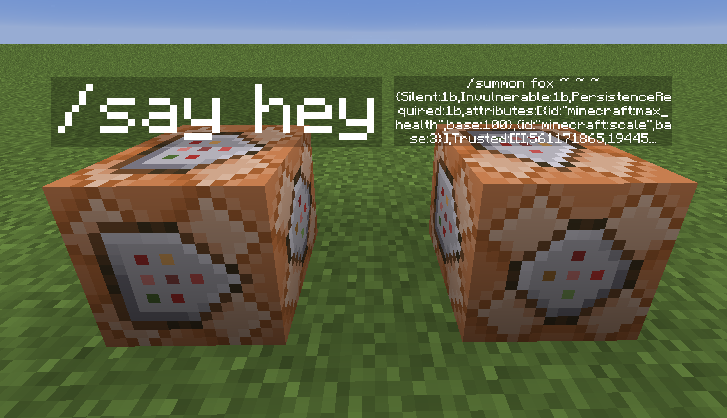
Before downloading, note:
This is a client-side only mod, install it in your client's mods folder, not the server. You must have OP permissions on the server to use this mod, as it sends /summon, /kill, and /data commands on your behalf. Requires Fabric Loader and Fabric API for Minecraft 26.1. Longer commands will be truncated with ... on the display.
Usage
Once installed, simply open any command. The mod will automatically display its command as floating text above the block. The text updates every time you click Done in the command block interface.
Options Menu
When a command block is open, a small "cw" button appears in the interface. Clicking it opens options panel for that specific block.
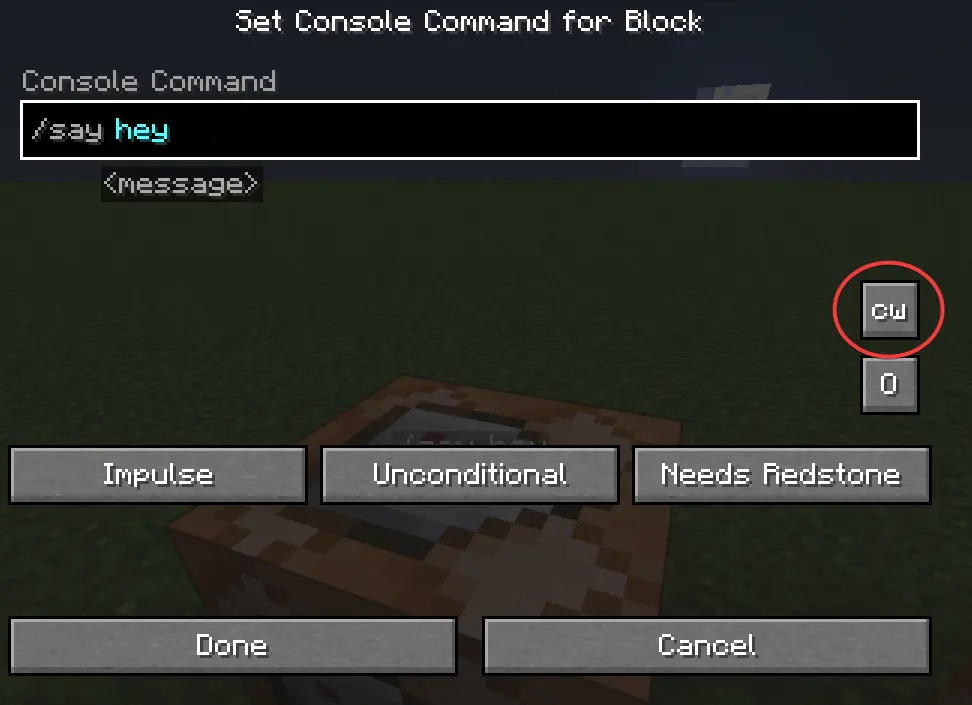
See Through - toggles whether the text is visible through walls and other blocks.
Render Distance - maximum distance at which the text is visible.
Text Scale - text size
Options are saved per command block and remembered for the duration of your session. Removing displays Text displays are automatically removed when you break the command block they belong to. If a display becomes orphaned for any reason, the mod performs a periodic cleanup check every second and removes any displays whose command block no longer exists. Note: The mod requires OP permissions to function, as it sends commands through your player connection. Without OP, no text displays will be created.
Screenshots
Gallery
Versions
Files
Relations
Project Relations
More like this
Similar Mods
Suggestions use data such as tags, dependencies, dependents, descriptions, titles, and more to rank how much they overlap with this mod.
On ModDex
Community snapshot
By the numbers
Statistics

Want to reach Minecraft players?
We're looking for a server hosting partner to feature here and other parts of the site. Interested? Send us a message!
Get in touchGet it on
Available Platforms
On ModDex
Community snapshot
By the numbers