Community listing page, reviews here may not be monitored by the author.
Compact Ores port


No reviews yet
Compact Ores Mod port for new versions of Minecraft
Community voices
Reviews
No reviews yet. Be the first to review this project!
Get it on
Available Platforms
Compatibility
Supported Environments
Must be installed on both the client and the server.
About
Project Details
For authors
Embed Badge
If you're the author of this project, you can embed a live badge anywhere that supports HTML or Markdown. It updates automatically whenever ratings change.
Use HTML for any page that supports it, or Markdown for README files and Markdown-based descriptions.
Identifiers
Platform IDs
About
Description
[Unofficial] Port of DoubleNegation's Compact Ores Mod for Newer Versions of Minecraft
📖 Description
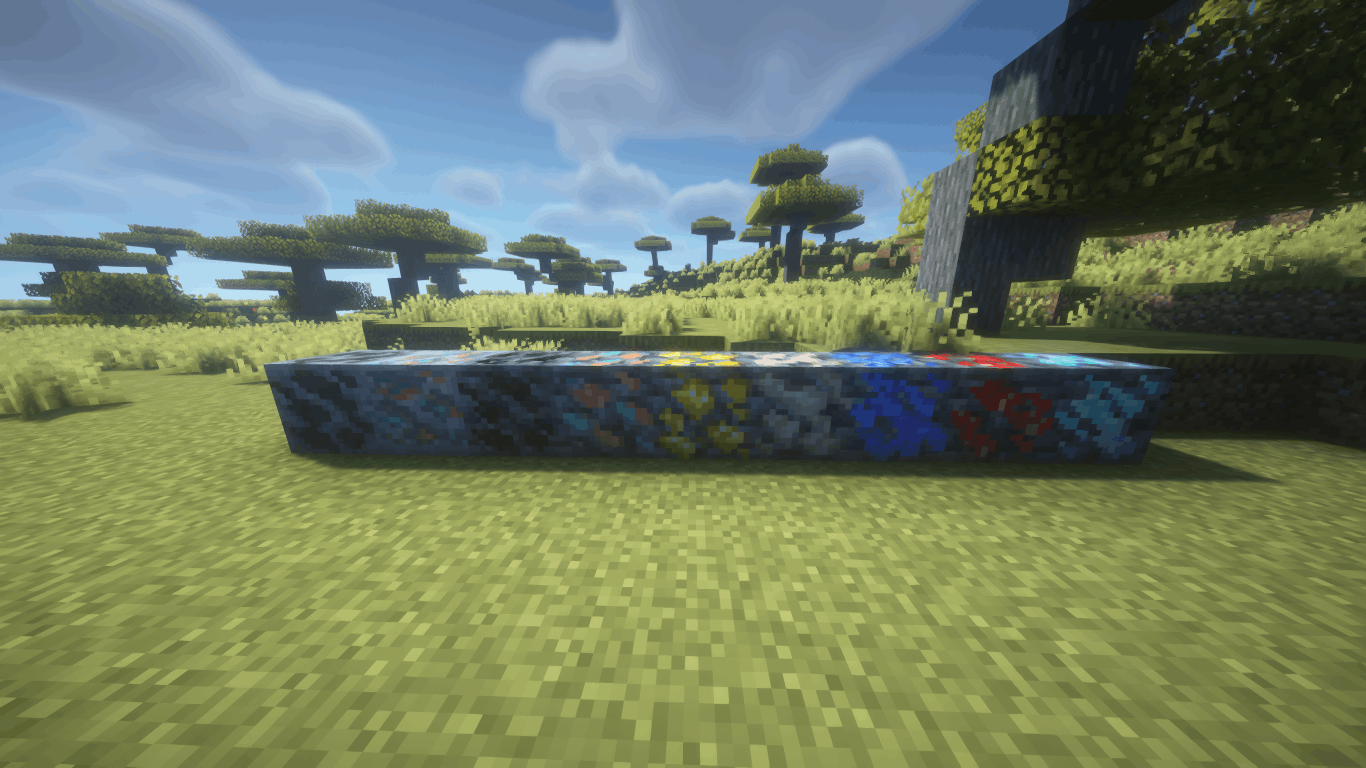
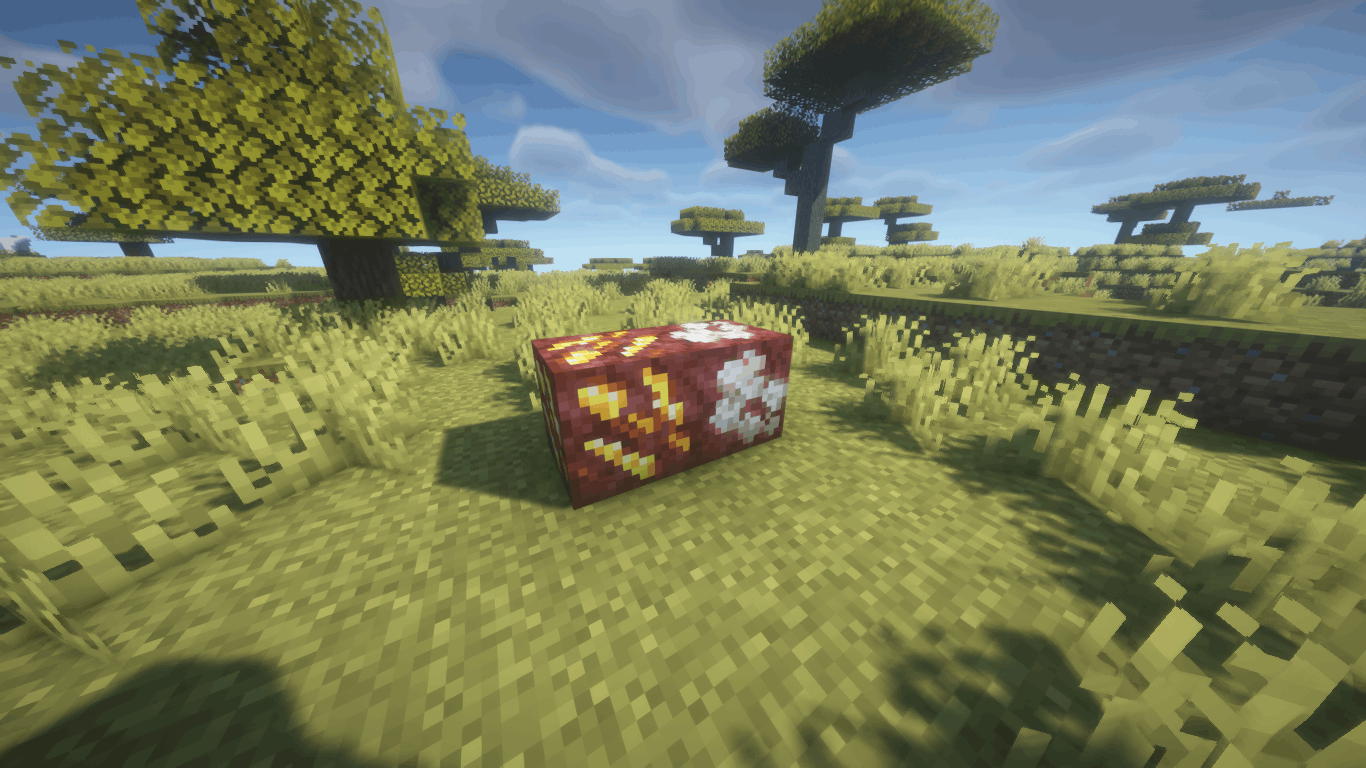
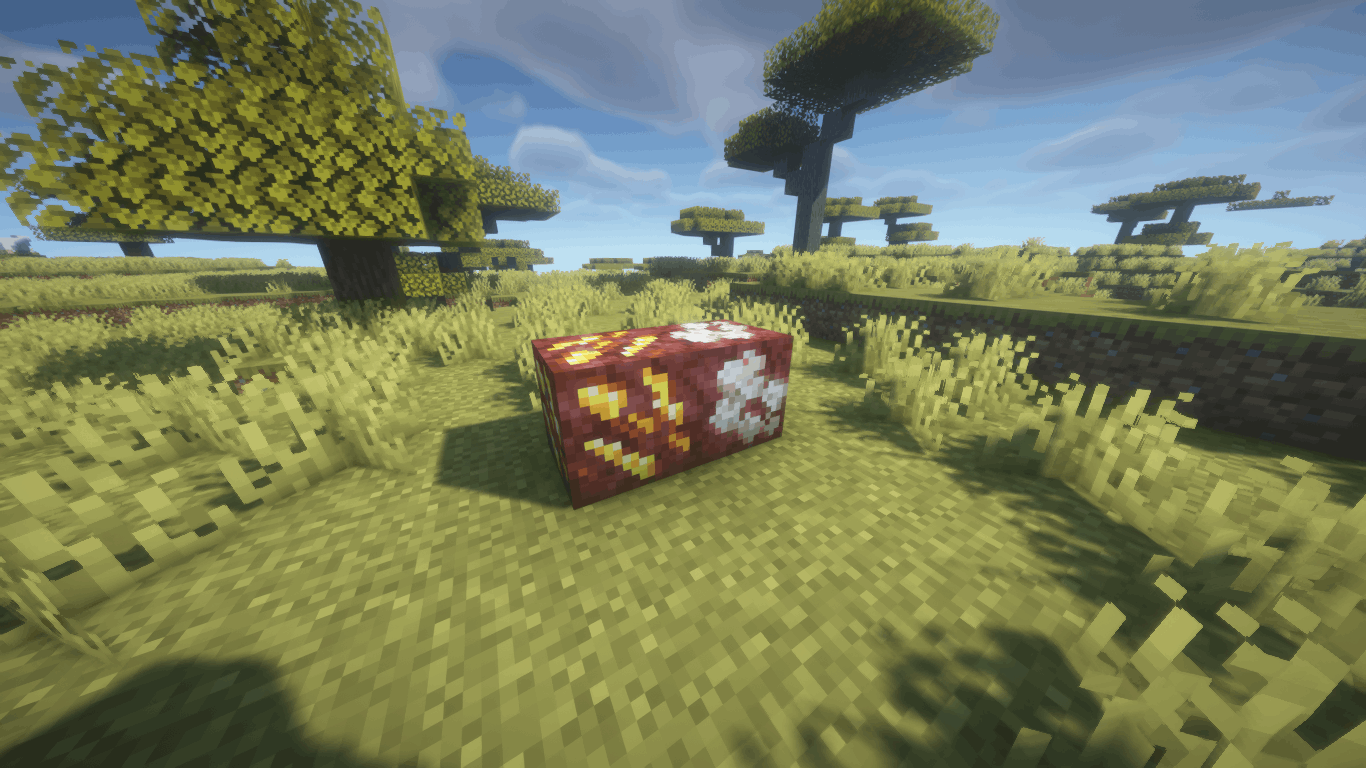
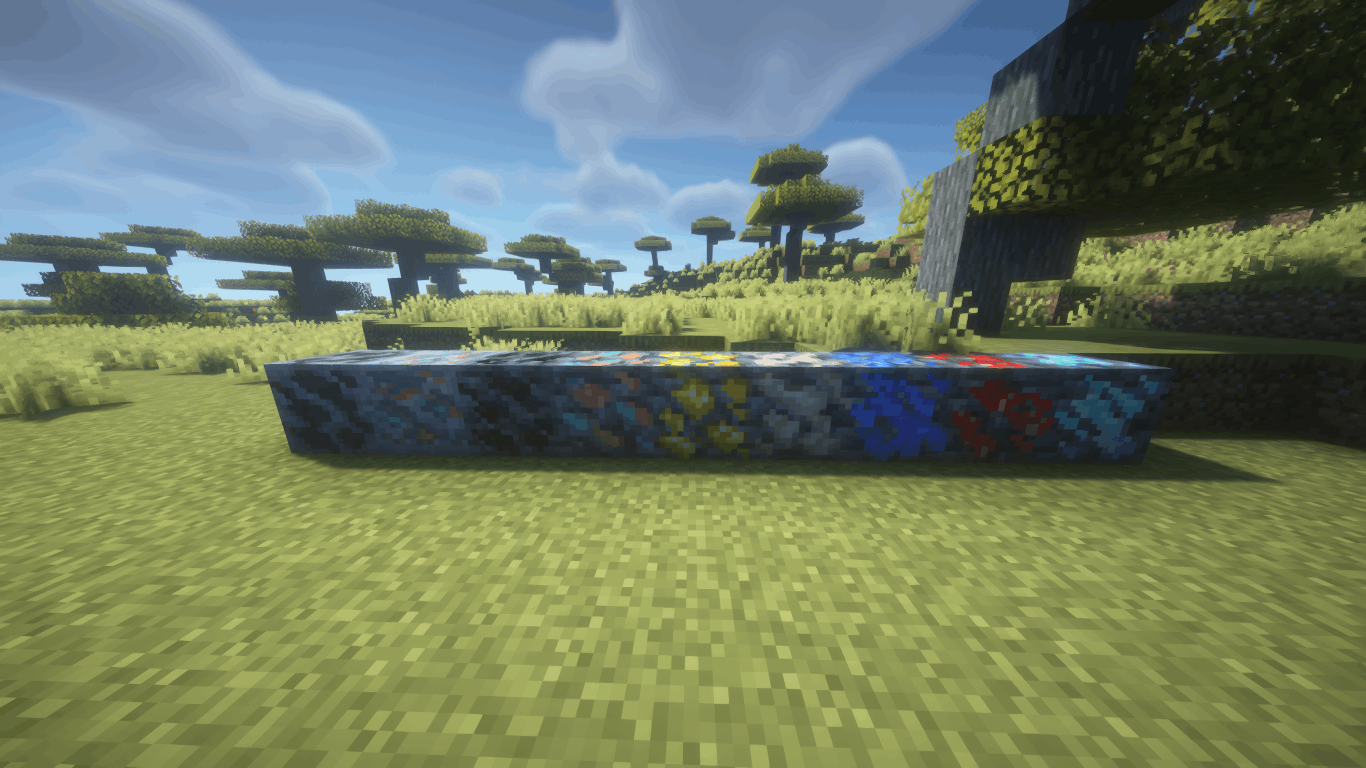
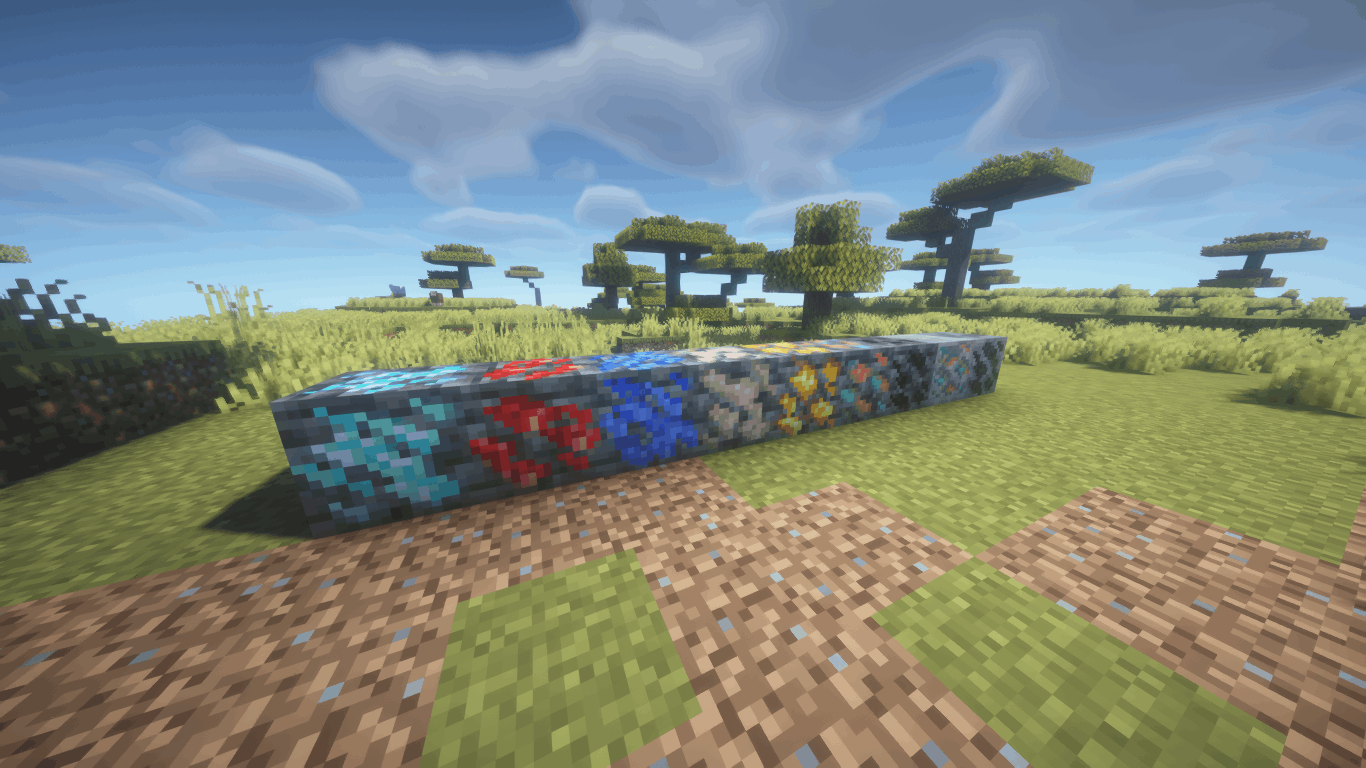
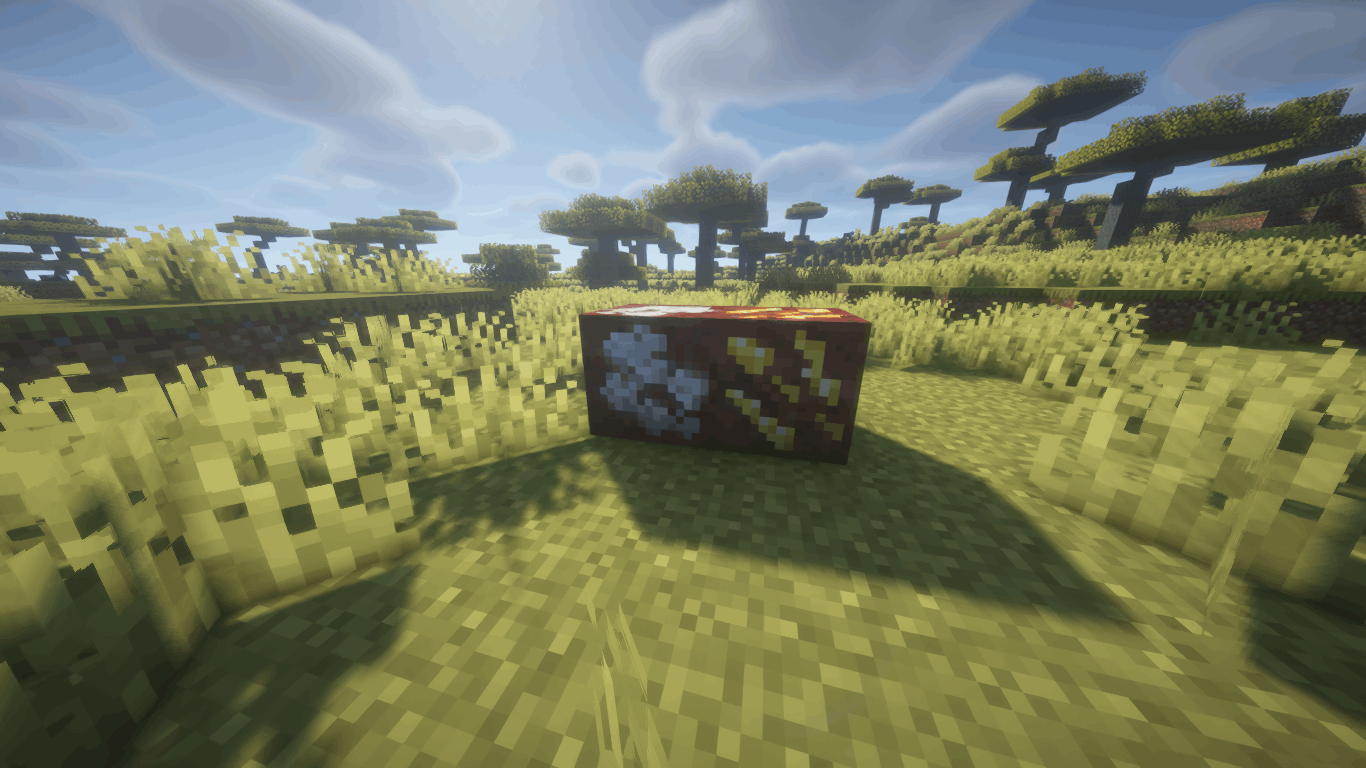
Compact Ores Port adds compact ores to the world — rare variants of regular ores that drop 3–5× more resources when mined. They generate naturally alongside their base ores and are visually distinct thanks to auto-generated textures.
The mod faithfully recreates the original's functionality and is compatible with any modded ores through configuration files. Both Forge and Fabric versions are available.
✨ Features
- 🪨 Compact Ores — rare ore variants with increased drops (×3–5 by default)
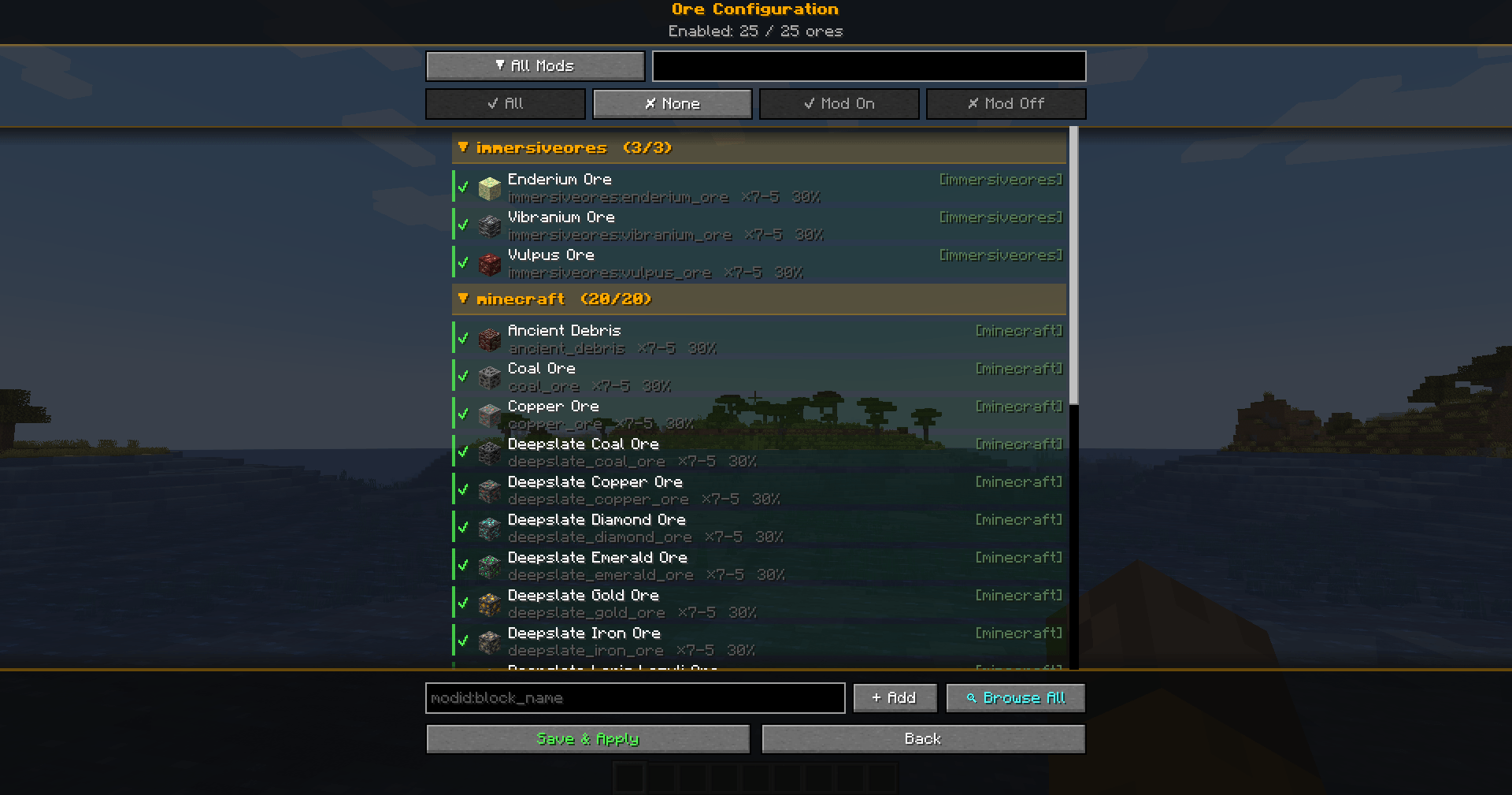
- ⚙️ In-Game Config Screen — full settings GUI with tooltips (Mods → Compact Ores Port → Config)
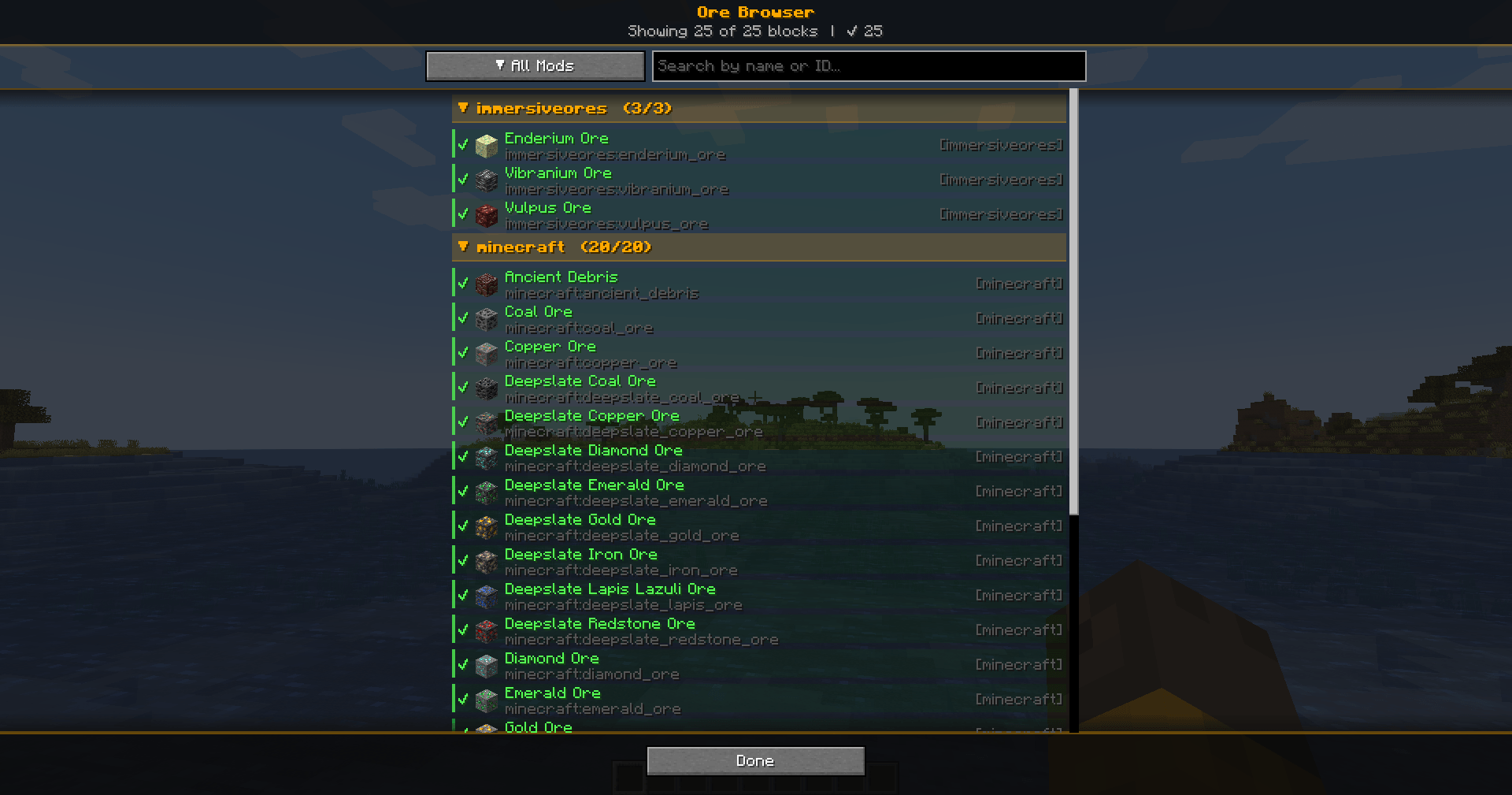
- 🔍 Ore Browser - View and add blocks from any mod as compact ore directly in the game by pressing the (K) key.
- 🔄 Hot Reload — changes apply instantly via
/compactores reload, no restart needed - 🎨 Automatic Texture Generation — the mod creates textures for all compact ores at startup
- 🌍 Retro Generation — compact ores appear even in already-explored chunks
- 📦 Modded Ore Support — works with any mod that adds ores; auto-discovers ores from installed mod JARs
- 🏷️ Creative Tab — a dedicated tab in the creative menu with all registered compact ores
- 🌐 Localization — full Russian and English language support
🔧 Configuration
All settings are accessible through the in-game config screen with hover tooltips:
| Setting | Description | Default |
|---|---|---|
| Min Rolls | Minimum drop multiplier | 3 |
| Max Rolls | Maximum drop multiplier | 5 |
| Spawn Probability | Chance for an ore to be replaced by compact variant | 10% |
| Generate Textures | Automatically create compact ore textures | ON |
| Retro Generation | Generate compact ores in existing chunks | ON |
| Color Difference Mode | Texture generation algorithm (Shading-Aware) | ON |
| Late Generation | For ores added by worldgen after the standard phase | OFF |
| Use GetDrops | Alternative drop calculation method | OFF |
Individual ores can be enabled/disabled, and new ores can be added from any installed mod via the Ore Browser screen.
📂 Supported Versions
| Minecraft | Forge | Fabric |
|---|---|---|
| 1.19.2 | ✅ | ✅ |
| 1.20.1 | ✅ | ✅ |
| 1.21.1 | ✅ | ✅ |
| 1.21.4 | ✅ | ✅ |
| 1.21.8 | ✅ | ✅ |
| 1.21.10 | ✅ | ✅ |
| 1.21.11 | ✅ | ✅ |
📥 Installation
- Install Forge or Fabric (+ Fabric API) for your Minecraft version
- Download the matching mod JAR file
- Place it in the
.minecraft/mods/folder - Launch the game — compact ores will generate automatically
💡 Tips
- Use
/compactores reloadto apply config changes without restarting - Open the Ore Config screen to enable/disable specific ores or adjust per-ore settings
- The Ore Browser lets you add ores from any installed mod with one click
- Config files are stored in
.minecraft/config/compactores/as TOML — editable by hand if needed
[Unofficial] Port of DoubleNegation's Compact Ores Mod for Newer Versions of Minecraft
📖 Description
Compact Ores Port adds compact ores to the world — rare variants of regular ores that drop 3–5× more resources when mined. They generate naturally alongside their base ores and are visually distinct thanks to auto-generated textures.
The mod faithfully recreates the original's functionality and is compatible with any modded ores through configuration files. Both Forge and Fabric versions are available.
✨ Features
- 🪨 Compact Ores — rare ore variants with increased drops (×3–5 by default)
- ⚙️ In-Game Config Screen — full settings GUI with tooltips (Mods → Compact Ores Port → Config)
- 🔍 Ore Browser - View and add blocks from any mod as compact ore directly in the game by pressing the (K) key.
- 🔄 Hot Reload — changes apply instantly via
/compactores reload, no restart needed - 🎨 Automatic Texture Generation — the mod creates textures for all compact ores at startup
- 🌍 Retro Generation — compact ores appear even in already-explored chunks
- 📦 Modded Ore Support — works with any mod that adds ores; auto-discovers ores from installed mod JARs
- 🏷️ Creative Tab — a dedicated tab in the creative menu with all registered compact ores
- 🌐 Localization — full Russian and English language support
🔧 Configuration
All settings are accessible through the in-game config screen with hover tooltips:
| Setting | Description | Default |
|---|---|---|
| Min Rolls | Minimum drop multiplier | 3 |
| Max Rolls | Maximum drop multiplier | 5 |
| Spawn Probability | Chance for an ore to be replaced by compact variant | 10% |
| Generate Textures | Automatically create compact ore textures | ON |
| Retro Generation | Generate compact ores in existing chunks | ON |
| Color Difference Mode | Texture generation algorithm (Shading-Aware) | ON |
| Late Generation | For ores added by worldgen after the standard phase | OFF |
| Use GetDrops | Alternative drop calculation method | OFF |
Individual ores can be enabled/disabled, and new ores can be added from any installed mod via the Ore Browser screen.
📂 Supported Versions
| Minecraft | Forge | Fabric |
|---|---|---|
| 1.19.2 | ✅ | ✅ |
| 1.20.1 | ✅ | ✅ |
| 1.21.1 | ✅ | ✅ |
| 1.21.4 | ✅ | ✅ |
| 1.21.8 | ✅ | ✅ |
| 1.21.10 | ✅ | ✅ |
| 1.21.11 | ✅ | ✅ |
📥 Installation
- Install Forge or Fabric (+ Fabric API) for your Minecraft version
- Download the matching mod JAR file
- Place it in the
.minecraft/mods/folder - Launch the game — compact ores will generate automatically
💡 Tips
- Use
/compactores reloadto apply config changes without restarting - Open the Ore Config screen to enable/disable specific ores or adjust per-ore settings
- The Ore Browser lets you add ores from any installed mod with one click
- Config files are stored in
.minecraft/config/compactores/as TOML — editable by hand if needed
Screenshots
Gallery
-
 Ore Configuration.png Ore Configuration
 -
 Ore Browser.png Ore Browser
 -
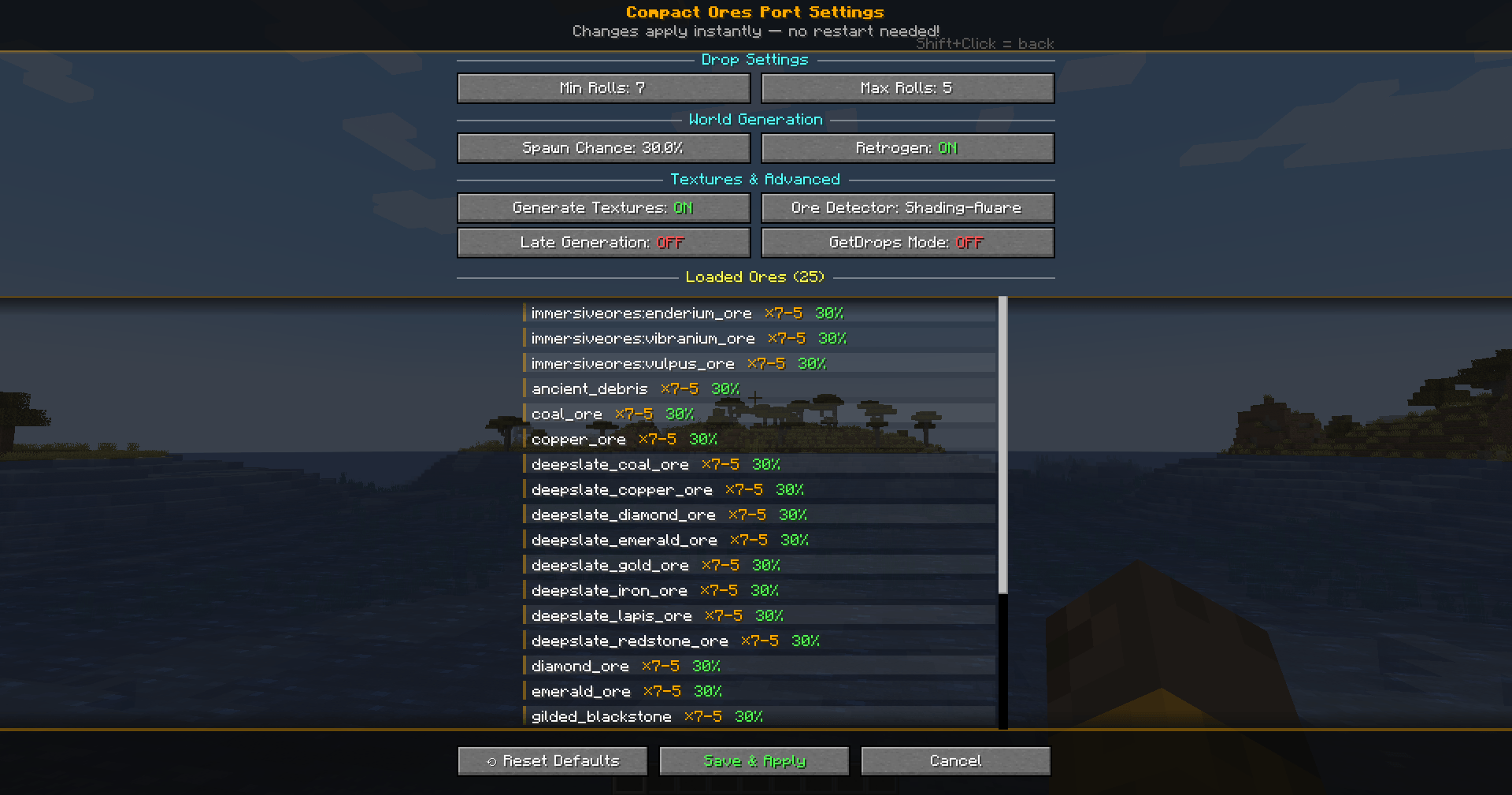 Mod settings.png Mod settings
 -
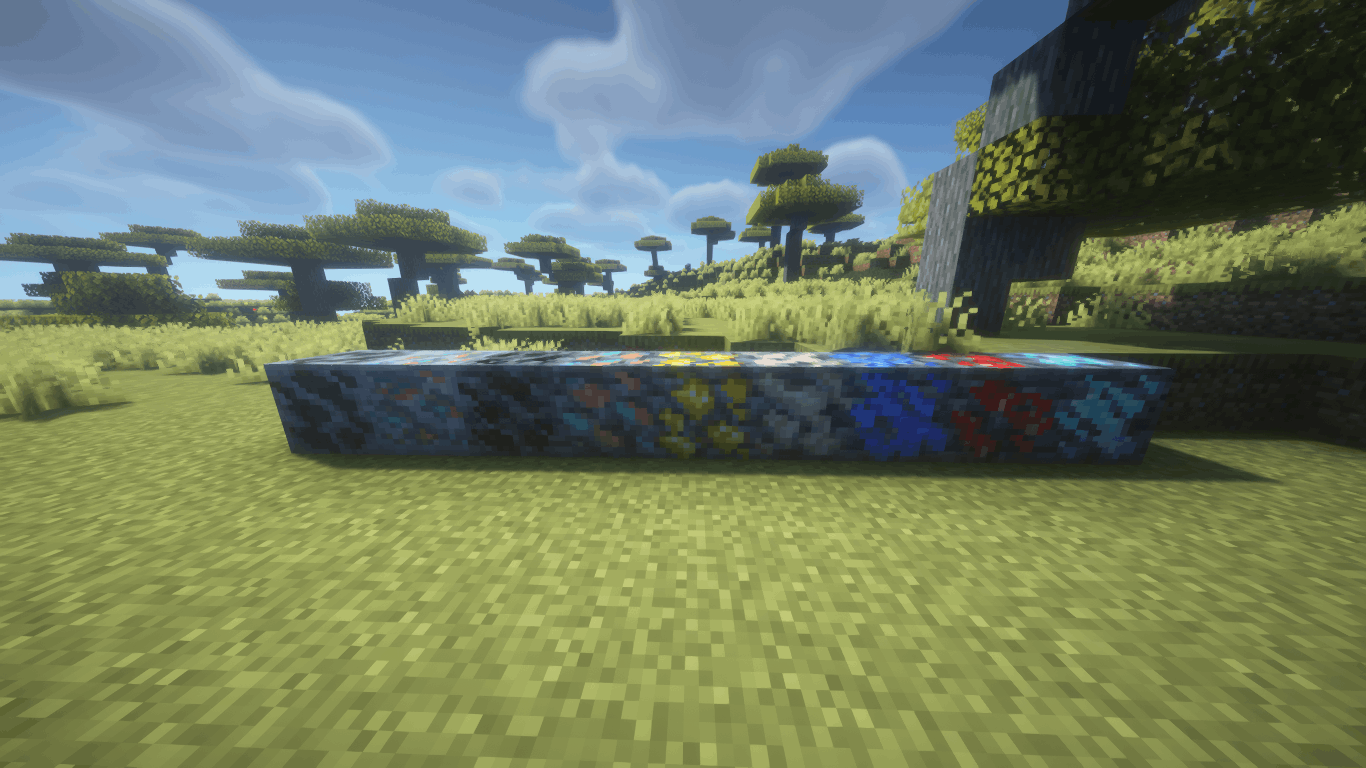 2.png 2.png
 -
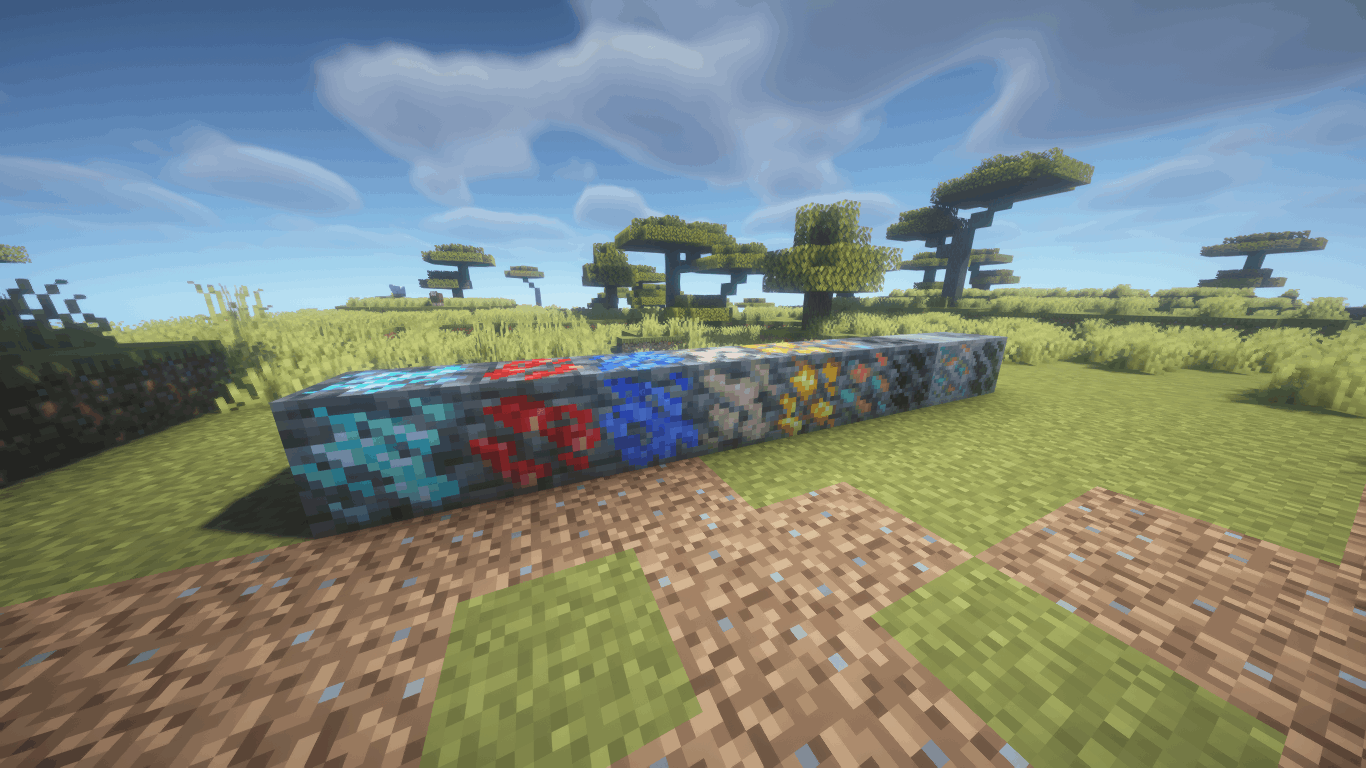 3.png 3.png
 -
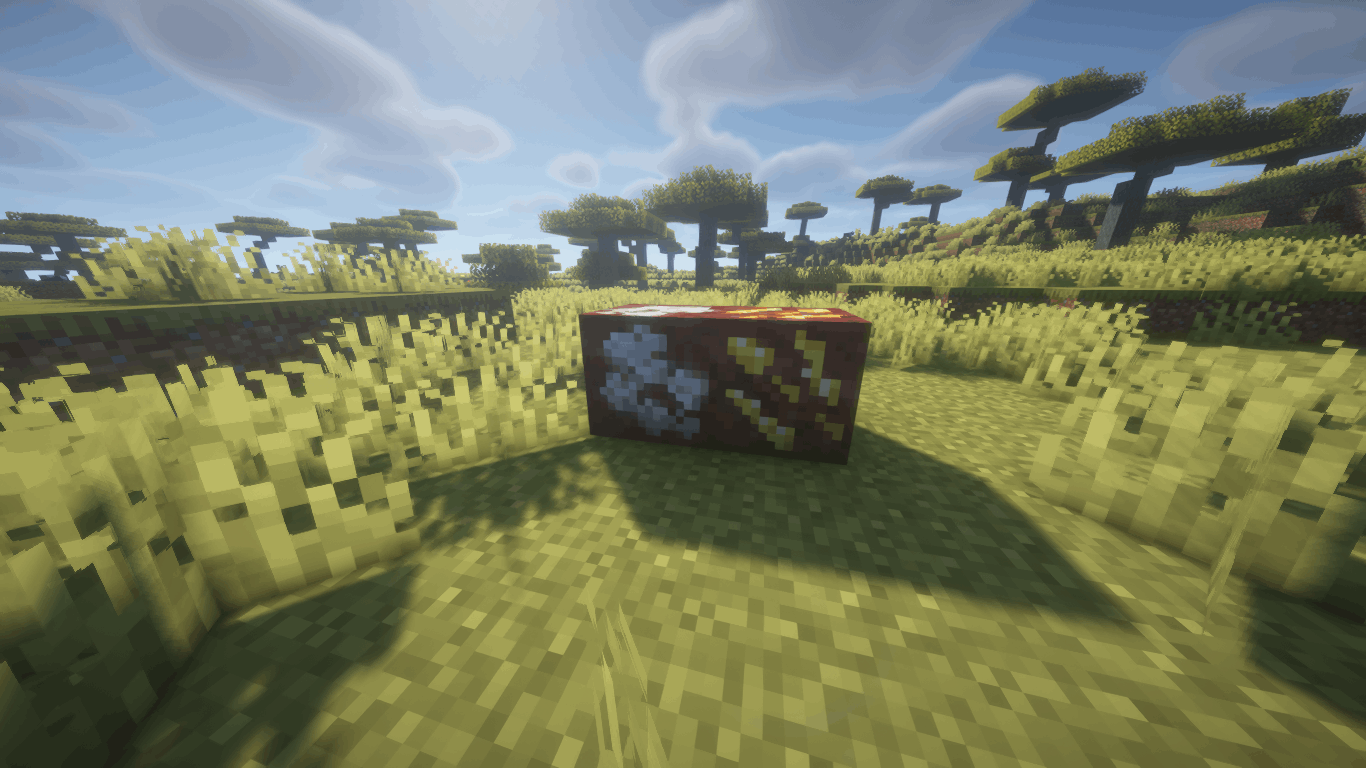 4.png 4.png
 -
 1.png 1.png
-
 Превью
 -
 Превью
 -
 Превью
 -
 Превью
Versions
Files
Relations
Project Relations
More like this
Similar Mods
Suggestions use data such as tags, dependencies, dependents, descriptions, titles, and more to rank how much they overlap with this mod.
On ModDex
Community snapshot
By the numbers
Statistics
Want to reach Minecraft players?
We're looking for a server hosting partner to feature here and other parts of the site. Interested? Send us a message!
Get in touchGet it on
Available Platforms
On ModDex
Community snapshot
By the numbers