
Community listing page, reviews may not be monitored by the author.
ConfigGuard

No reviews yet
Automatic snapshots of your config folder with a line-by-line diff and one-click restore. Undo any config change, on the client or on a server.

Community voices
Reviews
No reviews yet. Be the first to review this project!
Get it on
Available Platforms
About
Project Details
For authors
Embed Badge
If you're the author of this project, you can embed a live badge anywhere that supports HTML or Markdown. It updates automatically whenever ratings change.
Use HTML for any page that supports it, or Markdown for README files and Markdown-based descriptions.
Identifiers
Platform IDs
Resources
External Links
About
Description
ConfigGuard
Broke your configs? Roll them back in two clicks.
ConfigGuard keeps automatic snapshots of your config files and shows exactly what changed between them. Any file, or the whole folder, can be restored from a snapshot. It is made for players who tweak modpacks, pack makers who test updates and server owners who edit configs by hand.
Features
- Automatic snapshots when the game starts (on Fabric, before other mods load and rewrite their files) and when it closes. You can also take a snapshot by hand and give it a label.
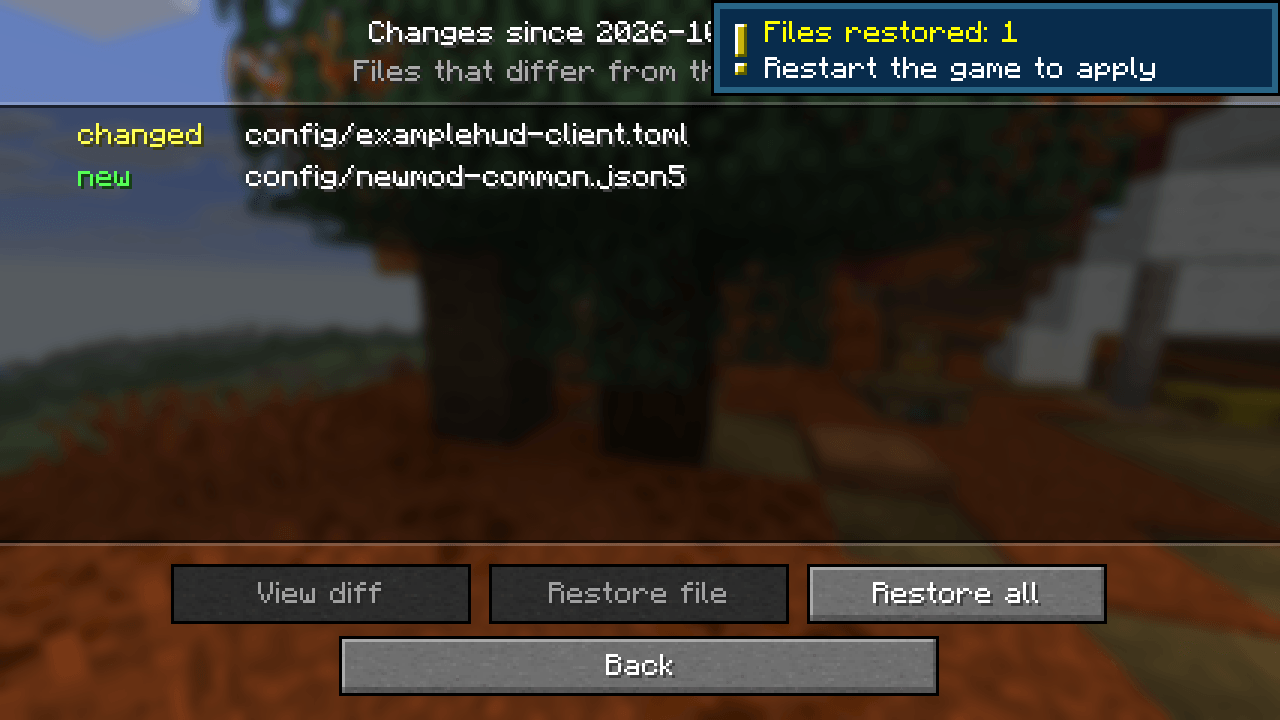
- Change detection: if config files changed while the game was closed (a modpack update, manual editing, another launcher), a notification tells you how many files changed.
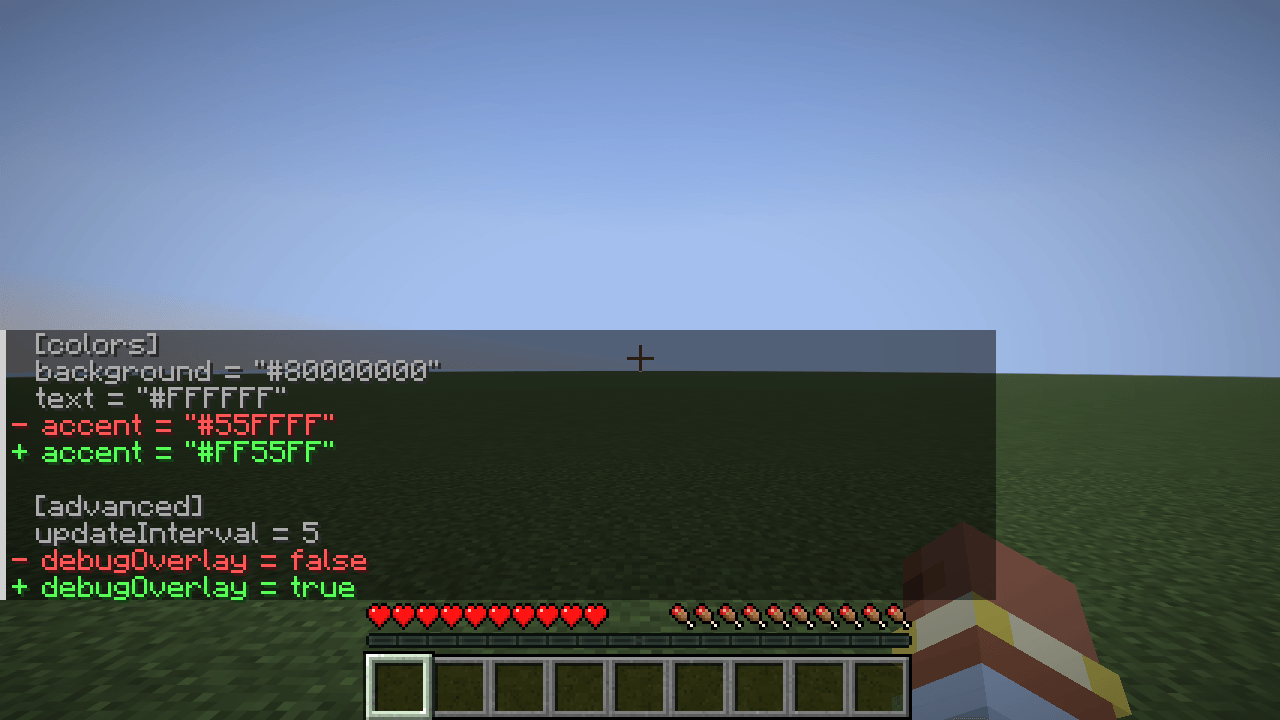
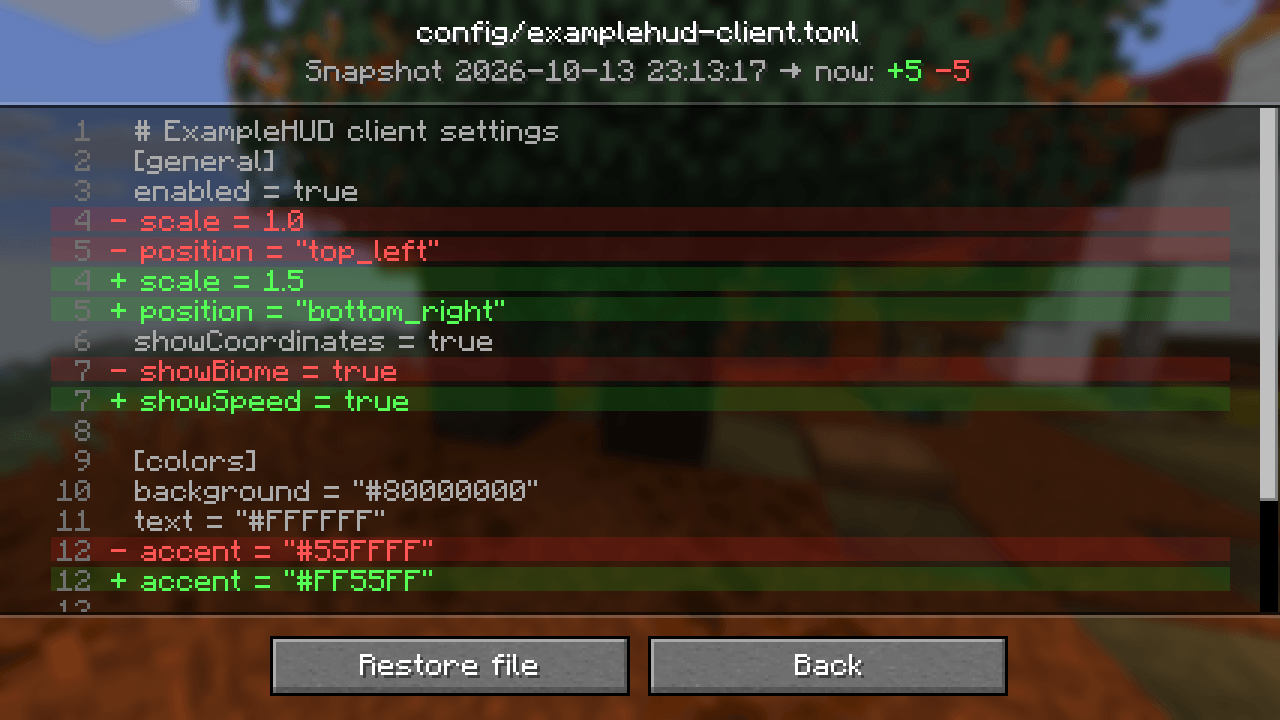
- Visual diff: a snapshot list → the files that changed since then (new, changed, deleted) → a line-by-line diff with removed lines in red and added lines in green.
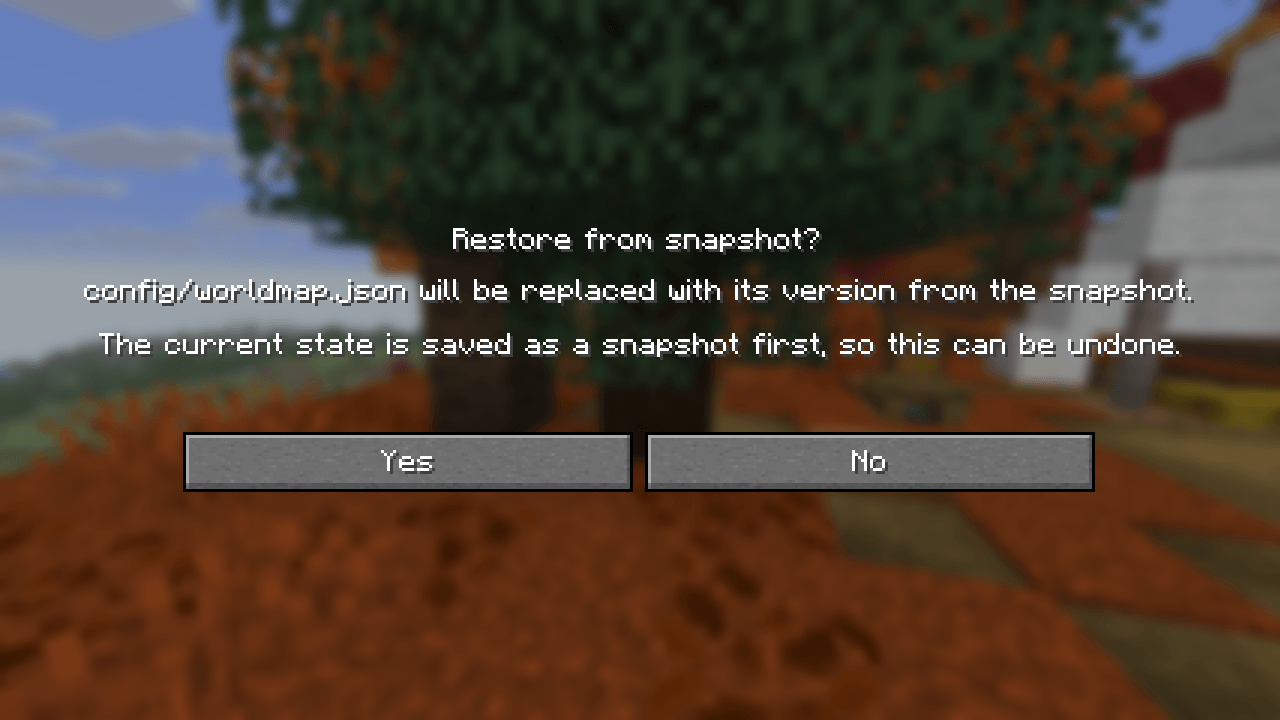
- Restore one file or everything. Before restoring, ConfigGuard saves the current state as another snapshot, so every restore can be undone.
- Pinned snapshots are never removed automatically. Old unpinned snapshots are cleaned up once the limit is reached.
- Compact storage: files are stored by their SHA-256 hash in the
configguard/folder, so a file that did not change is never stored twice.
Opening the screen
- Fabric: Mod Menu → ConfigGuard → config button (Mod Menu is optional).
- NeoForge: Mods → ConfigGuard → Config.
- Any loader: set a key for Open ConfigGuard snapshots in Controls → Key Binds (unbound by default).
Server commands
For operators (permission level 4), on dedicated servers and in single player with cheats enabled:
| Command | What it does |
|---|---|
/configguard snapshot [label] |
Take a snapshot now |
/configguard list |
List snapshots, newest first (click an id to see its changes) |
/configguard changes <id> |
Files that changed since the snapshot |
/configguard diff <id> <path> |
Line diff of one file in chat |
/configguard restore <id> [path] |
Restore one file or all changed files |
/configguard pin <id> / unpin <id> |
Keep a snapshot forever, or release it |
Snapshot ids and file paths are suggested with Tab. Restart the game or server after a restore so mods read the restored files.
Settings
config/configguard.json (created on first launch):
| Key | Default | What it does |
|---|---|---|
trackedPaths |
config, defaultconfigs, options.txt, server.properties |
Files and folders in the game folder that are captured |
excludedGlobs |
**.log, **.tmp, **.bak, **.lock, **.old |
Files that are skipped |
maxFileSizeKb |
1024 |
Larger files are skipped |
maxSnapshots |
40 |
How many unpinned snapshots are kept |
snapshotOnStartup |
true |
Snapshot when the game starts |
snapshotOnShutdown |
true |
Snapshot when the game closes |
notifyExternalChanges |
true |
Notify about changes made while the game was closed |
Compatibility
- Works on the client, on a dedicated server, or on both. It does not need to be installed on the other side.
- Fabric: requires Fabric API; Mod Menu is optional. NeoForge: no dependencies.
- Works with any mod that keeps its settings in the config folder: TOML, JSON, JSON5, properties and other text formats get a line diff; binary files are listed with their size.
License
MIT. You are welcome to include ConfigGuard in modpacks.
Screenshots
Gallery
-
 06-commands.png 06-commands.png
 -
 05-restored.png 05-restored.png
 -
 04-confirm.png 04-confirm.png
 -
 03-diff.png 03-diff.png
 -
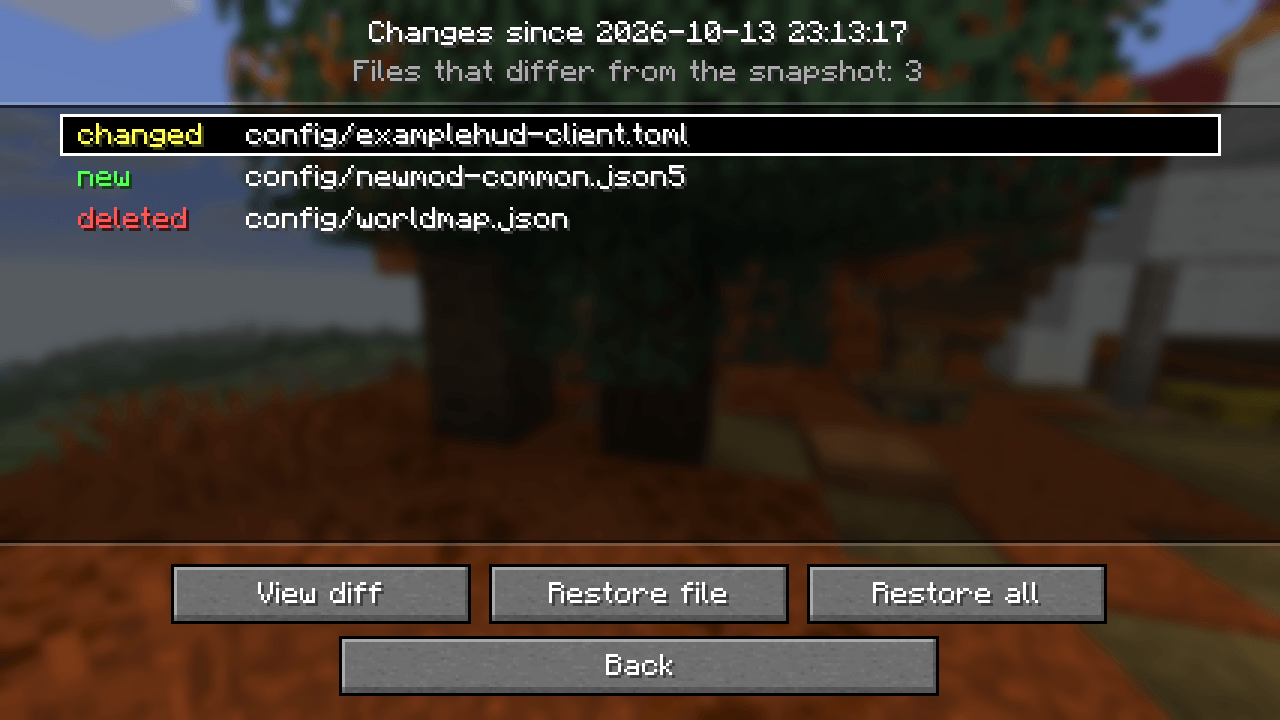 02-changes.png 02-changes.png
 -
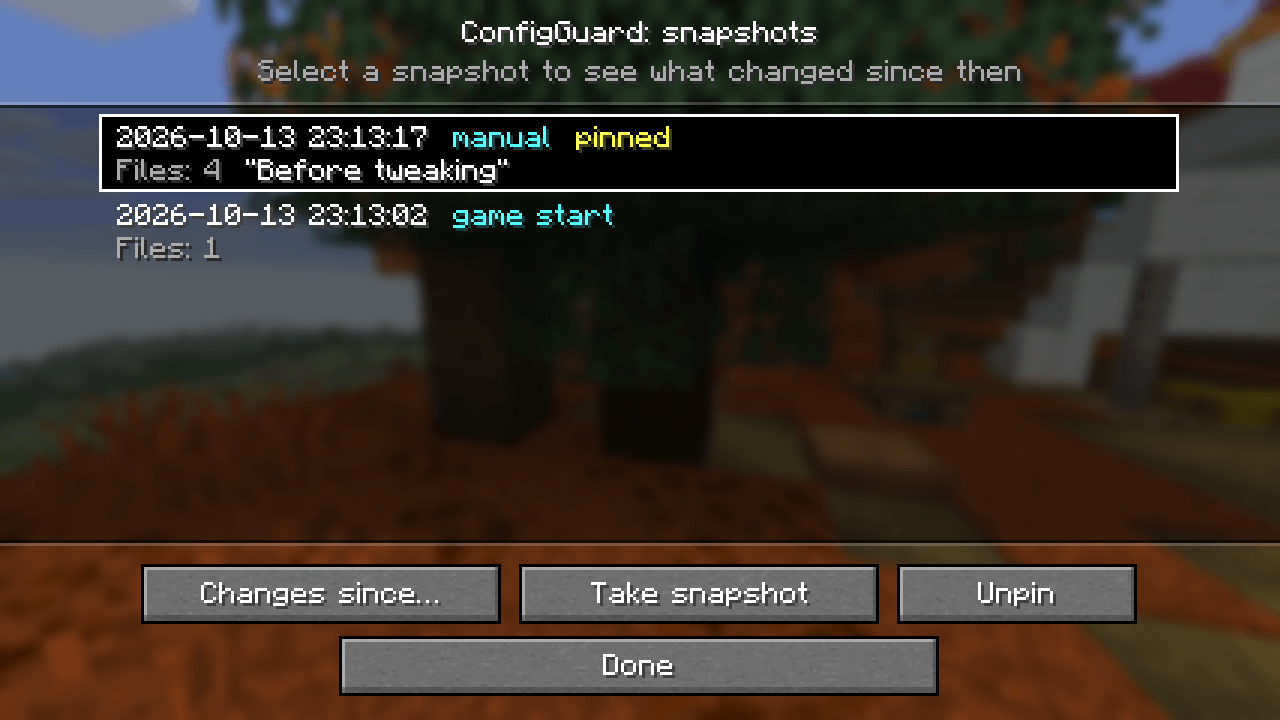 01-snapshots.png 01-snapshots.png
Versions
Files
Relations
Project Relations
More like this
Similar Mods
Suggestions use data such as tags, dependencies, dependents, descriptions, titles, and more to rank how much they overlap with this mod.
On ModDex
Community snapshot
By the numbers
Statistics

Get it on
Available Platforms
On ModDex
Community snapshot
By the numbers
Statistics
Resources