
Community listing page, reviews may not be monitored by the author.
Container Search Lite

No reviews yet
Client-side container search with animated highlights, plus a finder that points you to the chests where you stored an item. Nothing to install on the server.

Community voices
Reviews
No reviews yet. Be the first to review this project!
Get it on
Available Platforms
About
Project Details
For authors
Embed Badge
If you're the author of this project, you can embed a live badge anywhere that supports HTML or Markdown. It updates automatically whenever ratings change.
Use HTML for any page that supports it, or Markdown for README files and Markdown-based descriptions.
Identifiers
Platform IDs
Resources
External Links
About
Description
Container Search Lite
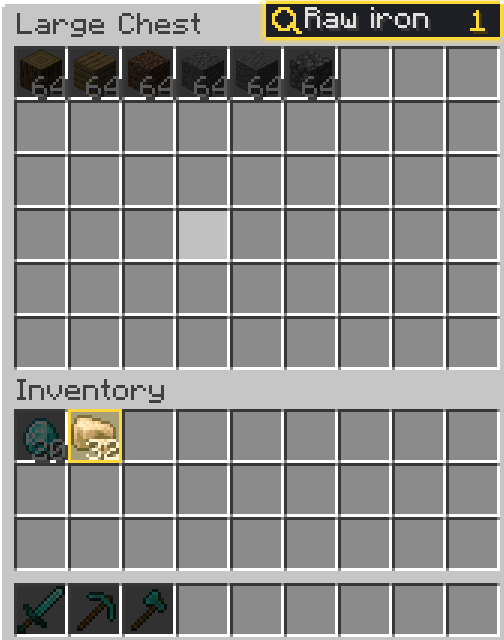
Stop scrolling through 54 slots of cobblestone. Open any chest, barrel or shulker box, type what you want, and the right slots light up. Everything else fades into the background.
Features
- Instant visual search. Matching slots get a coloured outline and tint; non-matching items are dimmed. The slot under your cursor always stays readable.
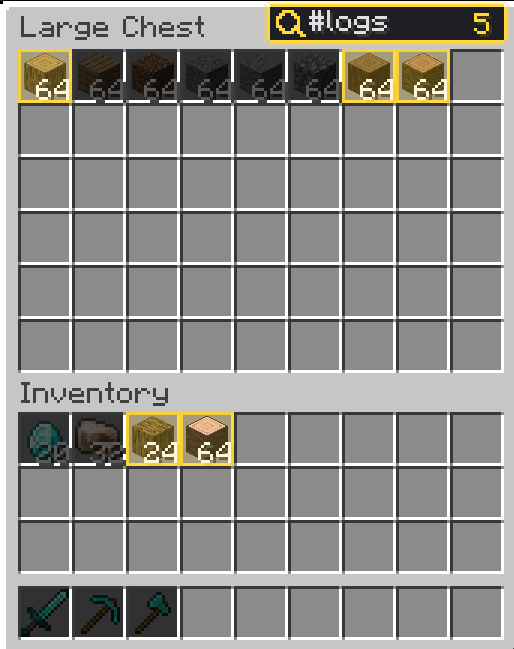
- Smart syntax, zero learning curve. Just type a name, or use a prefix when you need more:
| Type | Finds |
|---|---|
oak / oak_log |
by item name or id |
@create |
everything from a mod |
#logs / #minecraft:planks |
everything in a tag |
$sharpness |
enchantments and tooltip text |
@minecraft #logs |
combine terms: all must match |
- Keyboard friendly. Ctrl+F jumps to the box. While you type, E, Q and the number keys do not trigger game actions. Esc/Enter leave the box without closing the chest. Right-click the box to clear it.
- Animated and tidy. The search box rests as a small magnifier and smoothly expands when you need it. Matches fade in and pulse, the rest dims, and a counter shows how many slots matched. Prefer it static? One switch turns animations off.
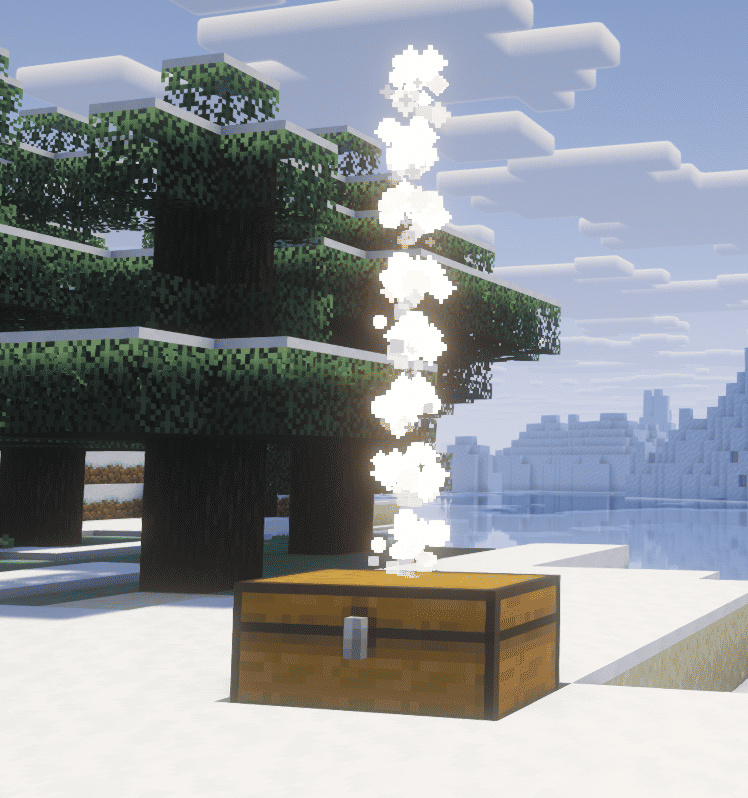
- Finds your chests in the world. The mod remembers what was in every container you close. Hold an item and press K (or hover one in any screen) and the nearest chests holding it get a shimmering particle column, with distance and direction above the hotbar. It only ever knows containers you opened, so it cannot reveal anything you have not seen.
- Also searches your inventory (optional), so you can see what you could put into the chest too.
- Fully configurable. Highlight colour, outline/tint, dimming strength, box width, remember last search, auto-focus, minimum slot count, and a list of screens to exclude, all from the in-game config screen.
- Translated into English and Russian.
Lightweight and client-side only
- Works in singleplayer and on servers. You do not need to install it on the server, and it sends and receives nothing.
- No new items, blocks, recipes or world changes. Safe to add to or remove from any world and any modpack at any time.
- Results are cached per slot, so even a full double chest costs next to nothing per frame.
FAQ
Does the server need this mod? No. It is purely client-side, and it works on vanilla servers.
Is the finder cheating? It is built from what the server already showed you. It cannot see unopened containers, and it forgets everything when you leave the world. Modpack makers who still prefer it off can set finderEnabled = false, or limit it to chests only.
Can I use it in modpacks? Yes, please do. Feel free to include it in any modpack.
It shows up where I do not want it / another mod already has a search box. Add that screen's menu id to excludedMenus in the config, or raise minContainerSlots.
Does it work with modded storage? It works with any container that uses a standard container screen. Screens that draw their own custom UI without the standard container screen are not supported.
Which versions are supported? NeoForge for Minecraft 26.1.2 (Java 25).
Links
- Source code and issue tracker: Github
Licensed under MIT.
Screenshots
Gallery
-
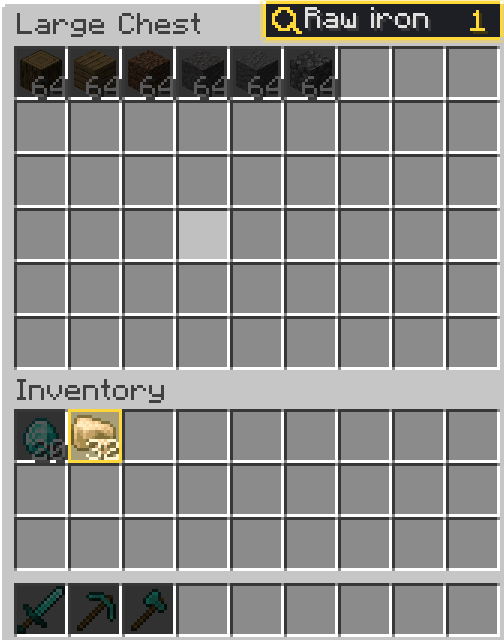 1.png A double chest with a search active (matches outlined, the rest dimmed)
 -
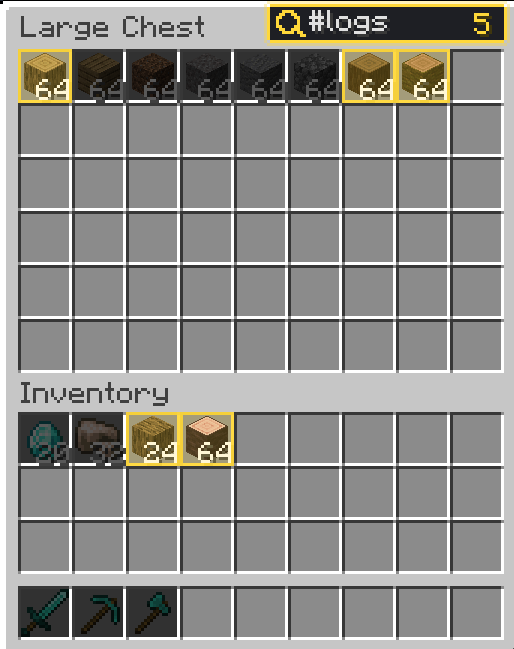 2.png The search syntax, e.g. `@minecraft #logs`
 -
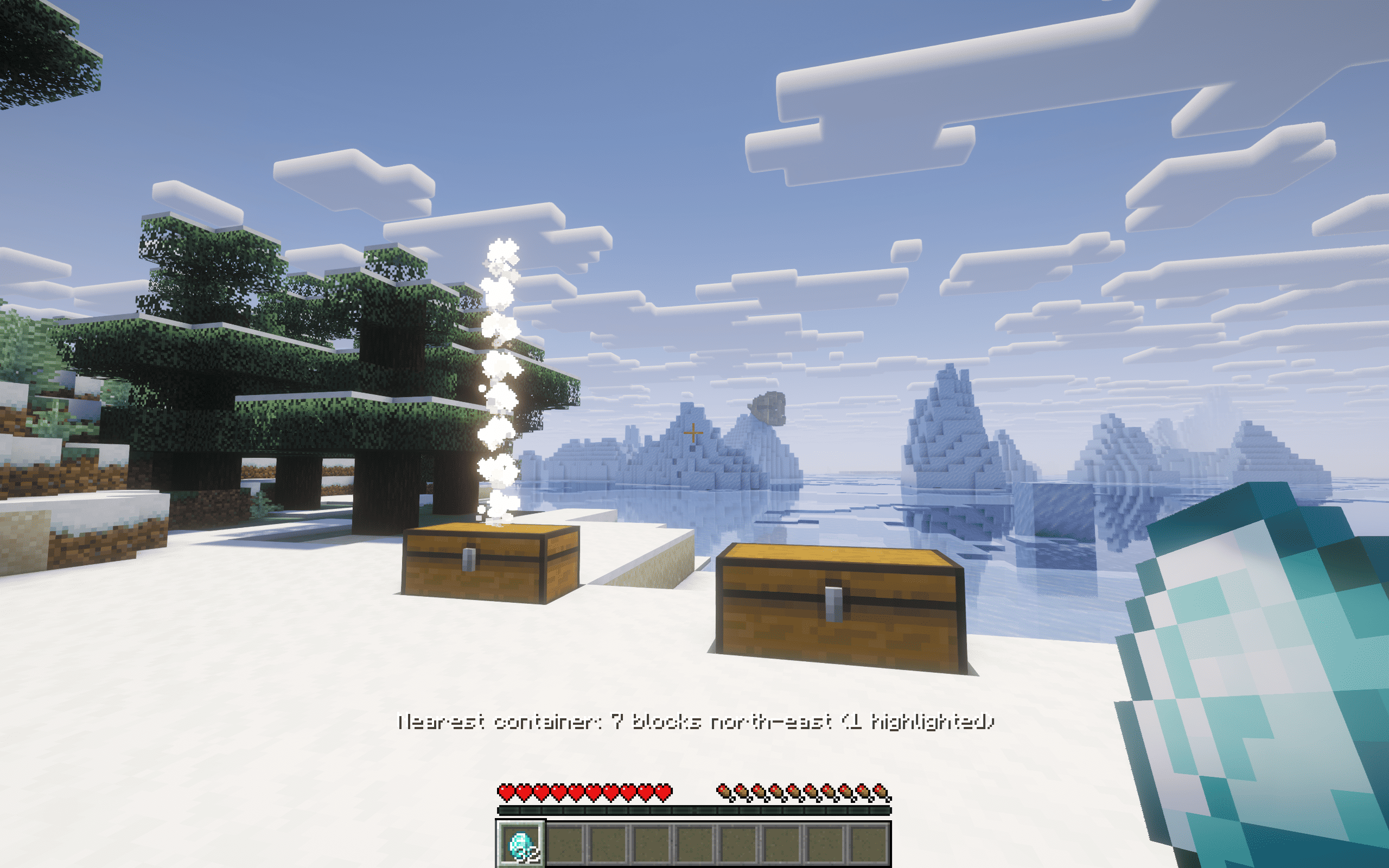 3.png The finder column over a chest, with the distance hint
 -
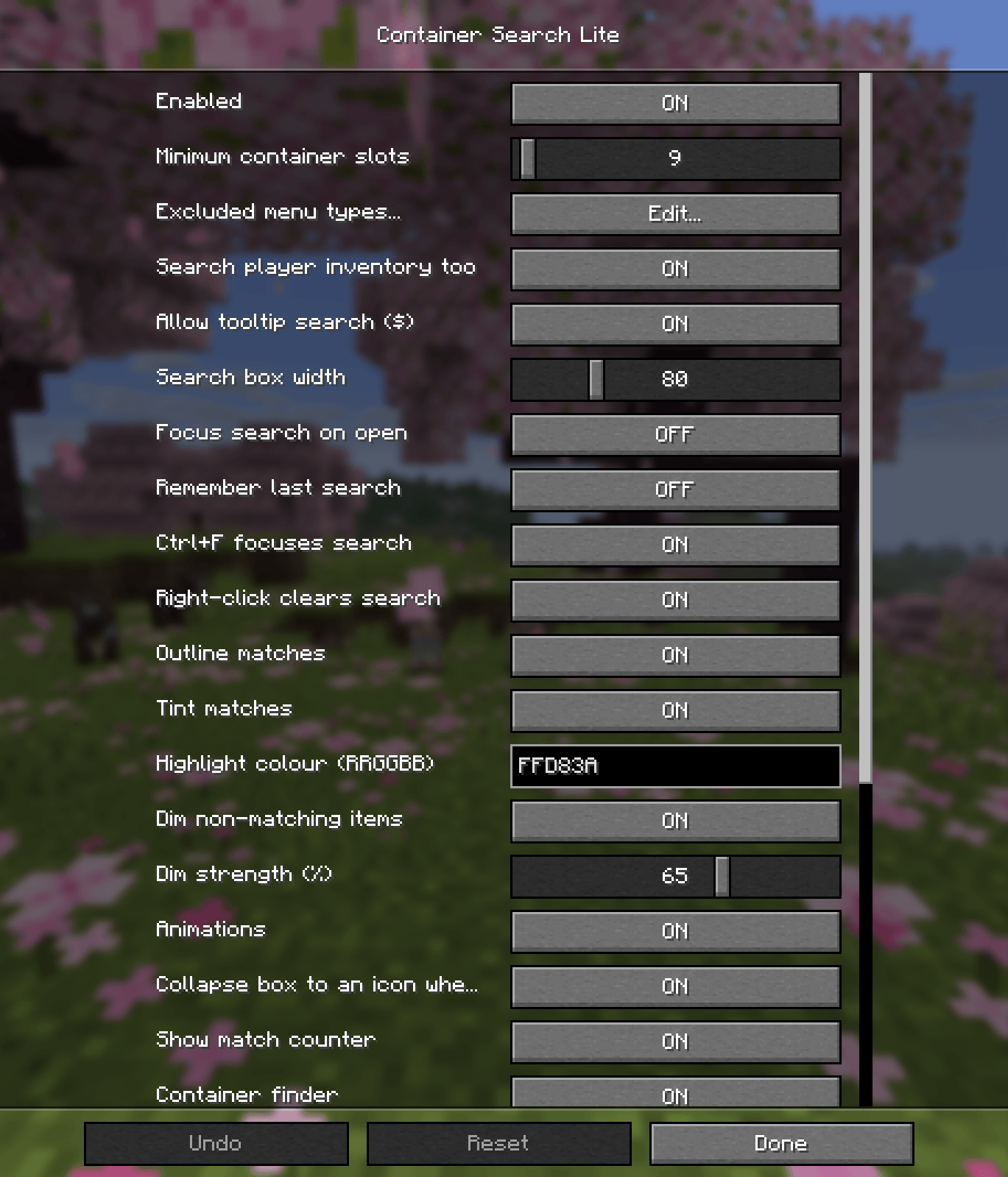 4.png The config screen ( page 1/2 )
 -
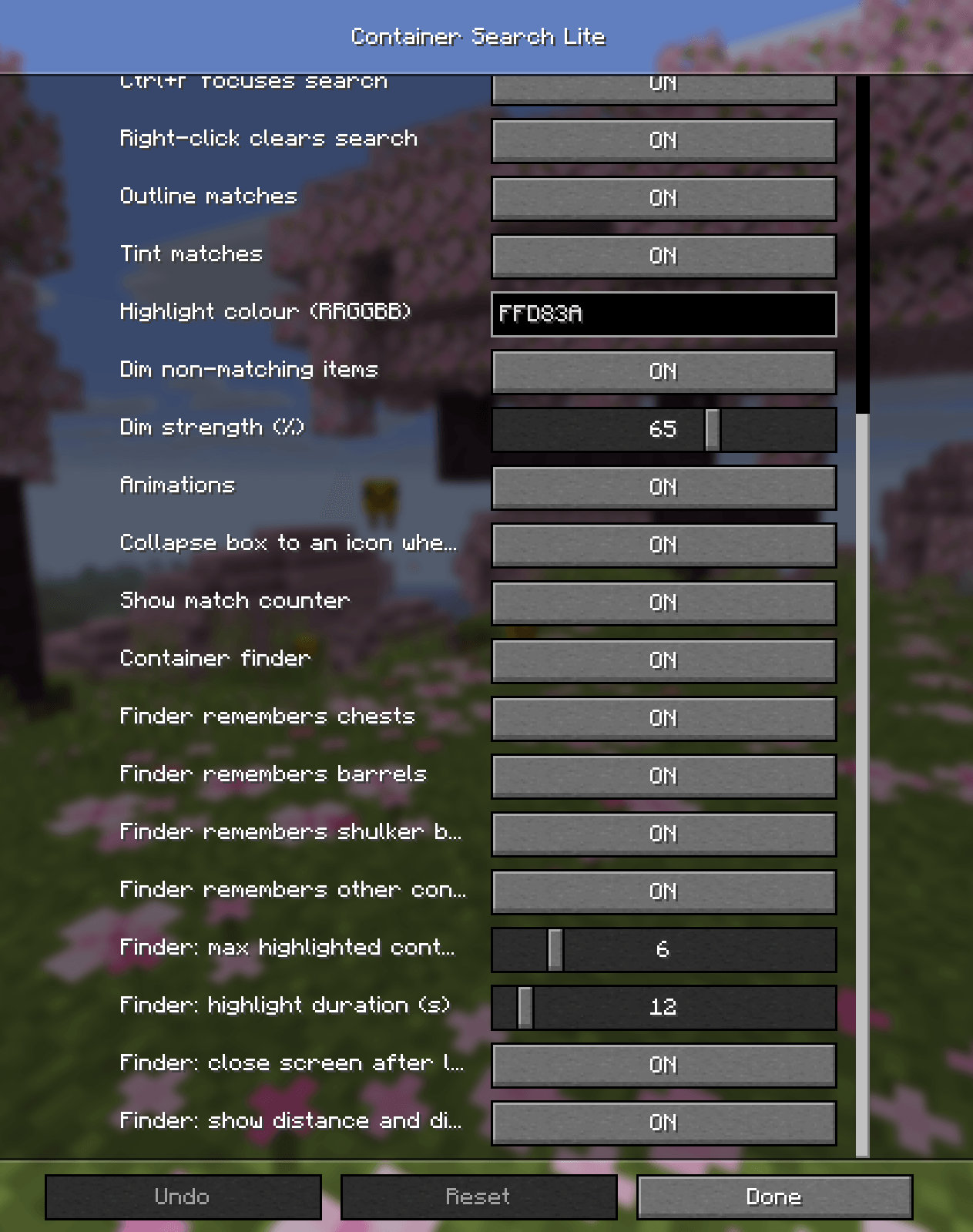 5.png The config screen ( page 2/2 )
Versions
Files
Relations
Project Relations
More like this
Similar Mods
Suggestions use data such as tags, dependencies, dependents, descriptions, titles, and more to rank how much they overlap with this mod.
On ModDex
Community snapshot
By the numbers
Statistics

Get it on
Available Platforms
On ModDex
Community snapshot
By the numbers
Statistics
Resources