
Community listing page, reviews here may not be monitored by the author.
Control Blocks


No reviews yet
Control Blocks are command blocks, but even better. Do more with less by coding with ControlScript, the mod exclusive Text-Based Coding Language
Community voices
Reviews
No reviews yet. Be the first to review this project!
Get it on
Available Platforms
Compatibility
Supported Environments
Must be installed on both the client and the server.
About
Project Details
For authors
Embed Badge
If you're the author of this project, you can embed a live badge anywhere that supports HTML or Markdown. It updates automatically whenever ratings change.
Use HTML for any page that supports it, or Markdown for README files and Markdown-based descriptions.
Identifiers
Platform IDs
About
Description
Control Blocks Command Blocks You Script
Command blocks are great, and they unlock so many options and allow you to make incredible creations, but sometimes, for big projects it either gets much more complicated or too long! That is where this mod comes in; it allows you to code scripts in-game that can be triggered in multiple ways, such as
- Power with redstone;
- Powers each said tick;
- Power each said tick on powered with redstone;
You can make minigames, tools, and way more with only one block! With an easy language made just for this mod, with full documentation called Control Script.
Check out our GitBook documentation to learn more in detail about ControlScript at this link.
What version is the mod compatible with?
I am working hard to bring it to way more versions in the future and keep updating it.
**Modloader:** Forge **Minecraft Version:** 1.20.1 to 1.20.6 **Platforms:** Curseforge & Modrinth
How to get one?
Control Blocks are like Command Blocks, you can only get them via commands.
/give @p controlblocks:control_block
Check the documentation for full info!
How to support this mod?
I do not yet accept donations, tho, you can share this mod and help it get known if you want! Also, you can support it by creating a BisectHosting server with my affiliate link or even join my Discord server here.
DOCUMENTATION
This is not the full documentation; check the GitBook for the complete docs at this link.
Execution Modes
| Mode | Description |
|---|---|
| Pulse | Runs once when it gets a redstone pulse |
| Repeat | Runs every X ticks on its own |
| Redstone | Runs every X ticks, but only while powered |
ControlScript
ControlScript is a small scripting language written from scratch for this mod — no external libraries, no Lua runtime. Just a clean language that talks directly to Minecraft.
What the language supports
- Variables (
var x = 10) - Math (
+,-,*,/) - String concatenation (
..) - Conditionals (
if / elseif / else / end) - Comments (
--and--[[ ]])
Built-in Functions
| Function | Description |
|---|---|
log(message) |
Sends a message to all players in chat |
run(command) |
Runs a Minecraft command (op level 4) |
randint(min, max) |
Random integer between min and max |
round(number) |
Rounds to nearest integer |
abs(number) |
Absolute value |
outpower(level) |
Sets redstone output of the block (0–15) |
outpower(level, ticks) |
Pulses redstone output for X ticks then drops to 0 |
inpower() |
Reads the incoming redstone signal level (0–15) |
Quick Example
var player = "@p"
var roll = randint(1, 6)

log("You rolled a " .. roll)
run(give player minecraft:diamond roll)
run() works with any mod's items and commands — not just vanilla.
See more like Custom Function, get() and more in our documentation at this link.
Made by Web Demon
Control Blocks Command Blocks You Script
Command blocks are great, and it unlocks so many options, and allows you to make incredible creations, but sometimes, for big projects it either gets much more complicated or too long! That is where this mod comes in, it allows you to code scripts in game that can be triggered in multiple ways such as:
- Power with redstone;
- Powers each said tick;
- Power each said tick on powered with redstone;
You can make minigames, tools, and way more with only one block! With an easy language made just for this mod, with full documentation called Control Script.
Check out our GitBook documentation to learn more in detail about ControlScript at this link.
What version is the mod compatible with?
I'm working to bring this mod to more and more versions/modloaders.
**Modloader:** Forge **Minecraft Version:** 1.20.1 to 1.20.6 **Platforms:** Curseforge & Modrinth
How to get one?
Control Blocks are like Command Blocks, you can only get them via commands.
/give @p controlblocks:control_block
Check the documentation for full info!
How to support this mod?
I do not yet accept donations, tho, you can share this mod and help it getting known if you want! Also, you can support it by creating a BisectHosting server with my affiliate link or even join my Discord server here.
DOCUMENTATION
This is not the full documentation, check the GitBook for the complete docs at this link.
Execution Modes
| Mode | Description |
|---|---|
| Pulse | Runs once when it gets a redstone pulse |
| Repeat | Runs every X ticks on its own |
| Redstone | Runs every X ticks, but only while powered |
ControlScript
ControlScript is a small scripting language written from scratch for this mod — no external libraries, no Lua runtime. Just a clean language that talks directly to Minecraft.
What the language supports
- Variables (
var x = 10) - Math (
+,-,*,/) - String concatenation (
..) - Conditionals (
if / elseif / else / end) - Comments (
--and--[[ ]])
Built-in Functions
| Function | Description |
|---|---|
log(message) |
Sends a message to all players in chat |
run(command) |
Runs a Minecraft command (op level 4) |
randint(min, max) |
Random integer between min and max |
round(number) |
Rounds to nearest integer |
abs(number) |
Absolute value |
outpower(level) |
Sets redstone output of the block (0–15) |
outpower(level, ticks) |
Pulses redstone output for X ticks then drops to 0 |
inpower() |
Reads the incoming redstone signal level (0–15) |
Quick Example
var player = "@p"
var roll = randint(1, 6)

log("You rolled a " .. roll)
run(give player minecraft:diamond roll)
run() works with any mod's items and commands — not just vanilla.
See more like Custom Function, get() and more in our documentation at this link.
Made by Web Demon
Screenshots
Gallery
-
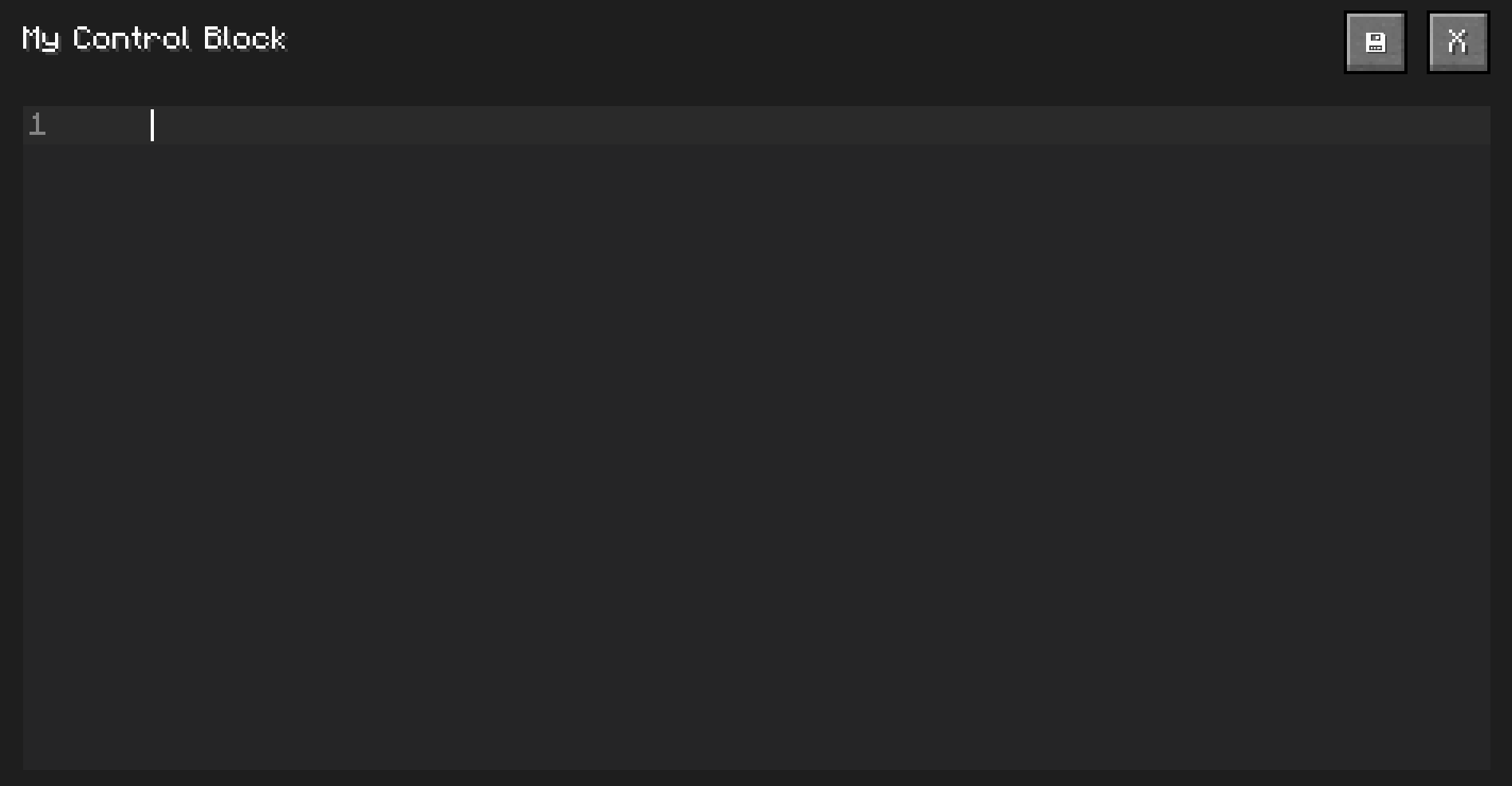 Code Editor Code Editor
 -
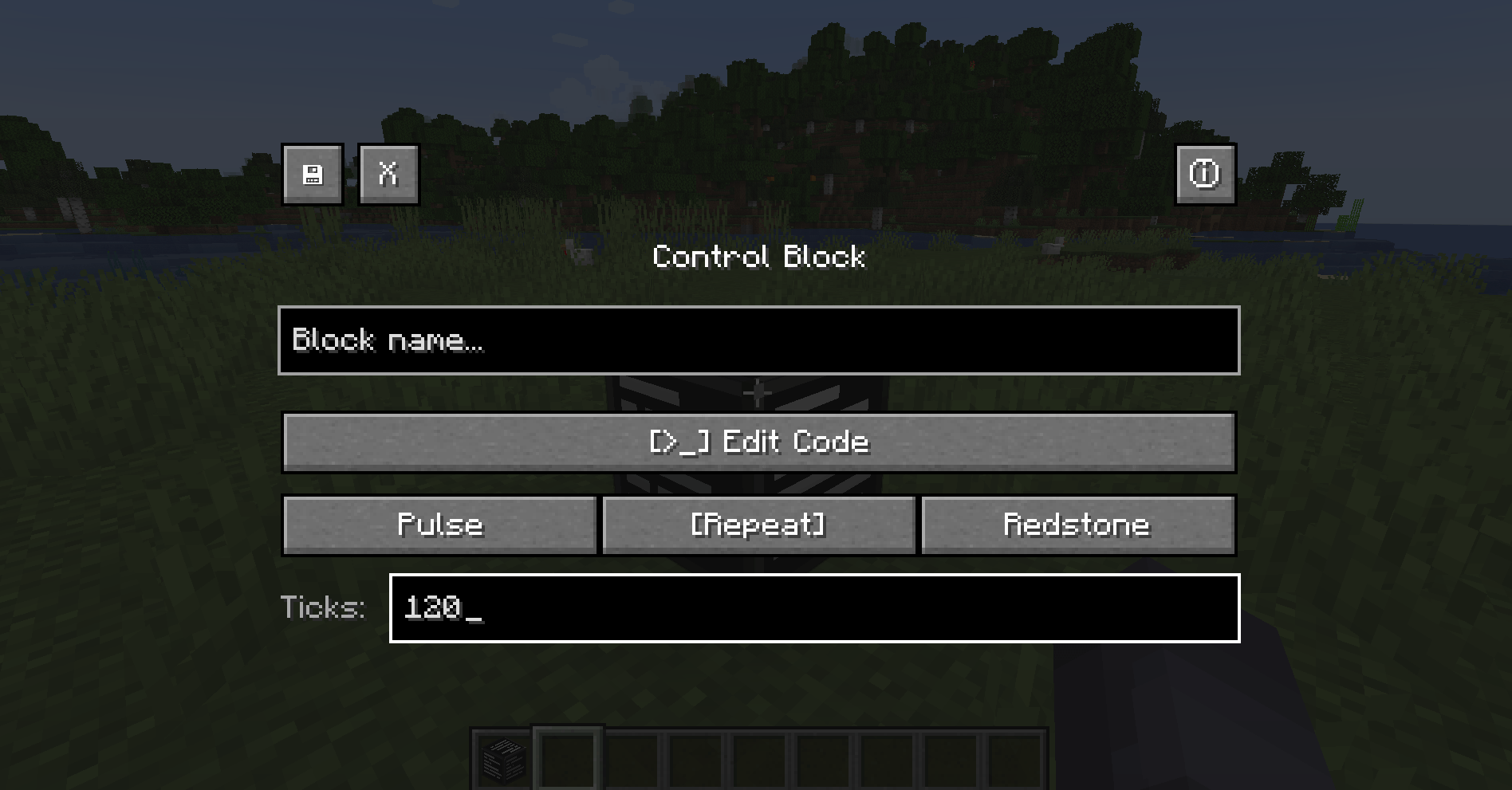 ControlBlock ControlBlock
 -
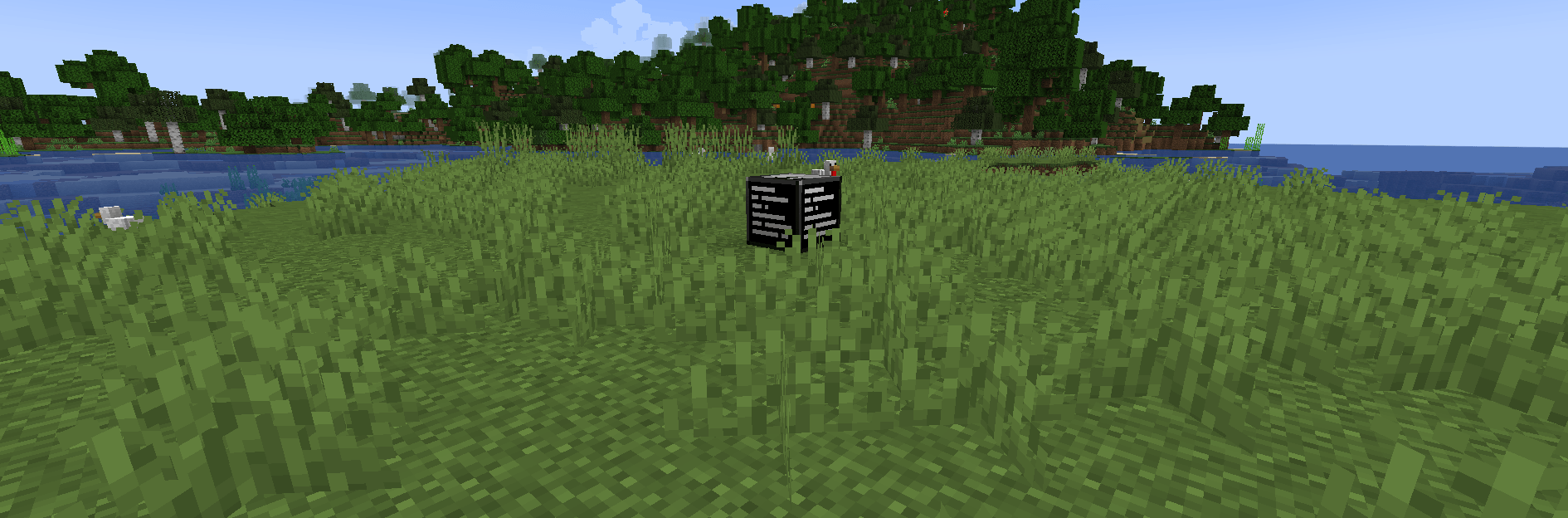 ControlBlockMain Control Block
-
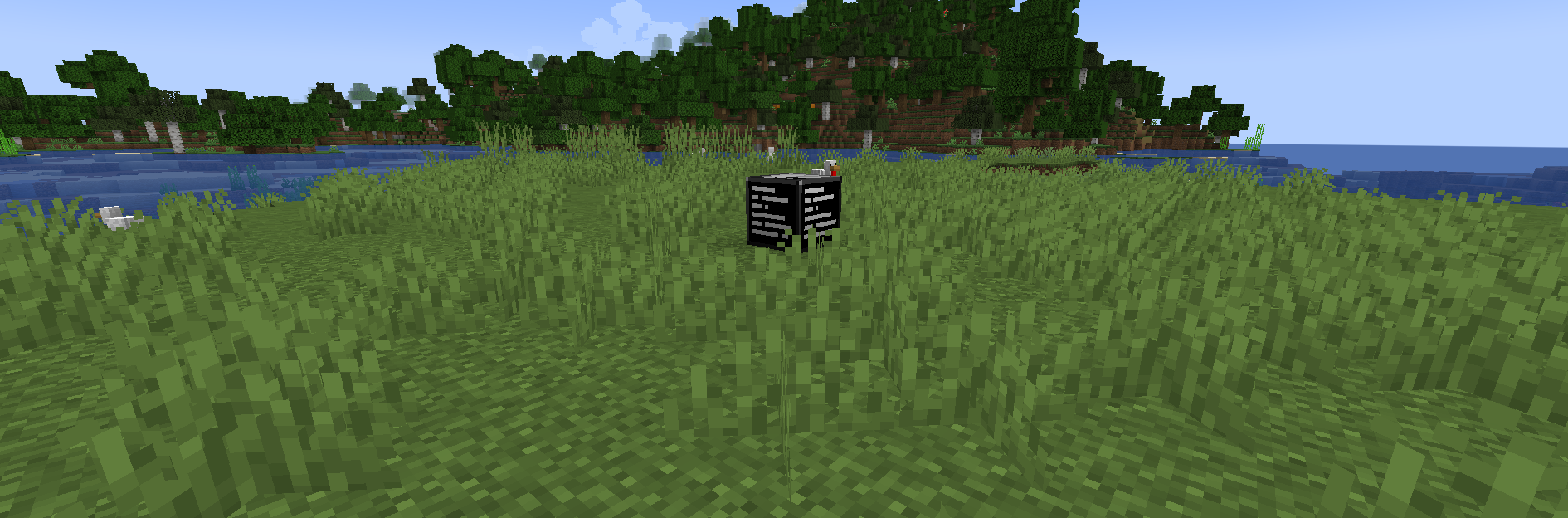 Control Block Control Block placed on the ground.
 -
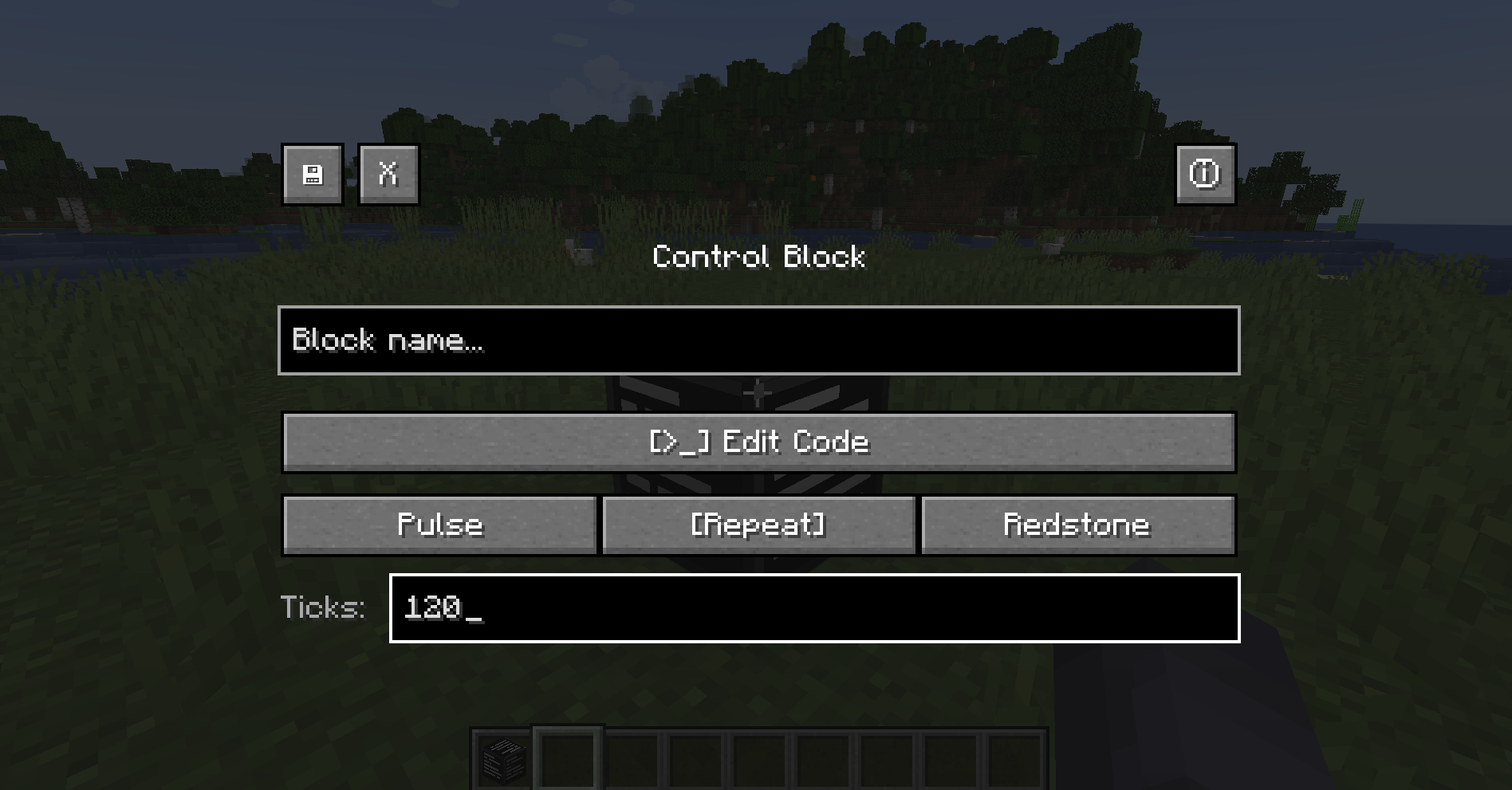 Control Block Screen Config/Main screen of Control Block when right clicked. You can see the save, close and info buttons, the block name area, the edit code button and the execution modes.
 -
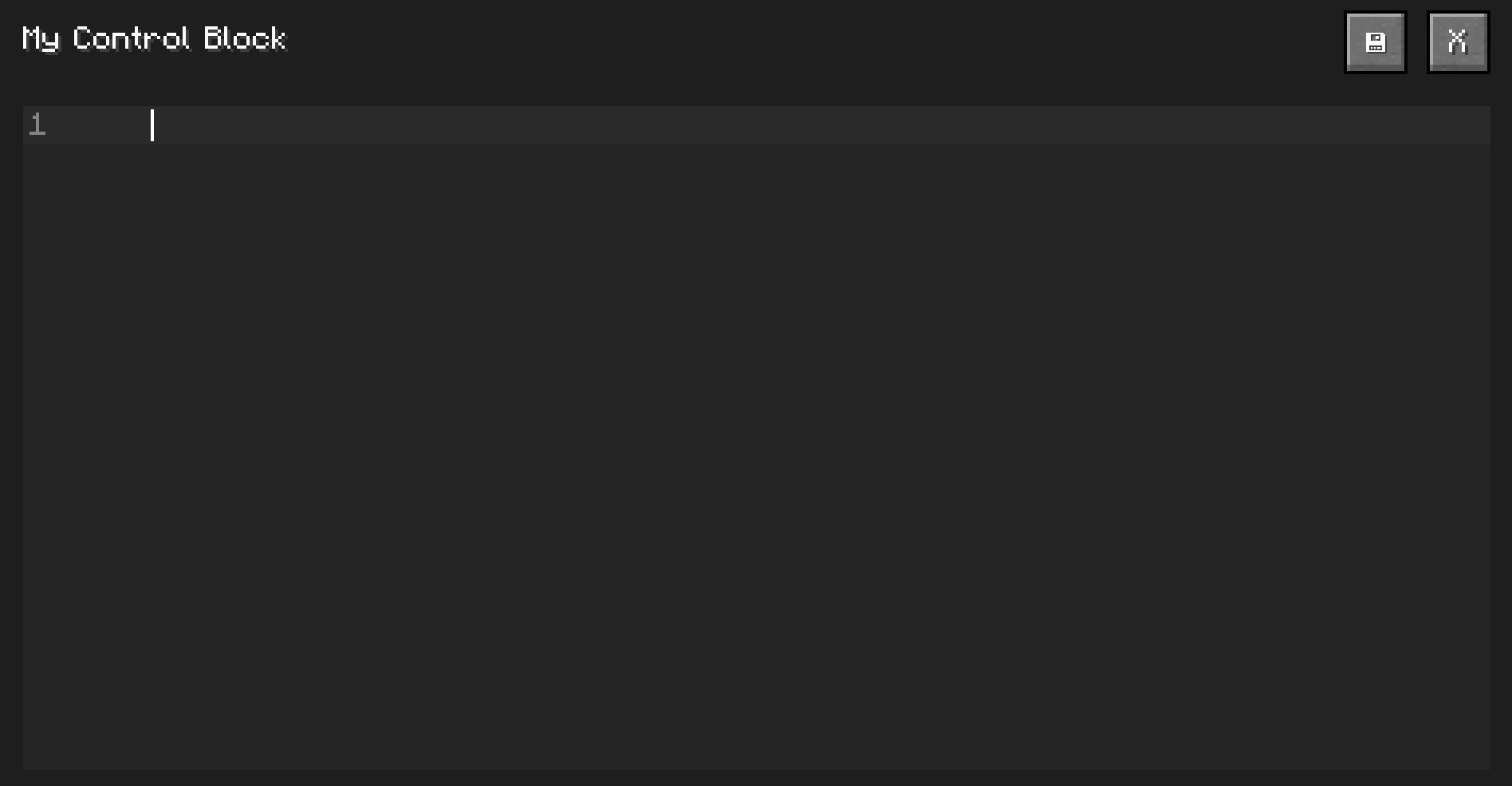 Script Editor You can see the script editor empty.
Versions
Files
Relations
Project Relations
More like this
Similar Mods
Suggestions use data such as tags, dependencies, dependents, descriptions, titles, and more to rank how much they overlap with this mod.
On ModDex
Community snapshot
By the numbers
Statistics
Want to reach Minecraft players?
We're looking for a server hosting partner to feature here and other parts of the site. Interested? Send us a message!
Get in touchGet it on
Available Platforms
On ModDex
Community snapshot
By the numbers