
Community listing page, reviews may not be monitored by the author.
Controllable Sounds

No reviews yet
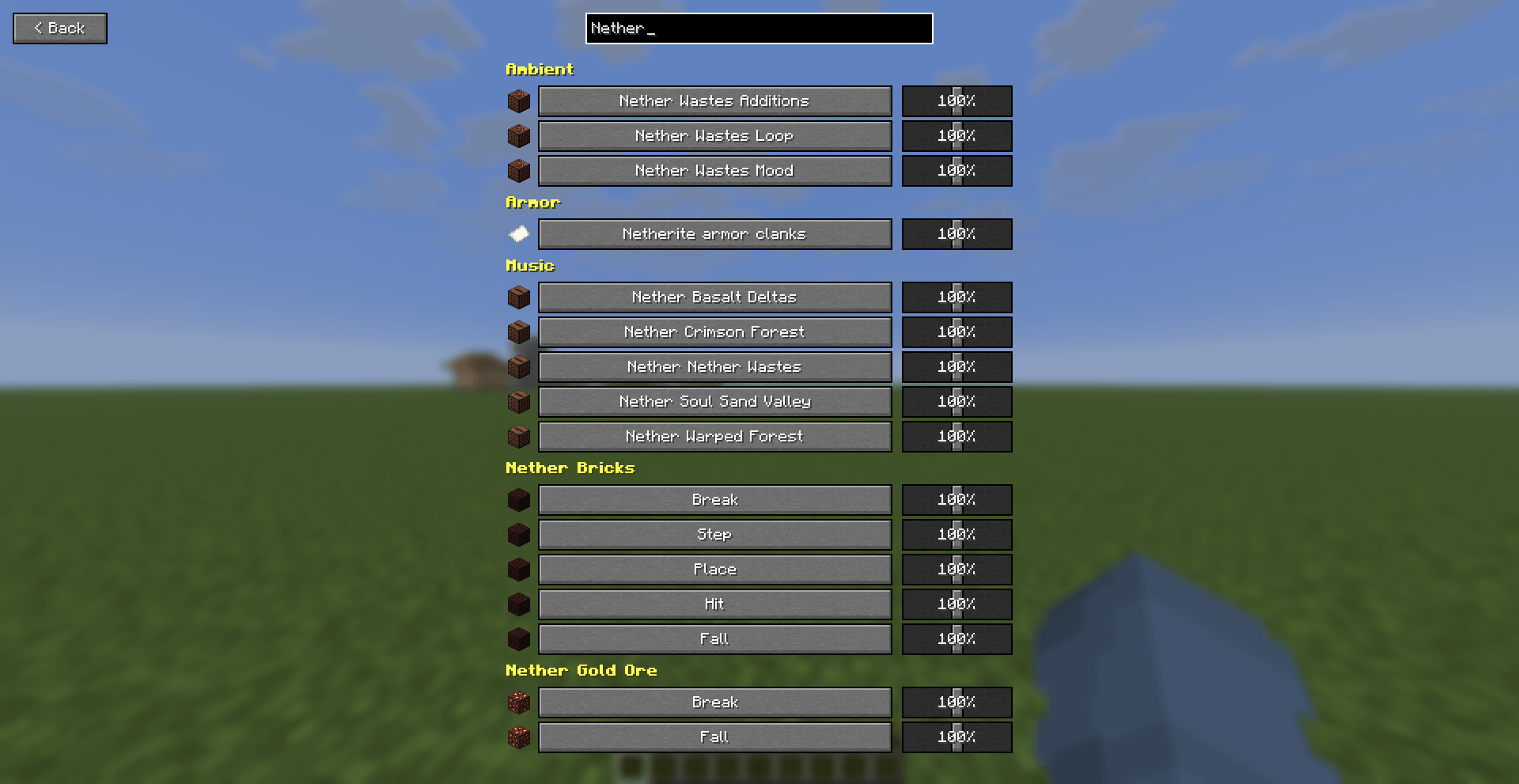
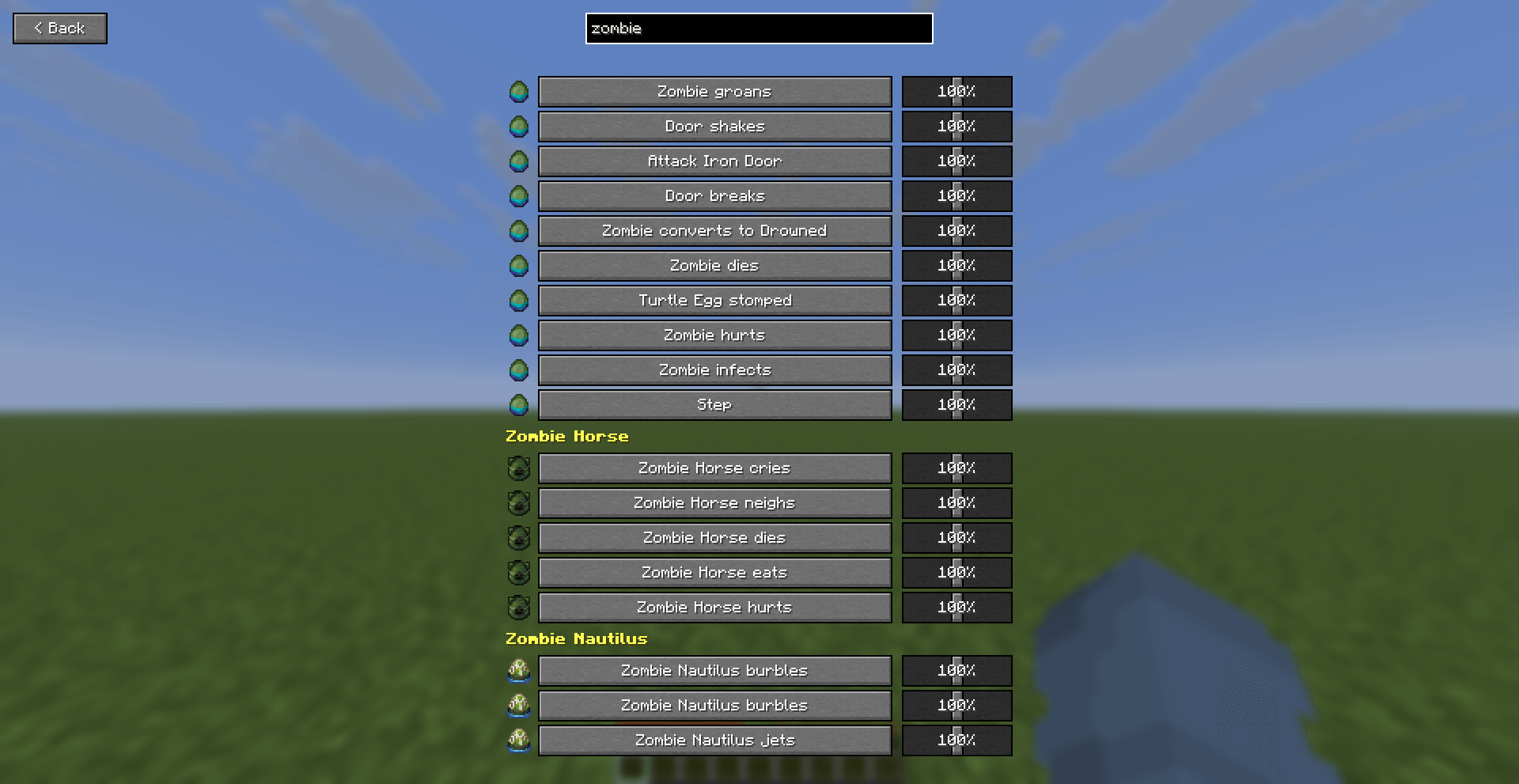
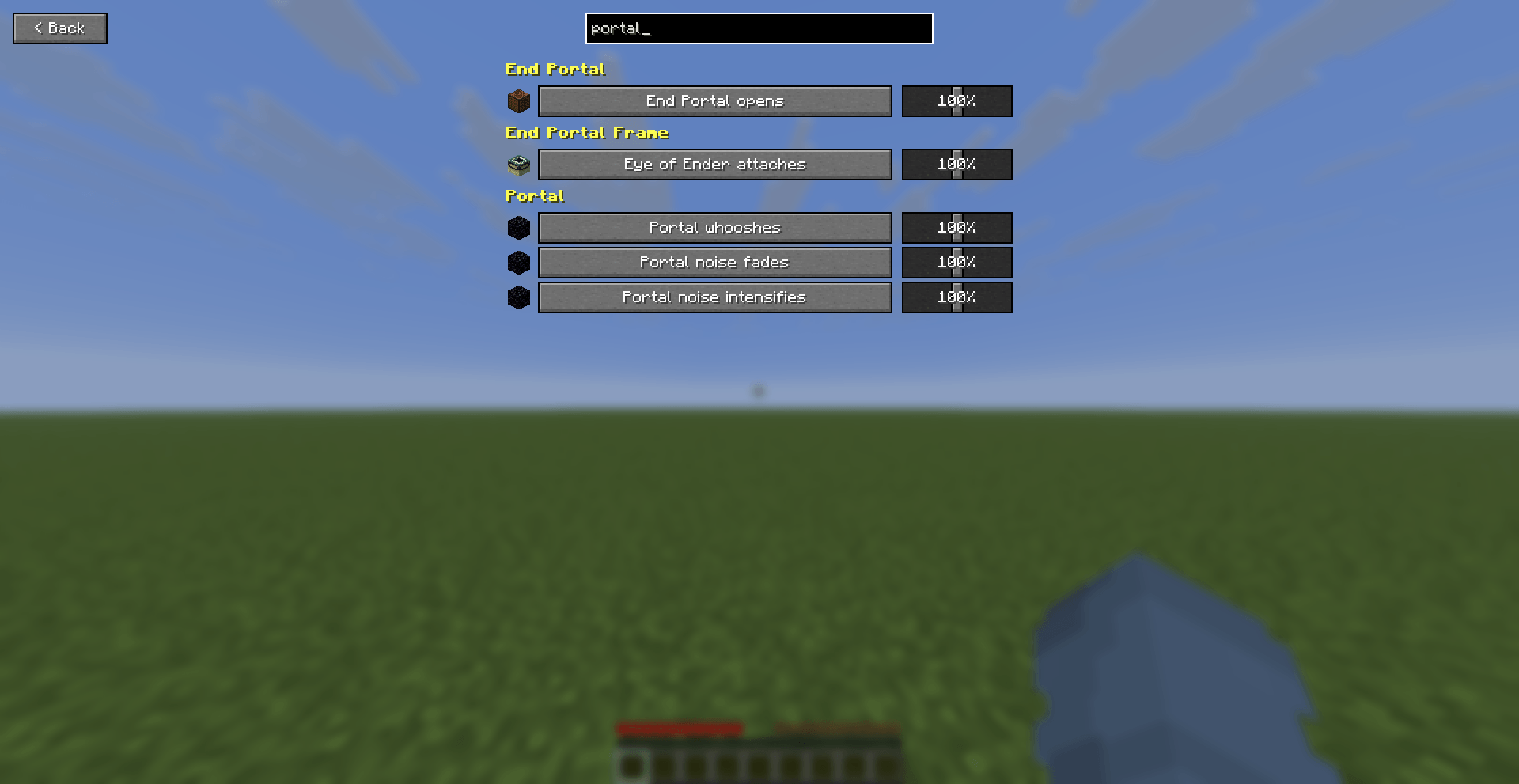
Adds an in-game menu (default key: H) with a searchable volume slider for every single sound in the game - not just categories, every individual sound.

Community voices
Reviews
No reviews yet. Be the first to review this project!
Get it on
Available Platforms
About
Project Details
For authors
Embed Badge
If you're the author of this project, you can embed a live badge anywhere that supports HTML or Markdown. It updates automatically whenever ratings change.
Use HTML for any page that supports it, or Markdown for README files and Markdown-based descriptions.
Identifiers
Platform IDs
Resources
External Links
About
Description
Ever wish you could turn down just the Enderman's ambient noise, or make the Nether Portal whoosh a little quieter without touching every other sound in the game? Vanilla only gives you broad category sliders (Hostile, Ambient, Blocks...). Controllable Sounds gives every single one of Minecraft's ~1,800 registered sounds its own dedicated volume slider.
Features
- One key, one menu. Press H (rebindable in Options > Controls > Controllable Sounds) to open the menu from anywhere in-game.
- Every sound in the game, not a curated subset - close to 1,800 individual sliders, covering every mob, block, item, ambience, weather, music track and UI sound Minecraft registers.
- Per-sound volume sliders, each adjustable from 0% to 200%, independent of and stacking on top of the vanilla category sliders.
- A "Back" button and a live search box at the top of the menu - type a few letters ("zombie", "portal", "note block") and the list filters instantly, so you're never scrolling through hundreds of rows by hand.
- Organized into ~360 groups - one per mob, block or item, plus catch-all groups for ambience, weather, music, UI and enchantments - so browsing by category still works even at this scale.
- An icon next to every row - mostly real vanilla item icons (a mob's spawn egg or head, the relevant block), so the list reads at a glance instead of being a wall of text. Note block instruments even get their own icons, with the Flute ("Ney") getting a specially hand-drawn one.
- Settings persist between sessions, and changes apply live - move a slider and currently playing sounds update immediately.
- Localized where vanilla is - most sound names reuse Minecraft's own subtitle text, so they're already translated into every language Minecraft ships; a few menu labels (title, category names, search box) ship with English and Turkish and fall back to English otherwise.
- Client-side only. No server installation required, safe to use on any server.
Requirements
- Fabric Loader
- Fabric API
Notes
This isn't a replacement for the vanilla Music & Sound options - it stacks on top of them, so your existing category sliders (Hostile, Ambient, etc.) still apply. With ~1,800 sounds listed, the search box is the fastest way to find a specific one; scrolling works too but is meant for browsing a category, not hunting through the whole list.
Screenshots
Gallery
-
 Controllable Sounds 1.png Controllable Sounds 1.png
 -
 Controllable Sounds 3.png Controllable Sounds 3.png
 -
 Controllable Sounds 2.png Controllable Sounds 2.png
Versions
Files
Relations
Project Relations
More like this
Similar Mods
Suggestions use data such as tags, dependencies, dependents, descriptions, titles, and more to rank how much they overlap with this mod.
On ModDex
Community snapshot
By the numbers
Statistics

Get it on
Available Platforms
On ModDex
Community snapshot
By the numbers
Statistics
Resources