Community listing page, reviews here may not be monitored by the author.
Coordinate's Manager

No reviews yet
A Fabric client mod to save locations with coordinates, dimension, screenshots & notes. Browse, search, sort, follow waypoints on HUD, and view photos — all in-game. No server install needed.
Community voices
Reviews
No reviews yet. Be the first to review this project!
Get it on
Available Platforms
About
Project Details
For authors
Embed Badge
If you're the author of this project, you can embed a live badge anywhere that supports HTML or Markdown. It updates automatically whenever ratings change.
Use HTML for any page that supports it, or Markdown for README files and Markdown-based descriptions.
Identifiers
Platform IDs
Resources
External Links
About
Description
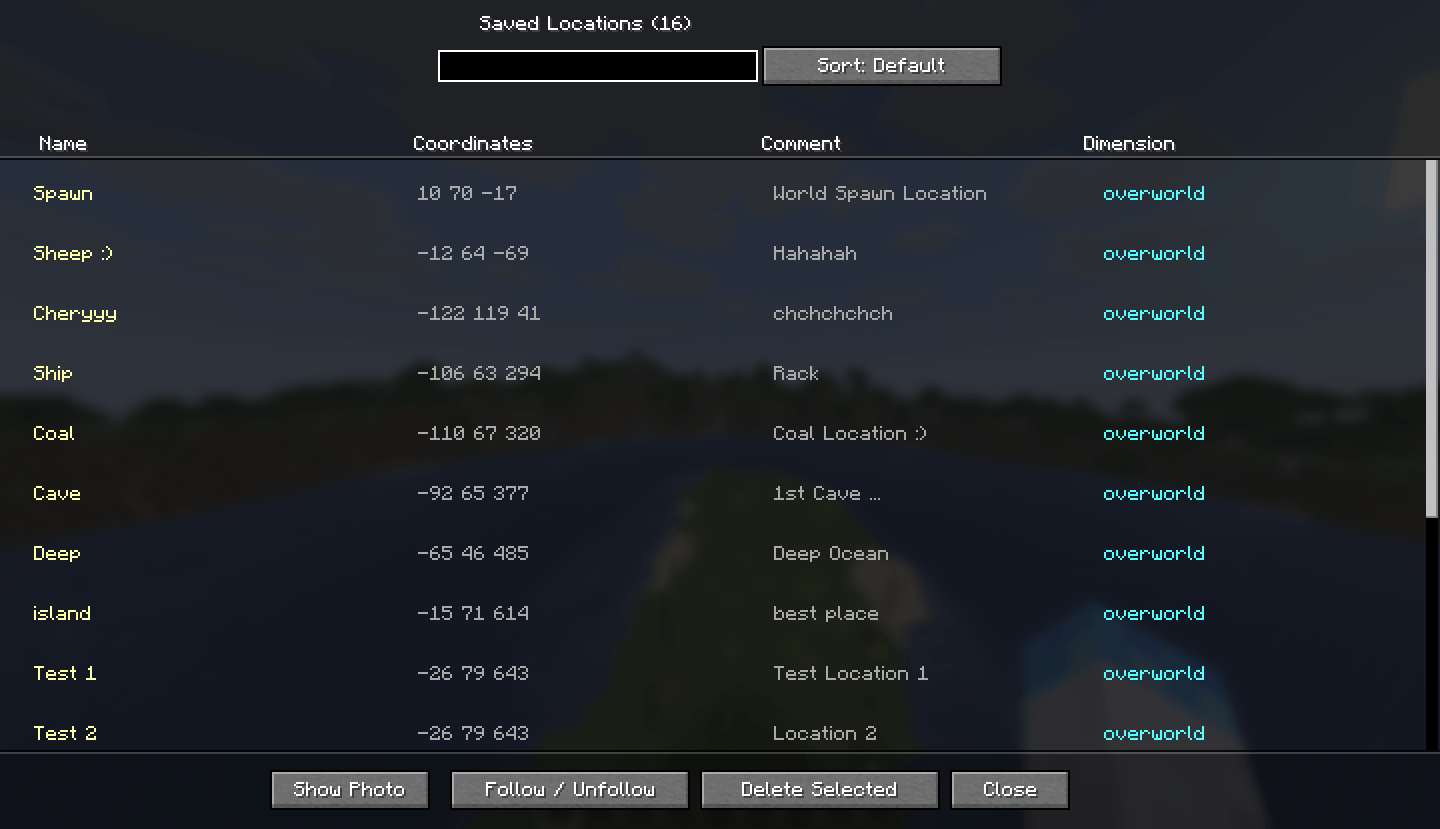
Coords Manager is a lightweight Fabric client mod that lets you bookmark any in-game location with a name, comment, dimension tag, and an automatic screenshot. Browse all your saved spots in a clean in-game list, filter by name, sort by dimension, follow a waypoint on your HUD, and view attached photos — all without leaving Minecraft.
Features
-> Save locations
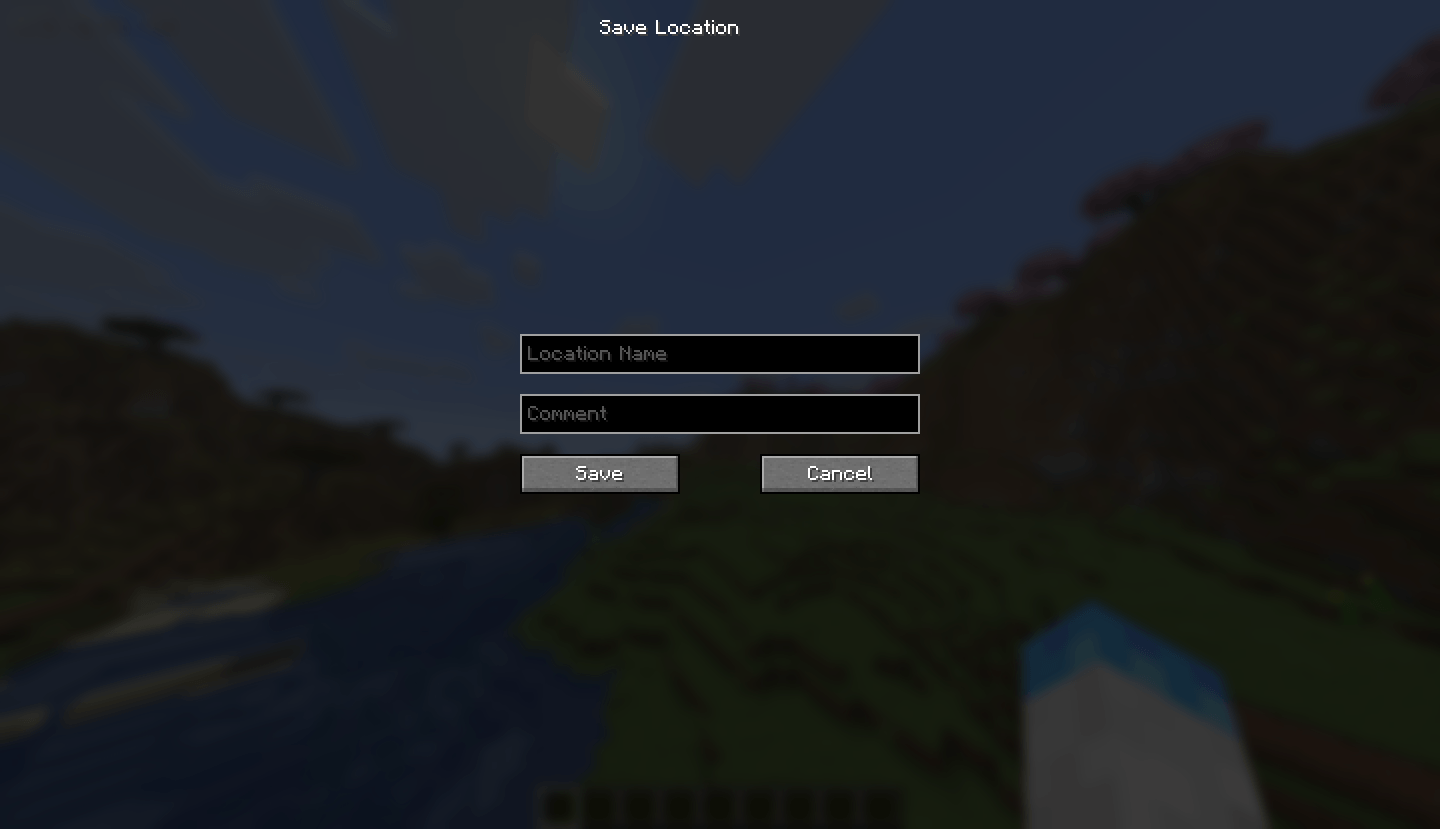
Bookmark any spot with a custom name and comment. Coordinates and dimension are captured automatically.
-> Auto screenshot
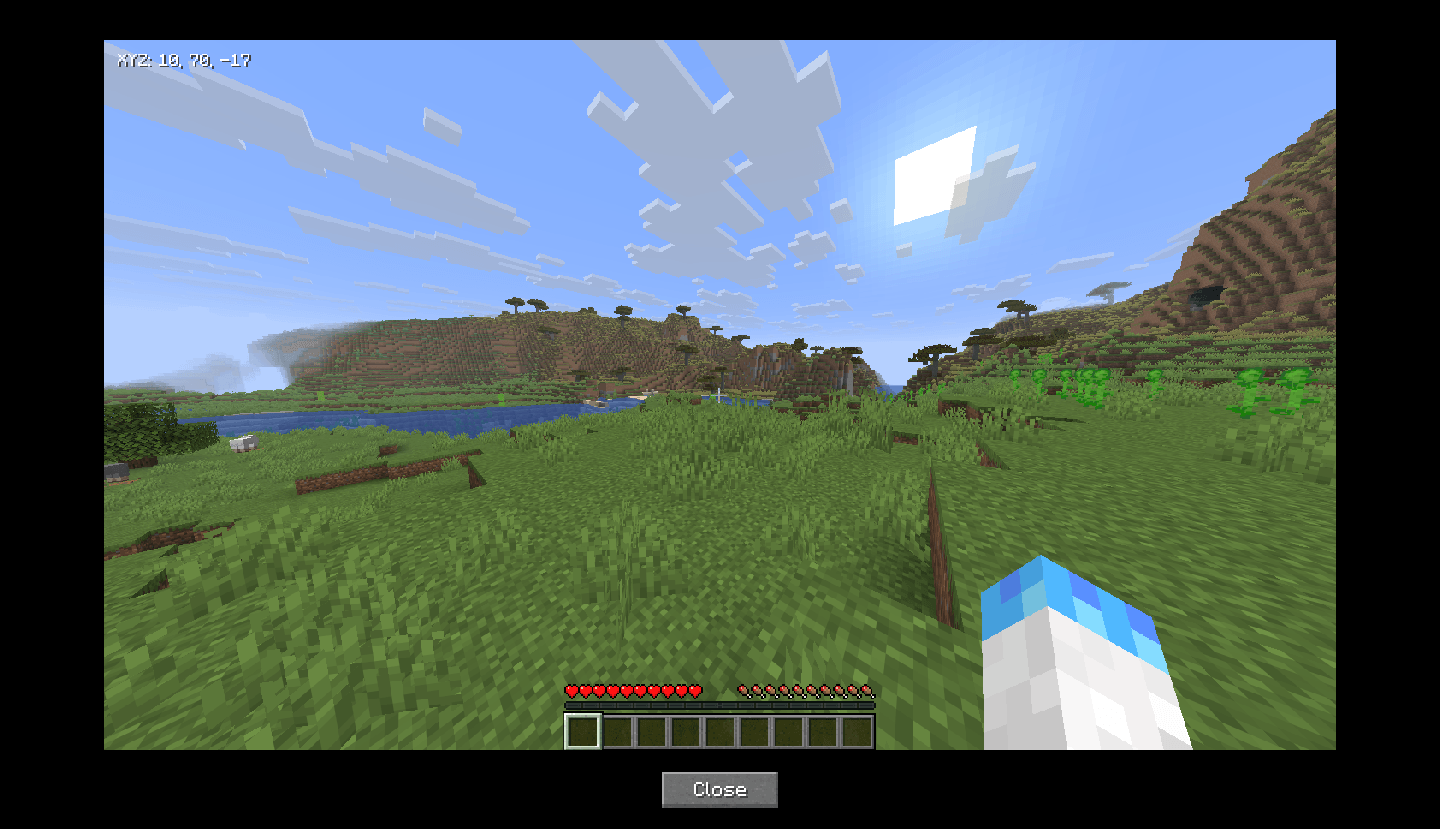
A screenshot is taken automatically when you press the save key and is attached to the location entry.
-> Location list UI
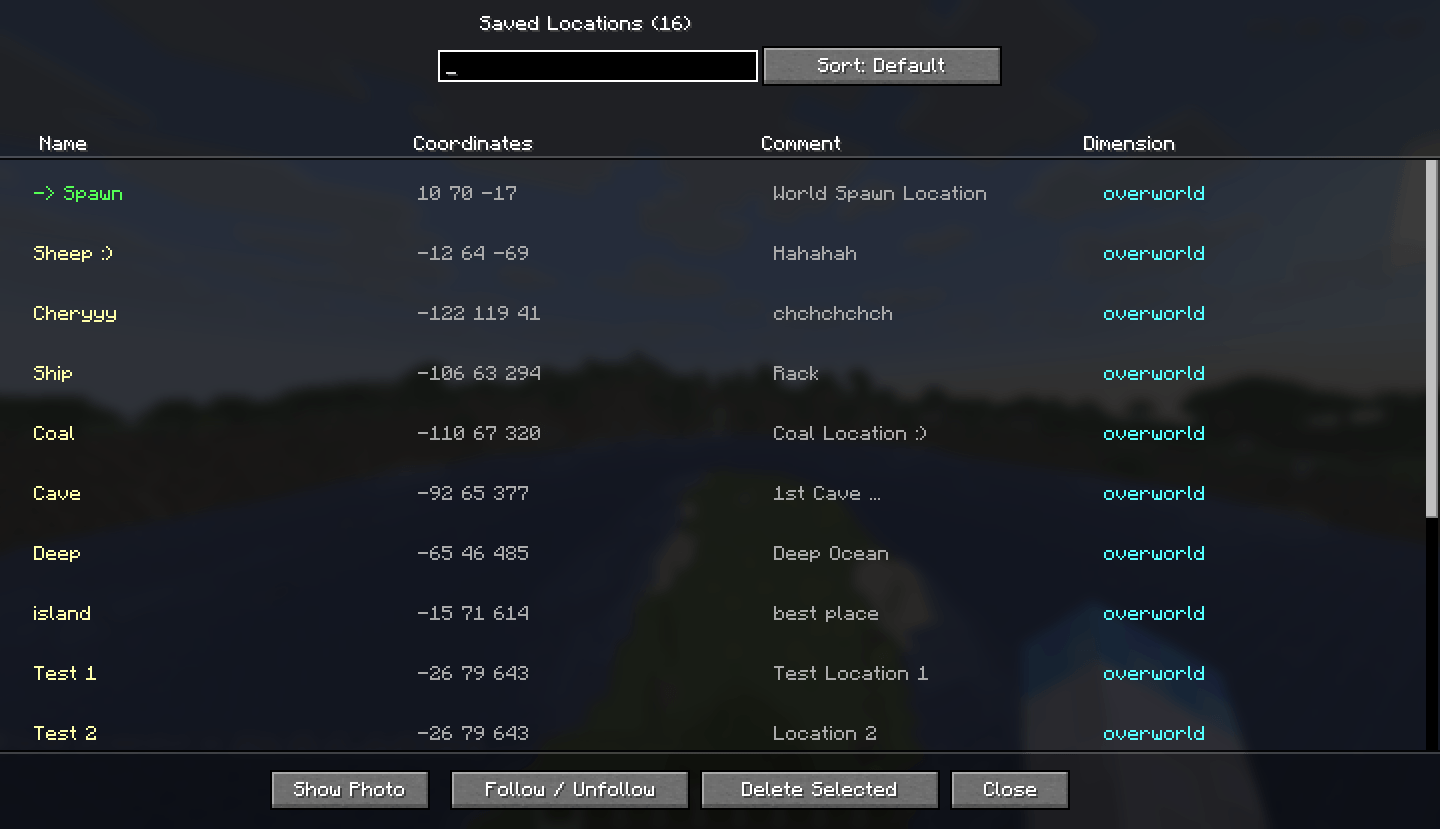
Browse all saved locations in a searchable, sortable in-game screen with name, coordinates, comment, and dimension columns.
-> Follow / HUD waypoint
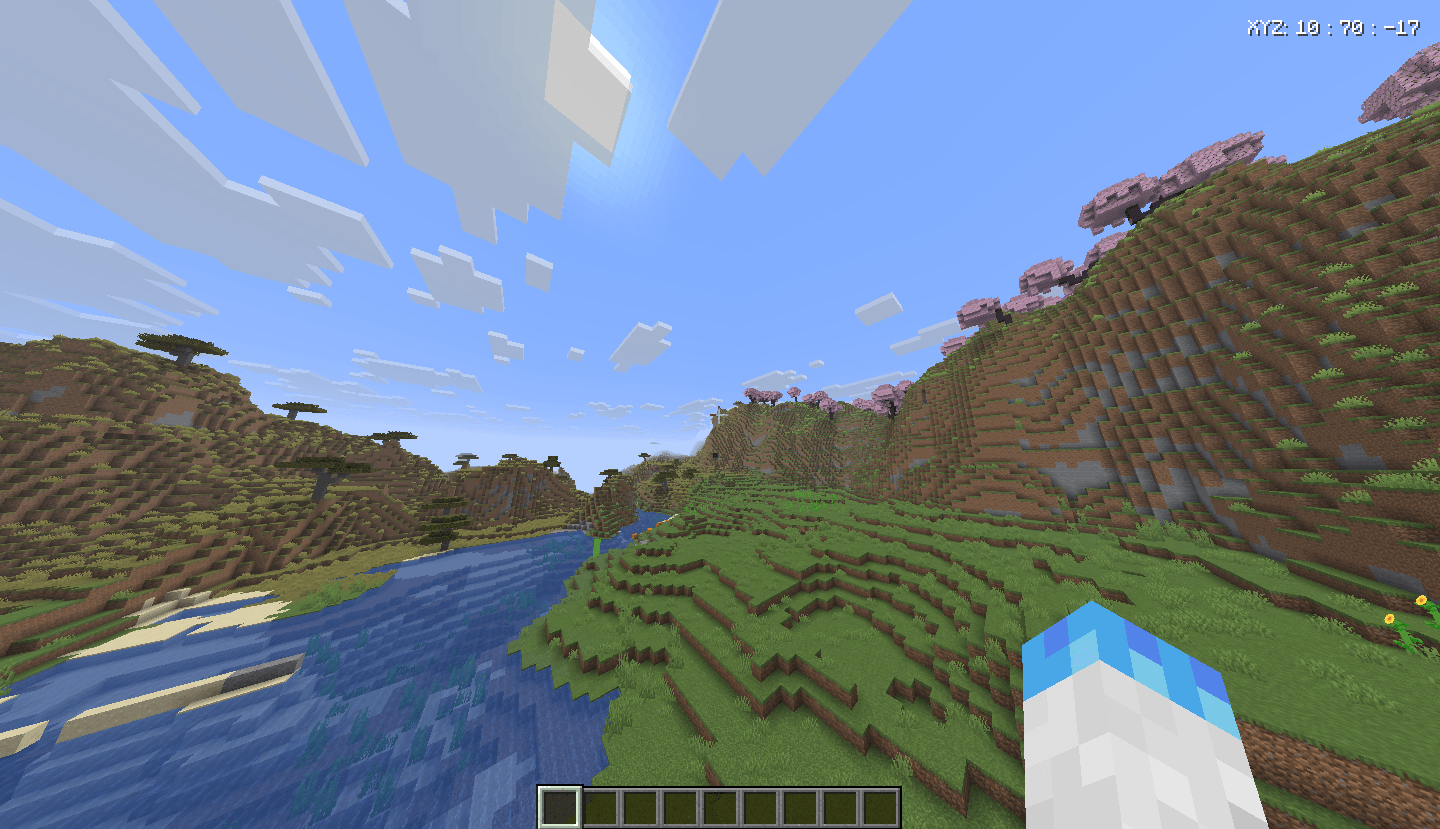
Follow any location and its coordinates appear on your HUD in the top-right corner at all times.
-> Photo viewer
View the screenshot attached to any saved location directly in-game without opening File Explorer.
-> Per-world storage
Locations are saved separately for each singleplayer world and each multiplayer server automatically.
Keybinds
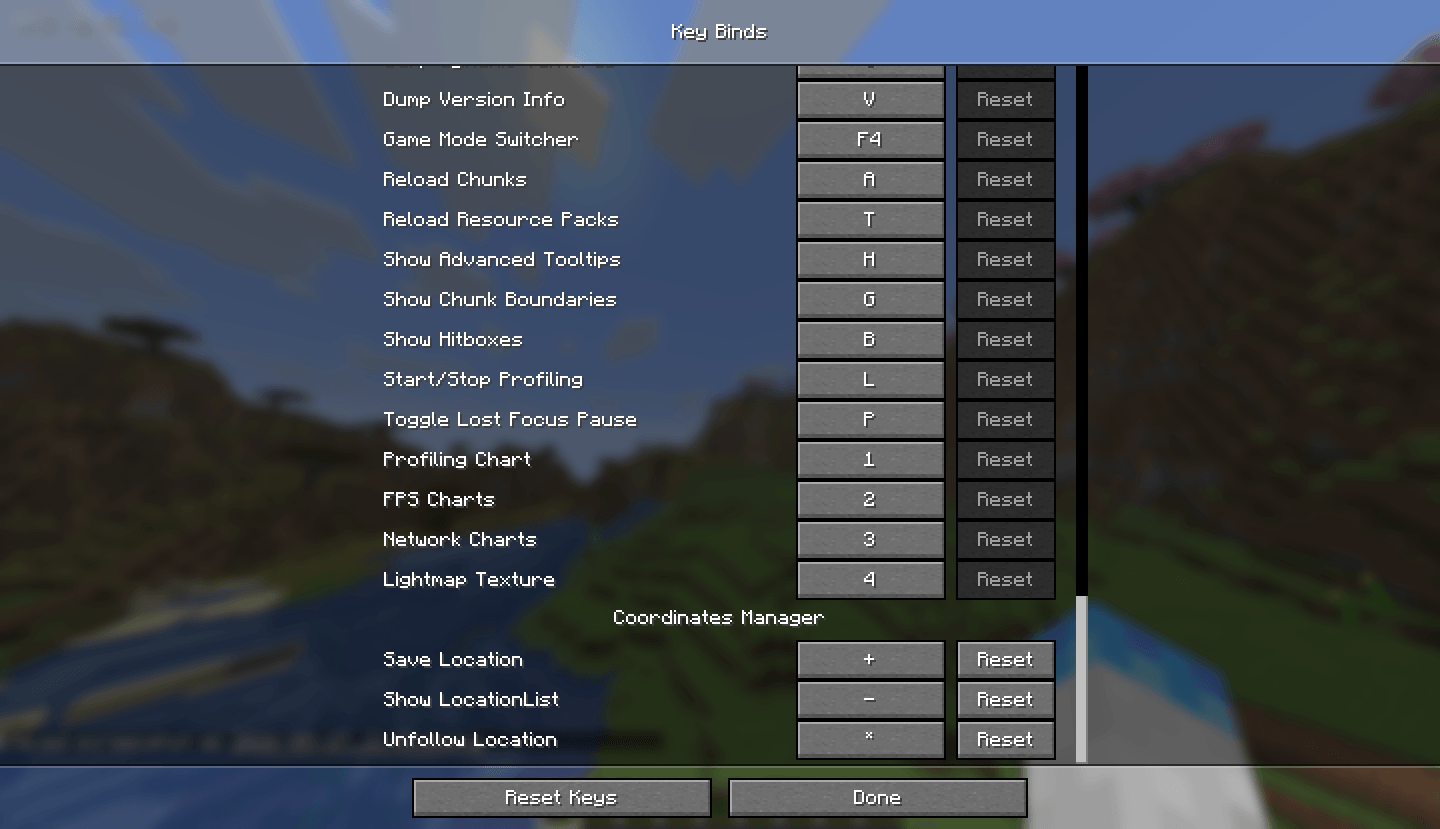
All keybinds can be rebound in Options → Controls → Key Binds → Coord Manager.
How to use
= (Equals key). The screen will close, a screenshot will be taken automatically, and the Save Location dialog will appear after a short delay.L to open the Location List. You can search by name using the search box, and sort entries by dimension (Overworld, Nether, End) using the Sort button.U anytime to stop following.Installation
.minecraft/mods folder..minecraft/mods folder..minecraft/config/coordsmanager/worlds/, organized by world or server name.Requirements
Screenshots
Gallery
-
 6.png 6.png
 -
 5.png 5.png
 -
 4.png 4.png
 -
 3.png 3.png
 -
 2.png 2.png
 -
 1.png 1.png
Versions
Files
Relations
Project Relations
More like this
Similar Mods
Suggestions use data such as tags, dependencies, dependents, descriptions, titles, and more to rank how much they overlap with this mod.
On ModDex
Community snapshot
By the numbers
Statistics
Want to reach Minecraft players?
We're looking for a server hosting partner to feature here and other parts of the site. Interested? Send us a message!
Get in touchGet it on
Available Platforms
On ModDex
Community snapshot
By the numbers
Statistics
Resources