Community listing page, reviews here may not be monitored by the author.
CopperWire Components

No reviews yet
A Redstone compatible set of copper components that include many of the Redstone wishes submitted to Mojang, as well as some additional components to simplify circuit building and reading.
Community voices
Reviews
No reviews yet. Be the first to review this project!
Get it on
Available Platforms
About
Project Details
For authors
Embed Badge
If you're the author of this project, you can embed a live badge anywhere that supports HTML or Markdown. It updates automatically whenever ratings change.
Use HTML for any page that supports it, or Markdown for README files and Markdown-based descriptions.
Identifiers
Platform IDs
Resources
External Links
About
Description
CopperWire Components
This mod gives you several new additions to Minecraft's redstone system:
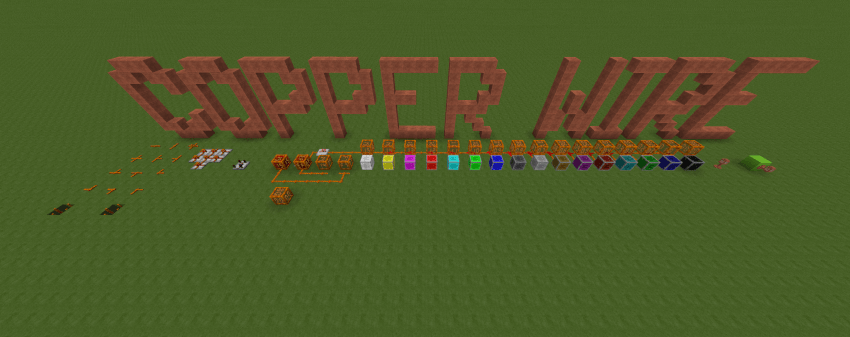
The New Components

- CopperWire - The core component. This is a Redstone Dust compatible block that gives you 100% of the control over where it will connect. It also lets you allow 2 different signals to cross within the same block, as well as run a signal up a wall. The biggest feature, however, is that it will maintain the same redstone signal level for 16 blocks before decaying by 1. This allows for designing circuits that make valuable use of the redstone signal level. This lets 1 copper wire carry the equivalent of 4 binary redstone signals on a single line! On top of all of that, Copper Wire can even be placed underwater. To change which sides are connected, just click near that edge of the wire's surface. If all 4 sides are enabled, you can click the center to toggle between fully connected and crossing modes.

- CopperLantern - This works parallel to a torch, except that it can emit all redstone values. When mounted on a solid block, the torch gives off the inverse value of whatever power is supplied to the block.

- CopperLight - Much like the Redstone Lamp, this light turns on when supplied with a non-zero redstone signal. However, the color produced depends on the redstone signal value. That makes this a 16 color light!

- CopperPowerSource - Imagine wrapping a Redstone Block in copper wire and being able to control the redstone value it emits. That's precisely what this block is.

- CopperPowerMeter - Just set this block down beside any piece of Redstone Dust or Copper Wire, and it will tell you what the current value is. It can even be placed on top of dust and wires to get the value.

- CopperDiode - A Redstone Repeater is great for boosting the redstone value to 15. In the same way, the Copper Diode boosts the internal signal being carried without modifying the redstone value so that copper wire can carry the signal for another 16 blocks.

- CopperSignalLock - This is a single component latch designed after the repeater, only in reverse and with the ability to preserve whatever signal state it is fed. Feeding any non-zero input into either side will enable the CopperSignalLock to store the signal state at it's input.
How It Works
Copper Wire introduces a new state called a "step". When read from an active power source or redstone gate, this step value is initialized to 15. Just as Redstone Dust loses 1 value point for each block that it carries a signal, Copper Wire loses 1 step value for each block traveled. When the step value reaches 0, the next block will see the step go back to 15 and the redstone value finally lose 1... unless losing 1 causes the redstone value to go to 0. In that case, step will also be zero. Since the step value on Copper Wire does not affect the displayed state, and there are multiple potential step values for each instance, the step value is not directly part of the state of the block. It is instead kept in an entity that manages the multiple values that the block can maintain. This keeps the number of states from ballooning out of control and upping the memory requirements too much.
Both Copper Wire and Diode allow you to select which directions are active. Simply tapping use on that quadrant of the block toggles the corresponding side on and off. With the Copper Wire, once all 4 sides are toggled on, tapping use on the middle of the block will toggle "hop" mode, allowing the east/west direction to carry a different signal than the north/south direction. Copper wire can also be placed on a block vertically above another piece of copper wire that is vertical on that same side.
The Copper Power Meter and Source have the ability to emit/display the signal in copper step units as well as redstone value units. The default is Redstone units. To display the signal in copper step units, put a switch on the side of the block and turn it on.
Screenshots
Gallery
-
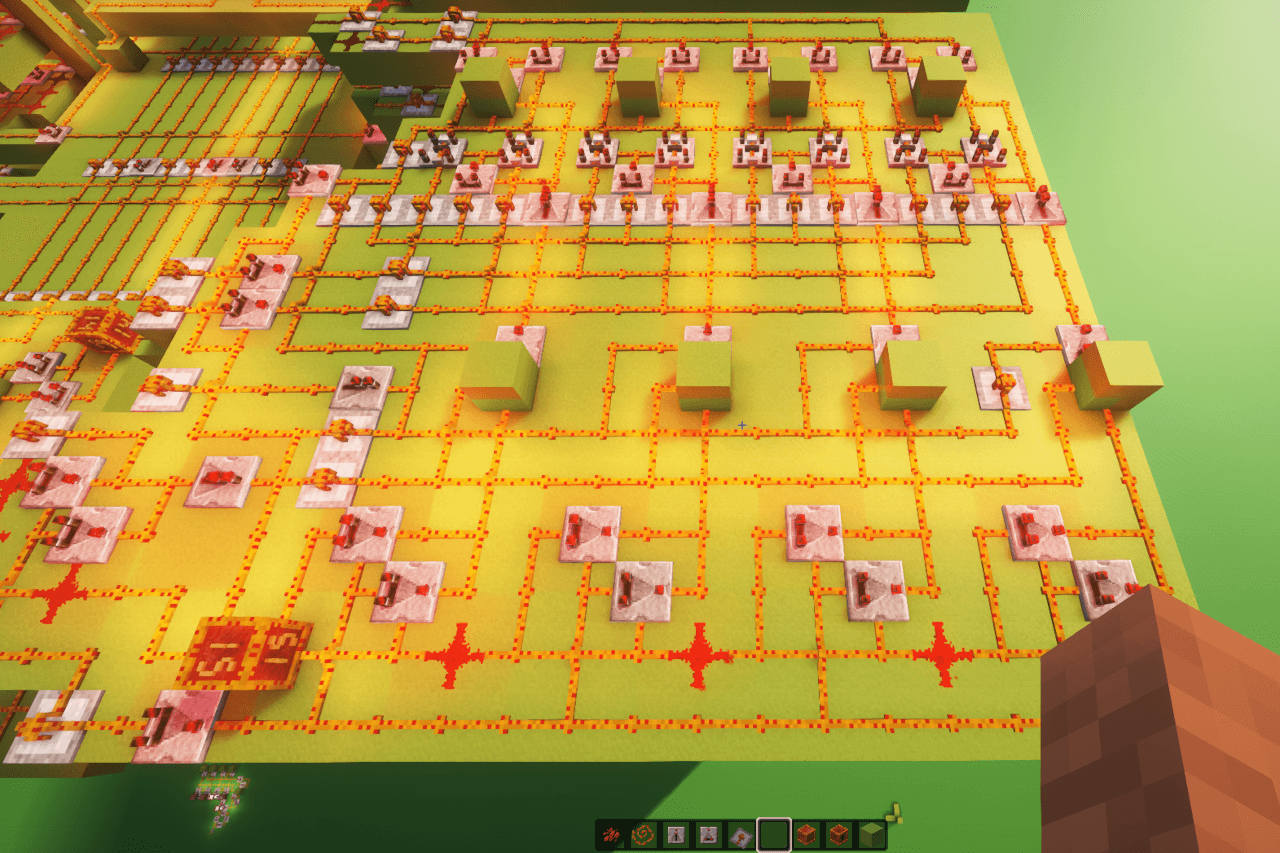 4Byte RAM plate(subsection).png 4Byte RAM plate(subsection).png
 -
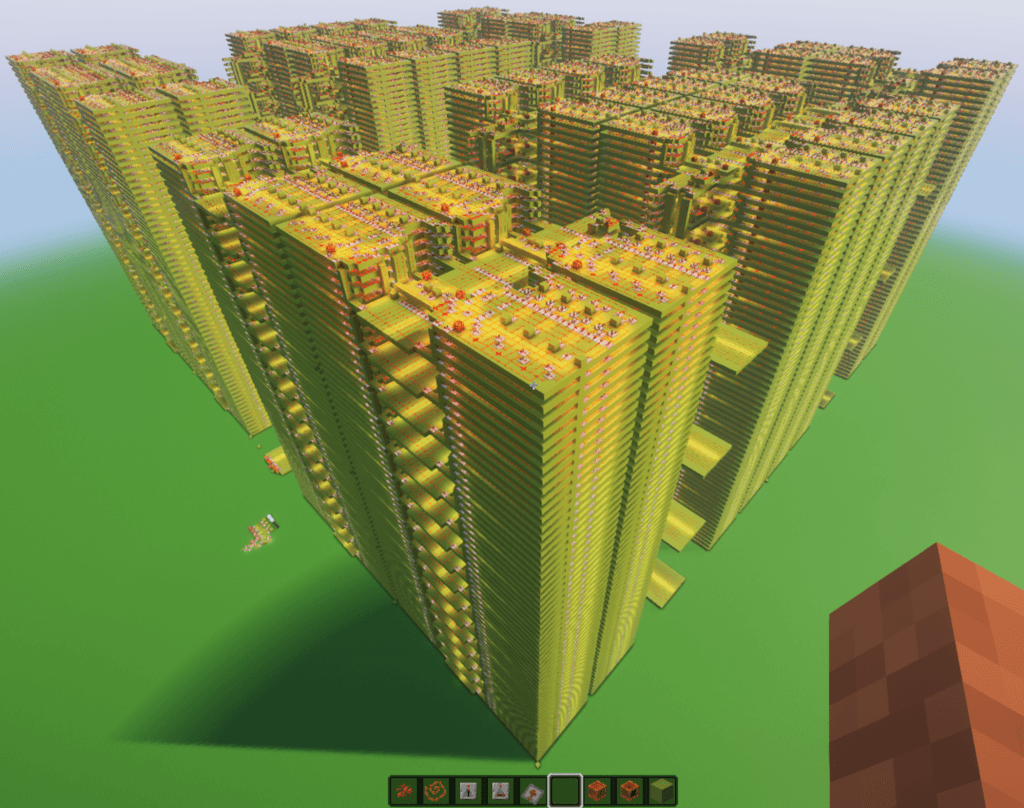 16KByte RAM.png 16KByte RAM.png
 -
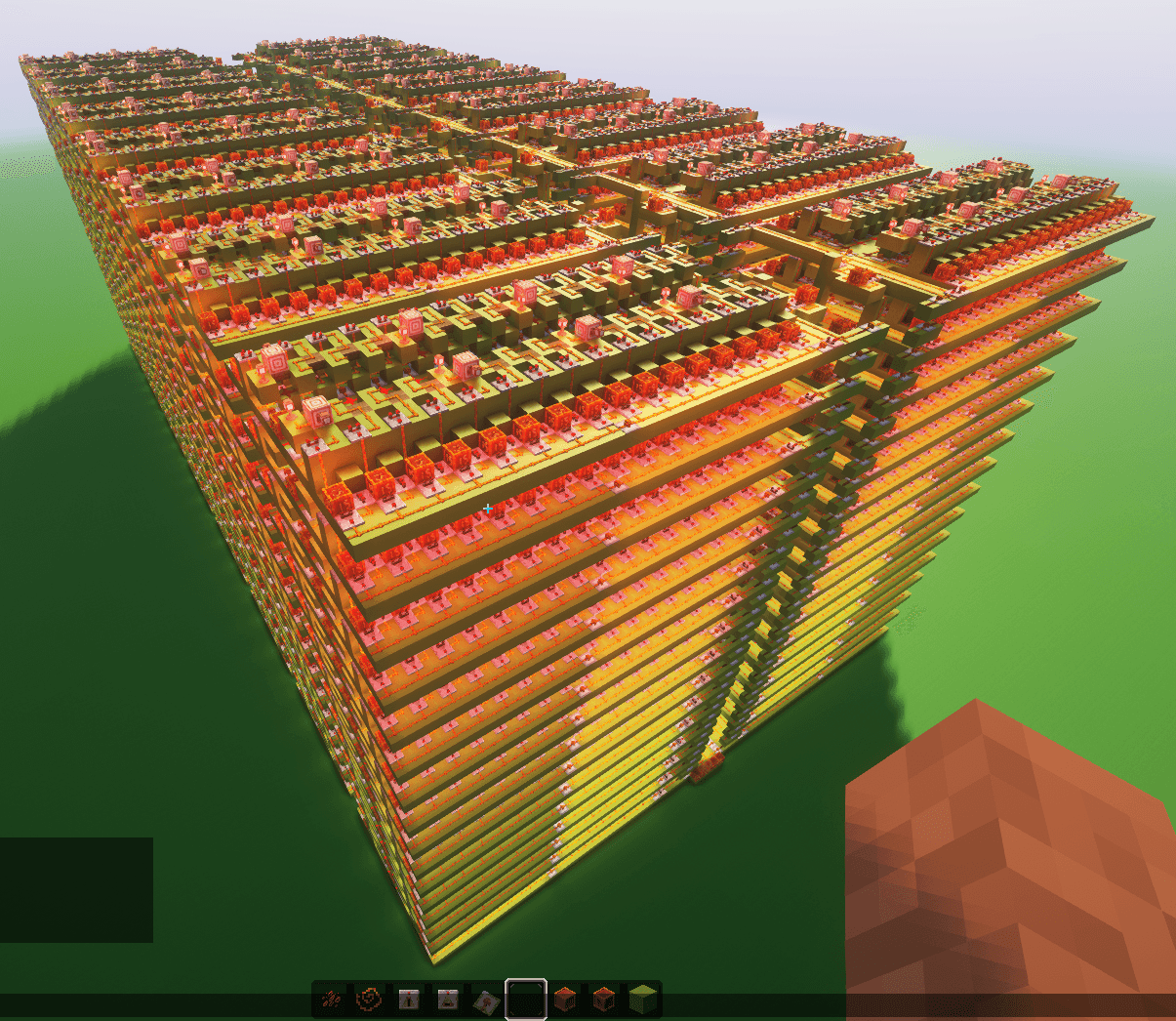 8KByte Rom.png 8KByte Rom.png
 -
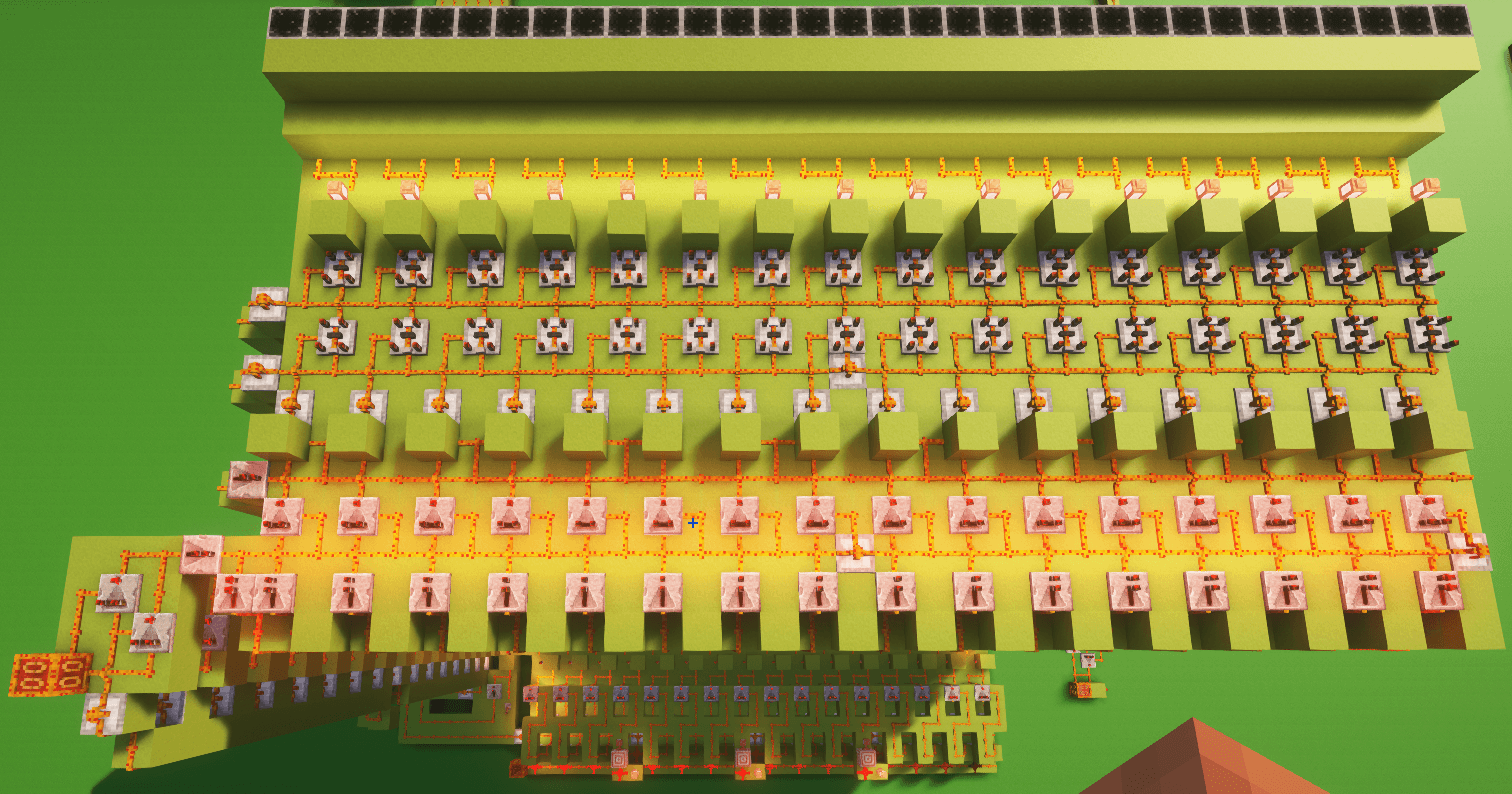 16x16 16 color display(back).png 16x16 16 color display(back).png
 -
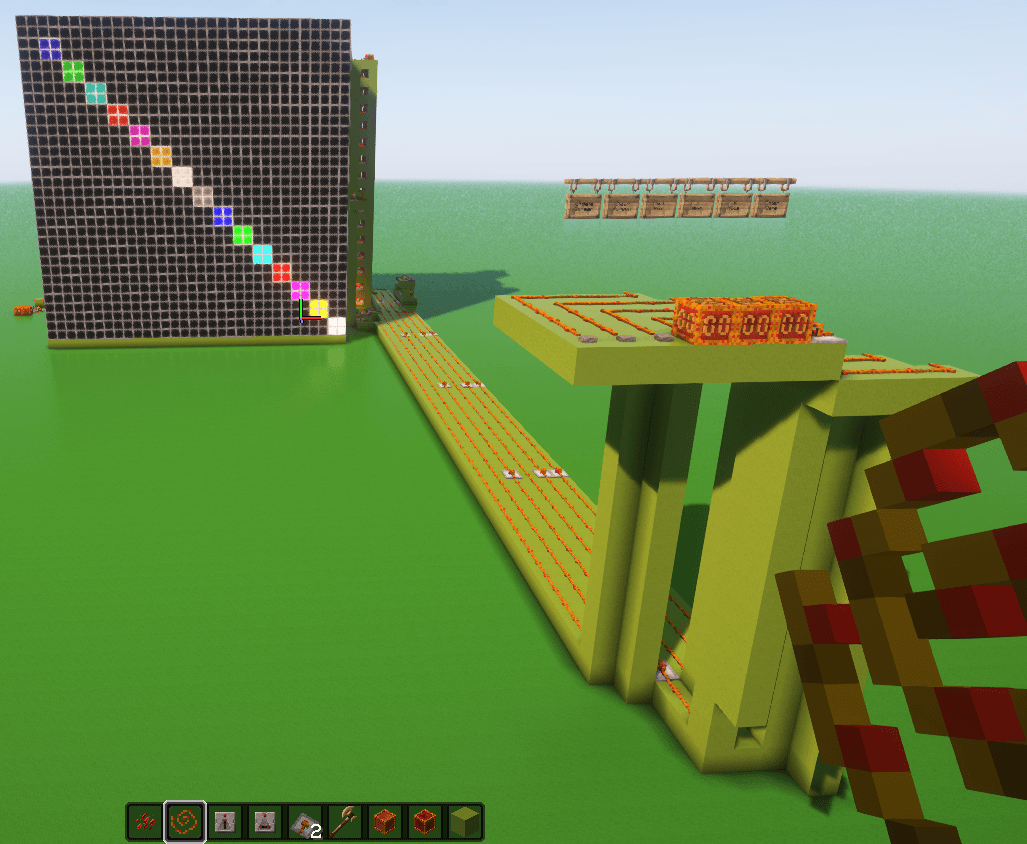 16x16 16 color display with control panel .png 16x16 16 color display with control panel .png
 -
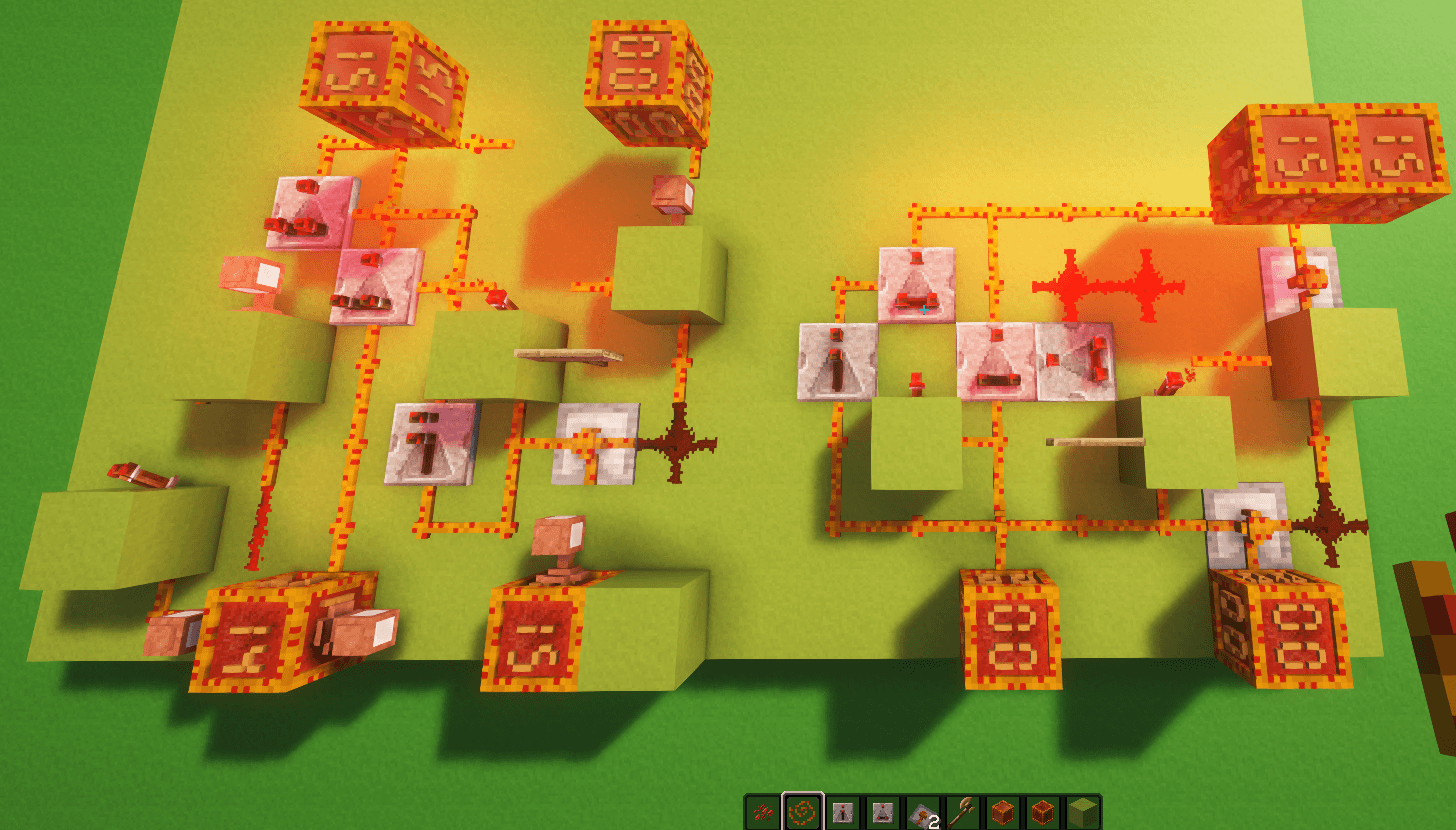 Full Byte Increment(left) & Decrement(right).png Full Byte Increment(left) & Decrement(right).png
 -
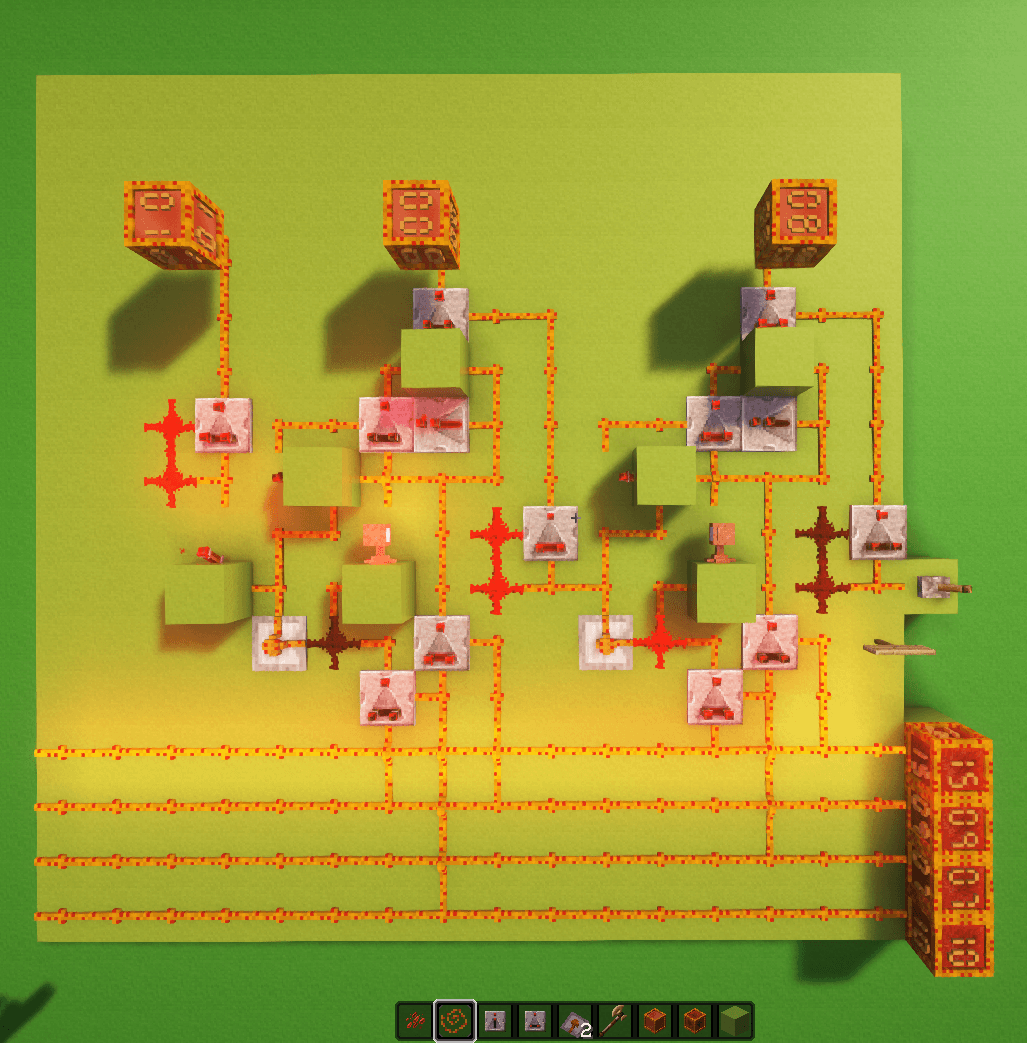 Full Byte Subtract with borrow.png Full Byte Subtract with borrow.png
 -
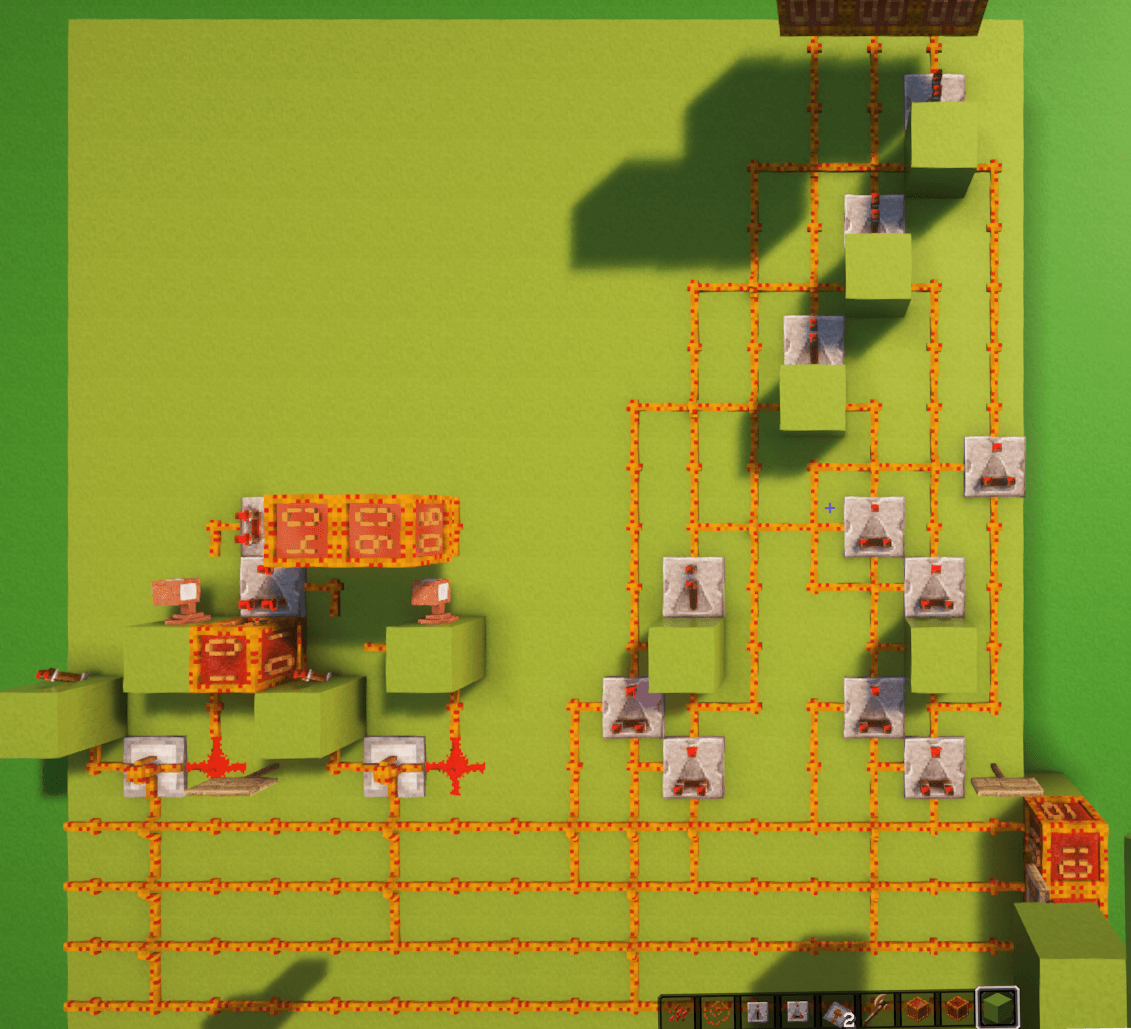 Full Byte Negate(left) & Compare(right)_cropped.png Full Byte Negate(left) & Compare(right)_cropped.png
Versions
Files
Relations
Project Relations
More like this
Similar Mods
Suggestions use data such as tags, dependencies, dependents, descriptions, titles, and more to rank how much they overlap with this mod.
On ModDex
Community snapshot
By the numbers
Statistics
Want to reach Minecraft players?
We're looking for a server hosting partner to feature here and other parts of the site. Interested? Send us a message!
Get in touchGet it on
Available Platforms
On ModDex
Community snapshot
By the numbers
Statistics
Resources