Community listing page, reviews here may not be monitored by the author.
CopyCoords


No reviews yet
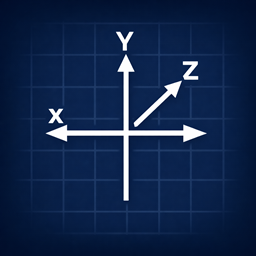
CopyCoords is a small Fabric mod for Minecraft 1.21.x that makes it quick and easy to get, share, and convert coordinates.
Community voices
Reviews
No reviews yet. Be the first to review this project!
Get it on
Available Platforms
Compatibility
Supported Environments
Runs entirely on the client. Works on vanilla servers.
About
Project Details
For authors
Embed Badge
If you're the author of this project, you can embed a live badge anywhere that supports HTML or Markdown. It updates automatically whenever ratings change.
Use HTML for any page that supports it, or Markdown for README files and Markdown-based descriptions.
Identifiers
Platform IDs
About
Description
CopyCoords
CopyCoords is a small Fabric mod for Minecraft 1.21.x that makes it quick and easy to get, share, and convert coordinates.
Whether you're pasting a location into chat, coordinating building projects across dimensions, or just bookmarking a base, CopyCoords saves a few clicks.
Features
/copycoords— prints your current block coordinates in chat and can copy them to your system clipboard.- Keybind — press C (default) to copy your coordinates instantly.
/convertcoords— convert coordinates between the Overworld and the Nether, with optional clipboard copying./msgcoords— send your coordinates to another player, with optional dimension conversion.- Configurable — toggle automatic clipboard copying for both commands in Mod Menu.
- Localized — supports translations for chat messages.
Convert coordinates between dimensions
Use /convertcoords [goal] [x] [y] [z] to convert coordinates between Overworld and Nether.
goal—overworldornether(autocomplete is supported).x y z— coordinates to convert; you can use relative coordinates with~(for example~ ~1 ~-2).- Examples:
/convertcoords nether 100 64 200converts Overworld 100 64 200 → Nether (X/Z divided by 8)./convertcoords overworld ~ ~ ~converts your current position from Nether → Overworld (X/Z multiplied by 8).
Notes: Conversion uses the standard 8:1 X/Z scaling between Overworld and Nether. Y is preserved and rounded to the nearest block. Converted coordinates can be automatically copied to your clipboard (enabled by default).
Usage
/copycoords [goal]— print and optionally copy current coordinates. Whengoalis provided, converts your current position to the target dimension./convertcoords [goal] [x] [y] [z]— convert coordinates between dimensions./msgcoords [player] [goal]— send your coordinates to another player, optionally converted to a target dimension.- Keybind — press C to copy coordinates without typing.
Installation
- Install Fabric Loader for Minecraft 1.21.x: https://fabricmc.net/use/installer/.
- Install required dependencies (Fabric API, Cloth Config, Mod Menu).
- Drop
copycoords-<version>.jarinto yourmodsfolder.
Configuration
Config file: %APPDATA%/.minecraft/config/copycoords.json
{
  "copyToClipboard": true,
  "copyConvertedToClipboard": true
}- Set
copyToClipboardtofalseto only show coordinates in chat (for/copycoordscommand). - Set
copyConvertedToClipboardtofalseto only show converted coordinates in chat (for/convertcoordscommand).
Both options can also be toggled in the Mod Menu configuration GUI.
License
MIT — see the LICENSE file.
Credits
- MR-Kartoshki (GitHub)
- freddy._.fazbear (Discord)
Suggestions or feature requests are welcome — open an issue or send a message.
CopyCoords
A client-side Fabric mod for copying, converting, and sharing coordinates.




Features
/cccopies your current coordinates instantly- Overworld ↔ Nether conversion with the 8:1 ratio
- Send coordinates directly to a player with
/msgcoords - Distance calculator between two positions or saved bookmarks
- Clickable coordinates in chat
- Full coordinate history — copy, reinsert, or remove past entries
- Bookmarks with import/export support
- Map links for Dynmap, BlueMap, or any custom web map
- Configurable format, decimal precision, and custom templates
- And more!
Keybinds (all rebindable in Controls):
- Copy current coordinates
- Copy converted coordinates
- Copy coordinates with dimension label
- Instant chat send
Requirements
| Dependency | Where to get it |
|---|---|
| Fabric Loader | fabricmc.net |
| Fabric API | Modrinth |
| Cloth Config | Modrinth |
| Mod Menu | Modrinth |
Supports Minecraft 1.19 through 26.2.
Each jar targets a specific MC version — pick the one that matches.
Installation
- Install Fabric Loader.
- Download all four dependencies above for your MC version.
- Drop
copycoords+<mc-version>-<mod-version>.jarinto yourmodsfolder. - Launch.
Commands
| Command | What it does |
|---|---|
/cc |
Copy current coordinates |
/copycoords [overworld|nether] |
Copy for a specific dimension |
/convertcoords [dim] [x] [y] [z] |
Convert between Overworld and Nether |
/msgcoords [player] |
Send your coords to a player |
/distcalc [x1] [y1] [z1] [x2] [y2] [z2] |
Distance between two points |
/distcalc bookmarks [b1] [b2] |
Distance between two bookmarks |
/coordshistory |
View coordinate history |
/coordsbookmark add/list/copy/remove |
Manage bookmarks |
/coordsbookmark export/import [file] |
Backup or restore bookmarks |
| For the full list of commands check ingame command suggestions |
Configuration
Open Mod Menu and select CopyCoords to configure.
Config file: .minecraft/config/copycoords/copycoords.json
Template placeholders: {x} {y} {z} {dimension} {dimName}
Map link placeholders: {x} {y} {z} {world} {worldEncoded} {dimension} {dimensionEncoded}
Instant Chat Send is unbound by default. Set it in Controls before use. If it fails, CopyCoords will print the reason in chat.
License
Screenshots
Gallery
Versions
Files
Relations
Project Relations
More like this
Similar Mods
Suggestions use data such as tags, dependencies, dependents, descriptions, titles, and more to rank how much they overlap with this mod.
On ModDex
Community snapshot
By the numbers
Statistics
Want to reach Minecraft players?
We're looking for a server hosting partner to feature here and other parts of the site. Interested? Send us a message!
Get in touchGet it on
Available Platforms
On ModDex
Community snapshot
By the numbers