Community listing page, reviews here may not be monitored by the author.
Counter (Day & Death)


No reviews yet
Counter Mod adds configurable Day & Death Counters, a Time Overlay, a Coordinates Overlay and a Numeric Ping Display for tracking world progression and player stats, and in-game time.

Community voices
Reviews
No reviews yet. Be the first to review this project!
Get it on
Available Platforms
Compatibility
Supported Environments
Must be installed on both the client and the server.
About
Project Details
For authors
Embed Badge
If you're the author of this project, you can embed a live badge anywhere that supports HTML or Markdown. It updates automatically whenever ratings change.
Use HTML for any page that supports it, or Markdown for README files and Markdown-based descriptions.
Identifiers
Platform IDs
About
Description
Track Days, Deaths, Survival Time, Coordinates & Ping – Fully Customizable!
The Counter Mod enhances Minecraft by adding Day Counters, Death Counters, a Survival Time Tracker, Time Overlay, Coordinates Overlay, and a Numeric Ping Display. Whether in singleplayer or multiplayer, this mod provides an easy way to track world progression, player statistics, and network latency – especially useful in hardcore modpacks.
🌟 Features
✅ Day Counter – Displays the current Minecraft day as an overlay or in chat.
✅ Death Counter – Tracks player deaths with an overlay leaderboard & chat display.
✅ Survival Time Tracker – Tracks how long a player has survived since their last death. Shows best time, global best, and history.
✅ Time Overlay – Shows the current in-game time directly on screen (12h/24h format).
✅ Coords Overlay – Shows the current coordinates directly on screen and share locations with others.
✅ Numeric Ping Display – Replaces vanilla ping bars with color-coded numeric values.
⚙️ Configuration
- Configure everything via
server-config.tomlandclient-config.toml. - Customize text color, overlay positions, scaling, and display styles.
- Supports multiple display modes: Chat, Overlay, or both.
- Enable or disable specific features (Day, Death, Survival, etc.) independently.
- 📜 For a full list of config options, visit: GitHub Configuration Guide
📝 Commands
Below is an overview of the main commands the mod provides:
| Command | Permission | Description |
|---|---|---|
/day get |
all | Shows the current day counter value. |
/day set <days> |
admin | Sets the Day Counter to the specified value. |
/death get [player / list] |
all | Shows your own total deaths, another player's deaths, or the leaderboard (list). |
/death set <player> <amount> |
admin | Sets the death count for the specified player(s). |
/death reset |
admin | Resets the death count of all players to 0. |
/time get |
all | Shows the current in-game time. |
/coords get |
all | Shows your current coordinates. |
/coords send [player / all] |
all | Shares your coordinates with another player or all players. |
/survival history [player] |
all | Shows the survival time history for you or another player. |
/survival best [player / global] |
all | Displays the best survival time for you, another player, or the global best. |
/survival current [player] |
all | Displays the current survival time since the last death. |
🎨 Overlay Edit Mode
- Easily adjust the position and visibility of overlays via an in-game UI.
- Supports dragging elements, hiding overlays, and saving changes dynamically.
- Resize overlays with buttons.
- Change alignment (left, center, right) using arrow icons.
🔗 Links
🐛 Please report issues to the Issue Tracker on GitHub
Track Days, Deaths, Survival Time, Time, Coordinates & Ping – Fully Customizable!
The Counter Mod enhances Minecraft by adding Day Counters, Death Counters, a Survival Time Tracker, a Time Overlay, a Coordinates Overlay and a Numeric Ping Display. Whether in singleplayer or multiplayer, this mod provides an easy way to track world progression, player statistics, and network latency – especially useful in hardcore modpacks.
🌟 Features
- ✅ Day Counter – Displays the current Minecraft day as an overlay or in chat.
- ✅ Death Counter – Tracks player deaths with an overlay leaderboard & chat display.
- ✅ Survival Time Tracker – Tracks how long a player has survived since their last death. Shows best time, global best, and history.
- ✅ Time Overlay – Shows the current in-game time directly on screen.
- ✅ Coords Overlay – Shows the current coordinates directly on screen and share locations with others.
- ✅ Numeric Ping Display – Replaces vanilla ping bars with color-coded numeric values.
- ✅ Highly Configurable – Customize positions, colors, display modes, and styles.
⚙️ Configuration
- Configure everything via server-config.toml and client-config.toml.
- Customize text color, overlay positions, scaling, and display styles.
- Supports multiple display modes: Chat, Overlay, or both.
- Enable or disable specific features (Day, Death, Survival, etc.) independently.
- 📜 For a full list of config options, visit: GitHub Configuration Guide
📝 Commands
Below is an overview of the main commands the mod provides:
| Command | Permission | Description |
|---|---|---|
/day get |
all |
Shows the current day counter value. |
/day set <days> |
admin |
Sets the Day Counter to the specified value. |
/death get [player / list] |
all |
Shows your own total deaths, another player's deaths, or the leaderboard (list). |
/death set <player> <amount> |
admin |
Sets the death count for the specified player(s). |
/death reset |
admin |
Resets the death count of all players to 0. |
/time get |
all |
Shows the current in-game time. |
/coords get |
all |
Shows your current coordinates. |
/coords send [player / all] |
all |
Shares your coordinates with another player or all players. |
/survival history [player] |
all |
Shows the survival time history for you or another player. |
/survival best [player / global] |
all |
Displays the best survival time for you, another player, or the global best. |
/survival current [player] |
all |
Displays the current survival time since the last death. |
🎨 Overlay Edit Mode
- Easily adjust the position and visibility of overlays via an in-game UI.
- Supports dragging elements, hiding overlays, and saving changes dynamically.
- Resize overlays with buttons.
- Change alignment (left, center, right) using arrow icons.
🔗 Links
🐛 Please report issues to the Issue Tracker on GitHub
Screenshots
Gallery
-
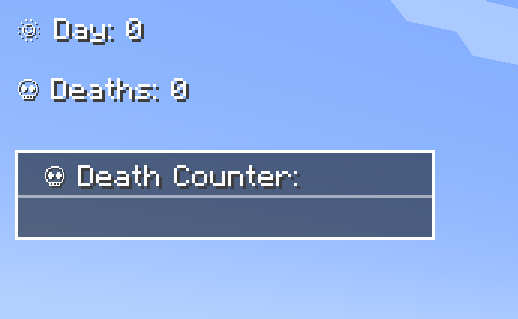 Overlays Overlays
 -
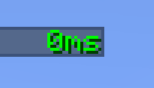 Ping Text Ping Text
 -
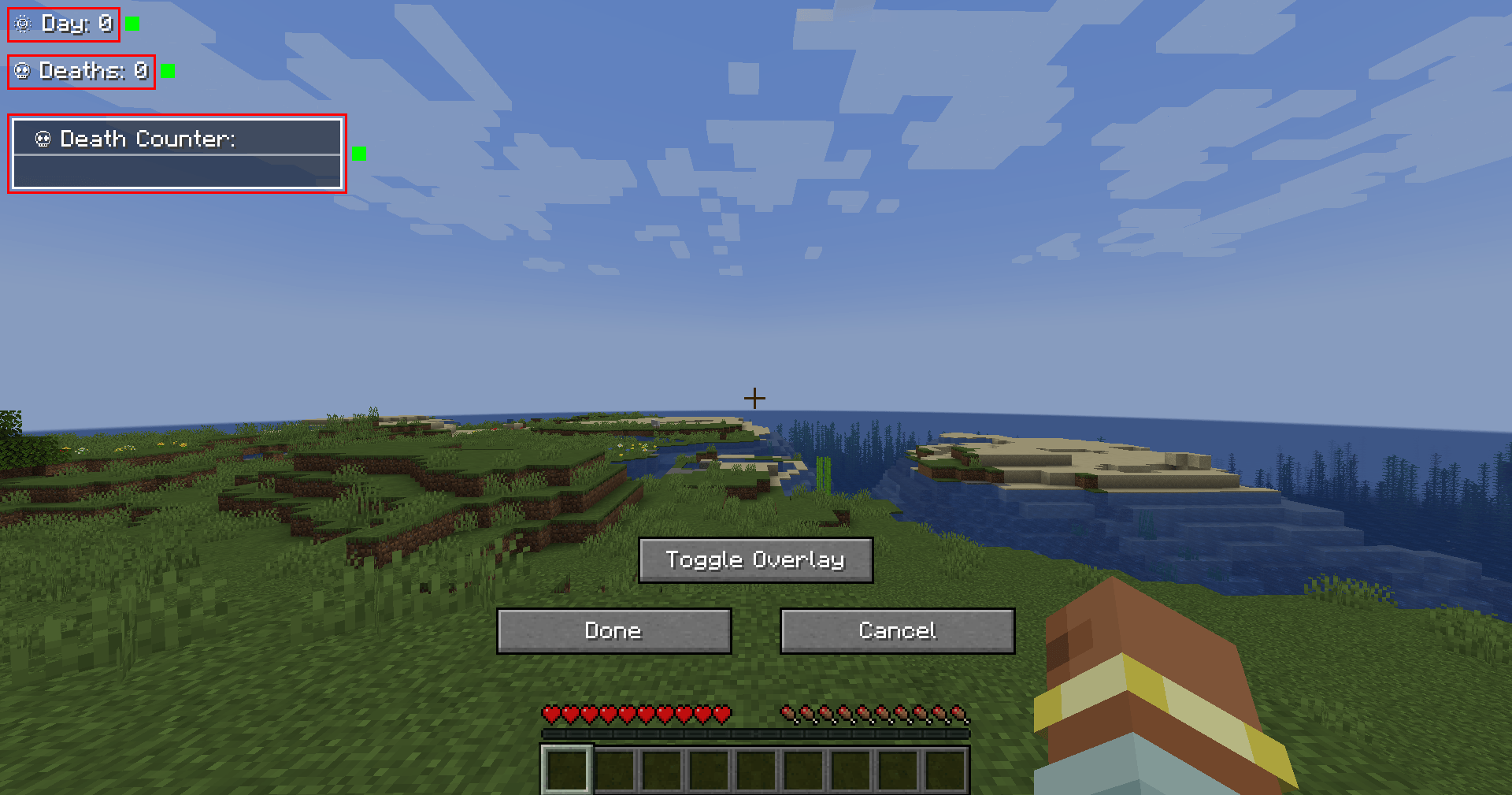 Edit Mode Edit Mode
-
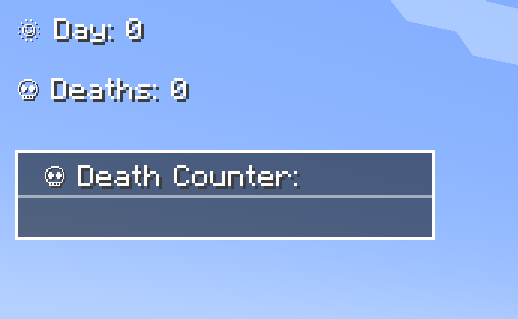 Overlays
 -
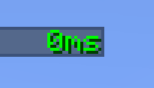 Ping Text
 -
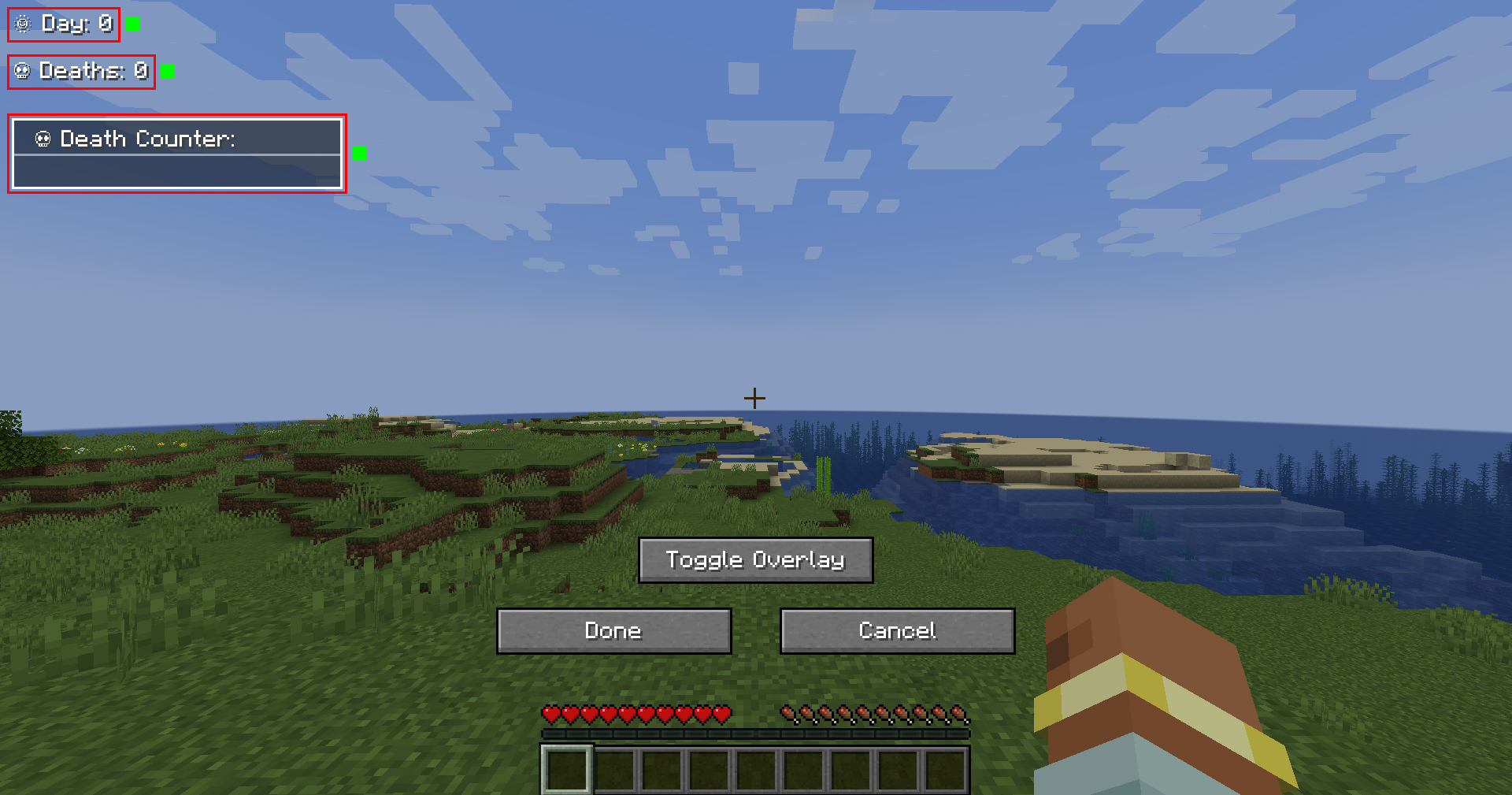 Edit Mode
Versions
Files
Relations
Project Relations
More like this
Similar Mods
Suggestions use data such as tags, dependencies, dependents, descriptions, titles, and more to rank how much they overlap with this mod.
On ModDex
Community snapshot
By the numbers
Statistics
 (opens in a new tab)
Get it on
Available Platforms
On ModDex
Community snapshot
By the numbers