

Community listing page, reviews here may not be monitored by the author.
Cozy Tips


No reviews yet
Fully configurable mod that adds custom loading screen tips. [Made for Modpack creators]
Community voices
Reviews
No reviews yet. Be the first to review this project!
Get it on
Available Platforms
Compatibility
Supported Environments
Runs entirely on the client. Works on vanilla servers.
About
Project Details
For authors
Embed Badge
If you're the author of this project, you can embed a live badge anywhere that supports HTML or Markdown. It updates automatically whenever ratings change.
Use HTML for any page that supports it, or Markdown for README files and Markdown-based descriptions.
Identifiers
Platform IDs
About
Description
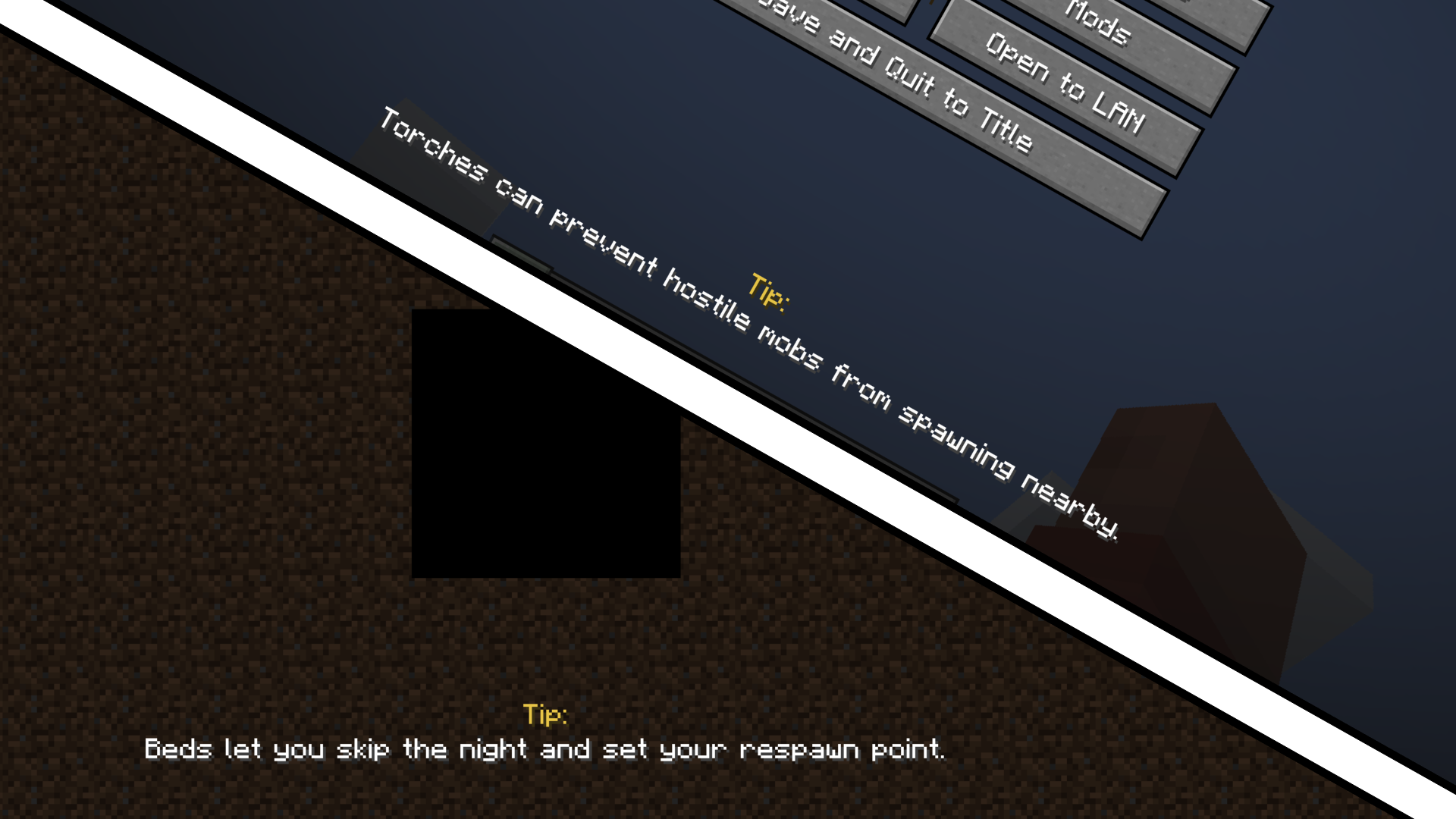
Cozy Tips adds simple, fully configurable tips to your game, displayed during world loading and in the pause menu.
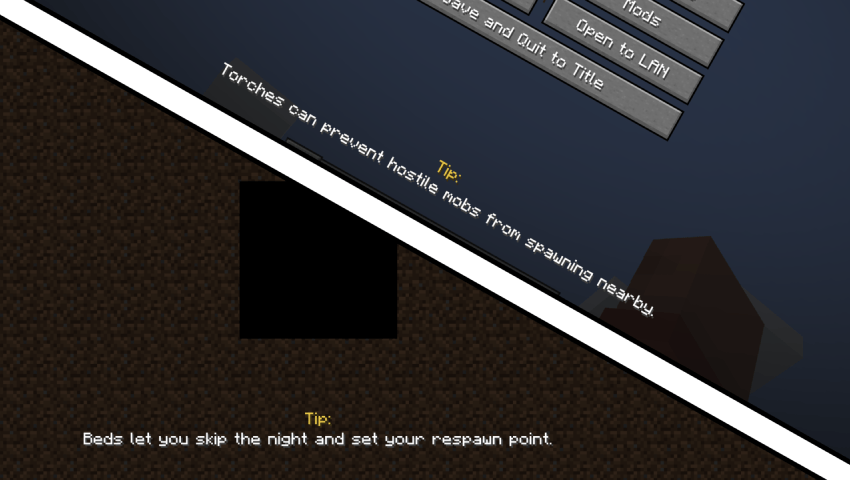
All tips are stored locally in a config file, making it easy for modpack creators to customize messages, hints, or fun facts.
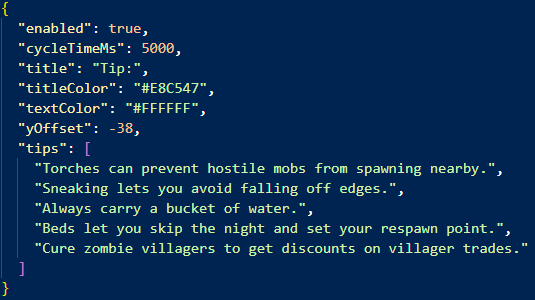
- Fully client-side
- Configurable via a simple JSON file
- No resource packs or external dependencies required
Whether you want gameplay hints, lore, or some fun facts, Cozy Tips makes it easy to add personality to your loading screens.
Cozy Tips is a lightweight client-side mod that adds fully customizable tips and messages to your game.
Display your own fun facts, helpful hints, or modpack-specific information during loading screens or in the pause menu.

All tips are stored locally in a config file, making it easy for modpack creators to customize messages, hints, or fun facts.

How to configure:
- Open the config folder and find cozytips.json file
- You can change:
- enabled: says for itself, you can disable the tips if you want
- cycleTimeMs: how often the tip changes
- title: the title of your tip
- titleColor: the color of your tip title
- textColor: the color of your tip text
- yOffset: how low/high should the tip be placed on screen
- tips: add your own tips, you can add as much as you want!
Features:
- Fully customizable tips via a config file
- Supports long and detailed messages
- Tips can appear during loading screens or in the pause menu
- Client-side only
- Available for Fabric 1.20 and above, however I do plan to port it to Forge and NeoForge in the future!
The goal of this mod is to add a simple way to add some custom tips to your modpack with a simple config file rather than using some external source like github or your own custom mod / resource pack.
Whether you want gameplay hints, lore, or some fun facts, Cozy Tips makes it easy to add personality to your loading screens.
Screenshots
Gallery
Versions
Files
Relations
Project Relations
More like this
Similar Mods
Suggestions use data such as tags, dependencies, dependents, descriptions, titles, and more to rank how much they overlap with this mod.
On ModDex
Community snapshot
By the numbers
Statistics
Want to reach Minecraft players?
We're looking for a server hosting partner to feature here and other parts of the site. Interested? Send us a message!
Get in touchGet it on
Available Platforms
On ModDex
Community snapshot
By the numbers