Community listing page, reviews here may not be monitored by the author.
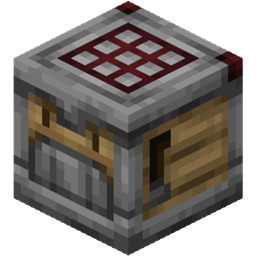
Crafter Template

No reviews yet
Makes the Crafter block retain 1 item in each slot, preserving your recipe pattern as a template.
Community voices
Reviews
No reviews yet. Be the first to review this project!
Get it on
Available Platforms
About
Project Details
For authors
Embed Badge
If you're the author of this project, you can embed a live badge anywhere that supports HTML or Markdown. It updates automatically whenever ratings change.
Use HTML for any page that supports it, or Markdown for README files and Markdown-based descriptions.
Identifiers
Platform IDs
Resources
External Links
About
Description
Mmakes the Crafter block retain 1 item in each slot, preserving your recipe pattern as a template.
How It Works
Place your recipe ingredients in the Crafter with at least 2 of each item. The Crafter will craft normally until any slot reaches 1 item, then it stops - preserving that item as a template.
Example: Put 10 planks in one slot and 5 in the slot below it, so the Crafter crafts sticks. It will craft until one slot hits 1 item remaining, then stop, with the fail click a Crafter makes when it cannot craft. The remaining items lock in your recipe pattern.
Why This Is Useful
- Recipe locking - The template items prevent other recipes from being accidentally crafted
- Automation friendly - Feed items via hopper, output goes out, template stays put
- No duplication - Items are consumed normally, just stops before the last one
Good to Know
- Any non-empty slot with 1 item blocks crafting, not just slots that are part of the recipe. Keep unused slots empty or disabled.
- Loading exactly 1 of an item means the Crafter will never craft with it; you need at least 2 to start.
- Unstackable items (tools, etc.) always have a count of 1 and will always block crafting.
- Disabled Crafter slots are unaffected and work normally.
Learning It
The whole mod is one changed rule and it is invisible: a crafter looks like a crafter, behaves like a crafter, and simply stops one item short. Anyone who does not already know will read that as the crafter being broken, or as their own counting being wrong.
With block-tip installed, looking at a crafter says so: "Keeps a template".
It also shows what that particular crafter is for, as a picture of the item its loaded pattern makes. This is only possible because of the rule: the template stays in the grid, so a crafter here always knows what it is for, and a wall of identical crafters stops being a wall of identical crafters.
There is nothing to craft and nothing to fetch here, so there is no quest worth writing. The fact just needs saying at the moment somebody is looking at the block.
Optional and guarded: without block-tip the mod behaves exactly as before.
Screenshots
Gallery
Versions
Files
Relations
Project Relations
More like this
Similar Mods
Suggestions use data such as tags, dependencies, dependents, descriptions, titles, and more to rank how much they overlap with this mod.
- Easy and OP Crafting
- Seeking Hearts
- Forged Carpet
- Ivan Carpet Addition
- Vanilla Experience - Why not, Mojang?
- Opotato
- Saccharine Leaves Fix Cobblemon
- Carpet AMS Addition
- Reden
- Lodestoneless Compass - Manually Set A Compass Location
- Hardcore Questing Mode: Moveable Quest Gates
- Hardcore Questing Mode: Don't Void My Items
On ModDex
Community snapshot
By the numbers
Statistics
Want to reach Minecraft players?
We're looking for a server hosting partner to feature here and other parts of the site. Interested? Send us a message!
Get in touchGet it on
Available Platforms
On ModDex
Community snapshot
By the numbers
Statistics
Resources