
Community listing page, reviews may not be monitored by the author.
Craftility 2

No reviews yet
A quality-of-life and automation mod that adds useful blocks and tools to reduce repetitive work, improve farms, manage items and energy, and enhance exploration and base protection.

Community voices
Reviews
No reviews yet. Be the first to review this project!
Get it on
Available Platforms
About
Project Details
For authors
Embed Badge
If you're the author of this project, you can embed a live badge anywhere that supports HTML or Markdown. It updates automatically whenever ratings change.
Use HTML for any page that supports it, or Markdown for README files and Markdown-based descriptions.
Identifiers
Platform IDs
Resources
External Links
About
Description

Craftility is a quality-of-life, automation, and advanced utility mod for Minecraft.
It adds various blocks and items designed to reduce repetitive work, improve farms, make exploration easier, and optimize item and energy management. Many systems use FE energy (compatible with mods like Mekanism and others), with balanced consumption and practical interfaces.
The focus of the mod is to offer useful tools for both survival and modded packs, helping with everything from recycling and deconstructing items to automating crops, livestock, base protection, and mobility.
Note: Feel free to give suggestions, improvements, or even constructive criticism for future updates of the mod in the comments.
All items and blocks in the mod have their own recipes, but feel free to modify the recipes if you want for use on servers, in case you find the recipes too hard or too easy.

Disenchanting
Stop searching villages and dungeons for the perfect enchanted book!
The Disenchanting is an advanced disenchanting table. It removes all enchantments from any weapon, armor, or tool, returning each enchantment as an individual Enchanted Book, without destroying or damaging the original item (and also resetting the anvil repair cost to zero).
How to use:
- Hold the weapon, armor, or tool in your main hand and right-click the Disenchanting block.
- The item in your hand becomes 100% clean and without enchantments.
- For each of the enchantments that were present on that item, the block creates and throws up an independent Enchanted Book with that respective enchantment and level.
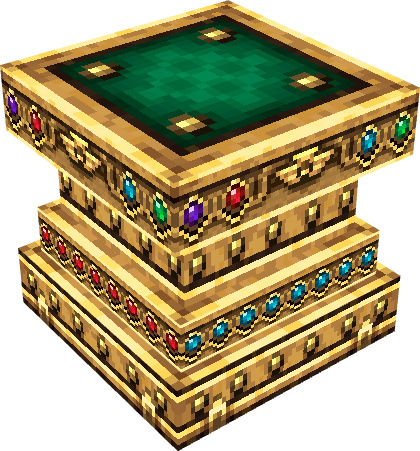
EnchantBoost
Want to improve that weak enchanted book?
With the EnchantBoost, you can upgrade enchanted books using emeralds directly from your inventory to increase the level of the enchantments (e.g.: from Efficiency I to II, Fortune II to III, etc.).
How to use:
- Place Emeralds in your player inventory and hold the Enchanted Book you want to upgrade in your main hand.
- Right-click the EnchantBoost block.
- Each upgrade consumes emeralds according to the book’s current level (Current Level × 5 Emeralds):
- From level 1 to 2: costs 5 Emeralds.
- From level 2 to 3: costs 10 Emeralds.
- From level 3 to 4: costs 15 Emeralds.
- From level 4 to 5: costs 20 Emeralds.
- The emeralds can be in any slot of the inventory. If you don’t have enough or if the book is already at maximum level, the block plays a warning sound and the upgrade does not work.
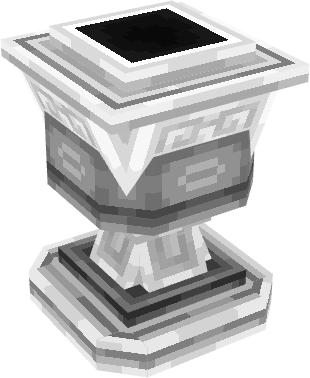
Recyclaim
Want to give a use to that mountain of useless items piled up in chests?
The Recyclaim converts leftover items, inventory junk, broken equipment, and treasures directly into XP orbs, turning any refuse into pure vital energy in a perfectly balanced way (rare items, high durability, potions, and food generate much more XP).
How to use:
- Recycle 1 Item: Hold the item in your main hand and right-click the Recyclaim block normally to consume it and spawn experience orbs.
- Recycle the Entire Stack: Hold the Shift key and right-click with the stack of items in hand to consume the entire stack at once and receive all the accumulated XP instantly.
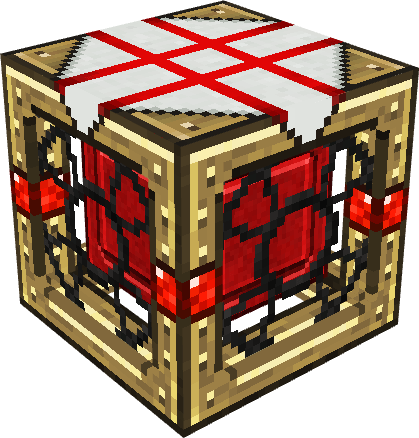
Deconstructor
Tired of wasting precious materials when you craft the wrong item or want to discard old equipment?
The Deconstructor is a reverse engineering table that disassembles any crafted item from the game or mods, returning the original recipe ingredients immediately.
How to use:
- Deconstruct 1 by 1: Hold the item you want to disassemble in your main hand (rails, stairs, armor, tools, etc.) and right-click the block normally to consume 1 unit and drop the ingredients on top of the table.
- Deconstruct the ENTIRE Stack (Shift + Click): Hold the Shift key and right-click the Deconstructor with the stack of items in hand. It will disassemble all items in the stack at once, calculating the batches and dropping the full load of materials.
(Note: If the item has no valid recipe or is already a raw resource like dirt or loose diamond, the table plays a refusal sound without consuming anything).

Collector
The end of manual work in your automatic constructions has arrived.
The Collector is an autonomous vacuum collector with a spherical radius of 16 blocks that attracts all dropped items on the ground and experience orbs. When connected to the Vandak, it becomes the ultimate companion for automated farms.
- XP Differential: The sucked experience orbs are condensed internally. Every 10 accumulated XP points, it automatically synthesizes 1 Experience Bottle (Bottle o' Enchanting).
How to use:
- Place the Collector Block near farms, generators, or trees to start continuous suction of items and orbs.
- Right-click to open the 96-slot inventory and collect the items and bottles (or connect hoppers and automatic pipes for external extraction).
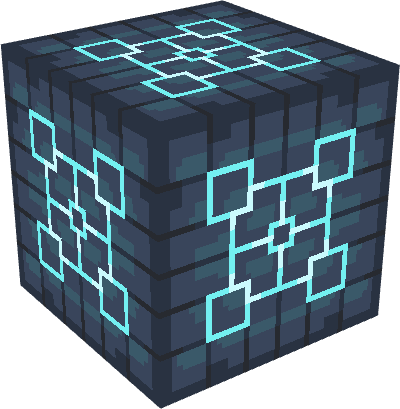
Vandak
Forget worn-out swords and mobs escaping your traps.
The Vandak is the definitive automatic elimination block: any hostile or peaceful entity (completely immune to players) that touches it is eliminated instantly. It surgically simulates death by a player, bypassing immunities and ensuring that all rare drops and full XP are generated exactly as if you had delivered the final blow.
Energy System and Capacity:
- Maximum Capacity: 80.3 MFE (80,300,000 FE).
- Input Rate: 1,000,000 FE/t (compatible with Mekanism cables, Pipez, etc.).
- Initial State: Comes 100% discharged (0 FE) when crafted or placed.
- Dynamic Consumption by Strength/Health:
- Weak and passive mobs (Chicken, Sheep, Cow, Pig): Very low consumption (about 500 FE to 1.5 kFE per kill).
- Common monsters (Zombie, Skeleton, Spider, Creeper): Moderate consumption (about 3 kFE to 5 kFE per kill).
- Bosses and high-health mobs (Wither, Ender Dragon, Warden, Elder Guardian, or bosses from other mods): Massive consumption (10 MFE to 25 MFE, possibly reaching 60 MFE for colossal bosses).
- Exploit Protection: If the block does not have enough energy to kill a specific mob, it does not kill the creature and emits smoke/failure sound warning that it needs a charge, preventing kills without prior recharging.
How to use: Place it on the ground (as at the base of a spawner or arena) and connect energy cables.
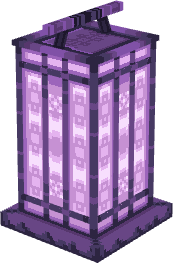
Guard Lamp
Keep your base safe and free of unwanted invaders.
The Guard Lamp works as a strong light source (Glowstone brightness), but its true power lies in perimeter protection against threats.
- Repulsive Barrier and Continuous Knockback: Monsters and bats that touch the edge of the globe (16 blocks) take a light knockback (~1 to 1.5 blocks) with electric sparks and shield block sound, acting as a continuous physical barrier.
- Color Customization: Hold Shift + Dye and right-click to color the globe (supports White Dye, Black Dye, Brown Dye, Red Dye, Orange Dye, Yellow Dye, Lime Dye / Green Dye, Light Blue Dye / Blue Dye, Purple Dye / Magenta Dye, and Pink Dye).
- Immediate Expulsion: When placing the block, any hostile entity within the 16-block perimeter is gently pushed out of the safety zone instantly.
- Advanced Security and Unidirectional Projectiles:
- Completely blocks natural monster and bat spawning in the area.
- Prevents Enderman teleportation inside.
- One-way for Projectiles: Enemy projectiles coming from outside hit the barrier and are destroyed. Projectiles fired by you from inside to outside pass freely.
- Safe for Allies: Completely harmless to players, villagers, and pets.
How to Use
- Place the Guard Lamp Block in the center of your village, base, or plantation. It does not require wiring, redstone, or energy, functioning permanently once placed.
- Toggle the Globe On/Off: Use Shift + Click with Empty Hand to toggle the visibility of the holographic globe.
- Change the Globe Color: Hold Shift with the desired dye in your main hand and right-click the Guard Lamp.

Cultivator
The Cultivator is the perfect solution for intelligently managing any plantation. Placed in the center of an area up to 20 blocks, it monitors, harvests, and automatically replants wheat, potato, carrot, beetroot, melon, pumpkin, cocoa, sugar cane, cactus, sweet berries, nether fungus, and crops from other mods, storing everything in an internal 96-slot inventory.
Energy System and Capacity:
- Maximum Capacity: 27.5 MFE (27,500,000 FE).
- Input Rate: 1,000,000 FE/t.
- Initial State: Comes 100% discharged (0 FE).
- Dynamic Consumption by Crop Diversity (Variety):
- Monoculture (1 single type of plant): Very low consumption (1,000 FE per harvest).
- 2 types of plants: Moderate consumption (2,500 FE per harvest).
- 3 types of plants: 5,000 FE per harvest.
- 4 types of plants: 8,000 FE per harvest.
- Rich Polyculture (5 or more varieties): High consumption (12,000 FE to 20,000 FE per harvest).
- Operational Pause: If energy runs out, the block immediately suspends harvesting until recharged.
How to use: Install in the center of the garden, connect energy cables, and use hoppers or right-click to manage the 96 inventory slots.

Graviton
The Graviton is the ultimate tool for manipulating the world around you through high-tech telekinesis.
Energy System and Capacity:
- Maximum Capacity: 777,777 FE (777.7 kFE). Rechargeable.
How to use:
- Capture Mobs/Entities: Aim at any mob or animal and right-click to suspend it in the air. Click again to release it peacefully.
- Launch Entity: While holding a levitating mob, left-click to throw it like a missile.
- Levitate Individual Blocks: Aim at a solid block and right-click to turn it into floating physics. Use left-click to launch or right-click to place it back.
- Levitate Entire Structures (Multi-Blocks):
- Hold Shift + Right-Click on different ends of a construction to mark the vertices of the area.
- Right-click in the air to rip the entire structure into levitation.
- Left-click to launch the structure through the air with a kinetic explosion at the point of collision.
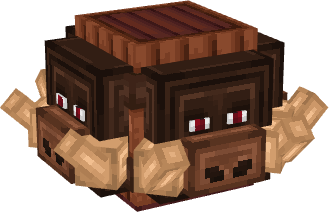
Pluckor
Forget manual work in livestock. The Pluckor is the definitive block to automate your barn within a 16-block radius, collecting resources peacefully without harming the animals, and sucking any dropped items on the ground directly into its 96 storage slots.
What it collects: Shears sheep, milks cows (with buckets), collects mushroom stew (with bowls), as well as collecting leather, eggs, feathers, combs and honey from hives, goat horns, ink sacs, and armadillo/turtle scutes.
Energy System and Capacity:
- Maximum Capacity: 27.5 MFE (27,500,000 FE).
- Input Rate: 1,000,000 FE/t.
- Initial State: Comes 100% discharged (0 FE).
- Dynamic Consumption by Livestock Density:
- Small herd (1 to 5 animals): Reduced base cost (2,500 FE per collection).
- Medium herd (6 to 15 animals): Moderate cost (6,000 FE per collection).
- Large herd (16 to 30 animals): High cost (12,000 FE per collection).
- Massive livestock / Overpopulation (more than 30 animals): High cost (25,000 FE per collection).
- Hive Harvesting: Adds a fixed cost of 5,000 FE per emptied hive.
- Operational Pause: If energy is depleted, the Pluckor preserves the animals and stops extraction until it receives more charge.
How to use: Place near pens and hives, connect energy, insert empty buckets/bottles for liquids.

Vitality Node
Transform any area into an impregnable sanctuary of healing and survival.
The Vitality Node is an advanced support block that creates a protected zone within a 5-block radius, surrounded by a mystical ring of rotating particles that adapts to the terrain. It regenerates the health of players, villagers, automatons, and domesticated animals, blocking any type of healing for monsters inside the area.
Energy System and Capacity:
- Maximum Capacity: 80.3 MFE (80,300,000 FE).
- Input Rate: 1,000,000 FE/t.
- Initial State: Comes 100% discharged (0 FE).
- Energy Consumption:
- Idle Maintenance: Drains a continuous basal consumption while the field is active (50 FE/t = 1,000 FE/s).
- Active Healing: Additional consumption of +2.5 kFE per healing pulse on injured allies.
- Intense Combat: If you are taking damage from monsters inside the field, the block absorbs the impact spending much more energy (+10 kFE per combat tick).
- Automatic Shutdown: If energy reaches zero, the sanctuary turns itself off emitting a deactivation sound and gray smoke (also preventing it from being turned back on while at 0 FE).
How to use: Connect energy cables and right-click normally to Turn the healing field On/Off when there is energy.

Elemental Boots
Dominate the elements and walk freely over any liquid.
The Elemental Boots are supreme utility mystical boots powered by FE energy that guarantee total dominion over liquid surfaces and immunity to fire.
Energy System and Capacity:
- Maximum Capacity: 500,000 FE (500 kFE).
- Transfer Rate: 10,000 FE/t (for receiving and extracting energy).
- Initial State: Comes 100% discharged (0 FE) when crafted on the crafting table.
- Compatibility: Rechargeable by batteries/capacitors in the inventory (like the mod’s Capacitors) and chargers from other mods (Mekanism, Powah, etc.).
Exclusive Functioning with Energy:
- Walking on Liquids: Only supports the player on top of water, lava, and other fluids from mods.
- Elemental Immunity: Complete immunity to fire, lava, hot surfaces (hot_floor) and flame cancellation only works while the boots have energy.
- Depletion (0 FE): If energy reaches zero, the player immediately sinks into the liquid and starts taking normal fire and lava damage again.
Intelligent Consumption:
- On Solid Ground: Zero consumption (0 FE). Does not drain energy when walking on normal solid blocks (stone, dirt, grass, wood, etc.).
- On / Inside Fluids: Consumes 10 FE/tick (200 FE per second, guaranteeing about 41 continuous minutes of walking on lava or water with a full charge).
Critical Safety Warning:
- Countdown (20s to 6s): Displays in the center of the screen:
WARNING: Elemental Boots battery low (Xs remaining)! Move to safe ground! - Critical Alert (5s to 1s): Changes to an urgent sound alert:
CRITICAL WARNING: Elemental Boots discharging in Xs! Move to safe ground! - Total Depletion (0s): Emergency alert with shutdown sound:
DANGER: Elemental Boots battery depleted!
How to use:
- Keep the boots stored in any slot of your inventory.
- Walking on Liquids: Walk over oceans, lakes, or lava pools in the Nether without sinking, walking on the surface as if it were concrete.
- Total Protection: Cancels 100% of fire damage, contact with lava, and hot blocks, extinguishing flames immediately.
- Automatic Rescue: If you fall from an extreme height directly into deep lava, the boots propel you back to the surface in fractions of a second.

SkyRider
Dominate the skies with extreme speed and high-performance kinetic propulsion.
- Maximum Capacity: 500,000 FE (500 kFE)
- Intelligent Consumption: On any solid block, ground, water, or lava, consumption is 0 FE. You can walk and run on the ground normally without spending energy. Spending only starts when you take off and there is no solid block under your feet.
- Safe Fall / Anti-Death: If flight is deactivated or energy runs out in the air, the system automatically activates a soft gliding mode, guaranteeing total immunity to fall damage.
- Energy Costs:
- Hovering in the Air: 15 FE/tick (300 FE/s) — ~27 minutes of battery while stationary.
- Normal Flight: 35 FE/tick (700 FE/s) — ~12 minutes of continuous flight.
- Turbo Flight (Boost): 175 FE/tick (3,500 FE/s) — ~2.3 minutes of continuous boost (requires tactical use).
How to Use
- Keep the SkyRider charged in the hotbar, inventory, or off-hand.
- Press the Space key twice (double jump) to take off (70% faster than standard creative).
- Press Space 2x again in the air to immediately deactivate flight and fall gently.
- Press the sprint key (Ctrl + W or double-tap W) while flying to activate hypervelocity (Turbo Flight at 4x creative speed, generating cloud trails and sparks).

Phantom Cape
Pass through walls, rocks, and mountains like a true ghost.
- Maximum Capacity: 500,000 FE (500 kFE)
- Relentless Hunger Drain: When moving inside solid blocks, saturation is immediately zeroed.
- Direct Hunger Bar Drop: Forget the protection of foods like steak or golden carrot. Saturation levels drop directly and immediately every ~1 second while walking (or every 0.4 seconds if running/boosting), with no waiting or buffering.
- Constant and Reactive Penalty: Hunger keeps dropping without stopping while you are passing through walls. Consumption stops as soon as you step into open air, but resumes draining instantly if you sink again.
- Immunity and Emergency: Guarantees total immunity to suffocation while there is energy. If the battery runs out inside, you receive a warning with 10 seconds of tolerance to exit safely.
How to Use
- Keep the cape with energy in the inventory, hotbar, or off-hand.
- Accelerated Running: Running on the ground automatically activates Speed II effect.
- Pass Through Ground/Walls (No-Clip): Stand on top of the block and hold Shift to sink into the ground toward caves.
- Internal Movement: Inside solid blocks, use Space to go up, Shift to go down, and the W, A, S, D keys to walk freely through walls and mountains (always have food ready in your inventory!).
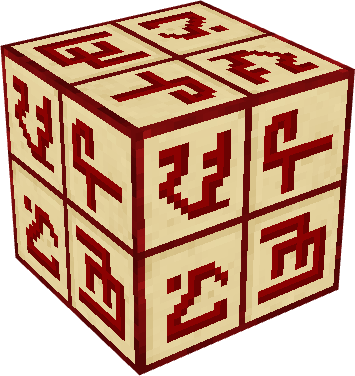
Secret Block
Create impressive hidden passages with perfect camouflage and gates that disappear.
- Protection and Durability: 100% unbreakable, immune to explosions (resistance equivalent to Bedrock of 3,600,000.0F, blocking Creepers, TNT, and Withers), immune to breaking by Ender Dragon/Wither, and protected against piston pushes.
- Owner Security: The block automatically registers its creator in the Tile Entity. Other players cannot break it in any way. The owner themselves can only break it if using a valid pickaxe (wood, stone, iron, diamond, netherite, or mods), dropping both the Secret Block and the applied camouflage block.
- Chain Behavior: All connected Secret Blocks lose physical collision in an elegant wave effect, emitting subtle teleportation sounds so you can pass through.
- Automatic Closing: After 5 seconds (100 ticks), the blocks reappear by themselves in the same position.
How to Use
- Apply Camouflage: Place the Secret Block on the ground. Hold the desired block (wood, stone, brick, etc.) and right-click. It consumes 1 unit and perfectly adopts the texture, model, and sounds.
- Open the Secret Door: Right-click with an empty hand (or holding any non-block item, such as sword, torch, or tool), or send a Redstone signal (button, pressure plate, lever).

Eclipse Wand
Extract ores and excavate entire mountains from a distance with a beam of pure energy.
Energy System and Capacity:
- Maximum Capacity: 800,000 FE (800 kFE). Rechargeable in capacitors or NeoForge Energy generators.
How to use:
- Laser Shot: Hold and right-click to fire a continuous laser beam in the direction you are looking, breaking blocks at a distance (up to 32 blocks).
- Mode Selection (Shift + Right-Click in the Air): Switch between the 4 operational modes:
- Single: Mines individual blocks one by one (cost: 400 FE per block).
- 3x3: Excavates a flat 3×3 block area (cost: 3,200 FE per shot).
- 5x5: Excavates a massive 5×5 block crater (cost: 8,000 FE per shot).
- Eclipse: Ore vein mode! When aiming at ores (iron, gold, diamond, redstone, coal, etc.), it mines the entire connected vein (up to 64 blocks), automatically smelts the metals (iron and gold come out as ingots!) and sends everything directly to your inventory.
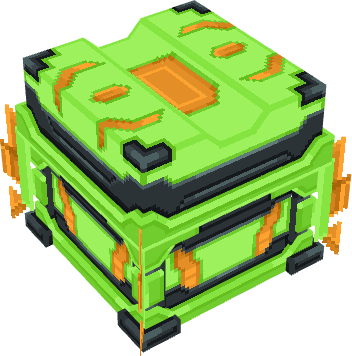
Advanced Capacitor
Portable Capacitor with energy storage (FE)
Energy: 600 kFE

Elite Capacitor
Portable Capacitor with energy storage (FE)
Energy: 2.5 MFE
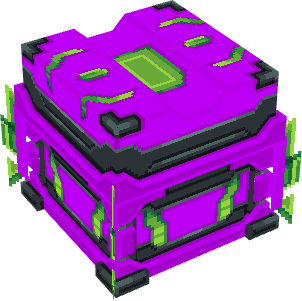
Extreme Capacitor
Portable Capacitor with energy storage (FE)
Energy: 8.5 MFE
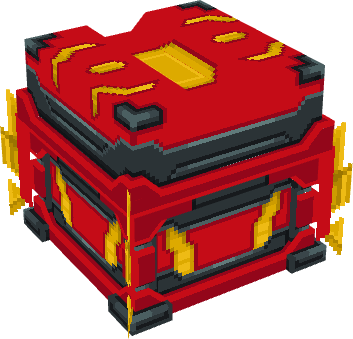
Ultimate Capacitor
Portable Capacitor with energy storage (FE)
Energy: 15.5 MFE

Quantum Capacitor
Portable Capacitor with energy storage (FE)
Energy: 380.5 MFE
How to use:
- Charge the Capacitor: Connect the capacitor to an energy station, generator, or charging block to fill its green energy bar.
- Activate/Deactivate Recharge (Right-Click in Main Hand):
- [ACTIVE]: The item gains enchanted glow and transfers energy every tick to all discharged items in your inventory.
- [INACTIVE]: Turns off the transfer to save battery.
- Intelligent Deactivation: If the charge completely reaches zero, the capacitor turns itself off to avoid unnecessary processes.
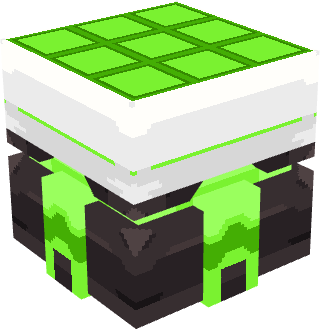
Advanced Solar Panel
Storage: 128 kFE
Max Output: 128 FE/t
Generating: 32 FE/t
Charging Time: 3 minutes
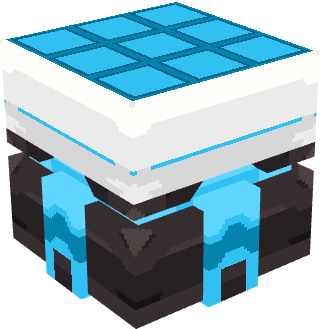
Elite Solar Panel
Storage: 400 kFE
Max Output: 512 FE/t
Generating: 256 FE/t
Charging Time: 5 minutes
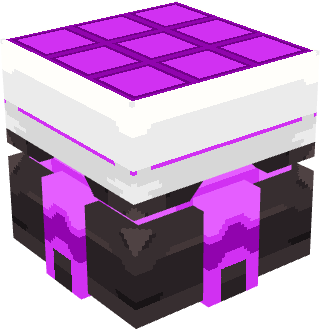
Extreme Solar Panel
Storage: 4 MFE
Max Output: 2,048 FE/t
Generating: 2,048 FE/t
Charging Time: 10 minutes
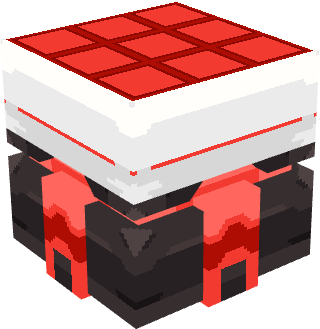
Ultimate Solar Panel
Storage: 40 MFE
Max Output: 32,768 FE/t
Generating: 16,384 FE/t
Charging Time: 20 minutes

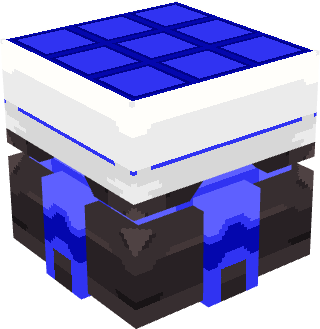
Quantum Solar Panel
Storage: 4 GFE
Max Output: 1,048,576 FE/t
Generating: 1,048,576 FE/t
Charging Time: 30 minutes
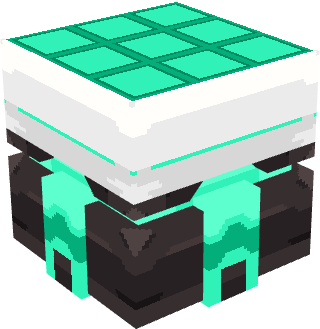
Supreme Solar Panel
Storage: 40 GFE
Max Output: 131,072 FE/t
Generating: 131,072 FE/t
Charging Time: 50 minutes
Atomic Solar Panel
Storage: 400 GFE
Max Output: 4,194,304 FE/t
Generating: 4,194,304 FE/t
Charging Time: 1 hour
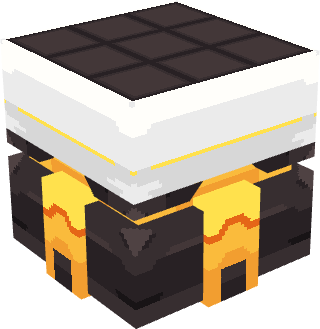
Cosmic Solar Panel
Storage: 400 GFE
Max Output: 400 MFE (400,000,000 FE/t)
Generating: 400 MFE (400,000,000 FE/t)
Charging Time: 2 hours
Screenshots
Gallery
Versions
Files
Relations
Project Relations
More like this
Similar Mods
Suggestions use data such as tags, dependencies, dependents, descriptions, titles, and more to rank how much they overlap with this mod.
On ModDex
Community snapshot
By the numbers
Statistics

Get it on
Available Platforms
On ModDex
Community snapshot
By the numbers
Statistics
Resources