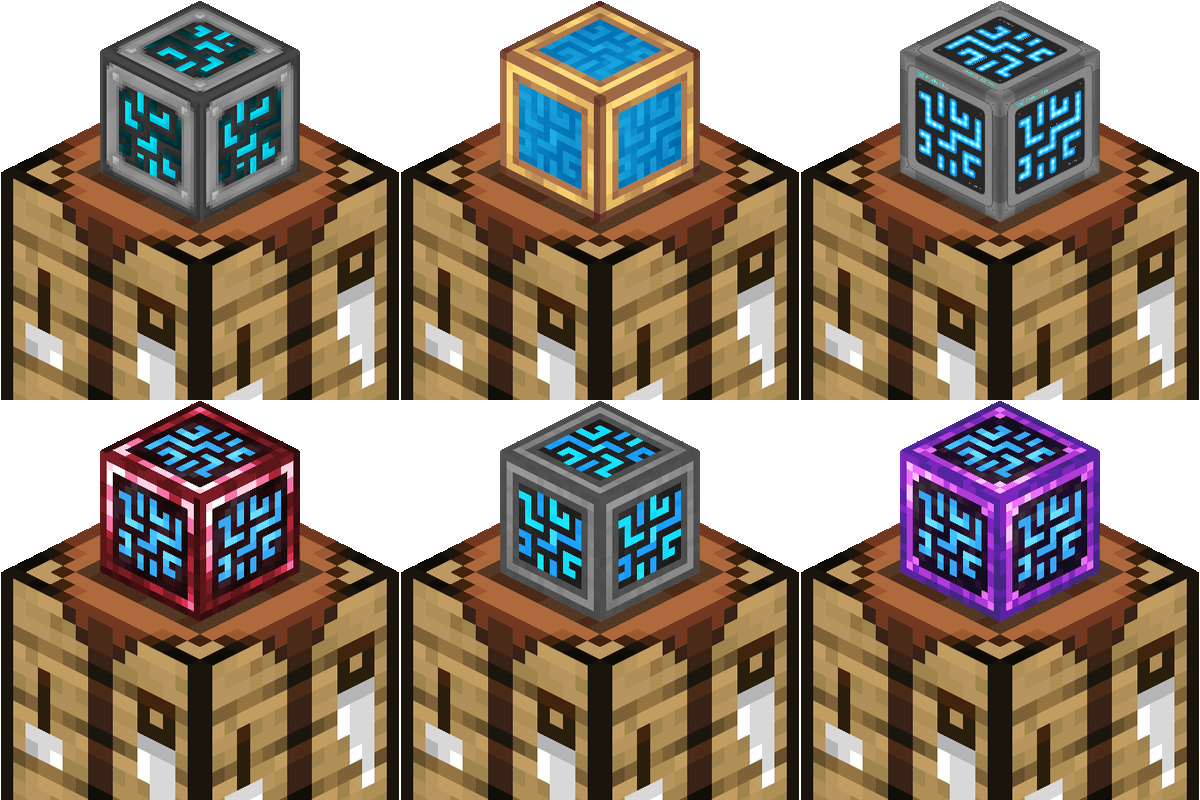
Community listing page, reviews here may not be monitored by the author.
Craftmark: Data-Driven Texture Variants


No reviews yet
Powerful utility for authors allowing the creation of endless texture variants on items & blocks with no programming required!
Community voices
Reviews
No reviews yet. Be the first to review this project!
Get it on
Available Platforms
Compatibility
Supported Environments
Must be installed on both the client and the server.
About
Project Details
For authors
Embed Badge
If you're the author of this project, you can embed a live badge anywhere that supports HTML or Markdown. It updates automatically whenever ratings change.
Use HTML for any page that supports it, or Markdown for README files and Markdown-based descriptions.
Identifiers
Platform IDs
Resources
External Links
About
Description

Craftmark lets modpack authors give blocks a different skin depending on how they were crafted — the same machine built from brass looks brass, built from steel looks steel, built normally looks normal. Per-instance, not per-block: two barrels can sit side by side wearing different skins.
Why packs want this
You've integrated recipes across mods — a storage controller crafted from Create's brass, a furnace built from Thermal's ingots. The recipes tell that story; the blocks don't. A resource pack can't help: it retextures every copy, however it was obtained. Craftmark makes the skin follow the individual crafted item:
- 🎒 In the inventory — and the hotbar, the cursor, the recipe book
- ✋ In your hand — first and third person
- 🧱 Placed in the world — instantly, no relog
- ⛏️ Broken and picked back up — the skin round-trips forever
- 🖼️ Ground drops, item frames, even breaking particles match
Built like an engine
- Zero code for authors. A variant = one recipe line (KubeJS) + PNGs in a resource pack that mirror the original texture paths. No mapping files, no block registration.
- Works on every block-entity block — barrels, chests, furnaces, and effectively every modded machine, automatically.
- Mixin-free. Built entirely on official NeoForge hooks — including the model-data path that Sodium-family renderers honor. As of 1.2.0, if you are also running the Create mod, mixins are present for kinetic rendering. If you don't have Create installed, 1.2.0 will not mix anything. The 26.x build ships no mixins at all.
- Ships with a working example (
craftmark:brassbarrel) — one recipe script and you'll see it work in two minutes. - Variant items that don't stack with their plain counterparts, and diagnostics logging that tells you exactly how many of your pack's textures matched.
Requires: NeoForge, installed on client and server — either 1.21.1 or 26.1.2–26.2. Data can be applied through recipes editors like KubeJs or CraftTweaker, given out as quest rewards, or just through commands.
📦 Which file do I want?
craftmark-1.5.0.jar— for Minecraft 1.21.1. The complete feature set, including Create and Create Aeronautics support.craftmark-1.5.0+26.x.jar— for Minecraft 26.1.2 and 26.2 (one file covers both). The+26.xmeans what it looks like: the same 1.5.0, rebuilt for the new versions — no new features to learn. Everything from 1.5.0 is here except Create and Create Aeronautics support, which come back once those mods update.
Moving an existing 1.21.1 world to 26.x? Your blocks are fine, but skins already stored on placed blocks are reset — re-place them, or re-run whatever command or recipe applied them.
Optional Dependencies:
- Create (1.2.0) — 1.21.1 only for now
- Jade (1.4.0)
- Just Enough Items (1.4.0)
- Sable & Create Aeronautics (1.5.0) — 1.21.1 only for now
Optional dependencies add new features, but the mod works perfectly fine without them.
Permissions:
- You can add this to your modpack without permission.
- You can make addon mods without permission, as long as they list Craftmark as a dependency.
- You absolutely cannot upload this mod's files to other websites
📚 Author Documentation
How variants work
On first launch, Craftmark creates a craftmark_variants/ folder in your Minecraft instance directory (next to mods/, config/, saves/) and seeds a ready-to-edit brass example:
craftmark_variants/
└── brass/                                   ← one folder = one variant (id: craftmark:brass)
    └── assets/minecraft/textures/block/
        ├── barrel_side.png
        ├── barrel_top.png
        ├── barrel_bottom.png
        └── barrel_top_open.png
Inside a variant folder you use the exact resource-pack layout of the original textures. brass/assets/minecraft/textures/block/barrel_side.png replaces the vanilla sprite minecraft:block/barrel_side. The rule is simply: put your PNG where the original lives, under your variant folder.
Quick start (2 minutes — no KubeJS, no textures to make)
The brass folder is already there. With cheats on, run:
/give @p minecraft:barrel[craftmark:variant="craftmark:brass"]
Place it — brass barrel. It's brass in your hand, inventory, on the ground, and in item frames; break it and the drop keeps its skin and won't stack with plain barrels. Edit the PNGs in craftmark_variants/brass/ and press F3+T to see changes live.
Make your own variant
- Create a folder in
craftmark_variants/— lowercase letters, numbers,_ . -:ruby,steel,diamond… Its id becomescraftmark:<folder>. - Drop in textures, mirroring each original's path under
assets/:
(overridescraftmark_variants/ruby/assets/refinedstorage/textures/block/controller.pngrefinedstorage:block/controller) - F3+T to rescan — new folders are picked up without a restart.
- Tag items with the id:
/give @p refinedstorage:controller[craftmark:variant="craftmark:ruby"]
- Override only what you want — skip a face and it renders normally. A wrong path silently keeps the original (never magenta).
- Find original paths by unzipping the source mod's jar under
assets/<ns>/textures/; mirror that whole path inside your folder. - Block-shaped items reuse the block textures automatically, flat item sprites are mirrored the same way (
assets/<ns>/textures/item/…).
When a face won't skin: per-block overrides (new in 1.1.0)
Most blocks skin perfectly with the folder above — mirror the texture path and you're done. But a few blocks use a shared, generic texture for one face. A classic example: a machine whose bottom is somemod:block/bottom rather than somemod:block/<that-machine>/bottom. If you mirror the path you'd expect, nothing happens — the file stitches, but no face actually uses it, so that face stays vanilla.
For those stubborn faces there's an optional shortcut — reach for it only when a face refuses to skin. Instead of hunting for the texture path, you name the block and the face directly:
craftmark_variants/<variant>/by_block/<block-namespace>/<block-path>/<face>.pngFor example, to skin the Refined Storage storage monitor's stubborn bottom under the brass variant:
craftmark_variants/brass/by_block/refinedstorage/storage_monitor/bottom.png<face> is one of:
top.png— the upward facebottom.png— the downward facefront.png— the face the block faces (e.g. a furnace's lit face)back.png— the face opposite the frontleft.png/right.png— the left/right face as you look at the frontside.png— all four horizontal faces at once
The four horizontal faces are relative to the block's front, so the skin follows the block however it's rotated — front.png always lands on the front. A specific face (e.g. front.png) takes priority over side.png.
Good to know:
- Scoped to that one block. It never bleeds onto other blocks that share the texture — and it can even give two faces that share a single texture different skins.
- No path detective work. You name the face, not the underlying sprite, so shared/generic textures stop being a guessing game.
top/bottomwork on every block.front/back/left/rightneed a block with a horizontal facing — vanilla blocks and mods that rotate via afacingor customdirectionproperty (e.g. Refined Storage) both work; for blocks with no facing (or placed pointing up/down), useside.png.- It doesn't cover non-cube faces (insets, odd shapes) — those still use the normal folder above.
- F3+T reloads it live, exactly like the normal folder.
Wiring it into recipes (KubeJS)
Commands are for testing; in a real pack you tag the crafted output so players earn the skin. In kubejs/server_scripts/:
ServerEvents.recipes(event => {
    event.shapeless(
        Item.of('refinedstorage:controller', '[craftmark:variant="craftmark:ruby"]'),
        ['refinedstorage:controller', 'mymod:ruby']
    ).id('mypack:ruby_controller');
});
Debugging your variants
Every resource (re)load logs one line per variant folder found:
craftmark: variant craftmark:brass: 4 texture(s) stitched
Count lower than expected = a path didn't match. F3+T re-runs the scan and re-reads new folders.
Future Plans
Content updates wrapped up with 1.5.0. Craftmark now runs on 26.1.2 and 26.2 as well, and from here it's maintenance: bug fixes, small compatibility tweaks, and bringing Create / Create Aeronautics support back to 26.x once those mods update.
If you find a bug or have suggestions for the mod, let me know in the Curseforge comments or the Discord server. For bug reports, make sure you are on the most recent version of the mod and give me steps so I can reproduce the bug.
Craftmark lets modpack authors give blocks a different skin depending on how they were crafted — the same machine built from brass looks brass, built from steel looks steel, built normally looks normal. Per-instance, not per-block: two barrels can sit side by side wearing different skins.
Why packs want this
You've integrated recipes across mods — a storage controller crafted from Create's brass, a furnace built from Thermal's ingots. The recipes tell that story; the blocks don't. A resource pack can't help: it retextures every copy, however it was obtained. Craftmark makes the skin follow the individual crafted item:
- 🎒 In the inventory — and the hotbar, the cursor, the recipe book
- ✋ In your hand — first and third person
- 🧱 Placed in the world — instantly, no relog
- ⛏️ Broken and picked back up — the skin round-trips forever
- 🖼️ Ground drops, item frames, even breaking particles match
Built like an engine
- Zero code for authors. A variant = one recipe line (KubeJS) + PNGs in a resource pack that mirror the original texture paths. No mapping files, no block registration.
- Works on every block-entity block — barrels, chests, furnaces, and effectively every modded machine, automatically.
- Mixin-free. Built entirely on official NeoForge hooks — including the model-data path that Sodium-family renderers honor. As of 1.2.0, if you are also running the Create mod, mixins are present for kinetic rendering. If you don't have Create installed, 1.2.0 will not mix anything. The 26.x build ships no mixins at all.
- Ships with a working example (
craftmark:brassbarrel) — one recipe script and you'll see it work in two minutes. - Variant items that don't stack with their plain counterparts, and diagnostics logging that tells you exactly how many of your pack's textures matched.
Requires: NeoForge, installed on client and server — either 1.21.1 or 26.1.2–26.2. Data can be applied through recipes editors like KubeJs or CraftTweaker, given out as quest rewards, or just through commands.
📦 Which file do I want?
craftmark-1.5.0.jar— for Minecraft 1.21.1. The complete feature set, including Create and Create Aeronautics support.craftmark-1.5.0+26.x.jar— for Minecraft 26.1.2 and 26.2 (one file covers both). The+26.xmeans what it looks like: the same 1.5.0, rebuilt for the new versions — no new features to learn. Everything from 1.5.0 is here except Create and Create Aeronautics support, which come back once those mods update.
Moving an existing 1.21.1 world to 26.x? Your blocks are fine, but skins already stored on placed blocks are reset — re-place them, or re-run whatever command or recipe applied them.
Optional Dependencies:
- Create (1.2.0) — 1.21.1 only for now
- Jade (1.4.0)
- Just Enough Items (1.4.0)
- Sable & Create Aeronautics (1.5.0) — 1.21.1 only for now
Optional dependencies add new features, but the mod works perfectly fine without them.
Permissions:
- You can add this to your modpack without permission.
- You can make addon mods without permission, as long as they list Craftmark as a dependency.
- You absolutely cannot upload this mod's files to other websites
📚 Author Documentation
How variants work
On first launch, Craftmark creates a craftmark_variants/ folder in your Minecraft instance directory (next to mods/, config/, saves/) and seeds a ready-to-edit brass example:
craftmark_variants/
└── brass/                                   ← one folder = one variant (id: craftmark:brass)
    └── assets/minecraft/textures/block/
        ├── barrel_side.png
        ├── barrel_top.png
        ├── barrel_bottom.png
        └── barrel_top_open.png
Inside a variant folder you use the exact resource-pack layout of the original textures. brass/assets/minecraft/textures/block/barrel_side.png replaces the vanilla sprite minecraft:block/barrel_side. The rule is simply: put your PNG where the original lives, under your variant folder.
Quick start (2 minutes — no KubeJS, no textures to make)
The brass folder is already there. With cheats on, run:
/give @p minecraft:barrel[craftmark:variant="craftmark:brass"]
Place it — brass barrel. It's brass in your hand, inventory, on the ground, and in item frames; break it and the drop keeps its skin and won't stack with plain barrels. Edit the PNGs in craftmark_variants/brass/ and press F3+T to see changes live.
Make your own variant
- Create a folder in
craftmark_variants/— lowercase letters, numbers,_ . -:ruby,steel,diamond… Its id becomescraftmark:<folder>. - Drop in textures, mirroring each original's path under
assets/:
(overridescraftmark_variants/ruby/assets/refinedstorage/textures/block/controller.pngrefinedstorage:block/controller) - F3+T to rescan — new folders are picked up without a restart.
- Tag items with the id:
/give @p refinedstorage:controller[craftmark:variant="craftmark:ruby"]
- Override only what you want — skip a face and it renders normally. A wrong path silently keeps the original (never magenta).
- Find original paths by unzipping the source mod's jar under
assets/<ns>/textures/; mirror that whole path inside your folder. - Block-shaped items reuse the block textures automatically, flat item sprites are mirrored the same way (
assets/<ns>/textures/item/…).
When a face won't skin: per-block overrides (new in 1.1.0)
Most blocks skin perfectly with the folder above — mirror the texture path and you're done. But a few blocks use a shared, generic texture for one face. A classic example: a machine whose bottom is somemod:block/bottom rather than somemod:block/<that-machine>/bottom. If you mirror the path you'd expect, nothing happens — the file stitches, but no face actually uses it, so that face stays vanilla.
For those stubborn faces there's an optional shortcut — reach for it only when a face refuses to skin. Instead of hunting for the texture path, you name the block and the face directly:
craftmark_variants/<variant>/by_block/<block-namespace>/<block-path>/<face>.pngFor example, to skin the Refined Storage storage monitor's stubborn bottom under the brass variant:
craftmark_variants/brass/by_block/refinedstorage/storage_monitor/bottom.png<face> is one of:
top.png— the upward facebottom.png— the downward facefront.png— the face the block faces (e.g. a furnace's lit face)back.png— the face opposite the frontleft.png/right.png— the left/right face as you look at the frontside.png— all four horizontal faces at once
The four horizontal faces are relative to the block's front, so the skin follows the block however it's rotated — front.png always lands on the front. A specific face (e.g. front.png) takes priority over side.png.
Good to know:
- Scoped to that one block. It never bleeds onto other blocks that share the texture — and it can even give two faces that share a single texture different skins.
- No path detective work. You name the face, not the underlying sprite, so shared/generic textures stop being a guessing game.
top/bottomwork on every block.front/back/left/rightneed a block with a horizontal facing — vanilla blocks and mods that rotate via afacingor customdirectionproperty (e.g. Refined Storage) both work; for blocks with no facing (or placed pointing up/down), useside.png.- It doesn't cover non-cube faces (insets, odd shapes) — those still use the normal folder above.
- F3+T reloads it live, exactly like the normal folder.
Wiring it into recipes (KubeJS)
Commands are for testing; in a real pack you tag the crafted output so players earn the skin. In kubejs/server_scripts/:
ServerEvents.recipes(event => {
    event.shapeless(
        Item.of('refinedstorage:controller', '[craftmark:variant="craftmark:ruby"]'),
        ['refinedstorage:controller', 'mymod:ruby']
    ).id('mypack:ruby_controller');
});
Debugging your variants
Every resource (re)load logs one line per variant folder found:
craftmark: variant craftmark:brass: 4 texture(s) stitched
Count lower than expected = a path didn't match. F3+T re-runs the scan and re-reads new folders.
Future Plans
Content updates wrapped up with 1.5.0. Craftmark now runs on 26.1.2 and 26.2 as well, and from here it's maintenance: bug fixes, small compatibility tweaks, and bringing Create / Create Aeronautics support back to 26.x once those mods update.
If you find a bug or have suggestions for the mod, let me know in the Curseforge comments here or the Discord server. For bug reports, make sure you are on the most recent version of the mod and give me steps so I can reproduce the bug.
```Screenshots
Gallery
-
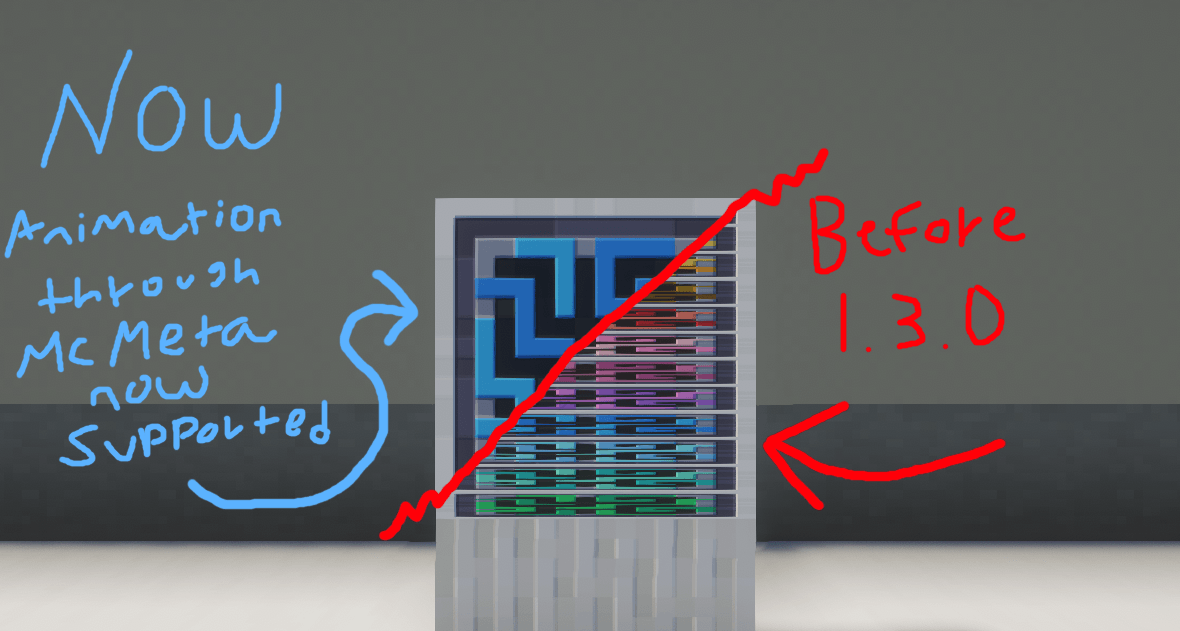 Modular Routers AE2 Variant Comparison Update 1.3.0, you can now animate all the things! Works on blocks & items.
 -
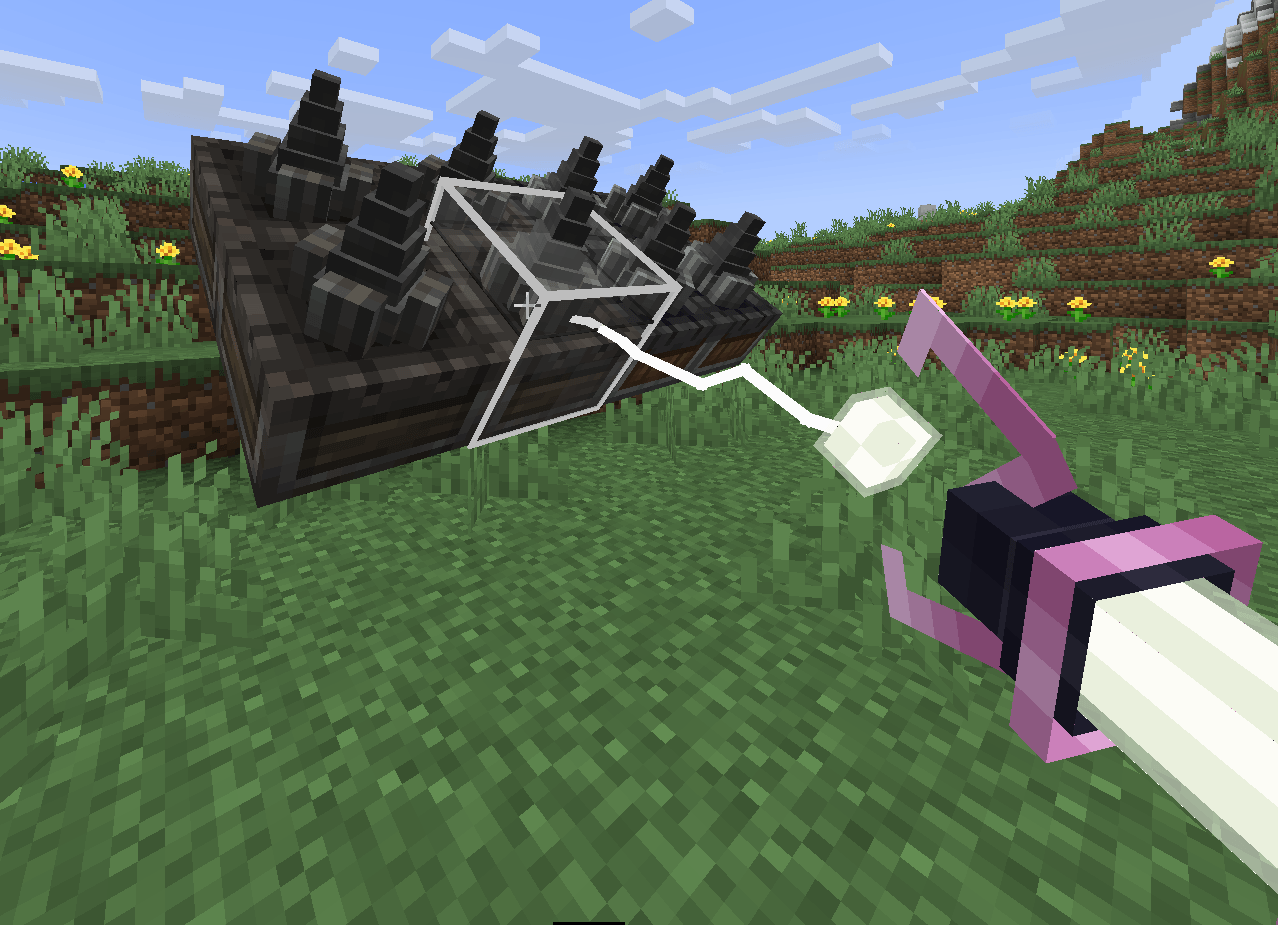 Create Aeronautics - Excalibur Variant (1.2.0) Create Aeronautics support. Not perfect yet, expect refinements later.
 -
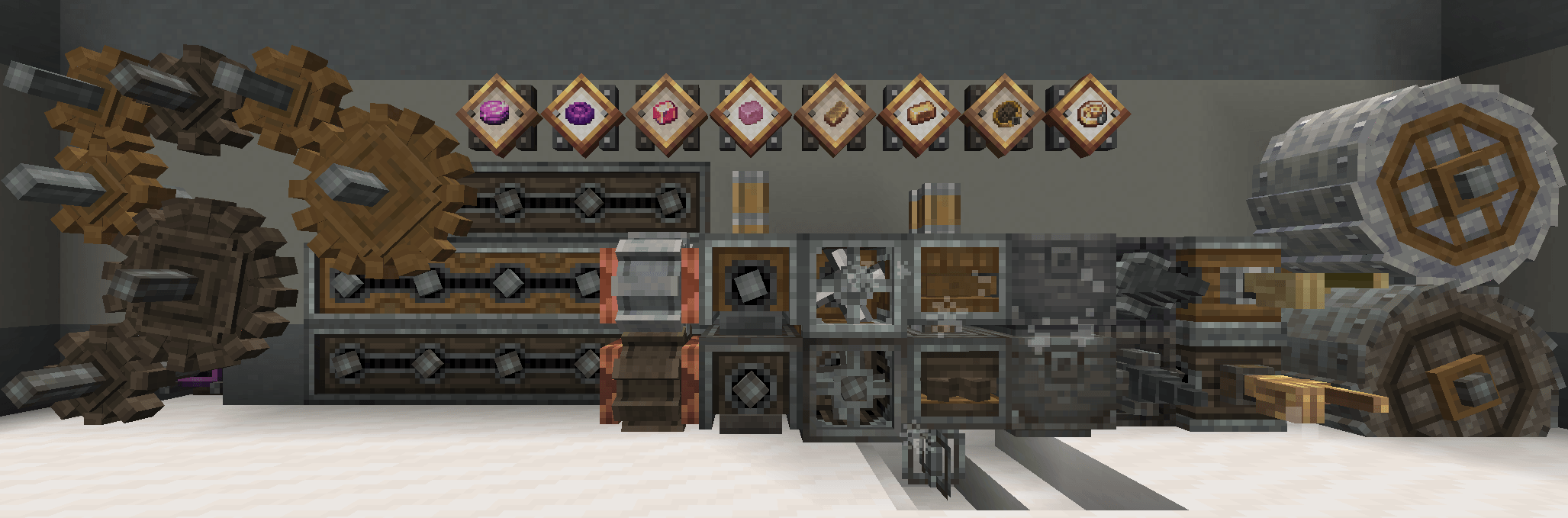 Create - Excalibur Variant (1.2.0) Create support, so many blocks working!
 -
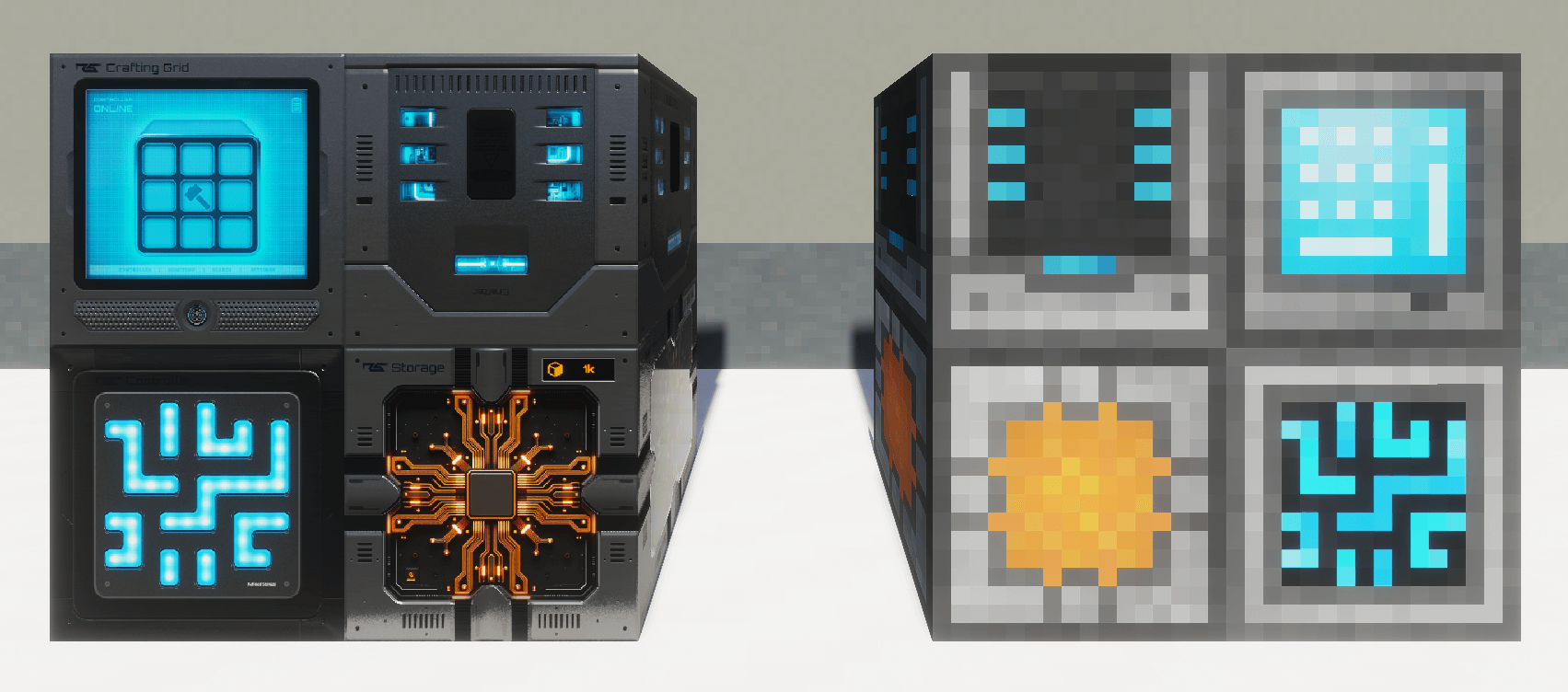 Refined Storage - Custom HD Variant Screenshot taken in-game with no editing - custom and normal textures working side by side
-
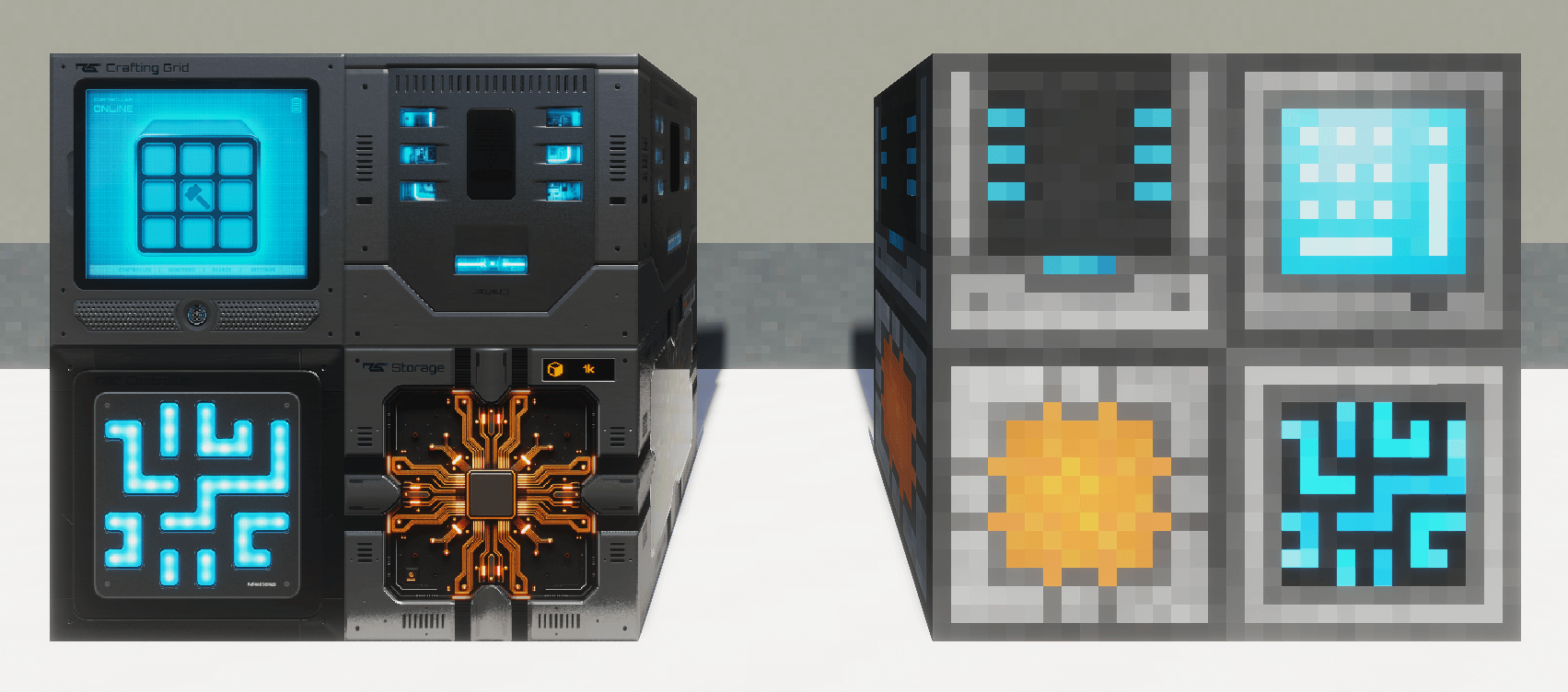 Refined Storage Example Taken in-game with no editing. "HD" variant and vanilla textures sitting side-by-side.
 -
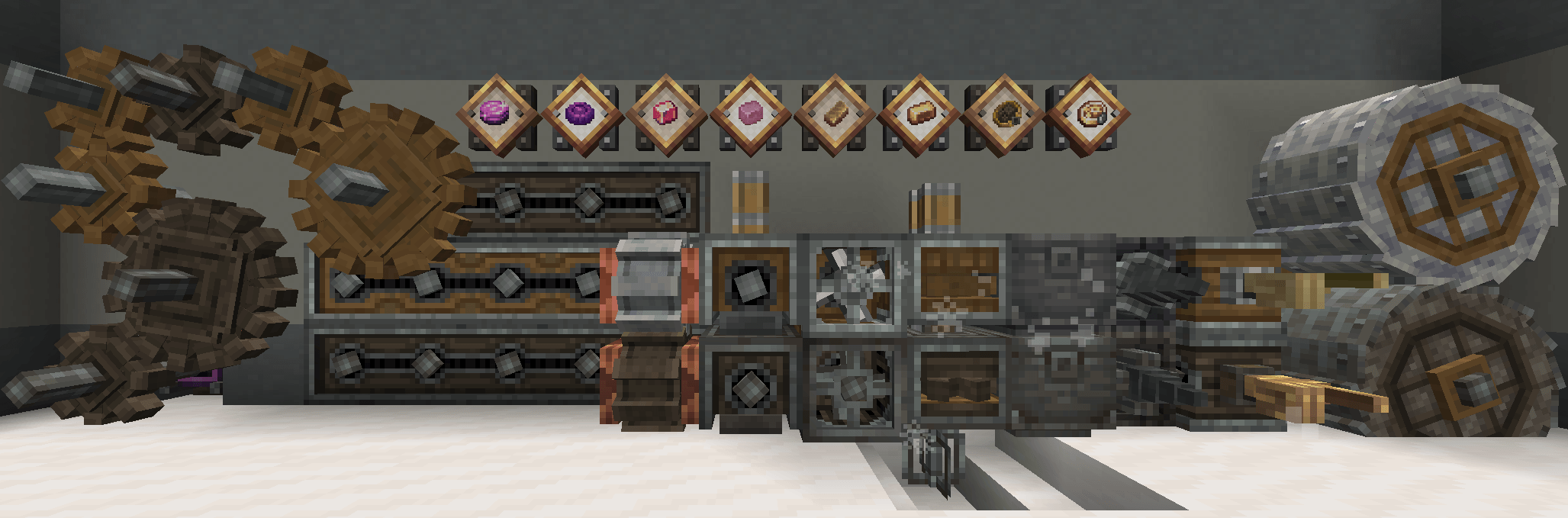 Create Mod Example Taken in-game with no editing. Create kinetic components working with variants. Shader support in 1.5.0.
Versions
Files
Relations
Project Relations
More like this
Similar Mods
Suggestions use data such as tags, dependencies, dependents, descriptions, titles, and more to rank how much they overlap with this mod.
On ModDex
Community snapshot
By the numbers
Statistics
Want to reach Minecraft players?
We're looking for a server hosting partner to feature here and other parts of the site. Interested? Send us a message!
Get in touchGet it on
Available Platforms
On ModDex
Community snapshot
By the numbers
Statistics
Resources