Community listing page, reviews here may not be monitored by the author.
CraftMinder

No reviews yet
Plan crafting goals, track required resources, and follow your inventory progress in real time with an in-game HUD.
Community voices
Reviews
No reviews yet. Be the first to review this project!
Get it on
Available Platforms
About
Project Details
For authors
Embed Badge
If you're the author of this project, you can embed a live badge anywhere that supports HTML or Markdown. It updates automatically whenever ratings change.
Use HTML for any page that supports it, or Markdown for README files and Markdown-based descriptions.
Identifiers
Platform IDs
Resources
External Links
About
Description
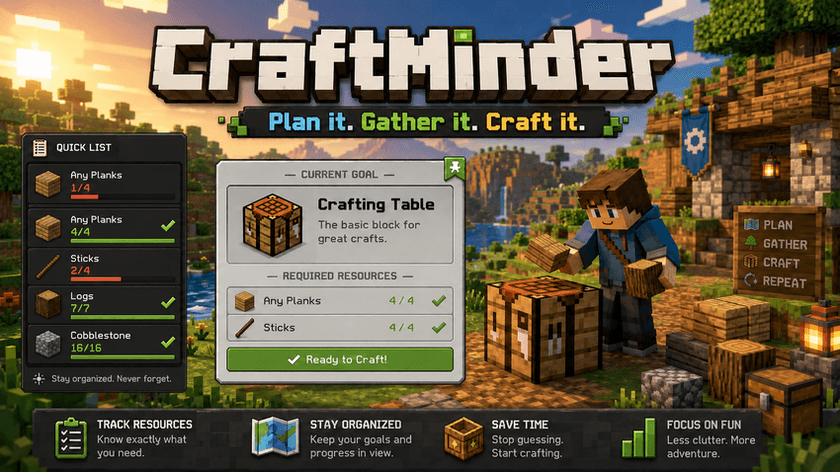
CraftMinder
Plan it. Gather it. Craft it.
Ever started a crafting project, walked away to collect materials, and completely forgot what you still needed?
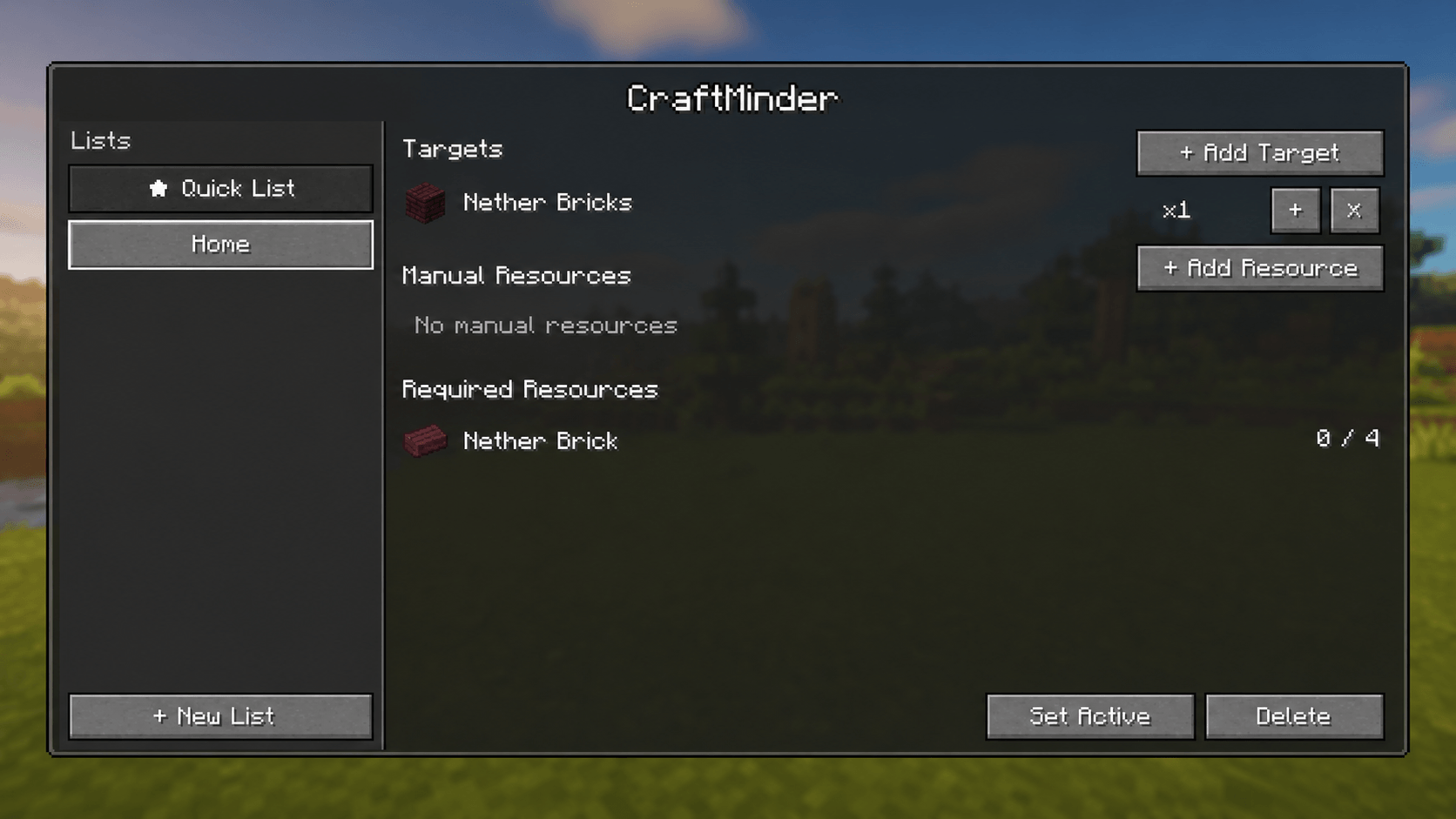
CraftMinder turns your crafting goals into a live resource checklist. Add the item you want to craft, choose the recipe, and let the mod calculate and track the required materials automatically.
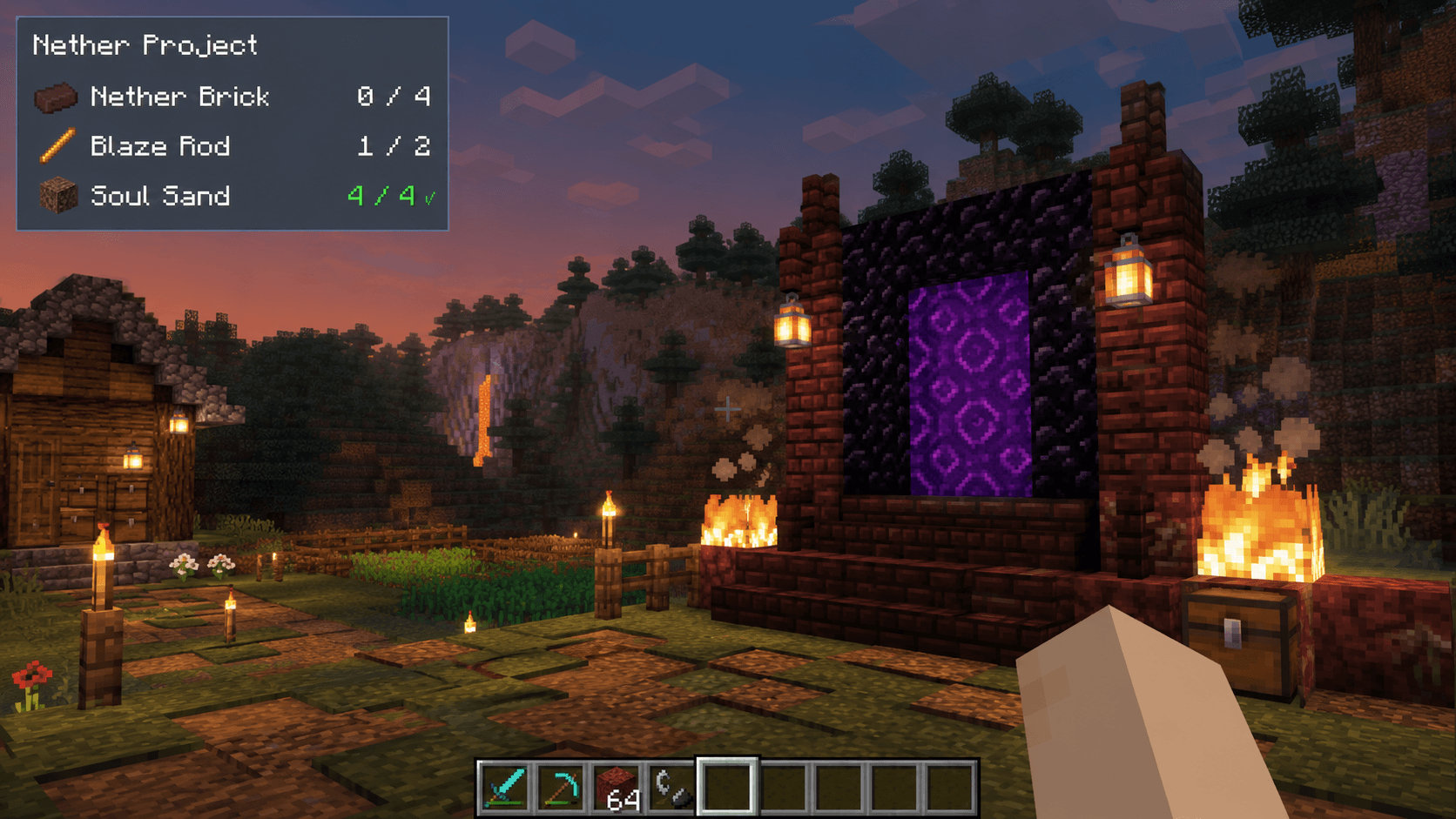
Your active resource list stays visible through a compact in-game HUD, updating as items enter or leave your inventory.
How It Works
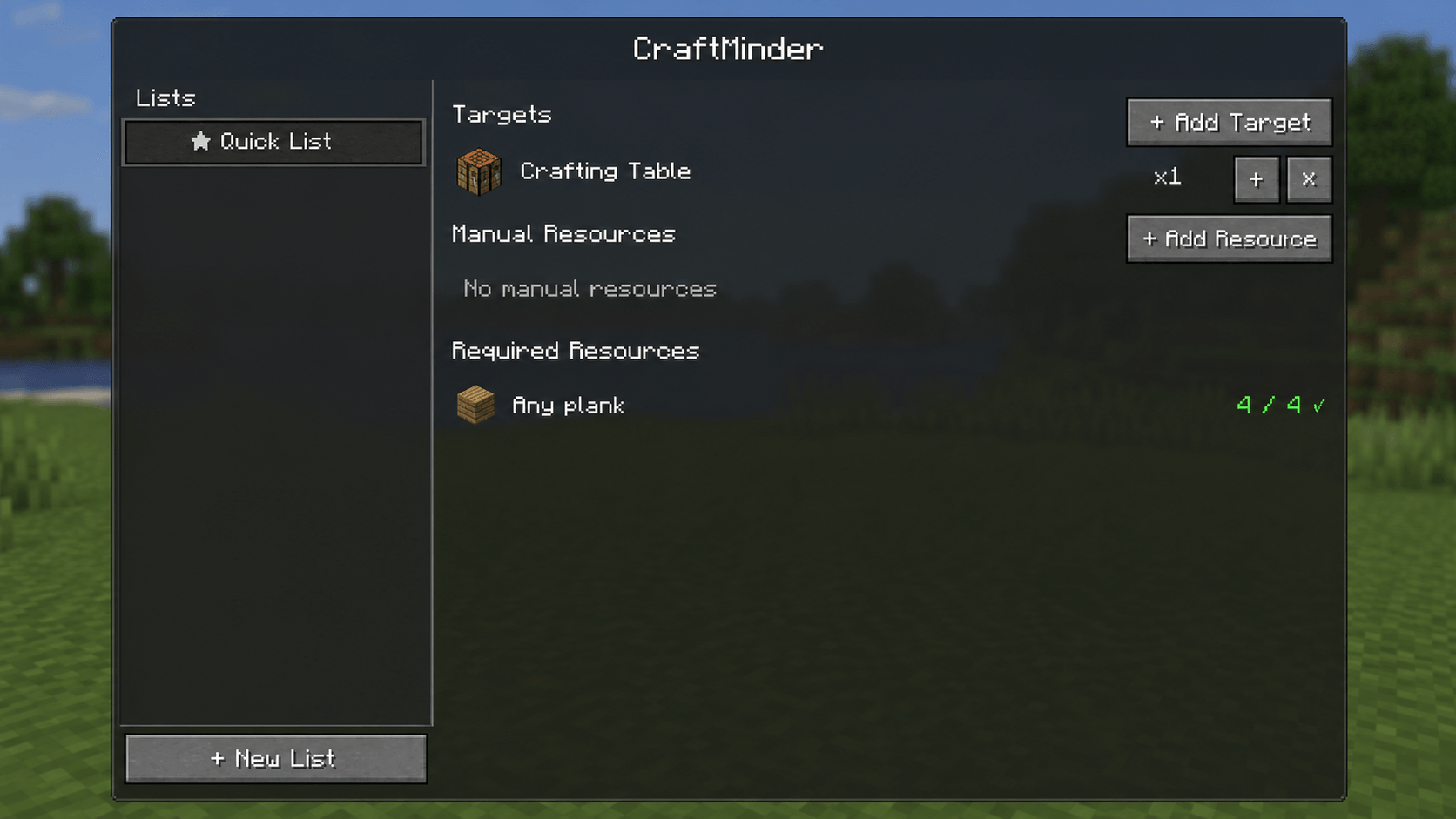
Add a target item, such as a Crafting Table, and CraftMinder will:
- Find the available recipes.
- Let you choose a recipe when multiple options exist.
- Calculate the required resources.
- Track how many matching items are currently in your inventory.
- Display your progress while you play.
Example:
Crafting Table ×1
- Any Planks:
0 / 4 - Any Planks:
2 / 4 - Any Planks:
4 / 4 ✓
Compatible materials are counted correctly, so different plank types can contribute to the same requirement when the recipe allows them.
Main Features
Automatic Resource Calculation
Choose the item you want to craft and CraftMinder automatically calculates the direct ingredients required by the selected recipe.
Real-Time Inventory Tracking
Your progress updates automatically while playing:
0 / 94 / 99 / 9 ✓
There is no need to reopen the menu every time you collect an item.
In-Game Resource HUD
The active list is displayed in a compact HUD while you explore, mine, build, and gather materials.
Completed resources are clearly marked with a checkmark.
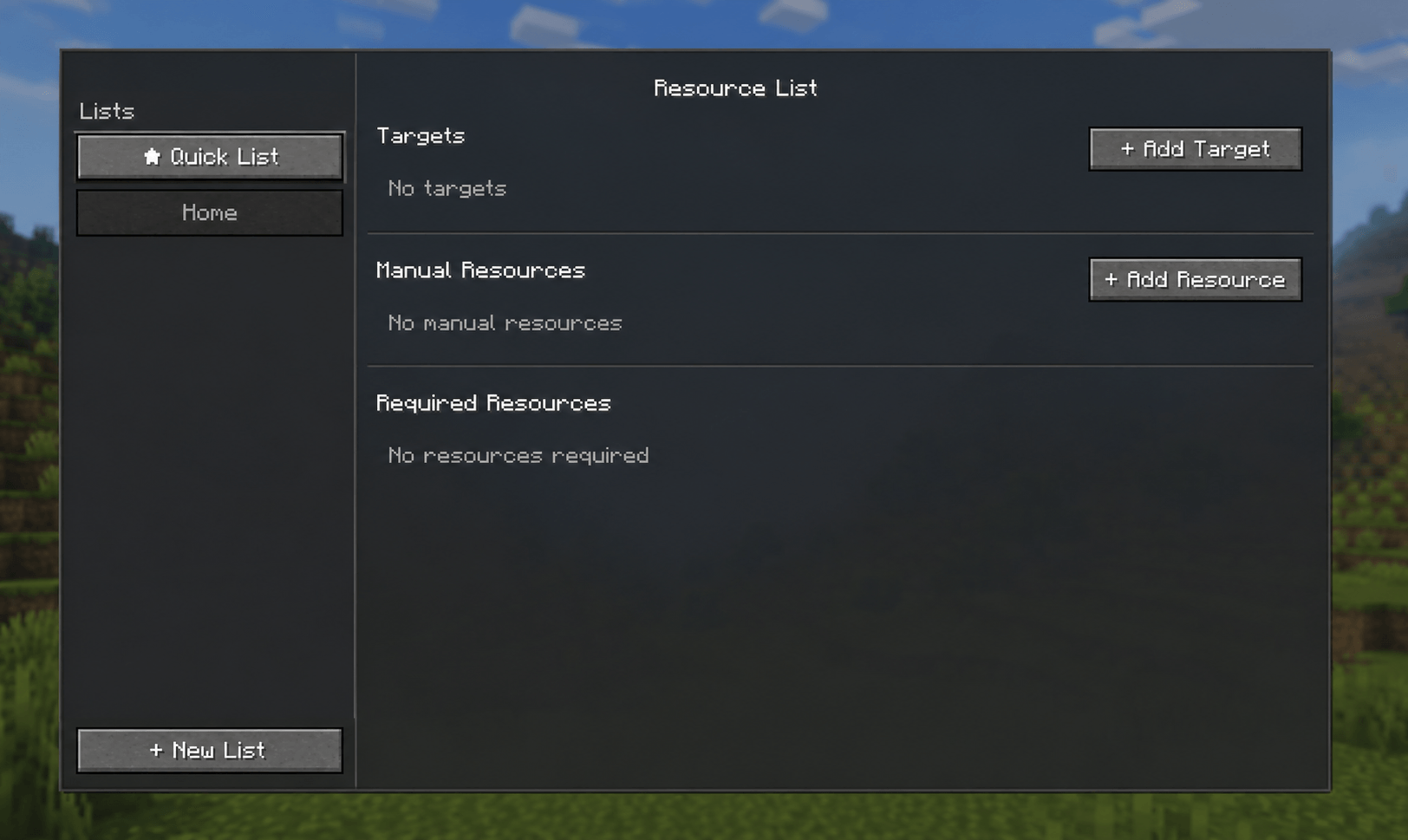
Quick List
Start using the mod immediately without creating or naming a custom list.
The Quick List is created automatically when you add your first target or manual resource.
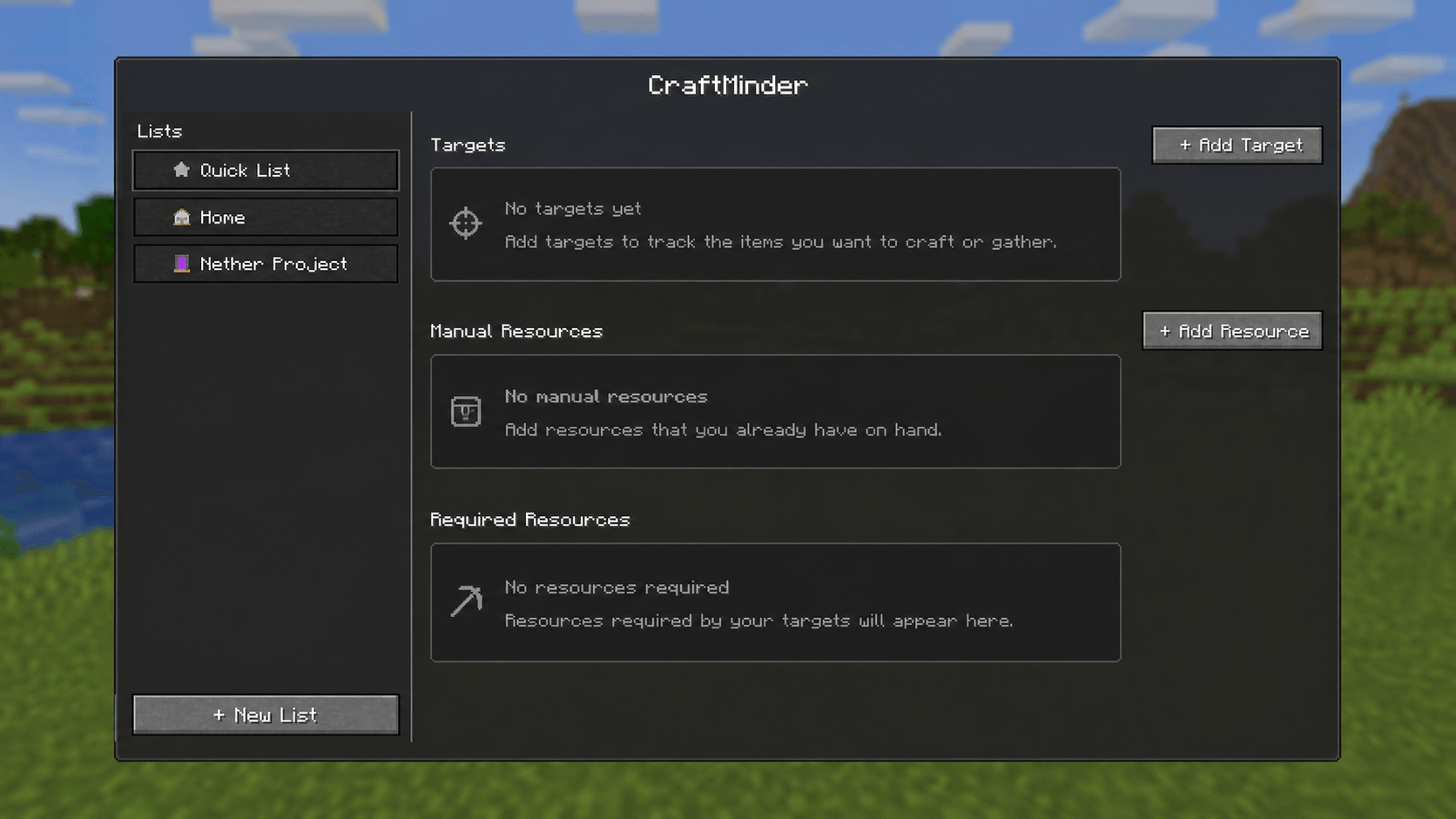
Multiple Custom Lists
Organize separate projects such as:
- My Base
- Storage System
- Nether Trip
- Factory
- Enchanting Setup
- Modded Machines
Choose which list is active, and that list will be displayed in the gameplay HUD.
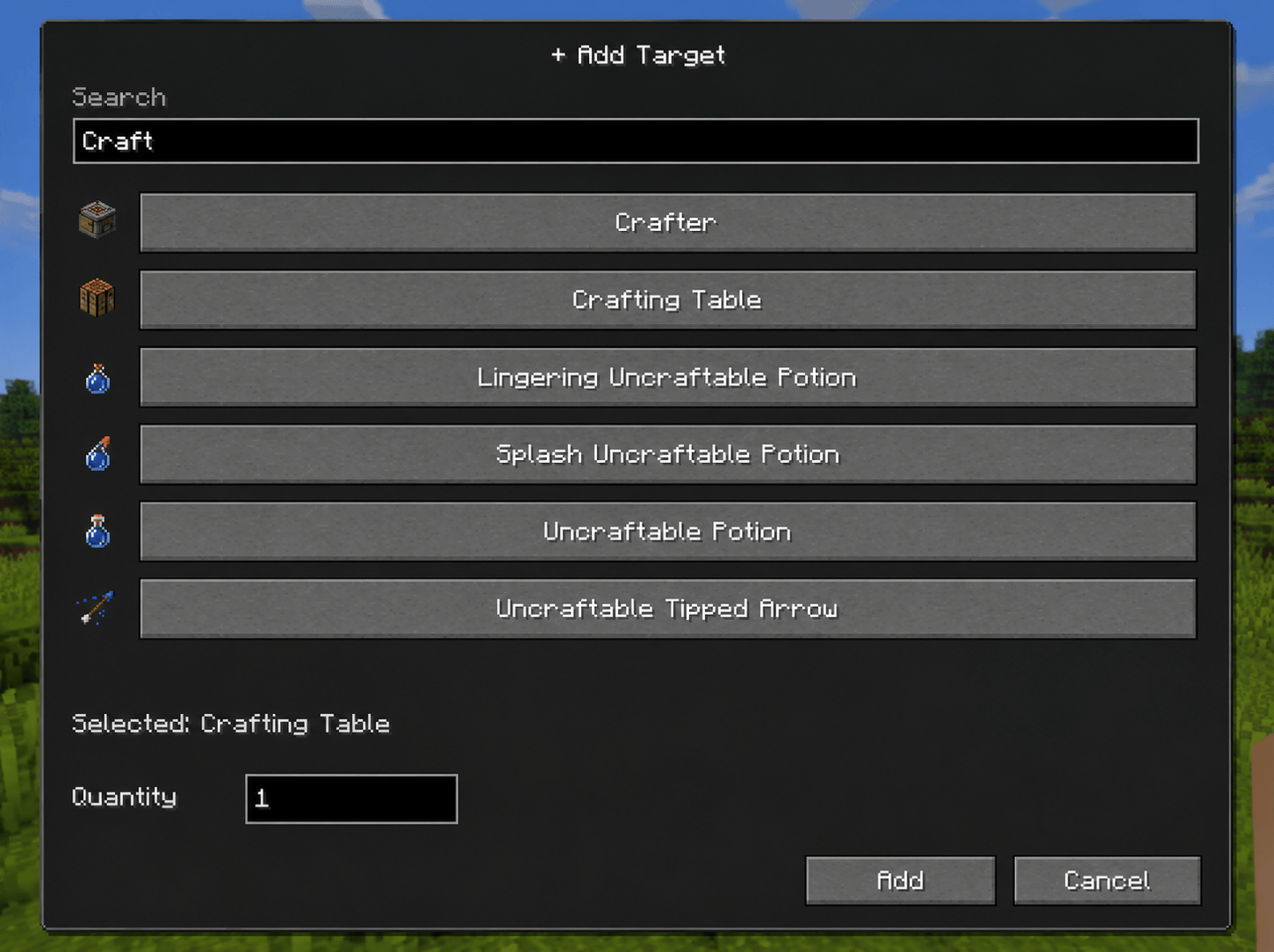
Item Search
Search for registered items using their localized names or registry IDs.
Examples:
craftcraft tableiron ingminecraft:crafting_tablecreate:brass
The search supports both vanilla items and items registered by other mods.
Multiple Recipe Support
When an item has more than one recipe, CraftMinder lets you select which recipe should be used for the calculation.
The mod never silently chooses an arbitrary recipe.
Manual Resources
Not everything needs to come from a crafting recipe.
You can manually add gathering goals such as:
- Diamond ×32
- Iron Ingot ×64
- Obsidian ×20
- Food ×48
Manual resources and recipe-generated requirements are combined when they represent the same item.
Smart Resource Allocation
CraftMinder prevents the same inventory items from being counted twice across overlapping requirements.
For example, if one requirement needs exact Oak Planks and another accepts any plank type, the mod allocates your available resources correctly instead of displaying impossible progress.
Vanilla and Modded Item Support
CraftMinder works with registered Minecraft items and recipes without maintaining a hardcoded vanilla item list.
Modded recipes can work automatically when they expose the standard recipe and ingredient information required by Minecraft and Forge.
Per-World and Per-Player Data
Lists are stored separately for each world and each player.
Projects created in one world will not appear in another save.
How to Use
Opening CraftMinder
Press R by default to open the CraftMinder screen.
The key can be changed through:
Options → Controls → CraftMinder
Adding a Crafting Target
- Open CraftMinder.
- Select the list you want to use.
- Click Add Target.
- Search for an item.
- Select the desired result.
- Enter the target quantity.
- Click Add.
- Choose a recipe if multiple recipes are available.
CraftMinder will calculate the required resources and begin tracking them.
Adding a Manual Resource
- Open CraftMinder.
- Click Add Resource.
- Search for the item.
- Select it.
- Enter the desired quantity.
- Confirm the operation.
Using Custom Lists
Create a custom list to organize a specific project.
Selecting a list only opens it for viewing. To display that list in the gameplay HUD, use Set Active.
Why CraftMinder Was Created
Minecraft has many excellent recipe viewers, but knowing how to craft an item is not always the same as remembering everything you still need to collect.
Large builds and modded projects can require dozens of materials. Players often end up reopening recipes repeatedly, writing notes outside the game, or trying to remember long resource lists.
CraftMinder was created to connect three simple steps:
Choose what you want to craft.
See exactly what you need.
Track what you already have.
The goal is to make resource planning feel like a natural part of Minecraft instead of a separate task outside the game.
Current Version Notes
The current version:
- Tracks the player’s hotbar and main inventory.
- Calculates the direct ingredients of the selected recipe.
- Supports multiple resource lists.
- Supports manually added gathering goals.
- Displays the active list through an in-game HUD.
- Supports vanilla and compatible modded items and recipes.
The current version does not yet:
- Count items stored inside chests or external containers.
- Recursively break intermediate ingredients into raw materials.
- Include JEI or EMI integration.
- Add items through inventory hover shortcuts.
- Perform automatic crafting.
These features may be explored in future updates.
Perfect For
CraftMinder is especially useful for:
- Survival worlds
- Large building projects
- Technical Minecraft
- Modpacks
- Factory planning
- Multiplayer projects
- Players who frequently forget what they were gathering
Stop reopening recipes. Stop forgetting materials. Start crafting with a plan.
Screenshots
Gallery
-
 e392c754-e018-43af-b7d9-a84021d97674.png e392c754-e018-43af-b7d9-a84021d97674.png
 -
 bc55fa2c-be2d-426e-93ad-28b21795463a.png bc55fa2c-be2d-426e-93ad-28b21795463a.png
 -
 a01ae84d-edda-4dd2-b6ad-44f64bd503da.png a01ae84d-edda-4dd2-b6ad-44f64bd503da.png
 -
 00237203-2127-458c-ba1c-56746f2fd1c7.png 00237203-2127-458c-ba1c-56746f2fd1c7.png
 -
 7979beb3-7379-4687-8c9e-2836ba2c9e88.png 7979beb3-7379-4687-8c9e-2836ba2c9e88.png
 -
 803bd561-9868-4098-b70b-030375b0237e.png 803bd561-9868-4098-b70b-030375b0237e.png
Versions
Files
Relations
Project Relations
More like this
Similar Mods
Suggestions use data such as tags, dependencies, dependents, descriptions, titles, and more to rank how much they overlap with this mod.
On ModDex
Community snapshot
By the numbers
Statistics
Want to reach Minecraft players?
We're looking for a server hosting partner to feature here and other parts of the site. Interested? Send us a message!
Get in touchGet it on
Available Platforms
On ModDex
Community snapshot
By the numbers
Statistics
Resources