Community listing page, reviews here may not be monitored by the author.
Create: Adapted

No reviews yet
An unofficial adaptation of Create for modern Minecraft versions, using assets from a separately installed official Create mod file
Community voices
Reviews
No reviews yet. Be the first to review this project!
Get it on
Available Platforms
About
Project Details
For authors
Embed Badge
If you're the author of this project, you can embed a live badge anywhere that supports HTML or Markdown. It updates automatically whenever ratings change.
Use HTML for any page that supports it, or Markdown for README files and Markdown-based descriptions.
Identifiers
Platform IDs
Resources
External Links
About
Description
Create: Adapted
Create: Adapted is an unofficial adaptation of Create for Minecraft 26.2 and NeoForge. It brings Create’s mechanical automation, kinetic systems, moving contraptions, processing machines, trains, tools, and decorative blocks to the newer game version.
Disclaimer: This is an unofficial community adaptation and is not affiliated with or endorsed by the original Create development team.
Requirements
- Minecraft: 26.2
- NeoForge: 26.2.0.67 or newer in the 26.2 series
- Required asset source: Create 6.0.10 for Minecraft 1.21.1
- Environment: Required on both client and server
Check Compatibility Before Downloading
Different Create: Adapted releases may support different Minecraft, NeoForge, JEI, or external asset versions.
Before downloading or updating, always check:
- The description and changelog of the specific file
- Its supported Minecraft version
- Its required NeoForge version
- Its required original Create asset version
- Any optional integration versions listed for that release
Important: Older files may target beta versions of NeoForge and may not work with the current stable NeoForge release. Do not assume that compatibility information for the newest release also applies to older files.
Installation
- Install Minecraft 26.2.
- Install NeoForge 26.2.0.57 or newer in the Minecraft 26.2 series.
- Place the downloaded Create: Adapted JAR in your
modsfolder. - Launch the game once. The mod will automatically create the
config/create-adapted/external-assetsfolder inside your Minecraft game directory. - Download Create 6.0.10 for Minecraft 1.21.1 from the official Create CurseForge page.
- Place
create-1.21.1-6.0.10.jarinsideconfig/create-adapted/external-assets. - Do not place the original Create JAR in the
modsfolder. - Restart the game.
Your folders should contain:
.minecraft/
├── mods/
│   └── Create-Adapted.jar
└── config/
    └── create-adapted/
        └── external-assets/
            └── create-1.21.1-6.0.10.jar
The adapted Flywheel, Ponder, Catnip, and Registrate libraries are embedded in Create: Adapted. No separate library downloads are required.
Important Original Create JAR Notice
The official
create-1.21.1-6.0.10.jarmust be placed inconfig/create-adapted/external-assets.
Do not place it in the mods folder. Create: Adapted and the original Create JAR use the same mod ID, so placing both in mods will cause a duplicate-mod conflict and prevent the game from starting.
The external-assets directory can be changed in config/create-adapted-external-assets.toml if you prefer to store the official Create JAR elsewhere.
Why Are the Original Assets Required Separately?
This public adaptation does not redistribute Create’s original textures, models, sounds, fonts, or other protected artwork because those assets are marked All Rights Reserved.
Instead, Create: Adapted loads the required resources from an official Create JAR supplied by the player.
Only the original JAR’s resources are used. Its program code is not added to the mod classpath and is not executed.
This approach allows the adaptation to be distributed without repackaging the original project’s protected assets.
Multiplayer and Dedicated Servers
Dedicated servers only need the matching Create: Adapted JAR in the server’s mods folder.
The original Create asset JAR is not required on a dedicated server.
Each connecting player must:
- Install the same Create: Adapted release as the server
- Place the official Create asset JAR in their local
config/create-adapted/external-assetsfolder - Use a compatible Minecraft and NeoForge version
The client and server should always use the same Create: Adapted release.
Rendering Note
The bundled Flywheel backend is enabled by default. It provides accelerated rendering for supported kinetic blocks, moving contraptions, train carriages, packages, and contraption actors.
If you encounter a graphics-driver or rendering compatibility problem, Flywheel can be disabled temporarily by using:
flywheel:offDisabling Flywheel does not disable Create machines, kinetic movement, contraptions, or animations. It only switches them to the compatibility rendering path.
Optional JEI Integration
JEI is optional. The game can start and run without it.
Compatibility with every JEI version is not guaranteed. If you encounter a JEI-related crash or a missing recipe category, try disabling JEI or testing with the version listed for the specific Create: Adapted release.
Mod Compatibility
Create: Adapted is an early adaptation for a newer Minecraft and NeoForge version. It may not yet be compatible with every mod available for Minecraft 26.2.
Mods that directly integrate with Create, Flywheel, Registrate, Ponder, Catnip, or Create’s internal APIs may require separate updates before they work correctly with this adaptation.
Compatibility with every newly released mod cannot be guaranteed.
If the game works without another mod but crashes after that mod is installed, the other mod may require an update for Create: Adapted or Minecraft 26.2.
Reporting Problems
When reporting a crash, rendering issue, broken mechanic, or compatibility problem, please include:
- Create: Adapted version
- Minecraft version
- NeoForge version
- JEI version, if installed
- Complete installed mod list
latest.log- Crash report, if one was generated
- Clear steps to reproduce the problem
- Screenshot or video for visual problems
Reports without a game log may not contain enough information to identify the cause.
Future Updates
Further updates are planned. Future releases will focus on:
- Improving compatibility with other Minecraft 26.2 mods
- Fixing reported crashes and gameplay issues
- Fixing rendering and animation problems
- Restoring or improving optional mod integrations
- Updating support for newer NeoForge and JEI versions
- Improving compatibility with newer Create addons
Important Notice
Create: Adapted is an experimental adaptation and not a final stable release. Some features, integrations, or combinations with other mods may not work correctly yet.
Back up important worlds before installing or updating Create: Adapted. Do not open an important world without making a backup first.
NeoForge 26.2.0.57 or newer within the supported 26.2 series can be used. Individual NeoForge builds may not have been tested separately.
Newer Minecraft versions will require an updated Create: Adapted release.
Addons

Create: Diesel Generators Adapted
Support the Project
Supporting the project is completely optional. All mod features are available for free, and donations do not provide exclusive content or benefits.
Donate through StreamElements:

streamelements.com/bugsgify/tip
Bitcoin (BTC):
13R6PfZET4WSoQMXFJorDLKPVmdCWRWQgbEthereum (ERC-20):
0xc96dd229eadb606a6e5485a8aa05dbd43f81b8fdUSDT (TRC-20):
TNdo4pTSRnhEgoJqjmPdzMySp1pwSr6VLFPayment warning: Verify the selected cryptocurrency and network before sending a payment. Transfers made through an incompatible network may be permanently lost.
Donations support this unofficial adaptation only. They do not provide access to the original Create assets and are not connected to the official Create development team.
Screenshots
Gallery
-
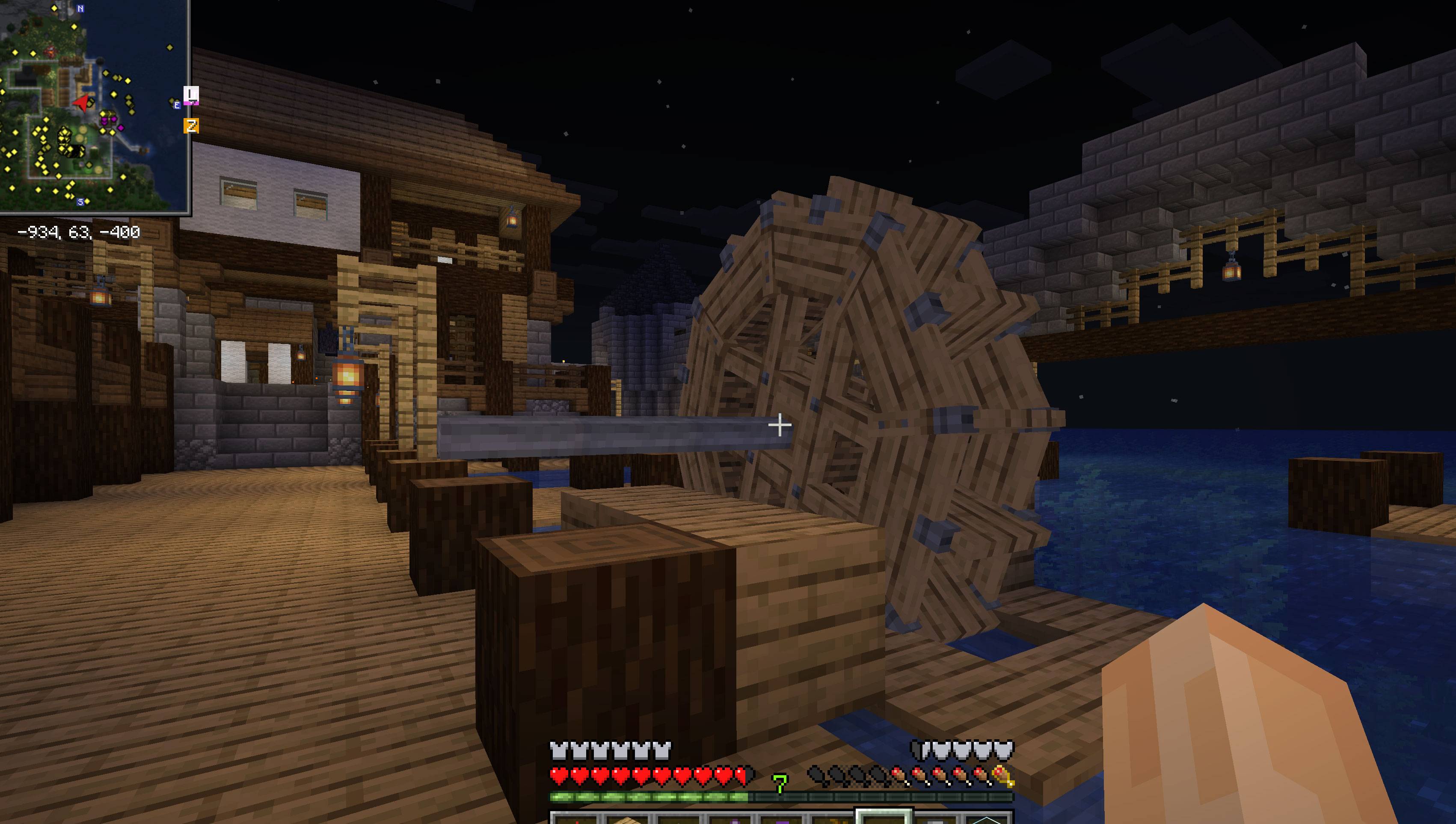 1111.jpg 1111.jpg
Versions
Files
Relations
Project Relations
More like this
Similar Mods
Suggestions use data such as tags, dependencies, dependents, descriptions, titles, and more to rank how much they overlap with this mod.
On ModDex
Community snapshot
By the numbers
Statistics
Want to reach Minecraft players?
We're looking for a server hosting partner to feature here and other parts of the site. Interested? Send us a message!
Get in touchGet it on
Available Platforms
On ModDex
Community snapshot
By the numbers
Statistics
Resources