Community listing page, reviews here may not be monitored by the author.
Create: Ballast


No reviews yet
Adds a new layerable block that has more mass with each added layer. Useful for balancing your aeronautics builds!
Community voices
Reviews
No reviews yet. Be the first to review this project!
Get it on
Available Platforms
Compatibility
Supported Environments
Must be installed on both the client and the server.
About
Project Details
For authors
Embed Badge
If you're the author of this project, you can embed a live badge anywhere that supports HTML or Markdown. It updates automatically whenever ratings change.
Use HTML for any page that supports it, or Markdown for README files and Markdown-based descriptions.
Identifiers
Platform IDs
Resources
External Links
About
Description
This is an addon for Create: Aeronautics, you won't find much use for it without that mod.
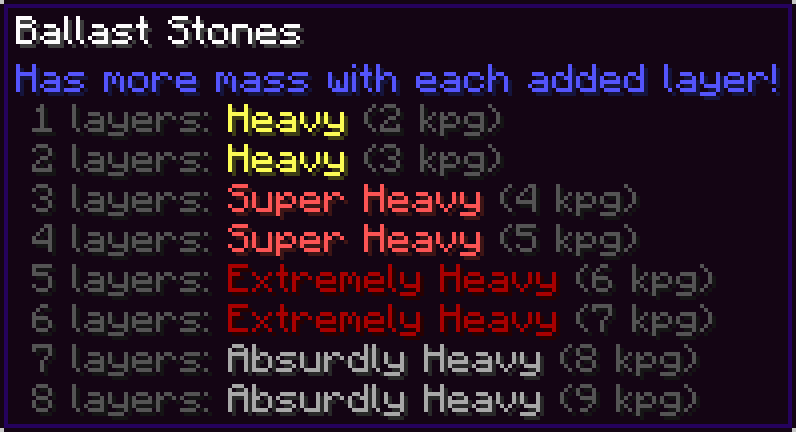
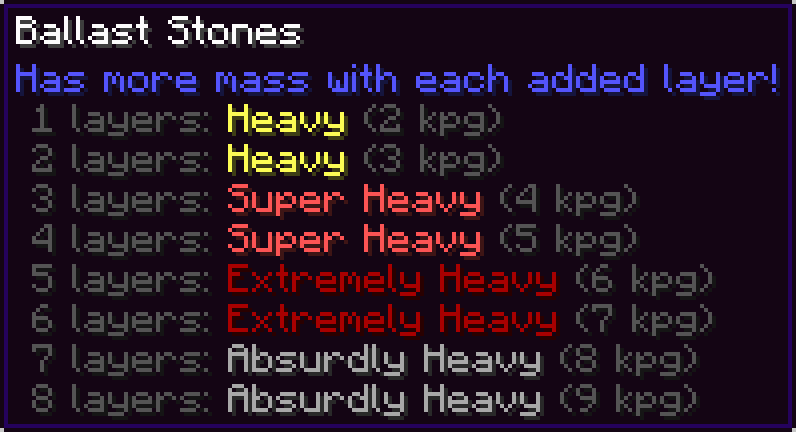
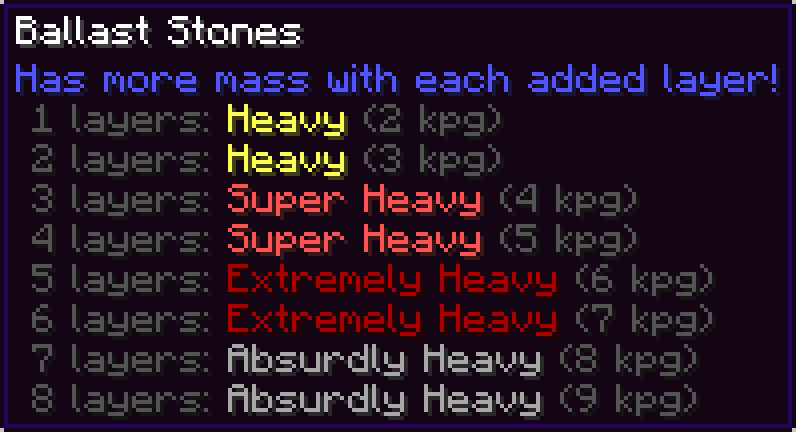
Adds Ballast Stones: a dense, layerable block that has more mass with each added layer. Useful for ballancing your aeronautics builds!
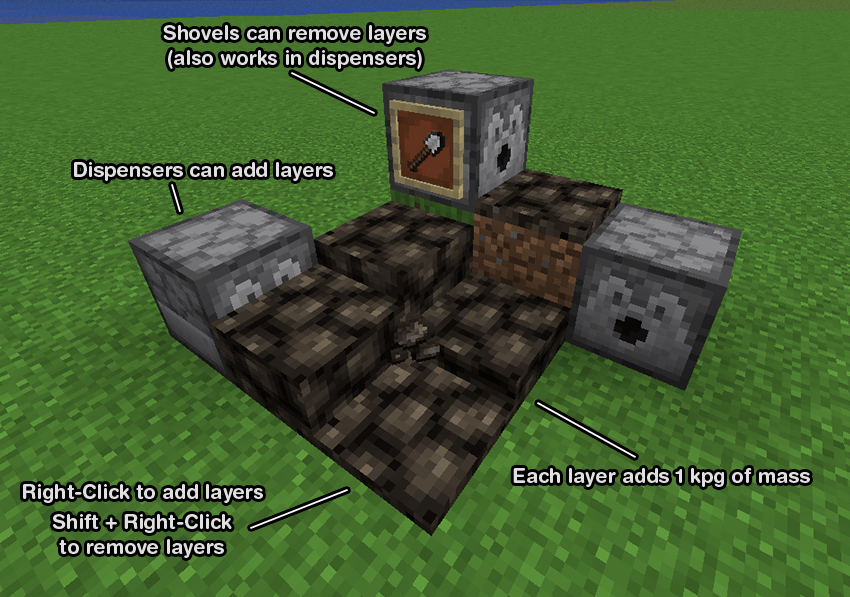
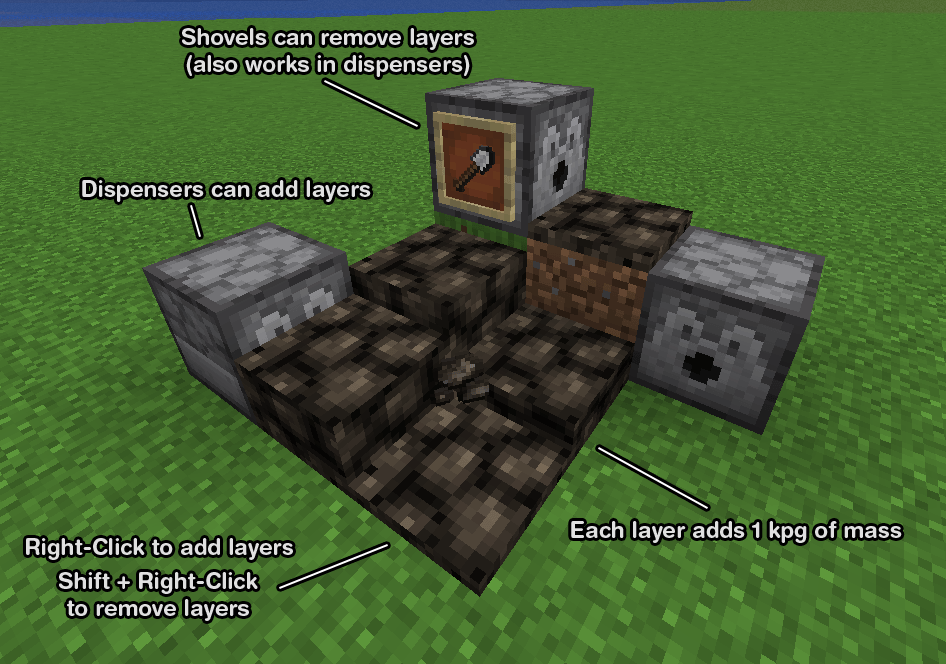
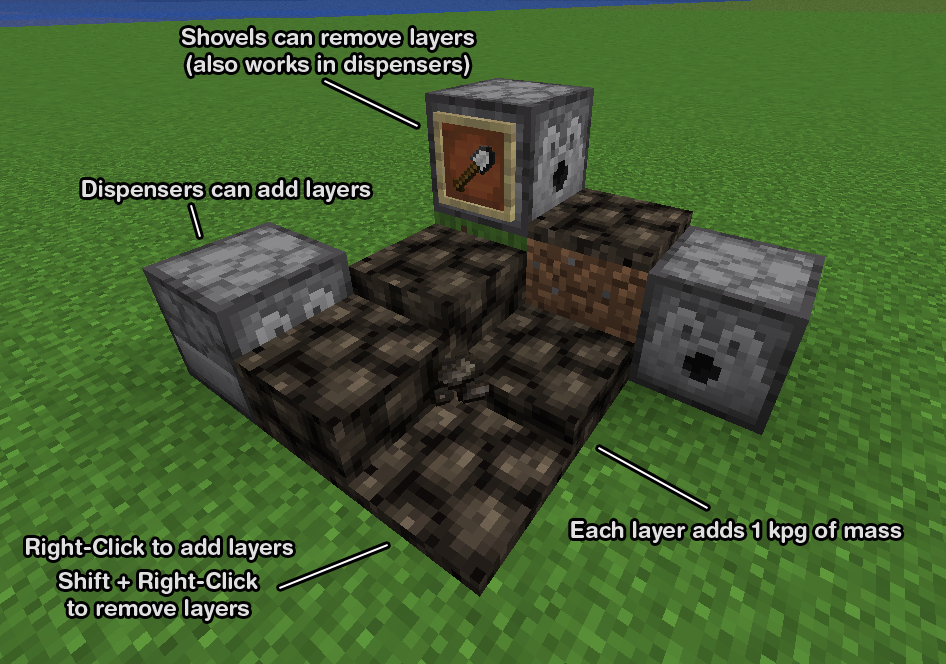
Right-click to add a new layer.
Shift + Right-Click with ballast or an empty hand to remove a layer.
Right-Clicking with a shovel can also remove a layer.
Dispensers can add layers, and remove layers with a shovel.
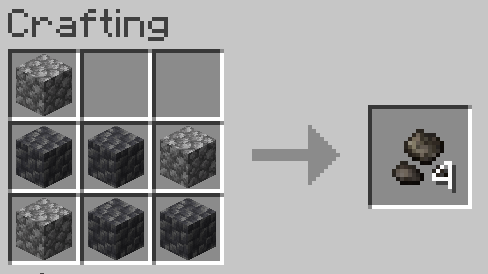
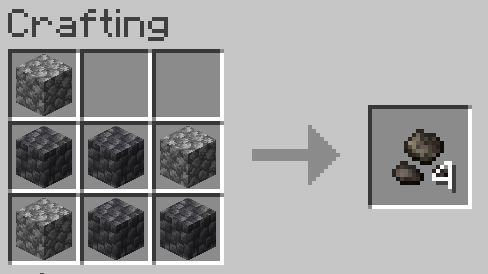
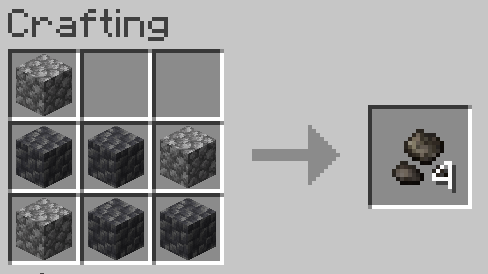
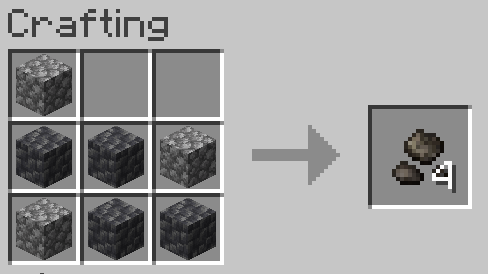
Crafted with 7 of any type of cobblestones (shapeless)
FAQ
Q: What is ballast?
A: Ballast is dense material used as a weight to provide stability to a ship or hot air balloon. Ships today use water as ballast, but historically large stones known as ballast stones were used.
Q: Why would I want this mod?
A: Ships and airships in Create: Aeronautics can be tricky to ballance, especially since the heaviest blocks in the mod are only 4 kpg. This mod allows you to easily ballance the weight distribution on your ship without needing to place dozens of metal blocks all over your ship and ruining its aesthetic.
Q: Can you add water tank ballast?
A: Create: Aeronautics already plans to add weight for filled water tanks in an upcoming update. To maintain compatability when that update is released, I won't be adding it to this mod.
Q: When removing a layer of ballast stones using a dispenser, the ballast stones item is placed into the dispenser's inventory which can cause it to be placed again. How can I make sure layers are removed consistently?
A: You can have a hopper or pipe with a filtering setup remove the ballast stones from the dispenser but not the shovel. Or you can fill every slot in the hopper with shovels and the ballast stones will just drop on the ground instead of being placed into the dispenser, and you can use a hopper beneath the ballast stones to collect it.
Attribution
Textures were modified from https://github.com/malcolmriley/unused-textures
This is an addon for Create: Aeronautics, you won't find much use for it without that mod.
Adds Ballast Stones, a dense, layerable block that has more mass with each added layer. Useful for ballancing your aeronautics builds!
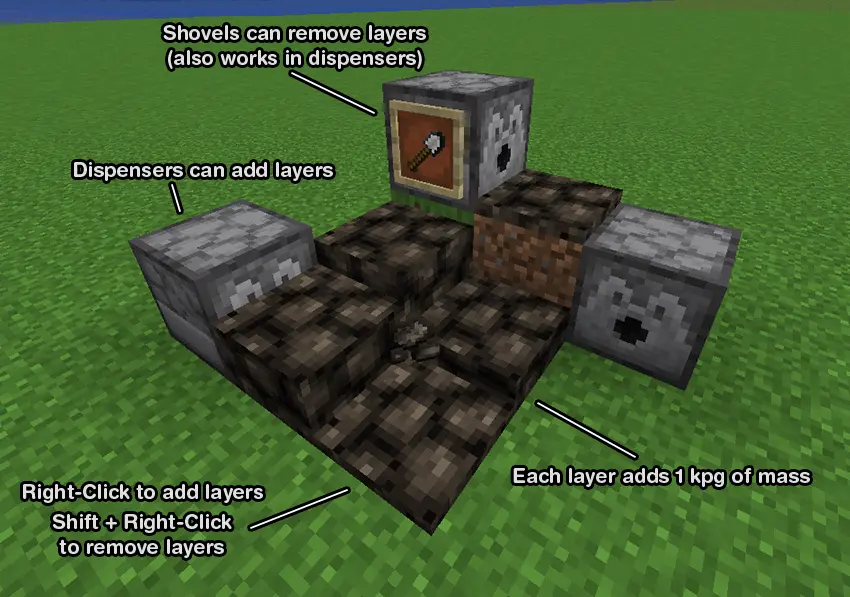
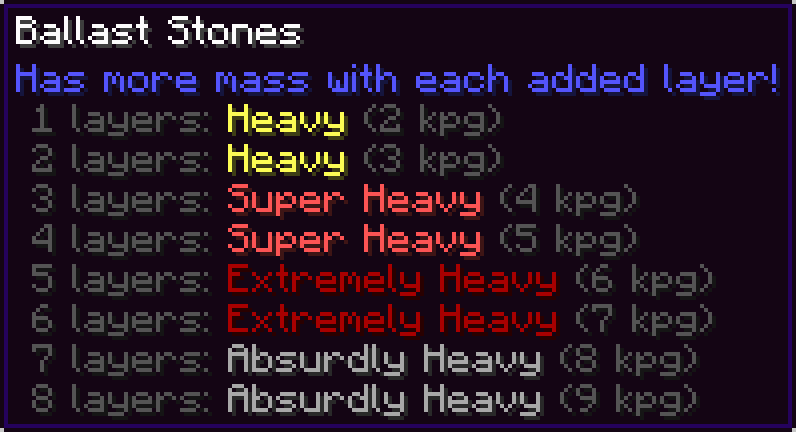
Right-click to add a new layer. Shift + Right-Click with ballast or an empty hand to remove a layer. Right-Clicking with a shovel can also remove a layer.
Dispensers can add layers, and remove layers with a shovel.
Crafted with 7 of any type of cobblestones (shapeless)
FAQ
Q: What is ballast?
A: Ballast is dense material used as a weight to provide stability to a ship or hot air balloon. Ships today use water as ballast, but historically large stones known as ballast stones were used.
Q: Why would I want this mod?
A: Ships and airships in Create: Aeronautics can be tricky to ballance, especially since the heaviest blocks in the mod are only 4 kpg. This mod allows you to easily ballance the weight distribution on your ship without needing to place dozens of metal blocks all over your ship and ruining its aesthetic.
Q: Can you add water tank ballast?
A: Create: Aeronautics already plans to add weight for filled water tanks in an upcoming update. To maintain compatability when that update is released, I won't be adding it to this mod.
Q: When removing a layer of ballast stones using a dispenser, the ballast stones item is placed into the dispenser's inventory which can cause it to be placed again. How can I make sure layers are removed consistently?
A: You can have a hopper or pipe with a filtering setup remove the ballast stones from the dispenser but not the shovel. Or you can fill every slot in the hopper with shovels and the ballast stones will just drop on the ground instead of being placed into the dispenser, and you can use a hopper beneath the ballast stones to collect it.
Attribution
Textures were modified from https://github.com/malcolmriley/unused-textures
Screenshots
Gallery
-
 explination.png explination.png
 -
 tooltip.png tooltip.png
 -
 recipe.PNG recipe.PNG
Versions
Files
Relations
Project Relations
More like this
Similar Mods
Suggestions use data such as tags, dependencies, dependents, descriptions, titles, and more to rank how much they overlap with this mod.
On ModDex
Community snapshot
By the numbers
Statistics
Want to reach Minecraft players?
We're looking for a server hosting partner to feature here and other parts of the site. Interested? Send us a message!
Get in touchGet it on
Available Platforms
On ModDex
Community snapshot
By the numbers
Statistics
Resources