
Community listing page, reviews here may not be monitored by the author.
Antique Transport


No reviews yet
Adds Create trains, tracks, stations and Sable ships to Antique Atlas mod.
Community voices
Reviews
No reviews yet. Be the first to review this project!
Get it on
Available Platforms
Compatibility
Supported Environments
Required on the client. Installing it on the server adds functionality.
About
Project Details
For authors
Embed Badge
If you're the author of this project, you can embed a live badge anywhere that supports HTML or Markdown. It updates automatically whenever ratings change.
Use HTML for any page that supports it, or Markdown for README files and Markdown-based descriptions.
Identifiers
Platform IDs
About
Description
Antique Transport
Puts trains, tracks, stations, and airships on your Antique Atlas map. Works with Create, Sable and Create Simulated.
Available on Fabric and NeoForge (via Sinytra Connector).
Features
Create
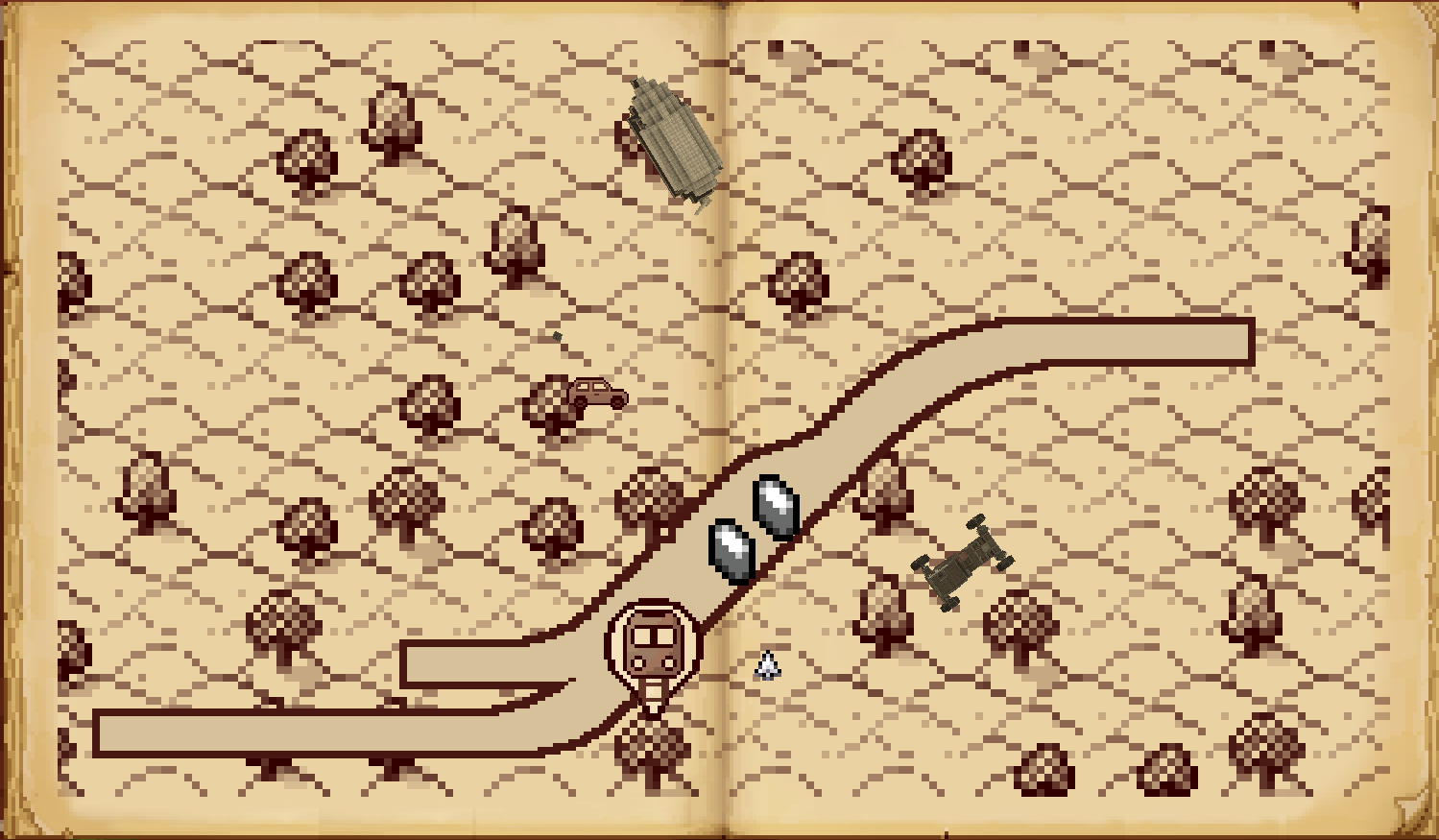
- Train tracks – Your entire rail empire, drawn on the map. Yes, including that branch line to nowhere.
- Live trains – Moving markers with name and route tooltips, so you can watch your trains be late in real time.
- Stations – Create stations appear as named landmarks. Finally, a reason to give them proper names.
Sable
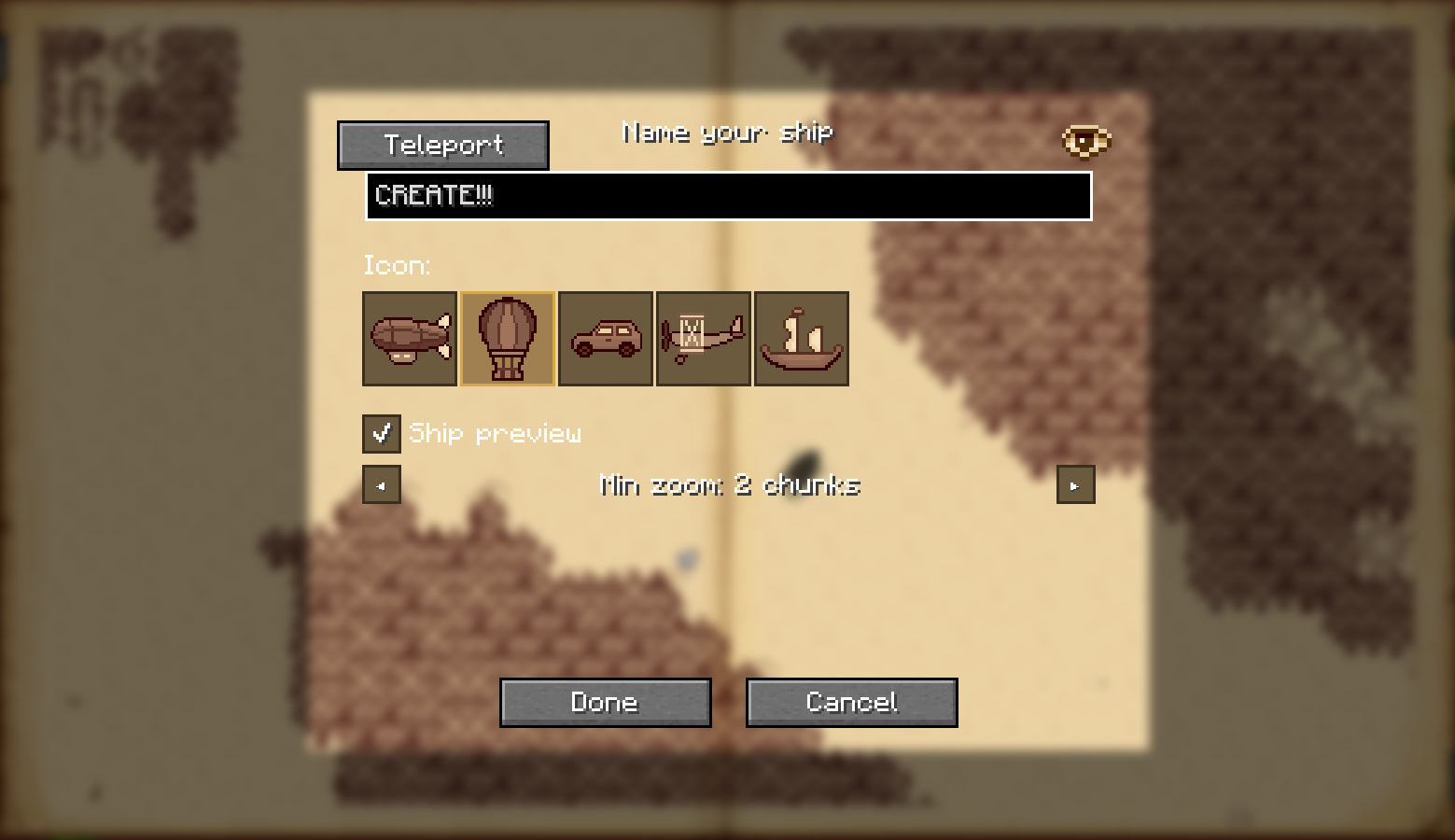
- Ships & airships – Sable sublevels shown as directional markers with name, altitude, and last-seen time (all optional).
To add a ship to the map, click on it while the atlas is open, or run/antique_transport markshipwhile aboard. - Per-ship visibility – Each ship can be shown or hidden individually, so your test balloons do not clutter the strategic view.
- Bookmark buttons – A single toggle button to show/hide all ships at once. Perfect for when the sky gets crowded.
Create Simulated
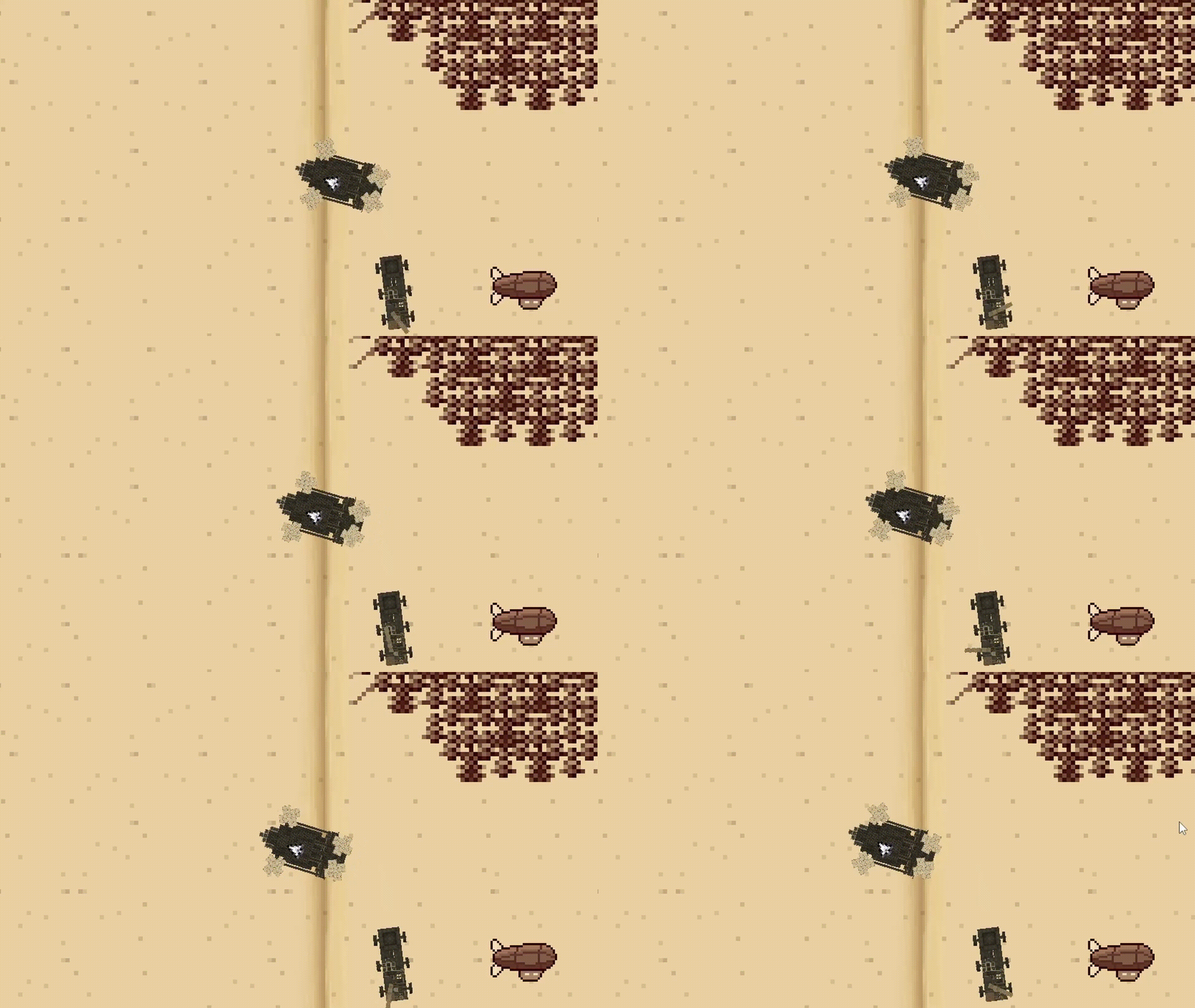
- Dynamic ship previews – With Create Simulated installed, ships can be rendered directly on the atlas as live top-down diagrams instead of just markers. Tiny floating contraptions, now in convenient map form.
- Automatic naming – Ships named via Simulated Nameplates are automatically reflected on the map, so you do not have to remember which one was “Definitely Not A Safety Hazard”.
General
- Bookmark buttons – Separate buttons to hide all train layers or all ships with one click. Useful when the map gets crowded, or when you're embarrassed by your rail network.
- Per-feature config – Each layer (tracks / trains / stations / ships / previews) toggled independently in
antique_transport.tomlvia McQoy.
| Client only | Client + Server | |
|---|---|---|
| Train Tracks, Stations, Trains | ✅ Rendered across the whole map. Same as client + server, because trains do not believe in networking drama. | ✅ Same as client only. Nice and boring, just how infrastructure likes it. |
| Ships <sub>(sub-levels)</sub> |
⚠️ Not synced with other clients. Shows last-seen time so you at least know the ship existed. | ✅ Synced with server and all clients, works across all loaded chunks. |
| Dynamic Ship Previews <sub>(Create Simulated)</sub> |
⚠️ Live ship diagrams work for ships within render distance; outside it, the last rendered preview can still be shown. | ✅ Same behavior as client only, but with proper syncing, shared naming, and no ghost ships haunting the atlas forever. |
Planned / TODO
- Feature suggestions welcome on GitHub Issues!
Credits
- justliliandev - original author of Create train map integration.
Disclaimer: This mod was built with significant AI assistance. The code and architecture were developed in collaboration with an AI coding assistant.
Antique Transport
Puts trains, tracks, stations, and airships on your Antique Atlas map. Works with Create, Sable and Create Simulated.
Available on Fabric and NeoForge (via Sinytra Connector).
Features
Create
- Train tracks – Your entire rail empire, drawn on the map. Yes, including that branch line to nowhere.
- Live trains – Moving markers with name and route tooltips, so you can watch your trains be late in real time.
- Stations – Create stations appear as named landmarks. Finally, a reason to give them proper names.
Sable
- Ships & airships – Sable sublevels shown as directional markers with name, altitude, and last-seen time (all optional).
To add a ship to the map, click on it while the atlas is open, or run/antique_transport markshipwhile aboard. - Per-ship visibility – Each ship can be shown or hidden individually, so your test balloons do not clutter the strategic view.
- Bookmark buttons – A single toggle button to show/hide all ships at once. Perfect for when the sky gets crowded.
Create Simulated
- Dynamic ship previews – With Create Simulated installed, ships can be rendered directly on the atlas as live top-down diagrams instead of just markers. Tiny floating contraptions, now in convenient map form.
- Automatic naming – Ships named via Simulated Nameplates are automatically reflected on the map, so you do not have to remember which one was “Definitely Not A Safety Hazard”.
General
- Bookmark buttons – Separate buttons to hide all train layers or all ships with one click. Useful when the map gets crowded, or when you're embarrassed by your rail network.
- Per-feature config – Each layer (tracks / trains / stations / ships / previews) toggled independently in
antique_transport.tomlvia McQoy.
| Client only | Client + Server | |
|---|---|---|
| Train Tracks, Stations, Trains | ✅ Rendered across the whole map. Same as client + server, because trains do not believe in networking drama. | ✅ Same as client only. Nice and boring, just how infrastructure likes it. |
| Ships (sub-levels) |
⚠️ Not synced with other clients. Shows last-seen time so you at least know the ship existed. | ✅ Synced with server and all clients, works across all loaded chunks. |
| Dynamic Ship Previews (Create Simulated) |
⚠️ Live ship diagrams work for ships within render distance; outside it, the last rendered preview can still be shown. | ✅ Same behavior as client only, but with proper syncing, shared naming, and no ghost ships haunting the atlas forever. |
Planned / TODO
- Feature suggestions welcome on GitHub Issues!
Credits
- justliliandev - original author of Create train map integration.
Disclaimer: This mod was built with significant AI assistance. The code and architecture were developed in collaboration with an AI coding assistant.
Screenshots
Gallery
-
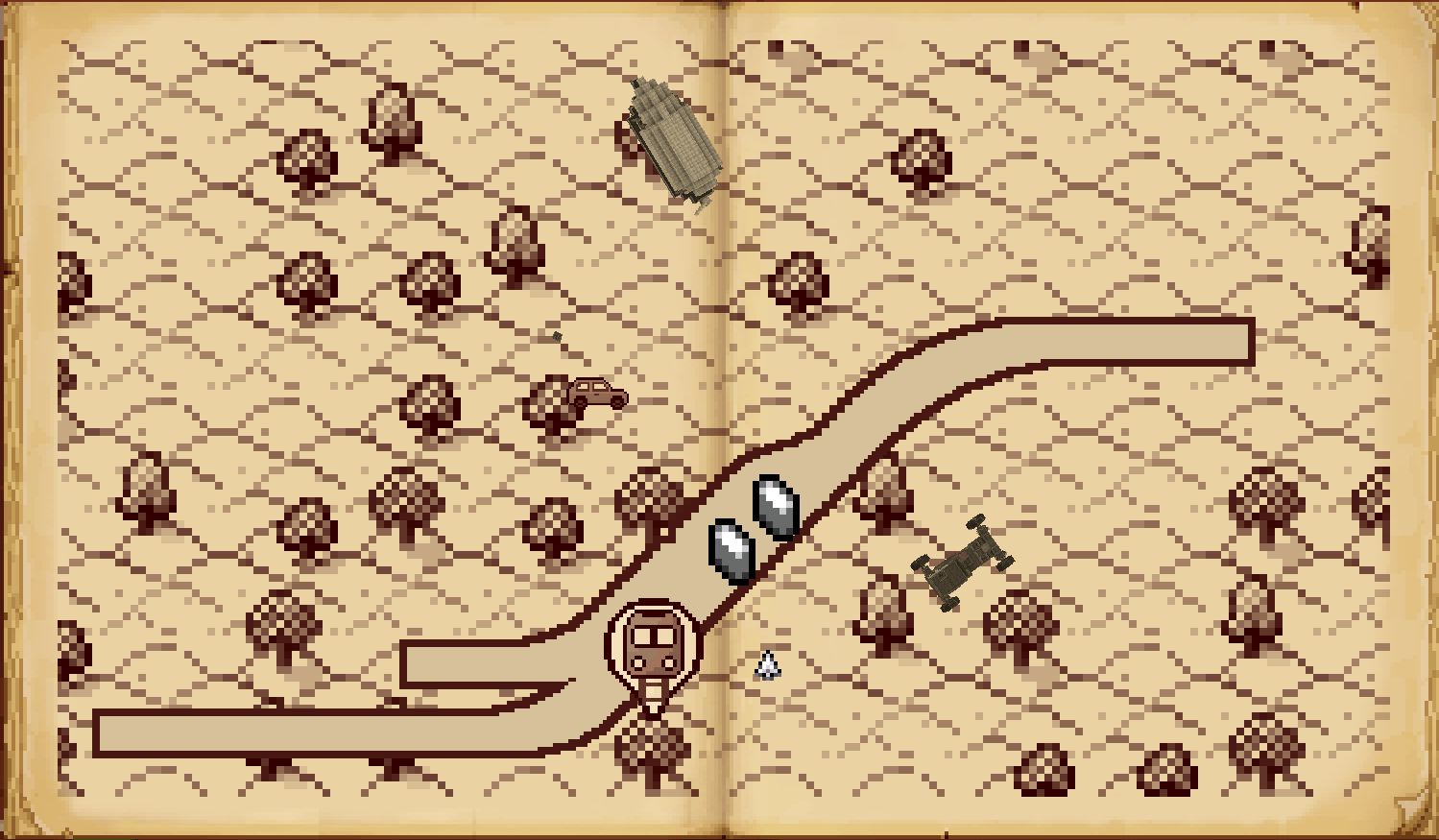 All in one Shows train tracks, live trains, and stations from the Create mod — and a glimpse of dynamic ship preview from Simulated.
 -
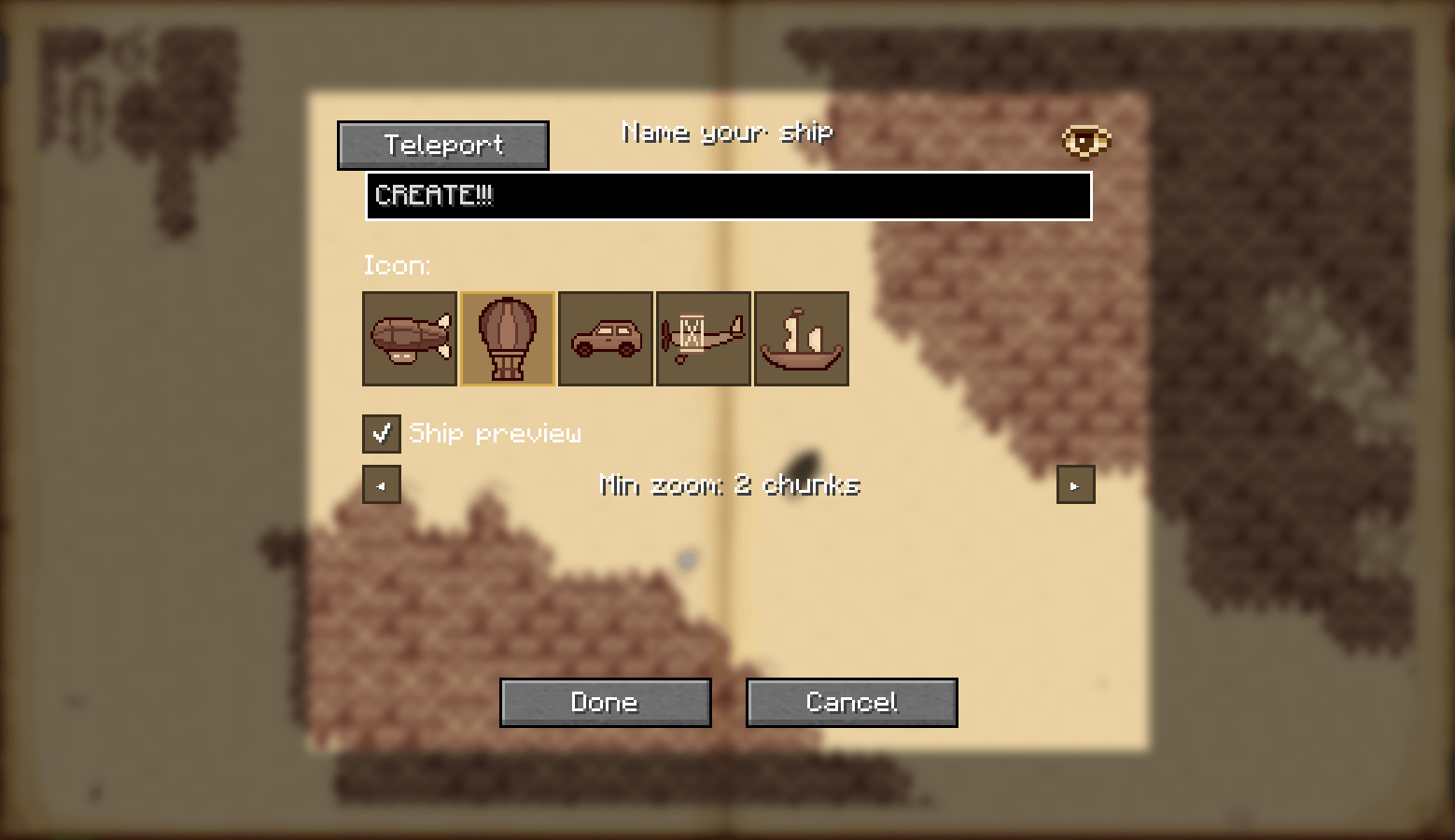 Ship customization
-
All in one Shows train tracks, live trains, and stations from the Create mod — and a glimpse of dynamic ship preview from Simulated.
-
Ships preview Your helicopter hovers anxiously on the map, unsure whether it's a vehicle or just a very loud fan.
-
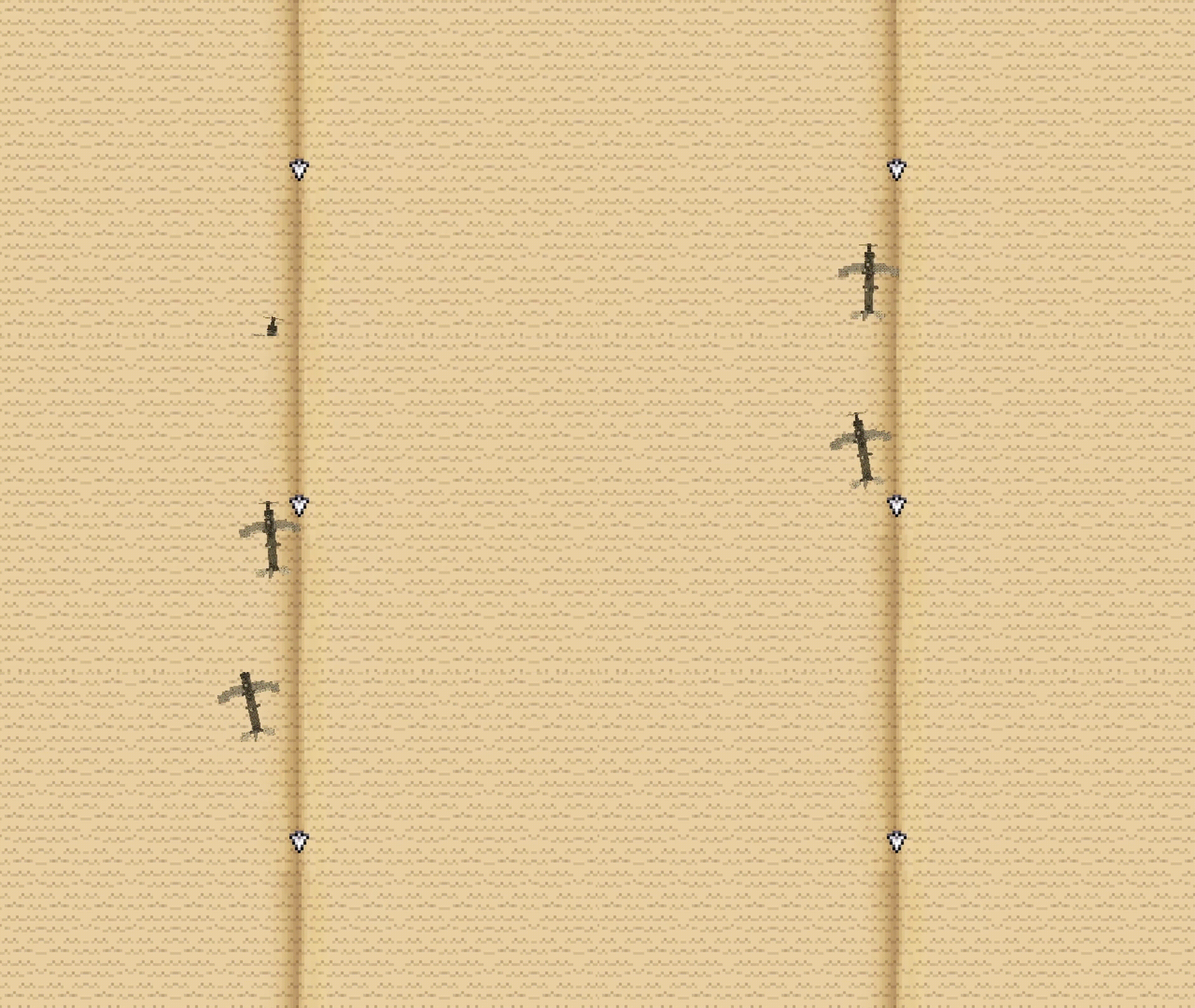
Airplane passing by Watch your airplane gracefully soar across the map — or crash into the ocean, we don't judge.
-
Ship customization
Versions
Files
Relations
Project Relations
More like this
Similar Mods
Suggestions use data such as tags, dependencies, dependents, descriptions, titles, and more to rank how much they overlap with this mod.
- Schematician's Goggles
- Copycats+ aeronautics weight
- Create Aeronautics: Portable Engine Liquid Fuel
- Create Aeronautics: Covers
- Climbable Ropes for Create Aeronautics
- Antique Atlas
- Antique Atlas 4
- Antique Waystones
- Antique Trading Ship
- Antique Atlas/CraftTweaker API Adapter
- Antique Atlas Auto Marker
- Antique Dragons
On ModDex
Community snapshot
By the numbers
Statistics
Want to reach Minecraft players?
We're looking for a server hosting partner to feature here and other parts of the site. Interested? Send us a message!
Get in touchGet it on
Available Platforms
On ModDex
Community snapshot
By the numbers