Community listing page, reviews may not be monitored by the author.
Create: Automotives


No reviews yet
Travel the airways and roads with steam powered planes and cars!

Community voices
Reviews
No reviews yet. Be the first to review this project!
Get it on
Available Platforms
Compatibility
Supported Environments
Must be installed on both the client and the server.
About
Project Details
For authors
Embed Badge
If you're the author of this project, you can embed a live badge anywhere that supports HTML or Markdown. It updates automatically whenever ratings change.
Use HTML for any page that supports it, or Markdown for README files and Markdown-based descriptions.
Identifiers
Platform IDs
Resources
External Links
About
Description
The "Immersive Vehicles" library is required in order to use this mod!
You're allowed to use this mod in your modpacks!
You may include this mod in public or private Minecraft modpacks, provided the mod file is unmodified and downloaded from its official Modrinth or CurseForge page


(so far)


Boilerbox Controls:
Biplane Controls:


Reader Section:
Create: Automotives
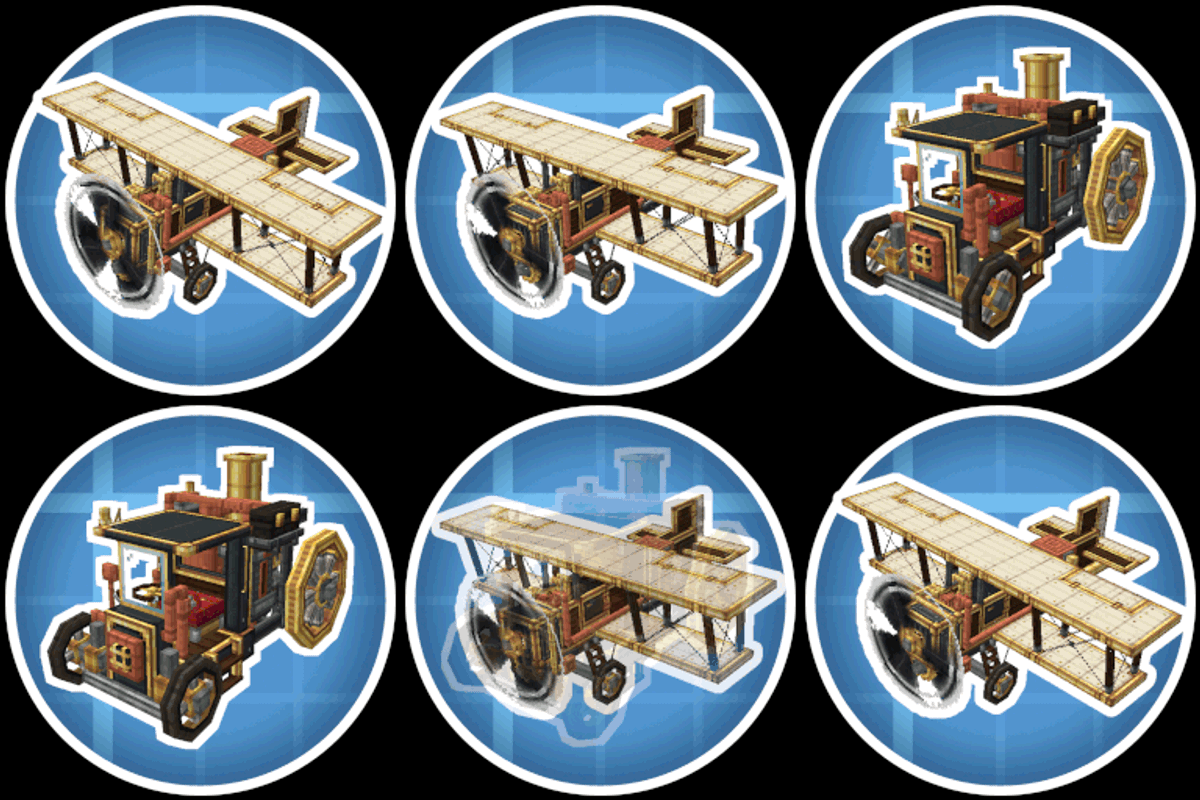
Create: Automotives adds fictional, steam-powered vehicles designed to fit the Create mod’s style and progression.
Features:
- One drivable ground vehicle
- One flyable airplane
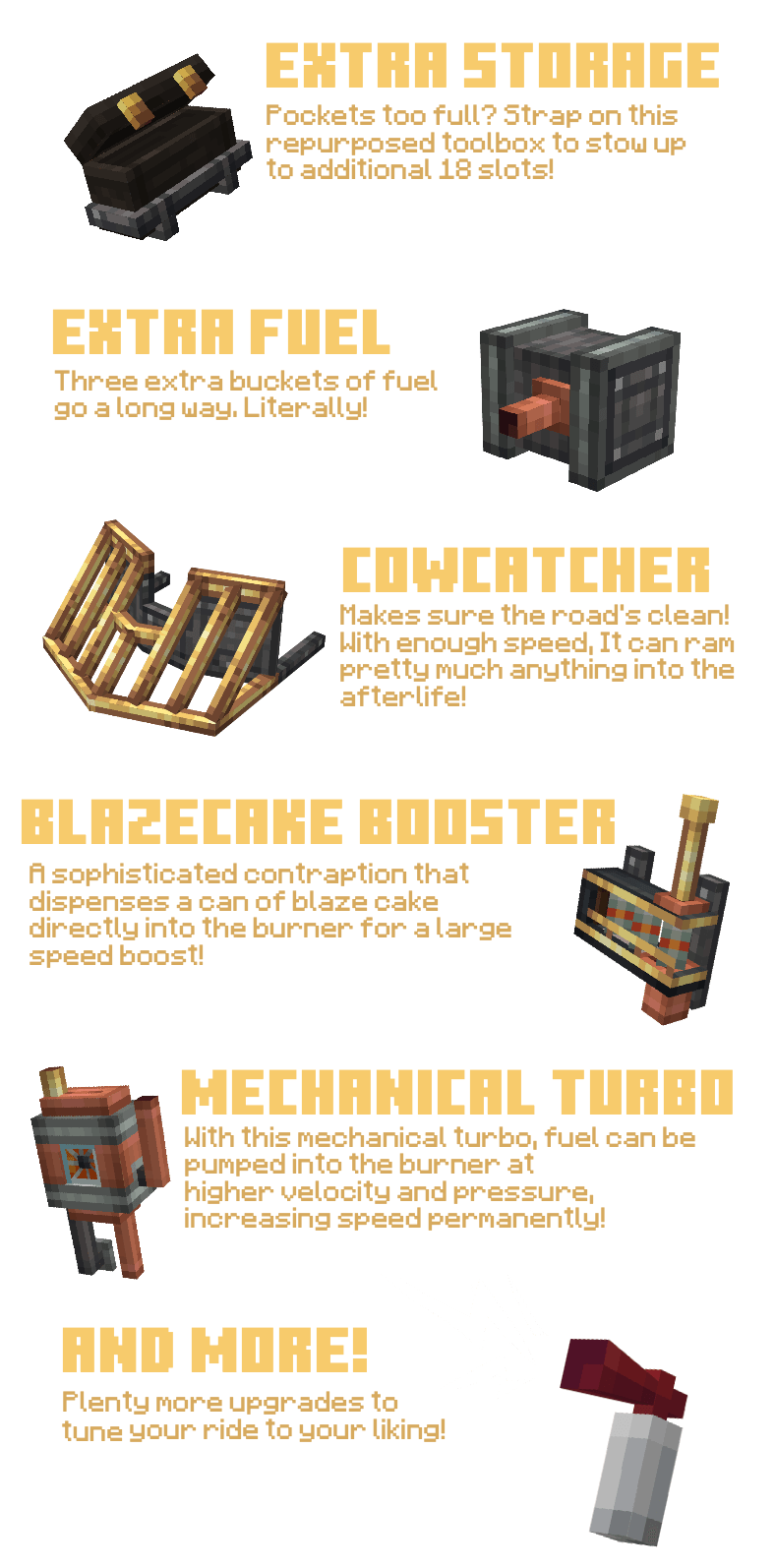
- Upgrade system (choose purpose-focused modules)
- Create-style integration (recipes + progression)
- Extensive sounds/particles and interactable elements
Getting Started:
1. Get a mechanical crafter up to craft the Boilerbox / Biplane
2. If needed, craft upgrades with the mechanical crafter
3. Place the Boilerbox / Biplane, fuel its left hand side main tank with lava buckets
4. Place Upgrades with RMB on the green boxes
5. RMB the seat, then either RMB the left-hand fuel valve once, than hold it until the burner runs
6. Alternatively, you can pull up the panel with U and hold the valve.
7. Driving the boilerbox happens with WASD. Use Space to activate boosters. C to honk the steam whistle. N for handbrake. R/F to shift up and down if you have automatic shifting disabled in config.
8. Flying the Biplane is done by pitching (W/S), Rolling (A/D) and Yawing (J/L) the plane. Throttle is controlled with (i/K)
Extra: Weapons are switched with the [V] key and fired with [Space]
How to remove upgrades?
- Use the ratcher item and LMB on the upgrade!
How to pick up vehicles?
- Use the ratcher item and shift+LMB on the vehicle!
 (so far)
Boilerbox controls:
Biplane controls:

Reader Section:
Create: Automotives
Create: Automotives adds fictional, steam-powered vehicles designed to fit the Create mod’s style and progression.
Features:
- One drivable ground vehicle
- One flyable airplane
- Upgrade system (choose purpose-focused modules)
- Create-style integration (recipes + progression)
- Extensive sounds/particles and interactable elements
Getting Started:
- Get a mechanical crafter up to craft the Boilerbox / Biplane
- If needed, craft upgrades with the mechanical crafter
- Place the Boilerbox / Biplane, fuel its left hand side main tank with lava buckets
- Place Upgrades with RMB on the green boxes
- RMB the seat, then either RMB the left-hand fuel valve once, than hold it until the burner runs
- Alternatively, you can pull up the panel with U and hold the valve.
- Driving the boilerbox happens with WASD. Use Space to activate boosters. C to honk the steam whistle. N for handbrake. R/F to shift up and down if you have automatic shifting disabled in config.
- Flying the Biplane is done by pitching (W/S), Rolling (A/D) and Yawing (J/L) the plane. Throttle is controlled with (i/K)
Extra: Weapons are switched with the [V] key and fired with [Space]
How to remove upgrades?
- Use the ratcher item and LMB on the upgrade!
How to pick up vehicles?
- Use the ratcher item and shift+LMB on the vehicle!
Screenshots
Gallery
-
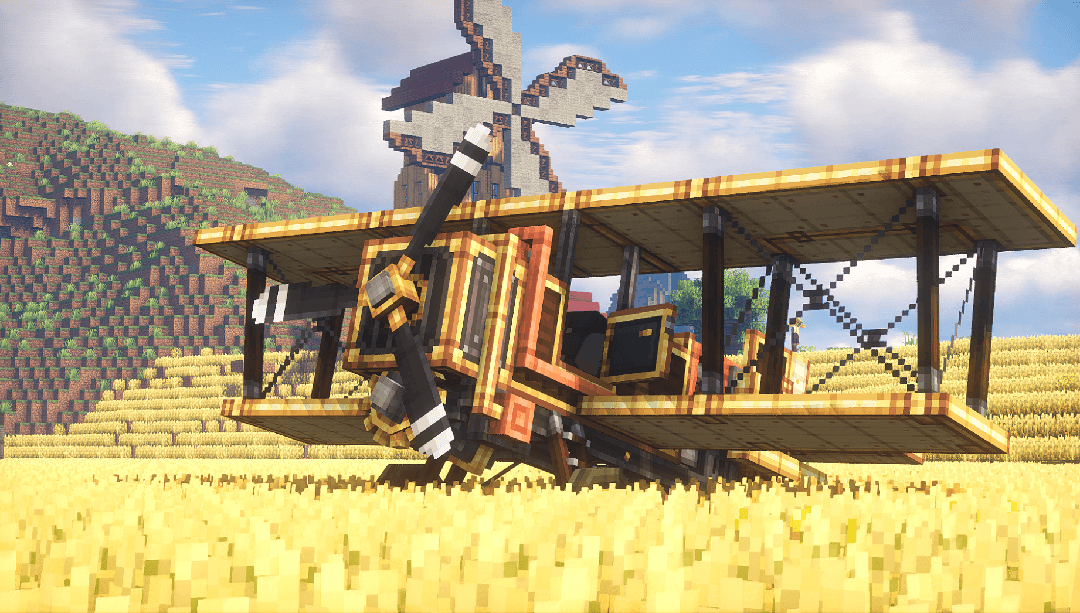 The "Buzzard" Biplane Waiting in a field.
 -
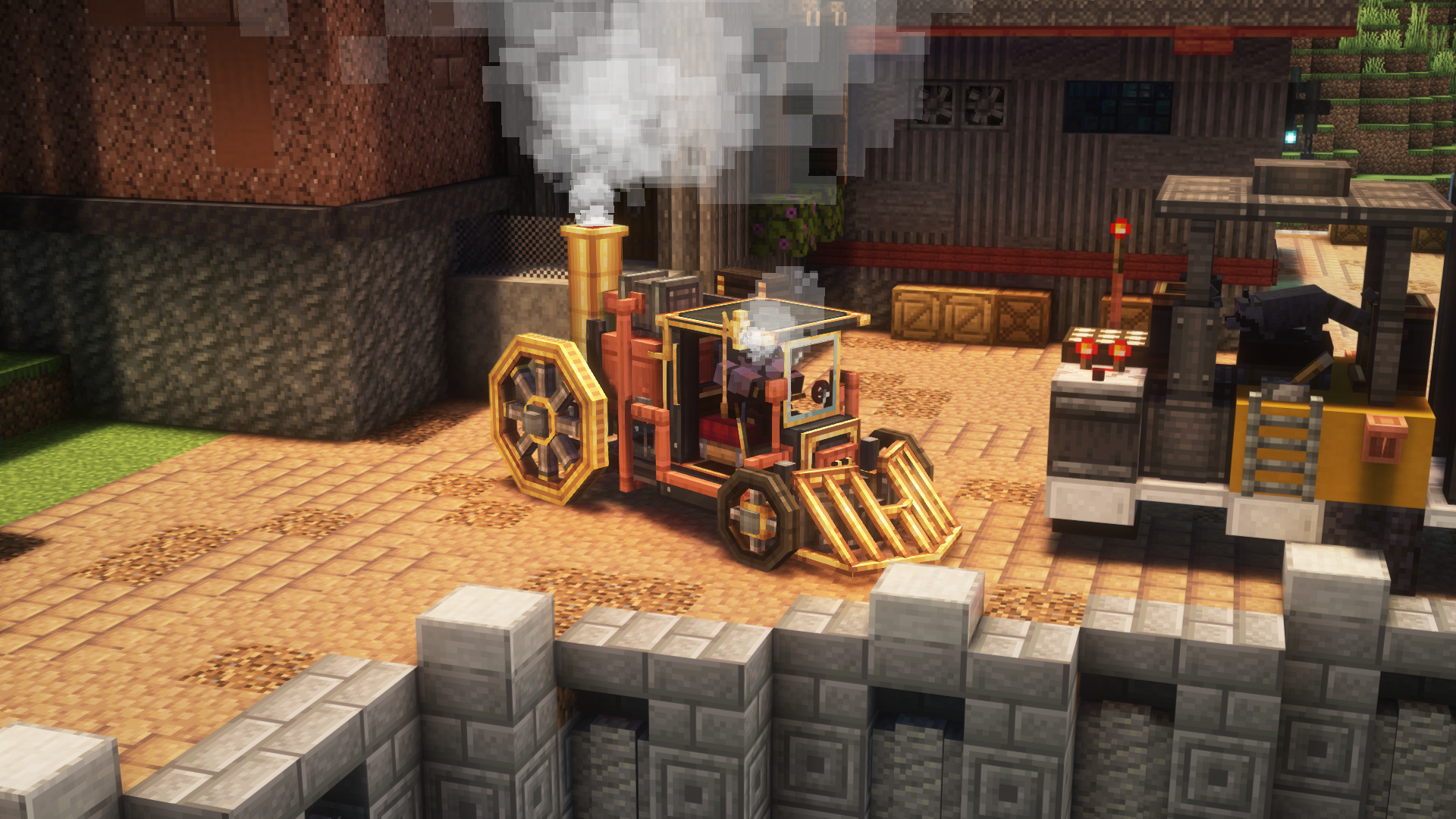 The Boilerbox The Boilerbox, with a cowcatcher, storage & extra tank upgrades! Boiler is running and whistle screeching!
 -
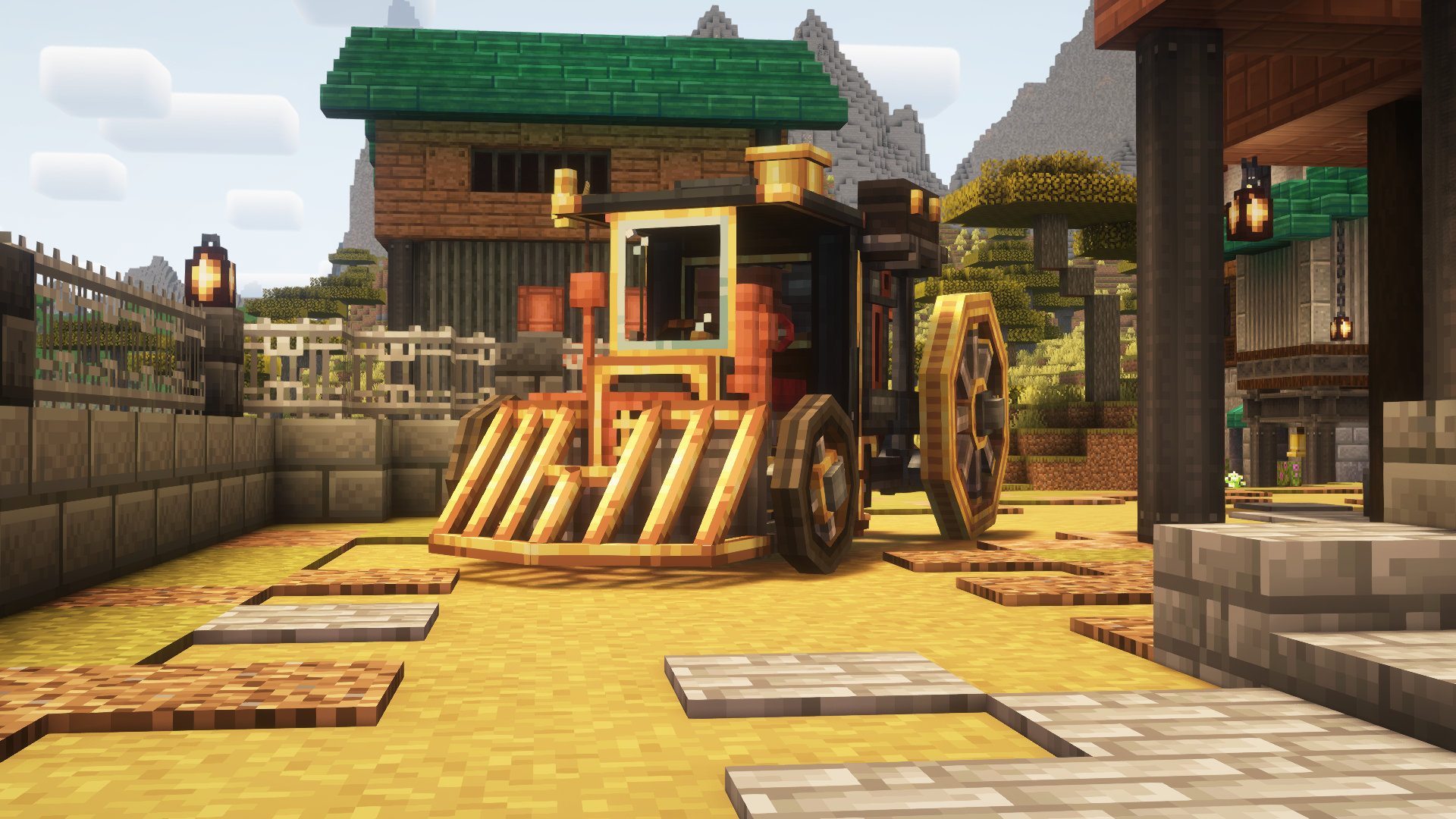 The Boilerbox The Boilerbox, with a cowcatcher & storage upgrade
 -
 Airborne! A biplane in flight!
 -
 Bombing Run! A Biplane dropping bombs with the bomb bay upgrade!
 -
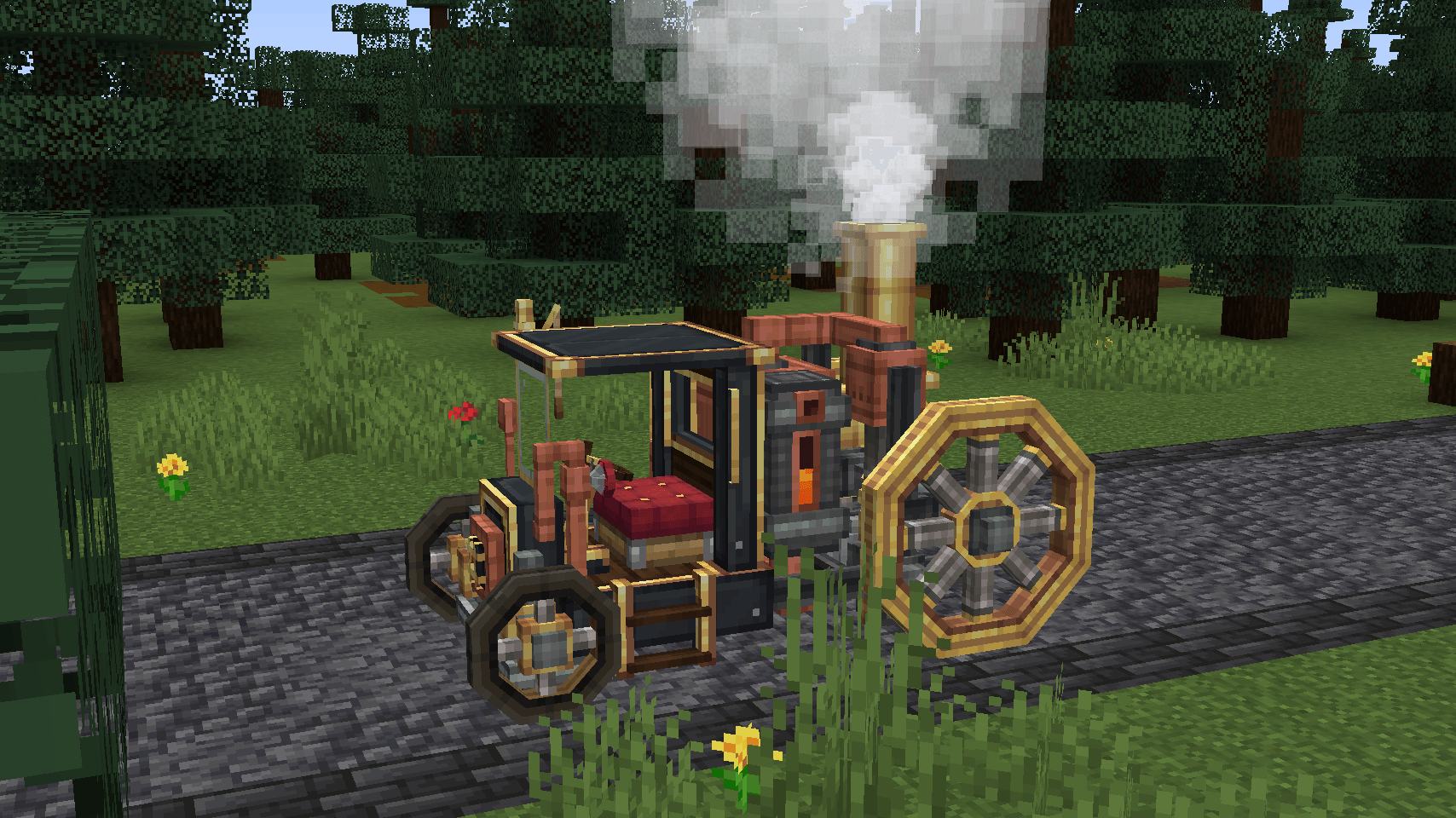 The Boilerbox A Boilerbox, (half) filled tank, running burner and ready to drive off!
 -
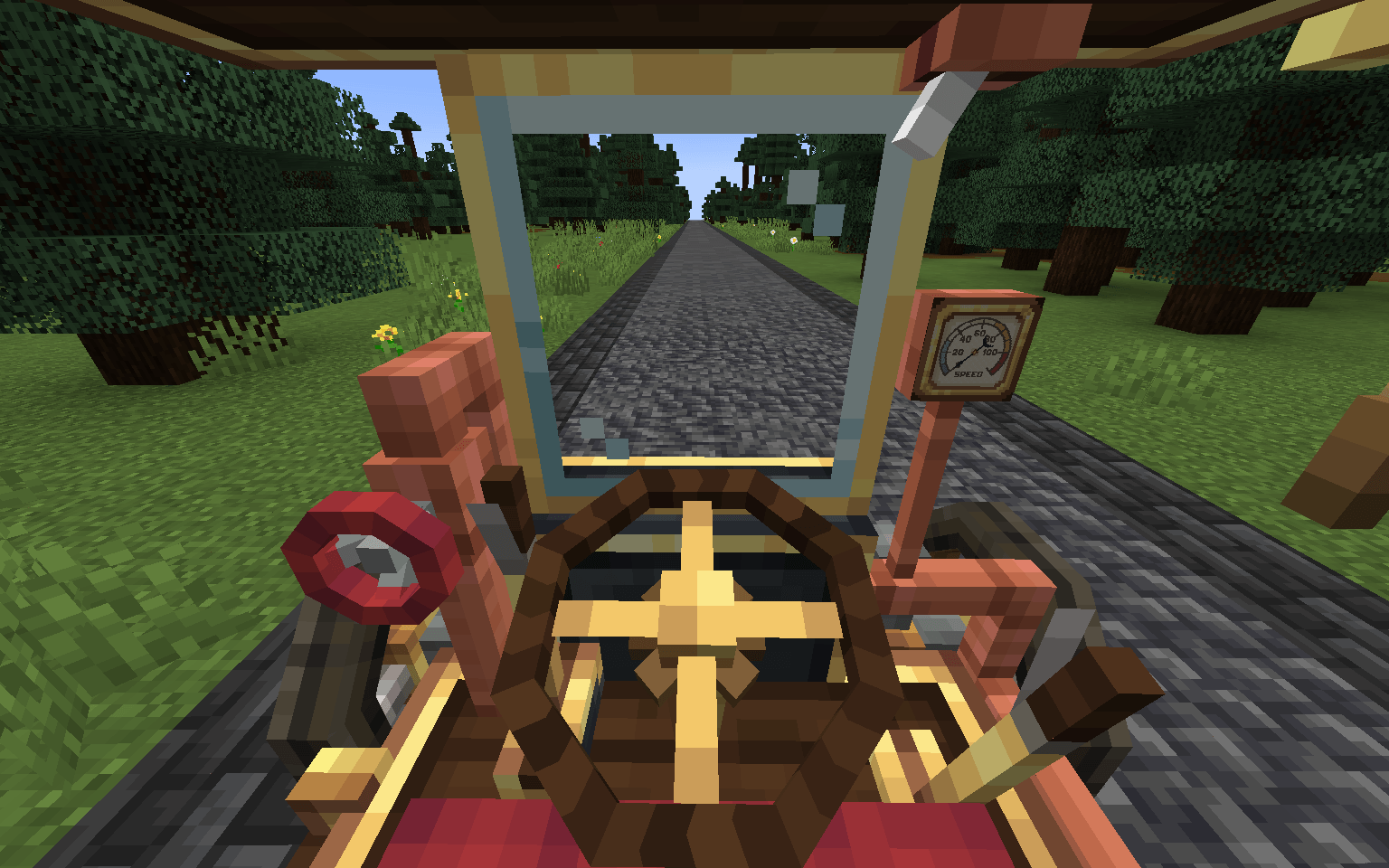 Boilerbox Cab View of the "Boilerbox" cab, featuring interactive elements such as the fuel valve, handbrake, gear lever and more!
 -
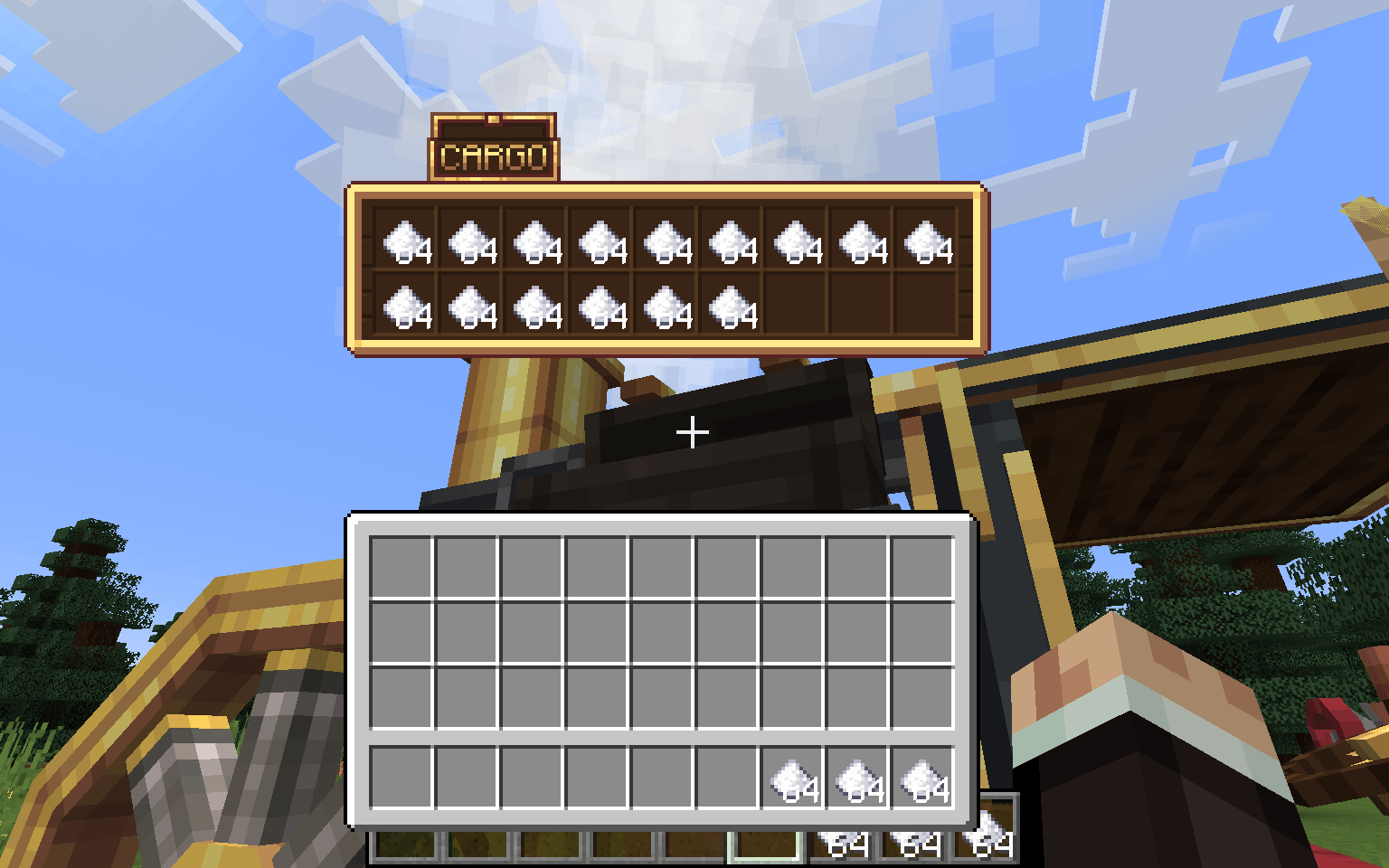 Storage Upgrade For storage and transport of ethically sourced items!
 -
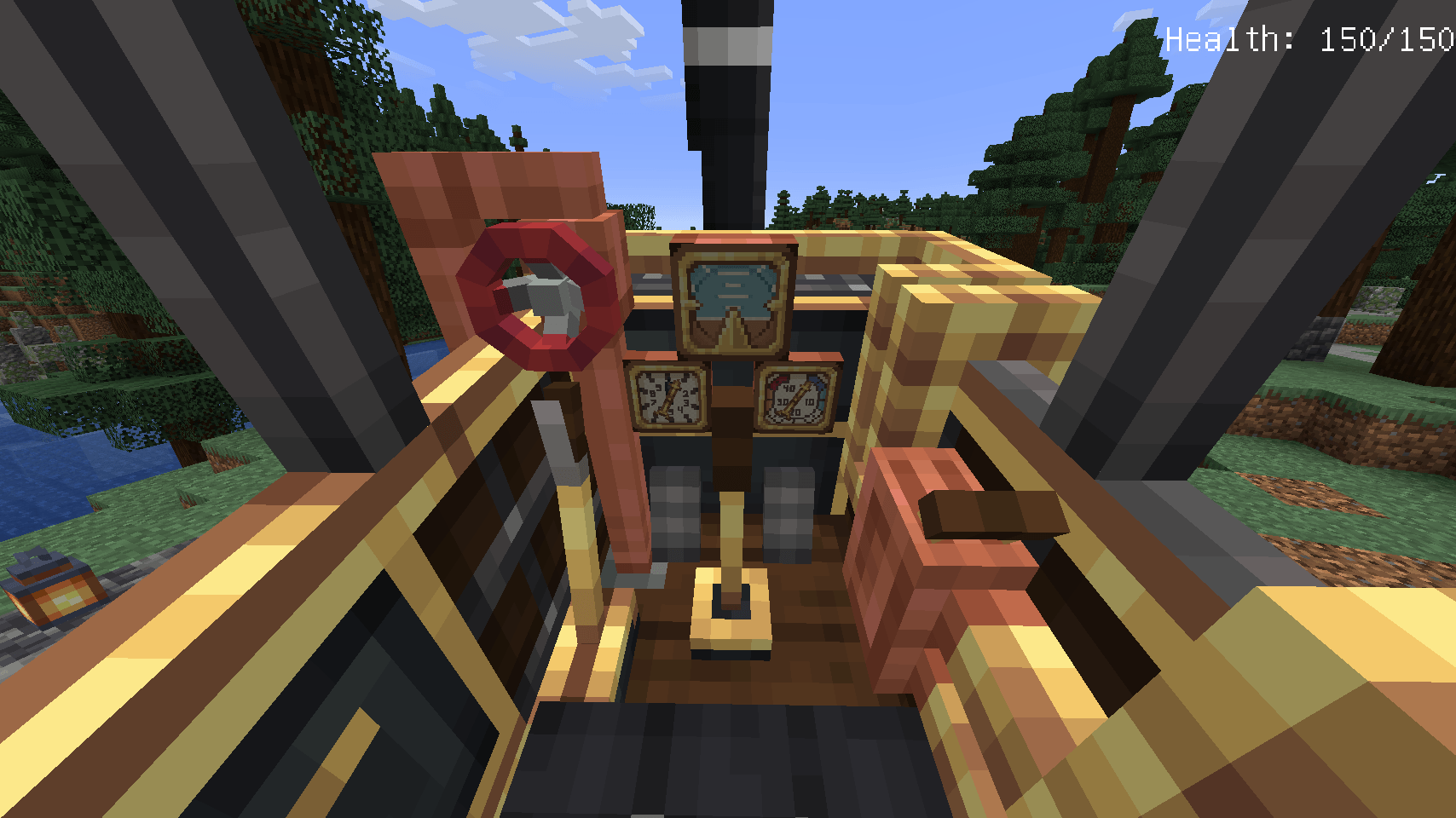 Biplane Cockpit The cockpit of the biplane, featuring real life flight instruments and interactive elements such as the throttle, the valve and the parking brake!
 -
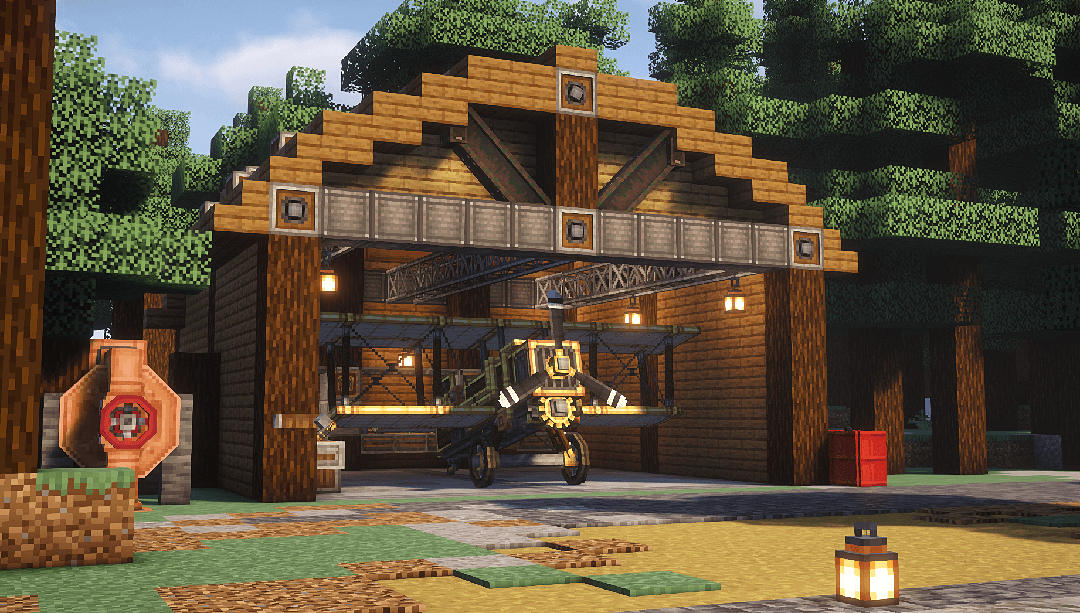 Hangar The newly built biplane, waiting for some upgrades!
 -
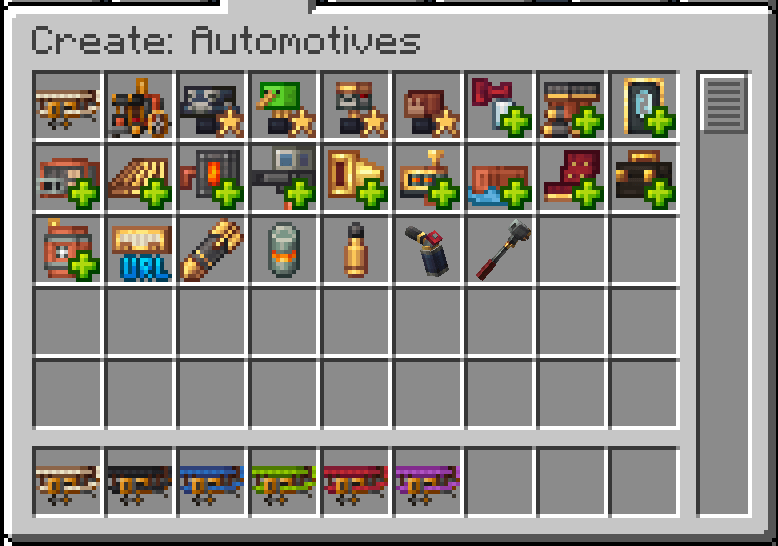 Inventory A quick look at what this add-on adds to the game!
 -
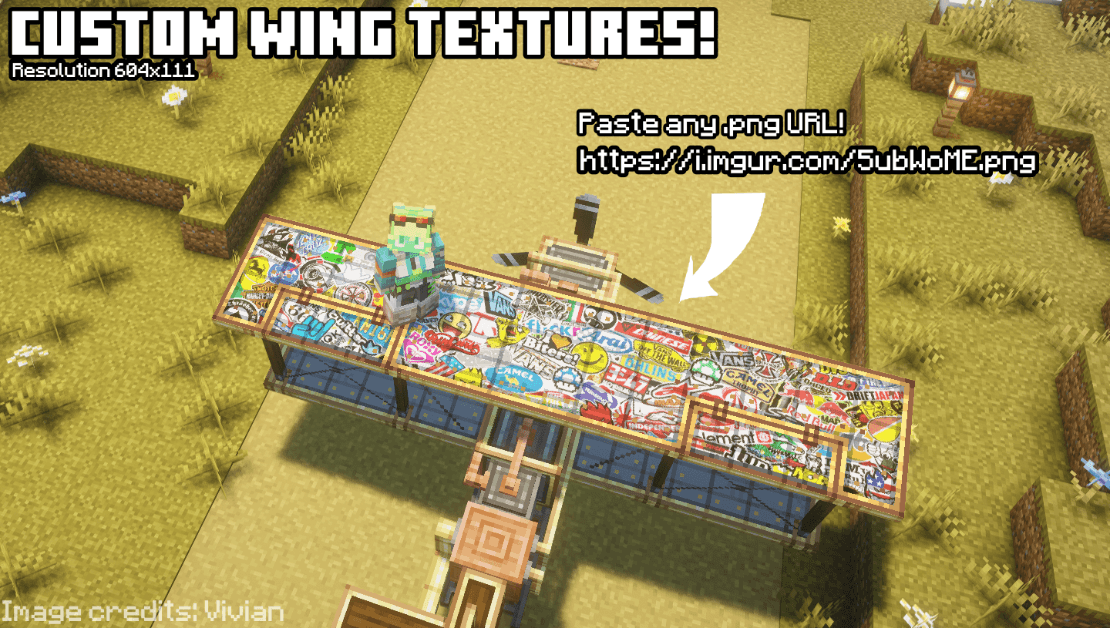 Custom URL Image Wings! Set custom wing textures in game with any URL linking to a .png image online!
-
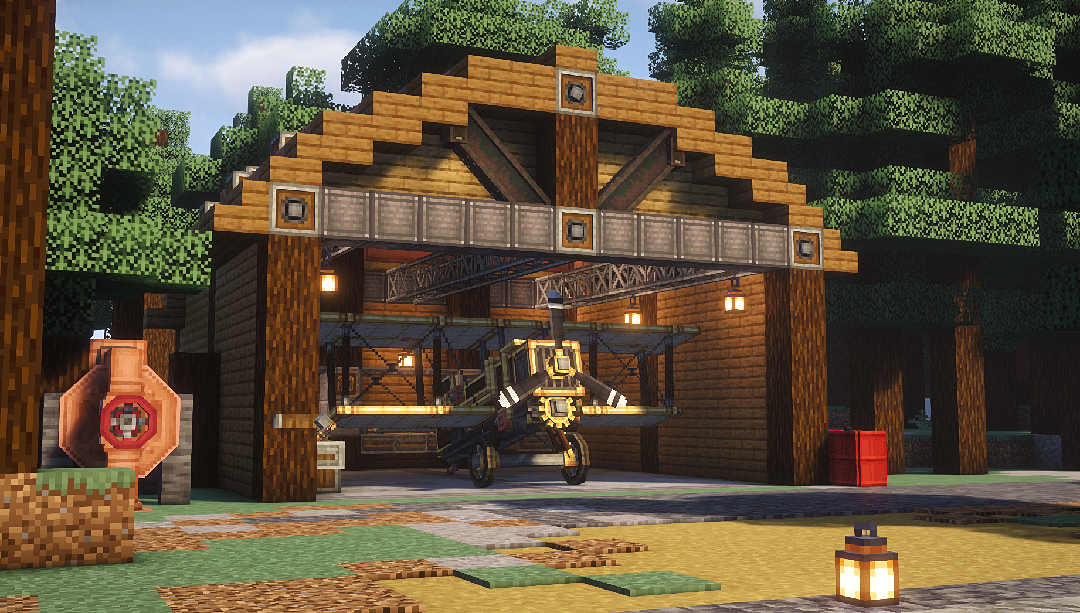 The "Buzzard" Biplane Waiting in its hangar
 -
 Bombing Run! A biplane dropping bombs with the bomb bay upgrade!
 -
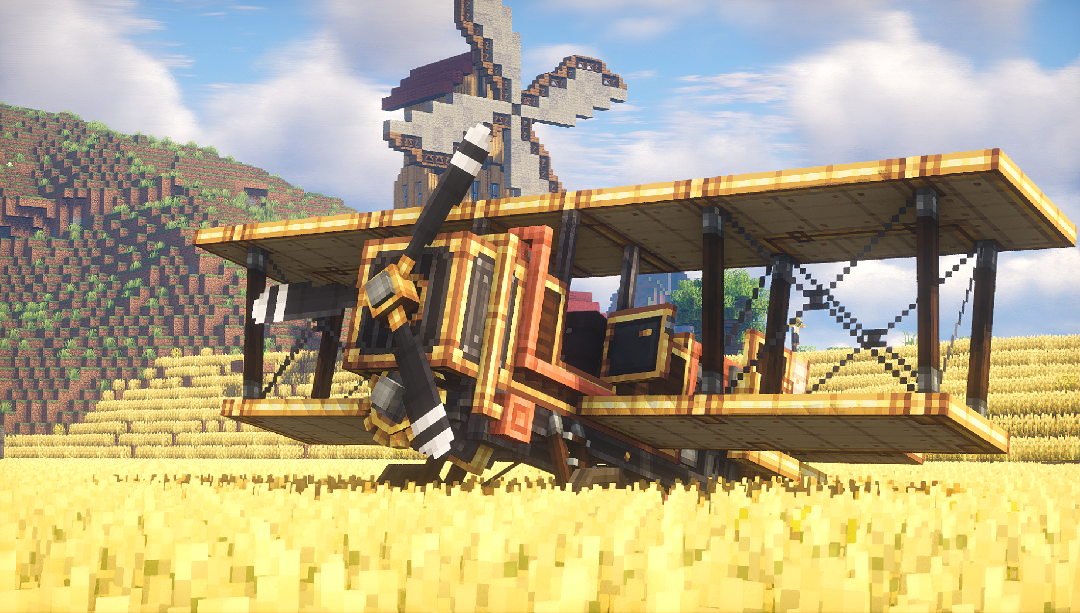 The "Buzzard" Biplane
 -
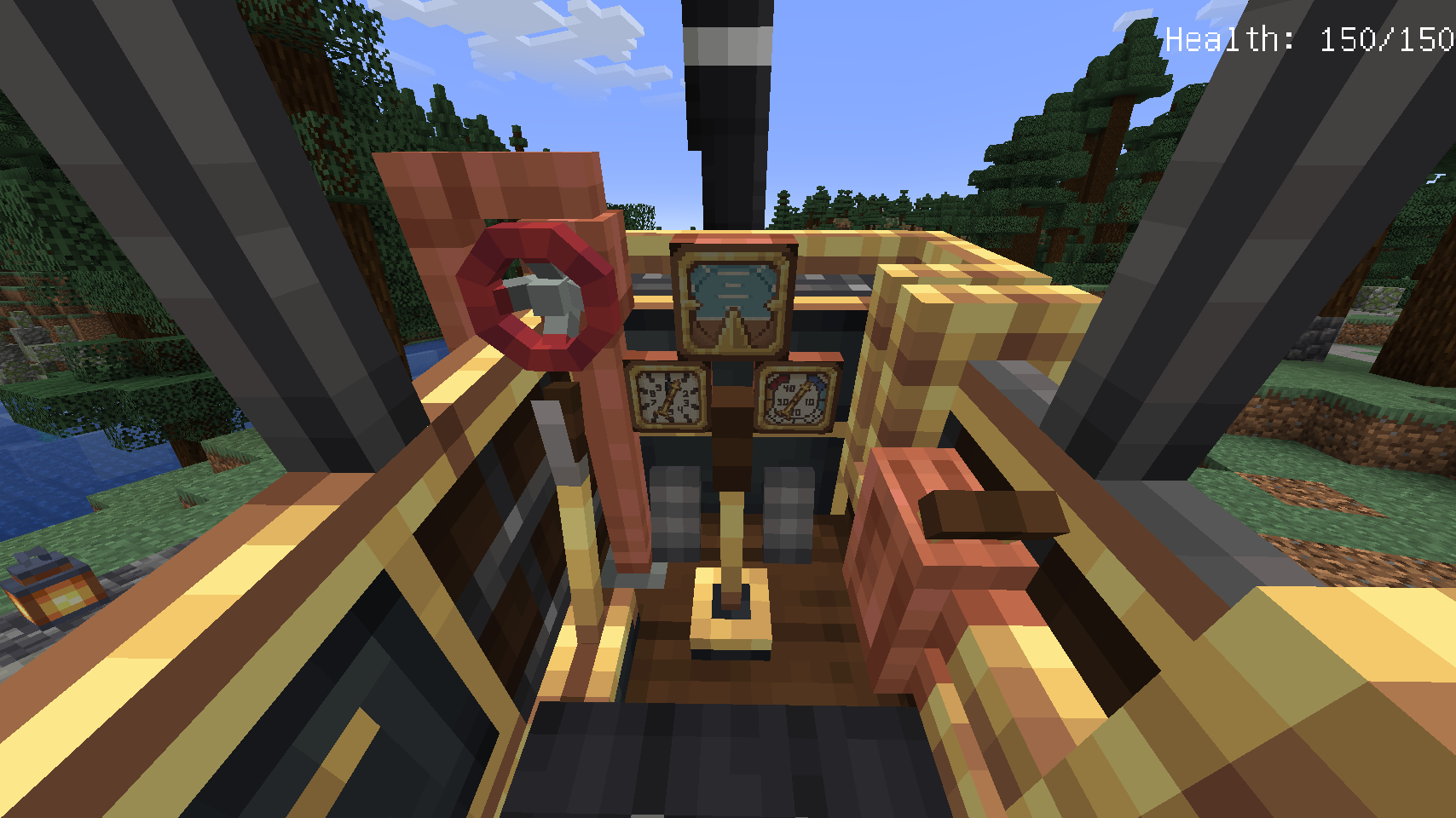 The Biplane Cockpit With real working flight instruments and interactive interior!
 -
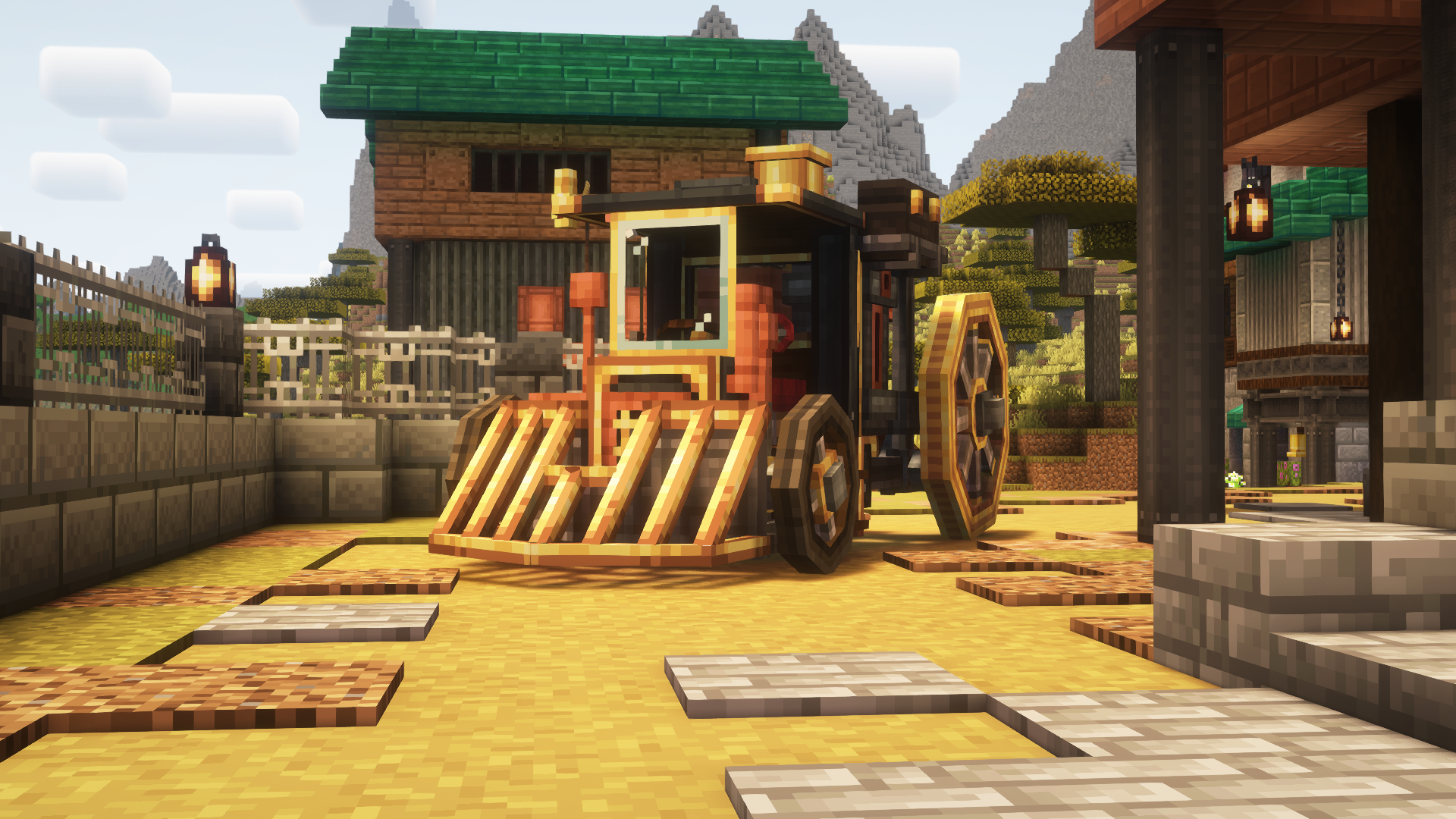 The Boilerbox
 -
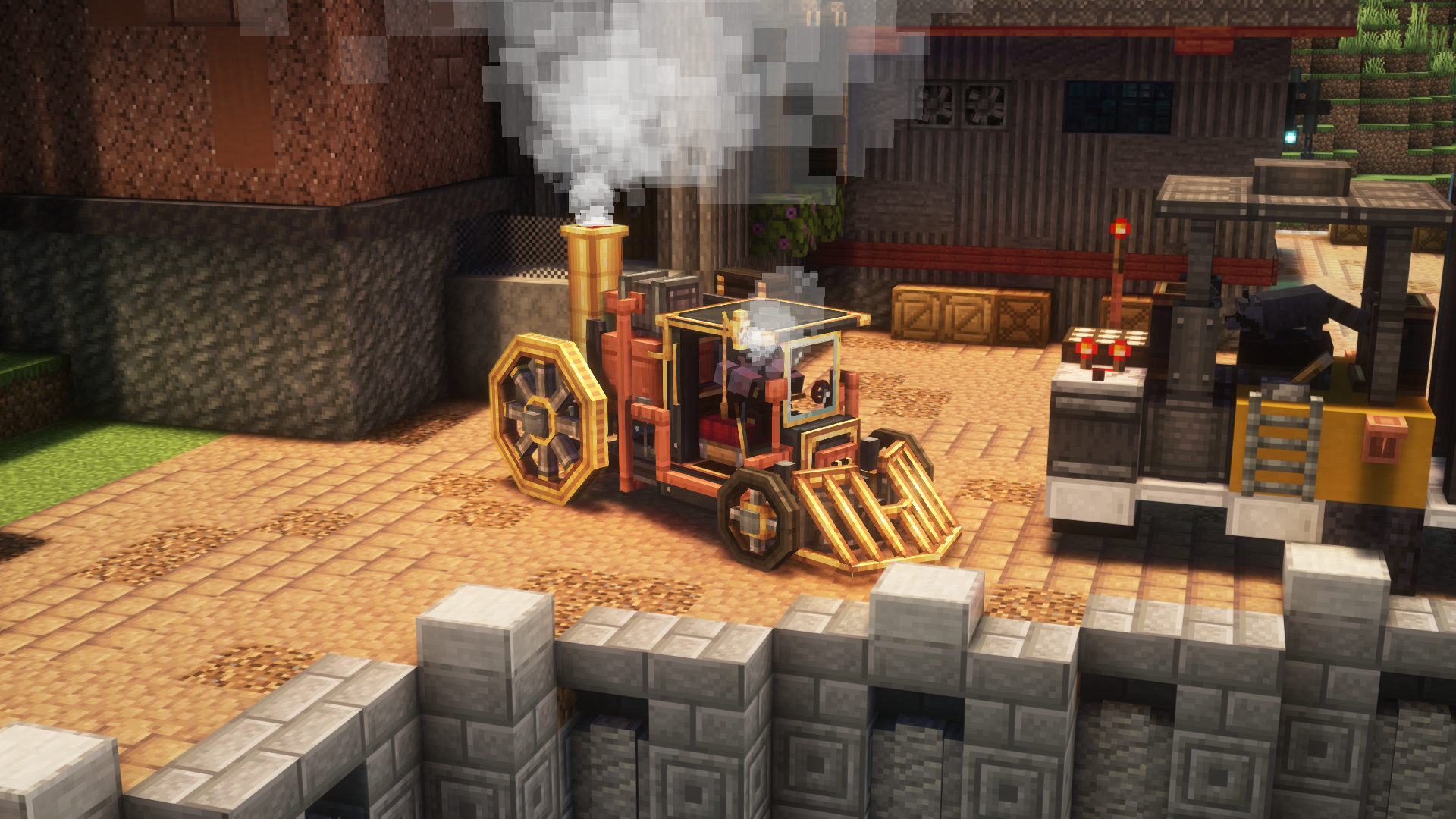 The Boilerbox The Boilerbox, with a cowcatcher, storage & extra tank upgrades!. Boiler is running and whistle screeching!
 -
 Inventory A quick overview of the items the add-on adds!
 -
 In Flight!
 -
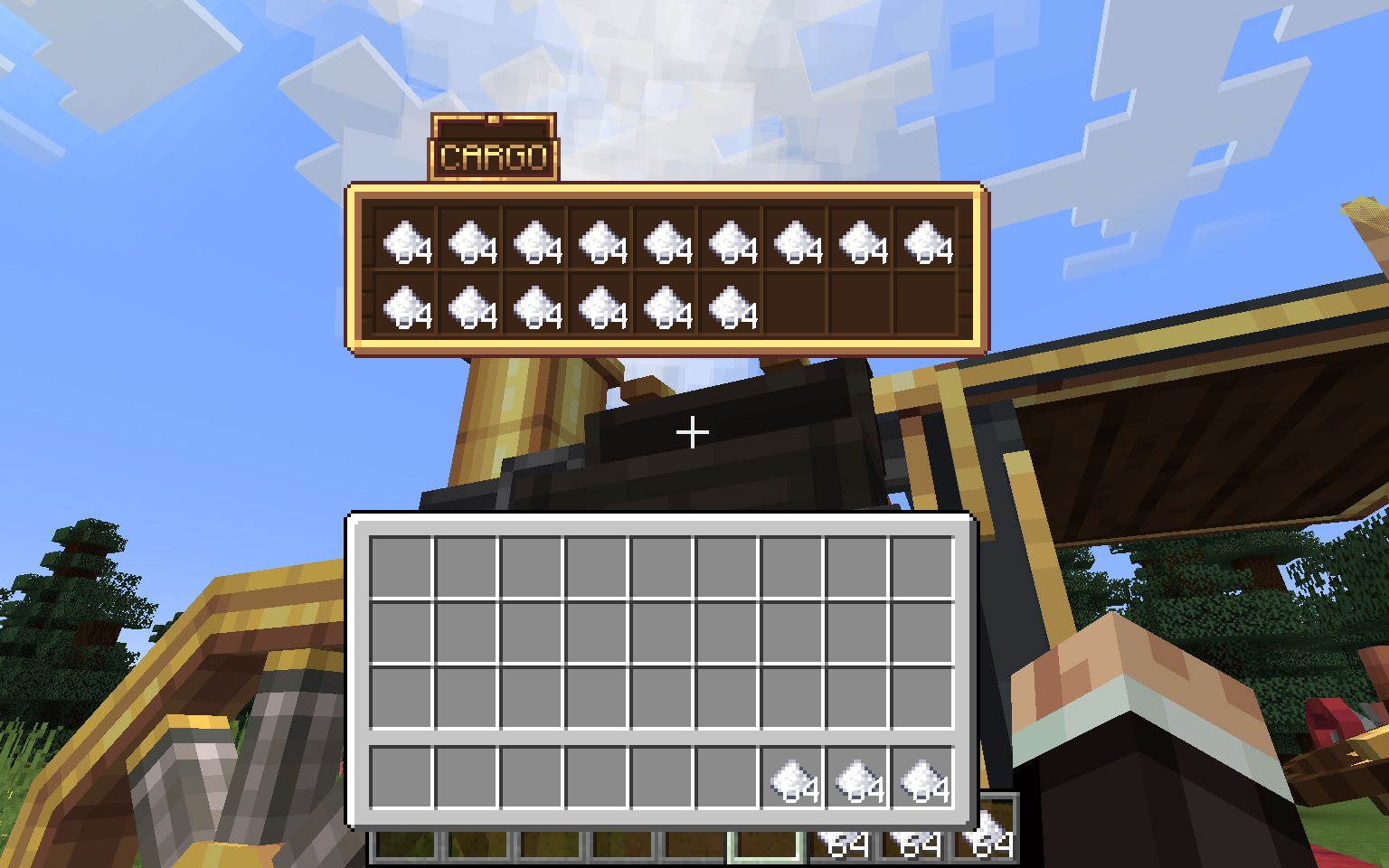 Storage Upgrade For storage and transport of ethically sourced items!
 -
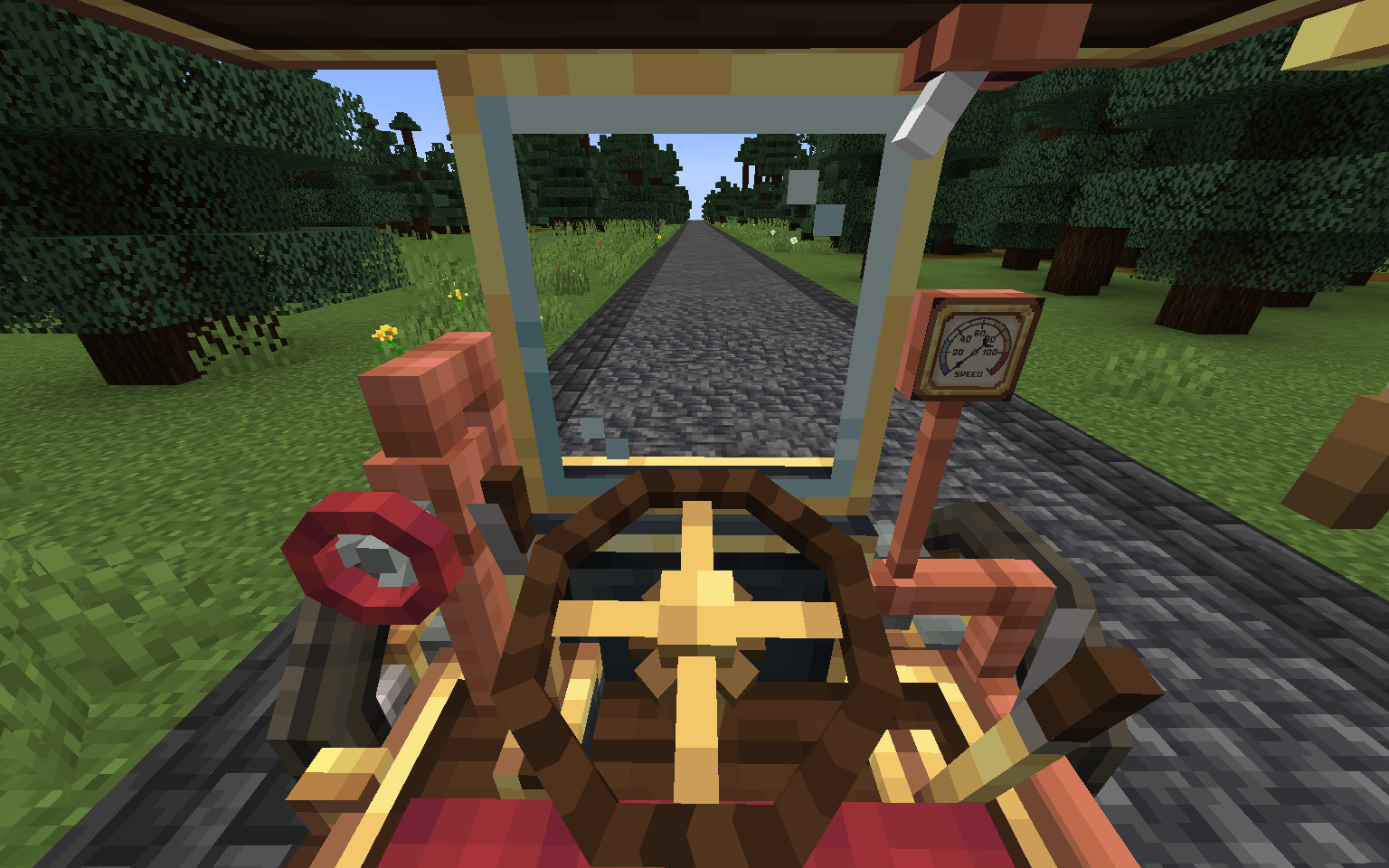 Boilerbox Cab View of the "Boilerbox" cab, featuring interactive elements such as the fuel valve, handbrake, gear lever and more!
 -
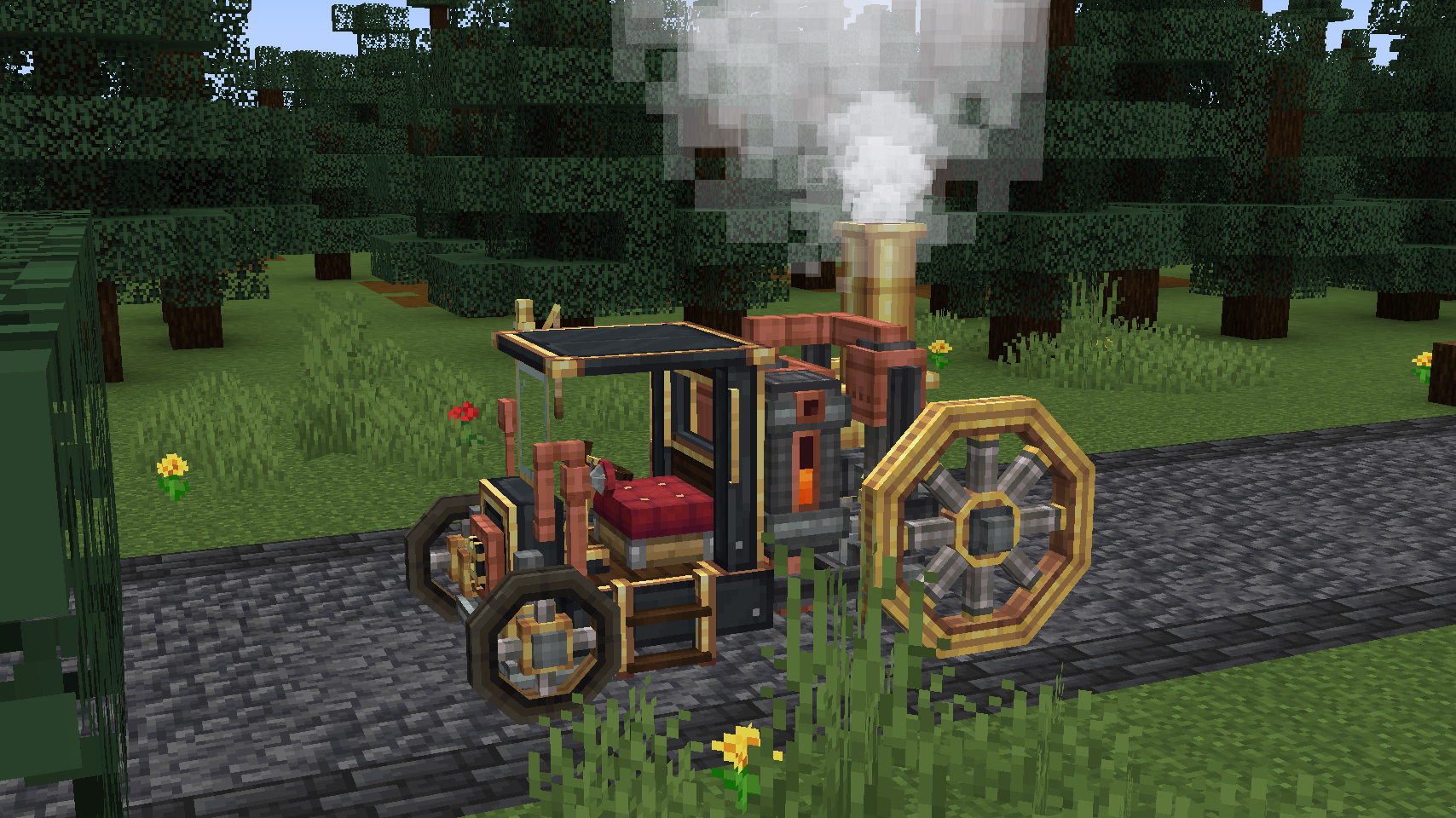 The Boilerbox The Boilerbox, (half) filled tank, running burner and ready to drive off!
Versions
Files
Relations
Project Relations
More like this
Similar Mods
Suggestions use data such as tags, dependencies, dependents, descriptions, titles, and more to rank how much they overlap with this mod.
On ModDex
Community snapshot
By the numbers
Statistics

Get it on
Available Platforms
On ModDex
Community snapshot
By the numbers
Statistics
Resources