
Community listing page, reviews here may not be monitored by the author.
Create Column Displays

No reviews yet
This mod adds a second mode for the Create Display Board, which allows it to display text in columns, instead of lines.
Community voices
Reviews
No reviews yet. Be the first to review this project!
Get it on
Available Platforms
Compatibility
Supported Environments
Must be installed on both the client and the server.
About
Project Details
For authors
Embed Badge
If you're the author of this project, you can embed a live badge anywhere that supports HTML or Markdown. It updates automatically whenever ratings change.
Use HTML for any page that supports it, or Markdown for README files and Markdown-based descriptions.
Identifiers
Platform IDs
Resources
External Links
About
Description
Create Column Display
Create Column Display is a Create addon that adds a board-wide LINE/COLUMN writing mode to Display Boards.
COLUMN mode allows Display Links, named name tags and Create clipboards to write text vertically while preserving Create’s original horizontal behavior in LINE mode.
Features
- Create-native wrench selector for switching between LINE and COLUMN
- One shared writing mode for the complete connected Display Board
- Vertical Display Link writing in COLUMN mode
- Adaptive
Line NandColumn NDisplay Link controls - Vertical writing with named name tags
- Vertical writing with Create clipboards
- Column-wise text deletion
- Mode persistence across saves and Display Board restructuring
- Optional vertical Display Board texture in COLUMN mode
- Client configuration available through the Mods menu
- COLUMN controls and visuals automatically hide on servers without the addon
How to use
- Construct a Create Display Board.
- Hold a Create wrench while looking at the front or back of the board.
- Hold right-click and select LINE or COLUMN.
- Configure a Display Link normally.
- Select the desired line or column in the Display Link interface.
In COLUMN mode, text is written vertically from top to bottom.
Installation
Install the mod on both the client and server for full functionality.
Requirements
- Minecraft 1.21.1
- NeoForge 21.1.219 or newer
- Create 6.0.10
Create versions other than 6.0.10 are not currently supported.
Configuration
The client configuration contains the following visual option:
- Rotate board texture — rotates the Display Board’s front pattern while it is in COLUMN mode
This option changes only the board’s appearance and does not affect text writing.
Known limitations
- Text does not automatically continue into the next column when a column becomes full.
- COLUMN mode uses the first supplied source row for vertical output.
- Styled text components are converted to ordinary flap-display text during modified column writing.
- Display Board restructuring may rearrange or remove existing text, matching Create’s normal behavior.
Multiplayer compatibility
When installed only on the client, the addon detects servers without Create Column Display and hides its COLUMN controls and visual changes.
Full COLUMN functionality requires the mod on both the client and server.
Created by ___Woe___.
This is an unofficial Create addon and is not affiliated with or endorsed by the Create developers.
Screenshots
Gallery
-
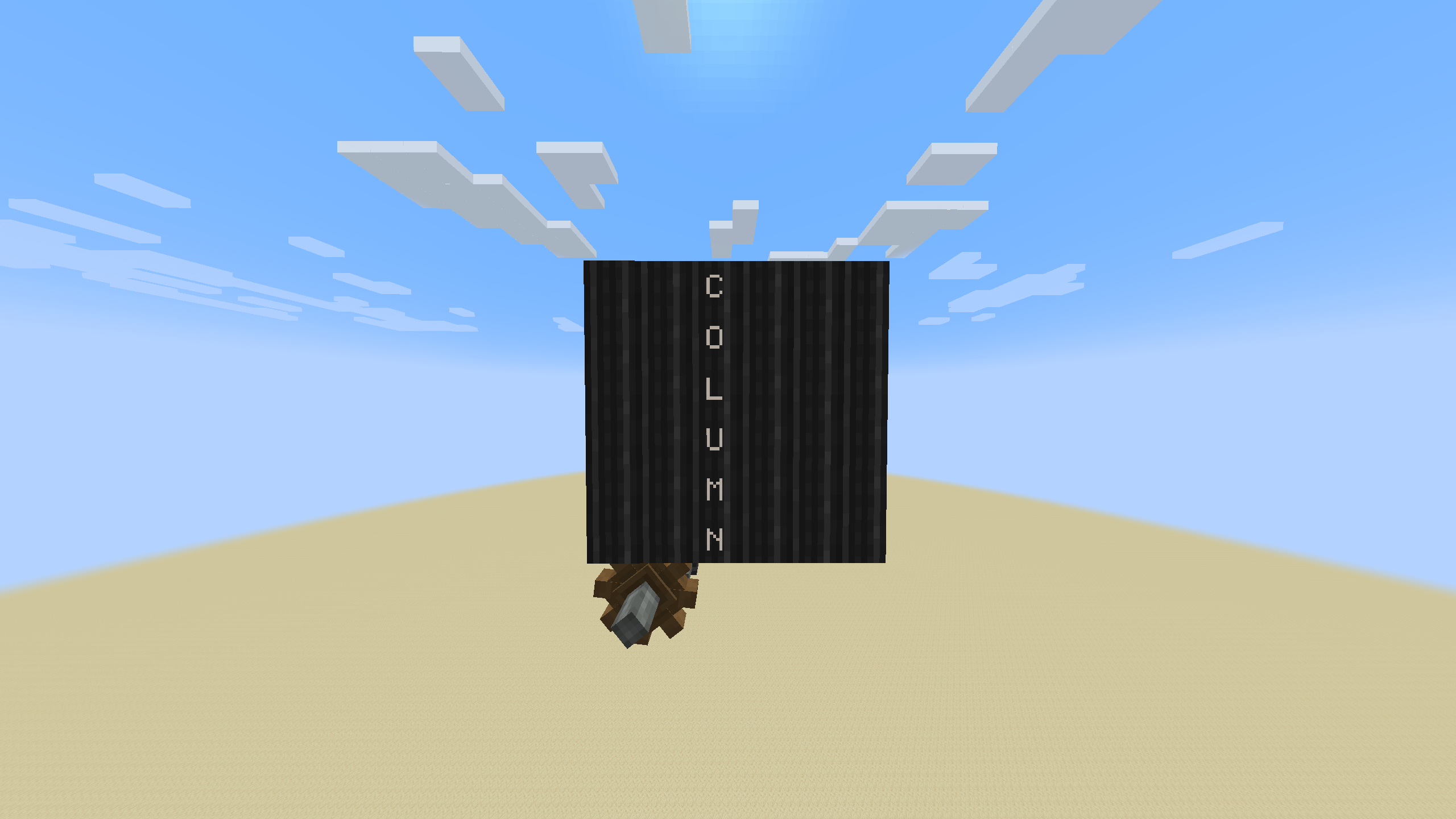 Display in column mode
 -
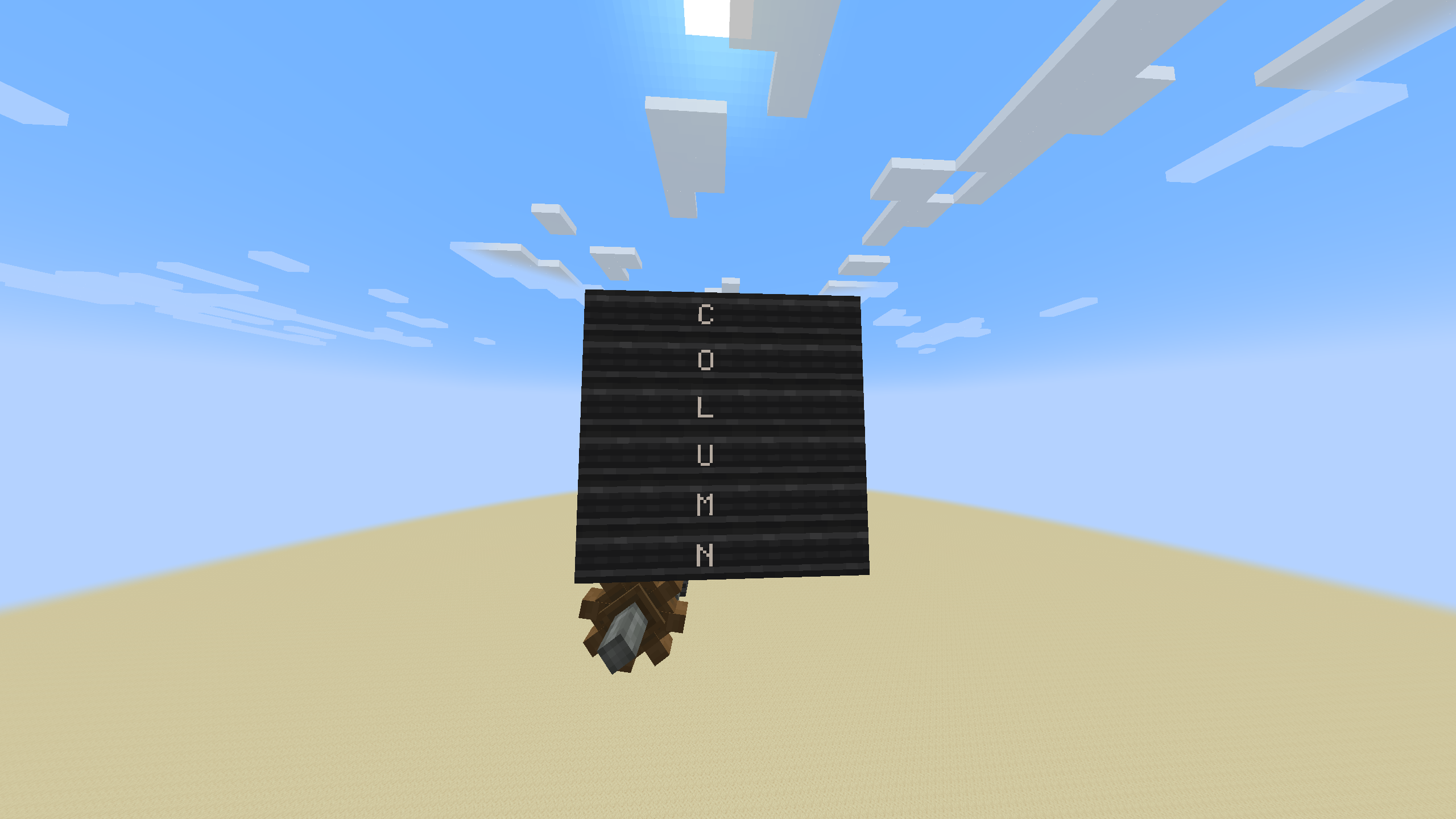 Display in column mode, with "Rotate board Texture" turned off
 -
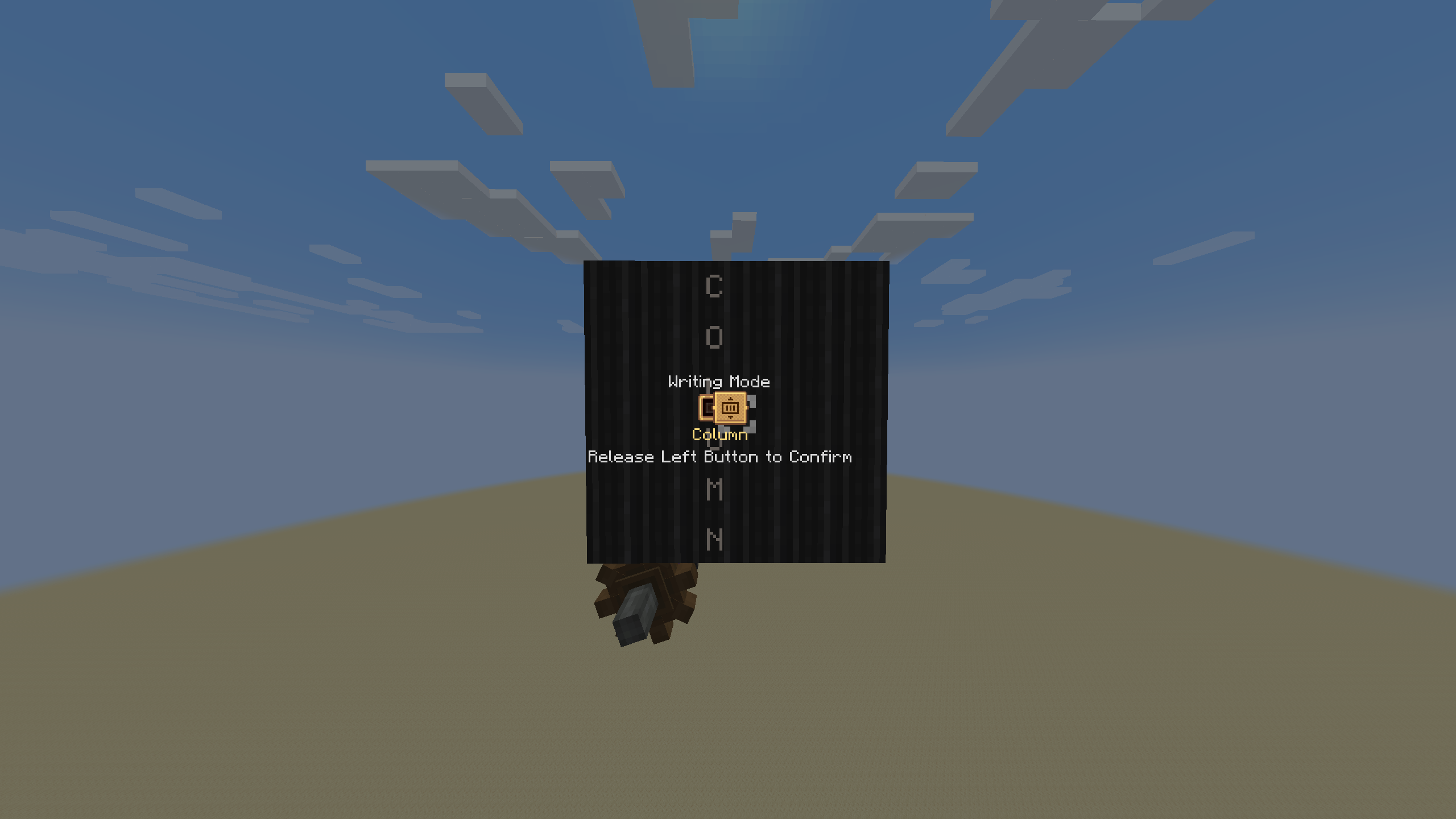 Switching menu
 -
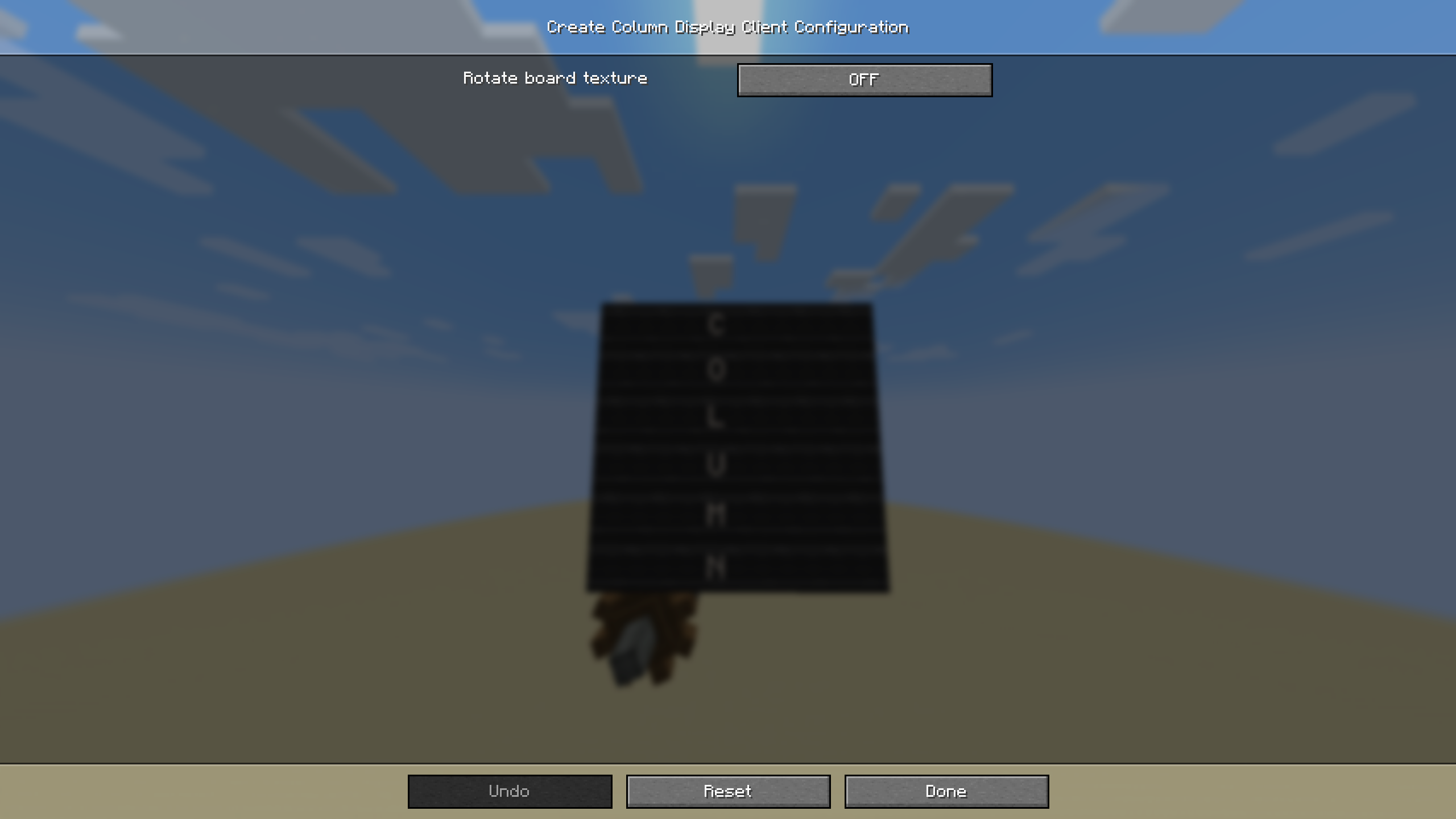 Config menu
Versions
Files
Relations
Project Relations
More like this
Similar Mods
Suggestions use data such as tags, dependencies, dependents, descriptions, titles, and more to rank how much they overlap with this mod.
On ModDex
Community snapshot
By the numbers
Statistics

Want to reach Minecraft players?
We're looking for a server hosting partner to feature here and other parts of the site. Interested? Send us a message!
Get in touchGet it on
Available Platforms
On ModDex
Community snapshot
By the numbers
Statistics
Resources