
Community listing page, reviews here may not be monitored by the author.
Create Cursor Anchor Fix


No reviews yet
Fixes cursor positioning in Create mod's settings screen on Linux Wayland/X11 via mixins with anchor-offset model.

Community voices
Reviews
No reviews yet. Be the first to review this project!
Get it on
Available Platforms
Compatibility
Supported Environments
Runs entirely on the client. Works on vanilla servers.
About
Project Details
For authors
Embed Badge
If you're the author of this project, you can embed a live badge anywhere that supports HTML or Markdown. It updates automatically whenever ratings change.
Use HTML for any page that supports it, or Markdown for README files and Markdown-based descriptions.
Identifiers
Platform IDs
About
Description
Create Cursor Anchor Fix
Fixes the cursor in Create's value settings screens on Linux — including native Wayland.
When you open a Create value settings window (Rotation Speed Controller, creative motors, anything
using ValueSettingsScreen), Create warps the OS cursor onto the current value and reads it back
to decide which value you picked. On Linux that breaks:
- X11 / XWayland — Minecraft sometimes hands Create stale cursor coordinates, so the wrong value gets saved.
- Native Wayland — the compositor forbids moving a visible cursor, so the warp does nothing and the value snaps to zero / a wrong number.
This client-side mod fixes both.
What it does
- X11 / XWayland — feeds Create the live cursor position, so the saved value always matches where your cursor is.
- Native Wayland — uses an anchor/offset model instead of relying on the (forbidden)
cursor warp. The value highlight lands on the current setting when the screen opens and follows
your mouse relatively, with no cursor teleporting. While the screen is open the system cursor is
hidden and the highlight itself acts as the pointer — so there is no mismatch between an
un-movable arrow and the highlight (this also fixes setups using cursor-pinning GLFW patches like
glfw-wayland-minecraft-cursor).
Power Grid compatibility
Power Grid's settings screens subclass Create's screen and override the save logic to read the slider/cursor on their own, so the base fix doesn't reach them and they'd still save the raw cursor position. This mod includes a compatibility layer that applies the same correction to Power Grid's screens, so values save correctly there too. Power Grid is not required — the compat layer is skipped automatically when it isn't installed.
Requirements
- Minecraft 1.21.1
- NeoForge 21.1.219+
- Create 6.0.9+ (tested on 6.0.10)
Client-side only — not needed on the server.
Open source
Clean-room implementation, MIT licensed. Source, issues and builds: https://github.com/LowaSC/create-cursor-anchor-fix
Create Cursor Anchor Fix
Fixes the cursor in Create's value settings screens on Linux — including native Wayland.
When you open a Create value settings window (Rotation Speed Controller, creative motors, anything
using ValueSettingsScreen), Create warps the OS cursor onto the current value and reads it back
to decide which value you picked. On Linux that breaks:
- X11 / XWayland — Minecraft sometimes hands Create stale cursor coordinates, so the wrong value gets saved.
- Native Wayland — the compositor forbids moving a visible cursor, so the warp does nothing and the value snaps to zero / a wrong number.
This client-side mod fixes both.
What it does
- X11 / XWayland — feeds Create the live cursor position, so the saved value always matches where your cursor is.
- Native Wayland — uses an anchor/offset model instead of relying on the (forbidden)
cursor warp. The value highlight lands on the current setting when the screen opens and follows
your mouse relatively, with no cursor teleporting. While the screen is open the system cursor is
hidden and the highlight itself acts as the pointer — so there is no mismatch between an
un-movable arrow and the highlight (this also fixes setups using cursor-pinning GLFW patches like
glfw-wayland-minecraft-cursor).
Power Grid compatibility
Power Grid's settings screens subclass Create's screen and override the save logic to read the slider/cursor on their own, so the base fix doesn't reach them and they'd still save the raw cursor position. This mod includes a compatibility layer that applies the same correction to Power Grid's screens, so values save correctly there too. Power Grid is not required — the compat layer is skipped automatically when it isn't installed.
Requirements
- Minecraft 1.21.1
- NeoForge 21.1.219+
- Create 6.0.9+ (tested on 6.0.10)
Client-side only — not needed on the server.
Open source
Clean-room implementation, MIT licensed. Source, issues and builds: https://github.com/LowaSC/create-cursor-anchor-fix
Screenshots
Gallery
-
 value-settings-screen.png Value slider with working cursor anchor
-
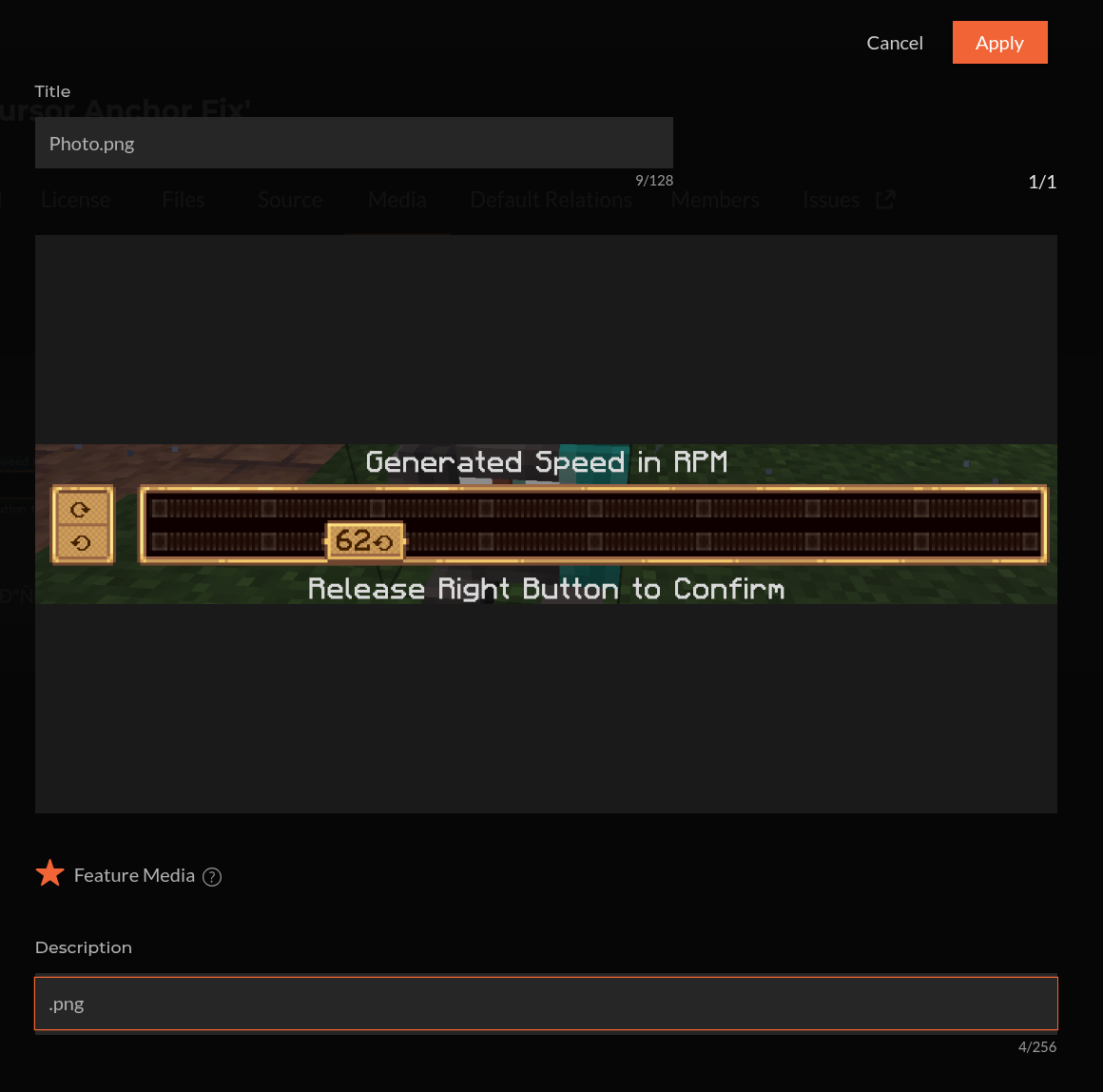 Value Settings Screen Value slider with working cursor anchor
Versions
Files
Relations
Project Relations
More like this
Similar Mods
Suggestions use data such as tags, dependencies, dependents, descriptions, titles, and more to rank how much they overlap with this mod.
On ModDex
Community snapshot
By the numbers
Statistics
 (opens in a new tab)
Get it on
Available Platforms
On ModDex
Community snapshot
By the numbers