Community listing page, reviews here may not be monitored by the author.
Create: Kinetic Lens


No reviews yet
Inspect a Create kinetic network's stress breakdown by right-clicking any Stressometer.
Community voices
Reviews
No reviews yet. Be the first to review this project!
Get it on
Available Platforms
Compatibility
Supported Environments
Must be installed on both the client and the server.
About
Project Details
For authors
Embed Badge
If you're the author of this project, you can embed a live badge anywhere that supports HTML or Markdown. It updates automatically whenever ratings change.
Use HTML for any page that supports it, or Markdown for README files and Markdown-based descriptions.
Identifiers
Platform IDs
Resources
External Links
About
Description
About
Create's goggles tell you about one block at a time. They don't tell you which sixty blocks are eating your stress budget.
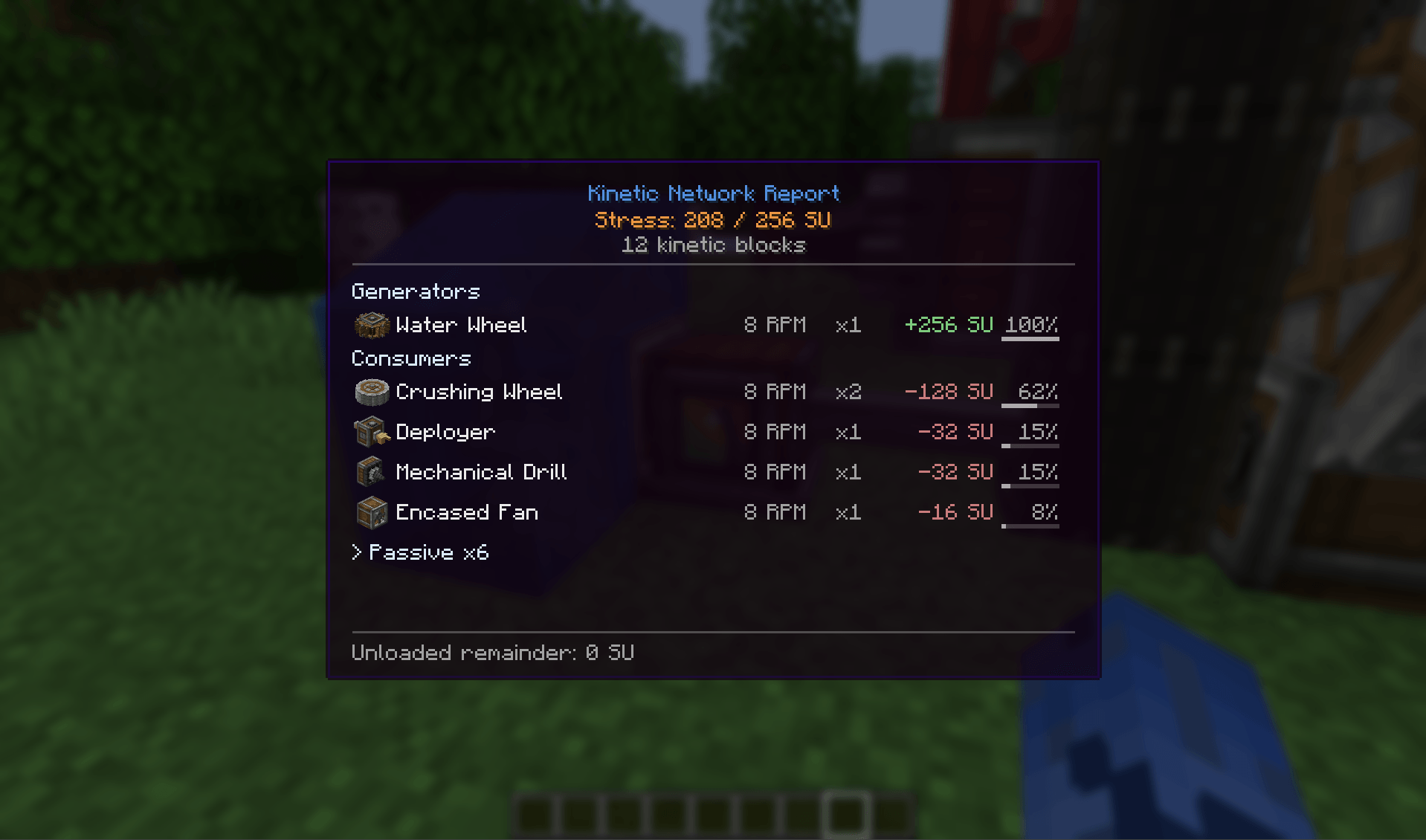
Right-click any Stressometer and you get the whole network: generators, consumers, and everything that's just sitting there being a shaft. Sorted by SU, so whatever is actually costing you sits at the top.
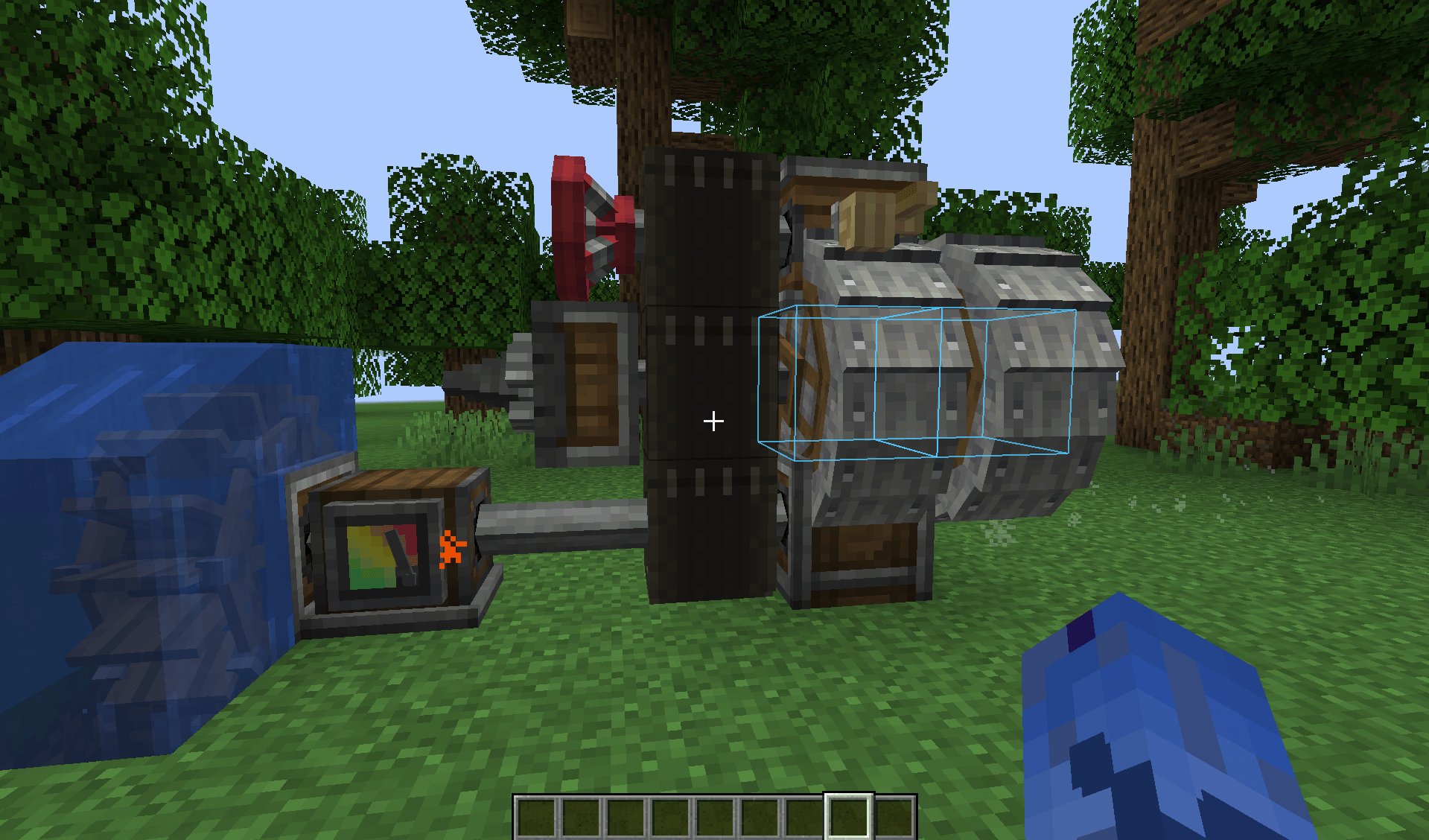
Click a row and those blocks light up through walls. Expand it and you get the individual ones with coordinates, RPM and their own draw - handy when you have fifty crushing wheels and three of them are spinning much faster than you meant.
No blocks, no items, no recipes. The mod only reads; it never touches the simulation.
A few notes:
- Blocks in unloaded chunks can't be listed one by one - Create only keeps a total for them. That total gets its own line so the numbers still add up.
- Sable sub-levels are supported; highlights follow the structure as it moves.
- Highlight colours, duration and the load thresholds are all configurable.
About
Create's goggles tell you about one block at a time. They don't tell you which sixty blocks are eating your stress budget.
Right-click any Stressometer and you get the whole network: generators, consumers, and everything that's just sitting there being a shaft. Sorted by SU, so whatever is actually costing you sits at the top.
Click a row and those blocks light up through walls. Expand it and you get the individual ones with coordinates, RPM and their own draw - handy when you have fifty crushing wheels and three of them are spinning much faster than you meant.
No blocks, no items, no recipes. The mod only reads; it never touches the simulation.
A few notes:
- Blocks in unloaded chunks can't be listed one by one - Create only keeps a total for them. That total gets its own line so the numbers still add up.
- Sable sub-levels are supported; highlights follow the structure as it moves.
- Highlight colours, duration and the load thresholds are all configurable.
Screenshots
Gallery
-
 Menu
Menu -
 Highlighting
-
 Highlighting
 -
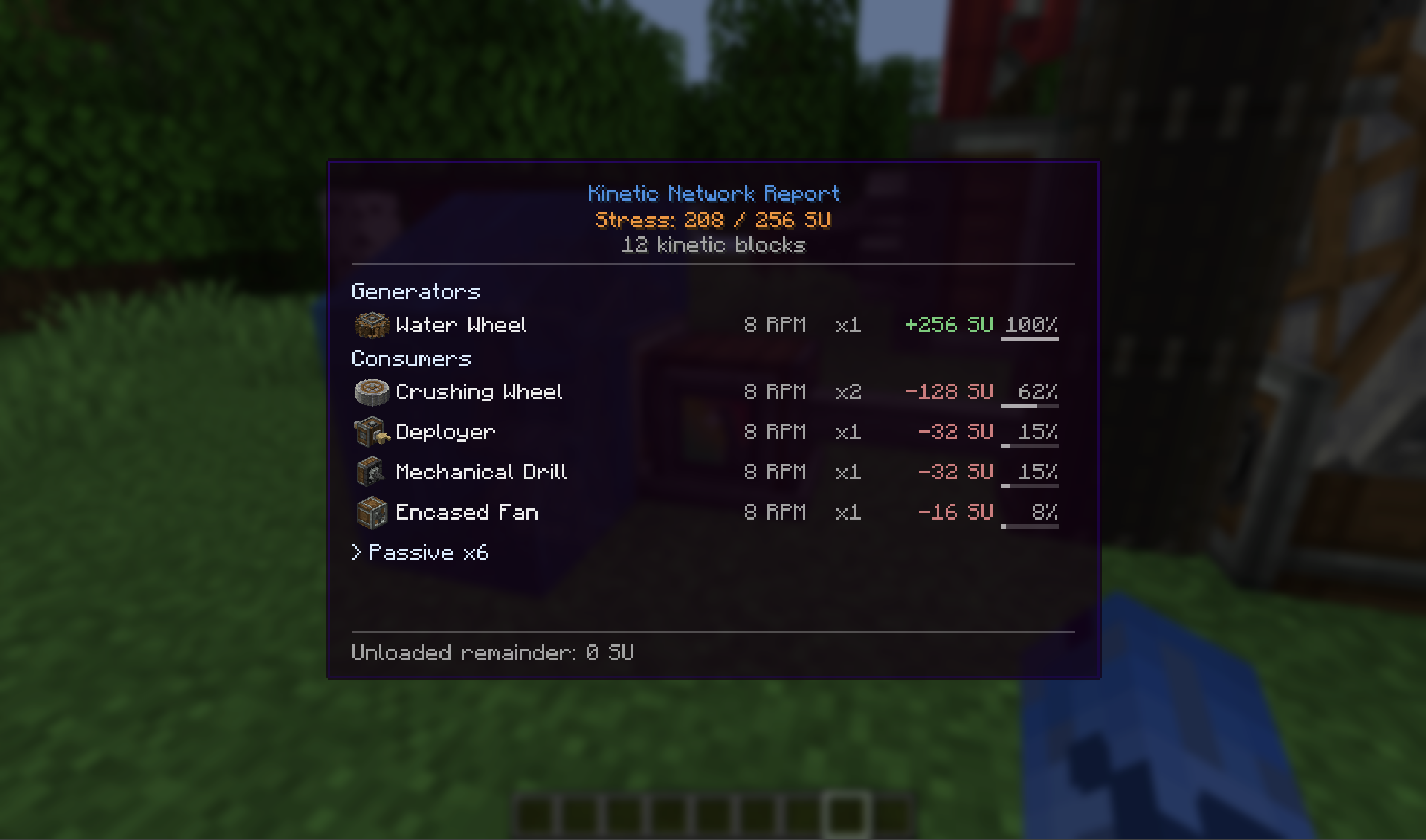 Menu
Menu
Versions
Files
Relations
Project Relations
More like this
Similar Mods
Suggestions use data such as tags, dependencies, dependents, descriptions, titles, and more to rank how much they overlap with this mod.
On ModDex
Community snapshot
By the numbers
Statistics
Want to reach Minecraft players?
We're looking for a server hosting partner to feature here and other parts of the site. Interested? Send us a message!
Get in touchGet it on
Available Platforms
On ModDex
Community snapshot
By the numbers
Statistics
Resources