Community listing page, reviews here may not be monitored by the author.

Community voices
Reviews
No reviews yet. Be the first to review this project!
Get it on
Available Platforms
About
Project Details
For authors
Embed Badge
If you're the author of this project, you can embed a live badge anywhere that supports HTML or Markdown. It updates automatically whenever ratings change.
Use HTML for any page that supports it, or Markdown for README files and Markdown-based descriptions.
Identifiers
Platform IDs
Resources
External Links
About
Description
Mechanical Crafter Blueprints
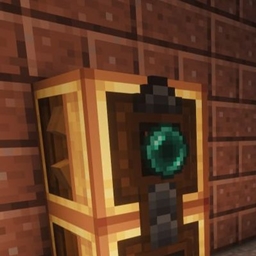
Mechanical Crafter Blueprints is an addon for the Create mod that lets you save, browse, and re-apply entire Mechanical Crafter network layouts using a single item: the Blueprint Book.
Requires
- Create (required dependency — this mod adds no content on its own)
- NeoForge for Minecraft 1.21.x
What it does
Setting up a multi-crafter Mechanical Crafter network by hand — placing every crafter, orienting it, and filling in the correct recipe — is repetitive once you've built the same layout more than once. The Blueprint Book captures that work so you can reuse it instantly.
- Capture a network — Shift-right-click any Mechanical Crafter in a network with the Blueprint Book to record the full layout: crafter positions, orientations, and assigned recipes.
- Apply a blueprint — Right-click a Mechanical Crafter with an active blueprint selected to lay out that same network, recipes included.
- Library screen — Open the book (right-click while not targeting a block) to browse saved blueprints, rename them, delete old ones, and pick which one is currently active.
- Works with automation — Blueprint application behaves the same whether triggered by a player or by a Create Deployer, so blueprint placement can be automated within Create-based builds.
- Configurable scan range — A common config option controls the maximum area (in blocks) scanned when detecting a Mechanical Crafter network, so server owners can tune performance for large builds.
Notes
- This mod is a third-party addon and is not affiliated with or endorsed by the Create mod team.
- All new assets and code in this project are original work by the author; Create's blocks, items, and APIs are used solely as required for interoperability.
- Configuration is done through the standard NeoForge common config file generated on first launch.
Reporting issues
Please report bugs or suggestions through this project's issue tracker/links page rather than in the comments, so they don't get lost.
Screenshots
Gallery
Versions
Files
Relations
Project Relations
More like this
Similar Mods
Suggestions use data such as tags, dependencies, dependents, descriptions, titles, and more to rank how much they overlap with this mod.
- create:fkcrafter
- Create: Multiplanar Crafters
- Create Waystone Recipes
- Create: Numismatics Recipes
- FruityDelight
- Create: Gunsmithing ReForked (Unsupported)
- Create Mechanical Extruder
- Create Mechanical Spawner
- Create: Mechanical Botany
- Create Mechanical Chicken
- Create: Mechanical Companion
- Create: Mechanical Botania
On ModDex
Community snapshot
By the numbers
Statistics
Want to reach Minecraft players?
We're looking for a server hosting partner to feature here and other parts of the site. Interested? Send us a message!
Get in touchGet it on
Available Platforms
On ModDex
Community snapshot
By the numbers
Statistics
Resources