Community listing page, reviews here may not be monitored by the author.
Create: Parallel Tracks

No reviews yet
Lay perfectly-spaced parallel Create tracks in a single motion — dual lines, yards and multi-track mains, with a live preview
Community voices
Reviews
No reviews yet. Be the first to review this project!
Get it on
Available Platforms
About
Project Details
For authors
Embed Badge
If you're the author of this project, you can embed a live badge anywhere that supports HTML or Markdown. It updates automatically whenever ratings change.
Use HTML for any page that supports it, or Markdown for README files and Markdown-based descriptions.
Identifiers
Platform IDs
Resources
External Links
About
Description
Create: Parallel Tracks
A lightweight addon for Create 6.x that lets you lay multiple parallel tracks in a single placement — no more building each line one at a time.
Place track exactly like you normally do in Create: right-click a start rail, right-click where you want it to go. This addon lays evenly-spaced parallel copies alongside it automatically — straights, curves and slopes all follow the main line.
Features
- One-gesture parallel placement — build dual tracks, sidings and multi-track mainlines as fast as a single line.
- Live preview — a Create-style outline shows exactly where your parallel tracks will land before you commit. Blue when it's placeable, dotted red when it isn't.
- Per-track validation — each parallel is checked on its own, so an outer copy on a tight turn shows red while the rest stay valid.
- Configurable — set the spacing between tracks, the total number of tracks, and which side they go on.
- Uses Create's own track engine — real curved connections, correct item cost, works in survival and on servers.
- Off by default — nothing changes until you turn it on, so it never gets in the way of normal building.
How to use
- Hold any Create track in your main hand.
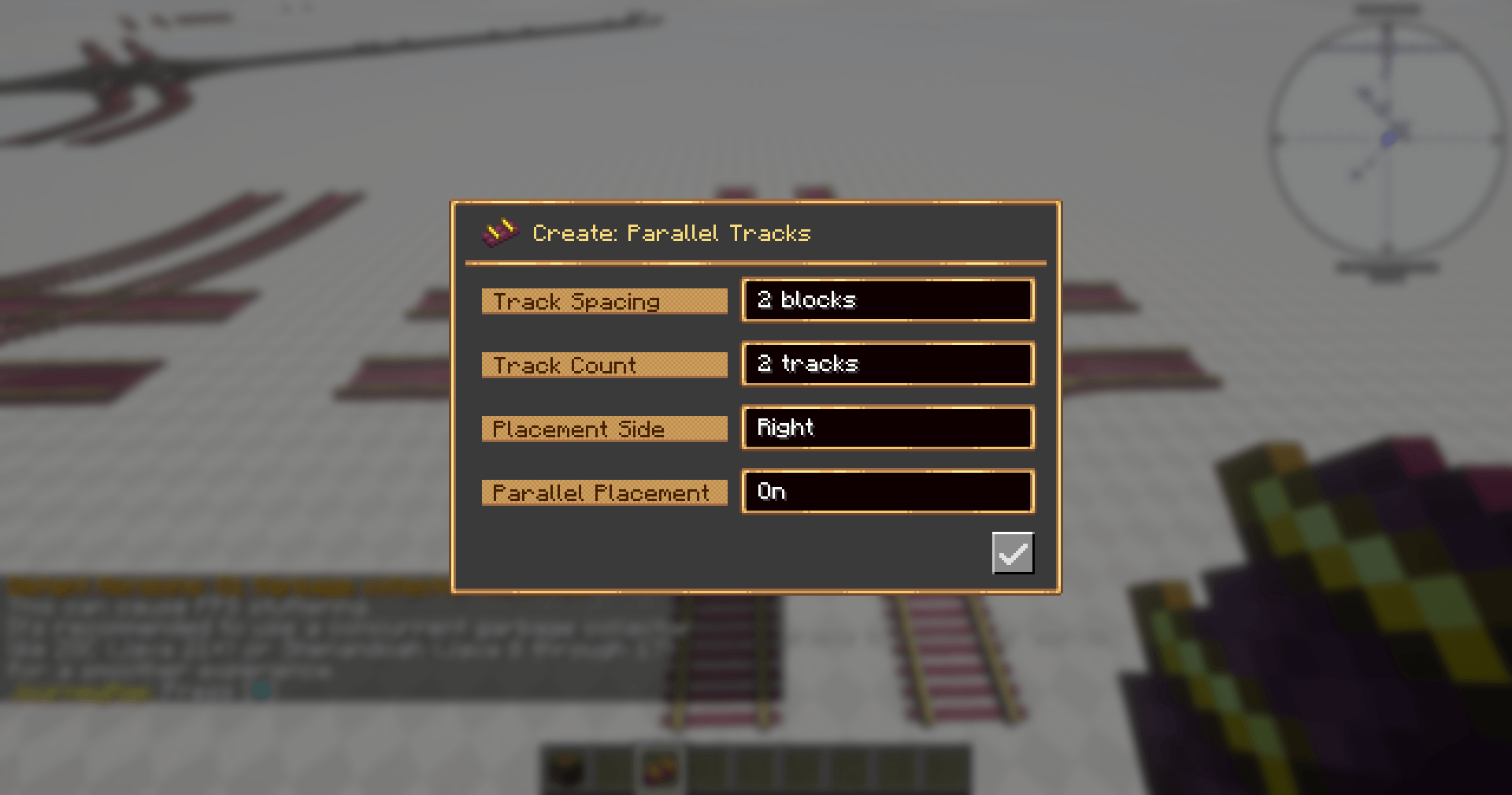
- Press P (rebindable) to open the settings screen.
- Turn Parallel Placement on, and set your spacing, track count and side.
- Place track as usual — the parallel copies appear alongside.
Settings
| Option | Description |
|---|---|
| Track Spacing | Blocks between adjacent tracks |
| Track Count | Total tracks placed side by side (including the main line) |
| Placement Side | Which side the parallels go on — left or right |
| Parallel Placement | Master on/off toggle |
The maximum selectable track count defaults to 4 and can be raised in the config file for larger builds.
Requirements
- Minecraft 1.21.1
- NeoForge
- Create 6.0.10 or newer (6.x)
Not affiliated with the Create team. Create is required for this addon to work.
Screenshots
Gallery
-
 2026-07-07_17.51.35.png 2026-07-07_17.51.35.png
Versions
Files
Relations
Project Relations
More like this
Similar Mods
Suggestions use data such as tags, dependencies, dependents, descriptions, titles, and more to rank how much they overlap with this mod.
On ModDex
Community snapshot
By the numbers
Statistics
Want to reach Minecraft players?
We're looking for a server hosting partner to feature here and other parts of the site. Interested? Send us a message!
Get in touchGet it on
Available Platforms
On ModDex
Community snapshot
By the numbers
Statistics
Resources