
Community listing page, reviews may not be monitored by the author.
Create: Quarry


No reviews yet
A Create addon that adds an automated, rotational-power-driven Quarry: link two Quarry Stakes to define a rectangular mining area, then let the Quarry excavate it layer by layer, filtering ores, replacing mined terrain, and optionally draining fluids.

Community voices
Reviews
No reviews yet. Be the first to review this project!
Get it on
Available Platforms
Compatibility
Supported Environments
Must be installed on both the client and the server.
About
Project Details
For authors
Embed Badge
If you're the author of this project, you can embed a live badge anywhere that supports HTML or Markdown. It updates automatically whenever ratings change.
Use HTML for any page that supports it, or Markdown for README files and Markdown-based descriptions.
Identifiers
Platform IDs
Resources
External Links
About
Description
Create: Quarry
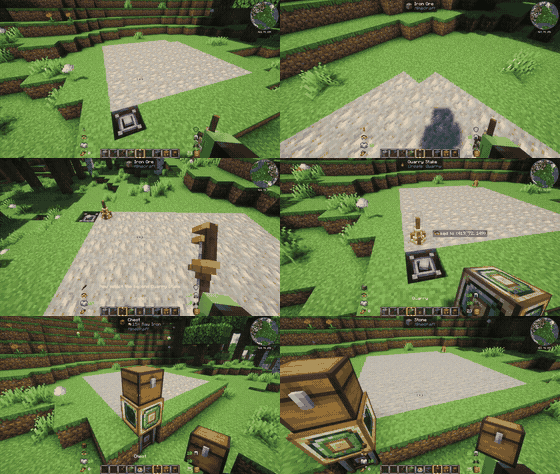




A Create addon that adds a fully automated Quarry, powered by rotational force.
Link a pair of Quarry Stakes to mark out an area, connect the Quarry to a Create kinetic network, and watch it methodically strip-mine the ground below, layer by layer.
✨ Features
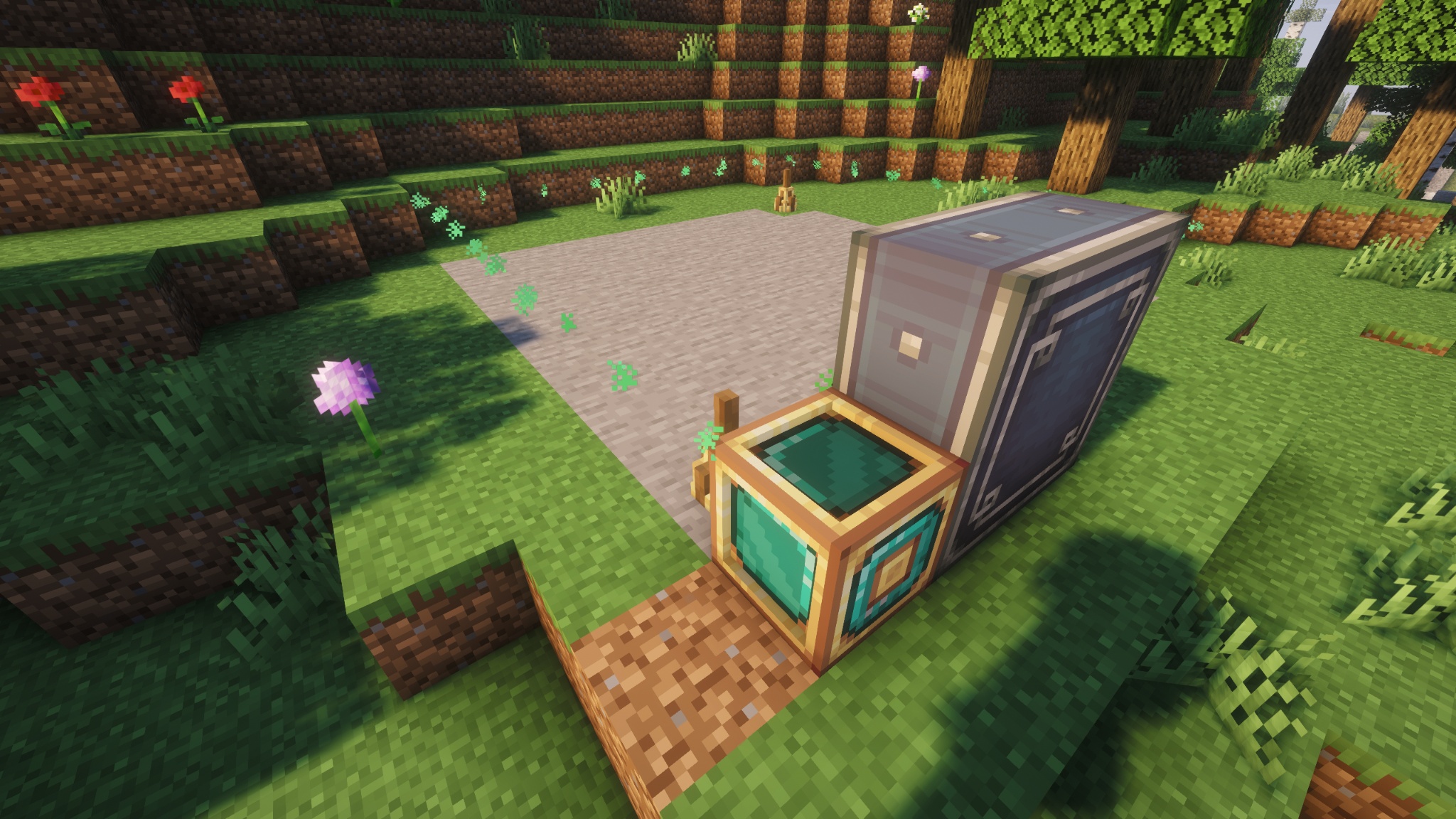
- Link two Quarry Stakes to define a rectangular mining area of (almost) any size
- Scans and extracts layer by layer, replacing mined blocks with a configurable fallback (stone, deepslate, netherrack, end stone, …)
- Filter what gets extracted with a single item or any Create Filter — or default to mining ore tags automatically
- Powered entirely by Create rotational force; scan speed scales with RPM
- Enchantable Quarry block — apply Efficiency, Fortune or Silk Touch at an enchanting table to boost mining speed and change the drops
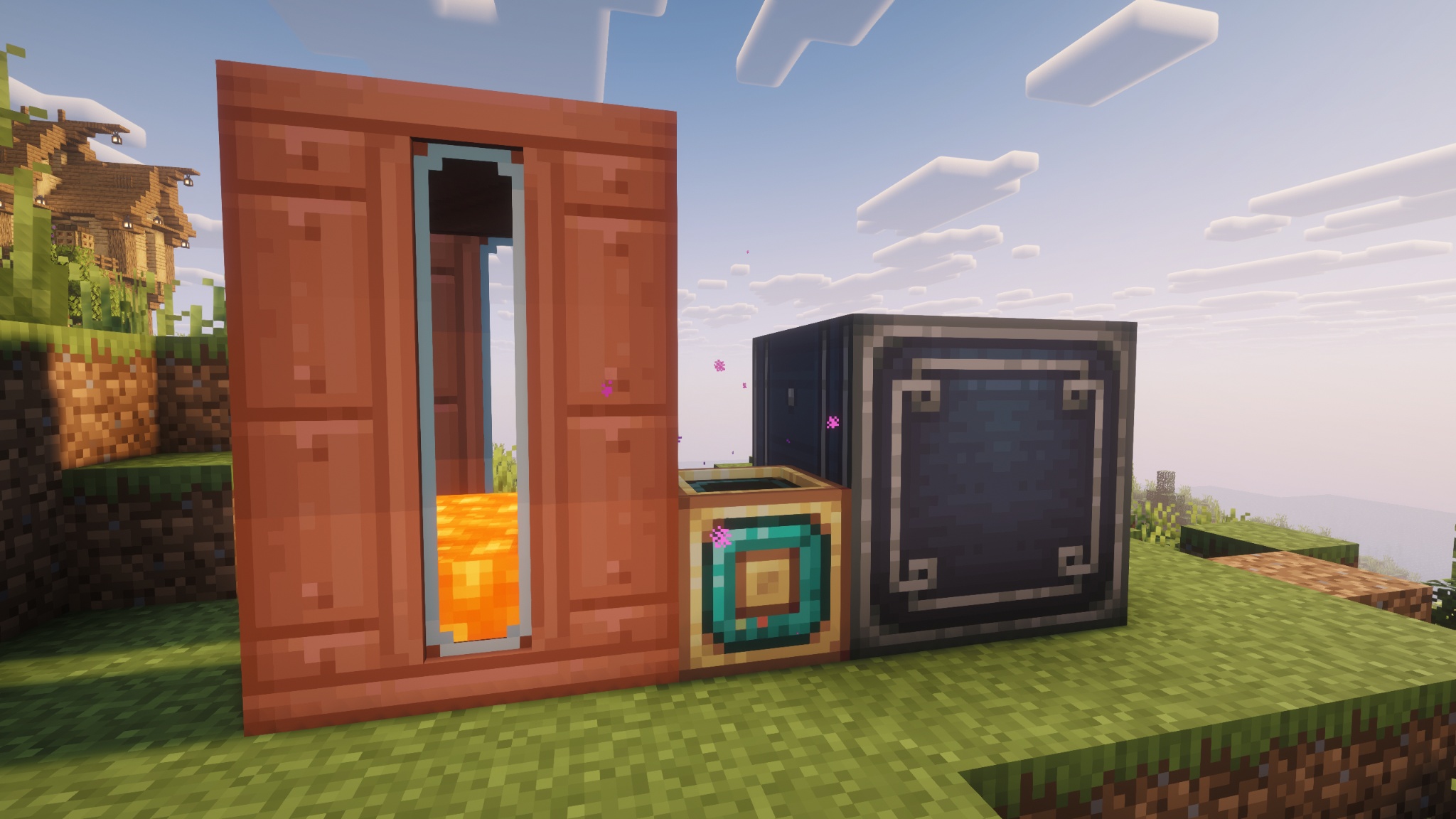
- Optional fluid collection into an adjacent Fluid Tank
- Optional chunk loading so the Quarry keeps working while you're away
- Live tooltip readout: current state, progress, Y level, blocks scanned and ores extracted
- Deeply configurable: stress impact, scan speed, ore tags, blacklists, dimension fallbacks and more
⚙️ How to Use
Place two Quarry Stakes at opposite corners of the area you want mined, and right-click each with a Wrench to link them together.
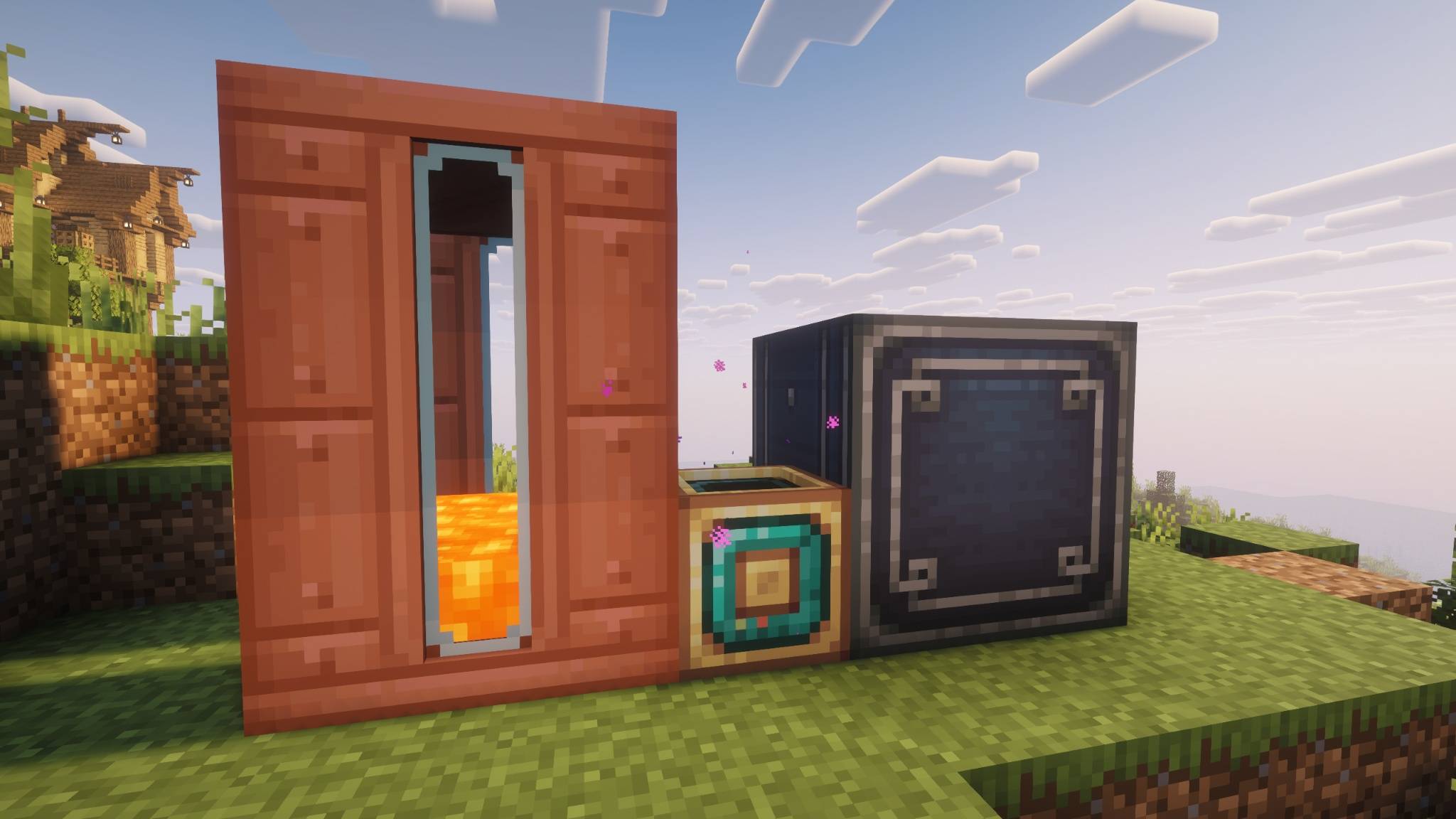
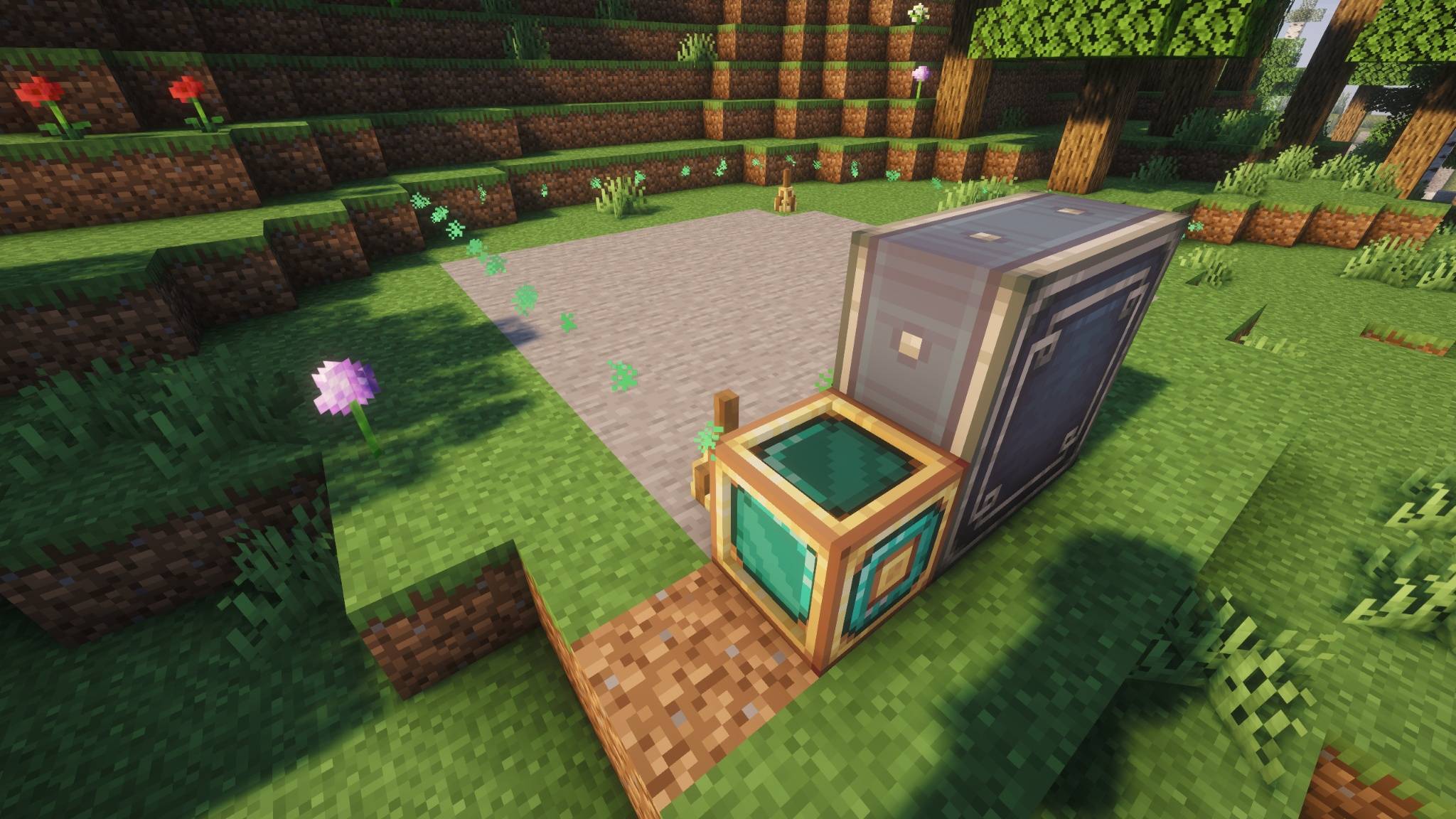
Place the Quarry block above the area, connect it to a Create rotational power source, and give it an adjacent inventory (like an Item Vault) to store its output.
Optionally right-click the Quarry's front face with a single item — or any Create Filter — to restrict what it mines, and connect a Fluid Tank if you want it to also collect fluids it drains.
The Quarry itself can be enchanted at an enchanting table (or with an anvil/enchanted book) just like a tool: Efficiency speeds up scanning (at the cost of extra Stress Impact), Fortune boosts ore drops, and Silk Touch collects blocks as-is instead of their normal drops.
Create: Quarry
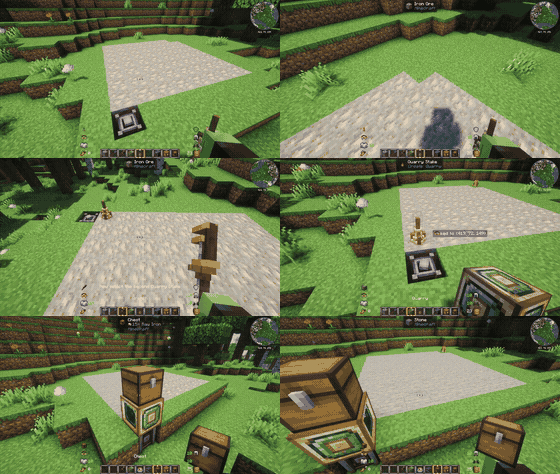



A Create addon that adds a fully automated Quarry, powered by rotational force.
Link a pair of Quarry Stakes to mark out an area, connect the Quarry to a Create kinetic network, and watch it methodically strip-mine the ground below, layer by layer.
✨ Features
- Link two Quarry Stakes to define a rectangular mining area of (almost) any size
- Scans and extracts layer by layer, replacing mined blocks with a configurable fallback (stone, deepslate, netherrack, end stone, …)
- Filter what gets extracted with a single item or any Create Filter — or default to mining ore tags automatically
- Powered entirely by Create rotational force; scan speed scales with RPM
- Enchantable Quarry block — apply Efficiency, Fortune or Silk Touch at an enchanting table to boost mining speed and change the drops
- Optional fluid collection into an adjacent Fluid Tank
- Optional chunk loading so the Quarry keeps working while you're away
- Live tooltip readout: current state, progress, Y level, blocks scanned and ores extracted
- Deeply configurable: stress impact, scan speed, ore tags, blacklists, dimension fallbacks and more
⚙️ How to Use
Place two Quarry Stakes at opposite corners of the area you want mined, and right-click each with a Wrench to link them together.
Place the Quarry block above the area, connect it to a Create rotational power source, and give it an adjacent inventory (like an Item Vault) to store its output.
Optionally right-click the Quarry's front face with a single item — or any Create Filter — to restrict what it mines, and connect a Fluid Tank if you want it to also collect fluids it drains.
The Quarry itself can be enchanted at an enchanting table (or with an anvil/enchanted book) just like a tool: Efficiency speeds up scanning (at the cost of extra Stress Impact), Fortune boosts ore drops, and Silk Touch collects blocks as-is instead of their normal drops.
Screenshots
Gallery
-
geckolib_64h.png geckolib_64h.png
-
create_64h.png create_64h.png
-
discord-plural_64h.png discord-plural_64h.png
-
modrinth_64h.png modrinth_64h.png
-
 minecraft_export_3_under_2mb.jpg
 -
 minecraft_export_2_under_2mb.jpg
Versions
Files
Relations
Project Relations
More like this
Similar Mods
Suggestions use data such as tags, dependencies, dependents, descriptions, titles, and more to rank how much they overlap with this mod.
On ModDex
Community snapshot
By the numbers
Statistics
 (opens in a new tab)
Get it on
Available Platforms
On ModDex
Community snapshot
By the numbers
Statistics
Resources