Community listing page, reviews here may not be monitored by the author.
Create: Routes


No reviews yet
Write once, follow anywhere. Name a run of stops as a route, and every schedule follows it with a single entry — edit the route once and every train updates.
Community voices
Reviews
No reviews yet. Be the first to review this project!
Get it on
Available Platforms
Compatibility
Supported Environments
Must be installed on both the client and the server.
About
Project Details
For authors
Embed Badge
If you're the author of this project, you can embed a live badge anywhere that supports HTML or Markdown. It updates automatically whenever ratings change.
Use HTML for any page that supports it, or Markdown for README files and Markdown-based descriptions.
Identifiers
Platform IDs
About
Description
Write once, follow anywhere.
Create: Routes gives the stops a home of their own. Name a run of stops as a route. Edit the route and every train following it picks the change up.
Following a route
Add a Follow Route entry to any schedule and that one entry stands for the whole run.
- Rev — run the route's stops back to front.
- Skip — drop the last stop.
An out-and-back line is two entries pointing at one route.
Shared defaults
Wait conditions belong to the route. A stop that sets none of its own borrows them, so the wait is set once at the top instead of on all twelve stops.
Nesting
A route can follow another route. Define a trunk once and every branch running over it shares that one definition — fix the trunk and you fix all of them.
The editor
Open it from the Follow Route entry's Configure route button. Pick stops straight off the railway map, drag to reorder, and set the defaults every unset stop borrows.
Write once, follow anywhere.
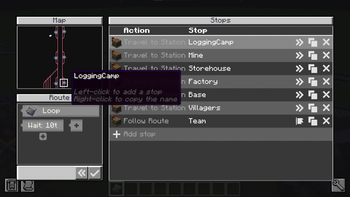
Create: Routes gives the stops a home of their own. Name a run of stops as a route. Edit the route and every train following it picks the change up.
Following a route
Add a Follow Route entry to any schedule and that one entry stands for the whole run.
- Rev — run the route's stops back to front.
- Skip — drop the last stop.
An out-and-back line is two entries pointing at one route.
Shared defaults
Wait conditions belong to the route. A stop that sets none of its own borrows them, so the wait is set once at the top instead of on all twelve stops.
Nesting
A route can follow another route. Define a trunk once and every branch running over it shares that one definition — fix the trunk and you fix all of them.
The editor
Open it from the Follow Route entry's Configure route button. Pick stops straight off the railway map, drag to reorder.
Screenshots
Gallery
-
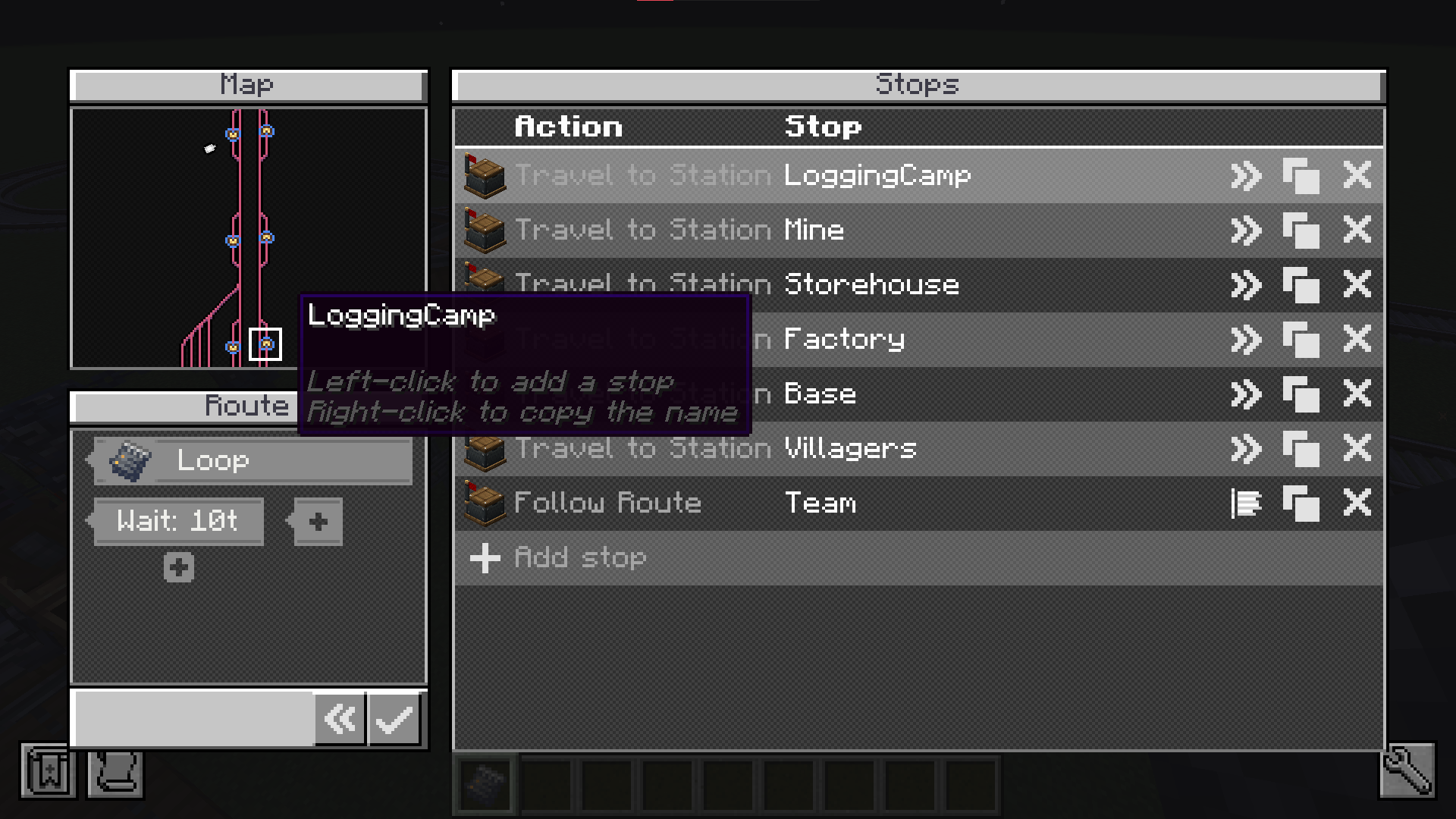 route-editor.png Route
 -
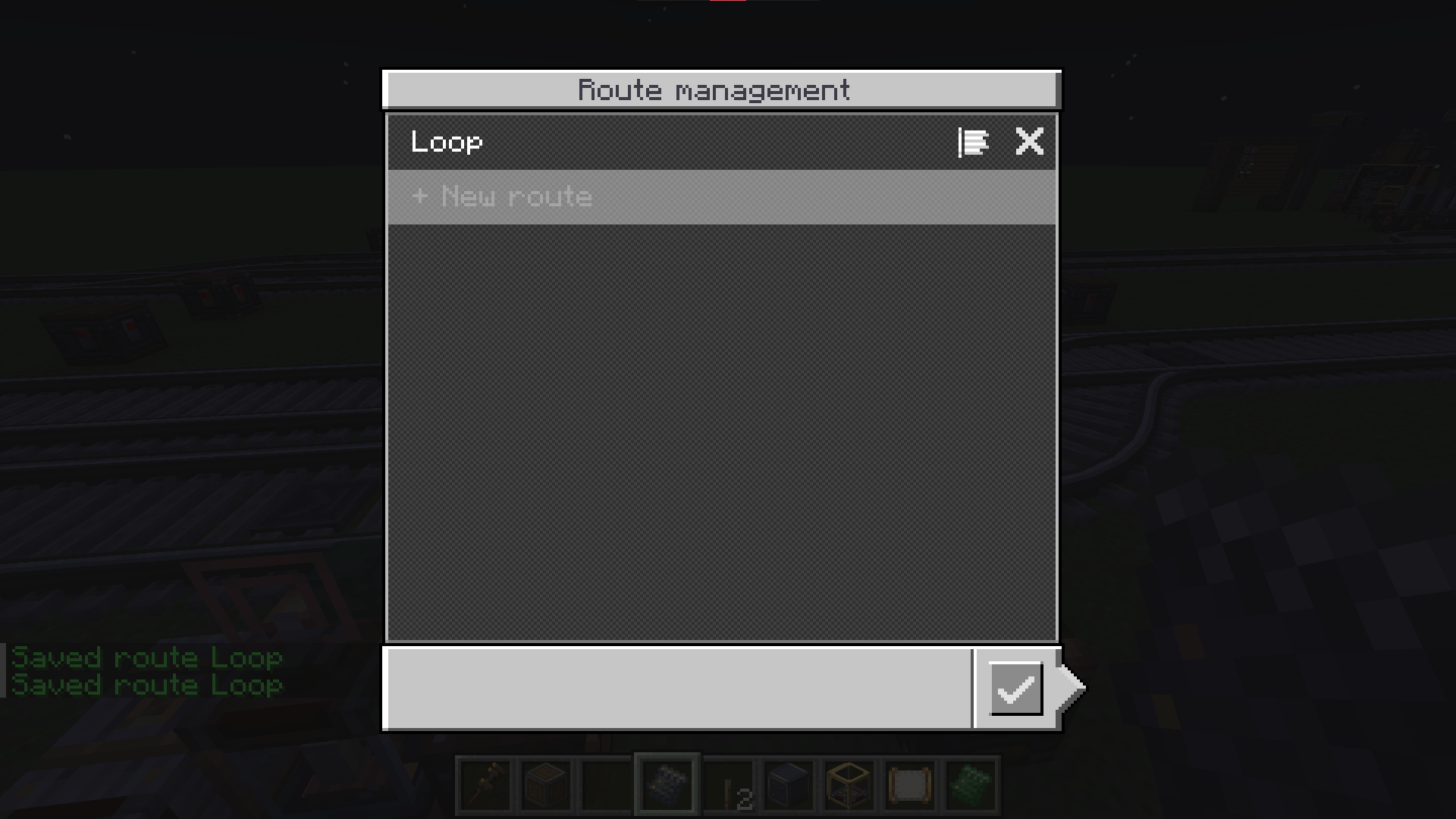 route-management.png Route Management
 -
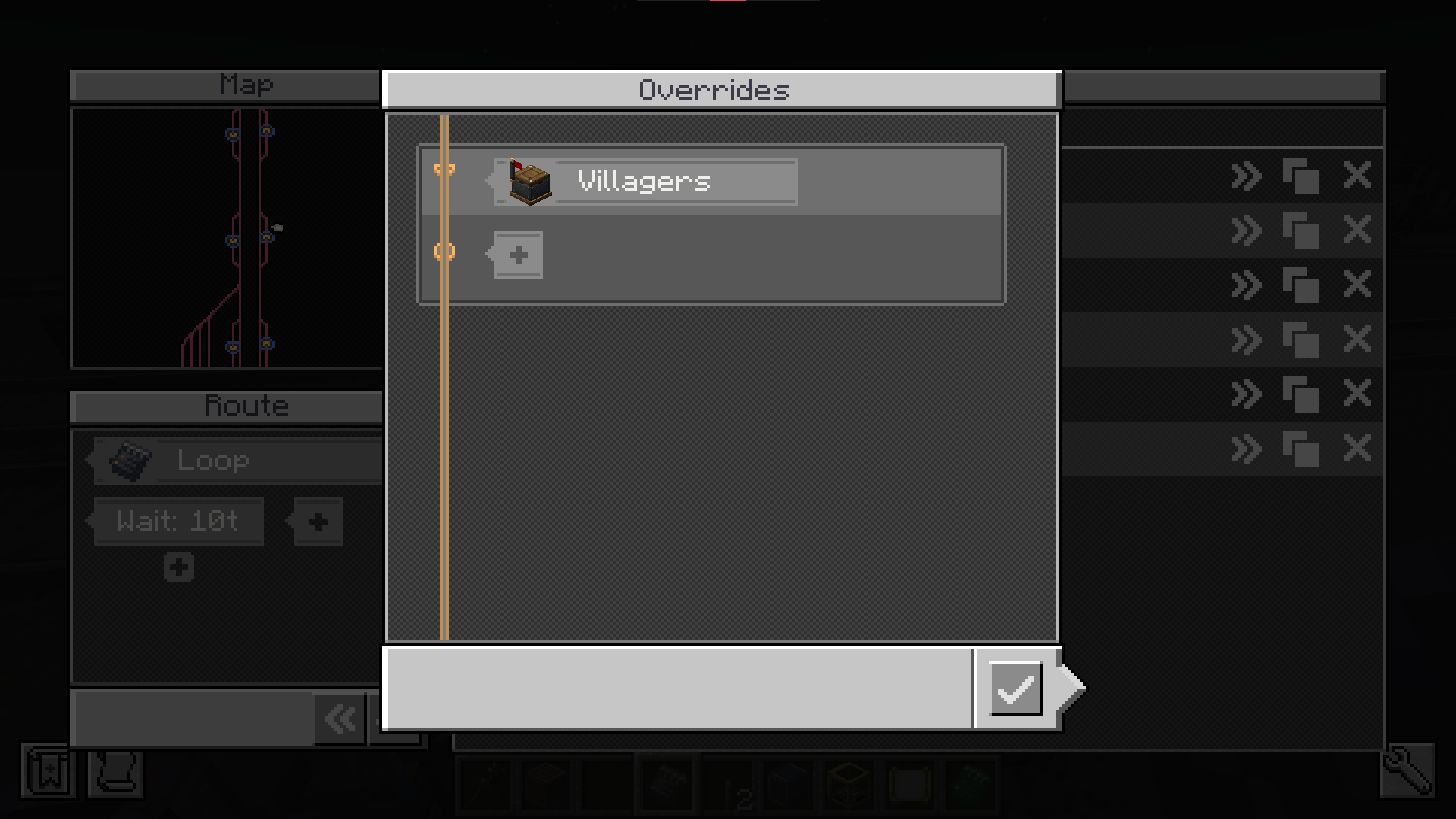 overrides.png Overrides
-
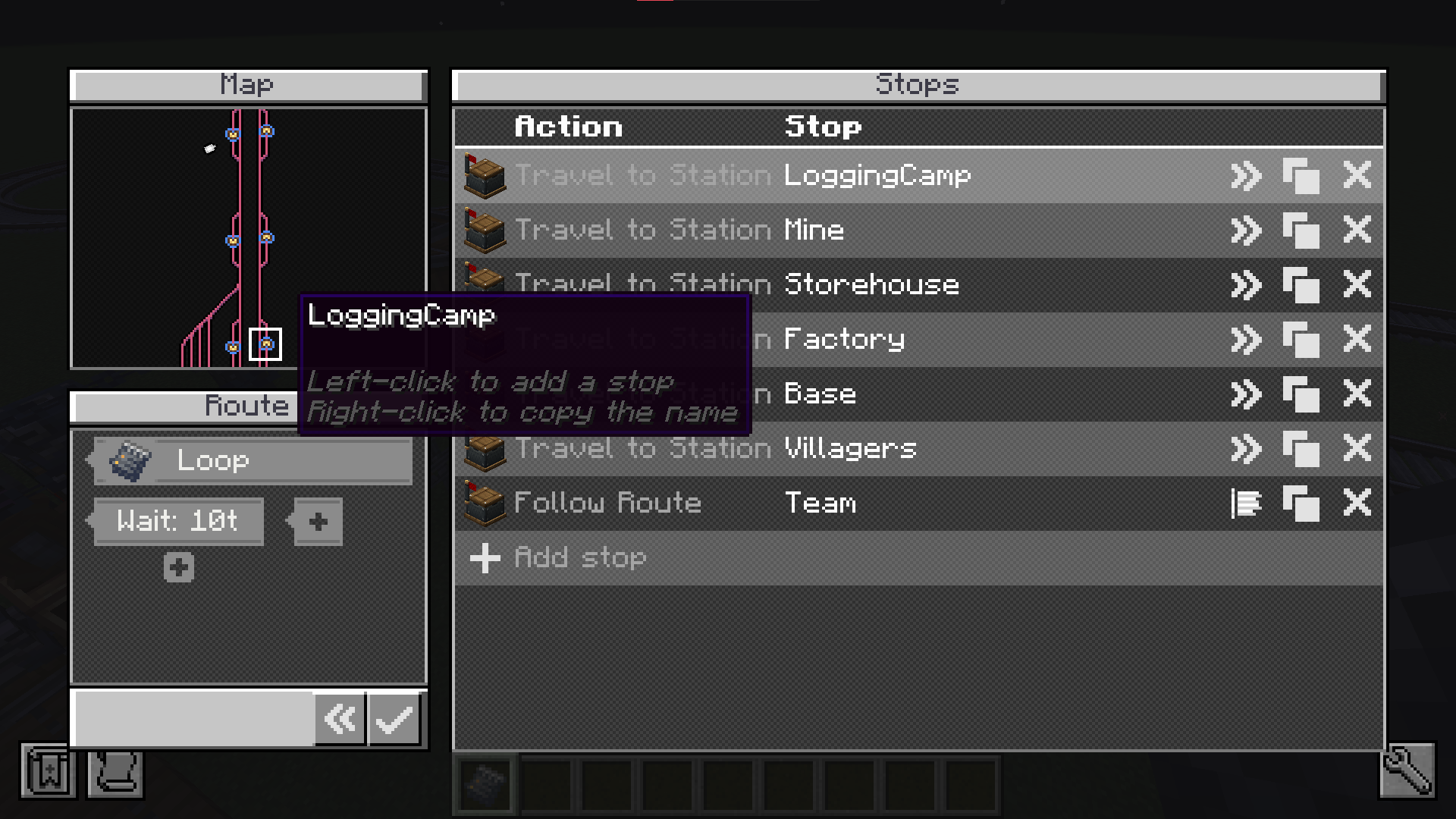 Route Editor
 -
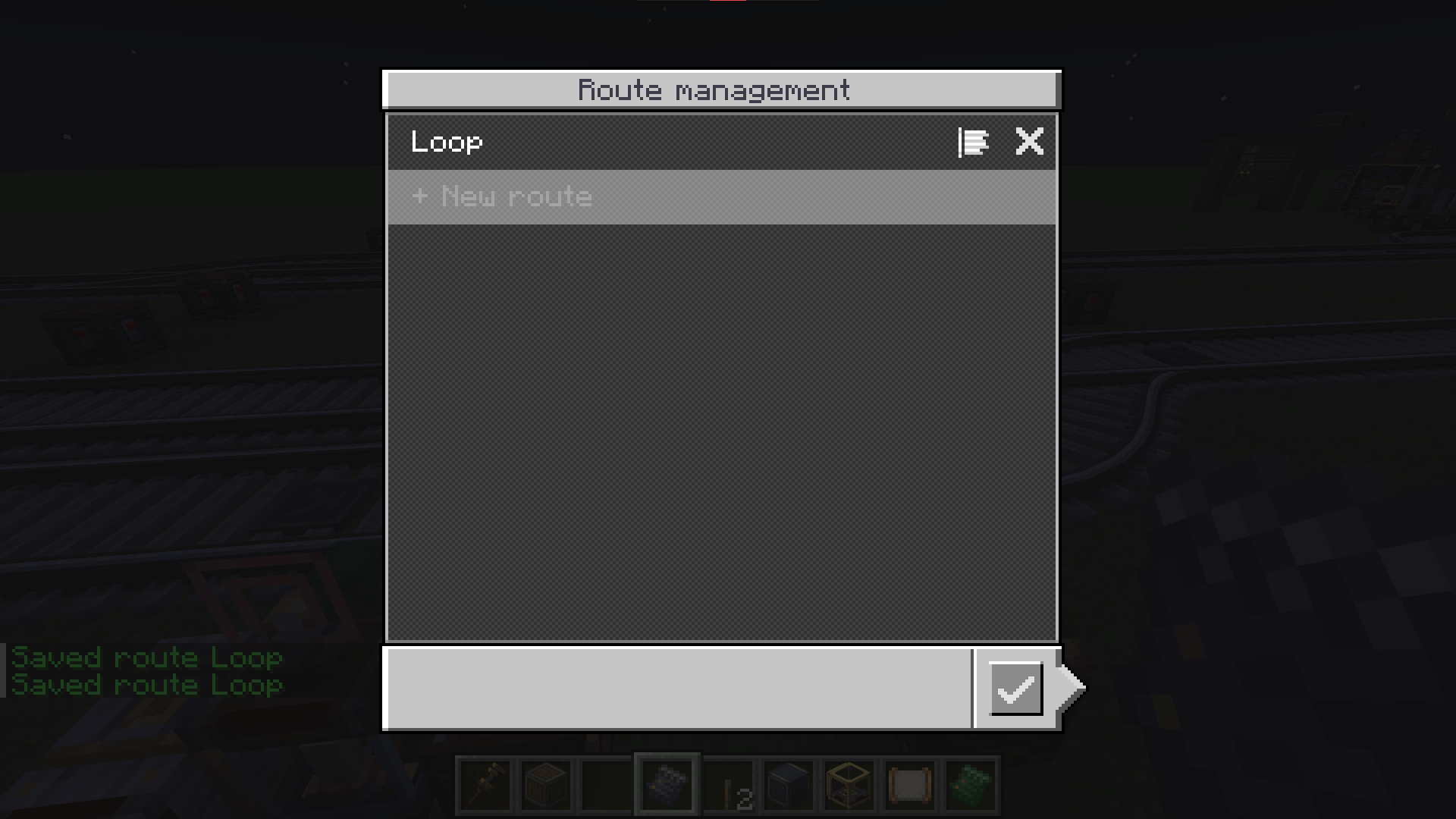 Route Management
 -
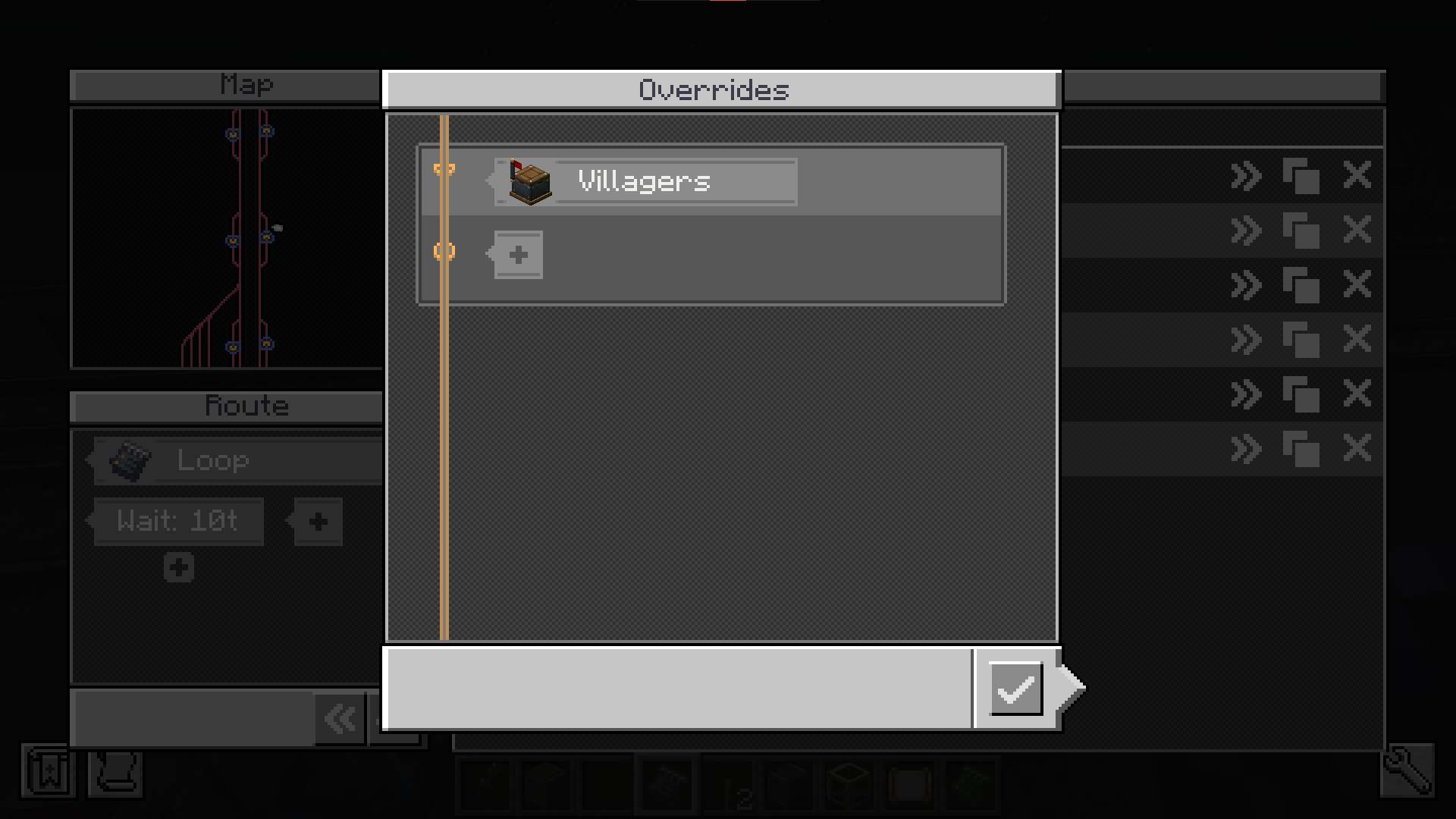 Overrides
Versions
Files
Relations
Project Relations
More like this
Similar Mods
Suggestions use data such as tags, dependencies, dependents, descriptions, titles, and more to rank how much they overlap with this mod.
- Hired Villagers
- OPAC - Create: Big Canons Compat / Bridge
- Create: Apotheosis Automation
- Create Railways Navigator
- Create Aeronautics: Automated Logistics
- CobbleSpawnRegions
- Villager Tourism (NeoForge Port)
- Flight Planner
- Create: Factory Routing
- Create Aeronautics: Simplified Logistics
- Create: quartz recepie
- Create: Pipe Connector
On ModDex
Community snapshot
By the numbers
Statistics
Want to reach Minecraft players?
We're looking for a server hosting partner to feature here and other parts of the site. Interested? Send us a message!
Get in touchGet it on
Available Platforms
On ModDex
Community snapshot
By the numbers