
Community listing page, reviews may not be monitored by the author.
Create: Schematic Helper


No reviews yet
Automatically uploads schematics to CreateMod.com and makes it easier to download them!

Community voices
Reviews
No reviews yet. Be the first to review this project!
Get it on
Available Platforms
Compatibility
Supported Environments
Runs entirely on the client. Works on vanilla servers.
About
Project Details
For authors
Embed Badge
If you're the author of this project, you can embed a live badge anywhere that supports HTML or Markdown. It updates automatically whenever ratings change.
Use HTML for any page that supports it, or Markdown for README files and Markdown-based descriptions.
Identifiers
Platform IDs
About
Description
A Minecraft mod that automatically uploads Create mod schematics to createmod.com for easy sharing. It also modifies the schematic table so that you can directly past createmod.com urls or short codes to download schematics faster and more easily.
Features
Upload
- Automatic upload - schematics are uploaded to createmod.com the moment you save them in-game
- Preview rendering (NeoForge 1.21.1+ only) - 4 isometric screenshots are rendered client-side and uploaded alongside the schematic; with Create: Blueprinted installed, its rendered schematic image is used instead
- Progress bar (NeoForge 1.21.1+ only) - a live progress bar on the action bar tracks rendering, processing, and uploading stages
- One-click sharing - a clickable link appears in chat so you (or anyone) can view the schematic in a browser
- Claim flow - log in on the website to claim ownership, then publish to the community
- Optional confirmation - disable auto-upload in the config to get a confirmation screen before each upload
- No account needed in-game - uploads are anonymous; you claim them on the website when you're ready
Download
- Download from createmod.com - enter a createmod.com URL or short code directly in the Create Schematic Table to download schematics shared by other players
- Seamless integration - downloaded schematics are placed into your local schematics folder and are ready to use immediately
How It Works
- Save a schematic using the Create mod's Schematic and Quill
- The mod uploads the
.nbtfile to createmod.com - A clickable link appears in chat
- Visit the link and log in to claim the schematic as yours
- From there you can publish it to the community
Requirements
This mod requires the Create mod to function.
Client Side
This is a client-side only mod. It does not need to be installed on the server.
Credits
- Jamalam - original CreateSchematicDownload mod
- salem-5/Create-Blueprinted - isometric rendering approach
Modpacks
You are free to include this mod in any modpack that is distributed for free. Selling this mod or charging money for access to it (or any modpack containing it) is not permitted.
Github
More info can be found on Github: https://github.com/uberswe/CreateSchematicUpload
A Minecraft mod that automatically uploads Create mod schematics to createmod.com for easy sharing. It also modifies the schematic table so that you can directly past createmod.com urls or short codes to download schematics faster and more easily.
Features
Upload
- Automatic upload - schematics are uploaded to createmod.com the moment you save them in-game
- Preview rendering (NeoForge 1.21.1+ only) - 4 isometric screenshots are rendered client-side and uploaded alongside the schematic; with Create: Blueprinted installed, its rendered schematic image is used instead
- Progress bar (NeoForge 1.21.1+ only) - a live progress bar on the action bar tracks rendering, processing, and uploading stages
- One-click sharing - a clickable link appears in chat so you (or anyone) can view the schematic in a browser
- Claim flow - log in on the website to claim ownership, then publish to the community
- Optional confirmation - disable auto-upload in the config to get a confirmation screen before each upload
- No account needed in-game - uploads are anonymous; you claim them on the website when you're ready
Download
- Download from createmod.com - enter a createmod.com URL or short code directly in the Create Schematic Table to download schematics shared by other players
- Seamless integration - downloaded schematics are placed into your local schematics folder and are ready to use immediately
How It Works
- Save a schematic using the Create mod's Schematic and Quill
- The mod uploads the
.nbtfile to createmod.com - A clickable link appears in chat
- Visit the link and log in to claim the schematic as yours
- From there you can publish it to the community
Requirements
This mod requires the Create mod to function.
Client Side
This is a client-side only mod. It does not need to be installed on the server.
Credits
- Jamalam - original CreateSchematicDownload mod
- salem-5/Create-Blueprinted - isometric rendering approach
Modpacks
You are free to include this mod in any modpack that is distributed for free. Selling this mod or charging money for access to it (or any modpack containing it) is not permitted.
Github
More info can be found on Github: https://github.com/uberswe/CreateSchematicUpload
Screenshots
Gallery
-
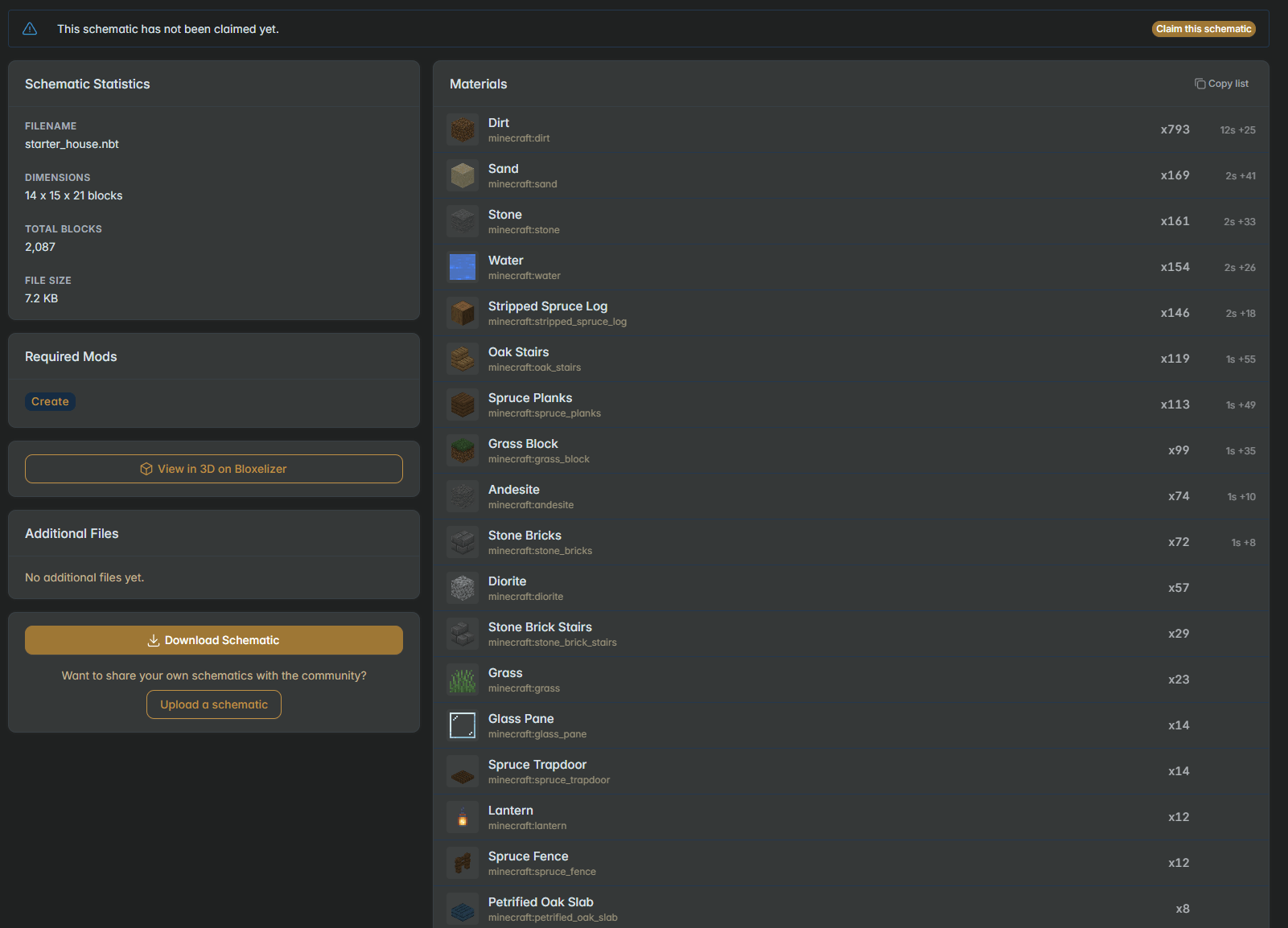 Once uploaded you receive a full material checklist and a link to share with others Once uploaded you receive a full material checklist and a link to share with others
 -
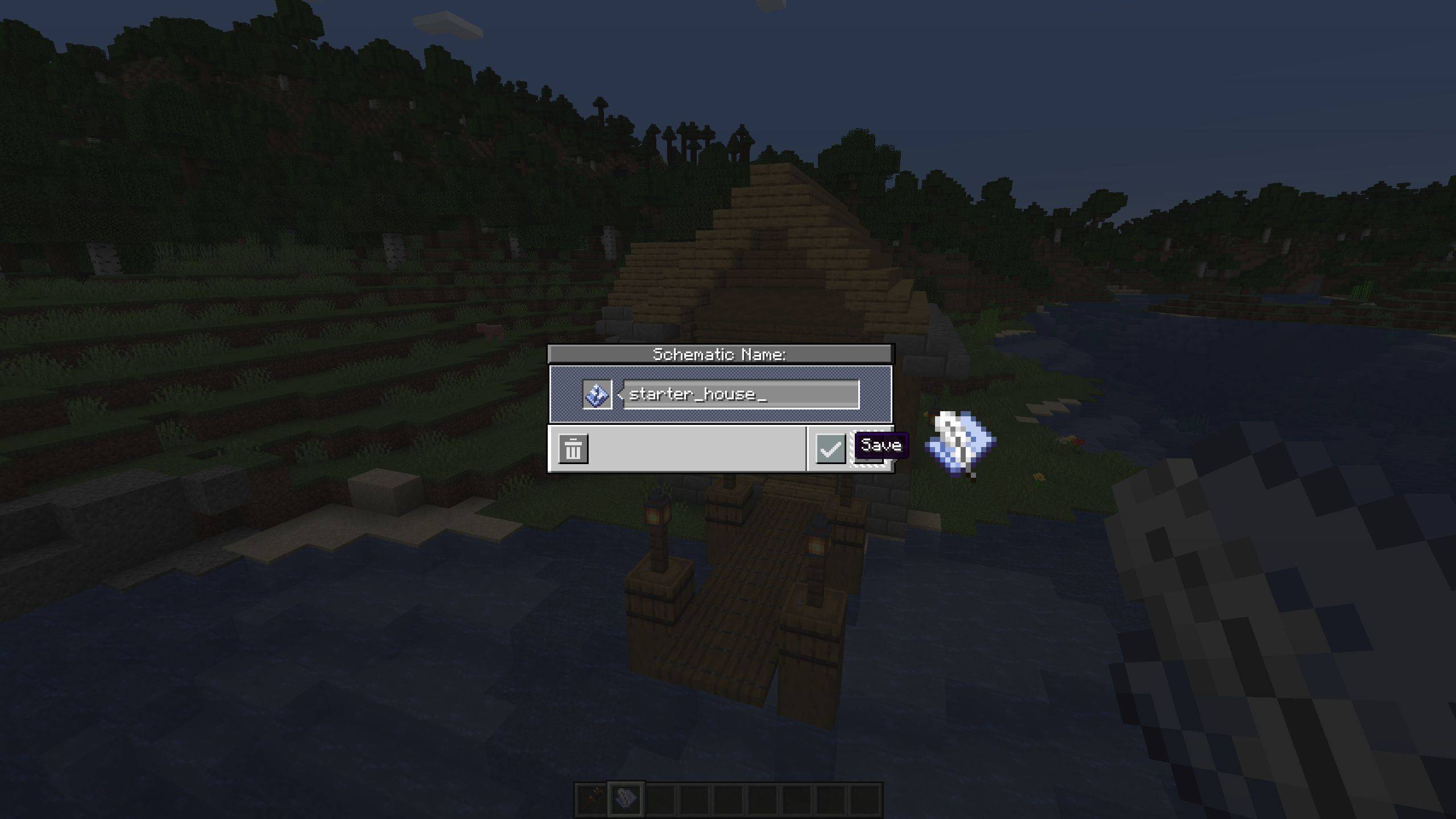 Save a schematic like you normally would Save a schematic like you normally would
 -
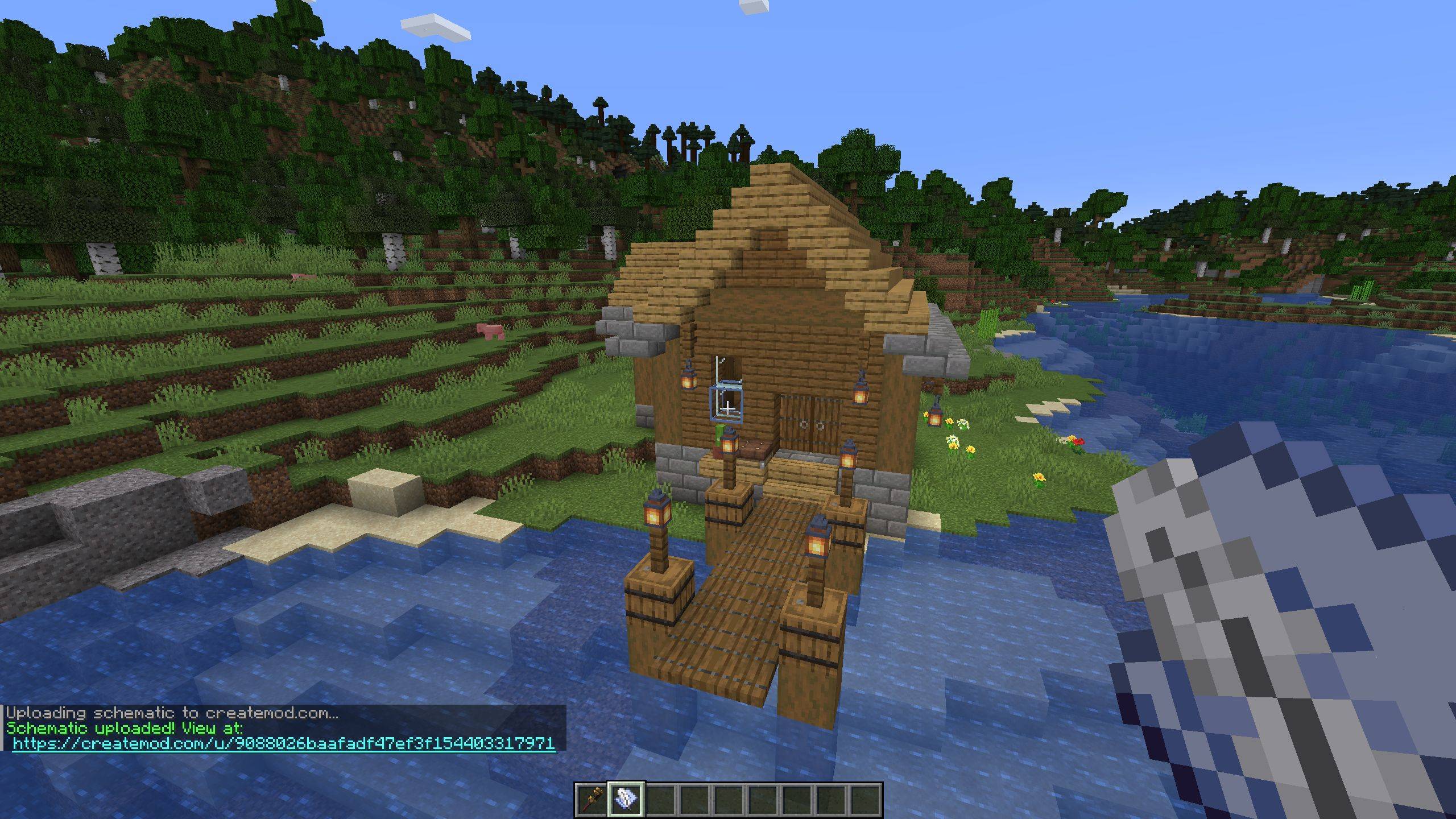 A link will be generated automatically A link will be generated automatically
-
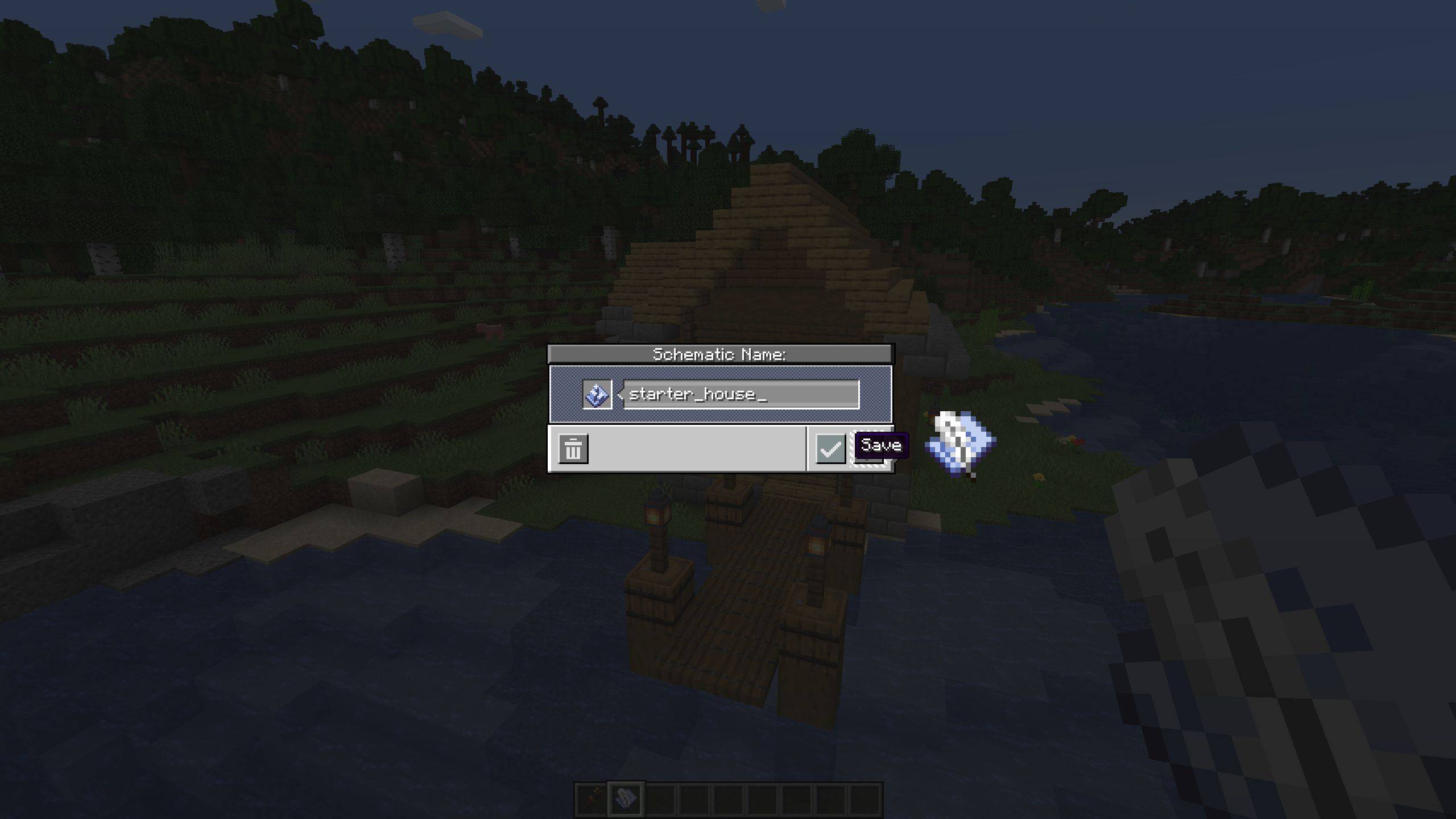 Begin by saving a schematic with the create mod Begin by saving a schematic with the create mod like you normally would
 -
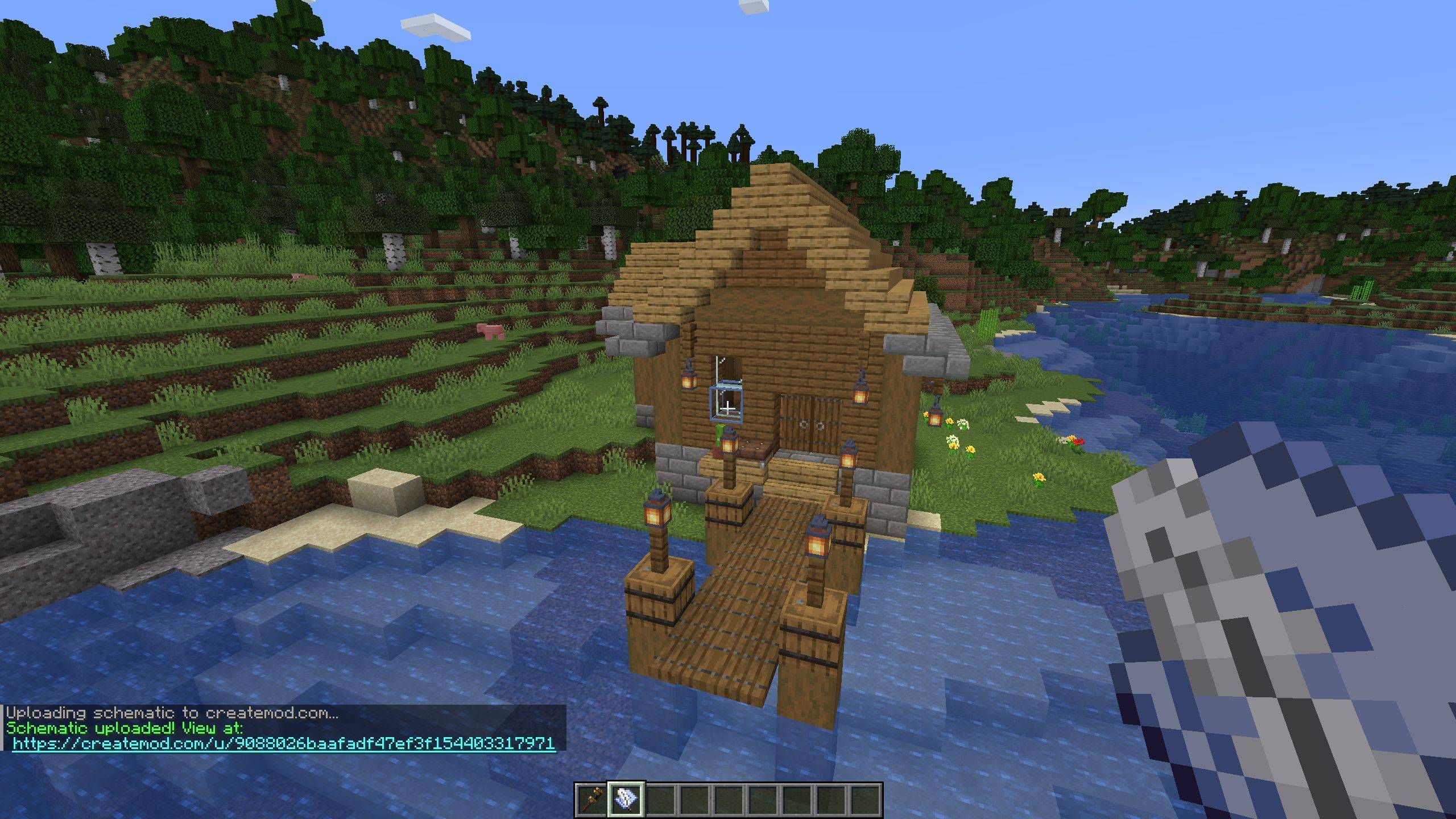 Then you will get a link Then you will get a link and your schematic is now hosted privately on CreateMod.com, you can share this link with friends
 -
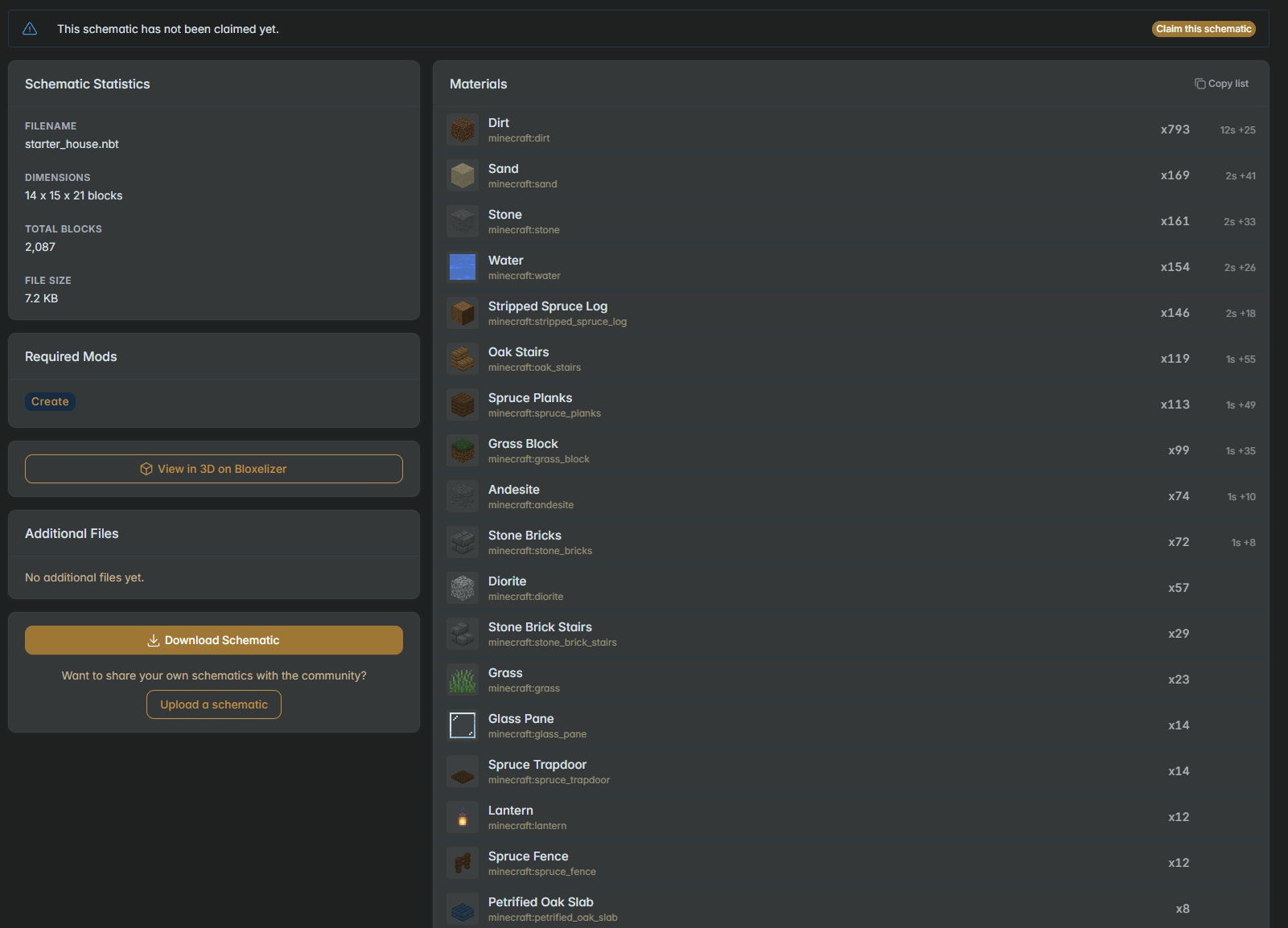 Going to the link will show stats and a material list Going to the link will show stats and a material list on CreateMod.com. You can then publish the schematic if you want to.
Versions
Files
Relations
Project Relations
More like this
Similar Mods
Suggestions use data such as tags, dependencies, dependents, descriptions, titles, and more to rank how much they overlap with this mod.
On ModDex
Community snapshot
By the numbers
Statistics
 (opens in a new tab)
Get it on
Available Platforms
On ModDex
Community snapshot
By the numbers