
Community listing page, reviews here may not be monitored by the author.
Inline


No reviews yet
a mod for inline text rendering

Community voices
Reviews
No reviews yet. Be the first to review this project!
Get it on
Available Platforms
Compatibility
Supported Environments
Required on the client. Installing it on the server adds functionality.
About
Project Details
For authors
Embed Badge
If you're the author of this project, you can embed a live badge anywhere that supports HTML or Markdown. It updates automatically whenever ratings change.
Use HTML for any page that supports it, or Markdown for README files and Markdown-based descriptions.
Identifiers
Platform IDs
About
Description
Inline
Inline is a minecraft library for rendering in-line with text. It has some player facing features, mostly for fun, but also to serve as examples and helpers for future devs.
Check out the gallery for some examples !
Player Facing Features
Clientside
Inline comes with a couple of built-in matchers:
- Items -- ex:
[item:diamond_sword]-- supports any item id - Entity -- ex:
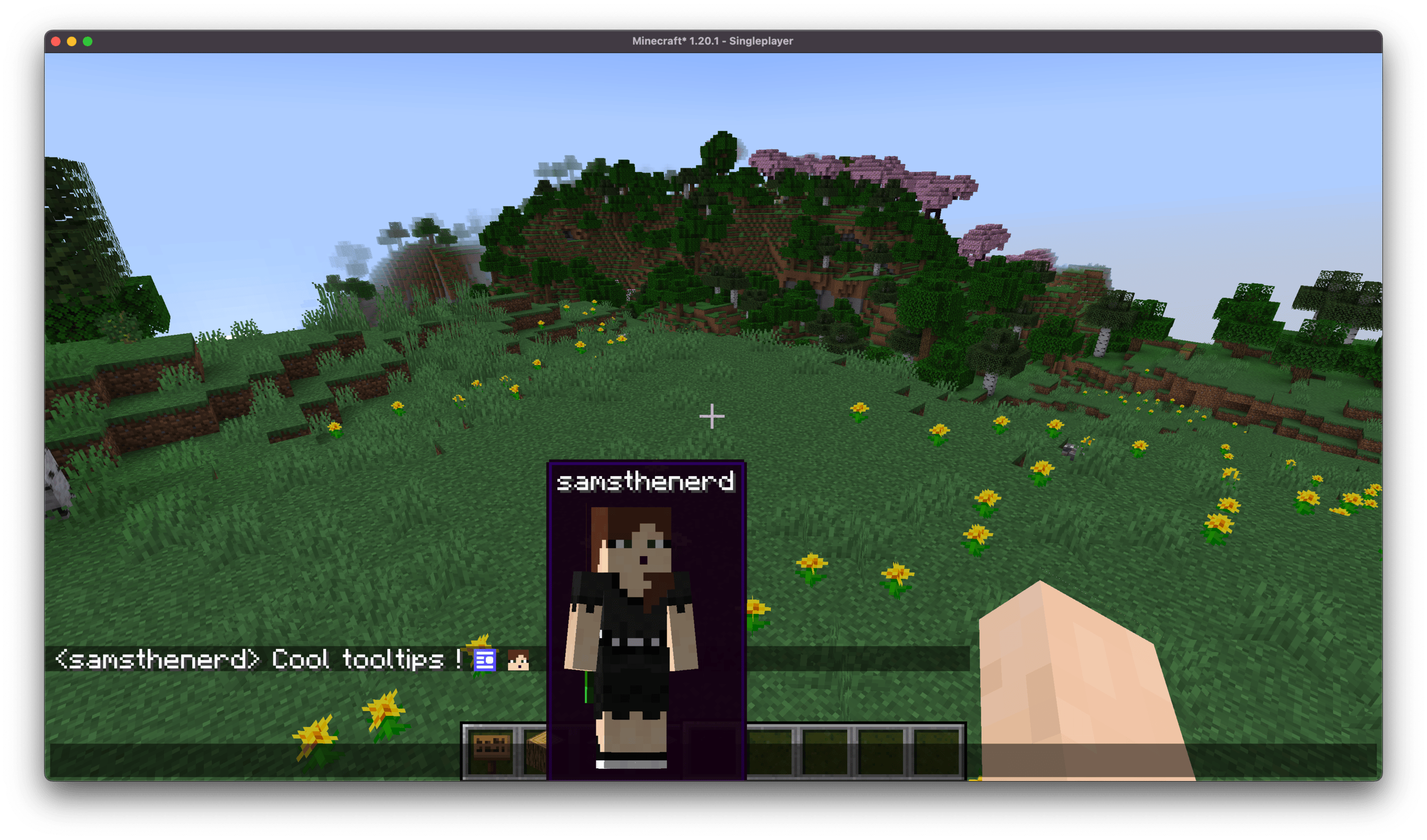
[entity:pig]-- supports any entity type id - Player heads -- ex:
[face:samsthenerd]-- supports player name - Mod Icon -- ex:
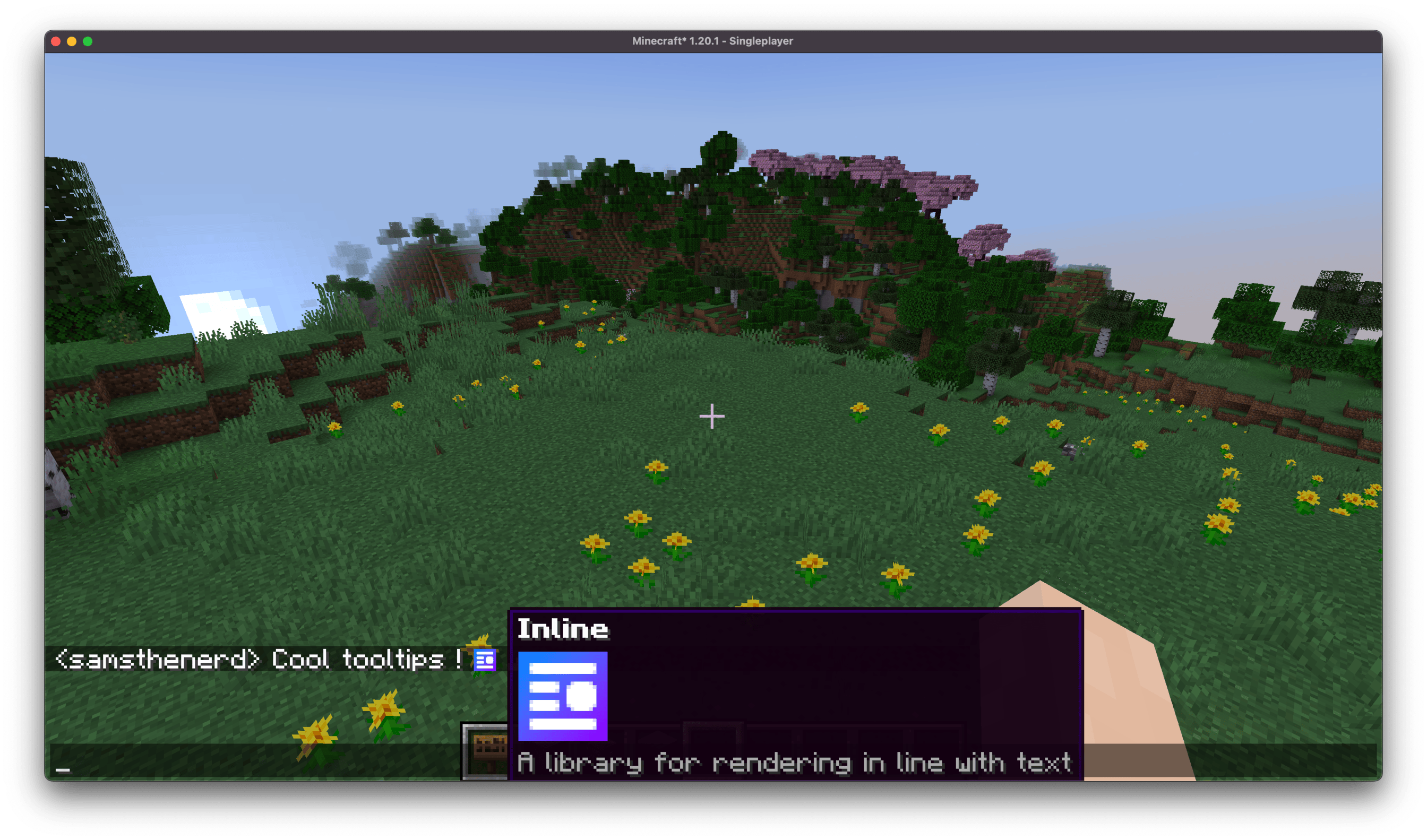
[mod:inline]
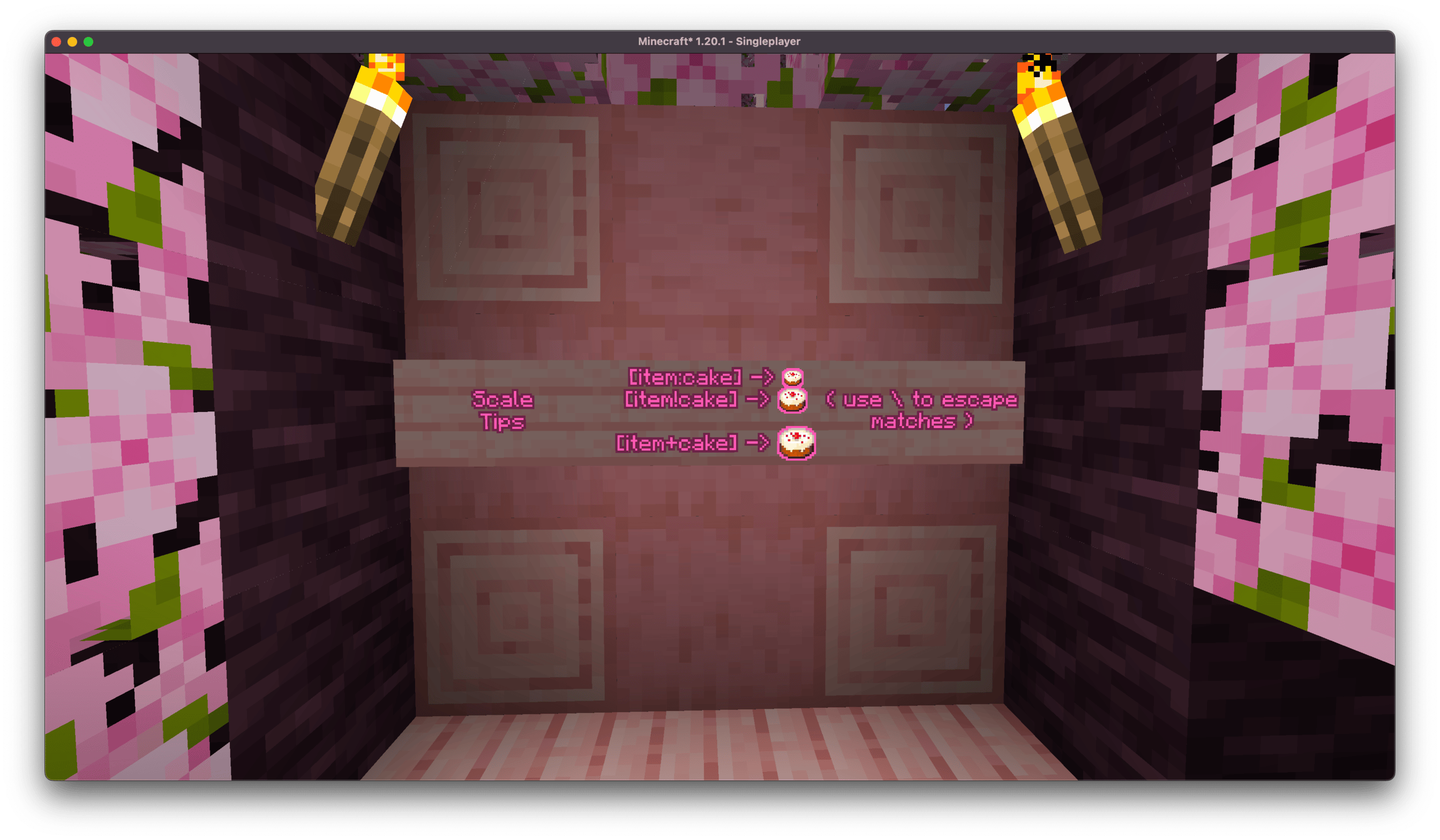
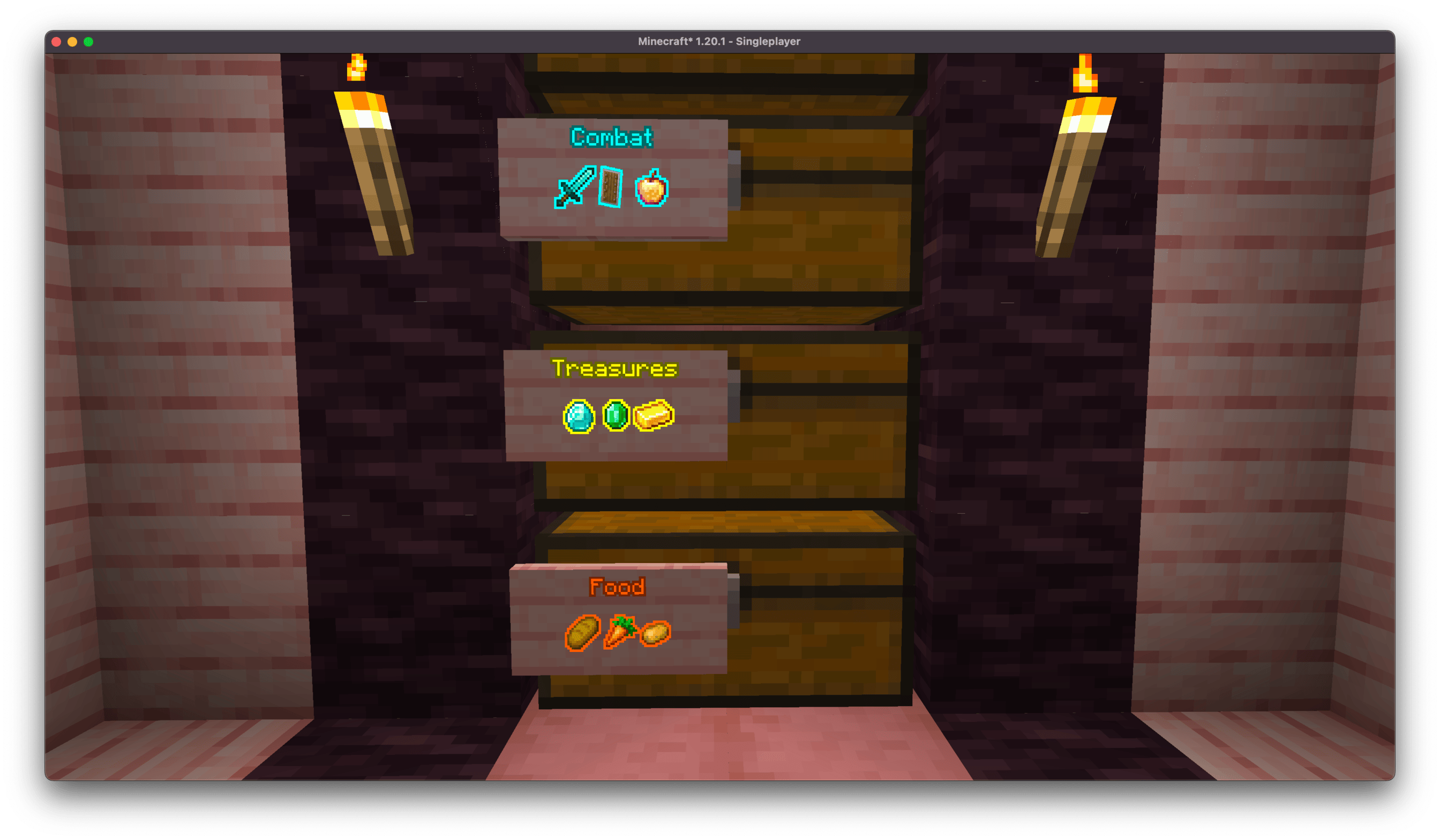
You can use various characters in place of the :, some of which modify the size of the render, good for sign labels!
;and:are normal size,is x0.75 scale!is x1.5 scale+is x2 scale
There's a clientside config for upper size limit of in-chat messages to prevent spam from blocking other messages.
You can also prefix any of these with \ to prevent it from matching.
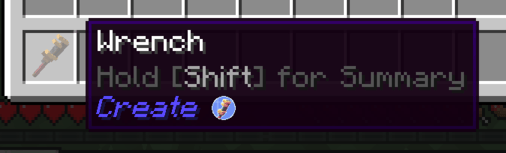
Some other mods, such as emi, rei, and probably others, add the name of the mod that an item comes from to its tooltip. Inline will look for this and attach the mod's icon to it.
All of these are configurable from the in-game config screen.
Create Interop
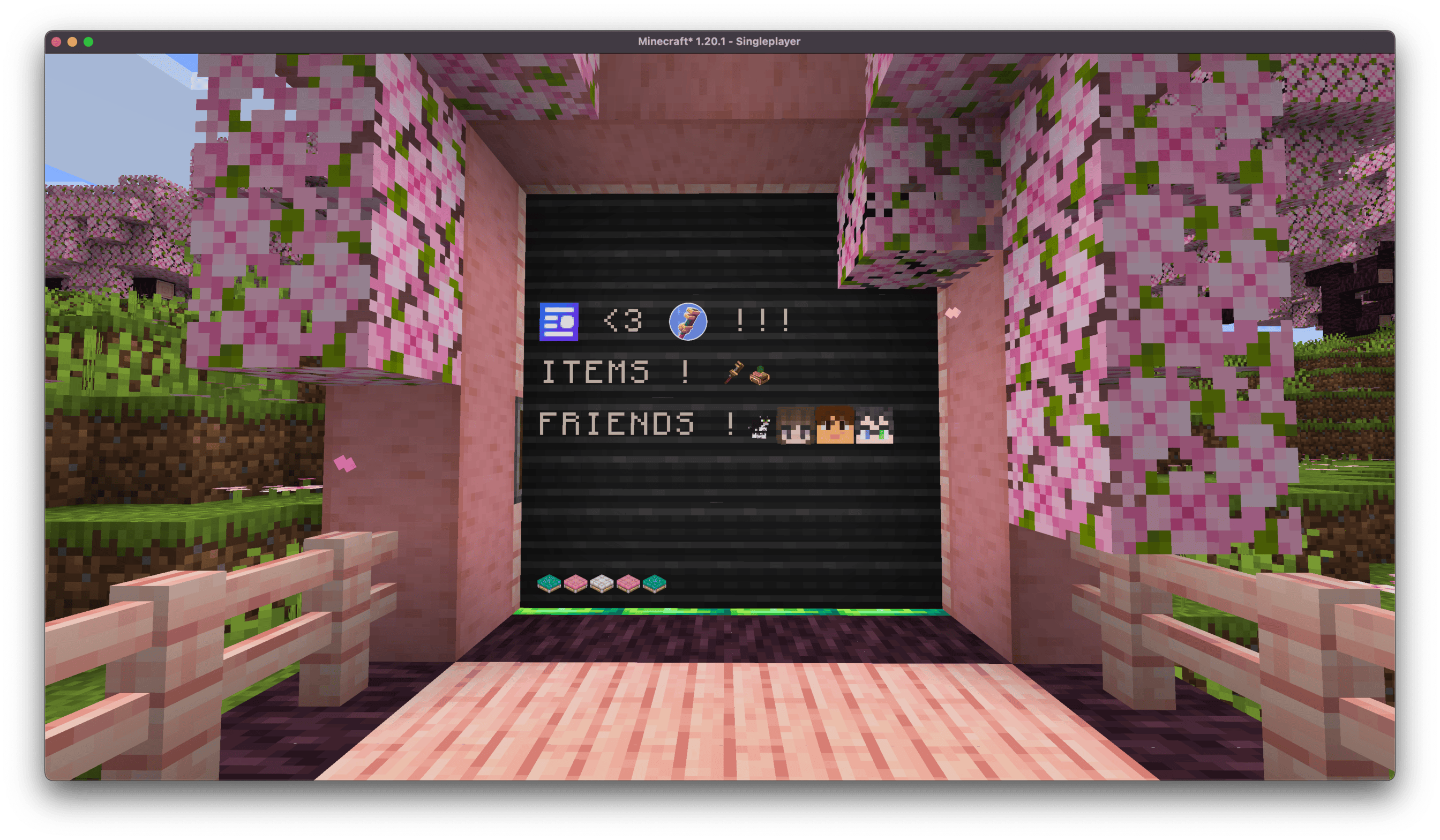
Inline renders can be used on the create display boards. Due to some limitations, it can be a bit iffy with display links where you need a wider display board than you'd think, otherwise it gets cut off and won't match/render properly.
Serverside
Server-side matchers match against [show:hand] or [show:offhand] to show off your currently held item in chat.
Known Mod Conflicts
- Emojiful - due to them replacing the text renderer, preventing inline's mixins from applying.
If you find any others, please open an issue about it !
Devs

Check out the readme for more information on developing with Inline !
Inline
Inline is a minecraft library for rendering in-line with text. It has some player facing features, mostly for fun, but also to serve as examples and helpers for future devs.
Check out the gallery for some examples !
Player Facing Features
Clientside
Inline comes with a couple of built-in matchers:
- Items -- ex:
[item:diamond_sword]-- supports any item id - Entity -- ex:
[entity:pig]-- supports any entity type id - Player heads -- ex:
[face:samsthenerd]-- supports player name - Mod Icon -- ex:
[mod:inline]
You can use various characters in place of the :, some of which modify the size of the render, good for sign labels!
;and:are normal size,is x0.75 scale!is x1.5 scale+is x2 scale
There's a clientside config for upper size limit of in-chat messages to prevent spam from blocking other messages.
You can also prefix any of these with \ to prevent it from matching.
Some other mods, such as emi, rei, and probably others, add the name of the mod that an item comes from to its tooltip. Inline will look for this and attach the mod's icon to it.
All of these are configurable from the in-game config screen.
Create Interop
Inline renders can be used on the create display boards. Due to some limitations, it can be a bit iffy with display links where you need a wider display board than you'd think, otherwise it gets cut off and won't match/render properly.
Serverside
Server-side matchers match against [show:hand] or [show:offhand] to show off your currently held item in chat.
Known Mod Conflicts
- Emojiful - due to them replacing the text renderer, preventing inline's mixins from applying.
If you find any others, please open an issue about it !
Devs
Check out the readme for more information on developing with Inline !
Screenshots
Gallery
-
 samtooltip.png samtooltip.png
 -
 inlinetooltip.png inlinetooltip.png
 -
 fishinator.png fishinator.png
 -
 foodchest.png foodchest.png
 -
 createtooltip.png createtooltip.png
 -
 inlinecreate.png inlinecreate.png
 -
 cakescales.png cakescales.png
 -
 labeledchests.png labeledchests.png
 -
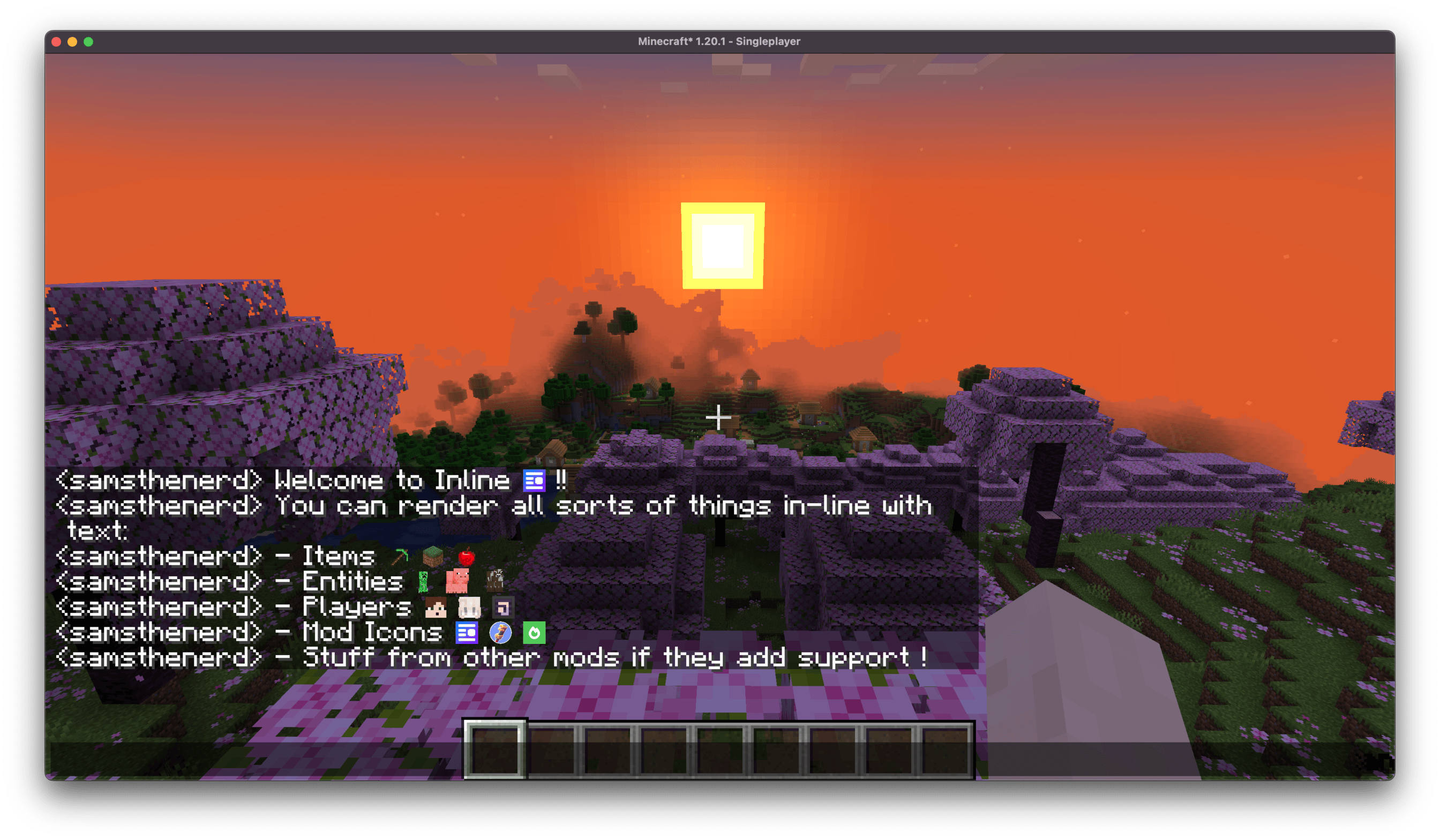 welcometoinline.png welcometoinline.png
-
 Welcome to Inline See all the cool stuff you can render inline.
 -
 Cake Scales Different separators can modify the size of the render
 -
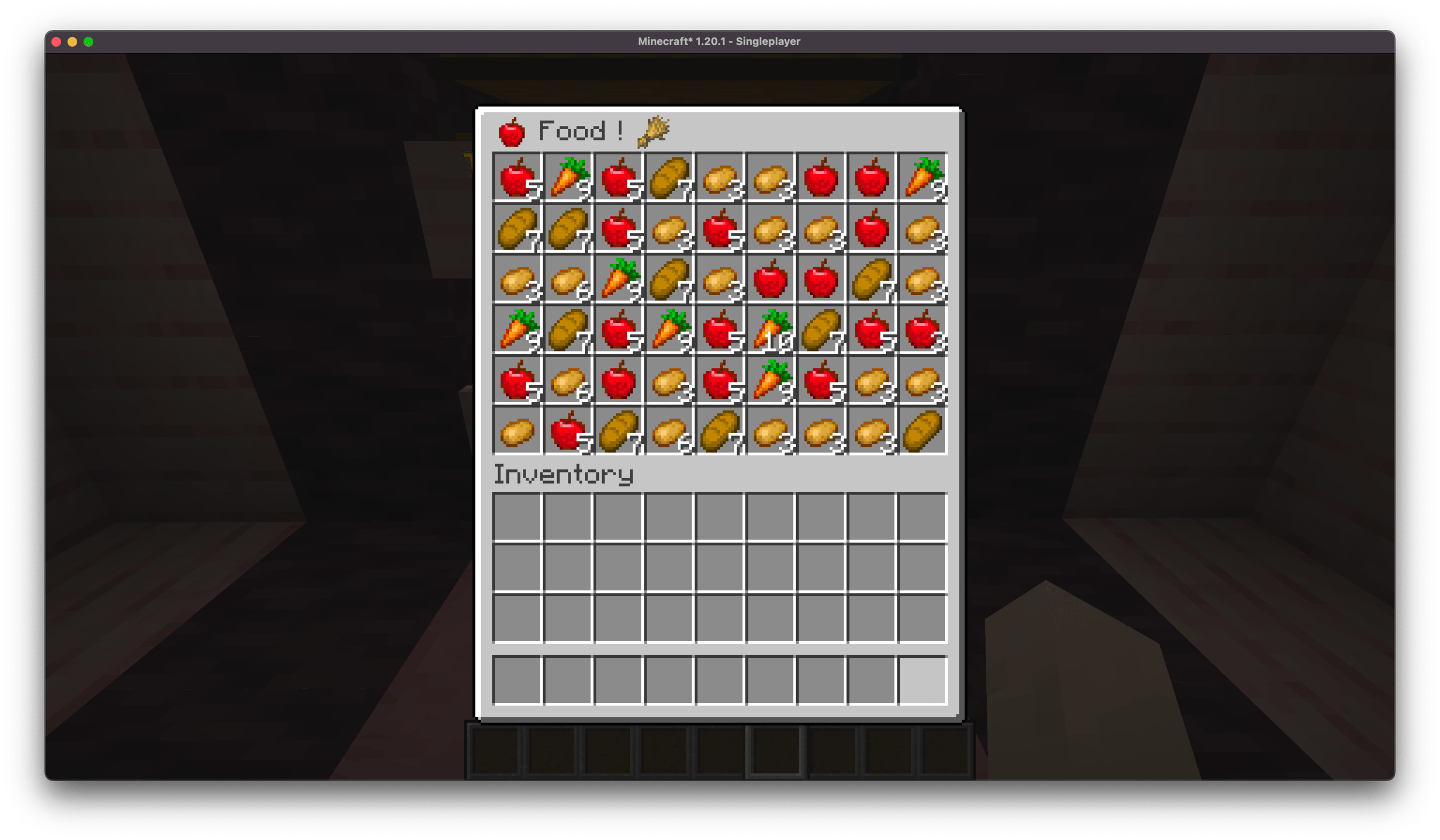
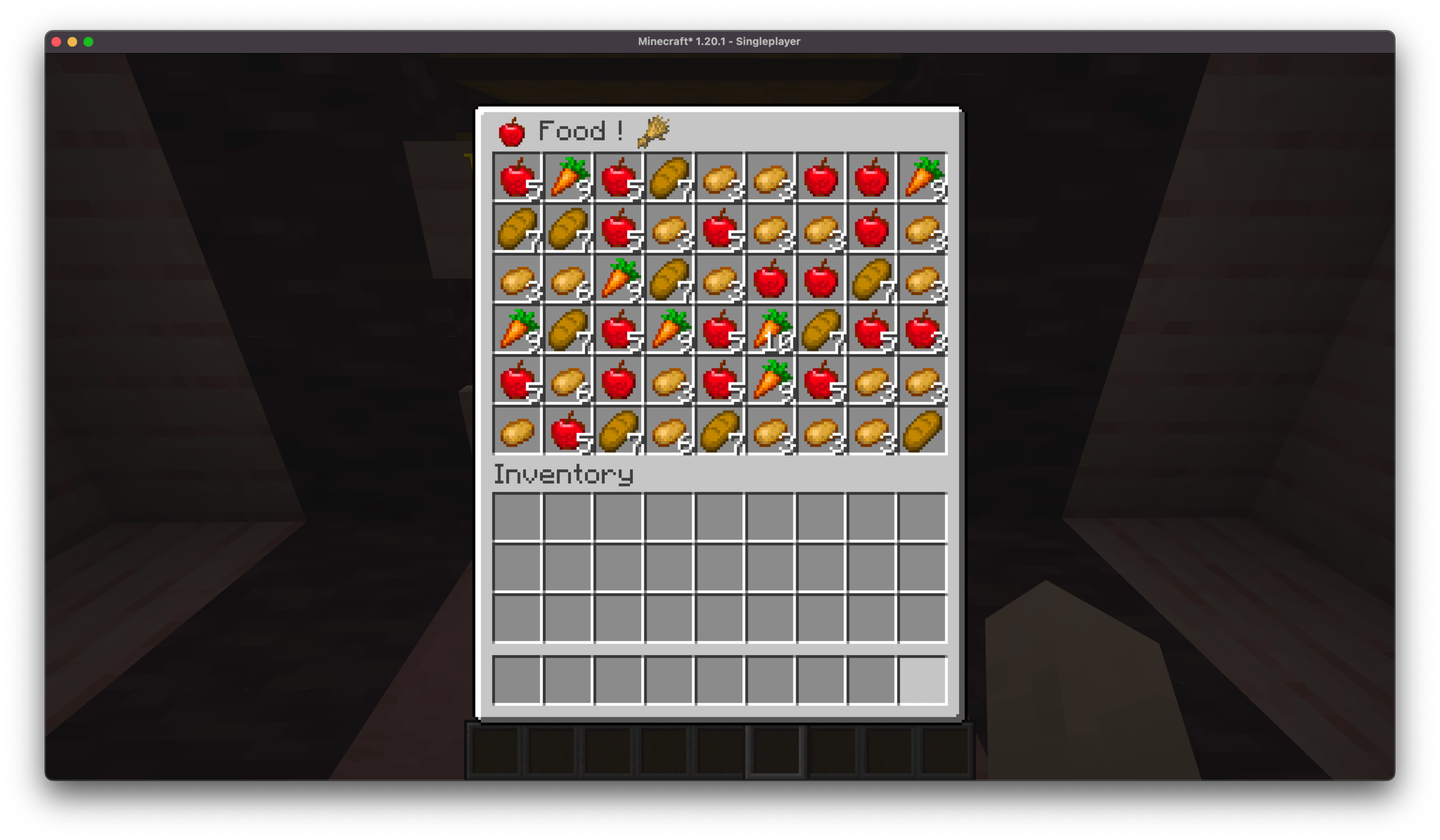 Food Chest Inline renders apply anywhere and everywhere ! Including chest/container names
 -
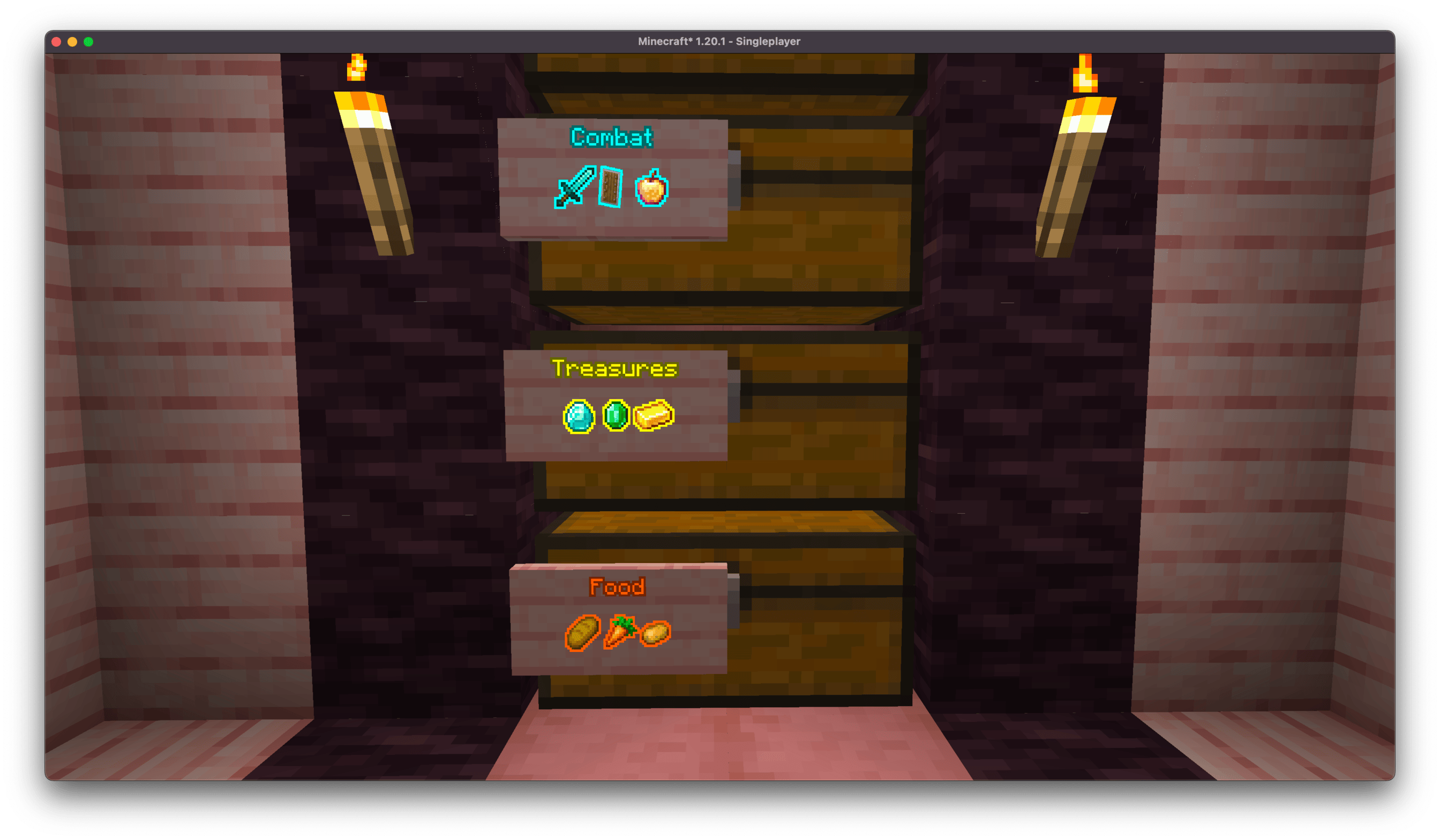 Chest Labels Scaled up inline renders can make for great labels !
 -
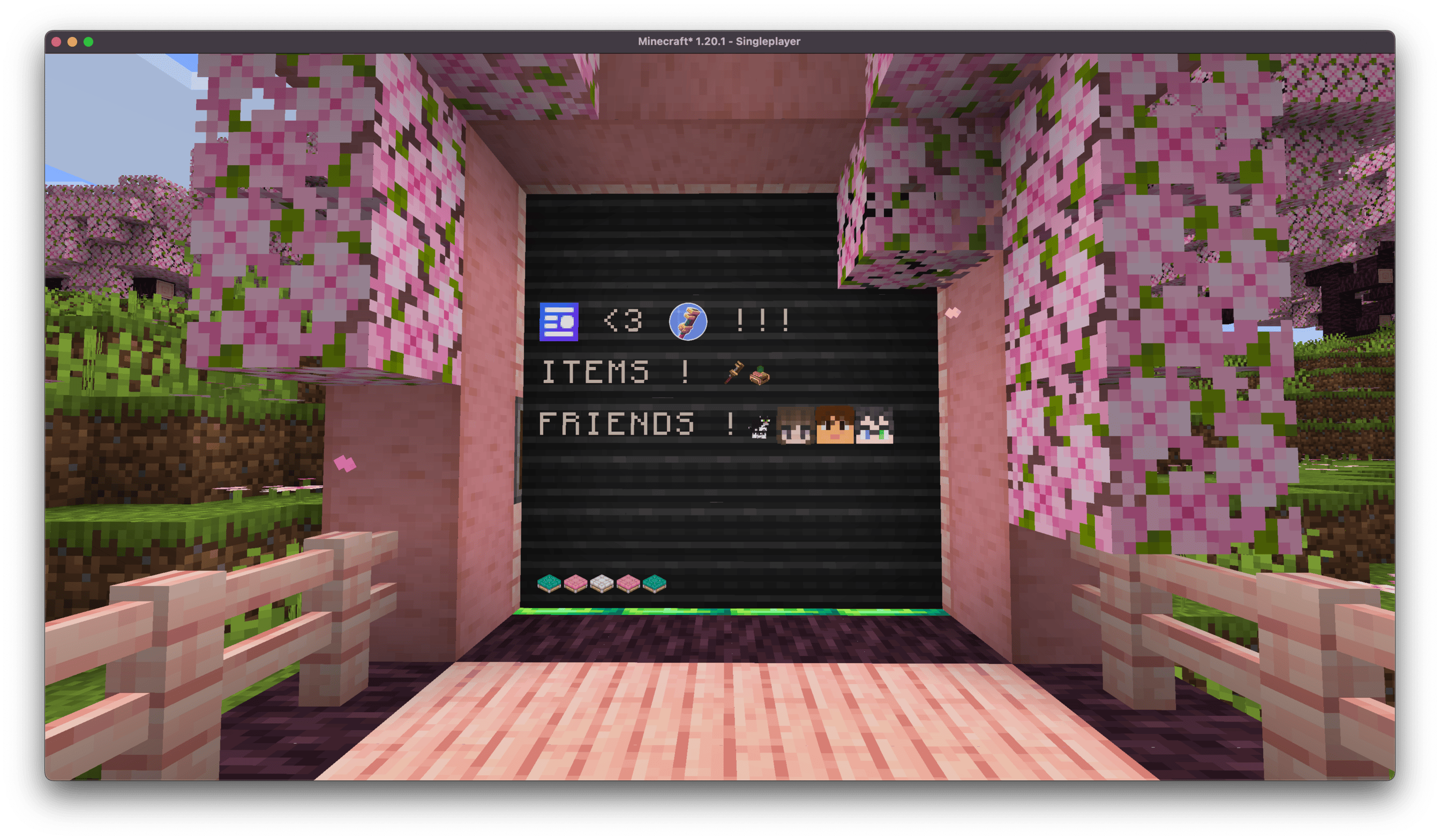 Inline <3 Create Inline renders work on display boards!
 -
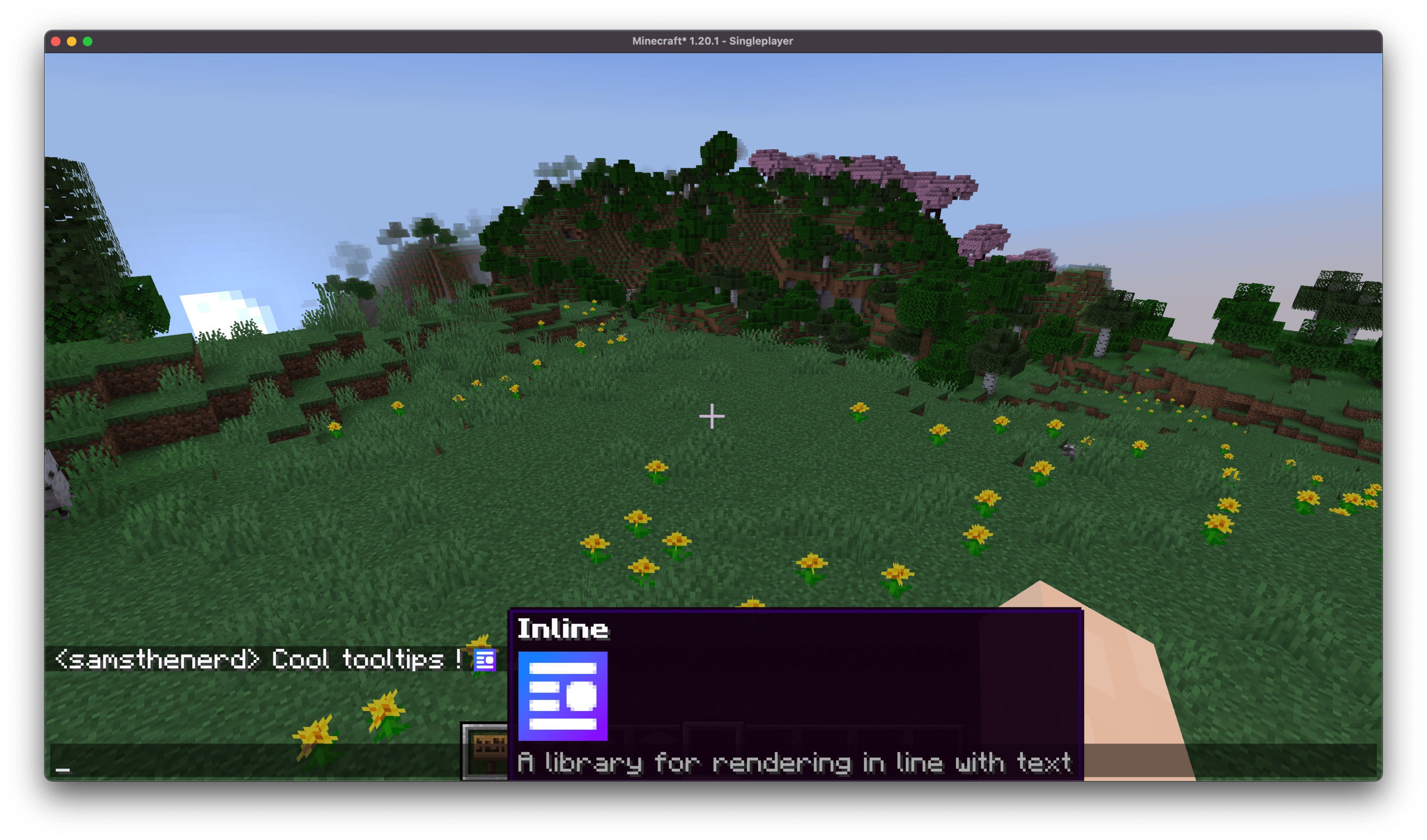 Inline Mod Tooltip Inline chat renders can have cool tooltips.
 -
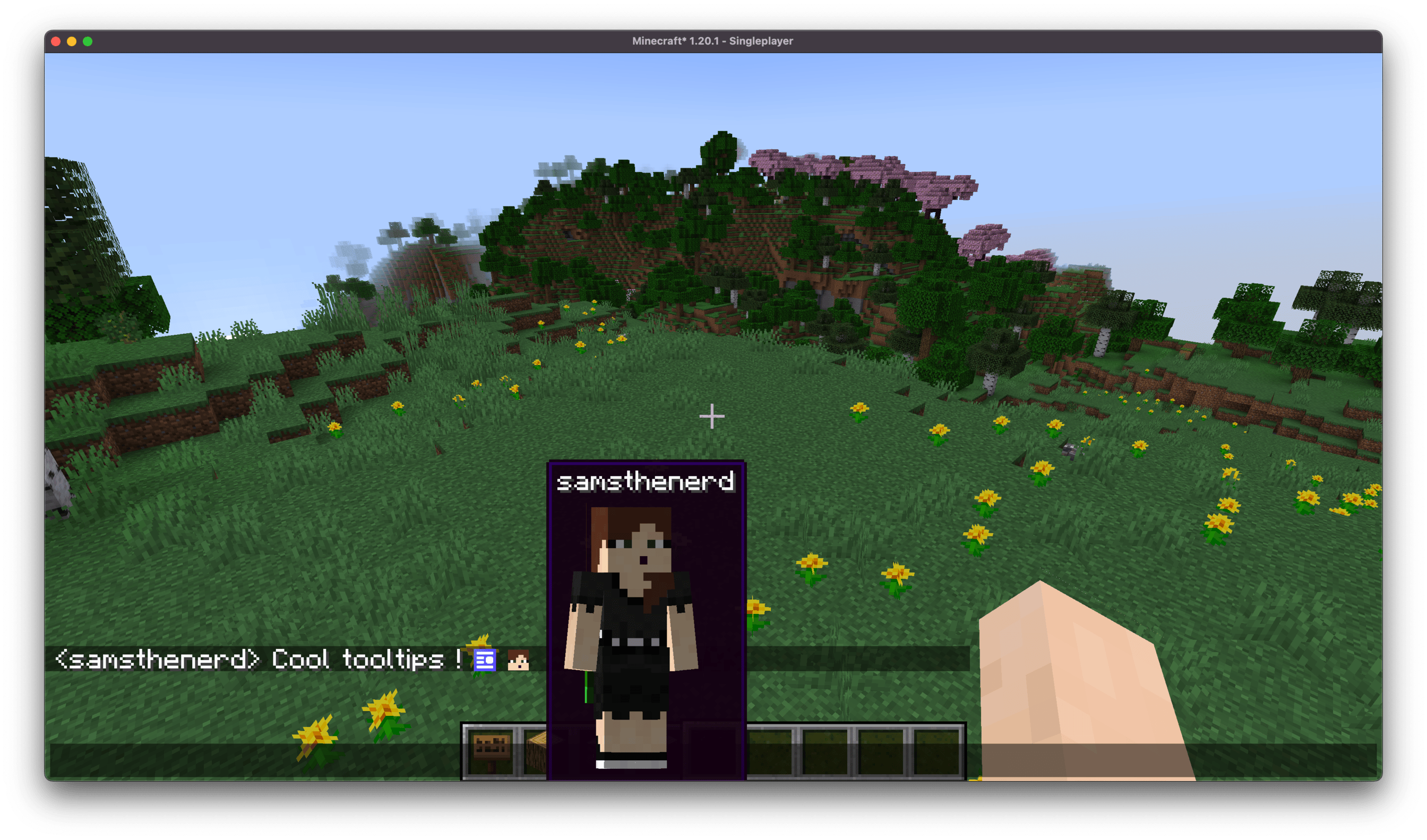 Player Tooltip Oh no, they trapped a gal in the inline player head tooltip !
 -
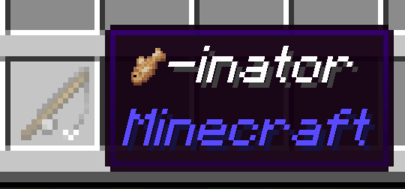
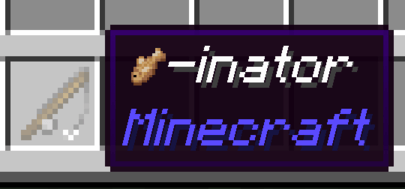 Fishinator Inline renders can apply in item names as well
 -
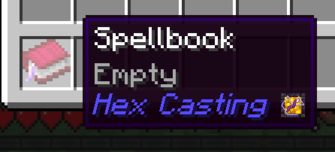 Inline Mod Icon Tooltip Inline adds mod icons to tooltips.
Versions
Files
Relations
Project Relations
More like this
Similar Mods
Suggestions use data such as tags, dependencies, dependents, descriptions, titles, and more to rank how much they overlap with this mod.
On ModDex
Community snapshot
By the numbers
Statistics
 (opens in a new tab)
Get it on
Available Platforms
On ModDex
Community snapshot
By the numbers