
Community listing page, reviews here may not be monitored by the author.
Carbon Config


No reviews yet
IC2Classics Config Library
Community voices
Reviews
No reviews yet. Be the first to review this project!
Get it on
Available Platforms
Compatibility
Supported Environments
Runs entirely on the server. Also works in singleplayer.
Must be installed on both the client and the server.
Varies by version.
About
Project Details
For authors
Embed Badge
If you're the author of this project, you can embed a live badge anywhere that supports HTML or Markdown. It updates automatically whenever ratings change.
Use HTML for any page that supports it, or Markdown for README files and Markdown-based descriptions.
Identifiers
Platform IDs
About
Description
Carbon Config is a Config Library first Developed for IC2Classic and now made a Open Source implementation.
The idea behind Carbon Config is to have more customizable, simpler, more stable, cleaner and feature rich implementation of a config.
Carbon Config is built out of 2 Modules.
- The Config module, which is a standalone Java Library
- The GUI module, which is a Minecraft mod
The GUI supports both CarbonConfigs and Forge Configs right out of the gate.
A detailed Feature list can be found here
To list a few of its features:
- Compounds:
Data can be visualized via Compounds instead of raw Strings.
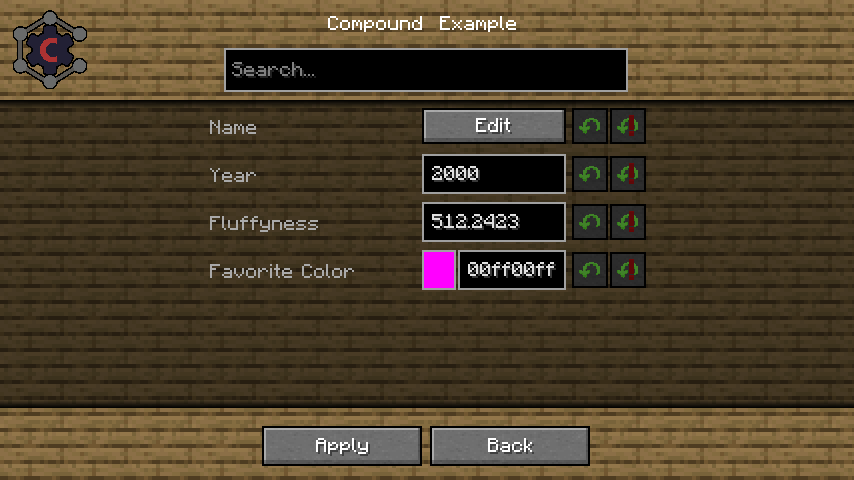
- Suggestions:
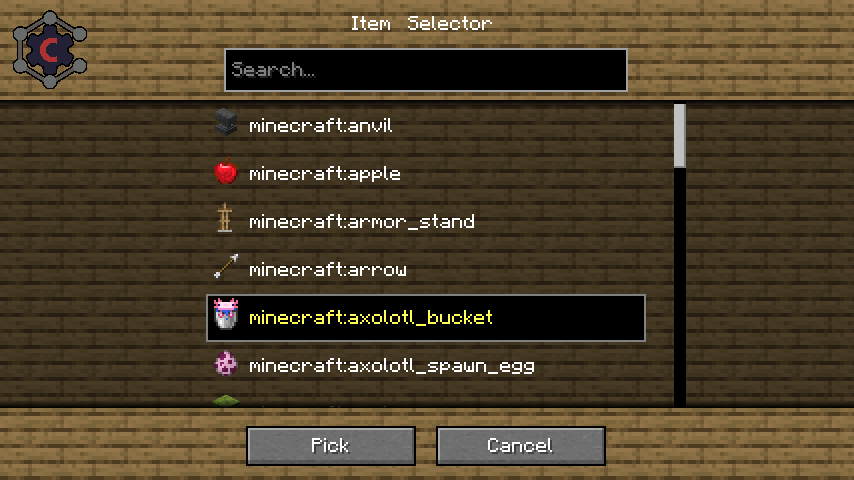
Suggestions can be provided to the user in form of "default values" to make the user experience much more smooth.
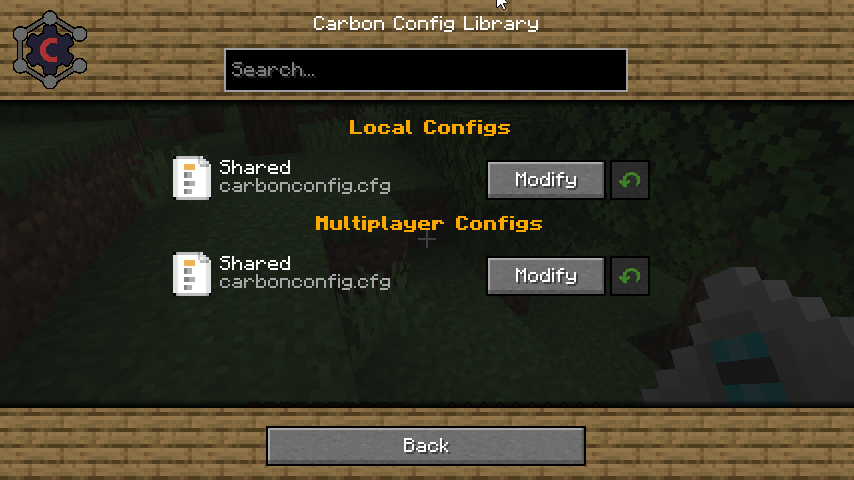
- Multiplayer Support:
You can edit "Any" Server sided config too, not just "server only configs"
- Client to Server Configs:
Players can have their own settings in a Multiplayer instance and they can be easily distinguished. - Late Loading Configs:
If the config loads early but entries are "registered" late, that isn't a problem since the configs get parsed as they are registered. - Registry Visualization:
If it is Items/Block/Fluids/Potions/Enchantments/Colors get all visualized specially in the GUI. - Background Skin System:
If you don't like the current background? Simply change it to one of the curated choices provided. There should be something for everyone!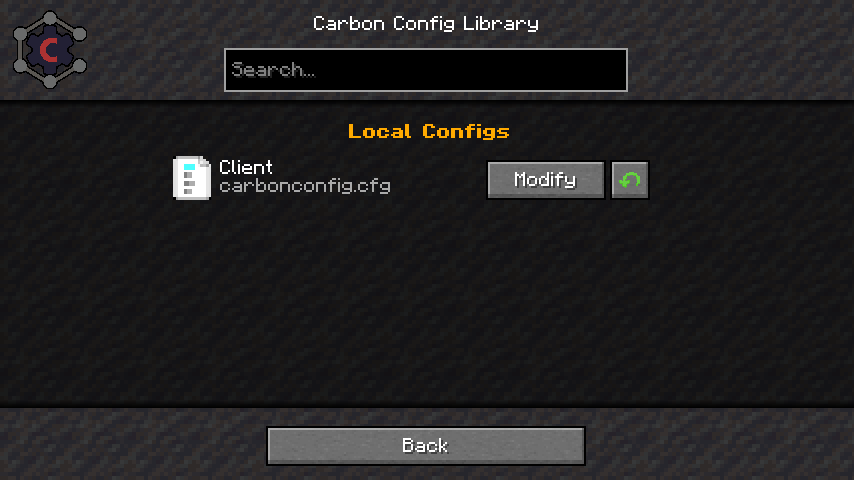
- Minecraft gamerule support:
You can edit game rules of your current world/server or existing Worlds without having to open them. Which finally gives a use to the fabric version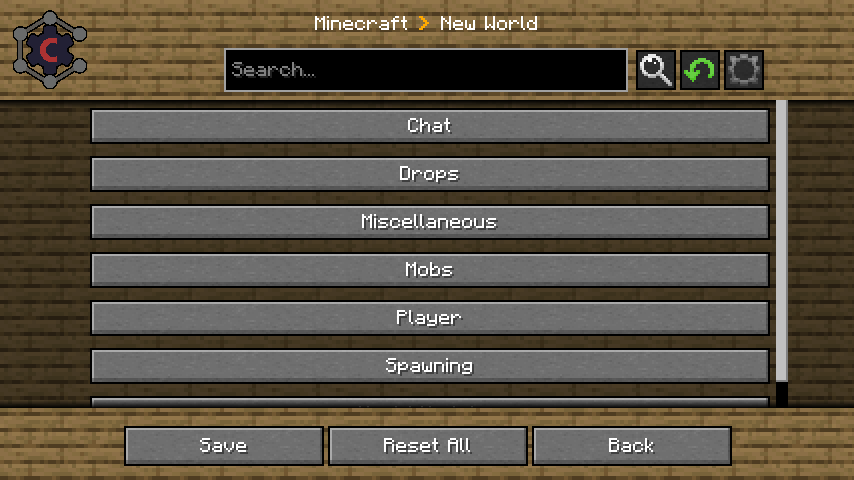
Carbon Config is a Config Library first Developed for IC2Classic and now made a Open Source implementation.
The idea behind Carbon Config is to have more customizable, simpler, more stable, cleaner and feature rich implementation of a config.
Carbon Config is built out of 2 Modules.
- The Config module, which is a standalone Java Library
- The GUI module, which is a Minecraft mod
The GUI supports both CarbonConfigs and Forge Configs right out of the gate.
A detailed Feature list can be found here
To list a few of its features:
-
Compounds:
Data can be visualized via Compounds instead of raw Strings.
-
Suggestions:
Suggestions can be provided to the user in form of "default values" to make the user experience much more smooth.
-
Multiplayer Support:
You can edit "Any" Server sided config too, not just "server only configs"
-
Client to Server Configs:
Players can have their own settings in a Multiplayer instance and they can be easily distinguished. -
Late Loading Configs:
If the config loads early but entries are "registered" late, that isn't a problem since the configs get parsed as they are registered. -
Registry Visualization:
If it is Items/Block/Fluids/Potions/Enchantments/Colors get all visualized specially in the GUI. -
Background Skin System:
If you don't like the current background? Simply change it to one of the curated choices provided. There should be something for everyone!
-
Minecraft gamerule support:
You can edit game rules of your current world/server or existing Worlds without having to open them. Which finally gives a use to the fabric version
Screenshots
Gallery
-
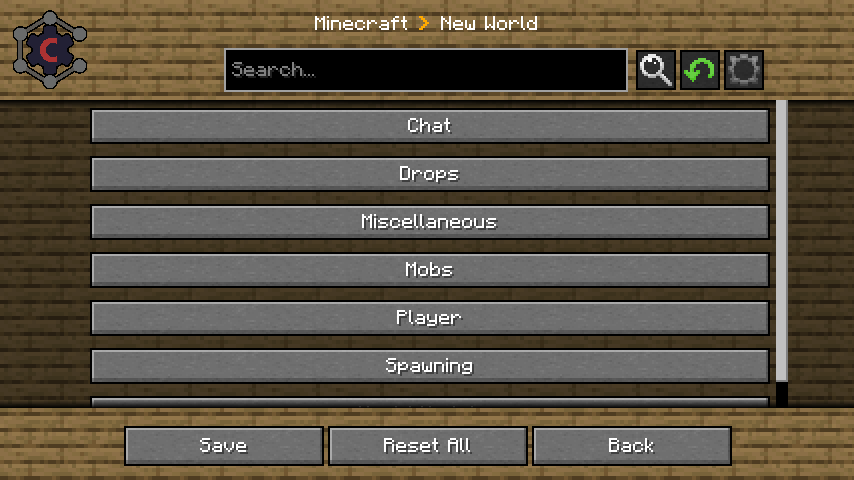 Minecraft Gamerule support You can now edit game rules in your current or existing worlds using Carbon config!
 -
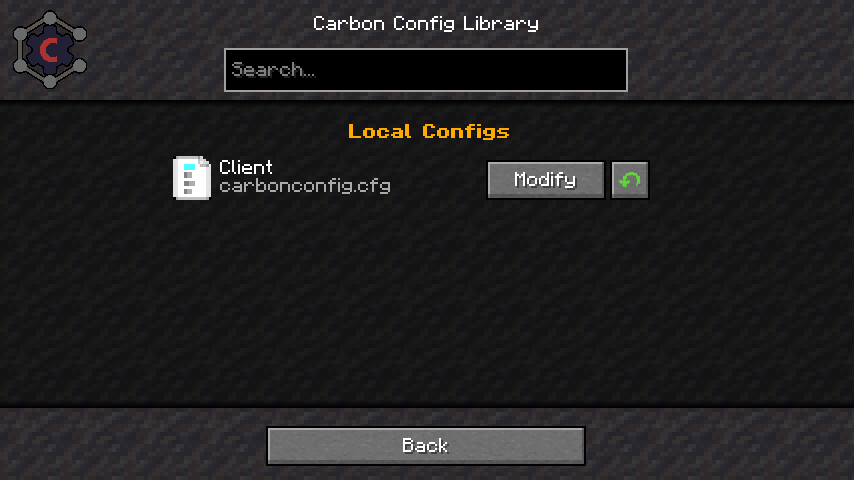 Background Skin System If you don't like the current background. Simply change it!
 -
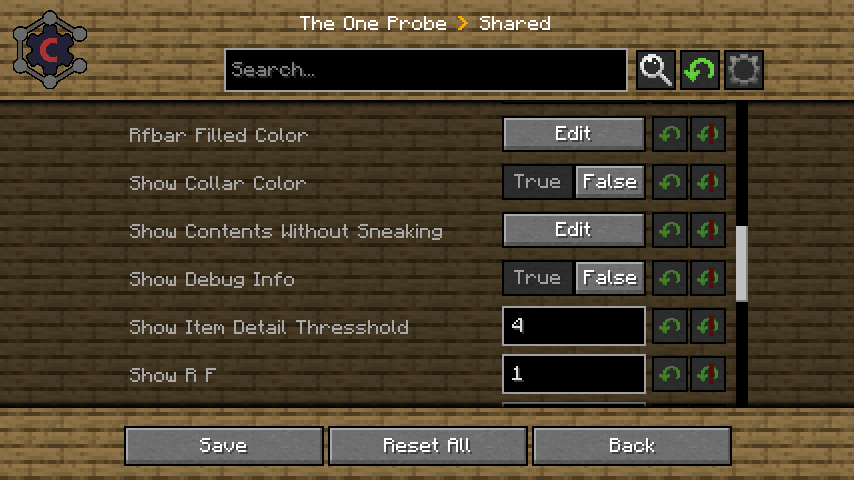 Forge Config Example Carbon Config also Supports Forge Configs by default. That also includes Multiplayer features
 -
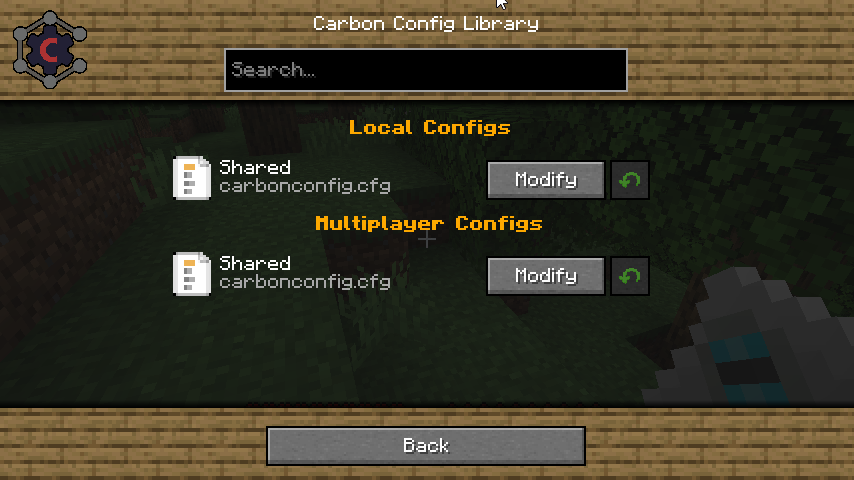 File Selector Example This Example shows the File Selector of Carbon Config. Which supports Editing even shared Config files in Multiplayer (if permissions are present)
 -
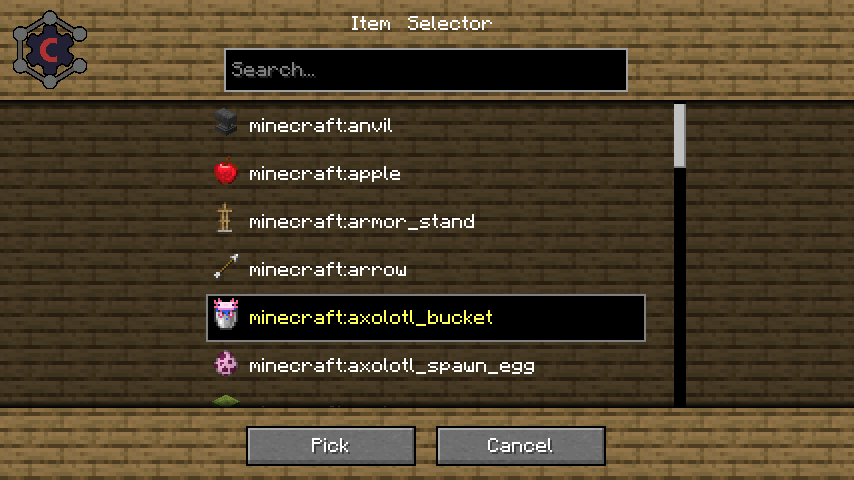 Entry Selector Example Carbon Config comes with a Selector of different Types. For Items/Blocks/Fluids/Potions/Enchantments a Item visualization is provided.
 -
 Compound Example This Example shows how Compound Configs can look like. The actual config value would look like this: "Testing;2000;512.2423;0x00FF00FF"
 -
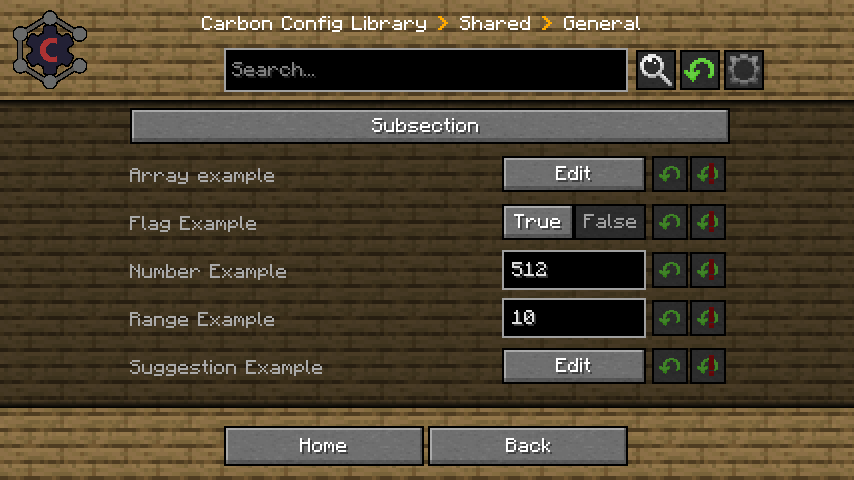 Basic Example This is a basic Example of how the Config can look like
-
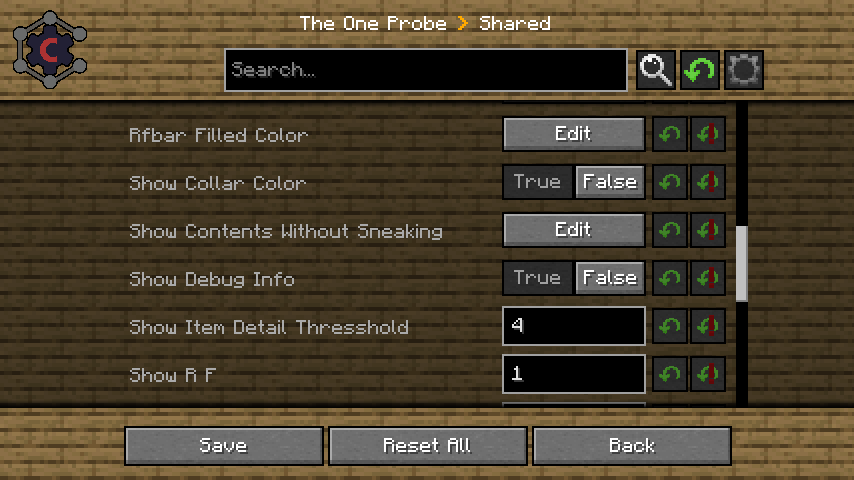 Forge Config Example Carbon Config also Supports Forge Configs by default. That also includes Multiplayer features
 -
 File Selector Example This Example shows the File Selector of Carbon Config. Which supports Editing even shared Config files in Multiplayer (if permissions are present)
 -
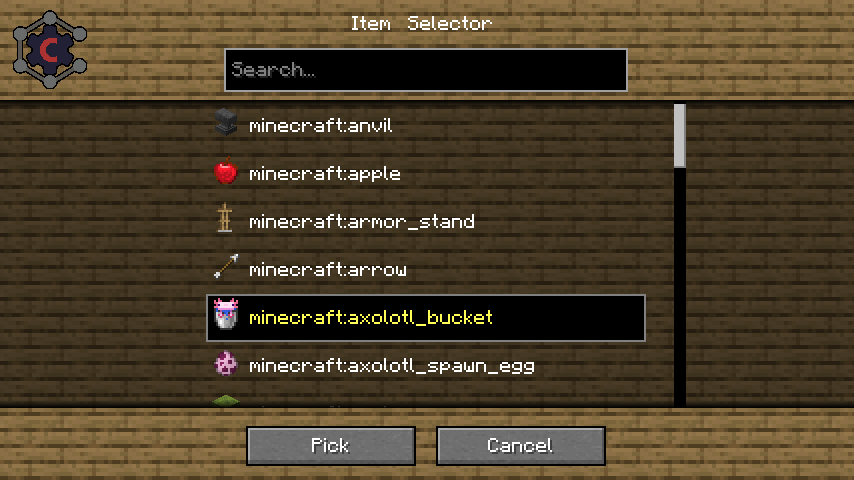 Entry Selector Example Carbon Config comes with a Selector of different Types. For Items/Blocks/Fluids/Potions/Enchantments a Item visualization is provided.
 -
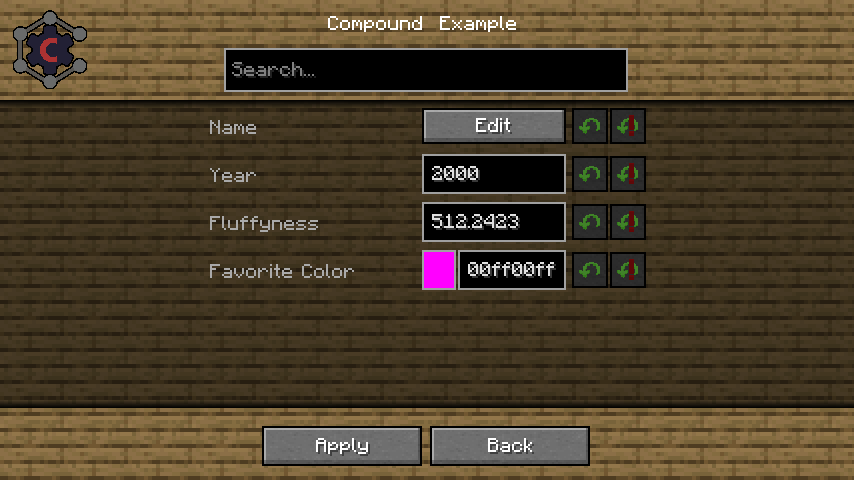 Compound Example This Example shows how Compound Configs can look like. The actual config value would look like this: "Testing;2000;512.2423;0x00FF00FF"
 -
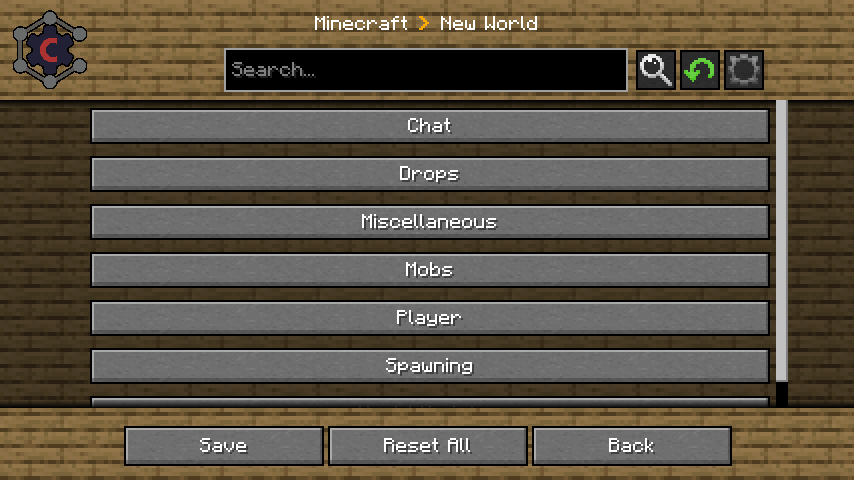 Minecraft Gamerule Support You can now edit game rules in your current or existing worlds using Carbon config! Now the Fabric version is no longer useless without mods using it!
 -
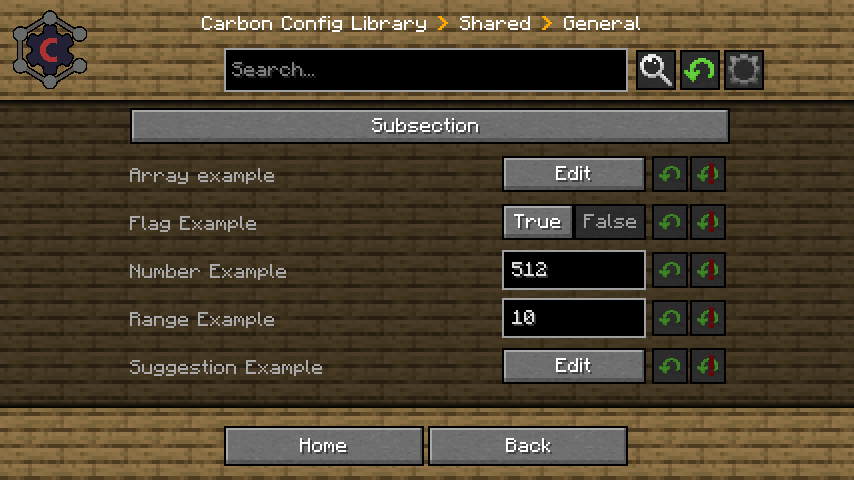 Basic Example This is a basic Example of how the Config can look like
 -
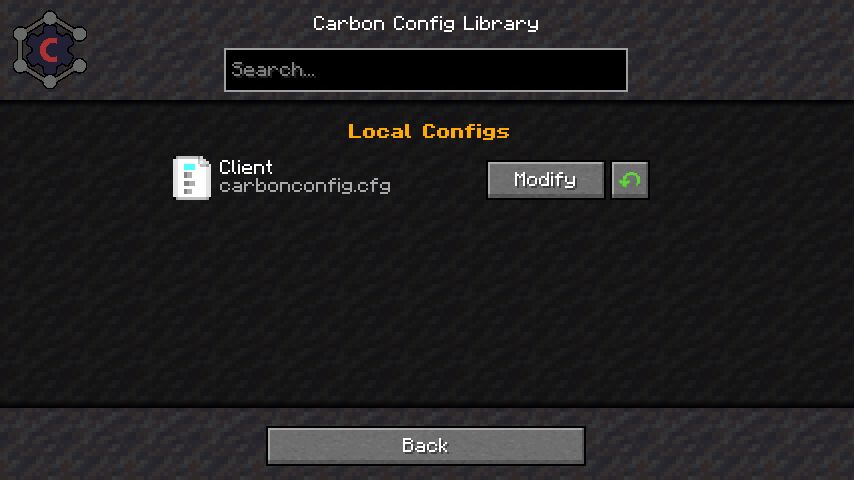 Background Skin System If you don't like the current background. Simply change it!
Versions
Files
Relations
Project Relations
More like this
Similar Mods
Suggestions use data such as tags, dependencies, dependents, descriptions, titles, and more to rank how much they overlap with this mod.
On ModDex
Community snapshot
By the numbers
Statistics
Want to reach Minecraft players?
We're looking for a server hosting partner to feature here and other parts of the site. Interested? Send us a message!
Get in touchGet it on
Available Platforms
On ModDex
Community snapshot
By the numbers