Community listing page, reviews here may not be monitored by the author.
Crust


No reviews yet
A modding and testing toolkit with a few other minor utilities.
Community voices
Reviews
No reviews yet. Be the first to review this project!
Get it on
Available Platforms
Compatibility
Supported Environments
Must be installed on both the client and the server.
About
Project Details
For authors
Embed Badge
If you're the author of this project, you can embed a live badge anywhere that supports HTML or Markdown. It updates automatically whenever ratings change.
Use HTML for any page that supports it, or Markdown for README files and Markdown-based descriptions.
Identifiers
Platform IDs
About
Description
Crust
Source: https://github.com/FatherToast/
Discussion: https://discord.gg/GFTzTdX
Crust is a code library and testing toolkit designed to make some people's lives easier and provide some very basic gameplay features. Everything is configurable.
The testing toolkit:
The primary feature of this toolkit is a set of customizable and keybindable command-driven buttons added to the inventory screen. There are currently 19 built-in buttons and 16 user-defined buttons (pick its look and slap in whatever commands you want it to run). As an added bonus, the mod allows you to configure the default game rules for newly created worlds.
Crust modes:
Additional player capabilities mainly for testing purposes. The starting modes for new players, required OP level to change each mode, some client preferences, and server limitations are all configurable.
By default, the only mode that is enabled for new players and does not require 'cheating ability' is Magnet.
Available modes:
- Magnet - Pull nearby items toward you.
- Undying - Fully recover instead of dying.
- Unbreaking - Frequently fully repairs your items (note: does NOT prevent them from taking damage).
- Uneating - Restore food level when it drops below a threshold.
- Destroy-on-pickup - Manage inventory clutter. Destroy all items that try to invade your inventory!
- Super vision - Continuous night vision, disables (water) fog and blindness.
- Super speed - Increases sprint speed.
Commands:
Extra inventory buttons and 'Crust mode' management are command-driven. This is how they work!
Available commands:
- /crustclean pointer [<player>] - Destroy item on pointer.
- /crustmode [<player>] - Check active Crust modes.
- /crustmode <mode> (disable|<value>) [<players>] - Enable or disable a Crust mode.
- /crustportal (<portal_type>) [<target>] - Create a dimension portal.
- /crustrecover [all|health|hunger|effects] [<targets>] - Restore health/hunger and/or remove all negative effects.
Config management:
Crust provides its own config implementation as an alternate to Forge's configs.
Key features of Crust configs:
- Easy for modders to implement configs, easy for players to use configs.
- Organize and format your configs the way you want them.
- Editable in-game through GUI (not all field types are supported yet!).
- Useful built-in field types and the ability to implement your own.
Other modding utilities:
- Advancement load event.
- Tile entity bounding box renderer (simple renderers than only run when F3+B is on).
- Portal registry for /crustportal command.
- Data gen tools (currently just a loot table builder).
- Named setBlock flags and entity/level event codes.
- NBT and miscellaneous math helpers.
Crust
Source: https://github.com/FatherToast/
Discussion: https://discord.gg/GFTzTdX
If you find any bugs or issues, please use the GitHub issues tracker, accessible from the GitHub link or the "Report issues" link.
For feature requests, please submit a ticket in the GitHub issues tracker or ask on Discord!
Crust is a code library and testing toolkit designed to make some people's lives easier and provide some very basic gameplay features. Everything is configurable.
The testing toolkit:
The primary feature of this toolkit is a set of customizable and keybindable command-driven buttons added to the inventory screen. There are currently 19 built-in buttons and 16 user-defined buttons (pick its look and slap in whatever commands you want it to run). As an added bonus, the mod allows you to configure the default game rules for newly created worlds.
Crust modes:
Additional player capabilities mainly for testing purposes. The starting modes for new players, required OP level to change each mode, some client preferences, and server limitations are all configurable.
By default, the only mode that is enabled for new players and does not require 'cheating ability' is Magnet.
Available modes:
- Magnet - Pull nearby items toward you.
- Undying - Fully recover instead of dying.
- Unbreaking - Frequently fully repairs your items (note: does NOT prevent them from taking damage).
- Uneating - Restore food level when it drops below a threshold.
- Destroy-on-pickup - Manage inventory clutter. Destroy all items that try to invade your inventory!
- Super vision - Continuous night vision, disables (water) fog and blindness.
- Super speed - Increases sprint speed.
Commands:
Extra inventory buttons and 'Crust mode' management are command-driven. This is how they work!
Available commands:
- /crustclean pointer [] - Destroy item on pointer.
- /crustmode [] - Check active Crust modes.
- /crustmode (disable|) [] - Enable or disable a Crust mode.
- /crustportal (<portal_type>) [] - Create a dimension portal.
- /crustrecover [all|health|hunger|effects] [] - Restore health/hunger and/or remove all negative effects.
Config management:
Crust provides its own config implementation as an alternate to Forge's configs.
Key features of Crust configs:
- Easy for modders to implement configs, easy for players to use configs.
- Organize and format your configs the way you want them.
- Editable in-game through GUI (not all field types are supported yet!).
- Useful built-in field types and the ability to implement your own.
Other modding utilities:
- Advancement load event.
- Tile entity bounding box renderer (simple renderers than only run when F3+B is on).
- Portal registry for /crustportal command.
- Data gen tools (currently just a loot table builder).
- Named setBlock flags and entity/level event codes.
- NBT and miscellaneous math helpers.
Screenshots
Gallery
-
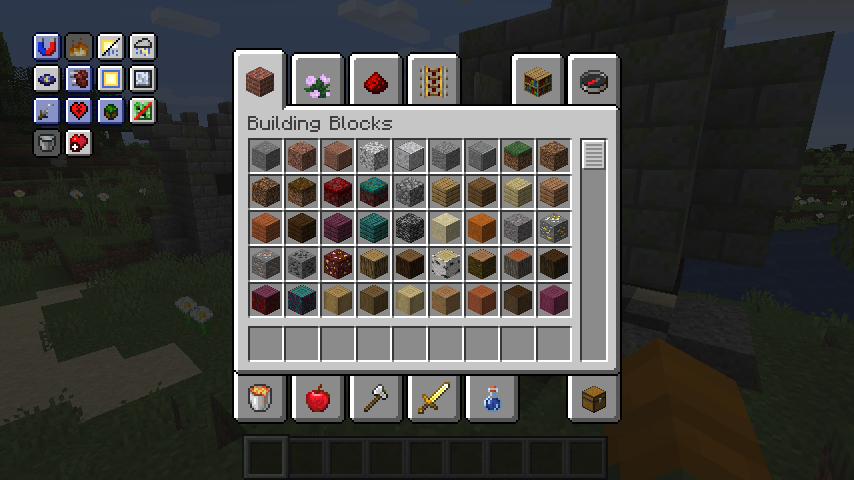 Extra Inventory Buttons - Creative The default layout for extra inventory buttons when cheats are enabled.
 -
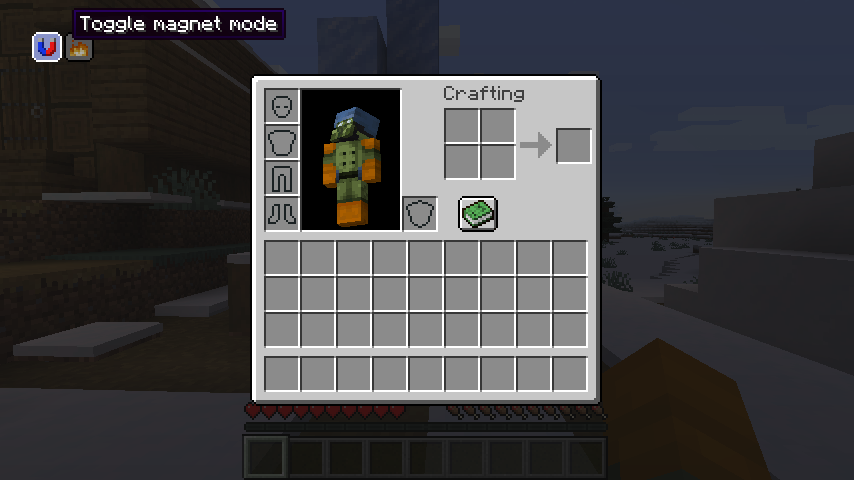 Extra Inventory Buttons - Survival The default layout for extra inventory buttons when cheats are NOT enabled.
 -
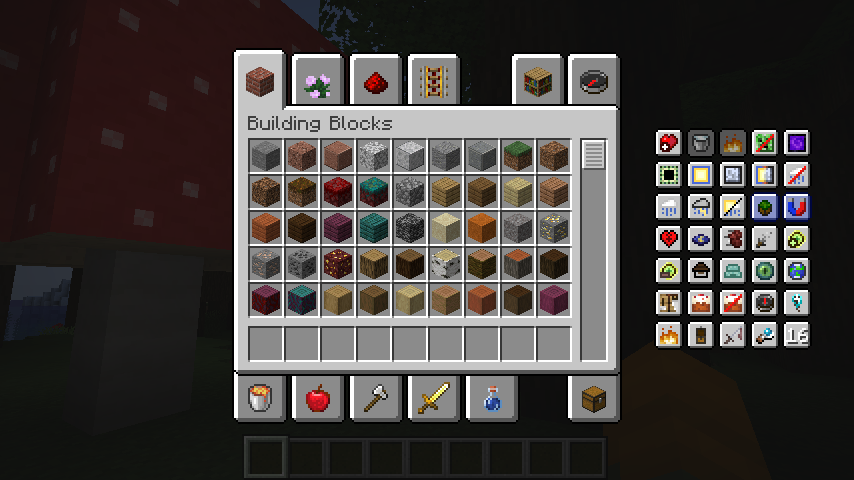 Extra Inventory Buttons - More! An example showing all built-in and example user-defined buttons in a differently configured location.
 -
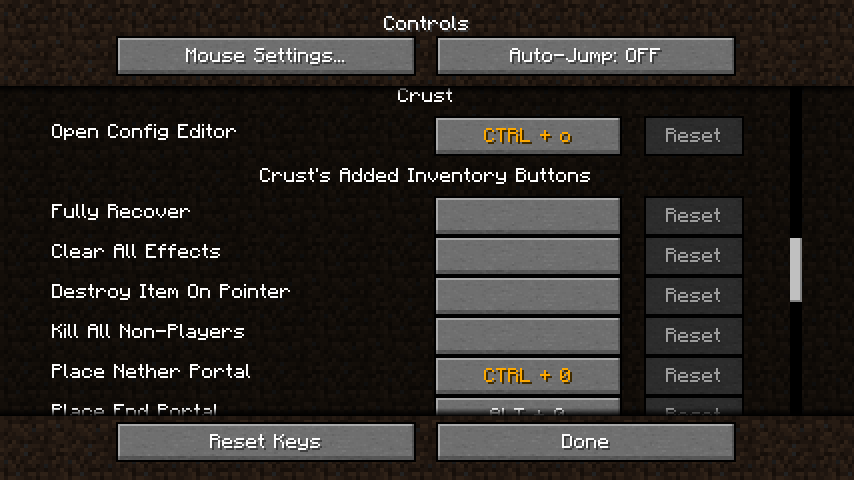 Keybinds Some of the keybinds added by Crust.
 -
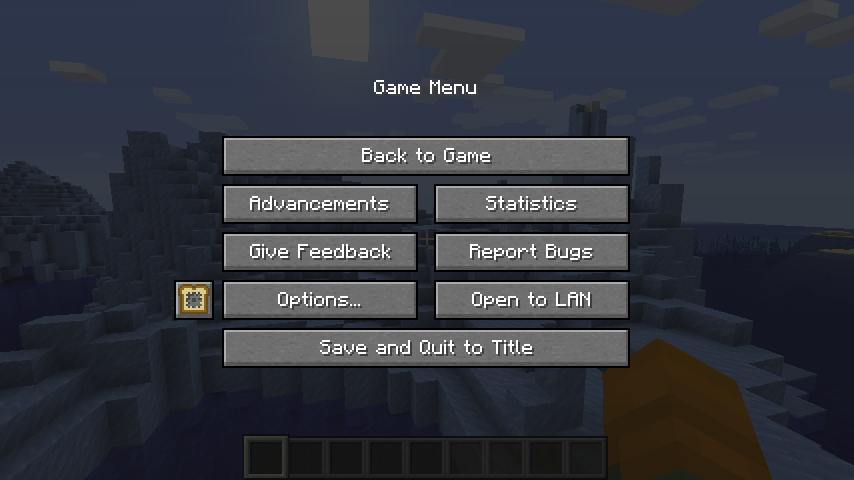 In-Game Editor Button The default config editor button location (left of the "Options..." button).
 -
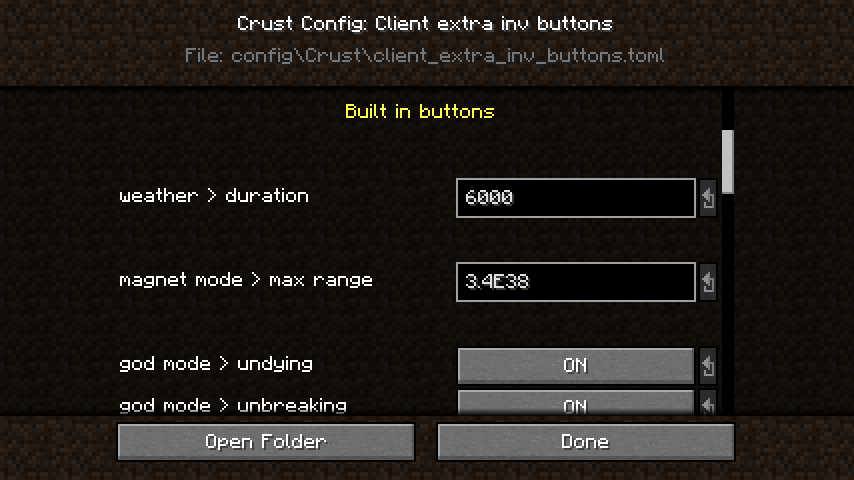 In-Game Editor - Viewing A snapshot of the config editor GUI.
 -
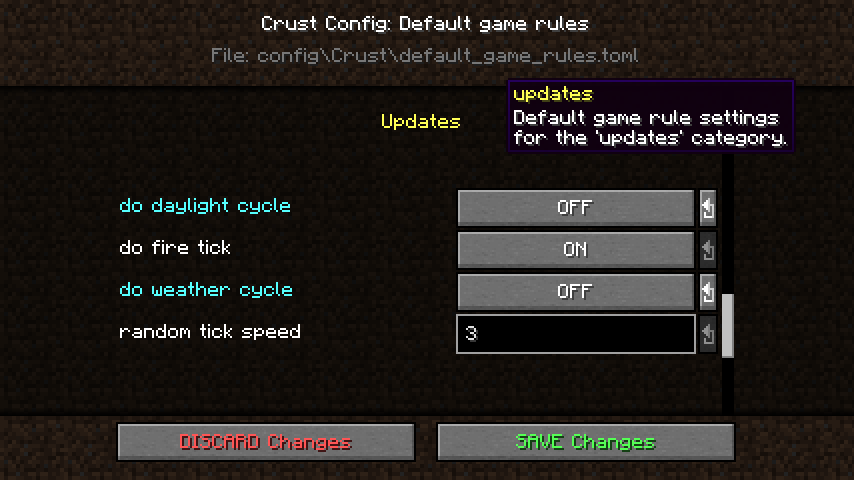 In-Game Editor - Editing Another view of the config editor GUI with unsaved changes made.
 -
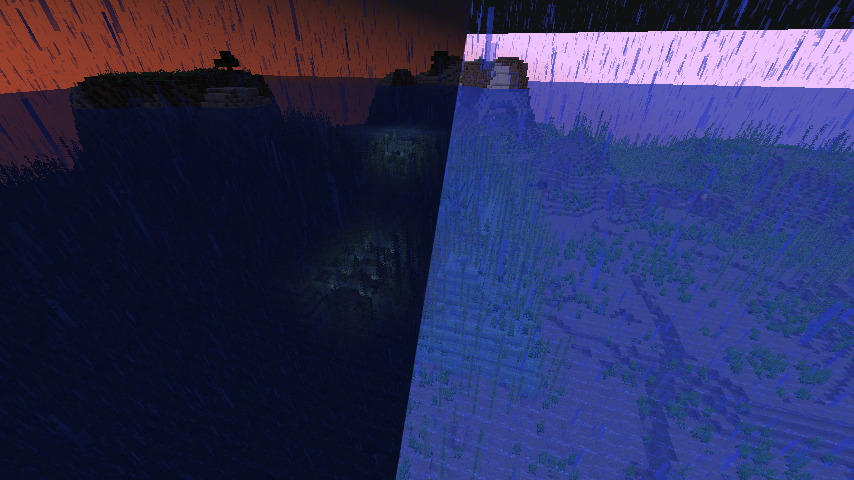 Super Vision Mode A demonstration of the Super Vision 'Crust mode'.
-
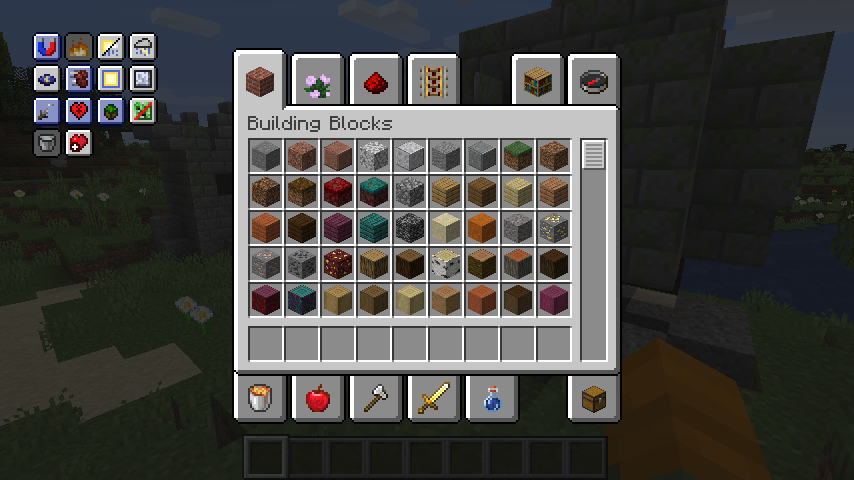 Extra inventory buttons The default layout for extra inventory buttons when cheats are enabled.
 -
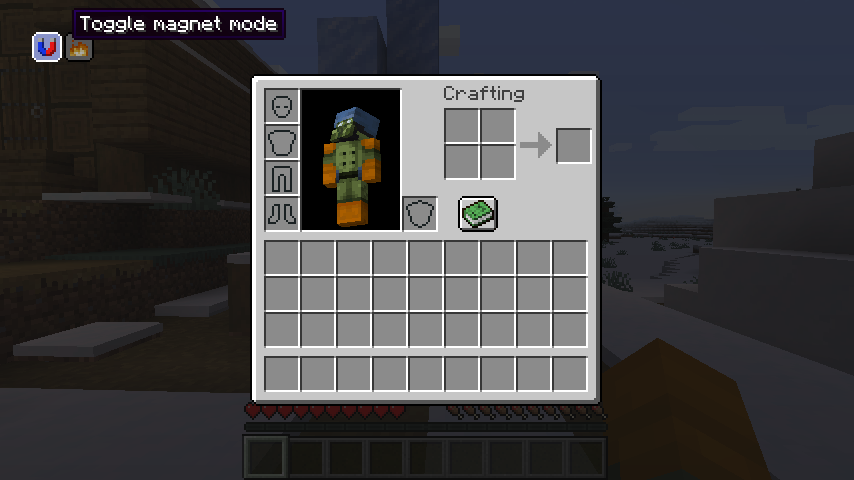 Extra inventory buttons The default layout for extra inventory buttons when cheats are NOT enabled.
 -
 Extra inventory buttons An example showing all built-in and example user-defined buttons in a differently configured location.
 -
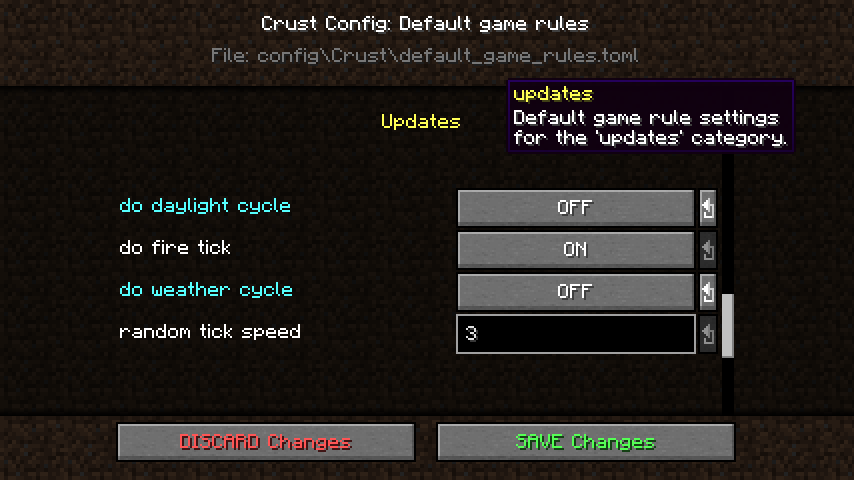 Config editor GUI Another view of the config editor GUI with unsaved changes made.
 -
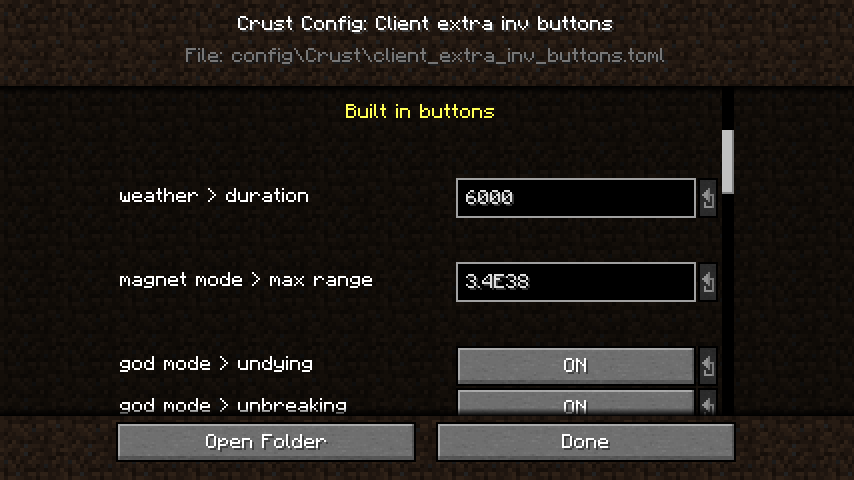 Config editor GUI A snapshot of the config editor GUI.
 -
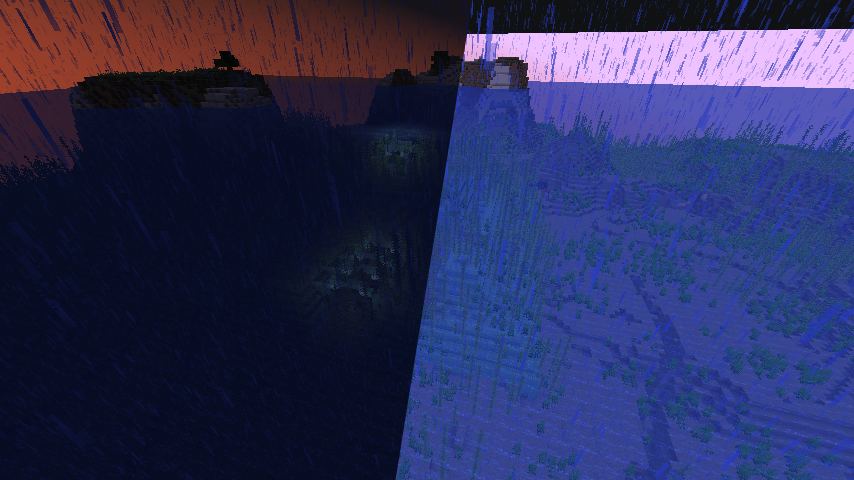 Super vision mode A demonstration of the Super Vision 'Crust mode'.
Versions
Files
Relations
Project Relations
More like this
Similar Mods
Suggestions use data such as tags, dependencies, dependents, descriptions, titles, and more to rank how much they overlap with this mod.
On ModDex
Community snapshot
By the numbers
Statistics
Want to reach Minecraft players?
We're looking for a server hosting partner to feature here and other parts of the site. Interested? Send us a message!
Get in touchGet it on
Available Platforms
On ModDex
Community snapshot
By the numbers