
Community listing page, reviews here may not be monitored by the author.
Create:Parachute

No reviews yet
This mod adds a parachute to Sable
Community voices
Reviews
No reviews yet. Be the first to review this project!
Get it on
Available Platforms
Compatibility
Supported Environments
Must be installed on both the client and the server.
About
Project Details
For authors
Embed Badge
If you're the author of this project, you can embed a live badge anywhere that supports HTML or Markdown. It updates automatically whenever ratings change.
Use HTML for any page that supports it, or Markdown for README files and Markdown-based descriptions.
Identifiers
Platform IDs
About
Description
Create:Parachute (1.1.2+)
A parachute mod for Create and Sable physics Built parachute to your vehicle, deploy it with a redstone pulse, and glide down safely.
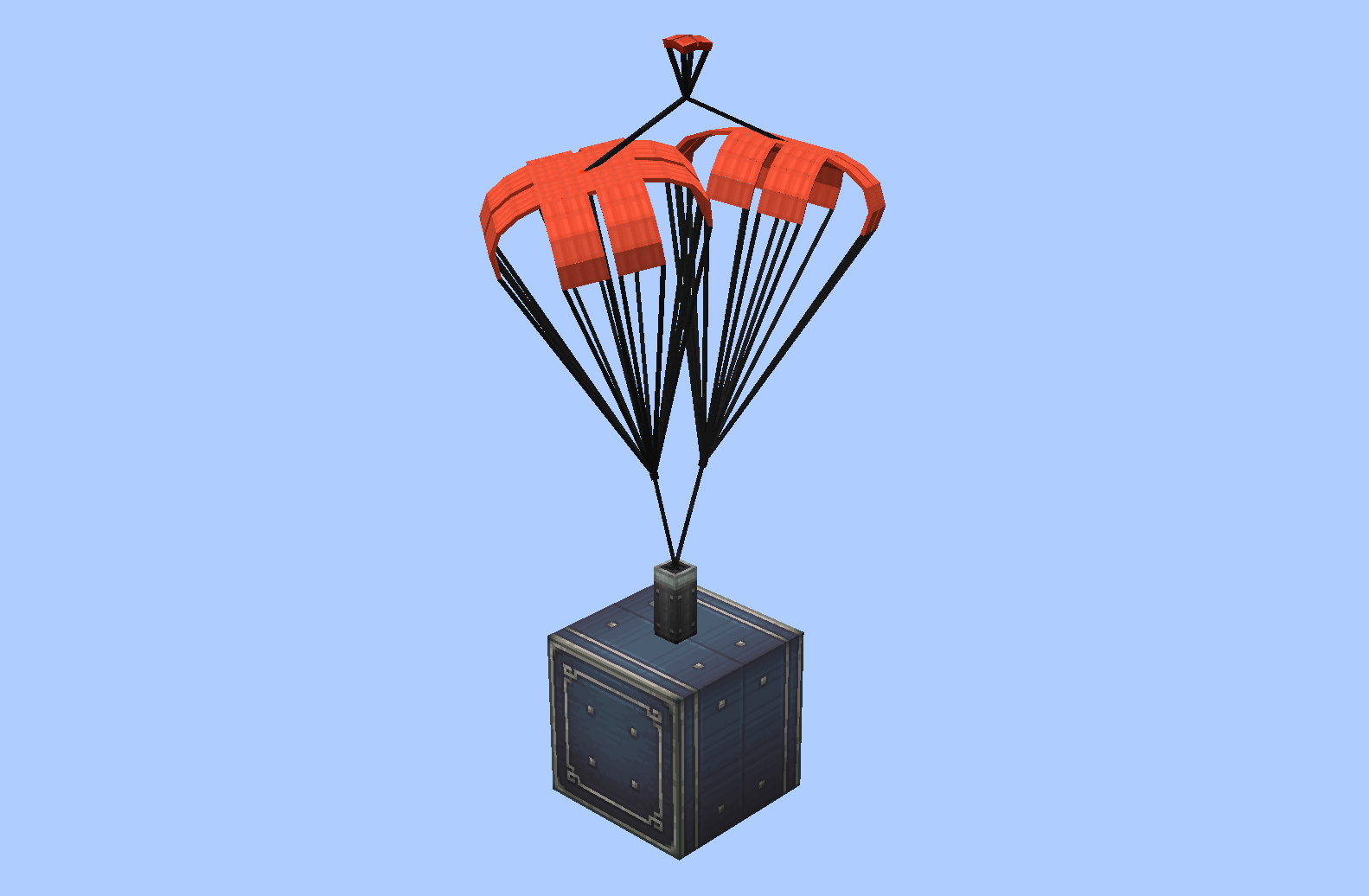
What did it do?
a drop a folder into <game root>/parachute/local/ containing
.bbmodel and .png, and it shows up in the selection GUI instantly
(The built-in parachute will be placed in the parachute folder when the mod loads successfully.)
(The parachute needs to use a Java entity model(or Bedrock edition model) for the BlockBench project)
-
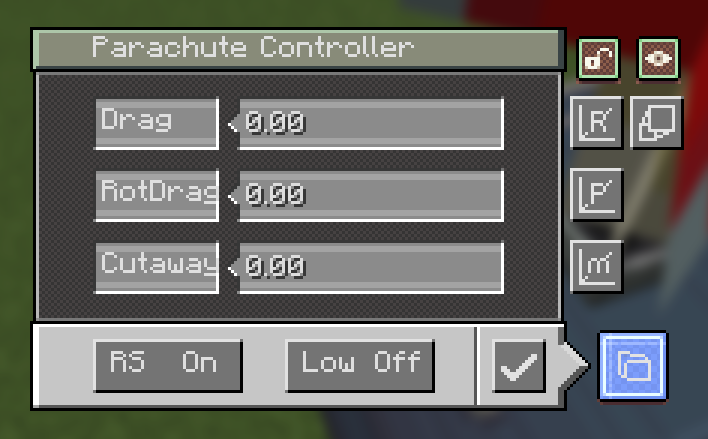
Controller GUI — right-click the block (or the pack) to open it:
- Drag — drag coefficient of the canopy (higher = slows you down faster)
- RotDrag — rotational damping (higher = spins stop faster)
- Cutaway — low-speed detach threshold in m/s; below this speed the chute auto-retracts when enabled
- Low — toggle low-speed auto-detach on/off
- RS — redstone behaviour: a pulse deploys the chute; with RS on, another pulse retracts it
- Save — apply the settings
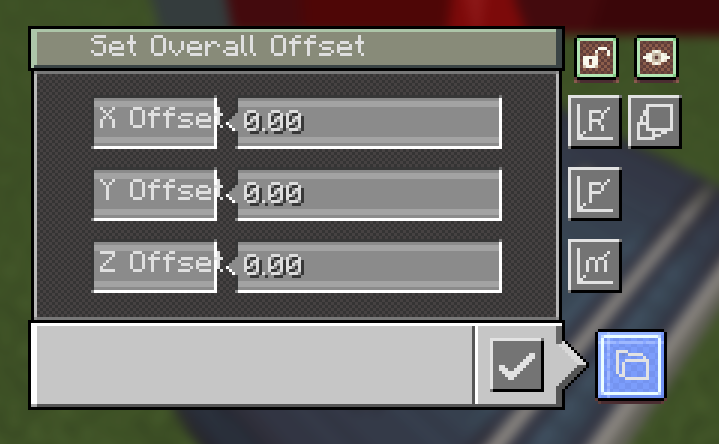
- M — Set model offset
- P — Set pivot offset (this setting adjusts the pivot relative to the model, but in fact the pivot itself doesn't move)
- R — Set rotation (rotation point at the pivot)
- Scale (new in 1.1.2) — opens the Render Scale screen: one field (0.05 – 20) that scales the whole model and canopy around the pivot
- lock — freeze the canopy's rotation, so it stops its idle sway/wobble
- pack (new in 1.1.2) — the red key hides/shows the pack block's own model
-
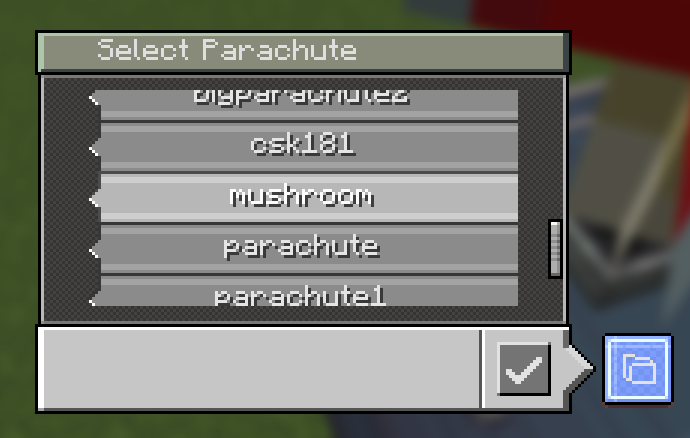
Parachute selection GUI — opened from the controller's folder button. One display box per parachute, scrollable list with a slider; click a box to select it and press confirm. The Open Folder button opens the game's
<game root>/parachute/local/. (1.1.2: the list also tags parachutes that only exist as your local fallback.) -
Dye support — right-click a placed parachute with any dye to recolor it; right-click with an axe to restore its original texture.
Parachutes on servers (new in 1.1.2)
- Your own parachutes and the ones you download are kept apart: yours live
in
parachute/local/, and every server gets its own folder,parachute/server/<save uuid>/. - Each world save has its own UUID (written into the save at
create_parachute/server-id.txt) and sends it to you when you log in, so changing a server's address or port never splits or mixes its folder. On the server side the library is still a plainparachute/<name>/. - While you are on someone else's server, that server's parachutes win over
same-named local ones; in single player, or while you host the world, your
local/folder is used. Same name = the server's copy overwrites yours. save's UUID folder automatically, and the old address is kept inserver-info.txt. - If another player uses a parachute you don't have at all, it falls back to the default mushroom.
Downloads for every player, sent in batches (new in 1.1.2)
/parachute listand/parachute downloadno longer need OP — any player can browse the server library and pull parachutes.upload,distributeanddeletestill require OP.- Downloads are streamed a little at a time (a limited number of bytes per
tick, one file at a time) instead of being packed into one big zip, so a large
library still arrives over a slow connection, and you get a chat message when
it finishes. There is nothing to unzip: the files land directly in the right
parachute/server/<save uuid>/folder. - Server owners can turn it off or tune it in
config/create_parachute-common.toml:[download] allowPlayerDownload—trueby default[download] bytesPerTick— how much is sent to each player per tick,65536(64 KiB) by default; lower it on a weak server or a big library[download] maxPendingFiles— queue limit,512by default
How to use
- Place the parachute block — or hold the parachute pack and right-click first to pick which parachute it will place.
- Right-click it with an empty hand to open the controller and tune the parameters (Drag / RotDrag / Cutaway / Low / RS).
- Send a redstone pulse to deploy it; it will slow your fall (or your contraption) until you land or retract it.
- Recolor it with any dye, or revert it with an axe.
- (1.1.2) Fine-tune how it looks: Scale for size, the lock key to stop the canopy swaying, and the pack key to hide the pack block itself.
- (1.1.2) On a server, use
/parachute listto see what the server has and/parachute downloadto pull it into your own game.
Commands
| Command | What it does |
|---|---|
/parachute list [page] |
List the parachutes in the server library (everyone) |
/parachute download [name] |
Download one parachute, or all of them, into parachute/server/<save uuid>/ (everyone, if the server allows it) |
/parachute upload [name] |
Send one, or all, of your local/ parachutes to the server (OP) |
/parachute distribute [player] |
Send the whole server library to everyone, or to one player (OP) |
/parachute delete [name] |
Delete one, or all, parachutes from the server, with click-to-confirm (OP) |
GUI terms
| Term | Meaning |
|---|---|
| Drag | Drag coefficient — higher = faster deceleration |
| RotDrag | Rotational damping — higher = spins stop faster |
| Cutaway | Speed threshold (m/s) for low-speed auto-detach |
| Low | Toggle low-speed auto-detach |
| RS | Redstone pulse behaviour (deploy / retract) |
| On/Off | Toggle state |
| Confirm | Apply the selected parachute |
| Scale | Render scale of the whole parachute (0.05 – 20) |
| lock | Hold the canopy still — stops its idle sway |
| pack | Show / hide the pack block model (canopy stays) |
Screenshots
Gallery
-
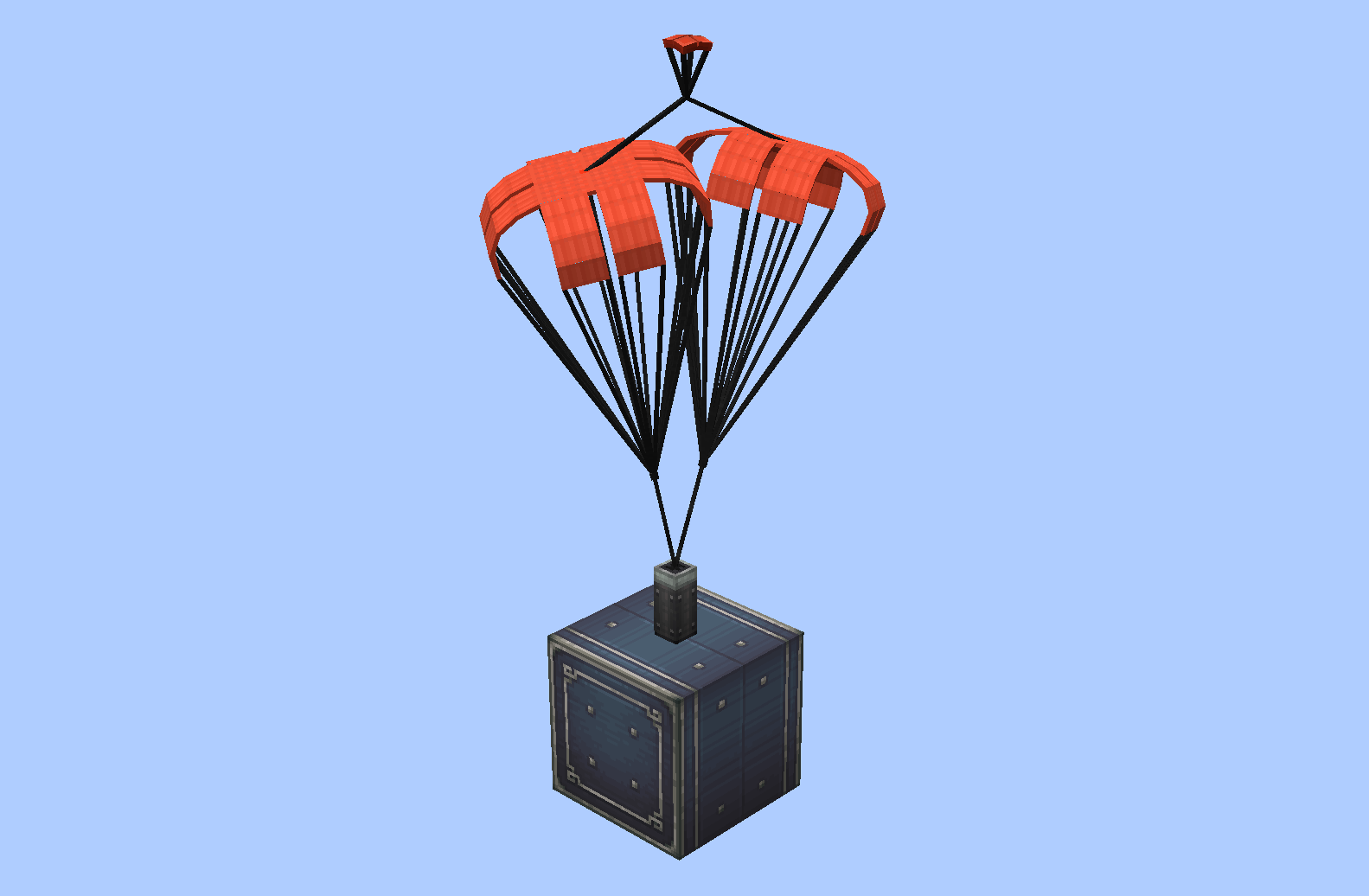 Double deceleration parachute(1.0.2)
 -
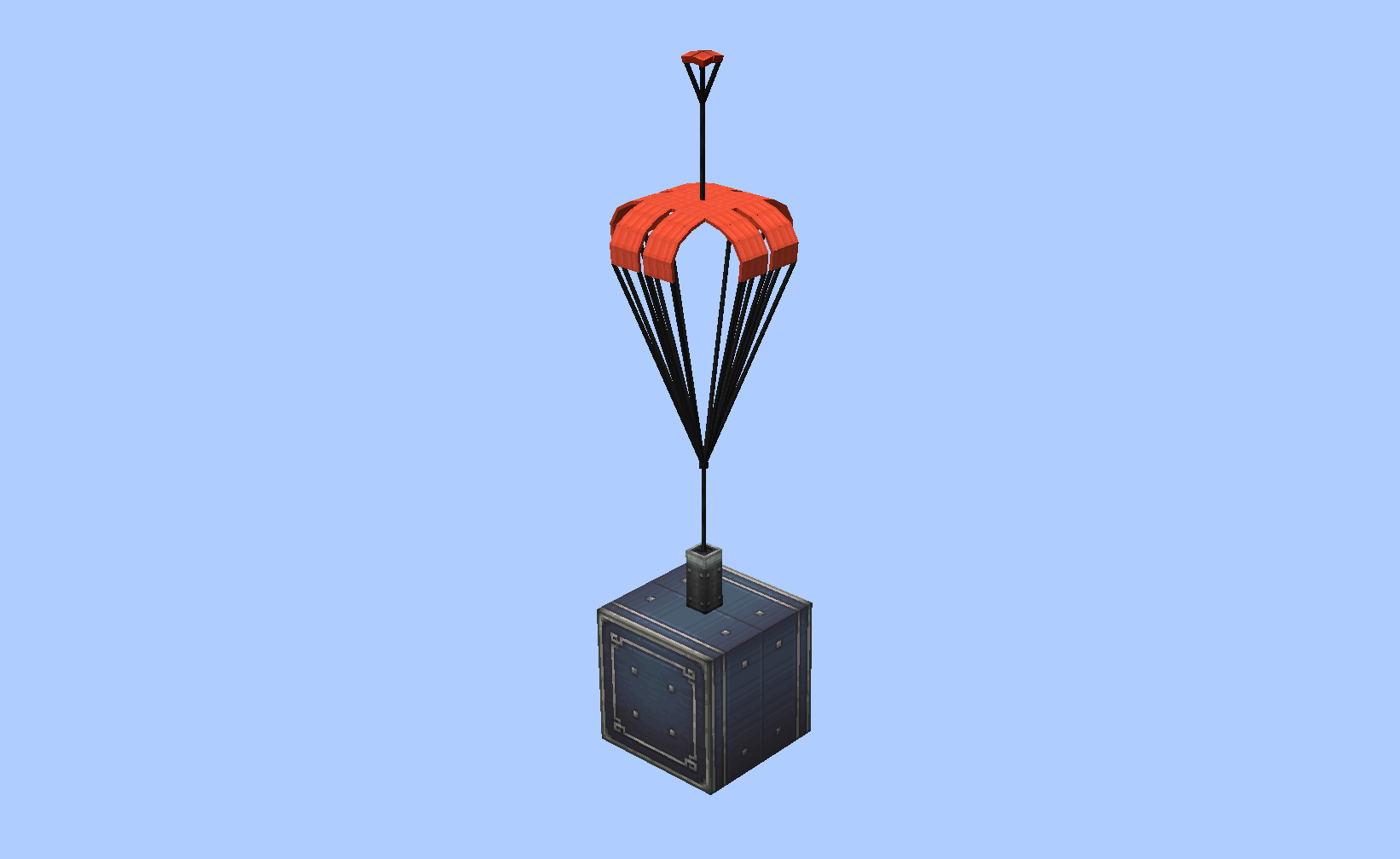 Deceleration parachute(1.0.2)
 -
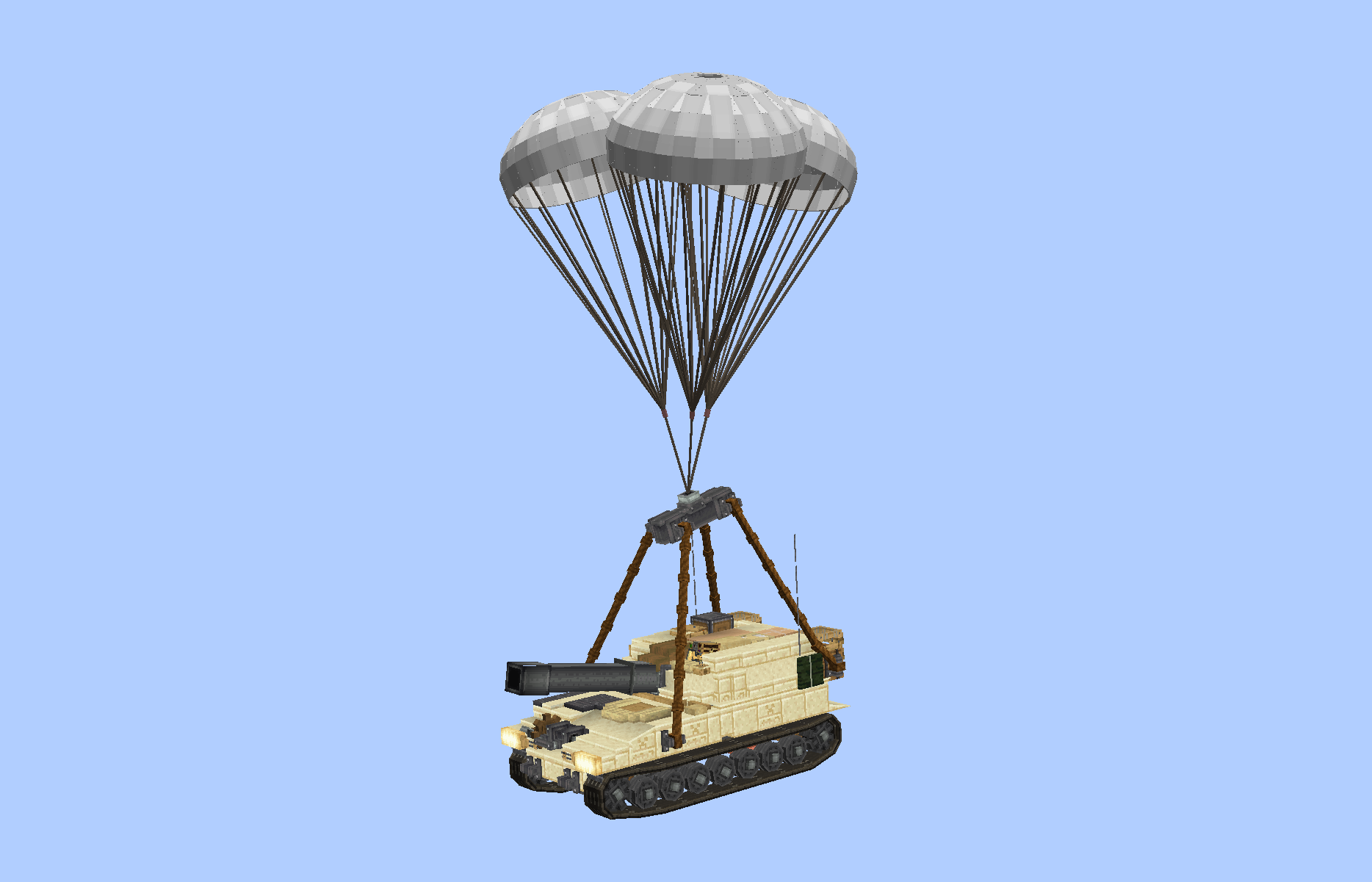 Airdrop m109 (1.0.4a-)
 -
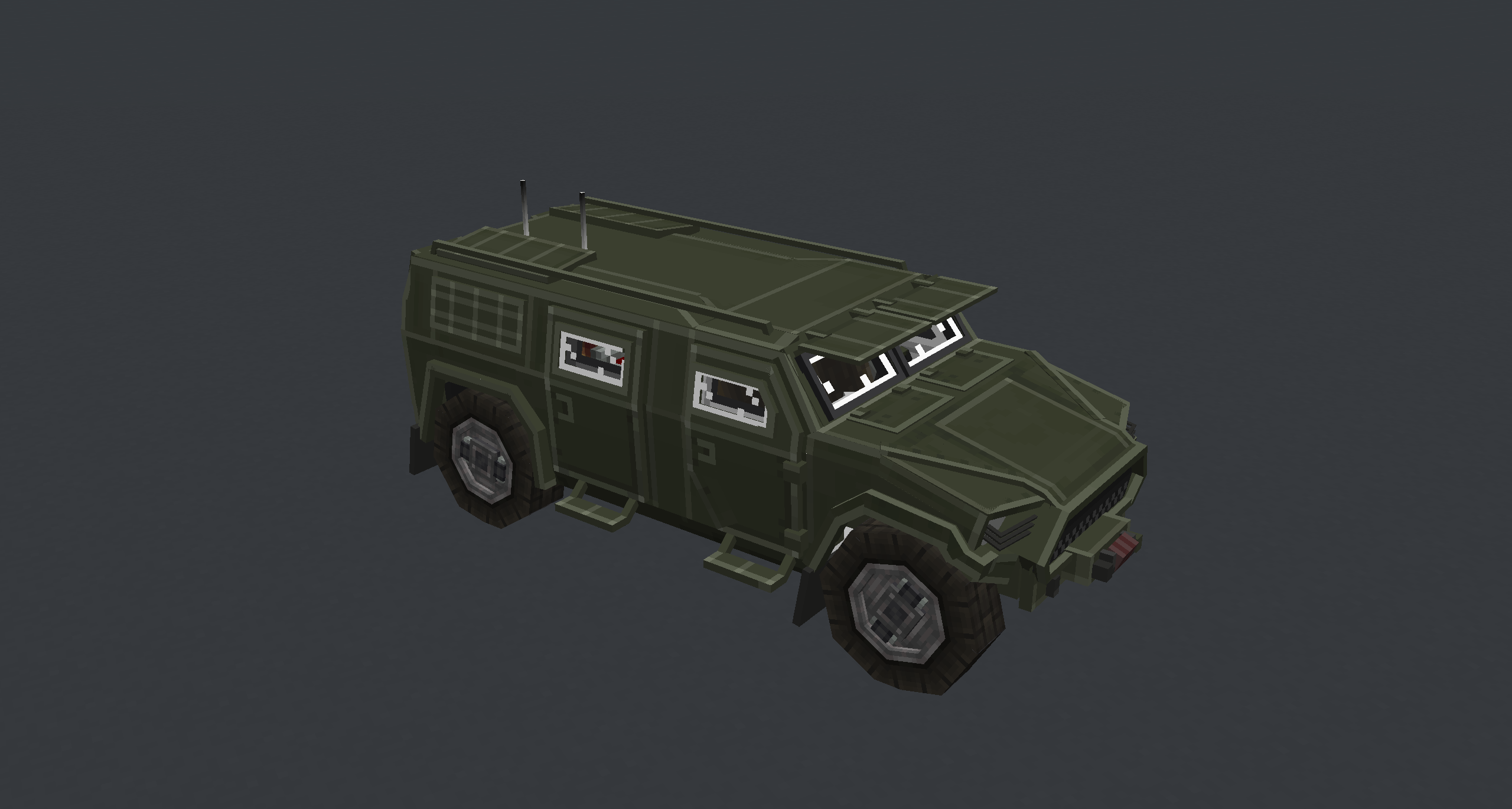 Car Parachute pack loaded with a Bedrock model vehicle
Versions
Files
Relations
Project Relations
More like this
Similar Mods
Suggestions use data such as tags, dependencies, dependents, descriptions, titles, and more to rank how much they overlap with this mod.
- Create Aeronautics
- Create Propulsion: Simulated
- Antique Transport
- Floating Purpur (Sable Addon)
- furniture mods - create/sable(aeronautics) compatibility
- Create Propulsed
- DAOT Sable Compat
- Unlocked Void Sea - Aeronautics Addon
- Create Stuff 'N Additions x Sable & Aeronautics Compat
- Wheather Physics (Wind, Sails & Tornadoes)
- Simulated Addition
- Create Aeronautics: Alcubierre
On ModDex
Community snapshot
By the numbers
Statistics

Want to reach Minecraft players?
We're looking for a server hosting partner to feature here and other parts of the site. Interested? Send us a message!
Get in touchGet it on
Available Platforms
On ModDex
Community snapshot
By the numbers