
Community listing page, reviews here may not be monitored by the author.


Community voices
Reviews
No reviews yet. Be the first to review this project!
Get it on
Available Platforms
Compatibility
Supported Environments
Runs entirely on the client. Works on vanilla servers.
About
Project Details
For authors
Embed Badge
If you're the author of this project, you can embed a live badge anywhere that supports HTML or Markdown. It updates automatically whenever ratings change.
Use HTML for any page that supports it, or Markdown for README files and Markdown-based descriptions.
Identifiers
Platform IDs
Resources
External Links
About
Description
[EN] Description in English first
[ES] Descripción en español más abajo
📦 Creative Tab Organizer
Creative Tab Organizer is a client-side utility for organizing Minecraft's Creative Mode tabs through a dedicated visual interface.
It is designed for modpacks with many creative tabs, allowing you to reorder, hide, inspect, and manage them without editing configuration files manually.
✨ Features
- Custom tab ordering with drag and drop
- Default, custom, A–Z, and Z–A ordering modes
- Multi-selection for moving and managing several tabs at once
- Hide and restore individual or multiple tabs
- Precise movement using buttons, mouse controls, and shortcuts
- Global and per-page order restoration
- Multi-page organizer for large modpacks
- Detailed tab information, including position, visibility, ID, and item count
- Visual feedback for empty tabs
- Integrated controls guide
- Optional Creative Tab Layouts integration
- Optional creative tab browser for JEI
- Support for CTL layouts, sections, pages, and subtabs inside JEI
🔗 Compatibility
- Works with vanilla and modded Creative Mode tabs
- Creative Tab Layouts integration is optional
- JEI integration is optional
- Client-side only
- Does not need to be installed on the server
📦 Creative Tab Organizer
Creative Tab Organizer es una utilidad de cliente para organizar las pestañas del modo creativo de Minecraft mediante una interfaz visual dedicada.
Está diseñado para modpacks con muchas pestañas creativas y permite reordenarlas, ocultarlas, inspeccionarlas y administrarlas sin editar manualmente archivos de configuración.
✨ Características
- Orden personalizado mediante arrastrar y soltar
- Modos de orden predeterminado, personalizado, A–Z y Z–A
- Selección múltiple para mover y administrar varias pestañas a la vez
- Posibilidad de ocultar y restaurar pestañas individuales o múltiples
- Movimiento preciso mediante botones, controles del ratón y atajos
- Restauración global o individual por página
- Organizador dividido en páginas para modpacks grandes
- Información detallada de cada pestaña, incluyendo posición, visibilidad, ID y cantidad de objetos
- Indicadores visuales para pestañas vacías
- Guía de controles integrada
- Integración opcional con Creative Tab Layouts
- Navegador opcional de pestañas creativas para JEI
- Soporte para layouts, secciones, páginas y subtabs de CTL dentro de JEI
🔗 Compatibilidad
- Funciona con pestañas vanilla y de mods
- La integración con Creative Tab Layouts es opcional
- La integración con JEI es opcional
- Solo cliente
- No necesita instalarse en el servidor
[EN] Description in English first
[ES] Descripción en español más abajo
📦 Creative Tab Organizer
Creative Tab Organizer is a client-side utility for organizing Minecraft's Creative Mode tabs through a dedicated visual interface.
It is designed for modpacks with many creative tabs, allowing you to reorder, hide, inspect, and manage them without editing configuration files manually.
✨ Features
- Custom tab ordering with drag and drop
- Default, custom, A–Z, and Z–A ordering modes
- Multi-selection for moving and managing several tabs at once
- Hide and restore individual or multiple tabs
- Precise movement using buttons, mouse controls, and shortcuts
- Global and per-page order restoration
- Multi-page organizer for large modpacks
- Detailed tab information, including position, visibility, ID, and item count
- Visual feedback for empty tabs
- Integrated controls guide
- Optional Creative Tab Layouts integration
- Optional creative tab browser for JEI
- Support for CTL layouts, sections, pages, and subtabs inside JEI
🔗 Compatibility
- Works with vanilla and modded Creative Mode tabs
- Creative Tab Layouts integration is optional
- JEI integration is optional
- Client-side only
- Does not need to be installed on the server
📦 Creative Tab Organizer
Creative Tab Organizer es una utilidad de cliente para organizar las pestañas del modo creativo de Minecraft mediante una interfaz visual dedicada.
Está diseñado para modpacks con muchas pestañas creativas y permite reordenarlas, ocultarlas, inspeccionarlas y administrarlas sin editar manualmente archivos de configuración.
✨ Características
- Orden personalizado mediante arrastrar y soltar
- Modos de orden predeterminado, personalizado, A–Z y Z–A
- Selección múltiple para mover y administrar varias pestañas a la vez
- Posibilidad de ocultar y restaurar pestañas individuales o múltiples
- Movimiento preciso mediante botones, controles del ratón y atajos
- Restauración global o individual por página
- Organizador dividido en páginas para modpacks grandes
- Información detallada de cada pestaña, incluyendo posición, visibilidad, ID y cantidad de objetos
- Indicadores visuales para pestañas vacías
- Guía de controles integrada
- Integración opcional con Creative Tab Layouts
- Navegador opcional de pestañas creativas para JEI
- Soporte para layouts, secciones, páginas y subtabs de CTL dentro de JEI
🔗 Compatibilidad
- Funciona con pestañas vanilla y de mods
- La integración con Creative Tab Layouts es opcional
- La integración con JEI es opcional
- Solo cliente
- No necesita instalarse en el servidor
Screenshots
Gallery
-
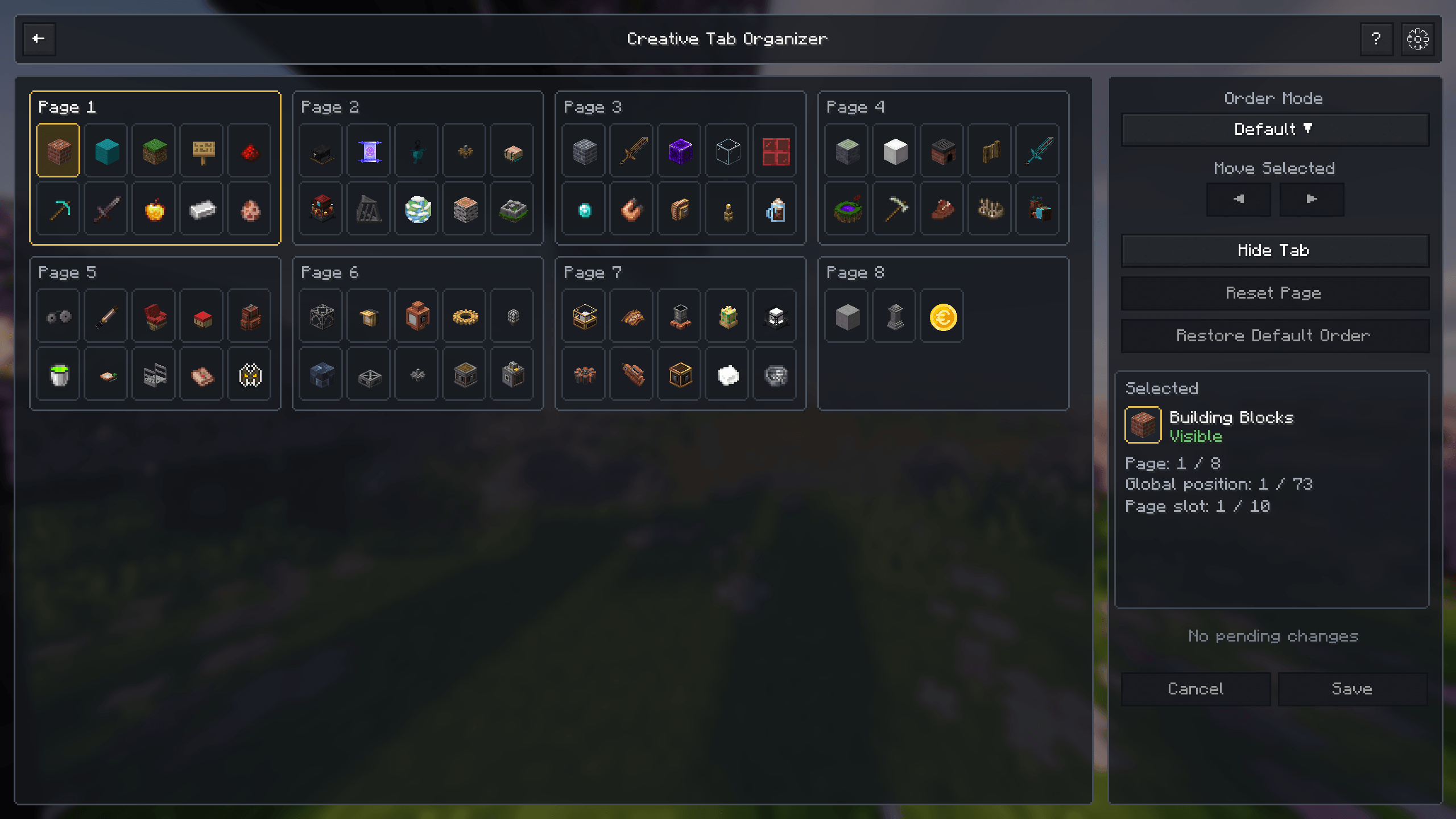 Creative Tab Organizer View, organize, hide, and reorder all available creative tabs from a dedicated interface.
 -
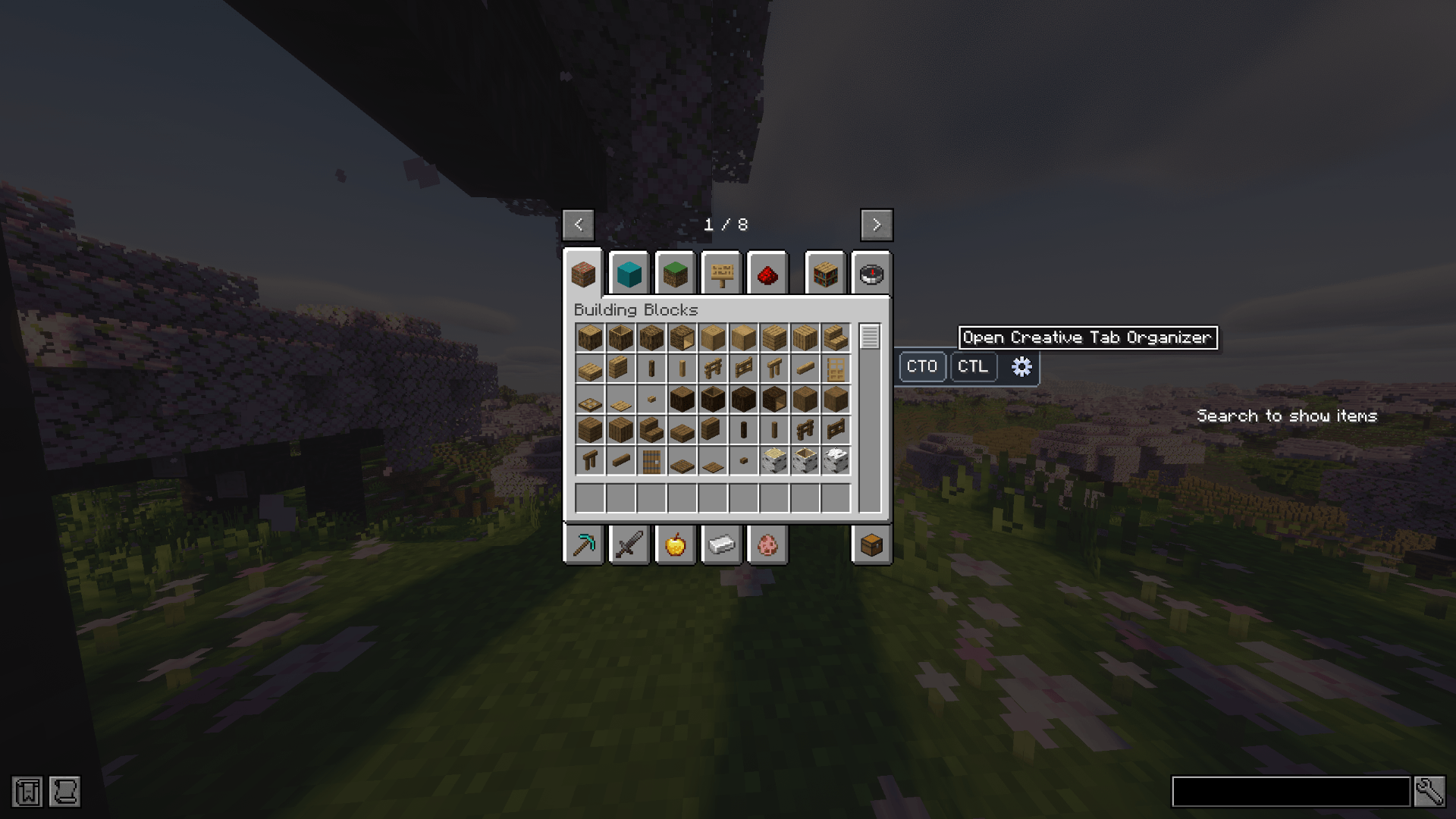 Creative Menu Integration Open Creative Tab Organizer directly from the creative inventory.
 -
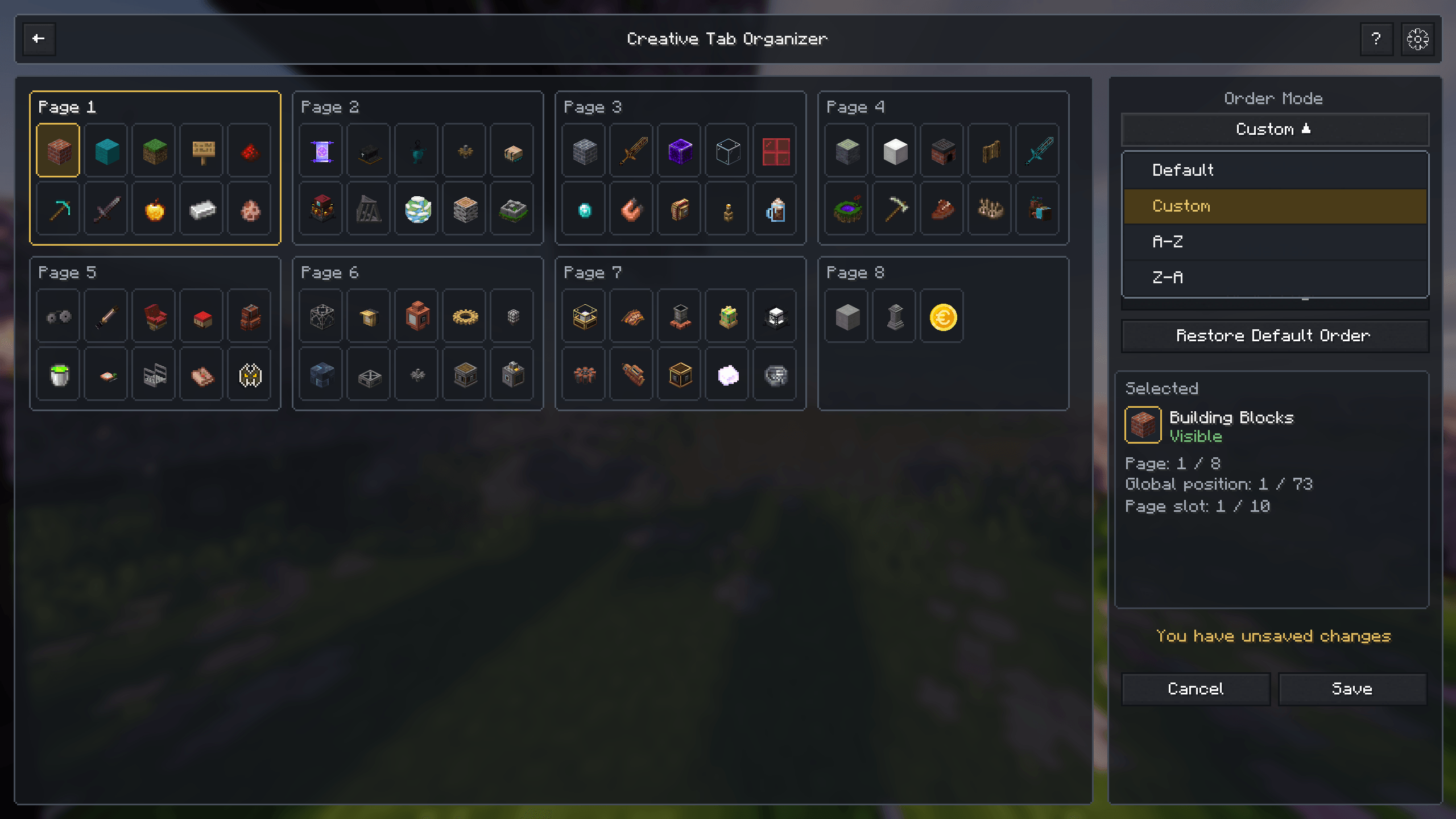 Order Modes Choose between default, custom, alphabetical, and reversed alphabetical ordering.
 -
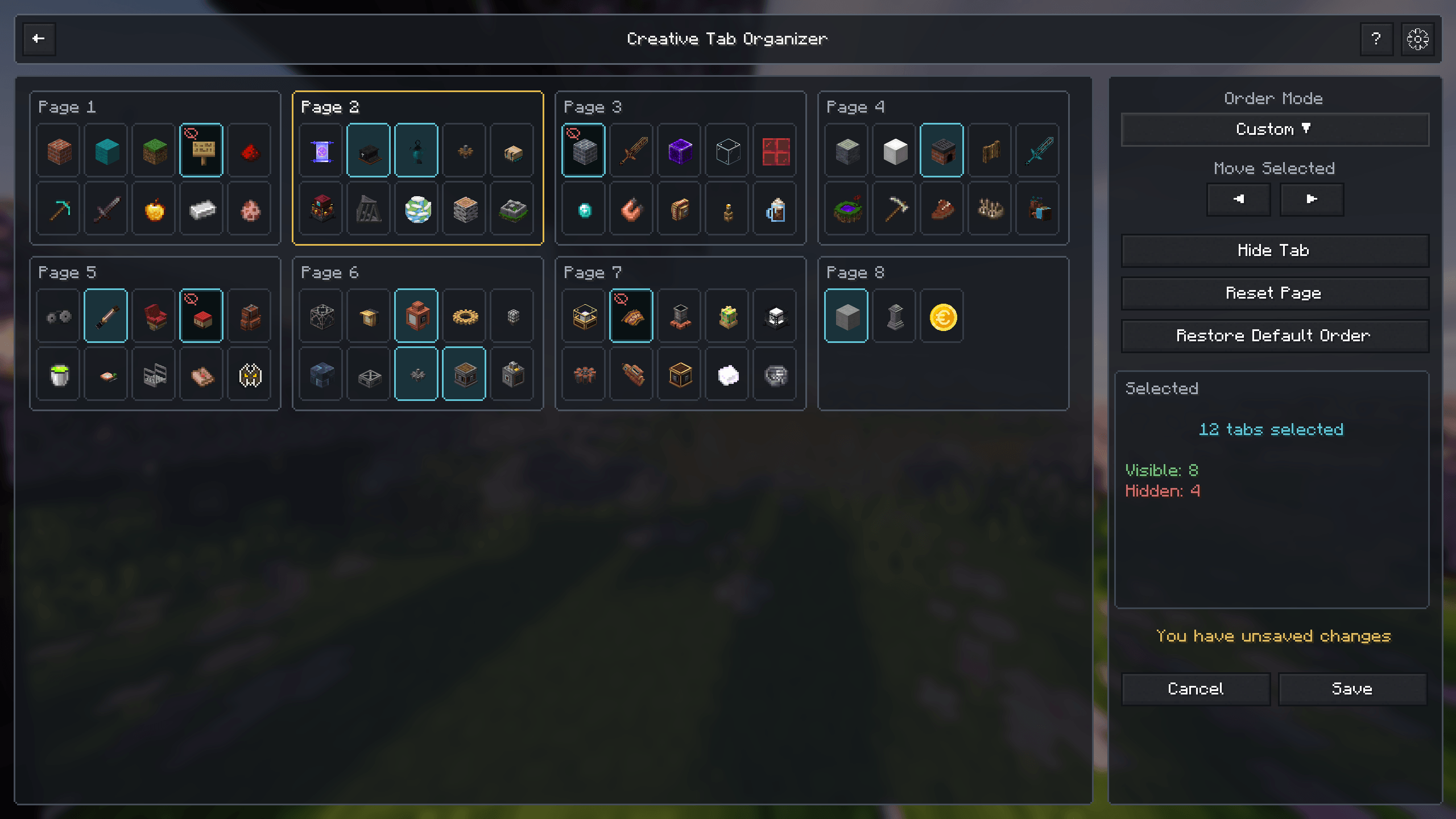 Multi-Tab Selection Select multiple tabs and move, hide, or manage them together.
 -
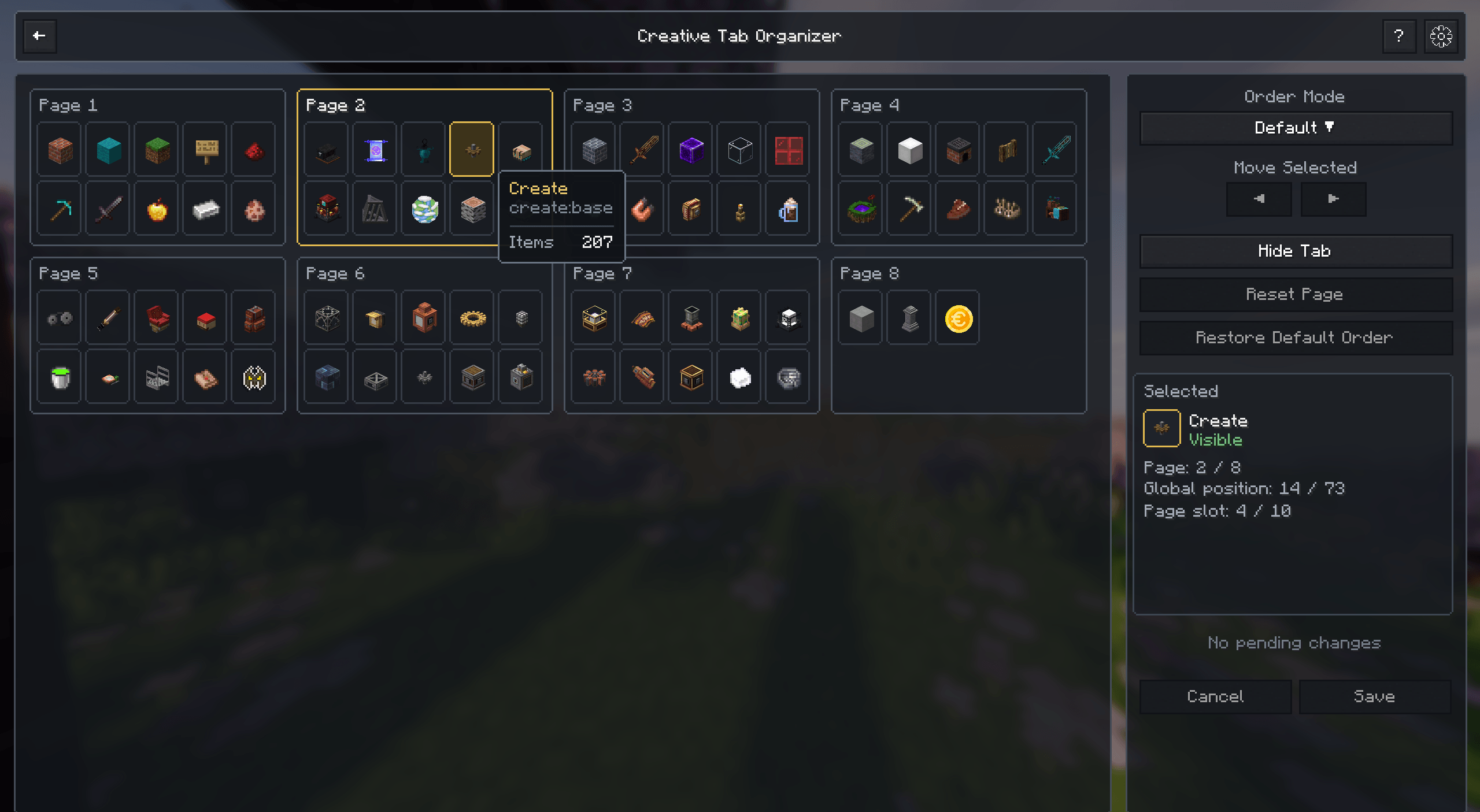 Detailed Tab Information View tab full names, tab identifiers and item counts.
 -
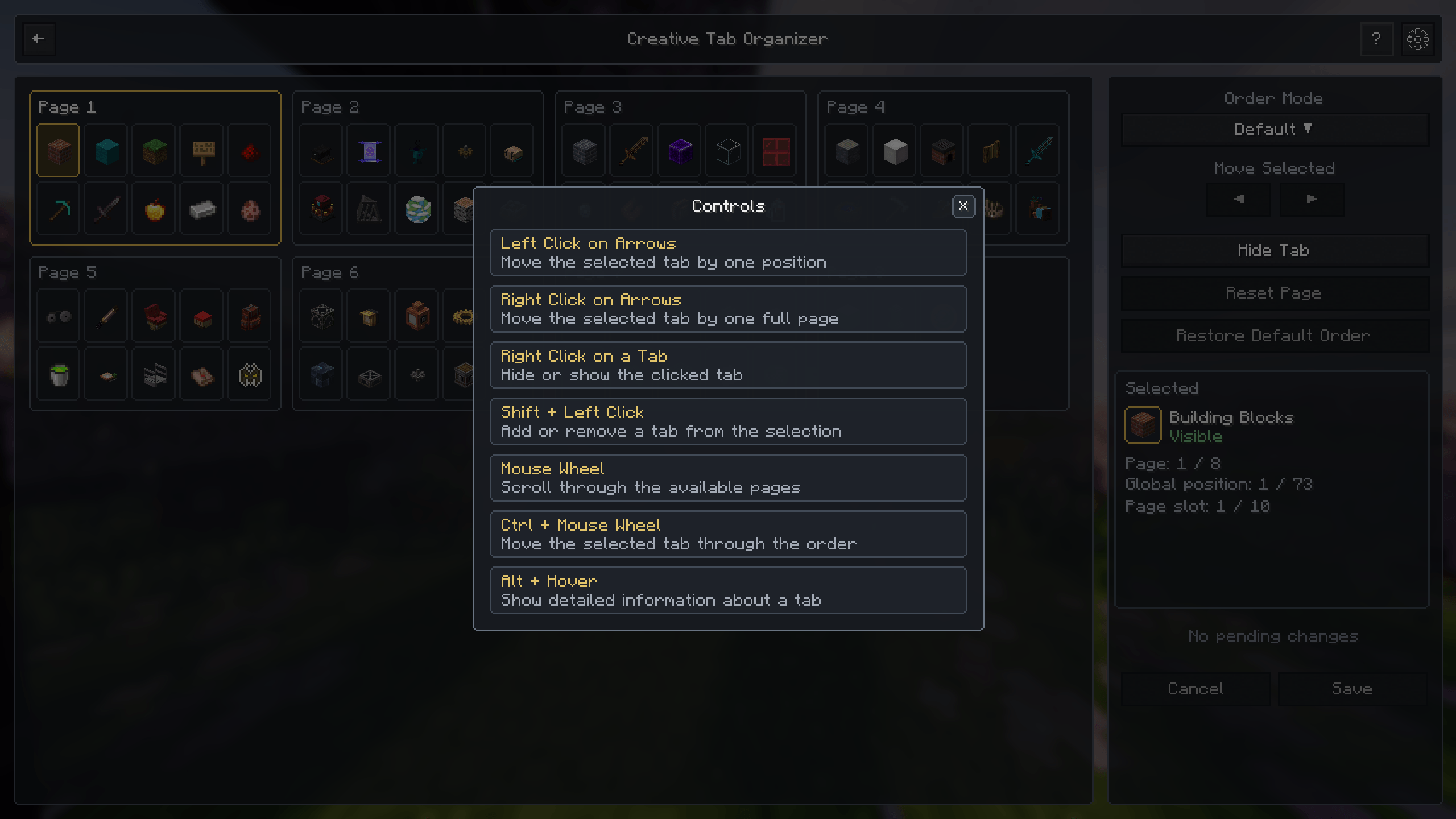 Integrated Controls Guide Quickly review the available mouse and keyboard controls.
 -
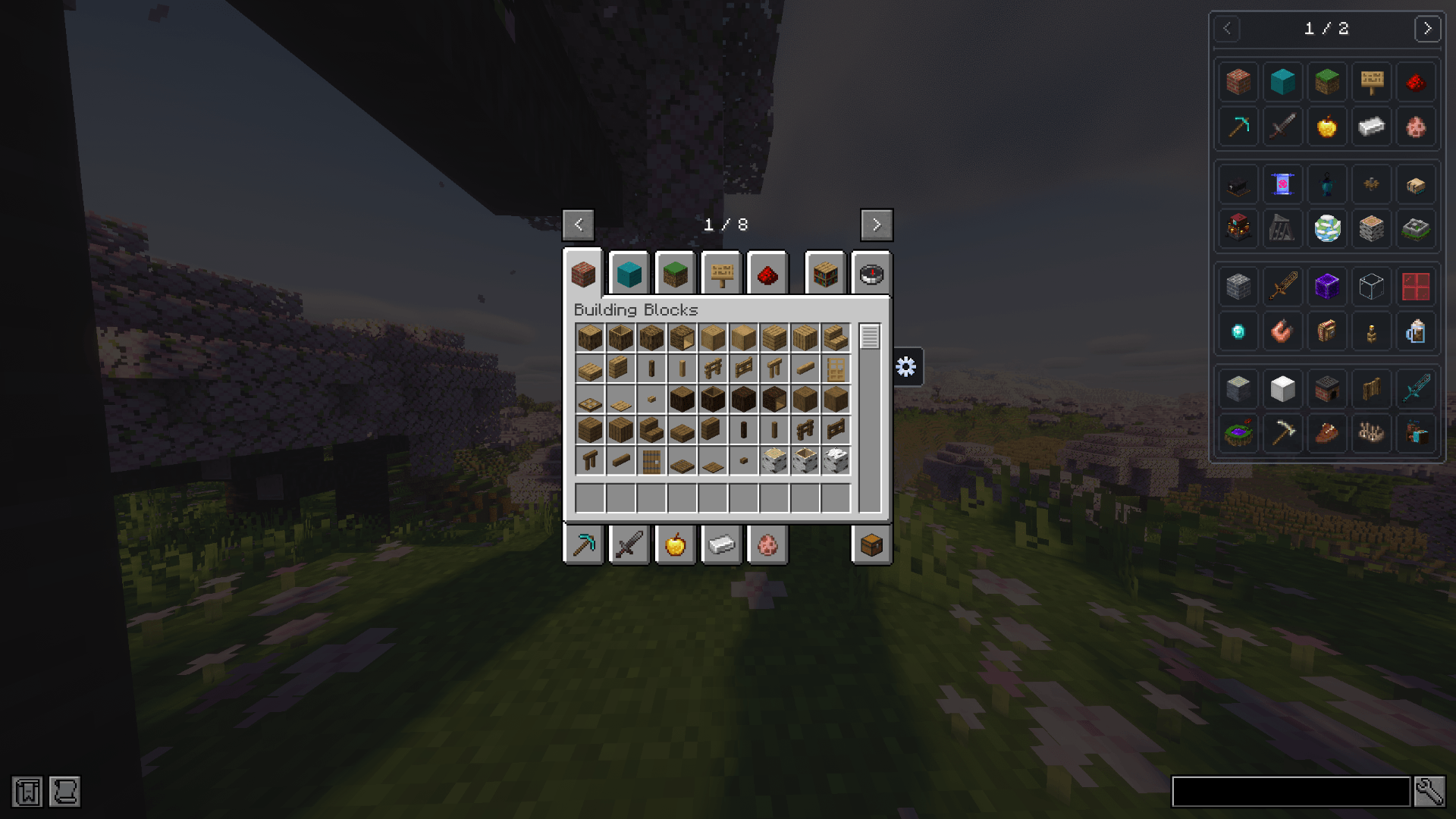 Creative Tab Browser for JEI Browse JEI ingredients through organized creative tabs instead of a single flat list.
 -
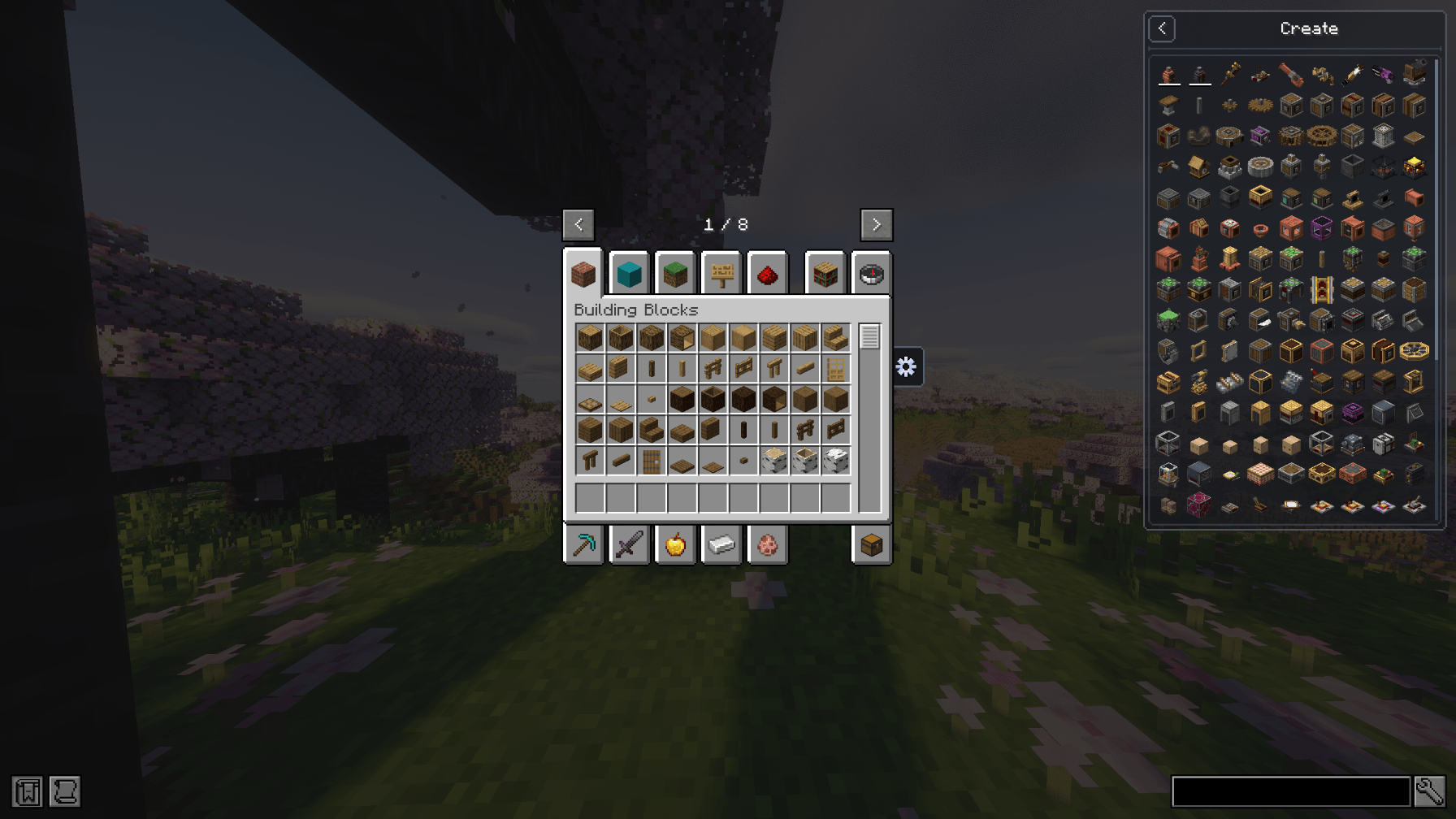 Creative Tabs in JEI Select a creative tab and browse only its related ingredients inside JEI.
 -
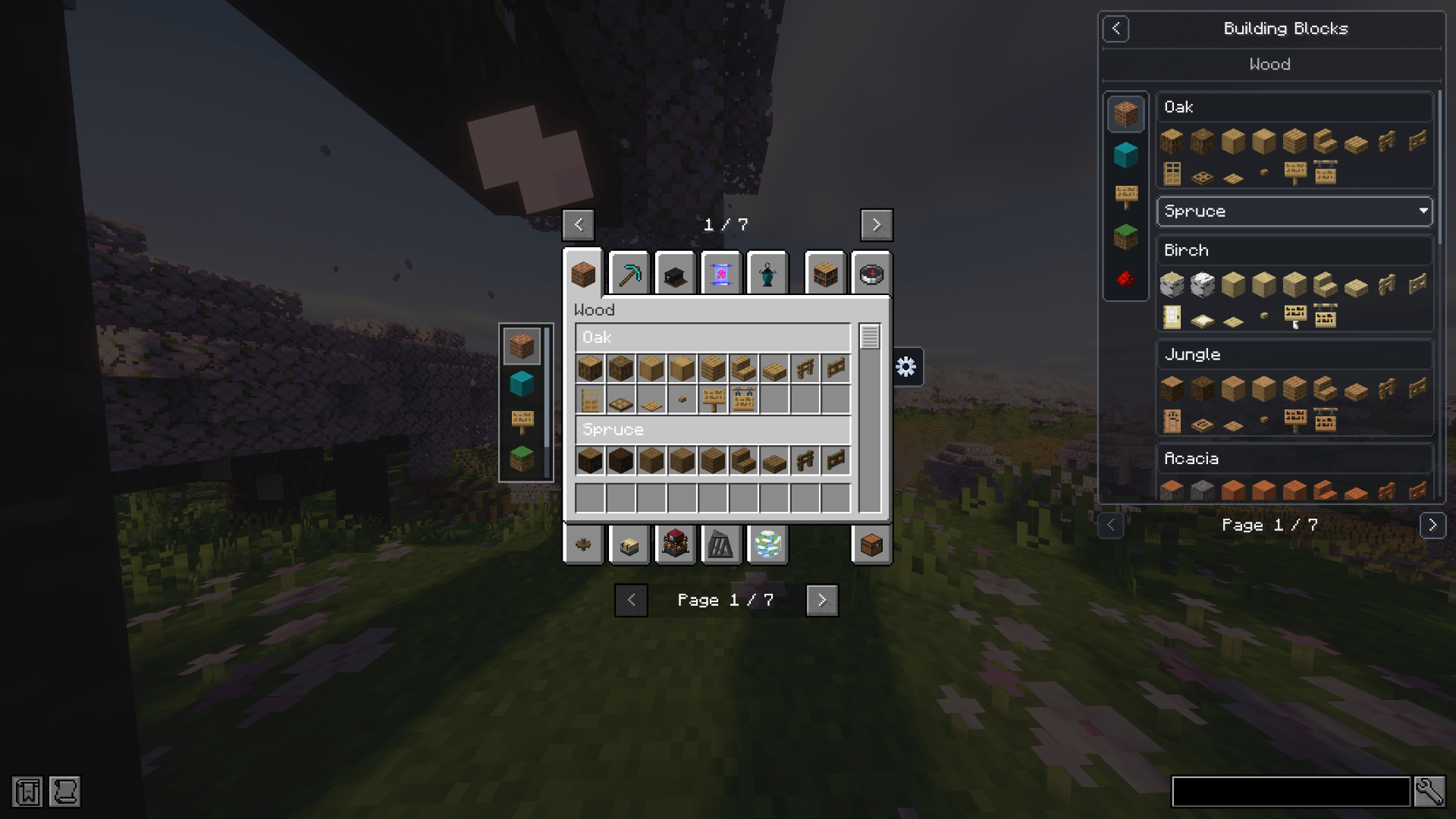 Creative Tab Layouts in JEI Display CTL pages, sections, headers, subtabs, and organized content directly inside JEI.
 -
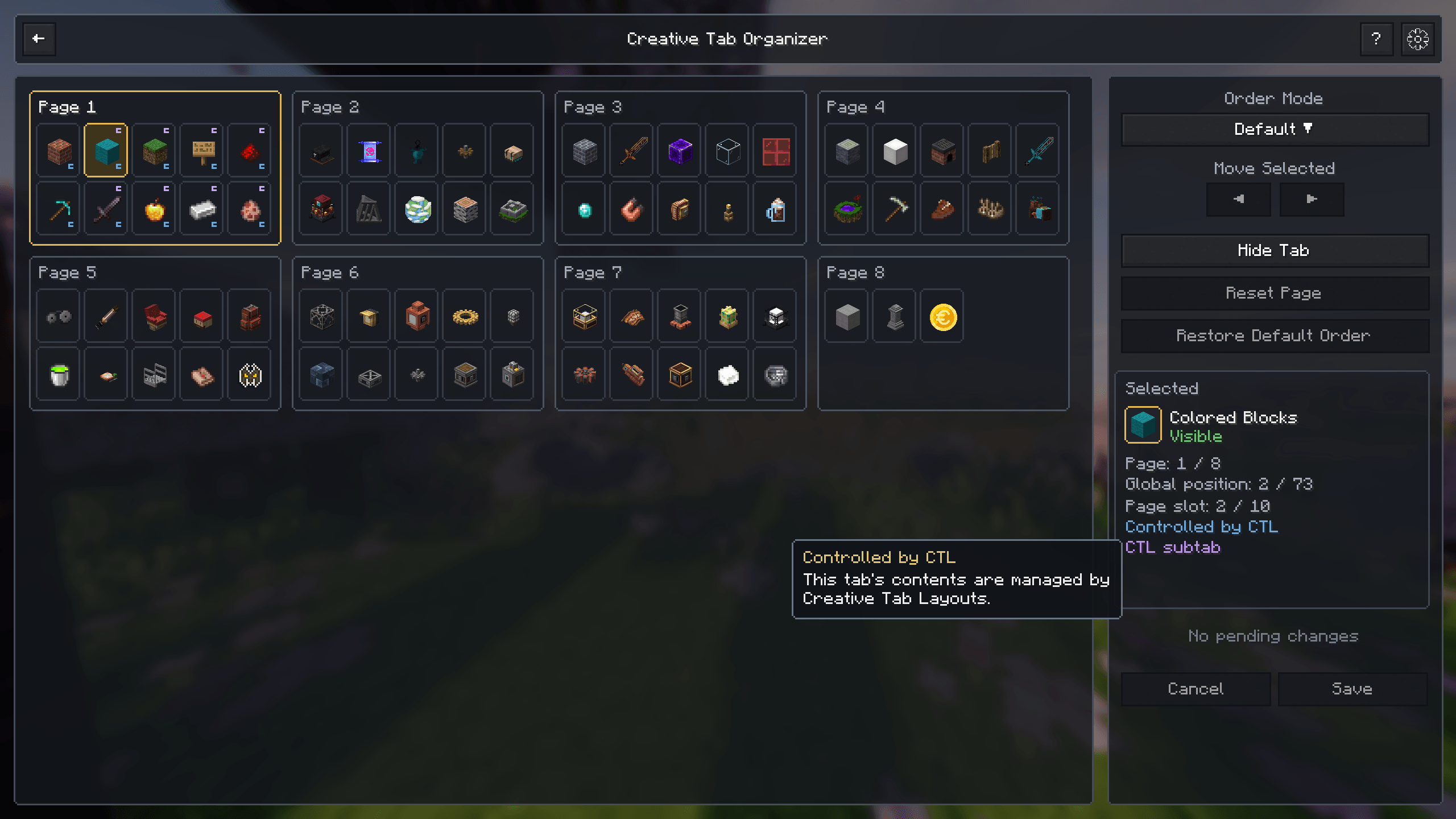 Creative Tab Layouts Integration Automatically identify tabs controlled by CTL and display their relationship inside the organizer.
 -
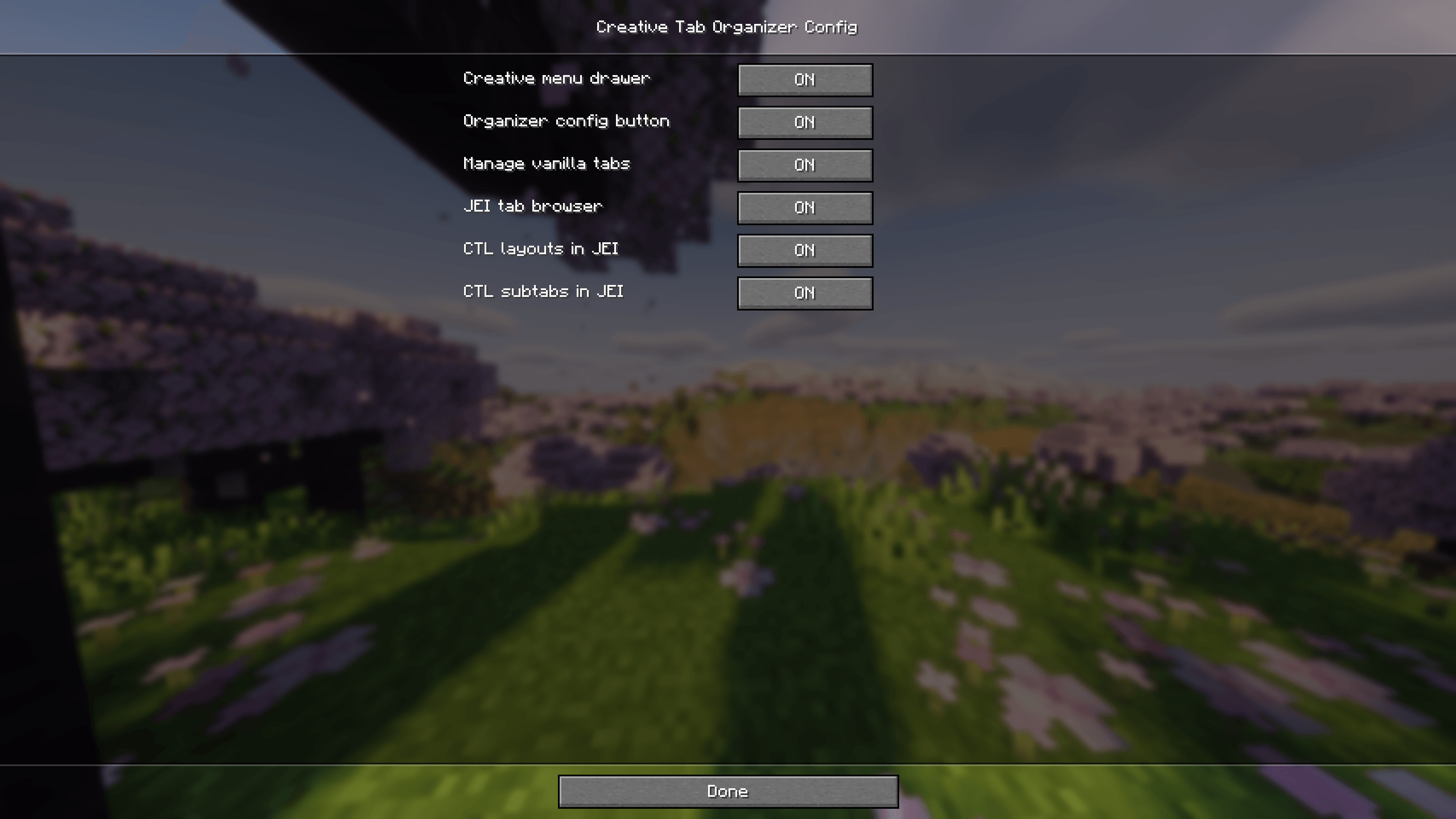 Configuration Configure creative tab management, menu integration, JEI browsing, and CTL compatibility.
-
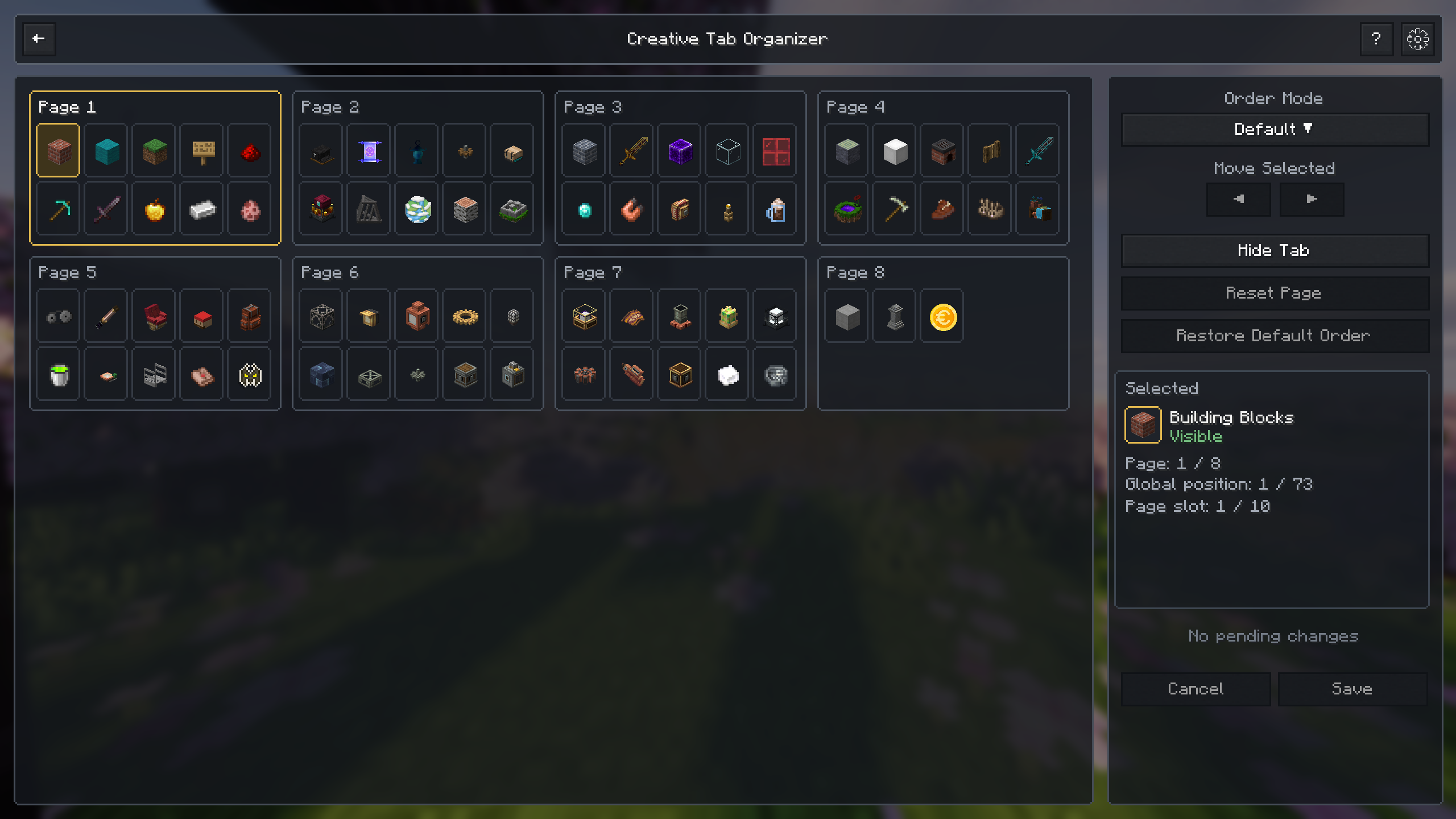 Creative Tab Organizer View, organize, hide, and reorder all available creative tabs from a dedicated interface.
 -
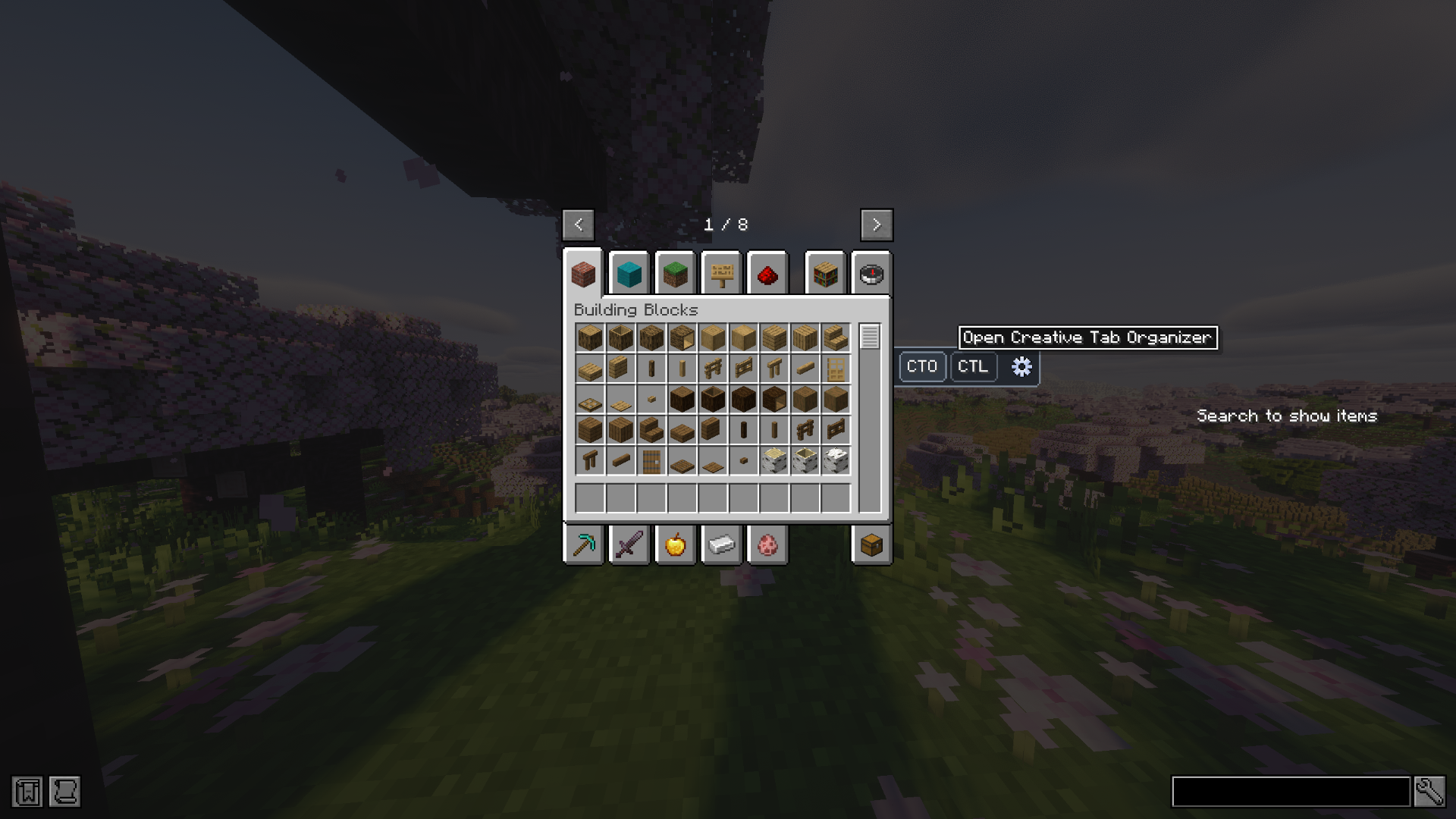 Creative Menu Integration Open Creative Tab Organizer directly from the creative inventory.
 -
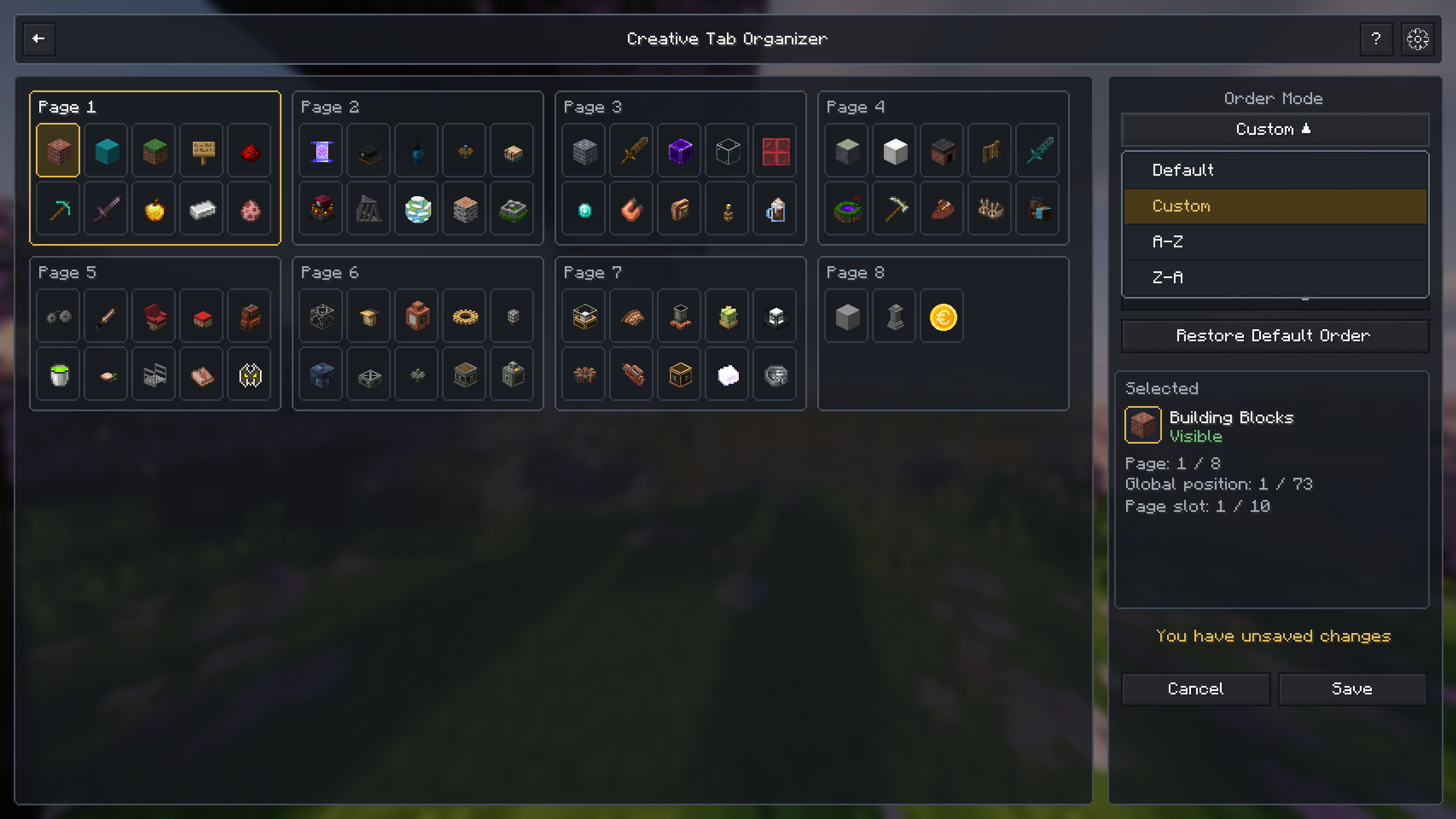 Order Modes Choose between default, custom, alphabetical, and reversed alphabetical ordering.
 -
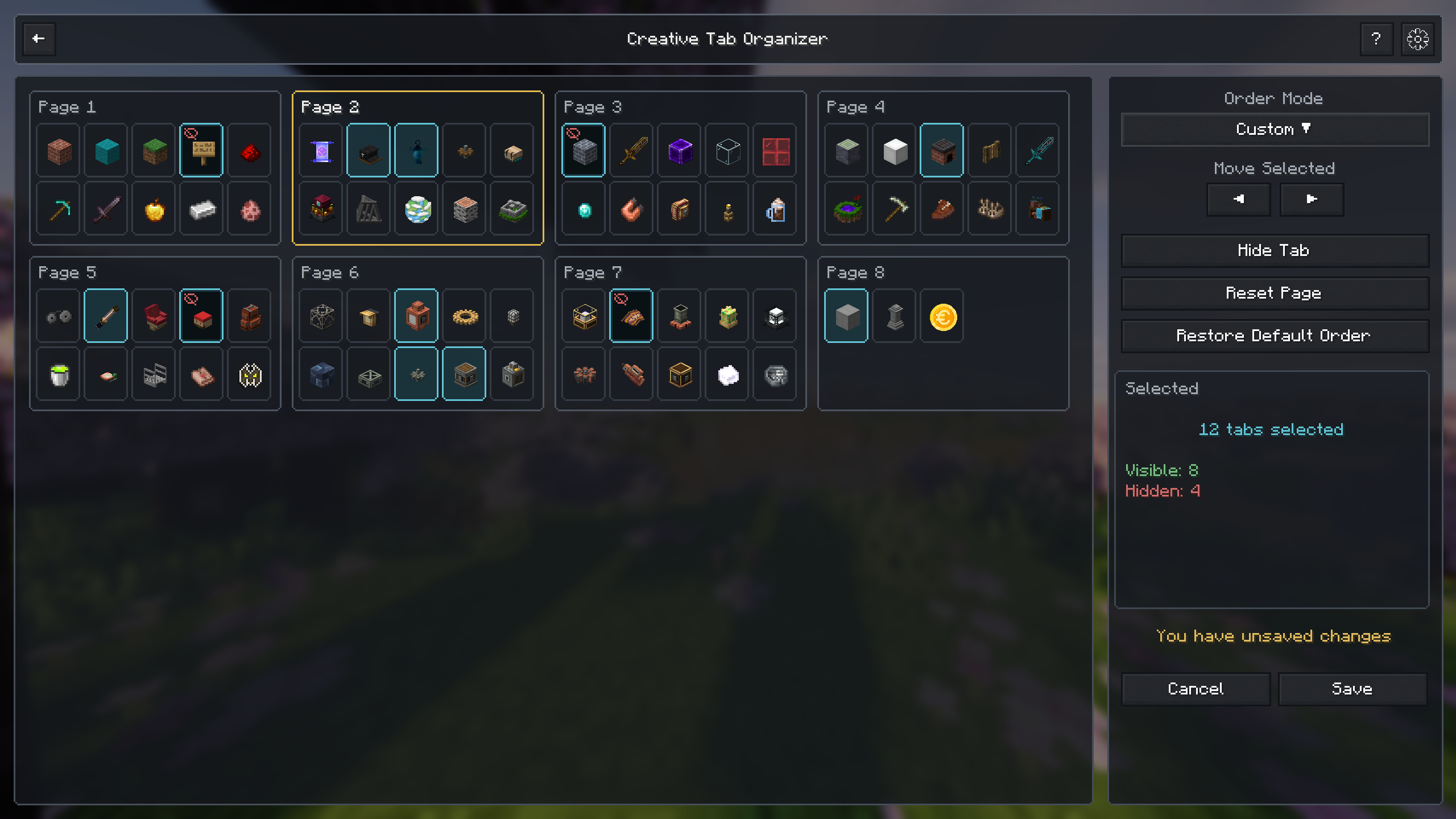 Multi-Tab Selection Select multiple tabs and move, hide, or manage them together.
 -
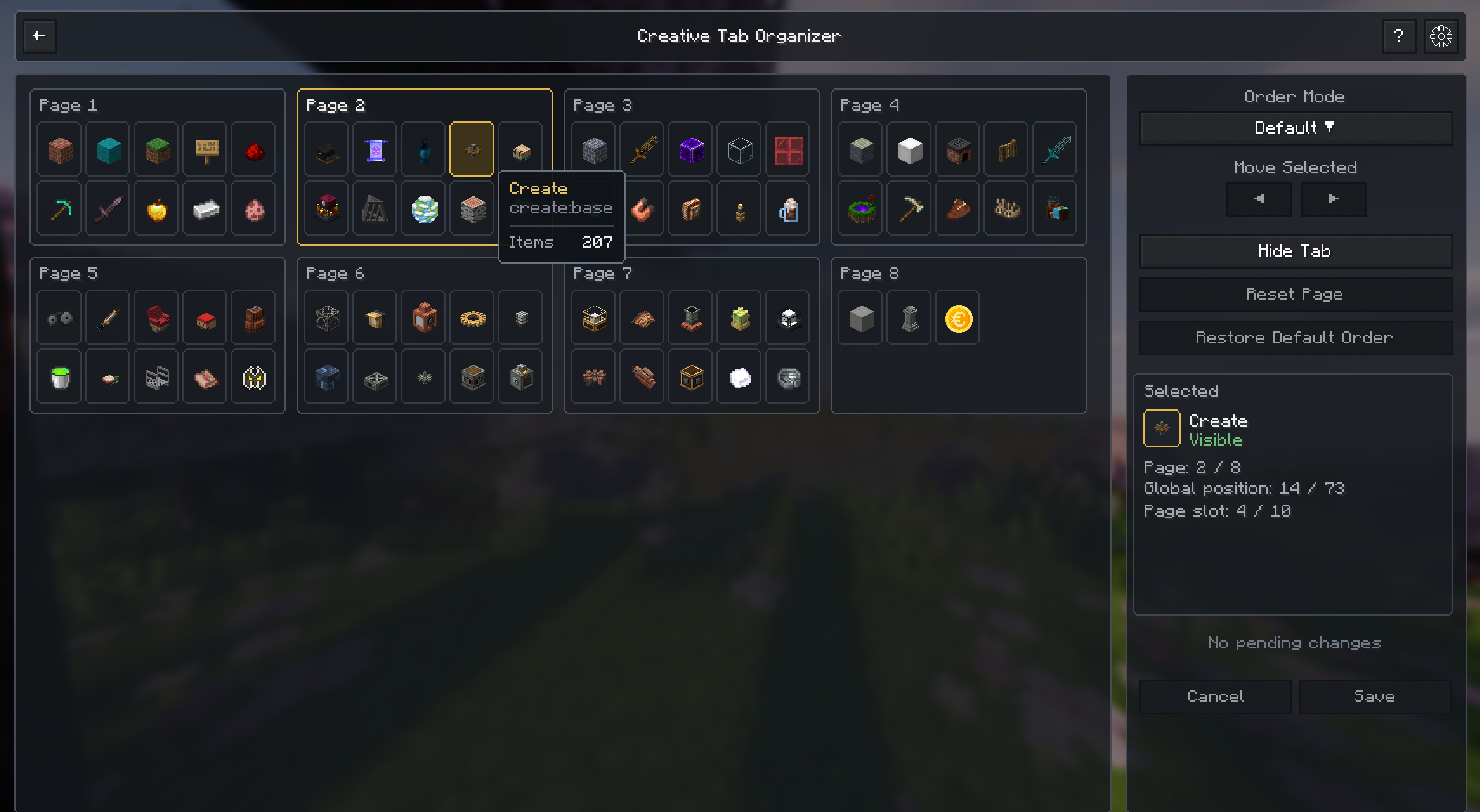 Detailed Tab Information View tab full names, tab identifiers and item counts.
 -
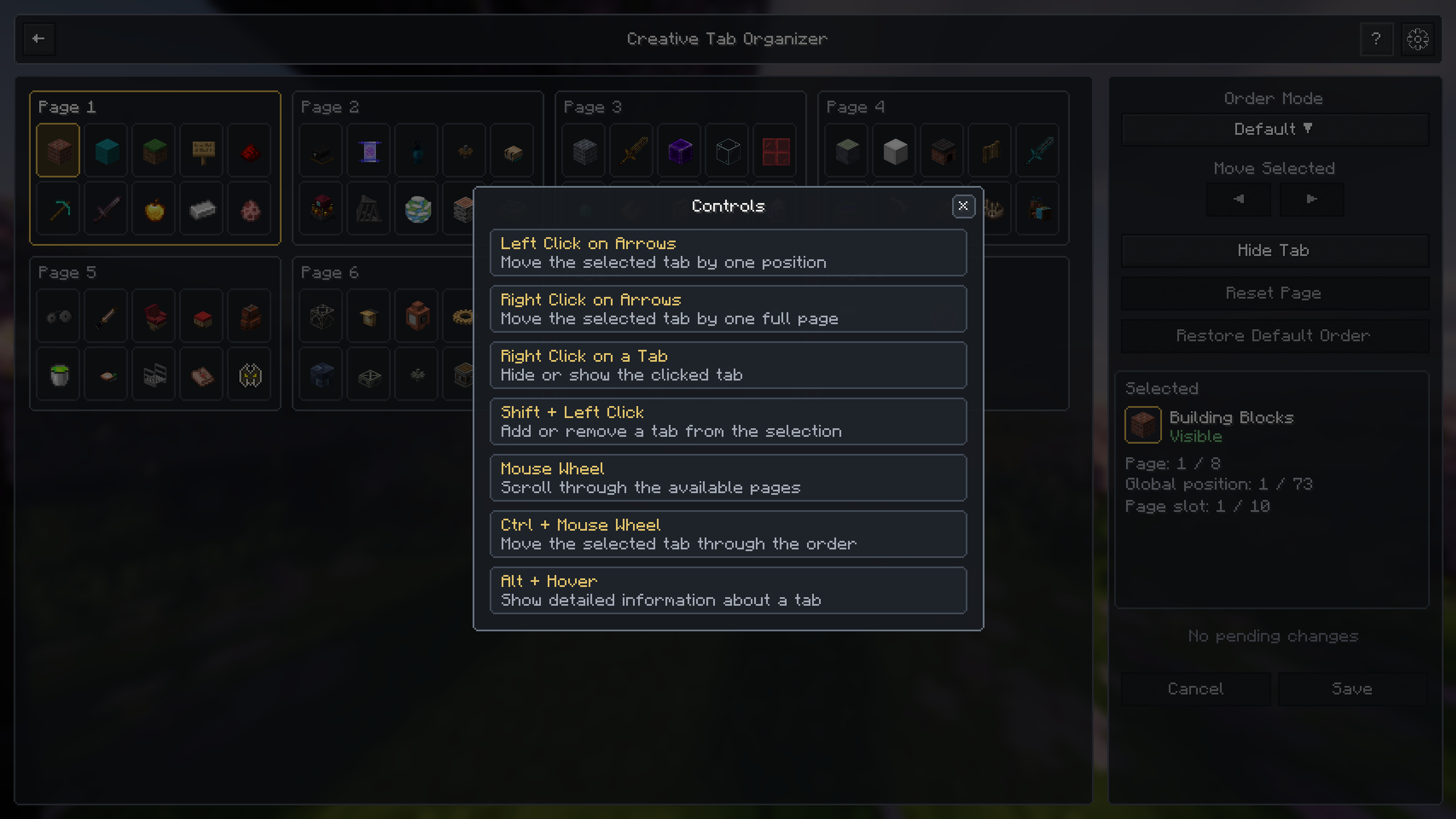 Integrated Controls Guide Quickly review the available mouse and keyboard controls.
 -
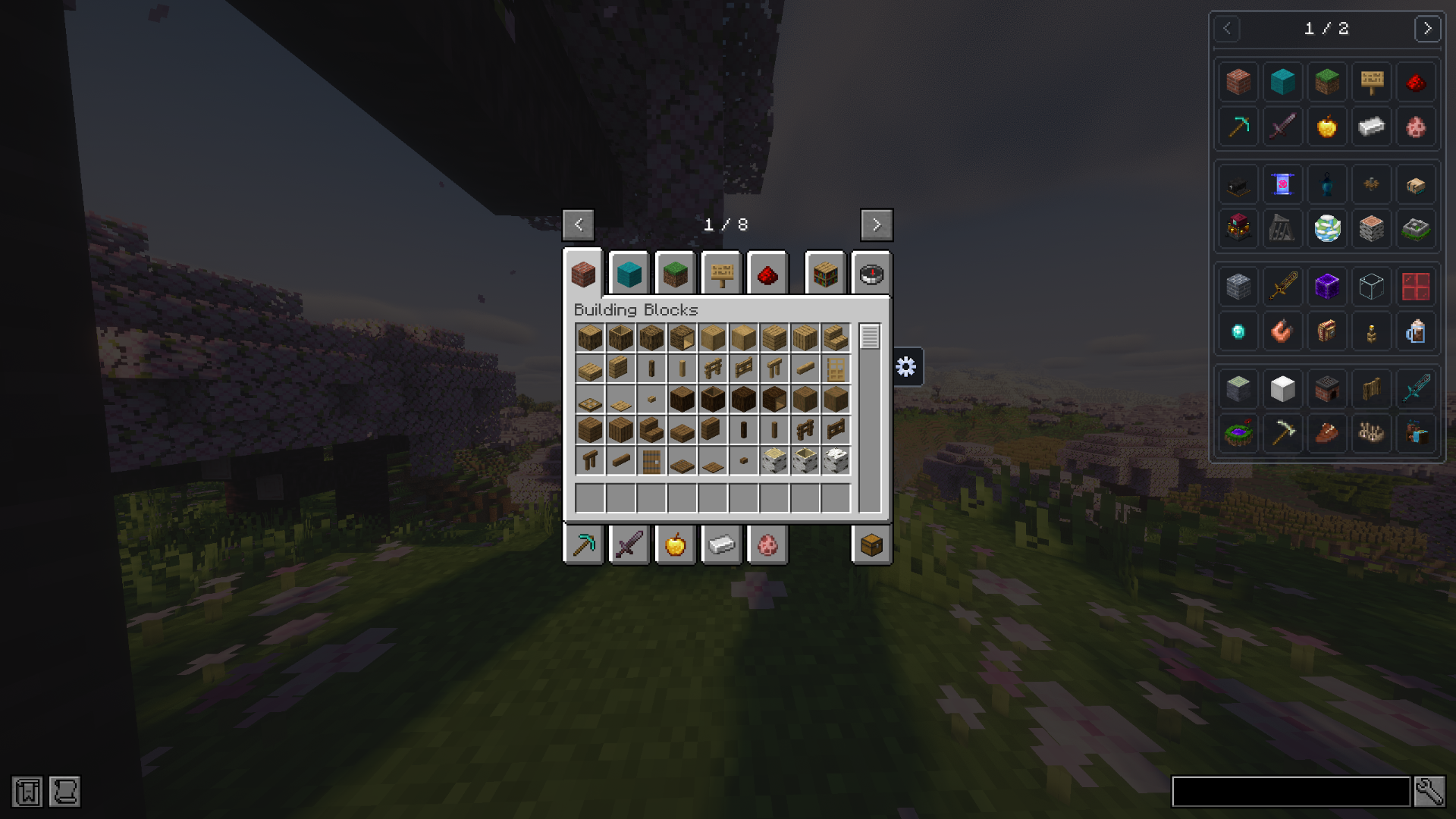 Creative Tab Browser for JEI Browse JEI ingredients through organized creative tabs instead of a single flat list.
 -
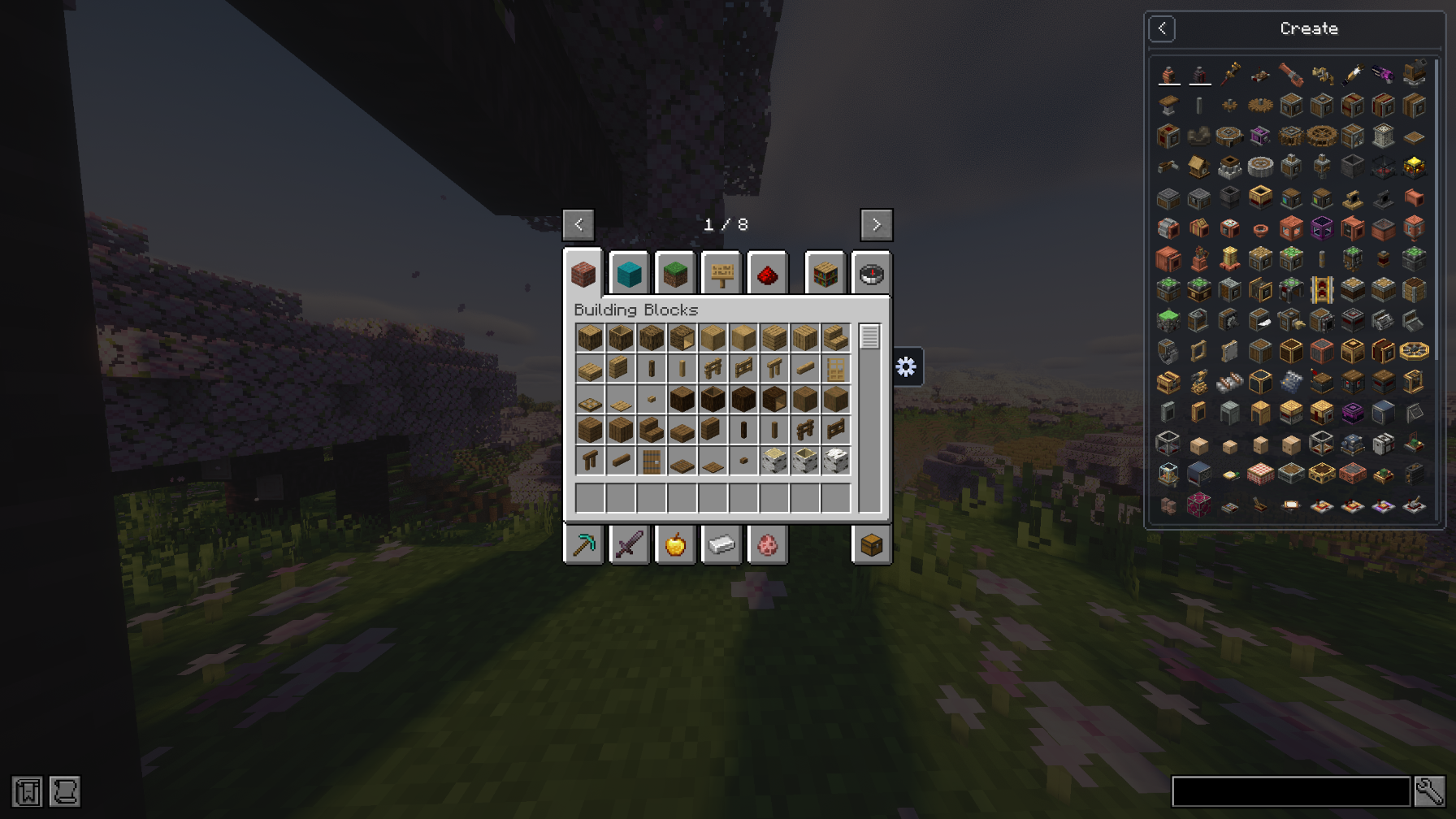 Creative Tabs in JEI Select a creative tab and browse only its related ingredients inside JEI.
 -
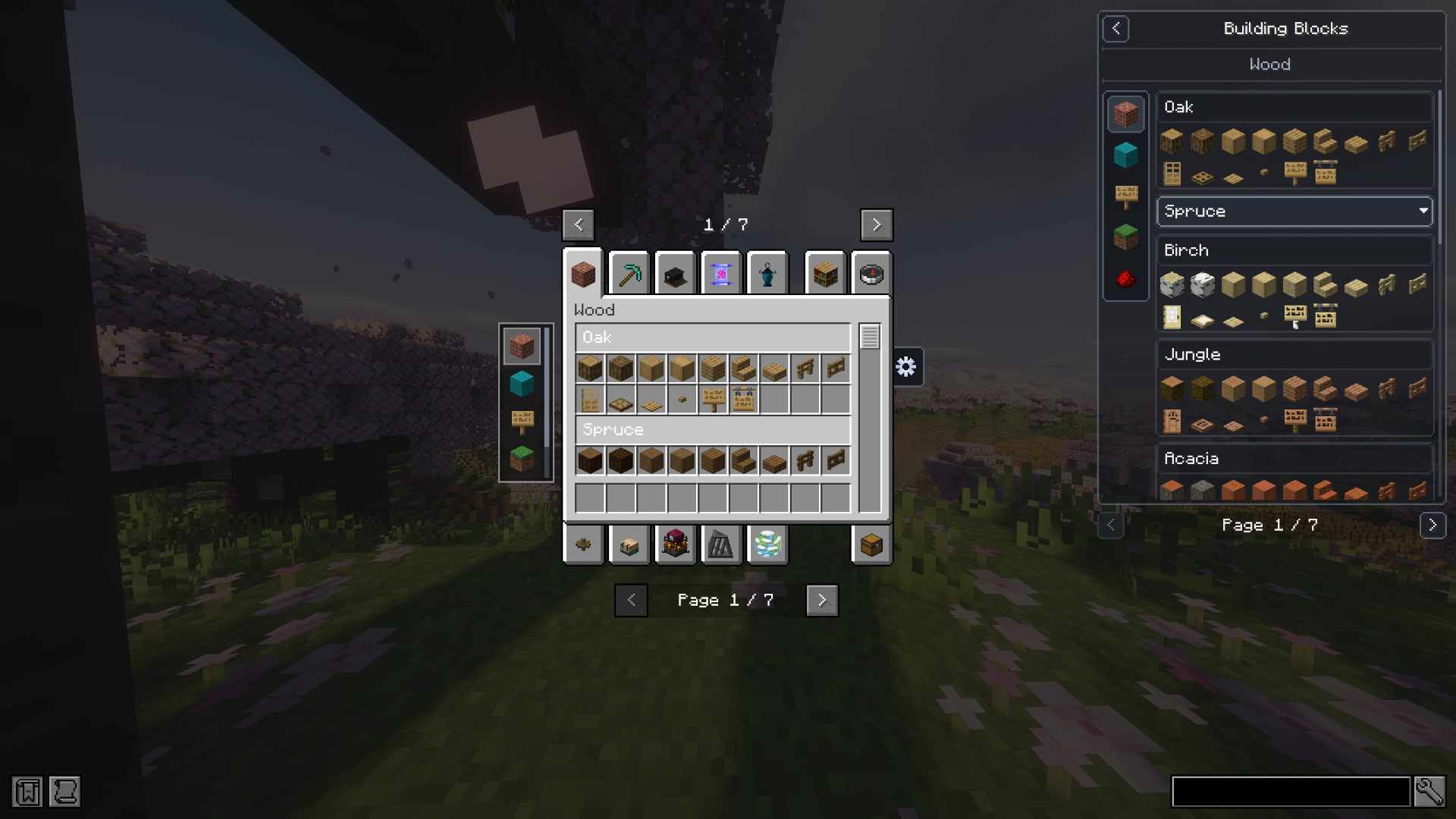 Creative Tab Layouts in JEI Display CTL pages, sections, headers, subtabs, and organized content directly inside JEI.
 -
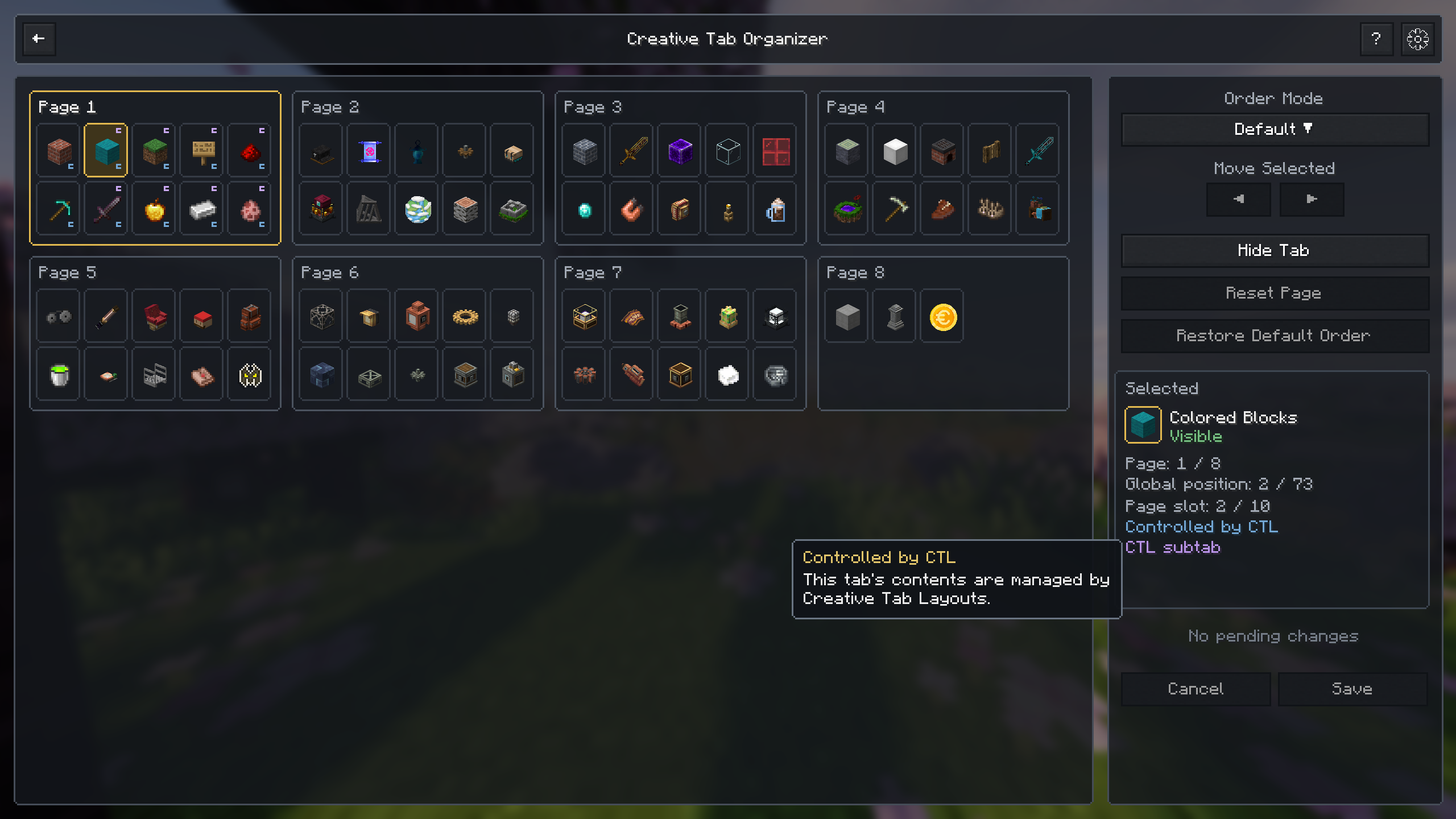 Creative Tab Layouts Integration Automatically identify tabs controlled by CTL and display their relationship inside the organizer.
 -
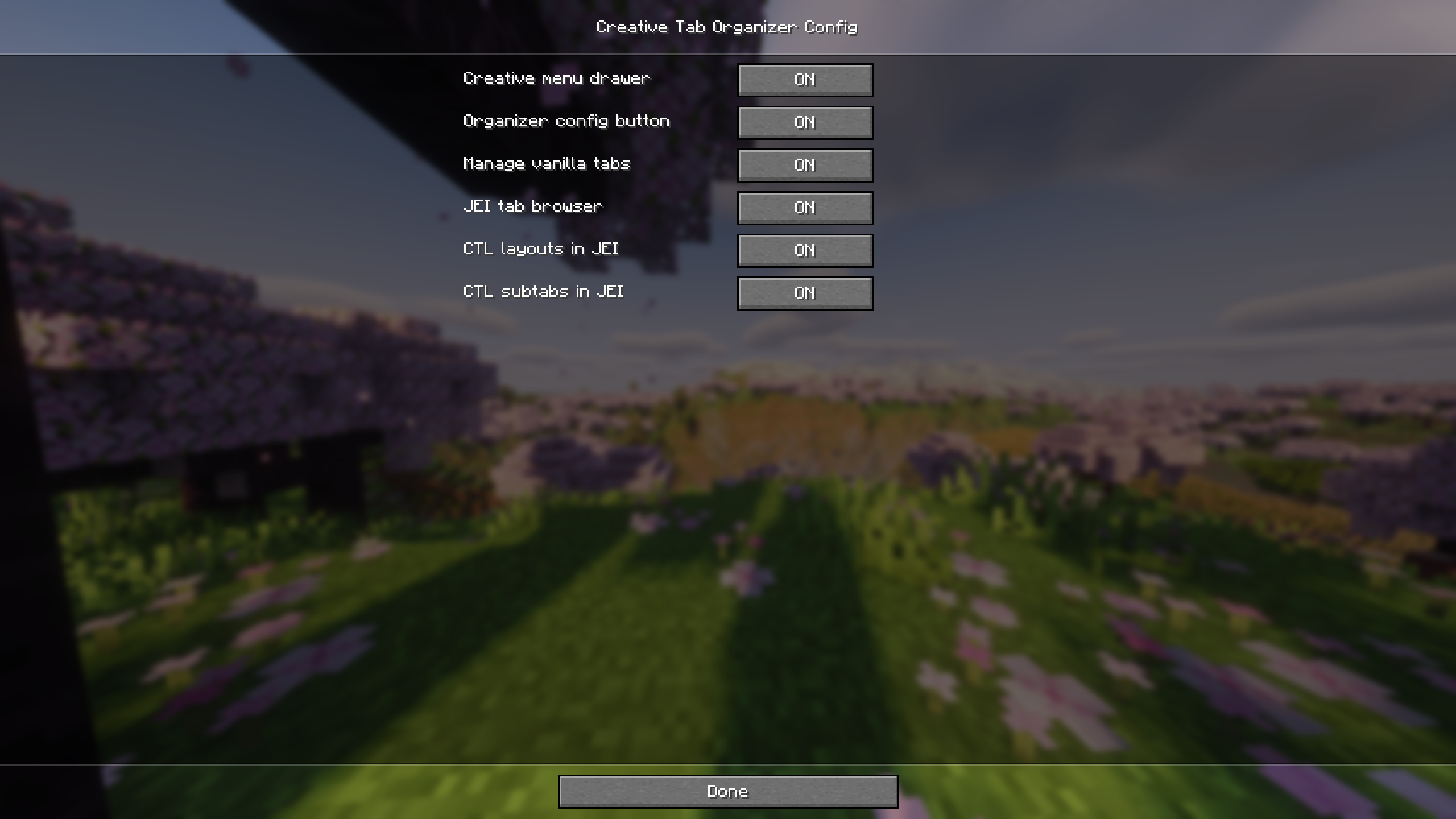 Configuration Configure creative tab management, menu integration, JEI browsing, and CTL compatibility.
Versions
Files
Relations
Project Relations
More like this
Similar Mods
Suggestions use data such as tags, dependencies, dependents, descriptions, titles, and more to rank how much they overlap with this mod.
On ModDex
Community snapshot
By the numbers
Statistics
Want to reach Minecraft players?
We're looking for a server hosting partner to feature here and other parts of the site. Interested? Send us a message!
Get in touchGet it on
Available Platforms
On ModDex
Community snapshot
By the numbers
Statistics
Resources