Community listing page, reviews here may not be monitored by the author.
Custom Boss Rematch

No reviews yet
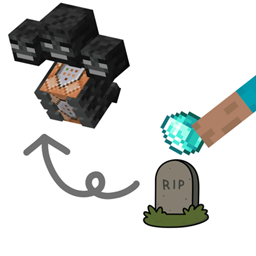
Allows you to rematch defeated bosses by interacting with their grave block using a specified item. Bosses, revival items, cooldowns, and spawn offsets can be customized through a datapack.
Community voices
Reviews
No reviews yet. Be the first to review this project!
Get it on
Available Platforms
About
Project Details
For authors
Embed Badge
If you're the author of this project, you can embed a live badge anywhere that supports HTML or Markdown. It updates automatically whenever ratings change.
Use HTML for any page that supports it, or Markdown for README files and Markdown-based descriptions.
Identifiers
Platform IDs
Resources
External Links
About
Description
Custom Boss Rematch
Custom Boss Rematch allows you to rematch defeated bosses as many times as you want.
After defeating a configured boss, a grave block is created. Using the specified revival item on the grave allows you to summon the boss again and start another fight.
Features
- Allows defeated bosses to be challenged again
- Works with custom bosses from other mods
- Can be combined with other mods and datapacks
- Bosses, revival items, cooldowns, and spawn positions can be customized through datapacks
How It Works
After defeating a configured boss, a grave block is created at the boss's death location.
Use the specified revival item on the grave to revive the boss and fight it again.
This makes it easy to repeatedly challenge your favorite bosses, test different equipment and strategies, or practice boss fights.
Custom Boss Rematch uses Minecraft's datapack system to define which bosses can be revived and how they behave.
1. Create a Datapack
First, create a datapack in your world's `datapacks` folder.
For example:
.minecraft/
└── saves/
└── YourWorld/
└── datapacks/
└── my_bosses/
Inside the datapack, create the following folder structure:
my_bosses/├── pack.mcmeta└── data/ └── custom_boss_rematch/ └── bosses/ └── sample.json
2. Create `pack.mcmeta`
Create a `pack.mcmeta` file in the root of the datapack.
{ "pack": { "pack_format": 15, "description": "Custom Boss Rematch - Custom Bosses" }}
> `pack_format` may need to be changed depending on your Minecraft version.
3. Create a Boss Definition
Create a JSON file in:
data/custom_boss_rematch/bosses/sample.json
Example:
{ "entity": "minecraft:ender_dragon", "revive_item": "minecraft:nether_star", "cooldown": 60, "spawn_y_offset": 1.5}
This example makes the Ender Dragon revivable using a Nether Star, with a 60-second cooldown.
Parameters
- entity — The entity ID of the boss that can be revived.
- revive_item — The item ID required to revive the boss.
- cooldown — The cooldown before the boss can be revived again, in seconds.
- spawn_y_offset — The Y-axis offset used when spawning the boss relative to the grave.
4. Add Multiple Bosses
You can add multiple JSON files to the `bosses` folder.
data/└── custom_boss_rematch/ └── bosses/ ├── sample.json ├── ender_dragon.json ├── wither.json └── my_custom_boss.json
Each JSON file defines a different boss and its revival settings.
After adding or changing a datapack, use `/reload` to reload the datapack.
This mod can be used in modpacks.
Screenshots
Gallery
Versions
Files
Relations
Project Relations
More like this
Similar Mods
Suggestions use data such as tags, dependencies, dependents, descriptions, titles, and more to rank how much they overlap with this mod.
On ModDex
Community snapshot
By the numbers
Statistics
Want to reach Minecraft players?
We're looking for a server hosting partner to feature here and other parts of the site. Interested? Send us a message!
Get in touchGet it on
Available Platforms
On ModDex
Community snapshot
By the numbers
Statistics
Resources